You can drive cars from ‘Fallout 4’ in ‘Forza Motorsport 6’

Can’t wait until November 10th to wander through a desolate nuclear wasteland? That’s a little weird, dude — but if you need something to tide you over until Fallout 4 hits stores, Forza Motorsport 6 may have the ticket: starting today, players will be able to download a Fallout-themed 1956 Ford F100 for free.
Source: Xbox News Wire
Apple’s Eddy Cue Talks Enterprise, iPad Pro at Dropbox Conference
Apple’s SVP of software and services Eddy Cue today spoke at the Dropbox Open conference, where he talked about Apple’s enterprise efforts and the upcoming 12.9-inch iPad Pro in an interview with Dropbox CEO Drew Houston. Several conference attendees covered Cue’s remarks in a series of tweets with the hashtag DropboxOpen, giving some insight into the topics he covered.
 Image via James Titcomb
According to Cue, Apple’s success in the enterprise segment is a natural evolution of its success in the consumer space, as it’s bridged the gap between devices used at home and devices used at work. Things “important to the consumer,” he says, are “important to the enterprise.”
We’ve always been a consumer company. We’ve been trying to create products for individuals and part of that was creating a product that had tools that allowed people to do things with them that we could never even imagine. And what’s happened is if you look at the world today you work 24 by 7.
You’re awake, you take it home with you, you take it everywhere. There’s no longer the “enterprise” in the sense of the products you use there that you don’t use somewhere else. Now you get to use the products everywhere.
Apple is hoping the iPad Pro will further boost its enterprise sales, with Cue saying there’s still a “huge opportunity” for growth. Cue also said he believes enterprise has a long way to go to catch up on new mobile technologies the way consumers have. During the interview, Cue brought out an iPad Pro to show off on stage, and teased the audience, asking them to look under their chairs to find nothing underneath.
Eddy Cue pulled out an iPad Pro and Drew Houston said “look under your chairs, guys!” and we did and there was nothing #DropboxOpen
— Casey Newton (@CaseyNewton) November 4, 2015
http://platform.twitter.com/widgets.js
At the start the interview, Houston said he couldn’t wait to get his hands on an iPad Pro, to which Cue responded “Only a few more days,” potentially suggesting the iPad Pro’s launch will happen soon. Current rumors have indicated the iPad Pro will be available in stores on November 13, but it’s possible Apple could accept pre-orders before that date.
Discuss this article in our forums
How to perform a software update via the LG Mobile Support Tool

If you own a handset made by LG and are looking for instructions on how to update your handset, you’ve come to the right place. For those of you who have newer models of an LG device, you may be used to updating via an over-the-air (OTA) update. However, if you own an older handset, there’s a very easy way to check and complete updates. The method used in this tutorial uses your computer to install updates.
To get started, you may want to back up your device’s information to a cloud platform or to a microSD card, just to be sure nothing is lost. Even though most updates don’t affect your personal files, to make sure that you’re always safe, it’s nice to have a backup just in case something goes wrong. Prior to updating, users are also recommended to have 50+ percent of battery life so ensure the download finishes without a disruption. And as always, you may want to consider connecting to a nearby Wi-Fi network to avoid data overages if you’re using a cellular device.
Here’s a full tutorial beginning at square one on how to update your LG handset via the LG Mobile Support Tool.

First off, you’ll need to head over to LG’s support center to download the Mobile Support Tool on your computer. You may be prompted to put in your device’s model number, which can be found in your handset’s settings under General and About Phone. If you’re unsure how to find it, LG provides a catalog on its website to find the device you’re looking for.

Once you have the software installed, you can launch the program and connect the device to your computer. Your computer will automatically download the proper drivers and recognize that your LG device has been connected. If nothing pops up right away, keep the program open and be patient. If you receive a notification on your smartphone that reads “USB connected, Charge only,” you should head into settings and enable USB debugging under Developer options. This can be accessed by triple tapping the build number under About Phone. Once enabled, the notification should now read “USB connected, Media Sync (MTP),” meaning you’re ready to apply the update. If you’re still dealing with connectivity issues, you can troubleshoot via the LG Mobile Support Tool for added assistance.

Is your device eligible for an update? A notice will pop-up on your computer containing the update details if so. If not, the screen will read “no updates are available for your device at this time.”
The next step is to apply the firmware upgrade. Once started, it’s imperative to not disconnect your device from your computer. Once confirmed, your LG device should automatically reboot and begin updating. If you have done this correctly, you should see a symbol on your mobile device indicating the update is in progress. In order for the software update to fully install, please allow 10-25 minutes. During this time you’ll be unable to receive any messages or notifications on your LG device.

Once the update is downloaded and has completed the installation, the handset will instantly restart. When booting up your phone for the first time, you will most likely have to wait a little longer than usual while the update is applied to your applications. This can take an additional 10-30 minutes depending on the amount of apps you have installed. Fear not as no information will be lost. When it’s done, you can unplug your device from your computer and move on with the remainder of your day.
If you got lost somewhere in the process or have any questions, feel free to drop a comment down below and we’ll try our best to assist you in the right direction. Happy updating!
Come comment on this article: How to perform a software update via the LG Mobile Support Tool
Motorola has opened a pop-up store in downtown Chicago to aid holiday shopping
(adsbygoogle = window.adsbygoogle || []).push();
Everybody loves a good pop-up store – or at least, that’s what Motorola is hoping. Motorola has opened a pop-up store in downtown Chicago which will officially open its doors on November 7th and will sell Motorola’s full range of commercially available devices. While having a physical store might seem like a bit of a boon considering how convenient shopping online is, Motorola has actually provided pretty much all options that available on their websites in physical form. That includes a huge assortment of coloured cases and devices for Motorola’s smartphone range as well as all combinations available for the new Moto 360 smartwatch – it’s pretty much a physical Moto Maker store.


The other neat thing about Motorola’s pop-up store is that they have an area dedicated to the recently released Motorola Droid Turbo 2 which was heavily marketed to have a shatterproof screen. Dubbed the Drop Zone, customers will be able to test exactly how shatterproof the ShatterShield display on the Droid Turbo 2 is on surfaces like tiles and concrete. Motorola is also going to have a proper opening celebration on November 14th, so try and make it down there if you’re in the area.
What do you think about the Motorola pop-up store? Let us know your thoughts in the comments below.
Source: Motorola via Phandroid
The post Motorola has opened a pop-up store in downtown Chicago to aid holiday shopping appeared first on AndroidSPIN.
NASA wants to hire more astronauts

Have you dreamed of becoming a space explorer? You now have your chance to do something about it: after a four-year silence, NASA is once again hiring new astronauts. The recruiting drive will run between December 14th and mid-February, with the final selections made public in mid-2017. You’ll need the right mix education, experience and stamina to even get your foot in the door (there’s a long-term spaceflight physical, for example). However, it could easily be worth clearing that high bar.
Source: NASA
Free app brings local news broadcasts to Android, iOS and Roku

We’re living in a cord-cutter’s world where everyone seems to be ditching their cable and satellite subscriptions in favor of the cheaper alternative: streaming. The problem is, when we clense ourselves of all those pesky cords we also lose a wide range of local news broadcasts. NewsON is a new app available for Android, iOS and Roku that offers video content from a total of 118 stations in 90 different markets. The app features live and on-demand newscasts, clips from the station that can be accessed at any time and even the ability to post real-time tweets about the news coverage.
Source: TechCrunch
Facebook averaged over 1 billion daily users in September

Facebook’s growth shows no sign of stopping. Today is announced that it has over one billion users on average using it everyday. In August it announced it had passed a milestone of having one billion users on the site in a single day. By the next month that was the average. That’s a year-over-year increase of 17 percent. Monthly active users increased by 14 percent to 1.55 billion as of the end of September, an increase of 14-percent from the year before. Meanwhile the company continues to see a majority (78-percent) of its ad revenue come from mobile. In the earnings statement CEO Mark Zuckerberg stated, “we’re focused on innovating and investing for the long term to serve our community and connect the entire world.”
Source: Facebook
Apple TV App Store Gains Categories Section for Better App Discovery
Apple appears to have updated the tvOS App Store to add a new Categories section, which should make it easier for new Apple TV owners to discover apps on their devices. Like the iOS App Store, the new Categories section arranges apps into different sections based on purpose, like Games and Entertainment.
First noted by iDownloadBlog on an Apple TV running the new 9.1 tvOS beta, the new Categories section appears to be rolling out to Apple TV users now. We were able to get the Categories feature to show up on an Apple TV running tvOS 9.0 following several device restarts.

Shortly after the Apple TV was released, there were multiple complaints about the state of the tvOS App Store. At launch, the App Store displayed only a list of featured apps, leaving the rest to be discovered through searches. Apple has been improving the tvOS App Store over the past few days, with the Categories section joining a Top Charts section that was added to the App Store on Monday.
 Apps that are displayed when selecting the “Entertainment” category
Game and app developers were previously concerned with app discovery on tvOS when the App Store was limited to featured apps, but the inclusion of the Top Charts and the Categories section will go a long way towards bolstering the discovery process.
Discuss this article in our forums
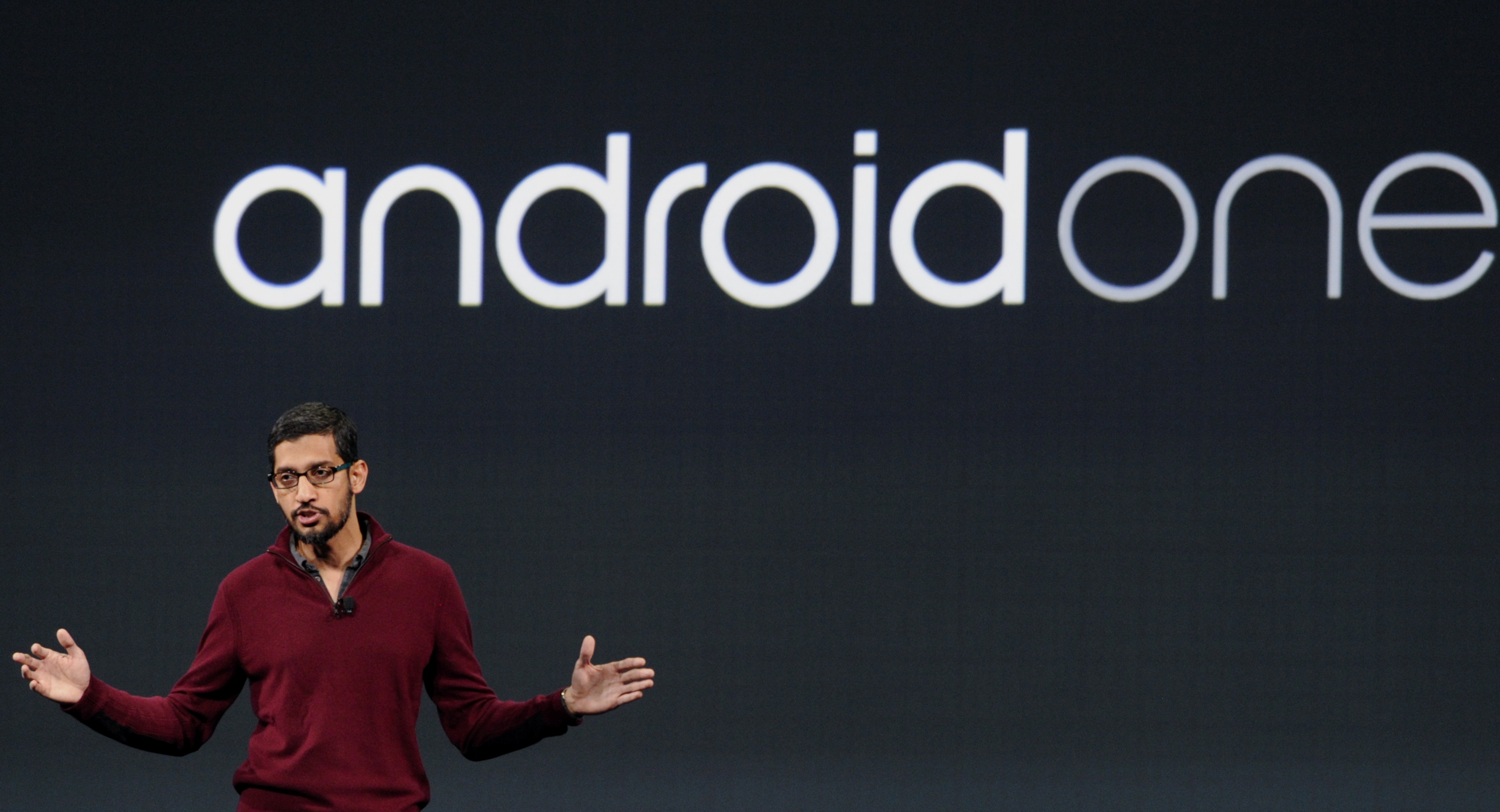
Google loosens grip on Android One partners in attempt to revitalize the program

Android One never really got anywhere, but Google isn’t giving up.
Since its launch back at Google I/O 2014, the low-cost Android One initiative was never the saving grace we had all once hoped it would be. The program promised solid Android-powered hardware, timely software updates straight from Google, a simple and easy to use software experience, and even more ways to save on high data costs. As it turns out, not many people were interested in these One devices, as the lower-cost competition began heating up in these countries, often offering users better devices for the money. Now that it’s been awhile since we’ve seen any new Android One hardware, what’s next for the program?
According to The Wall Street Journal, Google is taking another crack at it. Sourcing “people familiar with the matter”, this new report claims that Google plans to relax its rules and give Android One partners more options when it comes to choosing features and price.
Google is being much more lenient than it was before
Google and India’s Lava are supposedly planning to release a new low-cost One smartphone in the next few months. This will be the first Android One product under the more lenient, revamped initiative from the company. One major complaint many Indian phone makers had with Android One was the hardware restrictions set in place by Google that would limit the phone makers to only one or two choices for most components. Google required them to purchase from specific suppliers, as well.
This, for Google, ensured the smartphones were able to run the most recent version of Android. But for manufacturers, this meant less flexibility on pricing, and it also slowed down product launches. You see, if you’re making a smartphone that costs $100, every penny counts. That’s why Google had a difficult time getting manufacturers on board with the program, and those who committed to Android One only produced one or two devices.

This new approach, though, will allow Android One partners more freedom when choosing where each component comes from. Phone makers will now be able to purchase parts from their own approved vendors. Now, according to the WSJ’s sources, there are at least five different camera sensors to choose from. Phone makers can also now use other suppliers for the phone’s main processor, such as Qualcomm.
An executive at one phone manufacturer in India said Google’s more lenient attitude towards Android One “leaves little difference between the program and just producing regular Android phones.” With this in mind, do you think this will bring more sales to the Android One program, or do you think it will still continue to struggle? Be sure to tell us your thoughts in the comments below.
Motorola Droid Turbo 2 review
Buy Droid Turbo 2 from Verizon
Recently the major points of focus for Verizon’s Droid series of smartphones have been on battery life and durability, especially when it came to last year’s Droid Turbo, which featured ballistic nylon or re-enforced Kevlar backings to make for quite a durable device. Additionally, the Turbo packed a large battery that allowed for an impressive battery life.
With its successor, Motorola is aiming to further improve upon and refine what are the most exciting aspects of the Droid Turbo series, while also updating the hardware package to better compete with the current crop of flagship smartphones. Available exclusively from Verizon Wireless, does the latest Motorola offering prove to be a compelling option? We find out, in this in-depth review of the Motorola Droid Turbo 2!
Other members of the Moto family
.rvs_wrapper
width: 350px;
.rvs_wrapper.align_left
float: left;
.rvs_wrapper.align_right
float: right;
.rvs_wrapper.align_center,
.rvs_wrapper.align_none
width: 100%;
.rvs_wrapper.align_center
text-align: center;
.rvs_wrapper.align_center.cbc-latest-videos ul li
float: none;
display: inline-block;
vertical-align: top;
.rvs_wrapper.cbc-latest-videos:not(.align_none) ul li:nth-child(2n+1)
clear: both;
.rvs_title
font-weight: 600 !important;
margin: 0 !important;
font-size: 24px !important;
.rvs_wrapper.align_right .rvs_title
padding-left: 20px;
.rvs_title a
font-family: ‘Roboto Condensed’;
color: #3a3a3a;
.rvs_wrapper.cbc-latest-videos ul
padding-top: 10px;
.rvs_wrapper.align_left.cbc-latest-videos ul li,
.rvs_wrapper.align_none.cbc-latest-videos ul li
padding: 0 15px 0 0;
.rvs_wrapper.align_right.cbc-latest-videos ul li
padding: 0 0 0 15px;
float: right;
.rvs_wrapper.align_center.cbc-latest-videos ul li
padding: 0 7px;
.rvs_wrapper.cbc-latest-videos ul li > a
font-weight: 400;
.rvs_wrapper.cbc-latest-videos ul li > a .yt-thumbnail
margin-bottom: 0;
@media only screen and (min-width : 480px)
body #page .rvs_wrapper.cbc-latest-videos ul
width: 100% !important;
@media only screen and (max-width : 480px)
body #page .rvs_wrapper.cbc-latest-videos
width: 100%;
float: none !important;
overflow-x: auto;
overflow-y: hidden;
body #page .rvs_wrapper.cbc-latest-videos ul
overflow: auto;
max-height: none;
body .rvs_wrapper.cbc-latest-videos ul li
float: left !important;
clear: none !important;

Design

The Droid Turbo 2 may be a lot of things, but attractive may not be one of them. Following its official launch, there were quite a lot of complaints with regards to how the front of the device wasn’t the most appealing to look at, and we have to agree. With the split speaker grills, slew of sensors, the front-facing camera with flash, and of course, the Verizon logo, there is certainly a lot going on up front. For what it is worth, this is all far more noticeable on the white iteration of the device, which happens to be the color of our review unit. The bezels along the sides of the display of the Droid Turbo 2 aren’t particularly thin either, which also takes away from the look.

The Droid Turbo 2 does borrow some design elements from the Moto X Style (Pure Edition), with the signature Motorola dimple on the back a part of the metal bar that also houses the camera unit. The back isn’t as curved however, making for a slightly thinner device than the Moto X Pure Edition when comparing their thickest points. With its 5.4-inch display, the handling experience with the Droid Turbo 2 is a little more manageable as well, but might still be outside the realm of comfortable one-handed use for some users.
Up top is the headphone jack and the SIM tray that also has a slot for the microSD card, and on the bottom is the microUSB port. On the right side are the volume rocker and the power button, with the latter coming with a textured finish that makes it very easy to locate.

For the first time, Motorola brings its Moto Maker customization suite to the Droid series, allowing for users to choose between various options for the backing, the accent colors, and the colors of the front face, while also offering the ability to add an engraving, for that little bit more of a personal touch. For the backing, the standard soft grip material is available, as also seen with the Moto X Pure Edition, and users can also opt for ballistic nylon, that some fans will appreciate, along with leather materials as well. The customization available via Moto Maker is one of the more compelling features of Motorola’s flagships, and bringing it to the Droid line is certainly a great move.
Display

The big news with the Droid Turbo 2 is the fact that it features a shatterproof display, courtesy of Motorola’s new Shattershield tech. This happens due to the fact that the screen comes with five different layers, starting with a layer of plastic that covers the display. The display itself is slightly flexible, allowing for it to bend on impact and absorb shock, instead of shattering. Along with that, there is a dual-touch layer, so if one touch layer does happen to be affected, there is always a backup.
Having dropped the device face down on concrete, hardwood flooring, and down the stairs, repeatedly, the display does manage to survive everything with hardly any hints of damage. There are consequences of course, with the plastic layer being more prone to scratches, and given the fact that the device itself isn’t rated for protection against impact, while the display may survive, the components inside may not if the fall is hard enough.

As far as the display is concerned, it is a 5.4-inch AMOLED screen with a Quad HD resolution, resulting in a pixel density of 540 ppi. With its high resolution, sharpness is of no concern, and you get the vibrant colors and deep blacks that are expected from AMOLED screens, along with decent viewing angles. Granted, the display may not be as impressive as other AMOLED screens out there, given the multiple layers that are to be found, but we were surprised by how good of a viewing experience Motorola was able to maintain.
Performance and hardware

Under the hood, the Droid Turbo 2 comes with an octa-core Qualcomm Snapdragon 810 processor, clocked at 2 GHz, and backed by the Adreno 430 GPU and 3 GB of RAM. This processing package is the current flagship standard, and with Motorola’s near stock software experience on-board, the performance of the Droid Turbo 2 is as good as expected. The device handles everything from swiping, scrolling, and opening applications, to multi-tasking and gaming very well, and everything remains smooth and snappy for the most part.
#gallery-1
margin: auto;
#gallery-1 .gallery-item
float: left;
margin-top: 10px;
text-align: center;
width: 33%;
#gallery-1 img
border: 2px solid #cfcfcf;
#gallery-1 .gallery-caption
margin-left: 0;
/* see gallery_shortcode() in wp-includes/media.php */


32 GB or 64 GB of on-board storage is available, and if storage is of concern, the good news is the expandable storage via microSD card, by up to 128 GB, is also to be found here. The device also comes with a standard suite of connectivity options, but as far as network compatibility is concerned, the Droid Turbo 2 is exclusively available only for Verizon Wireless customers. However, there is an international version of the device as well, called the Moto X Force.
While the device may give the appearance of a dual front-facing speaker setup, there is actually only a single speaker to be found, under the speaker grill at the bottom right below the display. The speaker actually does get pretty loud and sounds very crisp and clear. While not as good as any stereo front-facing speakers, it is certainly better than any rear or bottom-mounted speakers out there.
#gallery-2
margin: auto;
#gallery-2 .gallery-item
float: left;
margin-top: 10px;
text-align: center;
width: 50%;
#gallery-2 img
border: 2px solid #cfcfcf;
#gallery-2 .gallery-caption
margin-left: 0;
/* see gallery_shortcode() in wp-includes/media.php */


In battery, the Droid Turbo 2 packs a large 3,760 mAh unit, which Motorola claimed would last for 48 hours. In our testing, with moderate use that involved a lot of texting, taking a few pictures, watching some videos, and surfing the web, the device managed up to 5 and a half hours of screen-on time. However, it is quite difficult to drain the battery in just one day. There would be around 40% of battery left at the end of the day, and leaving it uncharged for the night, the device would last up to another half a day. Usage varies from user to user, but it shouldn’t be difficult to get up to 30 hours of battery life from the Droid Turbo 2. If you do find yourself needing to recharge, Motorola’s Turbo Charger will help get you back up and running in no time.
Camera

In camera, you get a 21 MP rear camera and a 5 MP front-facing shooter, which is identical to the camera package seen with the Moto X Style (Pure Edition). There is no optical image stabilization however, which means you will have to keep your hands steady when taking images in low-light conditions, and this will likely result in some shaky videos.

The primary camera is capable of taking some great photos, with good color reproduction and detail. The quality understandably deteriorates as lighting conditions worsen, and in low light situations, some grain is to be seen, along with colors losing their vibrancy. As mentioned, you will also have to keep your hands steady to avoid blurry images in these conditions, but for the most part, the device manages decent shots in low light.
The front-facing 5 MP camera takes some great shots as well, with good detail, and with its wide angle lens, it is easy to get quite a lot into the frame. There is also a front-facing flash, but other than in really dark places, this is not something you will end up using as often.


Video recording is pretty good too, with the software-based stabilization somewhat making up for the lack of OIS, and the device is capable of shooting video in 4K as well. Overall, the Droid Turbo 2 offers a great camera that allows for shots that should please most users.
Software

In software, the Droid Turbo 2 runs Android 5.1.1 Lollipop out of the box. While an official update to the Android 6.0 Marshmallow is in the works, it is a little disappointing to see a new device not running the latest version of Android right off the bat. Further, the Droid Turbo 2 will be dependent on Verizon Wireless to roll out the update, and the network carrier has historically not had the best track record in this regard.
#gallery-3
margin: auto;
#gallery-3 .gallery-item
float: left;
margin-top: 10px;
text-align: center;
width: 33%;
#gallery-3 img
border: 2px solid #cfcfcf;
#gallery-3 .gallery-caption
margin-left: 0;
/* see gallery_shortcode() in wp-includes/media.php */


Motorola’s take on Android keeps things as close to stock as possible, but with some useful additions baked in. Moto Display lets you have a quick glance at the notifications by simply waving your hand over the display, or picking up the phone. Moto Voice proves to be a good voice assistant, and Moto Actions includes some useful gesture controls, such as twisting your wrist to launch the camera, or performing a chopping motion to activate the flashlight. Given that this is a Verizon device however, there are a lot of pre-installed Verizon applications, along with a few games, but luckily, most of these apps can be uninstalled if required.
Specifications
| Display | 5.4-inch display Quad HD resolution, 540ppi / Shatter Shield tech |
| Processor | Qualcomm Snapdragon 810 processor / Adreno 430 GPU |
| RAM | 3 GB |
| Storage | 32/64 GB expandable via microSD up to 2TB |
| Camera | 21 MP rear camera with dual LED flash 5 MP front-facing camera with wide angle lens and front-facing flash |
| Connectivity | Wi-Fi a/b/g/n/ac Universal LTE bands Bluetooth 4.1 NFC GPS+GLONASS |
| Network | 4G LTE (Cat 4) CDMA / EVDO Rev A UMTS / HSPA+ Bands: CDMA (850, 1900MHz) GSM / GPRS / EDGE (850, 900, 1800, 1900 MHz) UMTS / HSPA+ (850, 900, 1900, 2100 MHz) 4G LTE (B2, 3, 4, 5, 7, 13) GSM / EDGE |
| Battery | 3,760 mAh Battery with Turbo & Fast Wireless Charging / Supports PMA and Qi wireless charging (wireless charger sold separately |
| Software | Android 5.1.1 Lollipop |
| Colors | Moto Maker support included |
| Weight and size | 149.8 mm x 78 mm x 7.6 mm – 9.2 mm, Weight 169g |
Gallery


Pricing and final thoughts
The Droid Turbo 2 is available via Verizon’s EDGE agreement, priced at $26 per month for the 32 GB version, and $30 for the 64 GB iteration, with the off-contract priced of $624 and $720 respectively.

So there you have it for this in-depth look at the Motorola Droid Turbo 2! The Droid Turbo 2 is essentially the Moto X Pure Edition on steroids, with its larger battery, shatterproof display, and slightly more powerful processing package. Of course, The Droid Turbo 2 is available exclusively from Verizon Wireless in the US, but international users will be able to get their hands on the device, under the Moto X Force moniker. If you do decide to pick up the 64 GB version of the device, you also get the added benefit of being able to change the look entirely once during the first two years.
Overall, the Droid Turbo 2 is a great smartphone, though it is on the pricey side. However, if battery life and a well-protected display are important to you, this is definitely the phone to consider.
 AIVAnet