


Install Android L “Lemon Cake” Developer Preview on Nexus 4
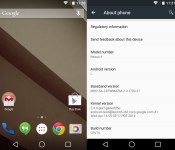

Nexus 4 owners jealous of those with a Nexus 5 or 7 (2013) running the Android L Developer Preview can get a taste of the next version of Android thanks to developers at XDA Developers forum who ported the rom over to the device.
Since Google only pushed part of the source code to the Android Open Source Project (AOSP) for the Nexus 4, the ROM is based on the Nexus 5 and 7′s (2013) Preview System Images and comes thanks to @sykopompos, @defconoi and @ben1066.
It should be noted that while it’s not fully functional yet, most things are working and it “can be used as a daily driver for the majority of Android users.” Although that’s the case, remember that some apps may not work as developers haven’t updated them yet for the Android L release and since it’s a preview, some things may not work until the official release in the coming months.
Currently noted to not be working is:
- Camera
- Bluetooth
- Swipe-to-Phone-Application not showing on lockscreen
- SELinux and Knox
- SuperSU/Root
To install the ROM, follow these instructions after downloading:
- Put the file onto your Internal Storage
- Reboot into Recovery (CWM/TWRP]
- “wipe data/factory reset”
- “mounts and storage” -> “format system”
- “advanced” -> “wipe dalvik cache”
- “install zip” -> “install zip from sdcard” -> choose the mako-bla-bla-zip and confirm flashing procedure
- “wipe cache”
- “advanced” -> “wipe dalvik cache”
- “reboot into system”
- first boot may take up to 10 minutes – be patient
At this time, it may be best to just install MultiROM and install the ROM that way, so that you can keep your daily driver. I found that the easiest way to install it is to download “MultiROM Manager” from Google Play and through the app, install MultiROM, recovery and kernel. When you boot into recovery, to install a ROM with MultiROM, you select “Advanced” >> “MultiROM” >> “Add ROM.” The settings I used were “Android” for ROM type, “Don’t share: kernel with Internal ROM and install to “Internal Memory,” then selected the ZIP file and flashed it. You can always delete the ROM then flash this ZIP in recovery to uninstall MultiROM. I included a video at the bottom of the post to show you a little bit more about installing a ROM with MultiROM.
For the latest version of the ported Android L Developer Preview for the Nexus 4, hit up the source link below.
VIA: XDA Developers
The post Install Android L “Lemon Cake” Developer Preview on Nexus 4 appeared first on AndroidGuys.

