


RSS Feed Viewer ‘Reeder 2’ Now Avaliable for Mac with Support for Multiple RSS Platforms [Mac Blog]
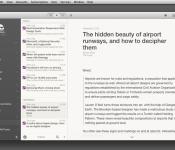
A month after a public beta was made available, RSS news reader Reeder 2 has officially launched in the Mac App Store. The original Reeder app was discontinued following the shutdown of Google Reader last July. The new version of the program is compatible with RSS platforms such as Feedbin, Feedly, Feed Wrangler, Fever, and Readability along with support for local and standalone RSS.

Other features:
– Themes
– Gestures
– Customizable shortcutsSharing services:
– Safari Reading List
– QUOTE.fm Read
– Buffer
– Readability
– Instapaper
– Evernote
– MarsEdit
– Pinboard
– Delicious
– App.net
– Messages
Reeder also launched Reeder 2 for iOS devices [Direct Link] this past September, which featured compatibility with numerous RSS services, in addition to gesture-based navigation, view modes, and the ability to share stories through a variety of services.
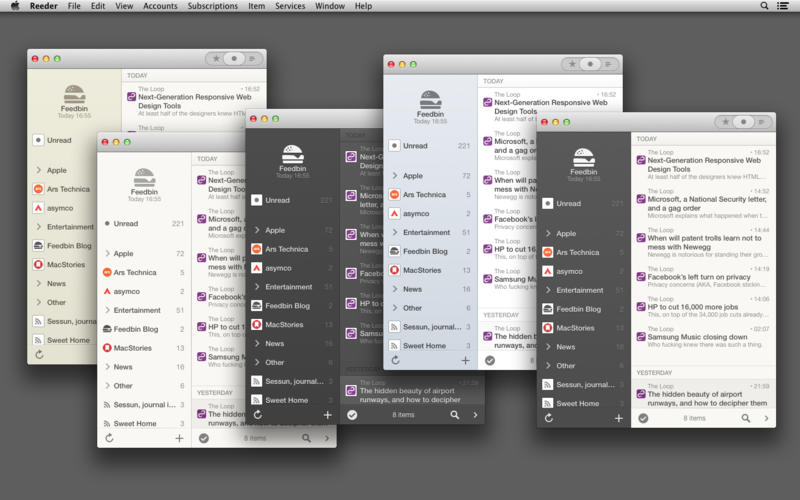
Reeder 2 for Mac is a $9.99 download and is available through the Mac App Store. [Direct Link]

Not even Snapchat’s CEO can make his embarrassing email history disappear

Snapchat’s CEO has previously shared his emails to show his business dealings with Facebook, but we imagine he now regrets making his inbox fair game. Silicon Valley gossip site Valleywag has leaked messages from Evan Spiegel’s days at Stanford, in 2009, where the executive let his frat boy-side a little too far out of the closet. In addition to encouraging his fellow fraternity folks to commit sexual acts, he confesses to peeing on a female friend and even requested a “kilo of blow” for a party. For his part, Spiegel has now apologized for his “idiotic emails,” saying that they no longer reflect the person he is, or his attitudes towards women. Of course, we’ve all made the odd off-color joke or poorly thought-out statement that we’d prefer to forget, but perhaps this is why Spiegel was so committed to building a messenger where your missives (ostensibly) self-destruct after 10 seconds.
Filed under: Internet
Via: Time
Source: Business Insider, Vallleywag
Android Developers share their favourite Android Wear Notifications
 The wearable industry took an interesting turn when Google announced that it was launching a new software OS specifically for wearable devices called Android Wear. Since then, we’ve been enthralled at the possibility of having a more Android-like experience on smartwatches with Motorola and LG promising their own devices in the near future. What we haven’t seen that much of yet are the Android Wear notifications, it looks like the Android Developers’ Timothy Jordan is now happy to show off some of his favourites.
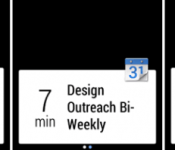
 In screenshots presumably from Android Wear devices (or a developer’s emulator), we see different apps pushing their notifications, which are natively supported by Android Wear, to the wearable device. A sneak peek of notifications from Nest, Calendar, Clash of Clans and music players look well within Android Wear’s abilities, and it will be exciting to see what else the wearable OS is capable of in the near future.
What do you think about the Android Wear notifications? Are you liking what you see so far? Let us know your opinion in the comments below.
//<![CDATA[
ord = window.ord || Math.floor(Math.random()*1E16);
document.write('’);
//]]>
Google employee shows what to expect from Android Wear notifications

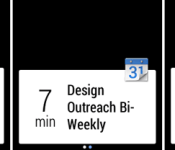
There’s plenty we know about Android Wear already: It’s Google’s software platform for wearables; it’s designed to allow you to interact with your phone and with Google Now straight from your wrist; and numerous manufacturers, from HTC to Motorola, have Wear-powered smartwatches coming in the near future. Now there’s even more we can glean, thanks to increasing activity at Google’s developer hubs. For example, in-house developer advocate Timothy Jordan has just highlighted the three examples shown above as being some of his favorite Wear notifications so far — including a slightly panic-inducing warning from a Nest thermostat. (Don’t worry, a follow-up message reassures everybody that the smoke is clearing.)

There’s also a regular calendar notification on show, a message from a game (Clash of Clans), and what looks to be the playback of a StarShipSofa science fiction podcast. The origin of each notification is identified by an icon in the top right corner, or by a background image. Meanwhile, although these particular examples are all short enough to fit on a single screen, Google has also recently demonstrated how longer notifications can spread over multiple screen using right-to-left swipes. In fact, Mountain View insists that it only requires a tiny bit of code to add this functionality to the notification system of an existing Android smartphone app, which hopefully means it’ll be easy for third-party app developers to make their full-length notifications work on Wear.
Filed under: Cellphones, Wearables, Software, Mobile, Google

Eddy Cue: Steve Jobs Would Be ‘Extremely Proud’ of Apple’s Current and Future Products
Apple’s SVP of Internet Services Eddy Cue and Beats co-founder Jimmy Iovine spoke on the impact of Steve Jobs on Apple during an interview with Walt Mossberg and Kara Swisher yesterday at the Re/code Code Conference. While the pair noted that a transition was inevitable after Jobs’ death, both spoke on Apple’s commitment to quality and putting together an exceptional executive team.
When asked about the late-cofounder, Cue noted that Jobs wanted to “create a culture that was going to last longer than he was going to be CEO.” Cue also maintained that the company’s values remain in strong attention to every detail and putting product quality first, all while “doing a few things and doing them really great.”
Cue was also asked if Apple had to go through a “reset” period when Jobs passed away three years ago and his current feelings on the company:
I never felt like we had a reset. I feel like we have an amazing executive team, many of us who have been there for a long time, working together as a team, building those products whether it’s hardware, software, services, completely integrated.
Look, Steve was a great friend, a great mentor, I miss him, you can’t say it doesn’t mean anything from that standpoint; but when I look at what he set up at Apple and what we’re doing, I think he’d be extremely proud of the all the work we’re doing today and the products we’re building, and I think we’re continuing a lot of the legacy he built.
Iovine also commented on the former CEO, praising Apple’s executive team and stating that Jobs “put the greatest team in the world together” despite an inevitable transition period for the company. The Beats CEO also admitted that he was surprised on how “flexible” Apple is, noting that it “moves like a small company” despite its large presence.
Cue and Iovine also discussed a number of other topics during the interview, mostly pertaining to Apple’s $3 billion acquisition of Beats that was made official yesterday. Cue shared that Apple has the best product pipeline in 25 years coming later this year, all while noting new milestones for iTunes and the company’s quest to “fix” the TV experience.
The smart, simple Tomi File Manager is here [App of the Day]

When it comes to apps, I like to try as much of the new ones as I can, but usually don’t keep them around for very long. I do, however, get very excited when there is an app that does a better job than an app I currently have, including note-taking, camera apps, messaging apps, file manager apps… A big emphasis on that last one because there really hasn’t been one I truly like.
Until today.
Welcome to Tomi File Manager, the smart and simple app that catalogs every file on your phone for quick and easy navigation, and it has a nice, simple main menu. I lot of the top file manager apps I see on the Play Store still bear the look of the Gingerbread days, and that just doesn’t work for me. Tomi File Manager has the modern flat look to it which is a huge win by itself. But what I love about this app is how easy it is to get to all your music, pictures, videos, docs, other downloads and even apps, and it’ll even show you your disk space on the main screen, instead of going to your phone’s storage settings

Yes, this app shows you all your apps where you can simply check as many as you want and then hit the uninstall button. Never again will I go to my app drawer to clean out the dozen apps I never use. Beneath the main menu here, we have the Directory, which is simply the main browser of all your files, including the folders containing them on your hard drive or micro sd.
Tomi File Manager is a fine app, and it’s one that’ll be staying on my phone as my main file explorer. Check it out with the link below!
The post The smart, simple Tomi File Manager is here [App of the Day] appeared first on AndroidGuys.
Google updates its camera app once again brining a few new features, including a timer

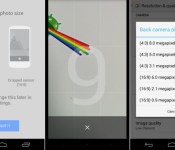
It’s been a month and a half since Google released a standalone Google Camera on the Google Play Store. Since then there’s already been one update to the app. Now Google strikes again with some new features. Google Camera is now at version 2.2.024 (after the update). Google added a few features in this update:
- New panorama modes
- A timer, which can be set to 3 or 10 seconds
- Ability to change the aspect ration of pictures you’re taking between 4:3 and 16:9
These are some serious improvements Google brought to the table and it’s a good sign for the future. It has been only a month and a half since Google released the app and since then we’ve already seen 2 updates each of which brought new features to the table. We’re liking the app and the new features thus far, how about you?
The post Google updates its camera app once again brining a few new features, including a timer appeared first on AndroidGuys.

Lookout alert system sends you email when it detects thief-like activities

Getting your phone stolen can make your stomach drop in the blink of an eye, that’s why some security app devs, like Lookout’s, try to make it easier by offering anti-theft features. The app’s latest version comes with a new tool suite called Theft Alerts, which, as you can tell, gets the digital sirens blaring when it detects unusual activities. Lookout studied the common ways thieves deal with stolen phones and now sends out emails when someone removes your SIM card, enables Airplane mode, turns off your device and removes the app as the phone’s administrator. You can then decide whether to use the other weapons in Lookout’s arsenal, including those that let you lock and wipe a phone remotely.
The software has also long been able to capture and email a picture of the thief (snapped by the phone’s front cam) who tries and fails to enter the correct PIN. With this update, though, that feature, along with the other new additions, becomes exclusive to paid users. Luckily, everyone can try out these premium add-ons for free until September 31st… unless you have an iOS device, in which case, you sadly have limited access to the tool suite. Oh, if you’re prone to typing in incorrect PIN codes or accidentally deleting apps, don’t worry — Lookout won’t flood your inbox if you take time to customize the Theft Alerts suite.
[Image credit: Getty Images/Flickr RF]

Filed under: Cellphones, Tablets, Mobile
Source: Lookout
Google Camera Updates to v2.2. Nova Launcher Brings More Goodies with v3.0. – App Updates

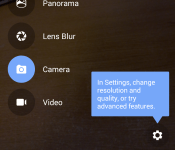
Happy Wednesday folks. Have you gotten your app updates yet? Just incase you didn’t I am here for you. The biggest update of the week is the Google Camera update that updated to v2.2, bringing back some needed features and adding more. Nova Launcher gets an upgrade but it is still in its beta stage. Check out all the updates below and thanks for clicking in.
App Updates
Google Camera update
Nova Launcher update
//<![CDATA[
ord = window.ord || Math.floor(Math.random()*1E16);
document.write('’);
//]]>
HTC One M7 Verizon and Sprint getting Sense 6 this week

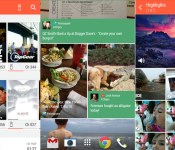
Great news for all of the original One users, as the Sprint and Verizon editions will be getting the “Sixth Sense” update sometime this week, which is the same software introduced on the brand new One M8 last month. Sense 6 brings users a newer color palette, more themes, an updated blinkfeed interface with more sources to choose from, an updated camera interface that’s much simpler, an updated gallery interface and a newer apps tray.
All in all, this updated should bring a more pleasing looks to your One than it already has. If you are skeptical about updating, check out how the new M8 looks or take my word that Sense 6 looks beautiful and is one of the best looking UI’s on any Android phone in my opinion.
I’m really happy with how fast HTC has been with updating phones this past year, and they have even given us a page on their website that shows the status for updates on certain phones. Pretty cool stuff.


AT&T is the last one to be getting the update, but it should be extremely close as the update is in the certification phase.
The post HTC One M7 Verizon and Sprint getting Sense 6 this week appeared first on AndroidGuys.
 AIVAnet