


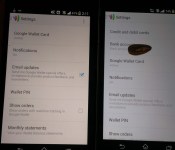
Google Wallet updates wih UI tweaks and removes Offers Section [Download]
It is Google app update Wednesday and we have seen a few float on through already. The Google Camera being one, which we will post shortly, but for now, here is the new Google Wallet update and the much desired APK. The update moves Google Wallet to v2.0-R163-v17. In it you will find a slight set of UI tweaks and the complete removal of the Explore Offers sections. The Offers section is line in Google Maps so it would seem Google deems that a better place for it to reside. It kind of makes sense when you think about the number of people that probably have maps installed vs the number of users with Google Wallet installed.


 I know, the images aren’t the best. You can still see the differences though with the new Google Wallet on the left device and the old Google Wallet on the right device. You can impatiently wait for he update to hit the Play Store, or just pop over to Gappsearly and grab the APK now.
//<![CDATA[
ord = window.ord || Math.floor(Math.random()*1E16);
document.write('’);
//]]>

UpTo vs. Sunrise vs. Today Calendar: Which new Android calendar is the best?

Smartphones do so much for us. They offer all forms of media, keep us connected, and keep most of us productive. So what good is a smartphone without a great calendar application?
Just in the past few weeks, Android users have seen a slew of new calendar apps arrive on their favorite mobile platform. UpTo and Sunrise Calendar were previously iOS exclusives. While UpTo made its way to Android in a full-fledged app, Sunrise is still stuck in Beta. Today Calendar is the third app we’re going to look at today, offering a great alternative to the stock Google Calendar.
Trying to decide which new app best suits you? Take a look below at are comparison.
Before we begin, we understand that Sunrise is still in Beta, meaning the app isn’t fully ready for all consumers quite yet. However, we feel that it’s good enough to stand up against some new competitors.
Layout

From left to right: UpTo, Sunrise, Today Calendar
UpTo: The main screen of UpTo shows the current week at the top, while focusing mostly on the agenda view towards the bottom. There are small dot indicators on the week preview that tell you when you have an event scheduled. Small weather icons are shown next to the day in the agenda view, which adds a ton of functionality.
Pull from the left side of the screen to access the settings menu and to check out the different calendars that you follow (more on that later).
Sunrise: Sunrise has mostly the same appearance as UpTo. It shows a two-week view up top with an agenda view at the bottom. There are no dot indicators on the two-week preview yet, but we’re told the developers are going to add it in. Sunrise even gives weather information, as well.
Pull from the right side or press the three vertical lines to enter a detailed “today” mode.
Today Calendar: Today Calendar still offers a similar experience, but it takes its inspiration from the stock Google Calendar. It shows a full month view on the top half of the screen with your events for the day on the bottom.
There are no fancy gestures that come with this one. To switch your view to Day, Week, Month, or Agenda, click the date at the top and select it from there.
Functionality and features

From left to right: UpTo, Sunrise, Today Calendar
UpTo: UpTo is by far the most functional out of the lot. It’s main feature is the addition of “layers” to your calendar. The first layer being your personal events: entries that you create that you personally have going on. The second layer is filled with events or groups that you follow. For example, if you follow Chicago Events, you’ll have museum tours, concerts, and more added to your calendar. If you’d like to RSVP, simply pull the event to the left, and select Add. This second layer adds tons of new functionality to your normal calendar app.
You can also connect with friends and see what events they’re attending, whether personal or just ones that they’re following.
Other than layers, UpTo acts just like a normal calendar app. You can sync with Google Calendar, Outlook, or Facebook events, and even click the location of your event to quickly open Google Maps.
Sunrise: While Sunrise doesn’t have multiple layers of events. it still offers an intuitive user experience. Like we said before, swiping from the right is a great way to get a detailed look of your day, while most people will just settle for the agenda view on the bottom. Each day is broken up between morning, afternoon, and night, and an informative weather icon is displayed next to each one.
Sunrise also offers smart event icons that know which events you’re going to. These are really handy and are a really nice touch. It’s compatible with Gmail, Exchange, and iCloud, and can also open Google Maps to navigate to your event in a few steps. There’s also an invitation button towards the top to RSVP and respond to events quickly.
Today Calendar: Today Calendar has the least amount of features out of the rest, but it’s still a great option. Basing most of it’s functionality out of improving the stock calendar app, Today Calendar does a great job at doing all of the stock options better. The addition of a month/agenda hybrid view is enough to get people to switch from the stock app.
Not too many original features are offered with this app, but the things that it can do, it does very well. It has a clean, uncluttered UI that would appeal to minimalists that are looking for a bit more out of their stock calendar.
Widgets

From left to right: UpTo, Sunrise, Today Calendar
UpTo: UpTo offers one agenda view widget with a nice black and blue theme. You can choose to include only your events, events from friends, or synced Facebook events. There aren’t any additional customization options when it comes to look or feel of the widget.
Sunrise: Sunrise just recently added a widget to their app in the most recent update. It’s white and orange, sticking to the apps theme. Unfortunately since it’s new, there are a few problems with it. The only way to jump to the app from the widget is to click on an event. Clicking the icon on the top doesn’t do anything, but we wouldn’t be surprised if it was update pretty quickly. No other customization options are available with this one.
Today Calendar: Here is where Today Calendar really shines. It offers month and agenda view widgets, and each are highly customizable. There are light and dark themes, background opacity options, and even an option to show a bar rather than a circle as an event indicator. We’re not going to write out all of the customizations for this one, but trust us, you won’t be disappointed with these widgets.
The verdict
So, there’s no clear winner here. Each of these calendars are great at a few things, and others aren’t so great. UpTo has accomplished exactly what it set out to do: change the way we use calendars. They’re right, adding more layers to a calendar app bring a lot to the table. Though it still has a long way to go, Sunrise offers a beautiful, intuitive design that the average user is going to love. Today Calendar offers some of the best widgets we’ve ever seen while improving on its Google Calendar roots.
If you’re interested in downloading UpTo or Today Calendar, head to the Play Store from the links below. Since Sunrise is still in Beta, you’ll need to join the Google+ Community, then go to the Play Store to download it.
Have you tried any of these calendar apps? Which one did you find to be your favorite? We’d love to hear it in the comments!
The post UpTo vs. Sunrise vs. Today Calendar: Which new Android calendar is the best? appeared first on AndroidGuys.

Taiwan considers fines for smartphone-addicted pedestrians

Taiwan is considering ticketing people who cross the street paying more attention to their iPhone than the cars around them. No, seriously. Taiwan currently has over 14 million mobile internet users, many of whom lawmakers consider “addicted” to their phones. The hope is a fine would curb that addiction (quite literally), and cut down on pedestrian deaths. According to the government, Taiwanese drivers often don’t yield to pedestrians (even when they have the right-of-way). The “chaotic traffic” is already a dicey situation for those on foot. When you add a phone into the mix, your chances of survival get even worse. Distracted walking infractions would only apply to people in roads (walking off a pier while checking Facebook is a-ok), and would cost just $10 a piece. If the chance of being flattened by a motor scooter isn’t enough for you to pause Angry Birds, our guess is a small fine won’t do the trick either.
Filed under: Cellphones, Wireless, Mobile
Via: TechDirt

Engadget HD Podcast 397 – 5.7.14

Stories about net neutrality and slowed connectivity continue to surface, and the FCC chairman has made it clear that preferential treatment will not be tolerated. In other news, merger mayhem continues with AT&T rumored to be buying DirectTV, and Cox may join the gigabit internet club. Ben and Richard do their best to sift through this towering mess of info and cut through the nonsense. But confusion abounds, with theatrical film releases bleeding into home viewing as Moviefone decides to add TV listings to its service and the CEO of Dreamworks is predicting a faster turnaround from cinemas to consumer purchases — sometime in the next ten years, that is. You should definitely squeeze some time into your TV schedule for this week’s episode, although we do know your DVR only has so much space.
Hosts: Richard Lawler, Ben Drawbaugh
Producer: Jon Turi
Hear the podcast:
13:20 – FCC chairman to cable companies: forcing some net traffic into a slow lane will not be permitted
18:53 – An ‘internet middleman’ calls out six ISPs for letting connections slow down
26:46 – Mozilla asks the FCC to rethink net neutrality with content providers in mind
36:39 – Cox wants to hop on the gigabit internet bandwagon this year
39:08 – WSJ rumor has AT&T talking about buying DirecTV
42:12 – ESPN makes it easy for you to watch the World Cup anytime, anywhere
50:52 – You’ve selected Mad Men? Moviefone redesign tacks on TV listings
52:54 – Microsoft wants you to help improve Kinect 2.0′s voice recognition
56:13 – Redbox Instant for Android arrives on Chromecast
58:28 – For HBO, it’s all about making ‘good shit’
01:00:56 – Hulu will bring free TV shows to your phone, and it’s trying to reach your cable box
01:06:22 – Dreamworks CEO believes films will be ready to buy 3 weeks after hitting cinemas
01:09:46 – Orange is the New Black renewed for a third season before the second even debuts
01:11:54 – Must See HDTV for the week of May 6th: 24, Louie and Weekend at Bernie’s
Get the podcast:
[iTunes] Subscribe to the Podcast directly in iTunes (MP3).
[RSS – AAC] Enhanced feed, subscribe to this with iTunes.
[RSS – MP3] Add the Engadget HD Podcast feed to your RSS aggregator.
Contact the podcast:

Watch Lockheed Martin’s laser weapon take down boats from a mile away

It’s good that Lockheed Martin’s ADAM laser can shoot down drones and rockets, but there are threats much closer to Earth — say, small boat crews bent on destroying large warships. Never fear, though, as we now know that ADAM can take care of those targets as well. Lockheed has successfully wielded the weapon against small boats, burning holes through their rubber hulls from a full mile away. The laser’s automatic infrared tracking makes targeting a piece of cake. Even with the pitching of the waves, it’s easy to aim at a specific point on a vessel.
While the weapon takes close to 30 seconds to deal its full damage, Lockheed hints that speed isn’t really the focus here. ADAM is relatively cheap to use, since the biggest cost is powering its 10-kilowatt laser; you’re not firing missiles or legions of cannon rounds. As such, it’s not hard to see the technology finding its way to cash-strapped navies fighting pirates and other small-time seaborne enemies.
Filed under: Misc
Source: Lockheed Martin

Some companies are already paying employees in Bitcoin, but it’s complicated

Direct deposit, stock options and the traditional paycheck are all outmoded: the future of employee wages, apparently, is Bitcoin. At least that’s how Bitwage, a virtual currency payroll firm, feels about it. Bitwage reached out to 150 Bitcoin-friendly companies to see how they felt about implementing a Bitcoin-based payroll; of the 38 that responded, nearly half have considered it and about ten percent (read: four companies, after the math) have already done it. It’s a novel idea, but the payroll company’s own survey highlights some of the problems: the virtual currency isn’t recognized as legal tender in most countries, which makes it incompatible with several European wage regulations. Companies would have to deal with the cryptocoin’s curious tax status, too — though Bitwage helpfully points out that there are firms (wink wink, nudge nudge) that can help with that sort of thing.
Filed under: Misc
Source: Bitwage
 AIVAnet