


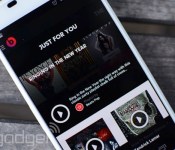
Chevrolet adds Beats Music streaming to its in-car system as Beats opens its API to developers

Beats Music is already integrated with Apple’s CarPlay system, which means you’ll be able to stream music from Beats’ catalog in any vehicle that happens to have Apple’s setup installed. Now, new API support could mean we’ll be able to pump out the jams from even more cars. The streaming music service made its API public today, a move that gives third-party developers access to its vast music collection. In particular, developers get access to the company’s library of tunes, album art and track metadata (Beats previously shared its API privately with a few big names like Sonos and Bop.fm). So far, Chevrolet has announced it’s adding Beats to its AppShop system — and we’re sure it won’t be the last company to do so.
Via: CNET
Source: Beats Music
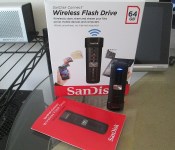
SanDisk 64GB Connect Wireless Flash Drive; One Flash Drive to Rule Them All
Over the years I have progressed from being a flash-a-holic who tried every ROM out from my device at time, to a battery bank hoarder, to a Bluetooth speaker rocker and beyond. It seems that every 6 months or so my needs change, my tastes change and the available tech changes too. No matter what I get all hyped up and focused on, the general genre is the same, mobile and multi-device compatible. I have no desire to put down $200 on something that will only work with whatever device I have right now. I want things that can be used long term over multiple devices. Prior to CES 2014 I started this journey into the wold of portable storage. Mainly micro SD cards and like accessory items. I had the chance to use the Leef Pro 32GB UHS-1 and all the people that tell you the class of the card and manufacturer do matter, are right.
What about those that aren’t fortunate enough to have a micro SD card slot on their device? You can rely heavily on the cloud for a great majority of your storage, but the cloud can only do so much and isn’t always accessible all the time. This is where SanDisk offers another solution to your portable storage woes with the SanDisk Connect Wireless.
 Sandisk has two offerings in this department. One being a physical square box, the Connect Wireless Media Box, and one being a thumb drive style. This is about the thumb drive version of the Wireless connect. Let’s start out with what is in the box.
- A SanDisk 64GB Connect
- A preinstalled 64GB SDHC U-1 Micro SD card
- Manual
The drive is about twice the size of your average thumb drive. Measuring in at 3.1 x 1 x 0.5 -inches (78 x 27 x 14 mm) and weighs in at 0.95 oz (27gr).

 On the front you have a band that runs down the middle that are these little black individual squares. They are reflective and catch the light. They don’t serve any purpose other than a design element. In the middle of the strip is a silver button that has the traditional looking Wi-Fi logo. This button is the only one found on the device and is also the power button.

 To the left you have a closed door. If you open it up you will find the 64 GB microSDXC card.

 On the top you find a small set of slots to attach a wrist strap or key chain.
The bottom is where you will find the USB aspect of the device. It is cleverly hidden under a sliding, what feels like aluminum, cover. Slide it closed and it helps protect the USB plug and also serves as a way to stand the unit up. Slide it open to plug it into your PC or Laptop.
 The SanDisk 64GB Connect offers an internal battery that charges while it is plugged in. This can be achieved by plugging it into the USB port on your PC, Car charger or wall plug. Where ever and how ever you charge your various other devices that rely on a USB port. The battery rating states 4 hours of continuous streaming usage based on one device using it.
The SanDisk Connect Wireless devices have a few primary functions. They are made to house a ton of information with folders already in place for Documents, Music, Videos and Photos. Like any other storage device, you can create your folders and sorting system. The device will allow up to 8 devices to connect to it, with 3 devices capable of streaming content such as music or movies. SanDisk has an app for iOS and Android devices with an easy setup process and user interface. You can also connect to the Connect Wireless through a browser, like on the the Chromebook in the image below, simply by changing your Wi-Fi access point and typing in a web address.

 When you access the drive via a web browser you have access to all the content on it. You can listen to music, watch movies and transfer files back and forth. It is a pretty straight forward and simple process.
The Supporting Android App
On the Android app side of things you have the same abilities. You turn on the Connect Wireless and then open the app on your device. It will take a few seconds to make the connection and then you are set to use it like an external storage source. The apps UI is clean and straight forward. you are presented with the root of the card and all your files. If your device is capable of playing the file or viewing the file you are able to do so straight through the app. If you your file format is not one that is supported, you will be prompted to download it.


 In the settings for the app you can adjust a multitude of settings.
- Add a security password to prevent others from randomly accessing it
- Power Save Timer to shut it down after a period of time
- Internet connection: This setting lets you use internet pass through so you can still browse on your tablet, phone or laptop.
- Set download directory: Pretty straight forward, direct where files download.
Directly from the SanDisk app you can directly upload the photos and videos from your devices gallery and access the download folder for the items the downloaded from the SanDisk drive.
How does the SanDisk 64GB Connect perform?
I have spent the better part of two weeks using the drive as often as possible. I have connected it to my Xperia Z, the Republic Wireless Moto X, the Lenovo Yoga 8, the Lenovo Yoga 10, the Chromebook and of course, directly into my PC.
The physical USB side is a USB 2.0 rated plug. So you can expect average transfer speeds, around 12mb/s or so. At least that is the speeds I was experiencing through the USB 3.0 interface I currently have on my desktop. A couple gigs of movies only took a few minutes. I can personally live that, others that are used to faster transfer speeds might be irritated. The longest part is filling the 64GB card with data.
As mentioned before, the actual storage is housed by a 64GB Micro SDHC U-1 card. If speed is concern, you can simply remove the expandable storage card and place it in a card reader and then into your PC. I ran CrystalDiskMark 3.0 to see what the speeds were for the card through a reader and the drive it self. ( first thing I came across that sounded like it would work out well.) Through the Thumb drive we saw a read speed of about 17.60mbs and a write speed of about 12.32mbs.
 I didn’t have anything over a USB 2.0 that I could connect to actually test the card speed by its self. I tried a few different things I have sitting here, but only got up to 20 mb’s read and 15mb/s write. The actual card doesn’t show if it is an Ultra, Extreme or Extreme Plus model card, each has a slightly higher read/write than the other. Searching around for others that may have reviewed this as well I found legitreviews. Their benchmark on the card by its self clocked in at 95mb/s read and 60mb/s write. Why on earth SanDisk didn’t make the drive USB 3.0 is beyond me.
The trickery speed testing is through a Wi-Fi connection on your device. Simply because there is no way to really test that, at least none I could find. So went with the old way and simply used the stop watch on my Xperia Z while tranfering photos and videos from the Moto X to the SanDisk Connect.


 As you can see it took 12 minutes and 11 seconds to transfer 74 files totaling 710.81mbs. That did include 3 fairly large videos as well. I hit the start as soon as the first MB started and stop as soon as the ‘upload complete’ screen appeared. I could be off by a second or two, but you get the idea.
Battery life
The battery life is a pretty important factor when considering something like this. Not only as a potential backup on the fly, have access to a large quantity of data when an internet connection isn’t possible, but also for those long car or plane rides. I tested this over the course of several days, streaming a lot of movies. The device specs say 4 hours continuous streaming. That is a modest amount of time and I think it may have been recorded with 3 devices connected and streaming at the same time. During my tests I was able to reach between 5 and 6 hours of continuous streaming. The lower being 2 devices connected and streaming the higher 6 hours with one device. Individual results would of course vary depending on a number of different factors. Those are just my personal results.
I like to think out of the box too. It occurred to me that a person should be able to stream while it was charging and offer up an endless amount of time. The SanDisk actually makes note of that on their site in the various bits of literature. That little nugget just made this the king of travel thumb drives in the car for me.

 Our new car happens to have a plug inside the center console. Obviously it had power, but it was also out of the way and not likely to get jarred or knocked about.
The same rings true with a portable battery or a wall plug.
On the PC front though, you can’t stream while it is plugged in. Which is understandable since your PC will turn and read the device as a drive.
Files formats and Support
SanDisk states that virtually all files and format are supported by the drive. That is true since the device is simply a thumb drive. Anything you can save to storage you can save to the drive. That doesn’t mean everything you save can be streamed or opened. Obviously what ever device you are connected to needs to be able to play or open the file.
Music, Videos and Photos are all accessed directly through the drive and are streamed. In the case of photos you get thumb nails to look through. The thumbnails take a few moments to load up and you can navigate between photos by swiping left or right, just like any other photo gallery.
Music offers up a simple set of previous, play/pause, next buttons. You can swipe left for the next track and swipe right for the previous track. It pulled the album cover as well. So that is nice. There isn’t a ton of abilities in the player for creating a play list or staring a song. Simple solution, create a folder for it your play lists and drop the tracks in there. I only loaded up a few albums that were all your standard MP3, all played instantly and without issues.
On the Movie/Video front, this where things are a bit of a pain. Your standard MP4 and M4V formats play without a hitch. AVI, MKV and other formats would not, even though my Xperia Z played a particular MKV file without fuss when physically on my phone, it wouldn’t stream from the drive. I couldn’t even attempt to do so, the file didn’t have the playable file icon over it. I could however tap on it and download it to my phone. That method worked and after it was downloaded I could play it. That does defeat the purpose of having stored wirelessly though. The Chromebook was similar since certain video file formats don’t play well with it.
Documents are a different story all together. Documents can’t be opened through the app, each document has to be download to your phone in order to open it. That could be a deal breaker for some, for the document aspect. On the flip side though, downloading is quick and only takes a few seconds for anything I had which was various PDF’s and spreadsheets. The file stays on the SanDisk drive and you can delete it from your phone when you are done with it, or reupload it to the drive if you made revisions.
Range
SanDisk says that the device has a range of 150 feet. Under optimal conditions, like an empty field or large open floor plan I am sure that is true. After all, they offer what it is capable of. I didn’t give it a wide open space test. Rather, I gave it “How will I use this in my life” test. Traveling in the car it easily covers all passengers in the vehicle. In my home, I was able to go down stairs and into the garage while the drive was sitting on my desk in my room. That put it streaming through a floor and couple of walls and doors. That isn’t to bad.
What I liked about the SanDisk 64GB Connect Wireless Flash Drive
The SanDisk Flash Drive is very small and compact. SanDisk did a great job on the design of the drive with the door flap to cover the car, the materials used and the sliding cover for the USB plug.
It is simple to set up and use. All you need is to install the free app for Android, iOS or Kindle and you are pretty much set. With the exception of iOS, you have to go into your Wi-Fi settings and manually switch to the drive where as Android will do it for you. Add some files from your PC if you want, or wirelessly transfer anything and everything off your phone. There isn’t a complicated set of flashing lights to worry about, just long press the button until it lights up and you are on.
 I like that it isn’t locked in to storage that you buy. Meaning that I can swap out the 64GB card for another micro SD card that might have things on it that we need to access. This also comes in handy if you happen to live by micro SD cards like I do. My digital camera has a micro SD card in it that uses an adapter to a full size SD card. I can pop the card out, stick it in the SanDisk and then share it to my phone, tablet or with the people around me. A small side note though, this option isn’t fully true with the 16Gb or 32GB. The software is setup to read just that card size. Where as the 64GB offering will read 32GB and 16Gb cards as well.
I also like the fact that it can be plugged into a car charger, wall outlet or external battery bank and and still stream. While I was getting 5 to 6 hours of constant streaming and probably won’t need more than that, it is nice to know that I can.
 The security layer with password protection is pretty good if you need it. The drive can’t be accessed without the app installed in the first place, but being able to add a 128-bit AES password to the files doesn’t hurt.
Over-the-air firmware updates. If the Flash Drive has an update to the firmware, you don’t need anything special to install it. When you launch the app it tells you. You say yes, install it and then follow the instructions. It is quick, painless and simple.
What I didn’t like about the SanDisk 64GB Connect Wireless Flash Drive
The accessory and physical unit is exceptional. I don’t have anything that I didn’t like about it. The things I didn’t like were more related to the app. To SanDisks credit though, they did do a good job with it as it sits and a few updates and changes to the app will make things brilliant. Also, updating an app is much easier than fixing hardware issues.
In the app you have no way to upload an entire folder. You are limited to accessing your devices photo and video gallery. You can select multiple photos and videos at one time, but they all upload to one central folder that gets automatically created “Uploads from Android”. The same goes any file you share to the drive through a file explorer. From there you will need to sort them and put them in folders on your own.
While I have various apps installed to play videos with, I wasn’t able to select them in the case of certain video formats. the Troy.mkv for instance, plays perfect directly through the video player on the Xperia Z, but through the SanDisk drive I could only download the file, not try to play it. Once downloaded it played without issue, but pulling a 800mb file to the device isn’t optimal.
I did run into another issue with the app, and I think it has more to do with the file its self than anything. One particular file was a MP4, but it was a HD MP4 that weighed in at 2.2GBs. The issue I faced was after 30 to 45 minutes the video would stop and it would tell me the video couldn’t be played. I put the same video on my device and played the entire movie without a problem. I will blame that failure on the following information.
 As you can see, the MP4 in question is on the left. The data rate, bitrate and frame rates are pretty high on the file. Where as the file on the right is a smaller, and probably more normal, MP4 file. The one on the right was played clear through multiple times. I am not a video codec expert at all, I just have files, so I wanted to point those issues out in case a similar average consumer runs into issues.
Overall thoughts
There are various options out there that a person can use to save data, stream movies and share files. We have reviewed, the now old, Kingston Wi-Drive, The Wi-Drive+ (which changed names to the Mobile Lite) and have messed about with a few others. The Kingston Mobile Lite had the right idea, but the app and software was pretty bad on the Android side, they took good care of the iOS users. I think SanDisk has a good thing going here with the design, style, look and cross platform functionality. you don’t need to worry if your device supports OTG, or if your new phone can support the SD card. It is easily accessible on all iOS device, Android devices, PC, Macs and anything else that has Wi-Fi and a web browser.
The SanDisk 64GB Connect is going to shine brightest for business individuals who travel often and need access to files when an internet connection might not always be present. It should easily make it on the “What the family needs” list for road trips, camping trips and vacations. Especially the tech savvy family. Look dad, I know you hate hooking up 3 different devices to transfer the movies and shows and wasting a few hours of your life, so don’t. Toss them all on this and head out the door. Best part, if one of your devices has a movie that someone else wants to watch too, then just upload it to the drive from the device.
I reached out to SanDisk prior to finishing up this review to see if the recently announced, and released, 128GB Ultra MicroSDXC cards will work, or will be supported, in the 64GB model drive. They are checking and I will update this post with their answer.
Pricing details
Now that I have covered, or think I have covered, just about everything there is to consider, you probably need to know what it will set you back. The SanDisk 64GB Connect Wireless that I reviewed here will cost you $99.99. Yes, that includes the 64GB card pre-installed. Those cards have a suggested retail of $99.99 all on their own, but go for about $50 on Amazon. You also have the 32GB option for $59.99 and the 16GB option for $49.99. Seriously, for $10 more you should get the 32GB if the 64Gb is a bit out of your price range right now.
SanDisk Connect 64GB Wireless Flash Drive – $99.99

SanDisk Connect 32GB Wireless Flash Drive – $59.99

SanDisk Connect 16GB Wireless Flash Drive – $49.99


Pebble’s smartwatch appstore finally comes to Android

iOS users had a bit of a head start in receiving access to the new Pebble appstore. Thankfully, the Android crowd won’t have to wait for this feature any longer, since what’s known as Pebble 2.0 is, at long last, available on Google’s platform. Sure, it took weeks and weeks of testing, but Pebble promises it was all for the best and expects its smartwatch owners to be delighted by the changes. Aside from the long-awaited appstore, this Pebble for Android update also features a completely redesigned interface (pretty similar to the one found on iOS), a new locker for apps and notification improvements. You’ve waited long enough, though — so go on, grab the update and deck out your Pebble some more.
Filed under: Misc, Peripherals, Software, Mobile
Via: Droid Life
Source: Google Play

Watch a man get stunned by the Chaotic Unmanned Personal Intercept Drone (stun copter!)

You’re gonna want to steer clear of this CUPID. The Chaotic Unmanned Personal Intercept Drone, or “stun copter,” can deliver 80,000 volts of pure projectile terror directly into the skin of an ill-intentioned hoodlum. This is serious business for Chaotic Moon, the folks behind SharkPunch and the Pizza Hut touch table. The Austin-based design studio created the flying machine as a tech demo, but CUPID could be quickly brought to production whenever a personal security or law enforcement client sees fit. This prototype unit is based on a Tarot Hexacopter, originally designed to carry a digital SLR for video and aerial photo shoots. With a Phazzer Dragon on board, however, a few modifications made this an entirely different beast.
The objective here isn’t to have a copter autonomously wandering city streets, detaining suspects until the police arrive (though the device could theoretically handle such a task). Instead, due to legal requirements, the drone is operated by a pilot, who flies the craft manually, with a second person tasked with triggering the stun gun. Eventually, such a device could be used to aid police in subduing a suspect until officers are able to arrive on the scene. An embedded camera provides a live video feed to operators, who can evaluate the situation before deciding to strike. Since a public park demonstration would likely result in some pretty stirred-up locals, Chaotic Moon invited us up to its Austin offices for a closed-door session during SXSW.
Intern Jackson Sheehan volunteered to be CUPID’s first human victim, and after a quick vitals check by an on-site paramedic, he was cleared for duty. The affair lasted just a hair over five seconds — the device can stun several times in up to 10-second bursts, but the company’s attorneys mandated that Chaotic Moon co-founder William Hurley (@Whurley) manually pull the plug after half that time. Sheehan was clearly subdued by the drone, falling onto safety mats against his will. He stood up shortly after, and was on his way after the paramedic removed the barbed leads from his back. We caught the whole ordeal on camera, of course; the video is embedded for your viewing pleasure just below.
Sarah Silbert contributed to this report.
Filed under: Misc, Transportation
785 Movies to buy for under $10 in the Play Store
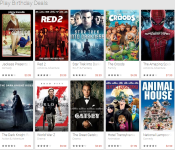
We all like free. Free music, free games, free apps, free movies and almost anything else free. We also like good discounts and good deals. While we can’t always have things for free or for super dirt cheap, there are still some things to be said about bolstering your movie collection for a decent price. In case you are unaware, Google is currently celebrating the Play Stores 2nd birthday branding change. While it isn’t bringing in $0.02 purchases or a extremely discounted apps or games, it still has a fair share of offerings that are worth a look.
Earlier we share that Tom Hanks classic movie Big was free and was the HD version no less. That sparked a look at the birthday page and look around at some of the other areas that Google links into special deals. On the official 2nd birthday page there is a variety of things to look at, but if you head into each section you will get lists of things on special. In the movie tab there are 785 movies for under $10 to own, not rent.
 Don’t be fooled by the price tag listed on the movie listing page though, that is still the rental price. You will need to click on each movie to find out the pricing deal. For instance, The Croods is $8.99, Hotel Transylvania is $7.99 and Turbo is $8.99. There are some older great in there like Friday for $6.99, Full Metal Jacket for $6.99 and the Never Ending Story for $6.99.
Head into the Birthday Deals Movie Promo page and take a look around.
Ten One Design Pogo stylus review
Need a stylus for your tablet or smartphone? You’ll want to check out the Pogo stylus from Ten One Design. It’s a solid, simple design that feels like a quality device in your hand.
While it’s not all that difficult to make a generic stylus, it’s harder to create one that looks elegant or professional. Forget those little nubby things on a keychain, this stylus deserves to be looked at.
We tried the Pogo stylus on a Galaxy Note 3, Tegra Note, and other devices, each with the same result. None of our smartphones or tablets had any issues recognizing the tip. We did not have to press hard nor did we detect any variances in sensitivity. Drawing and doodling applications worked well as we could push a little harder for a wider brush and then pull back slightly to keep a finer point.

The stylus comes with a pocket clip that allows for portability but is not required. Indeed, those who keep their tablet at the desk can opt to remove the clip for a more flush stylus experience.
On the complete opposite of the stylus you find replaceable tips. Should you break off of wear down the tip you’ll be back in business in no time.
The Pogo stylus retails for $19.95 through the Ten One website; additional tips can be purchased in a two-pack for $7.95. Our suggestion is to also check Amazon as there’s plenty of Ten One accessories and Pogo Stylus options at low rates.
The post Ten One Design Pogo stylus review appeared first on AndroidGuys.
Samsung debuts Milk Music for Galaxy owners [App of the Day]
Samsung recently announced an application only for ‘Galaxy’ owners. It’s a free radio service without any ads; Milk Music is Samsung’s way of replying to Apple’s iTunes Radio. The app is available for download in Google Play Store and it’s compatible with the Galaxy S3, Galaxy S4, Galaxy S5, Note 2, and Note 3 at the moment.
According to Samsung, the reason its called Milk Music is because it’s fresh and organic. Below are the features of the app, have a look:
- Stumble across new hits and old favorites with a turn of the dial.
- Music plays instantly, as you scan through stations.
- No registration or set-up required.
- Customize the dial to show only genres and stations you like.
- “My Stations” collects all the stations you love and those you create into a single station that’s easily accessible on the dial.
- Fine-tune stations based on popularity, novelty and song favorites.
- Listen to over 200 genre stations, curated from a music library of over 13 million songs.
- “Spotlight” offers a curated selection handpicked by music tastemakers and influencers.
The application is powered by Slacker.The streaming is unlimited, but later down the road, ads will come back because that’s a limited time offer. Also, Samsung might bring tablet support soon as well.
Do you have a Galaxy? Let us know what feature you liked the most in it.
The post Samsung debuts Milk Music for Galaxy owners [App of the Day] appeared first on AndroidGuys.
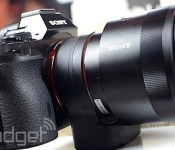
Sony’s upcoming Alpha 7 and 7R updates will speed up your photo shoots

Sony’s Alpha 7 cameras shook up the photography world by offering full-frame shooting in a small body, but they also have their fair share of quirks, such as slow startup times and sub-par JPEG images. Some of those problems may vanish very soon, though, as Sony plans to roll out big firmware updates for both the Alpha 7 and 7R on March 19th. The two cameras should start faster, and they’ll also get a nebulous “image quality improvement” — hopefully, that means better JPEG output. The upgrade will also unlock more features when using the PlayMemories Mobile app to control either camera, and there’s better support for a recent 70-200mm telephoto lens. We’re not seeing any attempts to speed up the Alphas’ sometimes pokey autofocusing, but the updates should still help early adopters who’ve had live with some noticeable flaws for the past few months.
Via: Engadget Chinese (translated)
Source: Sony Japan (translated)
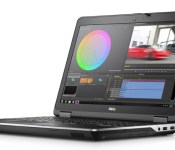
Dell’s Precision M2800 workstation is for prosumers who need performance on the cheap

We know, we know: we’re a consumer electronics blog. We get it. But when a workstation is cheap enough that even the most amateur of amateurs can afford it, it may as well be a consumer device. Today’s specimen is the Dell Precision M2800, a 15-inch notebook that starts at $1,199 — an aggressively low price for this class of product. In particular, specs include a Core i5 or i7 processor, a 2GB AMD FirePro W4170M GPU, up to 16GB of memory and up to 1TB of storage. As you can imagine, though, Dell had to cut corners somewhere, and that “somewhere” was clearly the display; for $1,119 you get a fairly low-res 1,366 x 768 screen. You can upgrade to a 1080p panel if you like but even then, a sharper 2K display is simply out of the question. If that’s a dealbreaker, you might want to check out the Precision M4800 instead, which can be configured with a 3,200 x 1,800 screen (albeit, for nearly twice the price). Otherwise, if all you really need is the horsepower, the M2800 will ship sometime this spring.

This music service wants to be the first on Samsung’s smartwatches

7digital really wants to put its music store on Samsung’s new Gear smartwatches. Really badly. Need proof? The company has announced plans to release a hybrid shopping and streaming app for Tizen devices in the second quarter of the year, and it’s eagerly highlighting the app’s support for wearables — at last check, Samsung is the only major firm producing wearable Tizen gadgets. The music provider isn’t being subtle about its intentions, then, even though it’s not making any official connection between its software and the Gear line. If nothing else, 7digital would be a logical fit for the hardware. The company has a history of being the first to offer music services on young platforms, and it was the backbone for Samsung’s Music Hub. Don’t be surprised if you can buy a hot new song from the Gear 2 on your wrist this spring.
Filed under: Cellphones, Wearables, Samsung
Via: The Next Web
Source: 7digital
 AIVAnet