


Our favorite news readers for Android
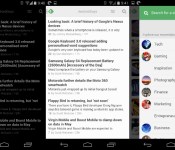
After Google Reader died, the poor souls who used RSS feeds for their main source of news were forced to move on. RSS isn’t dead quite yet, and there are tons of really nice apps for Android out there. Here’s a list, in no particular order, of some of the readers we use on our phones.
Feedly

Let’s start this list out with our collective favorite. Feedly was there when Google Reader wasn’t, plain and simple. It offered a painless way to import our Google Reader feeds without skipping a beat. The app has been updated like crazy, and it’s now more beautiful than ever. Theme options, view options, and a solid app – what more could you want?
Press

Press has been around for quite awhile, offering a beautiful look at your news sources. Import your Feedly, Feedbin, Feed Wrangler, and Fever feeds to Press and have at it. It offers Immersive Mode, a light and dark theme, and one heck of a widget. It’s $2.99, and for a great app like this, it’s well worth the money.

This is probably one of the most popular news apps out there. Flip through pages of articles and browse through content at the speed of light, all while looking at that nice flipping animation. You can sign in with you Facebook or Google+ username, or just jump in and start customizing your feed. For those of you who need more than just headlines, this app is for you.
Pulse

Or LinkedIn Pulse, rather. Probably the best things that Pulse has going for it is its layout. Very creative, very functional. It also has a nice widget that acts just like your feed.
gReader

gReader has been around for quite a long time. Nobody knew if it would make the jump after Google Reader was shut down, but lo and behold, it’s still here! you can sign in with Feedly Cloud, The Old Reader, or choose neither, and start customizing. The app is free, but you’ll need to shell out $4.69 if you want to get rid of ads and add some better widgets.
News+

News+ was created to be almost a gReader clone with more feed options. At the time of it’s creation, gReader only supported Google Reader feeds. That has since changed, but News+ is still around, bringing you the news that you want, but only if you have the right extensions. The interface is very similar to gReader, so you aren’t losing much if you decide to switch over. If you’d like to customize your feed a bit more than usual, you’ll need to pay a fee to add more than one feed.
Google Play Newsstand

This one replaced Google Currents, Google’s news aggregator that killed battery life. Think of Play Newsstand as an ”all in one” reader. You can read your news feeds, browse magazines, and even use Bookmarks, a built-in read it later service.
Amber RSS Reader

Amber RSS Reader isn’t terribly popular, but we still love it. This one lets you log in with Feedly, Feedbin, FeedHQ, and BazQux Reader to get your news. it will cost you $1.99 from the Play Store, but it’s definitely worth it. For those who are looking for something beautiful and simple, take a look at this one.
Flyne

If you missed our App of the Day coverage on this one, you should check it out. Built by the same developer as the Falcon Pro Twitter client, Flyne aims to offer your news when you need it in a beautiful package. Use the free Popular Feeds, or download the Twitter and Feedly extensions for $1.99 and $.99, respectively. Try out the Popular Feeds section for free, and you’ll be hooked.
Digg Reader

This last one is for people who don’t need pretty visuals and over-the-top widgets. Digg Reader is simple, clean, and functional. It also has Instapaper/Pocket support along with the ability to thumbs-up or thumbs-down certain posts. And… it’s FREE!
That’s all, folks! Hopefully you found a new app that you’d like to try. Any other suggestions? Let us know!
The post Our favorite news readers for Android appeared first on AndroidGuys.
 AIVAnet