


How to recover lost data with Best data recovery software
Have you deleted your important files by mistake or you have lost any of your important data? The basic idea behind the recovery software is that whenever you delete any file from your recycle bin, they are still present on your hard drive and it can be recovered back using a program called data recovery software. You will get much software to serve your purpose. But the choice of the data recovery software matters a lot. Some of the software is paid while you will also get the data recovery software also. We can solve your queries by providing you the best data recovery software with much improved reliability. We highly recommend using this software.
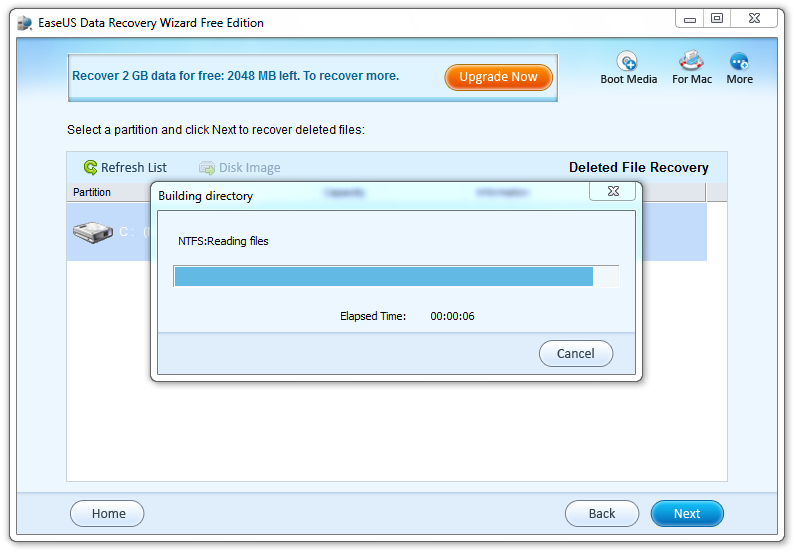 EaseUS is the best data recovery software that you would love to use. Using this software is really safe and easy. You can get all your files back that you have emptied from your recycle bin. Like all others, EaseUS is available in two packages that include the free version and the professional version. Mostly in big industries, the EaseUS data recovery wizard professional is used.
EaseUS data recovery wizard free
Most of the users at home would prefer to use the free data recovery software as no one wants to spend money for no reason. EaseUS data recovery wizard free is best for those as it recovers back the deleted files, documents, audio, and video, email and lot more. You are just a few clicks away from getting your lost data back. The reliability of this version is slightly less than the professional version.
EaseUS data recovery wizard professional
The professional version is much more safe and reliable and can recover every type of file that you have lost due to formatting, deleting or partition loss. In other sense, you can have a trust that all your files would be recovered. In most of the professional institutes and industries, this version is used to recover back the lost files. It is supports not only your PC but also external disk, USB, SD card, pen drive, memory card and a lot more. You just need to follow 3 steps and you will get your data back. Select the recovery mode, scan and then preview and recover. There are 3 types of recovery modes which includes deleted file recovery, complete recovery and partition recovery. So it is very simple to get all your lost data back within no time.
Features
The best thing about the software is that you will be shown the preview before you decide to recover. That means your time will not be wasted on recovering the unnecessary file. You can even filter the search using the file name, type, date or size that will save a lot of time. They have more than 10 years of experience and ensures a high quality of data recovery.
 AIVAnet