


Best Android Launchers in 2018

Want to upgrade your Android experience? Try upgrading your launcher.
The way we arrange, organize, and interact with our apps on Android is called the launcher. Launchers usually consist of a series of home screens, where we can arrange app shortcuts and widgets and an app drawer. Every phone comes with a launcher, but when they drop the ball, there are endless third-party launchers that not only pick it up again but knock it clear out of the park.
Previous incarnations of this article have tried to claim that there is one launcher to rule them all, that there truly is a best launcher out there. I don’t believe that’s possible, even though I have a launcher I value over all others. You use your phone differently than I do, and I use my phone differently than my co-workers do or my friends or my family do. Everyone has their perfect launcher, but if you haven’t found your favorite yet, then here are a few launchers we think will satisfy users of every type.
Best light and easy launchers
- Evie Launcher
- Microsoft Launcher
Best customization launchers
- Nova Launcher
- Action Launcher
Honorable mention launchers
- Best app drawer: Smart Launcher 5
- Best business launcher: BlackBerry Launcher
Best light and easy launchers
Are you someone who doesn’t want to mess with a lot of bells and whistles? Do you just want to put your most-used apps front and center, maybe a widget or two, and get one with your Android experience? You want a fast launcher, a light launcher, one that doesn’t need a lot of fussing and tweaking, and these are the launchers for you.
Best light launcher: Evie Launcher

Evie Launcher is a lightweight launcher that just doesn’t quit and uses its gestures in effective ways. Evie’s gestures got 200% this summer, allowing us to finally set swipe down to “Open Notifications” instead of Evie Search and well as customize the rest of the its gestures the way we want rather than being stuck with their gestures or nothing. This launcher is light enough to let you hit the ground running with it while still letting your personality show through with it.
Evie is easy to set up and run with, but you can customize the desktop grid and icons just enough to keep things beautiful. It’s a quick launcher that’s completely free, so look forward to more optimizations and tweaks to help speed up your launcher experience. You can even back up your Evie layout and settings directly to Google Drive.
- Read more: Evie Launcher review
- Download Evie Launcher (Free)
Runner-up: Microsoft Launcher

You’d think that if Microsoft was going to bring a launcher to Android it’d be a launcher that matches the launcher on Windows Phone — and you’d be wrong. Microsoft Launcher doesn’t look a thing like Windows Phone, and that’s great news. Not only is Microsoft Launcher a completely Android-native experience, but it’s a top-quality launcher to boot, and one of the few launchers besides Nova Launcher to offer edge-to-edge widget placement.
Microsoft Launcher is a browser that’s centered around a clean home screen with a robust dock, a smart feed centered around your Microsoft account and your daily phone use, and a speedy app drawer where you can easily find all your apps. Microsoft Launcher’s set up is a touch long-winded, but it’s a breeze to navigate. It’s not quite as bare-bones as Evie, but it is a light launcher that’s well-worth considering, especially if you have an Outlook account for work or school that it can tie into for email and calendar appointments.
Download Microsoft Launcher (Free)
Best customization launchers
Do you want full control over your home screens? Want to set more than just an app grid and a widget or two? Want to make your home screen look and act the way you want? Then you want a customization-based launcher. Often called theming launchers because theming is one of their more obvious uses, these launchers are for far more than just making your home screen look pretty; they’re for making your home screen function more efficiently and more effectively for your life.
By giving you control over gestures, advanced UI controls, and almost every aspect of your launcher experience, these launchers let you customize the way you interact with your phone in ways that truly exemplify the Android experience. These two customization-based launchers dominate much of the third-party launcher market, and there’s a very good reason: they’re awesome.
Best customization launcher: Nova Launcher

Nova Launcher is over six years old, and this storied launcher has been a major player in the Android launcher market longer than most of us have used Android. The reason for this continued dominance is simple: Nova’s mix of customization, convenience, and cunning is unparalleled. Nova lets your phone look more Pixel-y than a Pixel and more TouchWiz than a Galaxy S9 and does it with ease and grace. In fact, Nova’s biggest strengths are things that are hidden in plain sight, like its pocket ace Subgrid Positioning or its excellent backup system.
When we build themes for our Android Central readers, nine times out of 10 the launcher we use to build it and to share it with you is Nova Launcher. It’s an excellent launcher if you want to build complex themes or if you just want a smartly laid out launcher with excellent gesture controls.
Read more: Nova Launcher review: Still king of the mountain
Download Nova Launcher (Free, $4.99)
Runner-up: Action Launcher

Action Launcher is one of the most popular launchers on the market, and the watchword of both the launcher and its users is QUICK. Quicktheme, Quickdrawer, Quickpage, Quickbar, quick, quick, quick. Action Launcher is determined to be a launcher that gets what you need to be done quickly so that you can get back to doing whatever you actually need to get done. To ensure that Action Launcher can be the quickest and best launcher for users who want to set everything up just so, Action Launcher has taken it upon itself to be one of the most customizable launchers on the market. From its robust gesture controls to its ubiquitous Covers and Shutters to hide folders and widgets under a seemingly plain looking app shortcut, no matter what you want to use, Action Launcher makes it easy to set up, even if its Quicktheme sometimes misses the mark.
Action Launcher is also quick to support features from the newest versions of Android, and it’s already started integrating some Android P flair. There’s a reason it’s the only launcher Phil uses: Action Launcher is damn good at what it does. While it’s not quite as intense as Nova Launcher, it’s a launcher that’s incredibly — well, quick — about getting you set up and on your way.
Download Action Launcher (Free, in-app purchases)
Honorable mention launchers
Now, there are launchers that don’t quite top the list for the lighter, easier quick launchers and can’t quite crack the intense theming prowess of Nova and Action. This doesn’t mean that these launchers aren’t awesome, and in an effort to highlight launchers with a standout feature or that serves a launcher niche excellently. After all, there are a lot of launchers out there, and there are a lot of ways to use them to interact with your apps.
Lawnchair Launcher was going to be added to this list, however the Lawnchair team just announced that they’re dialing back on the current version as they ramp up an overhauled v2. As such, while Lawnchair Launcher is a neat take on Launcher 3 — the AOSP launcher and base of Google’s Pixel Launcher — with some Pixel flair, edge-to-edge widget placement, and basic but beautiful theming, we’ll wait and see what Lawnchair v2 brings before adding it as the Best Early Access launcher.
Best app drawer: Smart Launcher 5

Smart Launcher has been around for a while, but they really kicked things up a notch with Smart Launcher 5. The home screen features a new gridless widget-placement system, and Smart Search has been overhauled, but the real star of the show here is still the app drawer. Smart Launcher 5 automatically sorts your apps into several categories, and if you pay for Smart Launcher Pro, you can even add your own custom categories and sort your various drawer tabs in a variety of ways, from most-used to install time to even icon color.
Smart Launcher 5 has a lot here to like, from a responsive and comprehensive categorical app drawer to some of the most precise widget placement on Android to the most diverse icon options on the market. Its gestures are also top-notch, especially the double-tap shortcuts that can at least double the functionality of every app on your home screen. Remember when I said that I use Nova Launcher for 9 out of 10 themes? Smart Launcher is the launcher I use for that other 10%, including our dead awesome Deadpool theme and our Heart Canada theme!
Read more: Smart Launcher 5 review: An amazing balance of customization and simplicity
Smart Launcher 5 (Free, $6.99)
Best business launcher: BlackBerry Launcher

BlackBerry has made something of a comeback since its migration to Android a few years ago, and nowhere is this more apparent than BlackBerry Launcher, which is openly available on Google Play. BlackBerry Launcher is a stable launcher that eases Android newcomers into the many, many possibilities available in an Android launcher today. Part of this is by necessity, as millions of government and enterprise users are introduced to Android and what an Android launcher can do through DOD-certified BlackBerry phones.
From pop-up widgets that can appear with the swipe of an icon to one of the easiest-to-understand Shortcut galleries I’ve seen on Android to a no-nonsense approach to launcher settings and customization, BlackBerry Launcher lets you get things set up just the way you like them and then streamline your launcher experience for efficiency.
BlackBerry Launcher’s keyboard shortcuts are the best on Android
Keyboard shortcuts on BlackBerry Launcher are exclusive to BlackBerry’s physical keyboard phones, but they offer unparalleled ease and versatility. In the esteemed words of our own Jerry Hildenbrand:
My KEYone and its keyboard shortcuts let me keep my home screen blank and I just long press a keyboard key to open the app I want to open: “A” for the AC app, “C” for Chrome, “G” for Gmail, “K” for Slack, and “S” for Signal. This keeps me from tapping things with my bumbling fingers or worrying about things happening in my pocket.
How to set up keyboard shortcuts on the BlackBerry Launcher
As a business-geared launcher, BlackBerry Launcher offers a premium experience, and rather than paying a one-time fee for the launcher, BlackBerry Launcher relies upon a BlackBerry Hub subscription to eliminate its ads after 30 days. Or you could buy a BlackBerry phone and get access to the best launcher shortcuts on Android.
Download BlackBerry Launcher (Free, subscription)
What’s your favorite?
Do you have a favorite launcher? What’s on your Android phone now? Sound off in the comments below.
Updated July 2018: We’ve been hopping launchers religiously, and it’s official — these are still the best launchers on Android!
Add Aukey’s 20000mAh Quick Charge 3.0 battery pack with USB-C to your bag for $33
Put all this power in your bag!
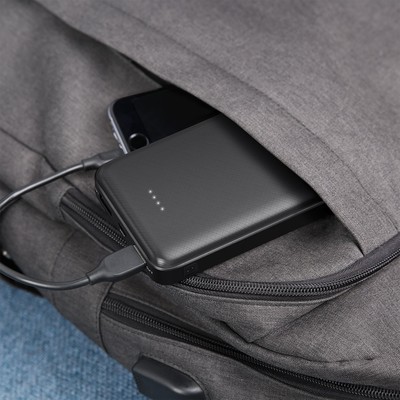
Aukey is offering its 20000mAh portable USB-C battery pack for just $33.29 when you check out using coupon code AUKEYB07 at Amazon. This battery pack normally retails for $45 and rarely drops from that price. It has support for Qualcomm’s Quick Charge 3.0 and a max output of 5V at 3A on the USB-C port or 5V at 2.4A on the USB-A port. The USB-C port can be used to charge the battery pack itself or to charge a connected device, and the two full-sized USB ports are outputs only.
The top has four LED lights to help you know how much charge is left in the battery at a glance, and there is a power button on the side for easily turning it on and off while on the go. The 20000mAh capacity is enough to charge an iPhone 8 six times, most Android devices about five times, and even a MacBook once. If you’d rather something with a little extra capacity, Aukey’s 30000mAh option is on sale for $10 more when you use coupon code AUKEYB03.
See at Amazon
Best Places To Buy A Refurbished Phone in 2018

Phones are expensive, but they don’t have to be that expensive.
Everyone wants a high-end phone, but the problem is bringing yourself to actually pay the high prices required for one. Some people are happy to pay retail, but others are looking for a deal — and one of the ways to find discounts is to look for refurbished phones.
But as you’d expect, buying a refurbished phone isn’t as simple as walking into a store and asking for one — it takes a bit more research and understanding. To help you navigate it, we have all of the information you need right here to make a good choice in buying a refurbished phone.
What does ‘refurbished’ mean?
Even though we see “refurbished” thrown around a lot, that doesn’t mean it’s necessarily a standardized term. You may often see it used interchangeably with “recertified,” “reconditioned” or just “open box” or “pre-owned” as well. No matter the exact word, in general, it means it’s a product that was manufactured to sell as new, but for whatever reason was returned to the manufacturer — either by a store, reseller or customer — and is now ready to be sold again. They’re sold at a discount, and that’s why people are interested in them.
The terminology changes, but the idea is the same.
Refurbished devices could have simply been opened and returned to a store, but could have also been returned to the manufacturer for a malfunction that was then fixed before selling again. Most of the time, depending on the country where you’re shopping, a product that was been purchased and opened — and possibly not even removed from the packaging or powered on — can no longer be sold as “new” and must be sold as refurbished instead. Stores, resellers or companies themselves then have to discount the device because it technically isn’t new-in-box and therefore can’t command the same price as a new phone.
Unfortunately, it’s hard to know when shopping for a refurbished phone why exactly the phone has made its way to refurbished status or what was done to the phone to then certify that it was refurbished.
What to look for when shopping refurbished

The issue with refurbished phones is that you don’t necessarily know which of the possible pathways it took to be refurbished in the first place. And the truth is, you may never know even after you have the phone in your hands. But there are some good tips to follow when shopping for a refurbished phone.
- Buy from the original company or reputable store whenever possible. They do the best refurbishing process, and can actually offer some sort of guarantee that the phone is in good, working condition.
- See what warranty, if any, is offered for the refurbished phones. Some manufacturers will offer a full warranty for refurbished phones, while third parties typically won’t.
- Read the fine print on the sale — even though it may be hard to find. Most refurbished or open-box phones are sold “as is” with little or no option for returns or refunds.
- Keep in mind the age of the device you’re looking to buy. Sometimes companies won’t be selling refurbished versions of the latest phones, but instead a model or two older. It may be nicely discounted, but much of that discount is likely due to it just being old.
- If the price is too good to be true … then it probably is! If you see a retailer selling a late-model “refurbished” phone for something like half the retail price or less, there’s likely some sort of catch you’ve yet to find. Refurbished phones will be cheap, but they won’t be a steal.

Where to buy refurbished
If you’re doing your researched and are ready to buy refurbished, here are some great places to look that often have refurbished, recertified, pre-owned or open-box phones.
- Best Buy sells refurbished, pre-owned and open-box phones from a variety of companies at discounts ranging from 10-30%. Open-box deals in particular are great because they’re typically devices that have just been purchased, opened and returned, not even used. Because of this, you can often find the latest models of phones for sale, rather than just old models.
- Samsung sells certified pre-owned devices, typically at least one model year old, at solid but not substantial discounts. The upside here is getting a full one-year warranty as if you bought it new.
- Gazelle refurbishes and sells phones it buys from consumers, and typically offers up popular devices from Samsung that it can turn the biggest profits on. This means there’s a small selection, and it may not always offer the latest devices, but has some great prices.
- Verizon has certified pre-owned devices, but the selection is small and isn’t always the best deal. For the most part, it only sells pre-owned Samsung phones. Buying certified from the carrier gives you a bit of security, though, as Verizon will guarantee you’re getting a working device.
- T-Mobile also sells certified pre-owned devices at deep discounts, but stock fluctuates and is generally limited to Samsung and/or LG phones. The carrier will also offer similar support to that of a brand new device, so you do have a safety net there.
- AT&T technically has certified pre-owned phones, but they’re only available online and at any given time you may find just one or two models. You’re likely better off buying an unlocked refurbished phone elsewhere.
- Sprint lands in the same situation as the other carriers, offering certified pre-owned phones but often just one or two models available depending when you look.
Do your research, pick the right store and compare prices before buying, and you’re likely to come away with a good phone at a better price than you would ever find on a new-in-box phone.
Update July 2018: All of the latest and greatest places to buy a refurbished phone can still be found right here.

How to enable developer mode on your Chromebook

Developer mode lets you access deeper parts of Chrome OS. Here’s how to enable it!
At first glance, it may not look like you can do much tinkering on a Chromebook. Open the device, sign in, and enjoy the security of the sandboxed operating system. But if you do want to do a lot more with your Chromebook you’ll need to enable developer mode first.
- What is developer mode?
- How to enable developer mode
- How to disable developer mode
What is developer mode?
Developer mode doesn’t have anything to do with the developer channel of the OS itself, despite the similar name. The developer channel is for testing brand new features with a major cost to stability: the developer channel is updated a few times a week with new features and bug fixes.
Enabling developer mode is analogous to rooting your Android phone: you have deeper access to the OS, letting you turn on cool stuff or potentially break things. You need to enable developer mode before you can run other versions of Linux, sideload Android applications and run Linux applications inside Chrome on older Chromebooks. Since Google can’t verify what operating systems are installed when the machine is in developer mode, know that it’s technically less secure than if developer mode is turned off.
How to enable developer mode

Before we get started, make a backup of any local files you have on the Chromebook. Your Chromebook will be Powerwashed in the process, erasing any accounts and local data. With that all done, let’s enable developer mode!
Boot your Chromebook into recovery mode by powering off the device, then holding the Esc and Refresh (the circular arrow) keys while pressing the power button. If you are using a Chromebook or Chromebit, there will be a hole on the device that has the recovery button inside. Stick a paperclip or similar object inside to hold down the recovery button, then press the power button.
Press Ctrl + D on your keyboard when asked to insert recovery media.
Press Enter to confirm.


When your device reboots, you’ll see a screen stating the OS verification is off. This screen will appear every time you turn the device on to warn you that the device isn’t as secure as it would be out of the box. When you see this screen, press Ctrl + D to continue booting, or wait a few seconds and the device will boot on its own.
How to disable developer mode

Since developer mode is not verified by Google, you will need to turn it off before selling the device or returning it for warranty purposes. Here’s how to disable developer mode!
Reboot your Chromebook.
Press the spacebar to re-enable verification when you see the “OS verification is off” screen. This will wipe the device and it will be secure again!
Questions?
Do you use developer mode on your Chromebook? Let us know down below!
Updated July 2018: Added the “What is developer mode?” section and the jump list.
Chromebooks
- The best Chromebooks
- Chromebooks in education: Everything you need to know
- Should you buy a Chromebook?
- Chromebook Buyers Guide
- Google Pixelbook review
- Join our Chromebook forums
Internet connectivity is a human right, and Rightmesh has a plan to fulfill it
John Lyotier poses with kids in Bangladesh, where Rightmesh held a hackathon in December of 2017.
“We believe that connectivity the way it exists today is broken,” John Lyotier, CEO of Rightmesh, told Digital Trends. “Internet accessibility and connectivity is a human right, yet we are not letting people connect.”
That sounds like a bold statement. Yet Lyotier is only saying what everyone already knows. People across the globe seem keenly aware that today’s internet isn’t as open as it once was. From state-enforced bans to private monopolies, the open internet’s enemies are many, and gaining ground.
What sets Rightmesh apart from the rest of us, though, is what it intends to do about it. The company has a plan to roll out internet to places it’s normally unavailable (or too slow to use), and is aggressively bringing it to fruition.
Does what it says on the tin
The solution is in the name; a mesh network made of devices people already own like smartphones or, in some cases, IoT devices. To be clear, we’re not talking about the sort of mesh you can set up at home with a few Google Wi-Fi routers. This is a more robust and complicated mesh which could consist of up to 100 devices.
A mesh makes sense because it bypasses the need to deploy expensive infrastructure.
“The world assumes that everything must go up to the Internet at all times, which is not always the case,” said Lyotier. He gave the example of a classroom, where students are within a few feet of each other. The internet forces use of expensive infrastructure even when a recipient is only a stone’s throw away. “The moment the send button is pushed the logic goes, take this packet of data, go up to the internet, out to the other side of the classroom, then deliver that message down.”
Not so with Rightmesh. That message could instead be delivered device to device using Bluetooth or Wi-Fi. It’s not only more efficient, but also makes connectivity possible when the internet either isn’t available or – as is often true in areas just beginning to build out internet connectivity – there but too slow to be of practical use.
That’s not to say Rightmesh wants to abandon or bypass the internet entirely, however. Lyotier recognizes the internet is the best efficient way to connect over long distances. The mesh is not a replacement (not yet, at least) but instead a better way to bridge the gap. Communication across the mesh is possible with out the internet and, when the internet is accessible to any device in the mesh, it can be shared with all of them.
Giving people reason to share
While sharing resources over a mesh makes sense, it only partially solves the problem. Rightmesh intends to operate in places with minimal internet connectivity, and as with any scarce resource, that means internet access becomes expensive.
“It’s not that the telecom companies don’t know they’re there. It’s just that it’s really hard for a telecom company to invest […] when it doesn’t make economic sense to do so,” said Lyotier.
Anyone sharing internet access across a mesh would likely see serious usage bills.
While sharing resources over a mesh makes sense, it only partially solves the problem.
That’s where cryptocurrency comes in. Rightmesh thinks crypto could give be exactly what’s needed to incentivize sharing internet over a mesh. RMESH, the platform’s token, could be distributed to people who share their internet access, providing them reason to not only share but, depending on how profitable the currency becomes, actively seek out ways to share more.
“We needed to find a way to incentivize the right behavior,” Lyotier said. “The launch of the cryptocurrency has occurred, we’re in the process of minting our tokens as we speak.”
Giving people a reason to share isn’t the only path Rightmesh is pursuing. It’s also looking for ways to expand compatible apps and encourage developers to code apps specifically for mesh networks. Strong developer support is a must-have if mesh working is to gain traction for an obvious reason — most code apps for use with the internet. Rightmesh can build a mesh, but it won’t be much use if software can’t work with it.
“We are looking at releasing our software development kit into the public,” Lyotier told us. “We are looking at public beta of the SDK this fall. That’s the next big milestone.”
Editors’ Recommendations
- ‘China’s Hawaii’ plans to ease internet restrictions for foreign tourists
- With this browser, ads can’t steal your attention — they have to pay you for it
- The best in-flight internet access prices
- Amazon patent wants to unmask Bitcoin users, sell data to law enforcement, others
- Can cryptocurrency and Overstock save Elio Motors’ 84-mpg commuter?
What is WPA3, and why is it so important for Wi-Fi security?

WPA3 means our devices and our data will be safer no matter what Wi-Fi network we’re using.
The Wi-Fi Alliance has a new standard for Wi-Fi security and it will bring plenty of new features that make your data safer while using public or private Wi-Fi. It’s great when anything makes our data safer and WPA3 also happens to be a pretty significant step for wireless security in general.
We recently saw the details for WPA3 finalized, and that means manufacturers can now start properly supporting it in new products as well as look into updating older ones. We won’t be able to benefit from it right away, but it’s definitely something to look forward to!
What is WPA?
WPA stands for Wi-Fi Protected Access. Think of WPA as a set of rules designed to protect your Wi-Fi router, all the things that use it to connect to that router, and all the traffic that’s sent through those devices. How it works is one of the instances where two devices don’t need to know any “secret” details of the other because a middle layer can communicate with each.
If you have a password on your Wi-Fi at home, you’re probably using WPA to secure the network.
If you’re using WPA, your router login is protected by a passphrase and the data you send to it and receive from it are encrypted. WPA is the service that looks at what you used as the password on your phone or laptop when you tried to log into a Wi-Fi router, compares it to the password the router requires, and if they match it connects you and handles data decryption. Security in layers like this (the password you use is also not really the password and only generates a token that the router can check for validity) means no important information is sent in plain text. In this case, that important information would be your Wi-Fi network password.
Almost every one of us is using WPA on Wi-Fi at home or in public right now. WPA2 is the current standard. It came about in 2004 and was a big improvement over what we used prior, but like all things, it’s beginning to show its age. WPA3 addresses most of the areas where WPA2 needs to be updated.
Changes in WPA3
There are some pretty sizable changes coming with WPA3, and they all are the good kind of changes. We love it when that happens!
- Your password will be a lot harder to crack. With WPA2 someone can grab data you send and receive from a Wi-Fi network then try to decrypt it by using a brute-force attack (guessing over and over and over until they get it right) on your password. With WPA3 every password guess will need to be authenticated live, in real time, by the router you’re trying to connect with.
- Connecting IoT (Internet of Things) devices will be easier than ever. Ever try to set up a device without a screen? It usually involves using your phone with a direct connection, then interacting through the phone with the thing you’re trying to get connected, and finally entering the network details so they are written to whatever it is you want to be connected to your Wi-Fi. WPA3 has what’s called “Wi-Fi Easy Connect” that will let you do it by scanning a QR code with a phone on the same network. It’s like Wi-Fi Protected Setup but without all the security vulnerabilities and it will actually work.
- Data captured without knowing your password is useless even if someone gets that password later. Forward secrecy is a new feature that means data collected and saved isn’t able to be decrypted later. This makes saving data from a connection an attacker can’t hijack is useless. Attackers won’t be bothered to save useless things.
- Public hotspots will be a lot more secure. WPA3 means even open connections will encrypt data between you and the access point. This is huge. Right now, with WPA2, if you go somewhere with an open Wi-Fi access point (one where you don’t need a password) the data between you and the access point isn’t encrypted. This is how someone can see what you post on Facebook (as well as your name and password when you sign in) if you’re using Wi-Fi at McDonald’s. You won’t believe how incredibly easy it is to do, which is why it desperately needed some sort of fix. Encrypting that traffic is the best fix anyone could have asked for.
- Stronger encryption for Enterprise-grade Wi-Fi. WPA3 Personal mode will use 128-bit encryption by default. WPA3 Enterprise mode will use 192-bit encryption by default and PSK (the Pre-Shared Key system) is replaced with SAE (Simultaneous Authentication of Equals). If you don’t know what any of that means don’t feel bad about it, most people who aren’t Enterprise IT Professionals don’t because they have no need.
- A Pre-Shared Key system is where two things use the same credentials to connect with each other (like a password). Those credentials had to have been shared with two or more people/things manually before you tried to use them to authenticate.
- Simultaneous Authentication of Equals is a system where a pre-shared key and the MAC addresses of both things that want to connect are used to authenticate based on the calculation of finite cyclic groups. That’s a big math nerd thing about calculations that even normal math nerds don’t understand.
- I told you we didn’t need to know these two things.
When can I use WPA3?
Not any time soon.
The companies who manufacturer things that use Wi-Fi, like a router or your phone or a fancy alarm clock, are working on building it into their products. That means their new products — the ones we can buy next year in 2019.
Optimists say WPA3 will be widespread in 2019.
The Wi-Fi Alliance says to expect late 2019 to be when there is a significant adoption of WPA3. I expect it to be much, much later but think we will be able to buy WPA3 products and build a network in Spring 2019.
We know “smarter” devices like your phone will be compatible but are only guessing when it comes to smart plugs or garage door openers because of how they are set up. There could be some fun times getting WPA2 IoT devices connected to a newer WPA3 capable router, even though it is backward compatible.
We’ll know more once we start to see products show up at Amazon.
Will my phone be updated to work with WPA3?

Doubtful. Phones are what’s called a power-restrained device. That means everything they can do is limited by (and must be built to optimize for) a small rechargeable battery. The chips inside your phone that handle things like encryption algorithms and Wi-Fi encoding/decoding are only as powerful as they need to be right now. WPA3 will beef up the encryption level to 128-bit minimum which will mean it needs more processing power to calculate in real-time. In other words, even your super-fast phone that you have in your hands right now won’t be fast enough to do it.
But that’s OK. While we all want better security for our phones and know that WPA3 provides it, WPA2 will be supported and updated as needed by the Wi-Fi Alliance as necessary for a long time. It also means that a router or access point that is WPA3 capable will also be WPA2 compatible for a long time.
What router do you recommend right now?
You won’t be able to buy a router that is built to work with WPA3 for a while. We expect to see some made available in late 2018, but if you need a new router waiting that long isn’t the best solution.
For most of us, Google Wifi is the best router available today.
Right now I would recommend you buy a Google Wifi mesh router setup. It’s currently one of the most secure (read: patched very quickly with no need for you to do anything) routers and unless you have very specific needs a three-pack means everywhere in your house has really fast Wi-Fi.
It’s also one of the very few routers I expect to see updated to use WPA3, simply because Google loves the darn things and the company tends to keep working on ways to make them better. A three-pack costs about $260 at Amazon and you can set it up in no time at all using the Google Wifi app through your existing Google account.
When WPA3-ready routers become available, you can bet we’ll be back here to talk about them!
See at Amazon
What else do you want to know?
There’s more to WPA3 than what’s written here. Give us some questions below and we’ll be sure to try and answer them!
Best Free Games for Oculus Go
You don’t have to splash the cash to have fun on your Oculus Go.

They say you get what you pay for, but that isn’t always the case. Oculus Go has some great content to play without having to spend a penny.
From scaring the pants off you and your friends to fishing on a virtual lake, here are the best free games to play on your Oculus Go.
Bait!

Not every VR game needs to be a slash-’em-up or shooting game. Bait! lets you relax by a virtual lake and go fishing. It’s relatively basic but if you just want to sit on your sofa and zone out while fishing, it’s a great free game to try out.
The game has just enough context to make it more than just fishing. Your goal is to catch rare fish from four different lakes to help preserve them.
See at Oculus
Temple Run VR

Temple Run has earned a good reputation on smartphones, and you can enjoy the runner in VR as well. You can dodge and jump over obstacles and avoid enemies, in this case, monkeys, to work your way towards a high score.
Endless runners are a throwback to old-school platformers and can be both frustrating and enjoyable at the same time.
See at Oculus
Face your Fears

Reviews that mention almost breaking hardware are usually bad, but in the case of Face Your Fears, it’s trying to scare you into jumping out of your seat.
You can “enjoy” getting scared by ghosts and robots in environments that range from creepy to frightening.
See at Oculus
Jurassic World: Blue

Jurassic World: Blue is an interactive cinematic experience that places you on the island from the famous film. You walk around as Blue and trying to survive the impending eruption of a volcano that will destroy the island.
It’s not a very long experience, but it gives you a glimpse of what could be the future of films in VR.
See at Oculus
Shooting Showdown 2

Taking a different approach to shooting games, Shooting Showdown 2 has you aim your gun by tilting your head and using your controller to fire. You can shoot targets this way at a firing range at targets ranging from balloons to killer robots.
Filler
See at Oculus
Project Rampage: VR

Who doesn’t want to be a gigantic gorilla that gets to destroy cities? Project Rampage: VR lets you play as George, Ralph, or Lizzie and gives you the change to destroy Paris or Chicago.
You can also create new genetically mutated monsters to increase the city destruction.
See at Oculus
What are your favorites?
What are your favorite free games on the Oculus Go? Let us know in the comments below.
These SanDisk Extreme portable SSDs have never been more affordable
Fast, portable, and rugged. You’ll want one.

SanDisk’s 250GB Extreme Portable SSD is down to $89.99 at Amazon today. This limited-time deal marks the first time it has ever been significantly discounted from its regular price of $100. The 500GB version is also down to a new all-time low price of $125.99 for those who need more storage.
Portable SSDs are relatively new. At least, affordable ones are. This SSD has read/write speeds of 550 MB/s and 500 MB/s respectively. It is dust-resistant, shock-resistant, and water-resistant. The interface is USB 3.1 Type-C with an adapter for Type-A. It works with both Windows and Mac.
At Amazon, close to 70 customers have reviewed this portable SSD with 4.6 out of 5 stars.
See at Amazon
Should you buy a Galaxy S9+ or wait for the Galaxy Note 9?

Two big phones with one big difference.
We now know the Galaxy Note 9 will be unveiled at an event in New York City on August 9, and that gets all of our wheels turning thinking about the possibilities of what we can expect and whether it’s worth waiting for. For Samsung fans looking to make the move to a new phone, there really are two options: buy a Galaxy S9+ today, or wait for the Galaxy Note 9.
Let us help you down the path of choosing which one is right for you, and whether you should wait it out.
Who should buy a Galaxy S9+ now

The Galaxy S9+ has a massive advantage here: it’s actually available to buy. The Note 9 will likely be available to pre-order about a week after announcement, but retail availability will probably take a week more, meaning we’re still well off from having a true head-to-head comparison here. Smartphone fans may be willing to wait for a specific phone to come out, but you may not be so flexible. If you need a phone right now, don’t try to scrape by for a month and a half with a broken phone (for example) just to get the Note 9 — pick up a Galaxy S9+ and you’ll be happy.
Unless you have a strong affinity for the Note line, just get a Galaxy S9+ now.
Now we don’t know exactly what the Galaxy Note 9 will offer in terms of specs or features yet, but we can make an educated guess based on previous releases. We can count on the Note 9 to basically match the GS9+ in terms of internal specs, with the same processor, RAM and storage options — though the base storage may bump up to 128GB, that isn’t really an advantage considering the GS9+ has that option already. The screen will likely be a little bigger, but keep the same resolution — and the Galaxy S9+’s screen is fantastic still no matter what. The cameras are likely to be the same or ever-so-slightly tweaked for a new feature. The software will also be similar, since Samsung typically reserves the Galaxy S release to debut altogether new software designs and features.
So really, the core of the Note 9 experience will just be the same as the Galaxy S9+. That bodes well for Note fans, because they’re getting a preview of how great their next phone will be, but it’s also good for anyone who just wants a Samsung phone now — you won’t be missing out on much. If you don’t have any affinity for the Galaxy Note line, it makes the decision even easier to just buy a Galaxy S9+ now and start enjoying your new phone. The Note 9 promises to be even more expensive than the GS9+ as well, so you’ll save some money in the process.
Reasons to wait for the Galaxy Note 9

With so much shared in the core platform of the Galaxy S9+ and Note 9, the differences are going to be minimal — but just in case you’re looking for the absolute best, the Note 9 is expected to improve in a couple areas. The Note 9 is purported to make an improvement in battery size, perhaps going up to 4000mAh, which would be a welcomed return to the Note series offering more capacity than the plus-sized Galaxy S. The Note 9’s display may make another leap in brightness and outdoor visibility, too. And then of course there’s the one feature the Galaxy S9+ can’t match: the S Pen stylus.
Samsung Galaxy Note 9: Everything you need to know
Diehard Note fans shouldn’t settle for the Galaxy S9+ — especially this close to announcement.
To put it simply, if you’re a diehard Note fan you won’t be satisfied with a Galaxy S9+. Yes the screen is almost as big, but the GS9+ is missing the feature that makes the Note name so important to people: the S Pen. If you’ve spent your time getting used to the power and precise input of the S Pen on your current Note — perhaps a Note 5 or even Note 8 — it’ll feel like a downgrade moving to the Galaxy S9+ even though it’s a great phone in itself. We don’t know what changes Samsung will make to the precision, pressure sensitivity or software of the S Pen, but even without any improvements it would still be far and away the best smartphone stylus available.
If you’re happy with your current phone and not in dire need of a new device, the best course of action is to just wait it out. With the Galaxy Note 9 launch event on the horizon, it’s an easy task to simply wait a bit until you have all of the information in front of you for a proper decision. Even if you’re not all that enamored with the idea of an S Pen, an extra month of patience can help you out with a potential reduced price for the Galaxy S9+ if you decide to go that direction.
Are you going to wait?
Whether to grab a currently available phone or wait for a new model to be released is a constant debate, but it’s never more heated than when we’re talking about Samsung flagships. Are you inclined to wait for the Note 9, or just pick up a Galaxy S9+?
Samsung Galaxy S9 and S9+
- Galaxy S9 and S9+: Everything you need to know!
- Galaxy S9 review: A great phone for the masses
- Complete Galaxy S9 and S9+ specs
- Galaxy S9 vs. Galaxy S8: Should you upgrade?
- Join our Galaxy S9 forums
Verizon
AT&T
T-Mobile
Sprint
What color Galaxy Note 8 should you buy: Black, grey, gold, or blue?

So you’re going to get a Galaxy Note 8 — but what color do you choose?
It’s the question so many people will be asking themselves as they eyeball the Galaxy Note 8. Which of the available colors is “best” for me? Well we can’t make up your mind for you, but we can offer looks at each of the four colors of the Galaxy Note 8, all side-by-side, and talk about a few of each one’s characteristics.
Hopefully with that extra info and some pretty pictures, you’ll have the knowledge you need to make a call on which one is the right color for you.
Galaxy Note 8 in Midnight Black
You can never go wrong releasing a black phone. Just like the Galaxy S8 and S8+, the “Midnight Black” Note 8 is black on black from the screen bezels to the metal surround to the back glass. It’s glossy all around, and at a glance it’s actually tough to differentiate between the high gloss metal and the glass on either side.
Who is it for?
If you’re not sure about what color you want to get, black is always a safe choice. It’s sleek, simple and understated, without being boring thanks to its shiny exterior. It’s also best equipped to handle the daily scratches and scuffs it’s likely to pick up as you use it, so this would be a great choice for those who may not use a case.
Galaxy Note 8 in Orchid Grey
You’d be forgiven for thinking that an “Orchid Grey” Galaxy Note 8 would be the same color as an “Orchid Grey” Galaxy S8 … but actually, they’re different. The Note 8’s take on the color is considerably lighter, and far more on the spectrum of blue rather than purple. It’s so different we’re kind of surprised Samsung uses the same name.
It’s still very attractive, for sure, and without being as reflective and outright shiny as the Maple Gold color.
Who is it for?
Orchid Grey is the lightest color available for the Note 8, and offers a light color option for people who don’t want to go with gold or would have previously gone with a white phone when Samsung was making that color available.
Galaxy Note 8 in Maple Gold
Samsung has been doing some sort of gold/champagne/silver color for a few years now, and Maple Gold on the Galaxy Note 8 is a slight tweak on the historical norm. It’s a bit deeper in color than previous versions, and it’s accented by a super-shiny gold metal band around the sides. When the light catches it just right, the metal lights up — and at the same time the back glass can shift to a softer champagne or silver color.
Who is it for?
If you want to flashy, Maple Gold is the color for you. The bright gold frame really stands out from the other three colors, and will do the same in the company of phones from other companies as well.
Galaxy Note 8 in Deep Sea Blue
Deep Sea Blue instantly became a favorite of the Android Central team because of its deep, luscious hue of a navy-like blue with just a bit of a turquoise tinge depending on how the light hits it. It actually looks quite similar to the deep blue color offered in the Galaxy Note 5, though with more depth to it. The frame is the same kind of blue, and it’s more on the dull side than the other colors.
Who is it for?
If you want a deep, strong color to your phone but don’t want the flare and shine of the maple gold or orchid grey colors, this is going to be for you. It stands out from a crowd, but can just as simply blend in if you toss a case on it.
Regional differences matter
Don’t get too attached to a specific color before you figure out which colors will actually be available where you live. If you’re in the U.S., you’ll have Midnight Black and Orchid Grey to choose from if you buy from the carriers, plus Deep Sea Blue if you go to Best Buy (carrier models or unlocked) or Samsung.com (unlocked). In Canada, the color choices are Midnight Black and Deep Sea Blue. Internationally, with some potential variations by market and retailer, you’ll have access to all four colors.
Samsung Galaxy Note 8
- Galaxy Note 8 review
- Galaxy Note 8 vs. Galaxy S8+
- Which Note 8 color is best?
- Complete Galaxy Note 8 specs
- Join our Galaxy Note 8 forums
Verizon
AT&T
T-Mobile
Sprint
Best Buy

