


Huawei’s got a free way of turning your phone into a monster gaming machine
Andy Boxall/Digital Trends
Huawei has seen gaming-centric phones from Razer and Asus, and has its own ideas about what will make the new generation of mobile gamers flock to its smartphones, and for a change, it doesn’t involve buying a new model. Games rely on the Graphics Processing Unit (GPU) to perform well, and Huawei has a software update coming that will boost the efficiency of the GPU by 60 percent and cut down battery consumption by 30 percent. The cost to you, Huawei phone owner? Zero. Excellent news.
It’s called GPU Turbo, and boosting the GPU’s ability means even mid-range phones will be able to run complex mobile games at a higher frame rate, and with all those flashy HDR+ visual effects switched on. Huawei even believes some of the Honor phones with simple GPUs will be able to outperform phones with stronger GPUs. What’s more, the GPU Turbo will also support augmented and virtual reality applications in the future, presumably if they’re specifically coded for compatible devices.
How does this magic work? Huawei’s not giving away many of its trade secrets, but it uses hardware-software acceleration in the GPU, in a similar way to how Google fine-tuned the software ahead of activating the Visual Core chip in the Pixel 2. Huawei has long spoken about how much it spends on research and development, plus how tweaks inside its EMUI user interface keep Android running faster for longer. That it has found a way to make the gaming experience better on many phones through software alone shouldn’t be a surprise.
Software updates
The GPU Turbo update is free and makes your phone better at playing games, so is there a downside? No, because Huawei’s committed to delivering the software update to a wide range of current phones from both it and sub-brand Honor. In August, the Huawei P20, P20 Pro, Mate 10, Mate 10 Pro, and Mate RS are scheduled to receive the GPU Turbo update. In September, the P20 Lite will join them, along with the Mate 9, Mate 9 Pro, the P10, and the P10 Plus.
The Honor 10 should also see the update arrive in August. In China, a special edition of the Honor 10 called the Honor 10 GT has been released with the software already in place. In September the Honor 9, Honor 7X, and the Honor View 10 should benefit from the GPU Turbo software. Other phones for September include the Honor 8 Pro, the Honor 9 Lite, the Huawei Y9, Huawei P Smart, and the Mate 10 Lite.
Software update schedules are notorious for last-minute changes, so take all these dates as very approximate. Just because it says August, don’t expect it to be August 1, as it may be more like August 31. We also expect some future Huawei and Honor phones to have the GPU Turbo software installed on release. We’ll keep you updated with news of the update’s progress here.
Editors’ Recommendations
- Here’s everything you need to know about the Huawei P20
- Honor 10: Everything you need to know
- Huawei P20 Pro review
- When is your phone getting Android P? We asked every major manufacturer
- When is your phone getting Android 8.0 Oreo? We asked every major manufacturer
How are you liking the LG G7 ThinQ?
Turns out the G7 is a pretty darn good phone.
The LG G7 has been out in the wild for a hot minute at this point, but unless you’ve been actively following the phone, chances are you might not have known that.

LG put together a really solid gadget with the G7, but even so, it continues to be overshadowed by competitors like the Galaxy S9, Pixel 2, and OnePlus 6.
For the folks that waded through that sea of competition and decided to give the G7 a shot, the feedback has been mostly positive among the Android Central forum community. When asked how they’ve liked the phone so far, this is what they had to say:
Nubwy
06-28-2018 05:16 PM“
It’s been about two weeks with my G7 ThinQ. I love it so far. The only gripe I have is battery life but it’s still easily getting me through a whole day. I had a G6 I regretted trading for a Pixel that ended up burning me in the long run. Glad I made the choice to stick with LG. Solid phones and a great UI. Love it! How’s everyone else’s holding up?
Reply
biswasd
06-28-2018 08:21 PM“
Ditto for me…..selling my iphone X……love this g7….used to have a G6 as well, but night day in terms of performance / speed and the g-damn screen is incredible, sharp, and bright A-F.
🙂
P.S. works great with the $70 Verizon Wear 24 LTE watch that I bought from dailysteals….
Reply
pastafarian
06-29-2018 08:21 AM“
Compared to the 2 Samsung s7e’s our g7’s replaced, this phone has been a revelation. Far less frustrating with no black screen of death issues. It works perfectly with android auto, something that couldn’t say about the S7. My wife no longer having the all too common pink vertical stripe on her screen is also nice (damn you Samsung!). On the negative side, a few too meany app crash…
Reply
phillymade
06-29-2018 07:58 AM“
I am super happy with my G7. Infact, we bought an LG Thinq TV and it promted me to get the G7. I have had LG devices before and loved them, so thought this would be a good time to come back. Battery life is good and gets better every week but am also not a slave to it, I just use my device and don’t think too much about it. I am happy that I have this device and am sick of hearing all the…
Reply
Now, we want to pass the mic over to you — How’s your experience with the LG G7 been?
Join the conversation in the forums!
LG G7
- LG G7 hands-on preview: All about that bass
- LG G7 Specifications: Everything you need to know
- Join the LG G7 forums
Android P features you’ll love: A better camera experience

Android P provides built-in support for multiple cameras and ways to help developers take high-quality photos in a jiffy.
Android P is going to make it easier to support almost any camera configuration with things like the new Multi-Camera API.
Android comes in all shapes and sizes. It’s one of the few consumer operating systems that allows a company to tailor the experience to their hardware platform and that’s a big reason it’s become so popular — a company that can do something different or better than the competition is free just to do it. You’ll see that being taken advantage of in numerous ways once you start looking at the vast assortment of Android-powered phones, but few if these details are as evident as it is with the camera.
Your phone probably has two or three actual physical cameras with lenses and all. But it could have four, or even just one, because like we mentioned Android lets a company that makes phones do things its own way when it comes to hardware features. But that doesn’t mean it was easy — engineers and developers have had to work hard to support their own configuration for cameras. While there will still be a lot of work involved to support different camera configurations, Google has addressed some of the tough details with Android P.
Multi-camera API
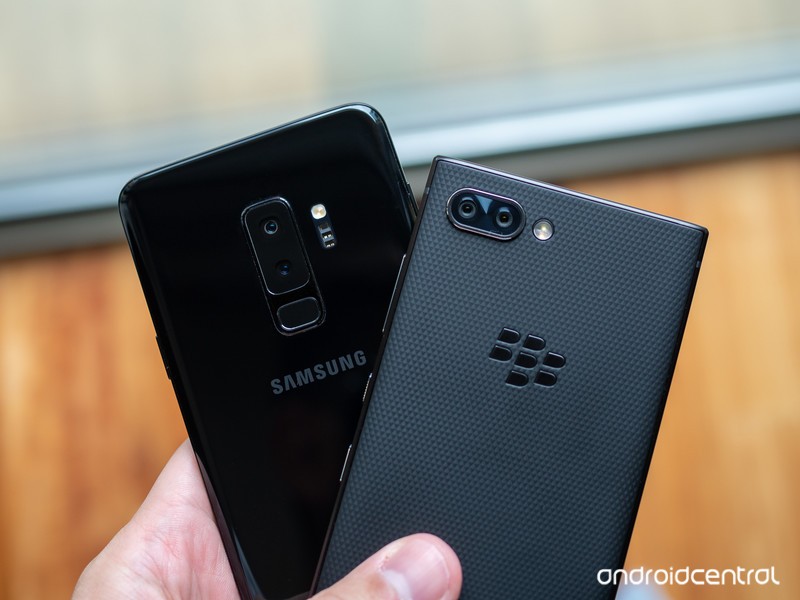
You might have noticed that some phones, like the Samsung Galaxy S9, use two cameras on the rear of the phone while others only have one. This isn’t just for looks or because three cameras are one better than two cameras and the second lens is there to collect information the other isn’t collecting while you take a photo.
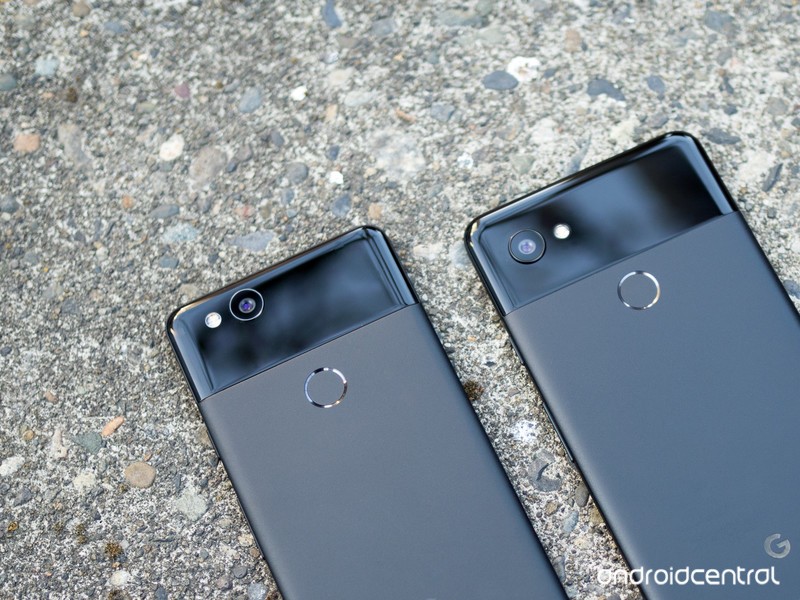
Wide-angle photos aside (there is no way a computer algorithm can recreate them), you can do everything as good or better with one lens than you can with two but it’s not easy. Google uses a single rear camera and a laser diode in the Pixel 2 to capture excellent photos with a single lens, but it is also using incredibly powerful ML (machine learning) algorithms that “know” what the objects you see in a photo are supposed to look like. The software can then adjust the photo, so the things look the way the algorithms, and hopefully, our eyes, think they should.
Not every company making smartphones has the resources to build out proper real-time support for multiple cameras. Now Google is doing it for them.
Samsung doesn’t have access to ML algorithms like this, at least not ones it is satisfied with using. What Samsung does have is a team of crack hardware engineers who can solve almost any problem and the software team who can make the hardware work as it should. The Galaxy Note 8 (and other high-end models) uses two cameras on the rear of the phone to do things like measure distance and adjust focus and there is no denying that it does an equally excellent job. This is because Samsung has the resources to tackle the issue of supporting something like Portrait Mode photos in their own way.
Not every company making Android phones has the resources to use two or more cameras at the same time to gather data and pack it all into one photo, so Google is making it easier with Android P’s new Multi-camera API.
In Android P developers will be able to gather image data from two or more cameras simultaneously. That means a phone with two rear or two front cameras could combine image data from each in real time and create photos that use seamless zooming, bokeh, stereo vision or almost anything else a developer can dream of doing with two different streams of image data. Developers can also grab data from a “logical” camera that switches between one or more cameras while in use.
These ideas aren’t new but native Android support is and that’s a big deal.
This means a third “virtual” camera could be created that grabs image data using one or both rear cameras. An application can grab “normal” data through one camera, distance data for a seamless zoom through a second, and switch the original camera back and forth to form a virtual stream in order to process something like a photo filter on the background. This switching would be done so quickly the original image data should be unchanged.
You could have a zoomed in photo through a telephoto lens that is also able to use hardware to create a black and white background complete with digital bokeh. You probably shouldn’t ever do such a thing, but if a developer wanted to offer it he or she could.
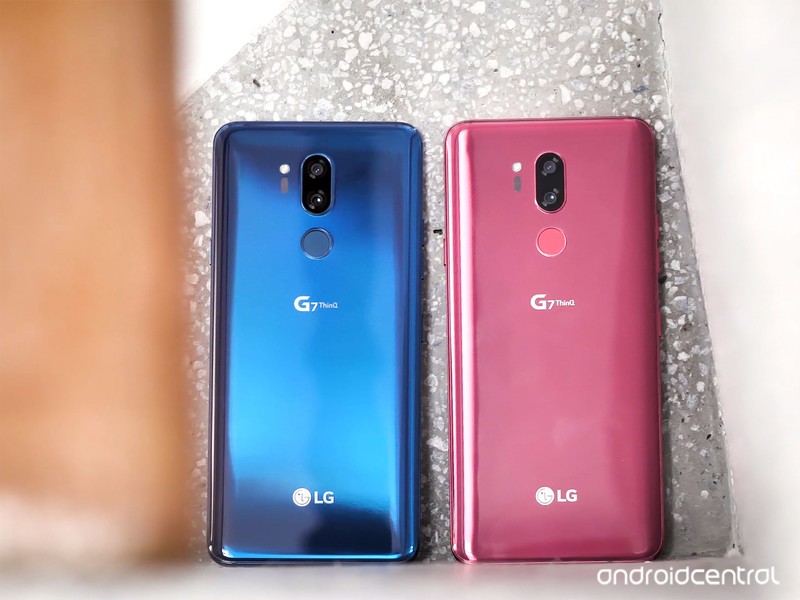
These changes are not “new” ideas. They are very similar to what companies like Samsung and LG have done with phones that use more than one camera to capture a photo. The difference is that Samsung and LG had to do it because it was something not ever done before. Google adding this support directly into Android means better photos from manufacturers that don’t have the same resources Samsung or LG has.
The Multi-camera API will also support monochrome (think black and white) cameras. If the cameras are capable they will be supported fully just like the main high-resolution camera on a phone.
Even more goodies
The Multi-camera API in Android P will get all the attention and will make for the bigger impact, but there are a few other important changes coming to the camera with Android P.
Session parameters are a way developers can have their app grab a picture without it taking forever to process, even if they are leveraging the new Multi-camera API. Functions like “Session_Regular” and “Session_High-Speed” let a developer decide how much of a phone’s limited resource pool can be used to grab a photo quickly when it needs to be done and not so quick when it doesn’t.
Surface sharing will let applications “handle various use-cases without the need to stop and start camera streaming.” This means an app doesn’t have to stop working on getting image data it sees through the lens(es) while you decide what to do with the previous photo. That’s important when you think of things like the short clips we think of as live photos.
Smaller changes can have an impact, too. Android P has several important ones.
Other even smaller changes are an API to allow the screen to act as a flash by blinking white times as a regular camera flash instead of a developer needing to code that themselves, as well as access to OIS (optical image stabilization) timestamps for application-level special effects — any app can stabilize a photo as well as the built-in camera app can with this change.
Last but not least, proper support for external USB cameras is coming so things like inspection cameras, microscopes or even telescopes can be used through your phone’s USB port without a lot of developer work writing a driver but with more features than a basic “USB webcam” interface that works in some cases today.
None of these changes will make us a better photographer, but it will make our cameras good enough that we can take better photos. In the end, that’s all that counts, right?
Android P
- Android P: Everything you need to know
- Android P Beta hands-on: The best and worst features
- All the big Android announcements from Google I/O 2018
- Will my phone get Android P?
- How to manually update your Pixel to Android P
- Join the Discussion
Which color OnePlus 6 should you buy?
Make sure you make the right OnePlus 6 decision.

“Most people put their phones in a case, so why does it matter what color you buy?” I hear a variation of that sentence very time I talk about phone colors and materials.
But if that were the case, companies would release phones in one color — “Model T” black — and call it a day. Instead, we’ve seen color trends come and go, and increasingly a variety of hues, materials, and shimmer to suit anyone’s tastes. And while many people do cover their phones with gaudy cases, there are an increasing number that choose to go naked, or use a clear case, to see the phone as it was intended.
The OnePlus 6 comes in four colors, and each feels as distinct as it looks. Choosing which one to buy won’t be easy, but hopefully, we can help.
Mirror Black
Mirror Black is the obvious choice for the OnePlus 6 because it’s the default choice — if you want the cheapest variant of the phone, you have to choose Mirror Black.
Given that the OnePlus 6 is covered in glass, the Mirror Black variant looks the most traditionally reflective, with OnePlus “coating it with a mirror sheen, giving it the look and feel of ceramic.” While the coating means it picks up fingerprints quite easily, it’s also surprisingly grippy, allowing you to safely use the phone without a case. You’ll be wiping it down every few minutes, but when fresh and clean the phone looks incredible, and picks up on the strongest light source in the room.
Who should buy the Mirror Black OnePlus 6?
If you’re looking to get a OnePlus 6 that looks as far from a previous OnePlus device as possible, Mirror Black is where it’s at. Or, conversely, if you loved the short-lived OnePlus X (OnePlux), this is your only real option.
At the same time, given that the Mirror Black model is the only one offered at the $529 starting price, for 6GB of RAM and 64GB of storage, it should be considered the frugal pick.
Midnight Black
Midnight Black is the more traditional-looking variant of the OnePlus 6, harkening back to the halcyon days of the OnePlus 3T, where the “matte black everything” was all the rage. While this particular variant is covered in glass, it looks very much like metal, and offers a cleaner, more sophisticated look to the OnePlus 6.
It’s also available in both 128GB and 256GB variants, both of which have 8GB of RAM.
Who should buy the Midnight Black OnePlus 6?
If you long for the days when the OnePlus line was made of metal, the Midnight Black OnePlus 6 is the closest thing you’ll get. At the same time, it actually looks better than the metal versions because despite the matte underlay, the glass catches the light and looks really nice in almost any lighting condition.
That said, it’s not as striking as the Mirror Black model, so it’s easily covered in a case without regret.
Silk White
Only available in one storage combination — 8GB of RAM and 128GB of storage — the limited-edition Silk White OnePlus 6 features a glass back, but underneath is a crushed pearl design that looks slightly pocked in the light. With rose gold accents, the Silk White OnePlus 6 is striking and unique, and will definitely be more coveted given its limited-edition nature.
Who should buy the Silk White OnePlus 6?
If you’re looking for the only OnePlus 6 color that actually has any color, Silk White is the obvious choice. If you enjoy rose gold, or just want a phone that looks a bit different, it’s the way to go.
At the same time, it’s possible, given the Silk White’s limited manufacturing run, that it may become something of a collector’s item, so you better get on it fast if you want one.
See at OnePlus
Red
Without a doubt, the OnePlus 6 Red is the most eye-catching color we’ve seen for the phone so far. Announced on July 1, the six-layer glass design includes an extra anti-reflective layer, a translucent orange one, and red base layer that all come together to create the stunning end result.
In addition to the red covering the back and frame of the OnePlus 6, you’ll also find subtle gold accents around the camera housing, fingerprint sensor, OnePlus logo, and “Designed by OnePlus” branding.
The OnePlus 6 Red officially goes on sale July 10 and will be available in the 8GB RAM + 128GB configuration for the standard $579.
Who should buy the OnePlus 6 Red?
If you want a phone that truly stands out from the crowd and catches the attention of everyone around you, the OnePlus 6 Red is the way to go.
The only downside is that it’d be a shame to cover its beauty with a case or skin, so if you do pick it up and decide to go naked, you’ll need to be extra careful to ensure its glass design stays in tip-top shape.
OnePlus 6 Red hands-on: This is the one to get
What’s your color?
Have you chosen a OnePlus 6 color? Are you lusting after the Silk White or Red version? Let us know in the comments below!
Updated July 3, 2018: This article was updated to include the OnePlus 6 Red.
OnePlus 6
- OnePlus 6 review
- OnePlus 6 vs. OnePlus 5T: How much changes in six months?
- OnePlus 6 vs. OnePlus 5: Should you upgrade?
- These are the official OnePlus 6 cases
- The OnePlus 6 doesn’t work on Verizon or Sprint
- Join the discussion in the forums
How to Take a Screenshot on the Samsung Galaxy S9
You need to know how to do this.
It’s one of the simplest features of a smartphone: capturing a screenshot. The basic function can be found on any phone out there, but each company does things slightly different and adds extras to make the screenshot process more powerful and useful. Samsung goes above and beyond on the Galaxy S9 and S9+ to give you multiple ways to capture a screenshot, plus extra tools to capture scrolling lists and make quick edits after capture.
Here are all the ways you can capture, edit and share screenshots on the Galaxy S9.
- Button combo screenshot
- Palm swipe screenshot
- Scrolling capture
- Bixby Voice
Button combo screenshot
This is the simplest way to capture a screenshot, and one that the most people will be familiar with.
Open the content on the screen you want to capture.
Press and hold the volume down button and power button for about 2 seconds.
- You’ll see the screen shrink in, and editing options will appear briefly on the screen.
If you want to edit the screenshot right after it’s captured, you can tap the bottom options to draw, crop or share it immediately.
If you miss those buttons, the screenshot will also be saved in the notification shade, where you can expand and tap the options to edit, share or delete it.
If you dismiss notifications, the screenshot can also still be found in Gallery or any other app you may use to manage photos, like Google Photos.

Palm swipe screenshot
Samsung also offers a secondary method for getting to the same exact screen shot options, using the edge of your hand to swipe across and activate the process.
Go to Settings, Advanced features and make sure that “Palm swipe to capture” is turned on.
Open the content on the screen you want to capture.
Place the side of the palm of your hand on the edge of the screen, and in one motion swipe it across the face of the phone.
The screenshot will be captured in the same way as above, with the same editing and sharing options at the bottom of the screen.
Scrolling capture

Whether you initiate a screenshot with the button combination or palm swipe, you’ll sometimes notice an extra option in that bottom edit bar: “scroll capture.” This option lets you automatically scroll (in apps that vertically scroll) and stitch together several screenshots into one super-tall screenshot.
Open the content on the screen you want to capture.
- Whatever app you have open must be able to vertically scroll — remember to start this process at the top of what you want to screenshot, since the scroll only goes downward.
Use the button combo or palm swipe to initiate screenshot.
Tap scroll capture at the bottom of the screenshot edit menu.
Continue to tap scroll capture until you’ve covered everything in the app that you wish to capture.
The extra-tall scrolling screenshot will save in the exact same way as any other — you can now edit, crop and share it.
Bixby Voice
Bixby Voice can actually be useful for taking a screenshot if you’re unable to grab the phone to do the button combination or swipe gesture.
Open the content on the screen you want to capture.
Press and hold the Bixby Button, or if you’ve configured it, say “Hey Bixby.”
With the interface activated, say “take a screenshot.”
The screenshot will automatically be saved to the Gallery, where you can then view, edit and share it.
- Note that with the Bixby method, you miss out on the instant edit capabilities of the other methods. You can, however, string together commands to for example “take a screenshot and share it to Twitter” if you want to get elaborate.
Samsung Galaxy S9 and S9+
- Galaxy S9 and S9+: Everything you need to know!
- Galaxy S9 review: A great phone for the masses
- Complete Galaxy S9 and S9+ specs
- Galaxy S9 vs. Galaxy S8: Should you upgrade?
- Join our Galaxy S9 forums
Verizon
AT&T
T-Mobile
Sprint
Update July 2018: There are a few ways to take screenshots, and we have them simply broken down here.
Skull & Bones for PlayStation 4: Everything you need to know
Set sails, matey. Booty’s awaiting.

Ubisoft reintroduced the world to Skull & Bones at E3 2018. Assassin’s Creed fans will be familiar with what the game aims to be: a sea-dwelling pirate simulator. That’s the high-level definition, but what, exactly, are we getting with this game? That’s what we’re here to find out. Everything you need to know about Skull & Bones is straight ahead.
What is Skull & Bones?
We weren’t sure what to think of Skull & Bones before Ubisoft’s E3 2018 press conference, because to that point we only knew that it was a pirate ship game. Thanks to new info and our first look at gameplay, however, we now have a bit better of an idea.
Skull & Bones is accurately described as all the ship battling parts of Assassin’s Creed 4: Black Flag, but without literally everything else. A more modern and appropriate example would be Sea of Thieves. Either way, you get the picture. You’re on a ship, and you’re chasing down other ships for loot and gold. You’re a pirate, baby.
Is there a story?

No, not really. Well, not yet, anyway. Skull & Bones seems to be all about head-to-head naval warfare ala World of Warships. It’s a style of game Ubisoft is becoming increasingly known for. Just as Rainbow Six: Siege and For Honor have little to no story elements in order to focus on a deep multiplayer experience, Skull & Bones is all about mastering all the arts of pirateering.
There will be a living world around you called the Hunting Grounds, with rival factions and pirates constantly stirring up trouble in the water, but there doesn’t seem to be any strong narrative to follow. We do know that it takes place in the Indian Ocean, though. As for specific locales, Ubisoft has confirmed that we’ll see the East African coast near Mozambique, known as the Quirimbas Archipelago.
Some of the factions confirmed early on include La Buse’s Gang, the British EIC, and the Portuguese Empire. There are also historical pirates and leaders set to appear in the game, Including Olivier Levasseur, La Buse, and many of their associates.
So what do you do in the game?

You sail, and you fight. That’s a really simple way to put it, but it’s a much deeper game than that makes it sound. The sailing part is probably the hardest, with Ubisoft emphasizing a more realistic sailing engine compared to what we’ve seen in other games.
You’ll have to manage your sails quite readily, as you truly will be at the mercy of the winds. Thus, half of the game is battling the sea, and that includes everything in an around it. There will be storms, and there are sharks in the water (but be clear, there is no hunting in the game). Waves will come and go, and they’ll be hard to navigate. The wind will blow in the opposite direction you want to go and you’re just going to have to find a way to deal with it.
Once you do manage to find your way to your activity or target, you have a whole new set of responsibilities to execute. You have to engage your opponents with your best weapons, be that the starboard cannons or the mortars at the helm of the ship. You can also ram your opponent’s ship and board it to engage in hand-to-hand combat.

And while all of this is going on, you’ll still need to tend to your ship. You’ll still need to fight the wind and the waves for proper positioning. It’ll take damage, and your crew will need to keep it patched up so as to not sink where it floats. You can repair it with materials scavenged during your travels.
The force guiding all of these encounters will be your need for treasure and loot. Between a standard stream of leads on hidden treasure and in-game hunts for the booty, players will find themselves doing all they can to stock up on the goods. You can do this by brute force, or by manipulating and controlling trade routes. Your spoils will include commodities like cotton, coffee, and pearls, all of which will add even more silver to your treasury.
All of that money gets fueled right back into your ship. There’s a wide variety of ships in the game, each with their own pros and cons. One might be able to take a big hit to the hulls, while another might be more agile but hit harder with cannons. It’ll be up to you to decide which ship fits you best according to your playstyle.

There are also upgrades for individual elements of your ship to be collected, ranging from common to legendary. You’ll be tasked with selecting a crew with abilities that fit your needs, too. It’ll cost you a whole lot of money, and that money can only be obtained by living the pirate’s life.
You do all of this at the hideout, your very own pirate’s cove where you can unwind, upgrade your ship, manage your crew, and more. While there, you are shielded from the dangers of the Hunting Grounds, so it’s a nice safe haven when you need to take a break.
Unfortunately, it doesn’t sound like you’ll be shoring up very often in this game. In fact, Ubisoft has already confirmed that your hideout is the only land you’ll be on. The game is purely about sailing and pirating, and little more.
The game will always change

Ubisoft is planning to employ their Seasons concept here. In Skull & Bones, each season will be made to feel unique through what they’re calling Fortunes. These are in-game events that change the traditions of the world.
One such Fortune is known as Favorable Winds, an event that will bring more merchants than usual onto the seas, all of whom are traveling on fast-moving winds. This makes them a lucrative target for plundering, so long as you’re willing to compete with other players to claim the riches.
The other is called Hostile Takeover. In this Fortune, trade routes will be limited as warring factions will have their biggest warships out on the waters. The commodities will dry up a bit, but if you manage to take down some heavy foes during this time you’ll be rewarded far more greatly than usual.
There will be a regular flow of new seasons and expansions, and with each one will come a new Fortune. It’s sounding like the very sort of thing that’ll help keep players engaged and coming back, making your purchase relevant for months and, hopefully, years to come.
Are there microtransactions?
Ubisoft has mentioned that there will be microtransactions. A lot of them are likely to be cosmetic, with the ability to customize your captain as well as elements of your ships such as your sails, figureheads, ship wheel, and paint colors. Some of them may tie into gameplay, but Ubisoft isn’t offering specifics just yet.. We don’t know how, exactly, they’ll approach it.
The company’s policy on microtransactions is typically fair. Launch content is usually easily and fully attainable through normal gameplay. And in the cases of Rainbow Six: Siege and For Honor, you can play with new characters without paying a dime, though the grind to get them is quite gruesome.
Sign up for the beta
If you’re excited to play Skull & Bones then you’ll want to sign up for the beta. There’s no timing for the beta’s release, nor are there any guarantees you’ll be selected, but you’ll never have a chance if you don’t sign up.
Sign up for the Skull & Bones beta
When can I play it?
Ubisoft has no hard release date for Skull & Bones just yet. All we know is that it’ll be arriving at some point in 2019 for PlayStation 4, Xbox One, and PC. We’ll surely be updating you as more information makes its way out.
Skull & Bones hands-on impressions from E3 2018
PlayStation 4

- PS4 vs. PS4 Slim vs. PS4 Pro: Which should you buy?
- PlayStation VR Review
- Playing PS4 games through your phone is awesome
Amazon
Amazon Fire TV Stick vs. Fire TV 4K vs. Fire TV Cube
 The Amazon Fire TV Stick, Fire TV Cube, and Fire TV 4K. (Ranging from $39 to $119 at Amazon.)
Three Fire TV devices — but which one’s right for you?

Amazon once again has a full Fire TV lineup. Three devices, similar in operation, and in many ways specs. And ranging in retail price from $39 to $119. But there are very different reasons to get each.
The Fire TV Stick remains the most basic of the bunch. And while it’ll get you onboard with streaming video, it’s not going to wow you with performance. The Fire TV 4K pendant is last year’s model and perfectly capable. But it lacks the whiz-bang features of the new Fire TV Cube.
So which one’s right for you? Which one will get you the most bang for your buck — and not load down your wallet with features you’ll never actually use?
Read the full breakdown at CordCutters.com
Introducing CordCutters.com
- The hardware you need
- All about streaming services
- What channels are on which service
- FREE over-the-air TV
- How to watch sports
- Join the discussion
Get the latest deals
Ventev Powercell 6010+ review: The best-designed battery pack I’ve ever used

This brilliantly designed backup battery is all you need to keep your phone charged.
What are the features you look for in a portable battery pack? Do you prioritize battery capacity, or is an ultra-portable design most important? For me, it’s important to find a balance of portability and functionality, with a capacity that’s big enough to easily charge my phone.
The Ventev Powercell 6010+ has proven itself to be reliable with features I simply haven’t seen on other battery packs.
Ventev Powercell 6010+

Price: $47
Bottom line: The Venvev 6010+ gives you everything you need to keep your phone charged with a built-in USB-C cable along with a plug-and-charge design that makes it the easiest battery pack to recharge — and it also functions as a wall charger, too. One of the best mobile accessories I’ve ever tested.
The Good
- Compact enough to fit in a pocket
- Built-in USB-C cable
- 6000mAH capacity
- Great price and value
The Bad
- USB-C cable can be a bit stiff
- Only designed for North American wall outlets
See at Amazon

Everything you need to keep your phone charged
Ventev Powercell 6010+ What I like
Everyone should probably carry a backup battery pack these days, whether you’ve got a big summer trip planned or you just need a pack to carry around on a daily basis. It’s great to have something available for those times when you need to eke out a bit more battery life before you make it home for a full charge. To that end, there’s a ton of options to choose from and it can be a bit overwhelming to pick one when they all typically look the same — a black brick with a couple ports and an LED indicator.
I have been eager to share my thoughts on the Ventev Powercell 6010+ for months now because it really stands out from the crowd thanks to some innovative design choices. It’s become my go-to accessory when I’m heading out the door with a less-than-fully-charged phone in my pocket.
This is the most practical portable battery pack design I’ve ever tested.
With a 6000mAh capacity, the Powercell 6010+ is in the mid-range in terms of capacity but still more than enough to top up a phone battery in the red zone but the saving grace is the design built around the battery itself. Everything you need to charge your phone — and keep the Powercell itself charged, too — is built right into this battery pack. There’s a USB-C cable built into the side of the pack alongside an extra USB port for output along with fold-out outlet prongs that let you plug the pack right into the wall for recharging.
It also works as a wall charger for your phone and will pass through current to your phone for those times you’re waiting in an airport and want to charge your battery pack and phone at the same time. With 12W of total output, you’re able to charge two devices at once. The size is basically perfect for both travel and daily carry, as it’s roughly the same dimensions size of a Google Pixel with everything required to charge right there. Because of the length of the built-in cable, it keeps your phone nicely tethered so you can slip in your pocket or bag without fussing around with the unnecessary length of a standard charging cable.

Not ideal for international travellers
Ventev Powercell 6010+ What I don’t like
It can be frustrating to grab your battery pack and head out the door only to realize that it needed charging itself, but I don’t have that anxiety with Powercell 6010+ because it’s so easy and convenient to use and recharge. As long as I’m not heading out into the wilderness for a camping trip, there will inevitably be a wall outlet that I can use to quickly charge the battery pack, or if I’m in a real bind, I can use the whole thing to charge my phone first.
Having said that, this battery pack is obviously less ideal if you live or frequently travel to countries that don’t use the North American-style electrical outlets — there are no outlet adapters included in the package so you’re kind of on your own in that regard. The other minor issue I have is that it can be tricky to pop the USB-C cable out of its holder. That’s partially because I keep my fingernails short, but it’s easy enough to pop it out with a key or something similar.
Ventev Powercell 6010+ Buy it
Even if the cable is a bit stiff to use, that’s hardly a setback for my final considerations of how awesome this pack is. It’s the ideal form factor for me with a battery capacity that will reliably double my phone’s battery life for those times I forget to charge my phone before I head out the door.
5
out of 5
You can get this pack with a built-in USB-C cable (or Lightning cable if you’re buying as a gift for an iPhone user) for just $47 on Amazon.
See at Amazon
Xiaomi is confident it can succeed where Huawei has struggled
Chinese technology company Xiaomi, best known for its smartphones, is confident it can launch new devices in the U.S. in 2019, despite other Chinese brands meeting considerable resistance recently when trying to do the same thing. Xiaomi’s Senior Vice President Wang Xiang told Reuters that he, “hopes to do something,” in the U.S next year, and stated the company is in talks with carriers.
Xiaomi wants to achieve what rival Huawei has struggled with over the past months — get its phones on sale in the U.S., potentially with carrier deals in place. Huawei was set to make exactly this type of announcement during CES 2018; but last minute alterations saw the deal fall through. Since then, political machinations have forced it to alter focus, instead concentrating on the European and international markets.
What does Wang believe will make the difference for Xiaomi? “We don’t see any reason for us to get into that political situation,” he claims, and mentions Xiaomi is purely focused on making devices for consumers, unlike ZTE and Huawei, which also produces hardware for network infrastructure. A strong relationship with Qualcomm — Wang is a former Qualcomm China executive — and with Google is also mentioned.
Huawei also has a good relationship with Google, although CEO Sundar Pichai was put under pressure by the government for its work with Huawei recently, in retaliation for Google ending its involvement in an artificial intelligence-related military project. Huawei cannot claim a strong relationship with Qualcomm, as its own Kirin processors are used inside Huawei devices, rather than a Snapdragon chip.
Despite the positive words, things may not be quite as easy as Wang is making out, because the 2019 U.S. launch date is considerably less precise than Xiaomi CEO Lei Jun gave just a few months ago. He stated the intention was to enter the U.S. by the end of 2018, or in early 2019. Negotiations and deal-making may be taking longer than hoped.
Outside of China, Xiaomi has made significant progress in Europe, after launching in Spain at the end of 2017, and then in France and Italy in May 2018. Deals have also been signed to help Xiaomi sell smartphones in the U.K. and other European countries in the near future.
Xiaomi’s talks with carriers in the U.S. have not resulted in any finalized agreements at the time of writing.
Editors’ Recommendations
- Xiaomi’s European tour continues –it will arrive in France and Italy in May
- Xiaomi buddies up with U.K. carrier Three to sell its phones in Europe
- Xiaomi Mi 6X hints at what’s to come for company’s next Android One phone
- You’ll want Xiaomi’s Mi A2 for the software, not the iPhone X looks
- Xiaomi finally heads to the U.S. with a little help from Google Assistant
Best Dual-SIM Android Phones in 2018
- Best overall
- Best runner-up pick
- Best for battery life
- Great $500 option
- Best budget pick
Best overall
OnePlus 6

See at OnePlus
The OnePlus 6 is packed to the gills with features, but it doesn’t have the same hefty price tag as the Galaxy S9+ or a Pixel 2. The goal is to offer the same hardware at several hundred dollars less than the likes of Samsung and Google, and OnePlus has gotten very good at doing so over the years.
The OnePlus 6 comes with an excellent 6.28-inch Super AMOLED display, and the phone is powered by the Snapdragon 845 chipset. You get 6GB of RAM and 64GB of storage as standard, and there’s the option to pick up a variant with 8GB of RAM and 256GB of storage as well.
The 16MP + 20MP rear camera has been overhauled, and does a much better job of taking photos in low-light conditions. Elsewhere, you’ll find a 16MP front camera, Wi-Fi ac, Bluetooth 5.0, aptX HD audio codecs, a 3.5mm jack, and a 3300mAh battery with Dash Charge.
The OnePlus 6 also features one of the most refined manufacturer skins available on a device today. OxygenOS doesn’t deviate much from Google’s vision of Android when it comes to the design language, but it does offer a host of customization options that let you make the device your own.
Bottom line: For the amount you’re paying, there isn’t another phone that offers quite as much value.
One more thing: The OnePlus 6 is a GSM-only device, so it won’t work on Verizon or Sprint.
Why the OnePlus 6 is the best
Over the last three years, OnePlus has made a habit of offering phones with top-notch hardware for a few hundred dollars less than the competition. The tactic made the company a fan-favorite, and things haven’t changed much with the OnePlus 6.
The phone features some of the best hardware you’ll find today, and combines that with a new glass design that gives it a more polished look. OnePlus is also rolling out new limited-edition variants that spice things up on the design front.
A key feature on the OnePlus 6 is the 6.28-inch Super AMOLED panel at the front, which now has a notch. The notch withstanding, the display is one of the best you’ll find in this category, with excellent contrast and vibrant colors.
The camera has also been overhauled for 2018, and is now usable in low-light shooting scenarios. That was the biggest problem in years past, but it’s no longer an issue. Sure, it may not be quite as good as the Pixel 2, but for the amount you’re paying, you’re getting incredible value.
The OnePlus 6 dominates the market when it comes to value.
The Snapdragon 845 along with 6GB/64GB or 8GB/256GB of memory and storage make the OnePlus 6 one of the fastest phones in the market, and OxygenOS continues to strike a great balance between efficiency and customizability.
OnePlus isn’t quoting an IP rating for the device, but the OnePlus 6 is resistant to dust and water for “everyday” use cases. So while it isn’t advised to take it to the pool, the phone should weather the occasional splash of water with ease.
The phone comes in a single SKU worldwide, so regardless of where you’re buying your OnePlus device, it will come with two SIM card slots and global LTE bands. As for dual-SIM usage, both SIM card slots in the OnePlus 6 feature 4G connectivity, and dual VoLTE is available as well.
Runner-up pick
Samsung Galaxy S9+

See at Amazon
The Galaxy S9+ shares the same design fundamentals as last years Galaxy S8+, but that’s not necessarily a bad thing. The design is still one of the most evocative around, and the dual curved screen is a standout.
Talking about the display, Samsung leads the industry with its AMOLED panels, and the one on the Galaxy S9+ is brighter and more vivid when seen against last year’s device. Simply put, it is the best display you can get on a phone today.
Then there’s the camera, which has variable aperture — a first in the smartphone segment. The S9+ also gets a secondary camera that offers 2x optical zoom, allowing you to zoom in on objects without losing out on the quality.
The S9+ also comes with 6GB of RAM as standard, and you can pick up a storage option with as much as 256GB of internal storage. Overall, the S9+ offers meaningful upgrades from last year’s flagship — particularly in the camera department.
Bottom line: If you want the most feature-rich phone available today, look no further than the Galaxy S9+.
One more thing: The dual-SIM variant of the Galaxy S9+ is powered by the Exynos 9810.
Best for battery life
Huawei P20 Pro

See at Amazon
At over $800, Huawei’s P20 Pro is one of the costliest phones available today. It is also one of the best you can pick up in 2018. The phone has a unique camera arrangement that sees three lenses — a primary 40MP camera joined by a 20MP monochrome module and an 8MP telephoto sensor.
As you’d imagine from a phone that offers 68MP across three sensors, the camera on the P20 Pro is fantastic. Of particular interest is the phone’s Night Mode, which takes images at several exposures over a four-second window and interlaces them together to create a single photo.
The P20 Pro also relies heavily on AI for the camera, with the feature automatically picking the ideal shooting mode for a particular scene. The AI feature is facilitated by a Neural Processing Unit in the Kirin 970 chipset, which is on par with the best that Qualcomm has to offer when it comes to performance.
Other specs include 6GB of RAM, 128GB of storage as standard, a 6.1-inch AMOLED FHD+ display, Wi-Fi ac, 24MP front shooter, and a 4000mAh battery that delivers two days’ worth of usage. On the software front, the P20 Pro comes with EMUI 8.1 based on Android 8.1 Oreo.
Bottom line: The Huawei P20 Pro is a stunning phone that offers one of the best camera experiences you’ll find on a phone today.
One more thing: The P20 Pro isn’t officially available in the U.S., so you’ll have to pick up the international version from Amazon.
A great alternative
Xiaomi Mi Mix 2S

See at Gearbest
The Mi Mix 2S is a particularly great phone as it comes with global LTE bands. It isn’t the first Xiaomi phone to do so, but it has a gorgeous design backed by a 5.99-inch screen with minimal bezels on three sides.
The phone is just as evocative from the back, thanks to the ceramic finish. Under the hood, you’ll find a Snapdragon 845, along with 6GB of RAM and 128GB of storage.
The dual 12MP + 12 MP camera configuration is the best you’ll find on any Xiaomi phone today, and it’s safe to say that it holds its own against other $500 devices.
The Oreo-based MIUI 9.5 feels much more polished from previous years, and you get one of the best gesture-based navigation available on Android today.
Bottom line: The Mi Mix 2S is still one of the best phones in the $500 segment.
One more thing: Xiaomi isn’t selling phones in the U.S. (yet), so you’ll have to pick this up from a reseller.
Best budget option
Nokia 6.1 2018

See at Amazon
HMD Global has done a magnificent job reviving the Nokia brand, and its commitment to industrial design paired with the promise of quick updates make its phones highly desirable. The Nokia 6.1 2018 is made out of series 6000 aluminum, and is one of the most durable phones available today.
It comes with a 5.5-inch Full HD panel, and is powered by the Snapdragon 630. You also get 3GB of RAM and 32GB of storage, 16MP rear camera, 8MP front shooter, 3000mAh battery with USB-C, and fast charging that lets you get a 50% charge in just 30 minutes.
The Nokia 6.1 2018 is a part of the Android One program, and will be the first in line to receive platform and security updates.
Bottom line: The Nokia 6.1 2018 is durable, fast, and receives updates on time.
One more thing: The phone is sold unlocked from Amazon, and is eligible for use on AT&T and T-Mobile.
Conclusion
OnePlus continues to undercut the market by several hundred dollars while not compromising on quality. The OnePlus 6’s glass design gives it a more upmarket feel, and like its predecessors, the phone is one of the fastest you’ll find in this category. The AMOLED display is fantastic, the camera has picked up much-needed improvements, and the headphone jack is thankfully intact. At this price point, you won’t find many phones that offer the same amount of value.
Best overall
OnePlus 6
See at OnePlus
The OnePlus 6 is packed to the gills with features, but it doesn’t have the same hefty price tag as the Galaxy S9+ or a Pixel 2. The goal is to offer the same hardware at several hundred dollars less than the likes of Samsung and Google, and OnePlus has gotten very good at doing so over the years.
The OnePlus 6 comes with an excellent 6.28-inch Super AMOLED display, and the phone is powered by the Snapdragon 845 chipset. You get 6GB of RAM and 64GB of storage as standard, and there’s the option to pick up a variant with 8GB of RAM and 256GB of storage as well.
The 16MP + 20MP rear camera has been overhauled, and does a much better job of taking photos in low-light conditions. Elsewhere, you’ll find a 16MP front camera, Wi-Fi ac, Bluetooth 5.0, aptX HD audio codecs, a 3.5mm jack, and a 3300mAh battery with Dash Charge.
The OnePlus 6 also features one of the most refined manufacturer skins available on a device today. OxygenOS doesn’t deviate much from Google’s vision of Android when it comes to the design language, but it does offer a host of customization options that let you make the device your own.
Bottom line: For the amount you’re paying, there isn’t another phone that offers quite as much value.
One more thing: The OnePlus 6 is a GSM-only device, so it won’t work on Verizon or Sprint.
Updated July 2018 with the OnePlus 6 as the best overall option, the Galaxy S9+ as the runner-up pick, the Mi Mix 2S as the best $500 alternative, and the Nokia 6.1 2018 as the best budget option.
 AIVAnet