


December space launch could make Israel fourth country to land on moon
Google Lunar XPrize
In an age in which the high-profile space stories and competition typically involve companies like SpaceX, Boeing, and others, it’s easy to forget that it used to feel like more of a national rivalry — summoning memories of the U.S. and Soviet Union from the height of the Space Race. One country which clearly hasn’t forgotten those halcyon days? Israel, which announced its intentions to be the fourth country to land a mission on the moon — after the U.S., Russia, and China.
With this goal in mind, it’s planning to launch an unmanned spacecraft in December as a collaboration between Israel Aerospace Industries and the nonprofit organization SpaceIL. The launch will take place from Cape Canaveral, Florida. The two companies behind the launch have raised $88 million from private donors to fund the project over the course of the past eight years. Their diminutive craft is a little over 5 feet in height and tips the scale at 1,322 pounds. It will take around two months to reach the moon, with a target date of February 13, 2019. No launch date has yet been announced.
“The launch of the first Israeli spacecraft will fill Israel, in its 70th year, with pride,” said SpaceIL President Morris Kahn. “It is a national accomplishment that will put us on the world’s space map.”
SpaceIL was previously part of Google’s Lunar XPrize competition, which promised a $20 million prize for any non-governmental organization able to land an unmanned spacecraft on the moon by 2014. Ultimately, no organization was able to achieve this, although clearly, SpaceIL was not ready to throw in the towel just because it had missed Google’s deadline. Half a decade later, it may well claim the moral victory, if not the financial one.
If the group’s spacecraft does successfully reach the moon, it will be the smallest craft to have done so in history. On the moon’s surface, it will take assorted videos and photographs, as well as measuring the moon’s magnetic field using a magnetometer.
Israel Aerospace Industries hopes that the space mission will trigger an “Apollo effect,” which captures the imagination of kids and gets them inspired about the possibility offered by STEM (science, technology, engineering, math) subjects.
Editors’ Recommendations
- Get your Sagan on with 60 awe-inspiring photos of the final frontier
- SpaceX says it won’t send space tourists around the moon just yet
- Prepare for liftoff: Here’s a list of upcoming important SpaceX rocket launches
- NASA reveals its plans to have astronauts orbiting the moon by 2025
- Japanese space probe to begin exploring asteroid Ryugu
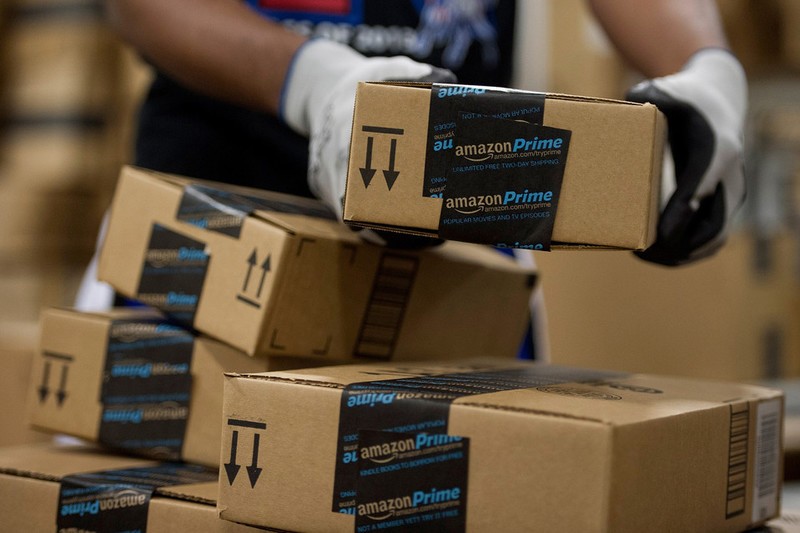
Save an additional 20% on your Prime Day purchases by using American Express Reward points
The savings just keep piling up.
We already know that we will see millions of deals across the world on Prime Day, but did you know that you could drop the prices even lower by just shopping with your American Express points? Amazon frequently offers an additional percentage off select purchases when you checkout and pay for part of the transaction using your Rewards points, and come Prime Day, the company is offering 20% off on a variety of items.

When it comes to saving money, this may be one of the easiest ways you’ll be able to do it on Prime Day. The first step is to head to this page and click to activate the offer. Once the offer is activated, you’ll want to make sure that your American Express card is one of the payment methods in your account, and that you have linked your accounts successfully. The last, and easiest part, is to find an eligible item, add it to your cart, and pay using at least one American Express Reward point.
One of the best parts about this offer (besides the money you save) is that you don’t have to have enough points to cover your entire purchase. In fact, you can use a single point, worth $0.01, and you’ll still receive the discount during checkout. Of course, if you have a bunch of points you don’t know what to do with, you could use all of them on the purchase, but it’s not a requirement.
This discount can be redeemed on any item physical goods that are sold and shipped by Amazon. You won’t be able to redeem it on items sold by third parties, digital goods, or Amazon gift cards. It can only be redeemed once and has a maximum benefit of $100. The offer is currently live, so if there is something you want to buy now, you can save 20%. The promotion can end at any time, so be sure to activate the offer now and link your accounts to avoid missing out.
You can already take advantage of a bunch of great deals at Amazon, so be sure to check them out and get an early start on your purchases. Not sure what Prime Day is really all about? Be sure to check out our comprehensive guide with all the details you need. Amazon is also offering a few other ways to get some extra cash to spend on Prime Day to help keep your costs as low as possible.
Amazon Prime Day Tips and Tricks: Avoid bad deals and save money
Don’t make bad choices because you weren’t informed.
On big shopping days, like Amazon Prime Day, it’s easy to get caught up in the excitement and buy things that may not have really been a good deal. Now, if it’s a product that you actually wanted or needed, and the price was what you could afford, there’s really no such thing as a bad deal, but the risks come with impulse purchasing. With millions of deals coming and going, it can be easy to buy something that wasn’t actually a good deal. Luckily, we have a few tricks up our sleeve to help you avoid making these bad purchases, so let’s dive right in.
Prepare in advance
Having a basic idea of the items you are looking for and a price you’re willing to spend on them will definitely help keep you on track. It’s easy to miss out on deals because you aren’t looking in the right places or because you spent too much time trying to research and see if it’s worth buying it. Having a plan of attack before the event starts is an easy way to help you succeed.
If you download the free Amazon Shopping app on your iPhone or Android device, you can actually save deals that you’re interested in so that you don’t miss out. Having these items marked ahead of time will keep you on track.
Stick to listings shipped by Amazon
Amazon is a huge marketplace, and while most of the items you’ll see on Prime Day will be sold and shipped by Amazon, some of them will come from third-party sellers. While most third-party sellers are trustworthy, there could be some that have bad intentions. From recently-launched stores to those without feedback, it can be hard to know exactly what you’re getting without a ton of research. Prime Day is not a day you want to be researching sellers and pricing, so it’s best to keep it simple.
Items that are sold and shipped by Amazon are always trusted, this means that Amazon handles the whole experience for you and all of the customer service will take place through them. There are other listings that will be sold by third parties, generally the brand, and then shipped by Amazon. On these items, Amazon handles the fulfillment of the item (packing and shipping) and has the items in its warehouse.
Keep it locked to Thrifter
The team over at Thrifter will be covering all of the best deals that come and go during all 36 hours of the event. From direct price drops to coupons, Lightning Deals, and more, if you want one place to go to find all the best deals, this is it. The team will be comparing the discounted prices to regular pricing, vetting sellers, and ensuring that everything that is posted is completely trustworthy.
Be sure to sign up for their Prime Day newsletter to have helpful tips, tricks, and all the best deals delivered right to your inbox.
FDA approves freeze-dried blood plasma for use by U.S. troops
The military is getting a leg-up on ordinary civilians when it comes to wound treatment — courtesy of a decision by the Food and Drug Administration (FDA) to approve an experimental freeze-dried blood plasma for use by U.S. troops, even though it’s not approved for wider use by the population at large.
The freeze-dried plasma could be a lifesaver in war zones, where regular injuries are still unfortunately common. Plasma is the component in blood which causes clotting, thereby stopping the bleeding. The advantage of the freeze-dried plasma is that it doesn’t need to be refrigerated, and can also be delivered more quickly, since it doesn’t have to be thawed out as with regular frozen blood plasma.
Whether or not the freeze-dried plasma — which is manufactured by a company in France — would get approved was mired in some controversy. Last year, House Armed Services Committee Chairman Mac Thornberry (R-Texas) attempted to circumvent the FDA by giving the Department of Defense the ability to allow its use without going through the regulatory authority. Nonetheless, the FDA ultimately approved the technology, although it has yet to do so for wider use among civilians.
“Through our collaborative program with the [Department of Defense], they’ve made clear the importance of access to freeze-dried plasma in initial efforts to control hemorrhage from battlefield trauma,” FDA Commissioner Scott Gottlieb said in a statement. “Granting this authorization will support access to this important product in the event it’s needed. The FDA remains deeply committed to implementing an enduring pathway to ensure that these potentially life-saving medical products are made available in the most expeditious, safe and effective manner possible.”
This isn’t the first smart technology we’ve covered, designed to help soldiers injured in combat. Recently we wrote about a new type of polystyrene and rubber wound dressing developed by the U.S. Army. Intended to stop extreme bleeding, it features amazing levels of absorbency, allowing it to absorb up to 800 percent of the material’s weight in liquid.
Meanwhile, a pair of scientists in the U.S. recently announced independently developed synthetic blood technologies which could buy trauma patients valuable extra hours. One key potential audience for this technology is the military.
Editors’ Recommendations
- Super absorbent wound dressing will swell up to save soldiers’ lives in combat
- Is this the future of medicine? Synthetic blood could buy patients 48 extra hours
- Bitter lawmakers tell Google to justify Huawei link after A.I. military deal ends
- ZTE and the U.S.: Everything you need to know
Google’s Chrome desktop browser is about to receive a major facelift
If you subscribe to Google’s nightly build of Chrome “Canary,” the latest release for Windows, Linux, and Chrome OS now sports a much-needed facelift thanks to the new Material Design user interface. The new look is set as the default, providing enhancements to the boring outdated Chrome design with a rounded address bar, rounded and colored browser tabs, and new omnibox suggestion icons.
“MacOS users can set experimental flags chrome://flags/#top-chrome-md to ‘Refresh’ and enable chrome://flags/#views-browser-windows to try it out now,” says Google evangelist François Beaufort. “Note that it’s still being actively developed and that you may stumble upon bugs.”
Material Design is a design language introduced by Google in 2014. It’s based on the “card” layout used in Google Now that borrows from traditional real-world paper and ink designs. It attempts to emulate physical substrates in a virtual environment, rendering crisp edges and shadows that give depth. Material Design infiltrated Android 5.0 and is slowly becoming the default visual design across all Google apps and services.
“Material Design is guided by print design methods — typography, grids, space, scale, color, and imagery — to create hierarchy, meaning, and focus that immerse viewers in the experience,” Google says. “Material Design is inspired by the physical world and its textures, including how they reflect light and cast shadows. Material surfaces reimagine the mediums of paper and ink.”
The user interface for Google’s Chrome browser has remained mostly unchanged for many years. You can alter its appearance to some degree by downloading and installing themes from the Chrome Web Store, but they merely change the background colors of the Start page, toolbar, tabs, and so on.
The fact that the Material Design user interface is now appearing in Chrome Canary means Google is making progress on getting the new interface into a stable build. If you’re curious to see what Material Design is about, be warned: Chrome Canary isn’t a stable version of Google’s browser. It’s a nightly build that has yet to be thoroughly tested, introducing new features along with potential show-stopping bugs.
But also keep in mind that Material Design is an ongoing project thus aspects of Chrome may change based on feedback until the user interface is ready for primetime. Google supposedly made major changes to Material Design earlier this year to support a tool called “Material Theming” for designing interfaces. Gmail’s redesign on the web was part of that overhaul to the design platform.
Google is expected to make Material Design the default user interface in the stable version of Chrome on September 2, the browser’s birthday. That means the new interface must survive the design changes in the Canary, Developer and Beta channels before it goes mainstream in less than two months. We shall see if Google succeeds in making that anniversary deadline.
Editors’ Recommendations
- The best Chrome themes
- Chrome’s desktop browser now supports web-based VR on the Oculus Rift
- New Chrome OS features make your Chromebook a better Windows replacement
- Chrome’s search bar may soon display pictures for your browsing pleasure
- Chrome OS notification center redesign borrows from Windows 10 Action Center
How Logitech continues to thrive in the post-PC world
Luke Larsen/Digital Trends
The PC is in decline. We’ve been hearing that story and seeing the numbers for years now, and we all know it’s true.
But in the midst of that decline, you might be surprised to hear how well a company like Logitech gets along. Despite its deep connection to PCs, the small, independent company continues to stay relevant in its many different ventures — whether that’s in high-end audio, or gaming peripherals.
We took a behind-the-scenes look at Logitech’s facilities in Camas, Washington to see how it thrives in a world where we rely less and less on PCs by the day.
A long history in audio
Logitech is known first and foremost as a PC mice and keyboard manufacturer. It was founded in the early 1980s in Switzerland — and by 2008, the company had sold over a billion mice. You’re bound to have used at least one of them in your life. But Logitech knew that if it wanted to grow, it’d have to expand beyond mice and keyboards.
The small, independent company continues to stay relevant in its many different ventures.
In 2001, Logitech acquired a competitor based out of Vancouver, Washington called Labtec, a company with a rich history in a desktop peripherals. Logitech didn’t have much experience in at the time: Computer speakers.
“That’s how we benefited for the heritage,” said Philippe Depallens, the VP of Logitech Audio, told Digital Trends. “We still have 15 [Labtec employees] from that era still with us. Logitech is very good at integrating different ingredients from different places. But also through the acquisition, we’ve been able to aggregate all the heritage that these guys have.”
After acquiring Labtec, Logitech quickly added audio devices to its suite of computer peripherals and began building up its own audio engineering facilities. Even though they both plug into a PC, engineering speakers is very different than mice or keyboards.
Luke Larsen/Digital Trends
In order to support all these new ventures in audio, Logitech has continued to improve its testing facilities, bringing in the highest level of technology and industry practices, many of which rival what you’d see from a massive multinational conglomerate like Samsung or LG. The facility is filled with anechoic chambers, listening rooms, and compliance labs, all for the purpose of engineering some of the most advanced speaker systems in the world. The anechoic chambers, used for completely isolating sounds, are particularly fascinating, Logitech’s largest anechoic chamber even features a completely mesh floor to allow for a padded surface beneath. Spending too long in one of these chambers will make your ears tingle.
Even though they both plug into a PC, engineering speakers is very different than mice or keyboards.
On the other side of the spectrum, Logitech has built cozy listening rooms where they perform blind testing of its speakers. In the dark room of couches, listeners can switch between the different systems, as well as styles of music and volume. The idea is to give Logitech engineers an idea of what the average person hears, so they can make proper calibrations to the speakers based on how people actually experience the music.
But Logitech didn’t just build these advanced testing facilities for computer speakers. In addition to Labtec in the early 2000s, the company has made a couple of other important acquisitions — namely, Ultimate Ears (UE) and Jaybird. The two consumer audio companies, one for audiophiles and one for exercise, still maintain their own identity, but are now under the umbrella company of Logitech.
Luke Larsen/Digital Trends
“As you know, the desktop speaker is a business that is currently declining,” said Depallens. “There is no secret around that. We have to embrace the new form factors and new behaviors.”
The addition of bluetooth speakers and headphones from these acquisitions have allowed Logitech to expand beyond the PC at a time when that’s more needed than ever.
Digging deep into gaming
The other big area where Logitech continues to thrive is in gaming. It’s one of the only areas of PC manufacturing where there is growing, not feigning interest. More importantly, it’s a demographic that is passionate about its peripherals, whether that’s mice, keyboards, speakers, or headphones. Logitech has caught onto that.
The first gaming products Logitech produced were the classic WingMan joysticks in the mid-1990s — an elegant weapon for a more civilized age. Nowadays, it’s all about Logitech G, the company’s new dedicated gaming brand. It was re-launched in 2013 with its refreshed mice and keyboards, all adding gaming style and performance to its products. Whether it’s affordable options like the Prodigy G203 or the wireless G903 Lightspeed, Logitech G has quickly become a mainstay in the gaming world and even show up on our list of the best gaming mice you can buy.
“We started to realize we could create a beautiful ecosystem around the desk between the mouse, the keyboard, and the speaker.”
Earlier this year, these two new ventures of gaming and high-end audio came together in one interesting product: The Logitech G560 Gaming Speakers. It’s first dip into the gaming speaker world, the G560 are certainly a unique take. Rather than just flashing LEDs in your face, the the G560 speakers use the backdrop of your room to enhance the gaming speakers. You can synch them up with games to fill the space behind your monitor with dynamic colors that actually reflect what’s happening within the game itself. They don’t come cheap, but with powerful sound (including a 2.1 subwoofer), it’s some fascinating innovation in a space that tends to remain fairly static.
“The easiest way for us to do this would have been to take one of our existing products, slap on a Logitech G logo, ship it, and just say this is a gaming speaker,”Depallens said. “That could have been our approach, but that’s usually not the approach we take.”
Logitech said it spoke to lots of gamers all around the world to see how they would actually use speakers around the desk, considering the popularity of gaming headsets.
“That’s when we started to realize we could create a beautiful ecosystem around the desk between the mouse, the keyboard, and the speaker,”Depallens said. “It’s about creating an ecosystem where not just the sound and the input is there, but also light. We realized that sometimes it’s easier to look to the right or left of your screen than it is to look down at your keyboard. That’s how the G560 was born.”
Syncing up with all sorts of different games, the lights on the speakers help set the tone of the gaming space — and in our experience, do add a special ingredient to make games more immersive.
Between high-end audio and new gaming products, we’re seeing a company can crank the volume on its strengths, without being left behind in this new era of how we use computers today.
Editors’ Recommendations
- Bowers & Wilkins will design the sounds of the future in a massive new lab
- Samsung now offers a Chromebook Pro with a backlit keyboard for cave dwellers
- The untold story of how the XPS 13 defied odds to become the world’s best laptop
- Marshall’s Major III headphones crank up audio quality, keep classic design
- 5 things Google’s Pixel Buds 2 need to outdo Apple’s AirPods
When YouTube TV fails, an old-school antenna steps up

YouTube TV failed hard during the World Cup semifinal, but old-school antennas rocked it just fine.

In case you missed it, YouTube TV went down hard today. Right when England was trying to #BringItHome. England’s defense pretty much disappeared in the second half, but so, too, did YouTube TV’s stream of the game. (If you somehow actually missed the game, England lost in OT. Sorry, lads.)
But this is a learning experience for us all. First, you’ve got to play all 90 minutes. Second is that you really should have a good over-the-air antenna set up. Because while it doesn’t yet do 4K resolution over the air, it’s also not subject to the streaming hiccups that we still experience in 2018.
(Third is that U.S. soccer announcers are still bad, but that’s another thing for another time.)
Read: YouTube TV reminds us why you should have a good over-the-air antennaMore: The best over-the-air antennas
Introducing CordCutters.com
- The hardware you need
- All about streaming services
- What channels are on which service
- FREE over-the-air TV
- How to watch sports
- Join the discussion
Get the latest deals
A few seconds cost an Apple store $27,000 worth of stolen merchandise
It took just seconds for a team of four thieves to make off with $27,000 worth of Apple products over the weekend, an ABC News affiliate reports. The team of bandits ripped out electronics that were tethered to display chargers from tables across an Apple store in Fresno, California. The robbery, which took place in the Fashion Fair Mall, seemed to shock customers and Apple store employees, who stood by as the fast-acting bunch grabbed as many electronics as possible before shoving their way out of the store.
The entire heist was captured by surveillance cameras and showed four young men wearing hoodies making fast work of taking laptops and iPhones. In total, the crew managed to steal 26 items, all from the center two tables in the front and middle of the store. Laptops were slammed shut and pulled from their securing cords, and iPhones were quickly yanked out before the group ran for the exit. While one bystander seemed to attempt to block their escape, he was pushed aside, and all four men ran away seemingly unscathed.
Customers can be seen huddling together in petrified groups, as one young girl ducks under a table for safety.
“Various iPhones, the iPhone 6, iPhone 7 and 8, and even the new iPhone X was taken in this grand theft,” said Mark Hudson of the Fresno Police Department. “One customer stood by the door to prevent them from leaving but was knocked out of the way.”
Police are now in search of the suspects, who are described as four or five black males between the ages of 16 and 18 years old. The fifth member of the group is said to be the getaway driver. None of the four suspects in the store ever displayed a weapon, the police said.
Law enforcement officials believe that the theft may be related to a markedly similar incident that took place at an Apple Store in downtown San Luis Obispo, California on June 21. In that case, the robbers managed to take a table’s worth of merchandise.
“There are other reports of other places, other cities in California, that have had these kinds of takeover thefts,” Hudson said. “So we are looking into [this crime] being connected to other crimes, at any other Apple Stores outside of Fresno.”
Apple has long been plagued by similar robberies, dating back several years.
Editors’ Recommendations
- Need a new tablet? Check out the best iPad deals for July 2018
- With ChroMorphous technology, clothes may soon change color with a tap of a phone
- The best chat clients
- Robot bees on Mars — NASA funding a swarm of drones to explore the Red Planet
- Elon Musk sends ‘kid-sized submarine’ to aid Thai cave rescue
A few seconds cost an Apple store $27,000 worth of stolen merchandise
It took just seconds for a team of four thieves to make off with $27,000 worth of Apple products over the weekend, an ABC News affiliate reports. The team of bandits ripped out electronics that were tethered to display chargers from tables across an Apple store in Fresno, California. The robbery, which took place in the Fashion Fair Mall, seemed to shock customers and Apple store employees, who stood by as the fast-acting bunch grabbed as many electronics as possible before shoving their way out of the store.
The entire heist was captured by surveillance cameras and showed four young men wearing hoodies making fast work of taking laptops and iPhones. In total, the crew managed to steal 26 items, all from the center two tables in the front and middle of the store. Laptops were slammed shut and pulled from their securing cords, and iPhones were quickly yanked out before the group ran for the exit. While one bystander seemed to attempt to block their escape, he was pushed aside, and all four men ran away seemingly unscathed.
Customers can be seen huddling together in petrified groups, as one young girl ducks under a table for safety.
“Various iPhones, the iPhone 6, iPhone 7 and 8, and even the new iPhone X was taken in this grand theft,” said Mark Hudson of the Fresno Police Department. “One customer stood by the door to prevent them from leaving but was knocked out of the way.”
Police are now in search of the suspects, who are described as four or five black males between the ages of 16 and 18 years old. The fifth member of the group is said to be the getaway driver. None of the four suspects in the store ever displayed a weapon, the police said.
Law enforcement officials believe that the theft may be related to a markedly similar incident that took place at an Apple Store in downtown San Luis Obispo, California on June 21. In that case, the robbers managed to take a table’s worth of merchandise.
“There are other reports of other places, other cities in California, that have had these kinds of takeover thefts,” Hudson said. “So we are looking into [this crime] being connected to other crimes, at any other Apple Stores outside of Fresno.”
Apple has long been plagued by similar robberies, dating back several years.
Editors’ Recommendations
- Need a new tablet? Check out the best iPad deals for July 2018
- With ChroMorphous technology, clothes may soon change color with a tap of a phone
- The best chat clients
- Robot bees on Mars — NASA funding a swarm of drones to explore the Red Planet
- Elon Musk sends ‘kid-sized submarine’ to aid Thai cave rescue
The best ways to reuse or recycle an old Android or iOS device
Maxxyustas/123RF
It’s only been a decade since the very first iPhone was launched, and yet it seems as if smartphones and tablets have been with us forever. With smart technology improving in leaps and bounds, we’re willing to bet that even the most fiscally conservative and careful of us have upgraded and replaced their devices a couple of times over that decade.
But even though you probably wouldn’t dream of going back to your old phone once you receive your new one, there’s no need to just chuck your old phone into a drawer and never look at it again. As incredible as your current tech is, it’s not been that long since your old device was similarly impressive, and despite the outdated looks and specs, there’s a lot of good it can do. While it probably won’t see time as your daily driver again (unless something terrible happens to your current device), an older smartphone or tablet can easily adapt to life in a variety of roles.
Don’t waste an old device’s potential — here are some of the most useful and fun ways you can repurpose them, so they don’t end up in a dark drawer.
Security camera
Mark Jansen/Digital Trends
There are many options for home security cameras out there now, but why pay for an expensive camera when your old phone will work just as well? After all, what’s a security camera but a video camera with a network connection? Even the oldest smartphones have those features, making an unused smartphone the perfect way to keep an eye on your property, watch your baby from another room, or keep an eye on a beloved pet while at work.
There are a bunch of apps that allow old phones to become security cameras, but our favorite is Alfred. Available for both iOS and Android, this app allows any Wi-Fi connected phone to broadcast its camera feed to any other phone attached to the same account. There’s no limit on the number of cameras you can attach on a single account and it supports automatic motion detected recording, a low-light filter, and a two-way walkie-talkie.
Alfred’s service is made safe and secure via a Gmail account login, and while there are no limits on the free version, upgrading to the paid version will remove ads and add HD recordings, 30-day storage, and zoom for just $4 a month. If you just want an end to the ads, you can make a one-off payment of $17 for Alfred Plus.
In order to make sure your camera sits securely the whole time you’re away, we recommend investing in an adjustable phone stand, so you can set it in place and be sure it won’t move or fall over.
A smart home center
With devices like Google’s Chromecast, Amazon’s Fire Stick, and smart TVs allowing us to digitally toss media from one device to another, and interconnected smart home devices like Nest and Hue becoming ever more common, using an old device as a dedicated way to keep your media-tossing and smart home skulduggery easily accessible is a great idea. Even better, getting a phone or tablet set up as a smart home or media streaming center is really easy.
If your device is a bit old and creaky, it’s best to start by clearing off as many unnecessary apps and as much data as possible. Then head over to the Google Play Store or iTunes to download whichever streaming apps you need, along with any tools you use — Google Home, Amazon Fire TV Remote, Nest, or otherwise. Then all you need to do is connect it to the same Wi-Fi network as your smart home devices, and you’re ready to control everything.
As an added bonus, if your device comes equipped with an IR emitter — like the Honor 8 — then you can also use it as a TV remote with the right TV remote app.
A dedicated GPS unit for the car, bicycle, or hiking
Mark Jansen/Digital Trends
An old phone or tablet can make a fantastic alternative to an expensive GPS tracker when combined with the right holder and charger. Most phones with GPS don’t need a data connection or phone signal to use GPS, so it’s one of the few features that will function without Wi-Fi and a SIM card, and that means your phone can function as a decent GPS tracker.
Granted, the relative power of the GPS tracker in your old phone won’t be as good as units specially manufactured to be GPS trackers, but your old phone will still work well enough to ensure that you don’t need to waste your primary phone’s battery on navigation. Start by clearing unneeded apps from your device. Then install one of the best navigation apps and download whichever map areas you’ll need so they’re available offline. Finally, attach your old phone to a car holder, bicycle mount, or waterproof case for hiking, and voilà — you’re good to go.
This idea does come with caveats. Your device will still guzzle power at its previous rate, especially if it’s using high-accuracy GPS, and it will have its limits. It’s important to make sure that your old phone isn’t your only navigational lifeline if you’re headed out into the wilderness. It should not be your only hope.
Kitchen helper
Mark Jansen/Digital Trends
Cookbooks and recipes used to be commonplace in the kitchen, and while many of us still collect those bulky tomes, they have been largely replaced by Google and recipe repositories like BBC Good Food or Yummly. An old tablet or large phone offers an ideal way to make sure you can keep an eye on your recipes without subjecting your primary device to the rigors of culinary life, which include dough fingers and a steamy environment.
An easy way to set an older device up as a kitchen helper is to invest in a stand (for easy visibility) and set your device’s screen to the longest possible screen timer. On an Android device, you’ll normally find that under Settings > Display > Screen timeout (or some variant thereof), while on iOS devices, you’ll want to head to Settings > Display & Brightness > Auto-Lock, then set it to the longest possible time, or Never. That way, you’ll be able to glance over at any time and see the next step in your recipe.
If your device is powerful enough to handle more than one task at a time, you can also use it with a Bluetooth speaker to pump out the tunes or podcasts while you work.
Dedicated ebook reader
Mark Jansen/Digital Trends
While the joy of a paper book is something that’ll never fade, there are certain advantages to ebook readers and reading apps. Online shopping gives you instant access to millions of books and magazines, and the humble ebook reader can take hundreds of ebooks and not put on a pound.
Though tablets and phones don’t have the E Ink displays that mimic paper and make true ebook readers easy to see in sunlight, they’re still not a bad way to read a bunch of books on the go. This is another easy one to set up — just download some ebook reading apps like Amazon Kindle, Google Play Books, or Bluefire, and get to downloading some books.
If you don’t have a large selection of ebooks, Project Gutenberg has a ton of free titles you can get started on, or you can browse various sales or deal sites like Humble Bundle.
A child’s first device
While you might be comfortable investing in a new device for older kids (here are some of the best phones for kids), giving one to a younger child can be a recipe for disaster and a broken device. Thankfully, an older phone or tablet you’re not quite as invested in is the perfect device to serve as a stalwart companion for a smaller child and can provide hours worth of entertainment.
Since any device used by a child is likely to be tossed around, it’s worth investing in some sort of tough case that can take punishment. Amazon’s Child Proof Kindle case is a great example of a protective case, but it depends on what’s available for your particular phone. Take the time to have a good look, because a good case can mean the difference between continued use and a completely broken device.
Once that’s out of the way, you have some options for setting up the device. Make sure to install some of the best parental control apps for iOS and Android to make sure your child’s time is well spent, but also check out the more entertaining apps for kids that will have them playing and learning at the same time. Finally, YouTube for Kids is a great way to allow your young child access to the world’s biggest video site, without worry about inappropriate content.
A way to video call with ease
Mark Jansen/Digital Trends
Addicted to FaceTime and Skype? Video calling is the best way to get face-to-face with someone far away, and all you need is a front-facing camera and a network connection. Since your old device likely has both of those, why not use it to make easy video calls? A cheap and adjustable device stand and an attached charging cable is all that’s needed to make sure that your device doesn’t need to be held and won’t run out of power during a call.
From there, it’s as easy as signing into your favorite video-calling services and calling your family and friends on your newly repurposed device. Best of all, if you need to move somewhere else, you can just pick your device up and take it with you.
Show off your photos, or stream live webcams
Mark Jansen/Digital Trends
Digital photo frames aren’t as in vogue as they were, but if you want to show off your latest holiday snaps, then the large screen of that old tablet could be perfect. An Android app like Dayframe allows you to show off your photos in a curated slideshow, and even includes Chromecast support. If you’re a Google Photos user, then Google’s app also has built-in slideshow options. Just log in to your account, enter your chosen album, tap the first photo, then tap the three dots in the top right and select Slideshow. Then just sit back and enjoy your photos.
If you don’t fancy showing off your photos, why not make your device a window on the world? The addition of an app like EarthCam for iOS and Android allows users to stream real-time webcams, and can be an excellent way to use an otherwise idle screen.
Use as an alarm clock or desk calendar
pimlapat/123RF
Many people use their phones as alarms already, so why not put an old device to use for waking you up in the morning? With the addition of a dock or simple stand and one of our favorite alarm apps for iOS and Android, your old device can wake you up in the morning and serve as a desk clock at all other times.
If you don’t have much use for an alarm clock, why not use your device as a desk calendar? Many of our favorite calendar apps for iOS and Android would make fantastic productivity tools for the busy among us, and a dedicated device with a long screen time-out could be a great way to keep an eye on your upcoming appointments and engagements.
Help to boost scientific research
There’s still a chance your old phone or tablet is a fairly capable beast, and probably isn’t going to be particularly taxed by new tasks. Put that extra horsepower to work on some scientific research. Apps like BOINC for Android or DreamLab use your device’s processing power to run calculations for a variety of research projects. DreamLab works specifically toward the cure for cancer, but BOINC covers a variety of projects, including SETI, analyzing asteroid paths, and projects aiming to find out more about the origin of the universe.
Play with rooting and jailbreaking for fun
Rooting or jailbreaking is a great way to access more features and power from your device, but you might be hesitant to take the plunge with one of your primary devices. Why not turn one of those old devices into your own personal playground instead? The process of jailbreaking and rooting can be fairly arduous, but we’ve written guides on how to jailbreak your iOS device, and how to root Android devices.
Recycle it, sell it, or donate it
RainforestCx/Flickr.com
If you really don’t have any use for your old device, you could always just get rid of it. Consider recycling, selling, or donating it.
Smart devices use very small amounts of precious materials, and manufacturers are always happy to get the chance to reclaim those materials and use them again — so you can rest happy knowing your old phone or tablet has been reborn as a brand-new device. There are many options for recycling smart devices, and it’s worth checking out whether there are any local companies offering the service. The Environmental Protection Agency has a good list of where you can get started, with LG and Samsung among the manufacturers that would be happy to take back old devices.
Alternatively, if it’s a relatively new device, there could be some cash to be made on it. Services like Gazelle will buy your phone from you, or you can simply hop over to eBay and see what your phone is worth to the right person. Check out how to sell your smartphone for a complete guide to getting the best price. If there’s still some life in your old phone, but it’s really not worth much, maybe it could be put to use by someone less fortunate than you. MedicMobile, Cell Phones for Soldiers, and Rainforest Connection are three great charities that put old phones to good use.
However, make sure you’ve properly wiped your Android or iOS device of all your personal data before passing it over to someone else.
Editors’ Recommendations
- How to find a lost phone, whether it’s Android, iPhone, or any other kind
- 28 iOS 11 tips and tricks to help you navigate Apple’s latest update with ease
- How to photograph fireworks and capture the color of Independence Day
- Uber eyes millions of new riders with the launch of Uber Lite
- YouTube delights multitaskers by offering picture-in-picture to lots more users
 AIVAnet