


Android P features we love: Adaptive Battery support

Google taps into Artificial Intelligence to learn when to shut down apps and save your battery.
Artificial Intelligence is something you’ll hear a lot of talk about, but much of that talk can be a little confusing. That doesn’t mean that AI can’t be used to do simple things that have a real benefit to the way you use our connected things and Android P’s Adaptive Battery is one of them.
It’s one of the least spectacular yet most effective ways of using AI in our phones that we’ve seen so far. Google’s AI can track the way you use the apps on your phone and know when to clamp them down so they aren’t running wide-open in the background. This keeps those apps from using your network and the processor and frees up a bit of your phone’s memory so something that you might want or need to use can stay there instead.
Adaptive Battery might not use AI to fly drones at night, but it can do something even better — save some battery power.
How it works is as simple as it sounds: The operating system knows when you open an app, when you use that app and when you “close” it. In Android when you close an app it may not really close. The OS is designed to keep apps alive in the background until there is no more room left in your memory for a new thing to open. It then has a set of rules — these are defined by the company/person who built the OS from the source code — about what apps it will purge from your memory to make room for a new one.
This makes sure apps you use the most are usually ready to open in an instant and that apps which need to do something in the background every now and then are able to without disrupting your experience. It’s a good way to do things, but like most every idea there is always room for improvement, and Adaptive Battery refines the way it’s done.
If, for example, you wake up every morning at the same time, sit down for a cup of coffee and open the Twitter app, the OS knows this. It also knows that you tend to keep the app open for 10 minutes or so and then tap the home button to go do something else. When that happens, Twitter is still running in the background. If you normally don’t check Twitter again until lunch at noon, there is really no need for Twitter to keep fully running and refreshing in the background until 11:50.
We all are creatures of habit. AI can leverage that.
AI can “learn” these habits. In the example above, you might get a message when you look at your phone at 10 AM that says Twitter is still running, and if you like it can be optimized so that it saves some battery when the OS knows you’ll not be using it, and start back up when it thinks you will. If you say yes, the Twitter app is changed to run in a very low-power state so it’s barely running and not refreshing at its regular intervals. If Android can put Twitter to sleep every morning after you’re done reading and tweeting, it saves battery power. For the most part, this works well.
You won’t want to allow it to optimize apps you use throughout the day unless you don’t mind waiting for a second or two for them to be completely reopened and then sync with their online data, but a lot of what we do is routine and can be managed by AI this way. Adaptive Battery might not be the sexiest way to use AI, but if it saves us some battery power it might be one of the best!
Android P
- Android P: Everything you need to know
- Android P Beta hands-on: The best and worst features
- All the big Android announcements from Google I/O 2018
- Will my phone get Android P?
- How to manually update your Pixel to Android P
- Join the Discussion
Microsoft Takes on Apple’s Entry-Level iPad With 10-inch ‘Surface Go’ Starting at $399
Microsoft yesterday unveiled the 10-inch Surface Go, the company’s smallest and lightest tablet computer to date. Priced at $399, the device is aimed at the same $500-and-under market as Apple’s 9.7-inch iPad, which starts at $329.
Looks-wise, the Go is basically a smaller version of the $799 Surface Pro, including the integrated kickstand and a front-facing camera above the 1800 x 1200 resolution IPS touchscreen display.
On the right side of the Go is a magnetic Surface Connector port for charging and connecting to a desktop dock, one USB-C port, and a headphone jack, with a microSD card slot located underneath the hinge.
Inside, the Go features a fanless Kaby Lake dual-core Intel Pentium Gold processor, 4GB or 8GB RAM, and 64GB or 128GB solid-state storage. Microsoft claims the Go has up to 9 hours of battery life.
Weighing in at 1.15lbs, the Go is slightly heavier than Apple’s iPad. Like the Surface Pro, the Go supports the $99 Surface Pen (Apple added Apple Pencil support to its $329 iPad in March.) and optional keyboard cover, which starts at $99 in black, with four color options costing $129. The optional Surface Mobile Mouse costs $35.
Off the shelf, Surface Go devices will run Windows 10 in “S mode”, a streamlined version of Microsoft’s desktop OS that only runs verified apps downloaded from the Windows Store, although customers can switch to the regular version of Windows 10 at no additional cost. For business customers, Microsoft is also offering a Surface Go with Windows 10 Pro installed for $449.
The $399 Surface Go ships August 2 in the U.S. and two dozen other markets, with Wi-Fi versions available initially and LTE versions to come later in the year.
Related Roundup: iPadTags: Microsoft, Surface GoBuyer’s Guide: iPad (Buy Now)
Discuss this article in our forums
Happy 10th Anniversary, App Store!
Today marks the 10th anniversary of the App Store for iOS devices, which launched on July 10, 2008, just a day before the iPhone 3G came out. The iPhone 3G was the device Apple used to debut the App Store, with the new functionality built into the iPhone 3G’s operating system, iPhone OS 2.
Prior to the launch of the App Store, Apple in March of 2008 introduced an iPhone SDK, providing early app developers with the tools to build the first third-party apps. On stage at the announcement event, demo apps included EA’s Spore Origins for the iPhone, AIM, Sega’s Super Monkey Ball, and a Salesforce app, and within a matter of days, the original iPhone SDK had been downloaded more than 100,000 times.
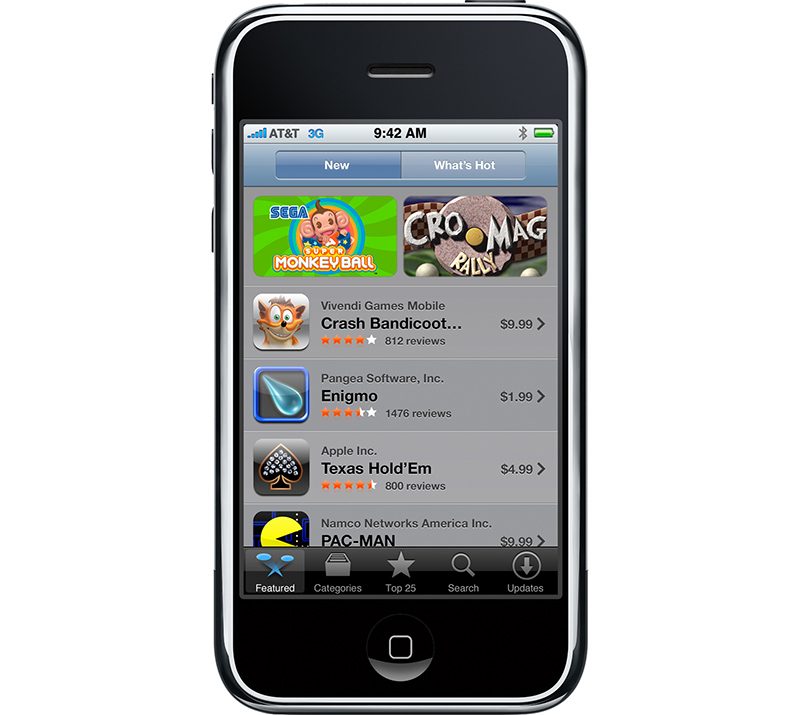
When the App Store opened up in July 2008, 500 third-party apps were ready to download, and in less than a week, Apple announced 10 million apps had been downloaded. From Apple CEO Steve Jobs:
“The App Store is a grand slam, with a staggering 10 million applications downloaded in just three days. Developers have created some extraordinary applications, and the App Store can wirelessly deliver them to every iPhone and iPod touch user instantly.”
Since that initial debut, the App Store has evolved on a yearly basis, with Apple continually refining and revamping the App Store experience for both consumers and developers. We thought we’d explore the App Store’s history, highlighting the major evolutionary steps (and a few fun facts) that have ultimately transformed the way we use our iOS devices.
– July 10, 2008 – The App Store launches with 500 apps available, 25 percent of which were free, and 75 percent that customers had to purchase.
– August 20, 2008 – A Koi Pond app becomes the number one selling app in the App Store.
– September 3, 2008 – Apple rejects a “Pull My Finger” app for limited utility, giving us a first taste of the (sometimes confusing and conflicting) curation and moderation policies that have since governed the App Store. Other early app rejections were for reasons that included excessive data transfer, pornography/nudity, duplicating iPhone features, objectionable words (in a dictionary app), and fake reviews.
– September 18, 2008 – Trism, one of the first popular games in the App Store, generates $250,000 in revenue in two months. Trism 2, Trism’s sequel, is launching today in celebration of the 10th anniversary of the App Store.
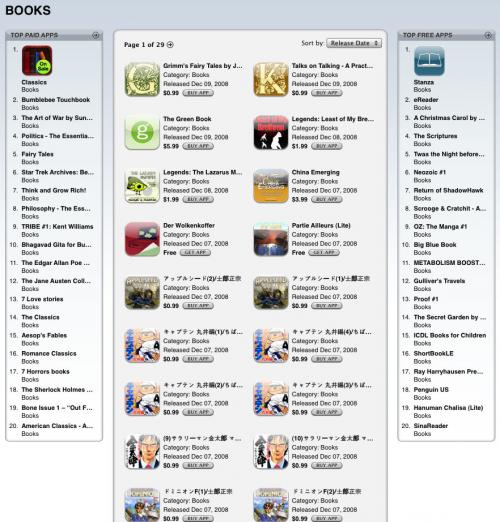
– December 11, 2008 – Apple adds the first Top Charts section to the iTunes App Store.
– March 30, 2009 – The iPhone wins 6 out 7 categories of the Independent Game Festival Awards at the 2009 Game Developers Conference (GDC), establishing it as a serious gaming device. Gaming has since become one of the most popular App Store categories.
– April 23, 2009 – Apple issues its first App Store apology for approving an app called “Baby Shaker, where the aim of the game was to make a baby stop crying by shaking the iPhone.
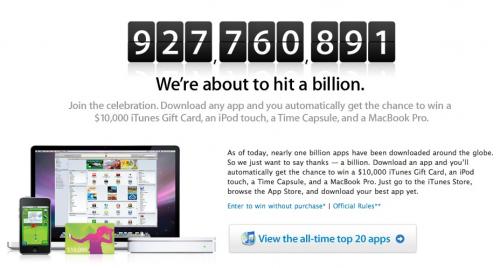
– April 24, 2009 – Apple hits its one billion apps downloaded milestone and awards a $10,000 iTunes gift card and other prizes to one lucky winner.
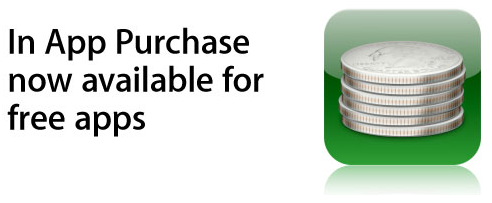
– October 15, 2009 – Apple starts allowing in-app purchases in free apps, leading to the freemium apps that dominate the App Store today.
– April 3, 2010 – The first iPad is released in the United States, and along with it, the first iPad apps come out, including the original “iBooks” app for the iPad, and the first Netflix app. 2,000 iPad apps were available at launch, a number that grew to 7,000 within two months.

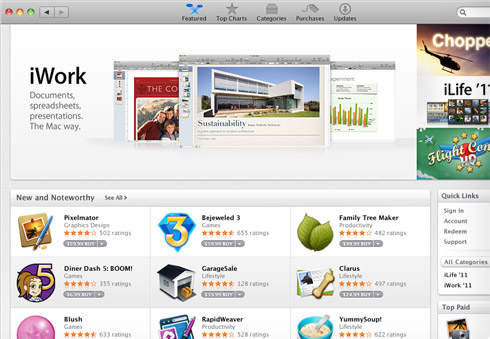
– January 6, 2011 – The Mac App Store launches and sees one million app downloads during its first day of availability.
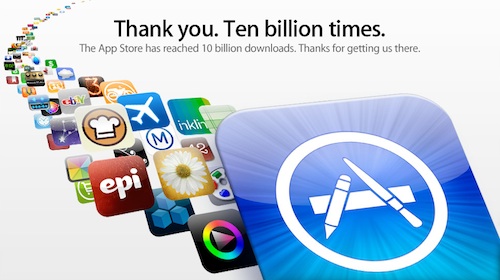
– January 22, 2011 – Apple hits a new milestone, 10 billion apps downloaded, and awards another $10,000 iTunes gift card.
– February 15, 2011 – Apple launches subscriptions for the App Store, paving the way for App Store users to subscribe to services like Netflix with billing through iTunes. At the same time, Apple makes a rule that apps that offer subscription services must make those services available for purchase in apps, with Apple taking a 30% cut. The rule was reversed four months later.

– March 10, 2011 – Apple begins requiring passwords for in-app purchases after children spend thousands of dollars within “free” apps. Apple later settles a lawsuit levied by parents affected by the lax in-app purchase rules.
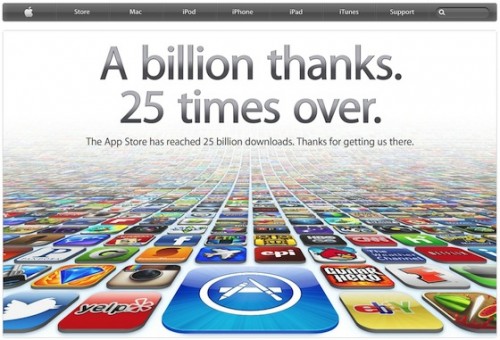
– March 5, 2012 – Apple hits a new milestone, 25 billion apps downloaded. Disney’s “Where’s My Water? Free” was the lucky 25 billionth app that the winner downloaded.
– July 13, 2012 – A hack lets people bypass Apple’s in-app purchase mechanism and download apps for free. Piracy continues to be a problem throughout 2012, and even shutters one app, Battle Dungeon.
– May 6, 2013 – Apple starts heavily cracking down on app discovery apps that mimic the App Store, like AppGratis and AppShopper.
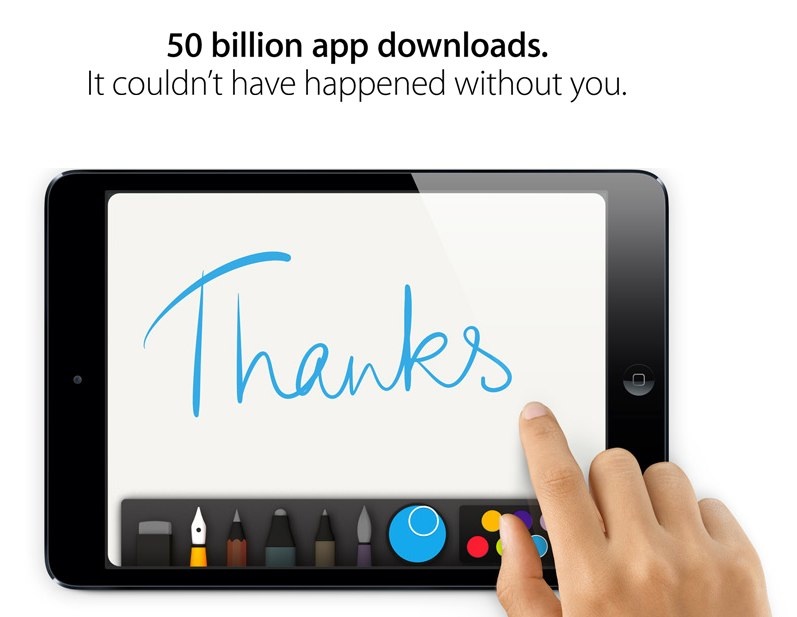
– May 15, 2013 – The App Store hits 50 billion downloads., and Apple gives more prizes away.
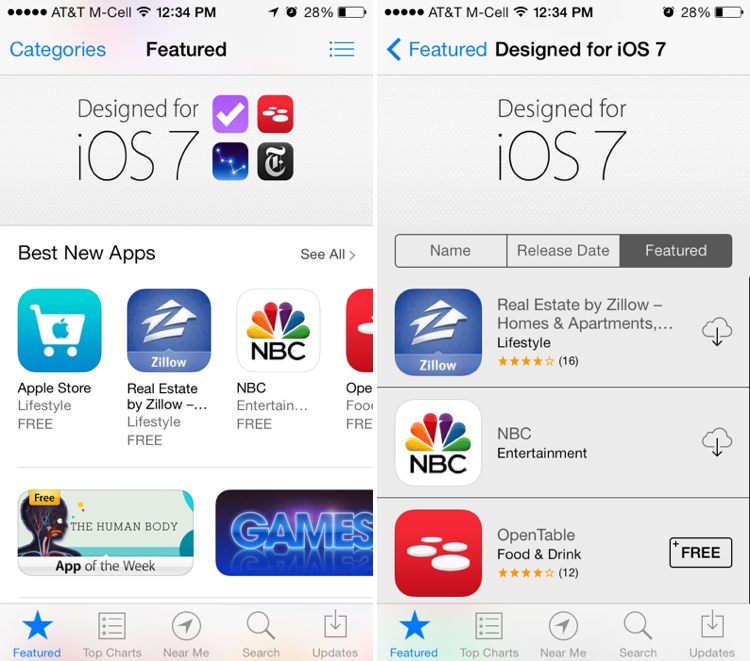
– June 10, 2013 – Apple unveils iOS 7 with an overhauled interface, including a new look for the App Store. New features include “Apps Near Me” and automatic app updates.
– July 26, 2013 – The Developer Center gets hacked, goes offline for eight days.
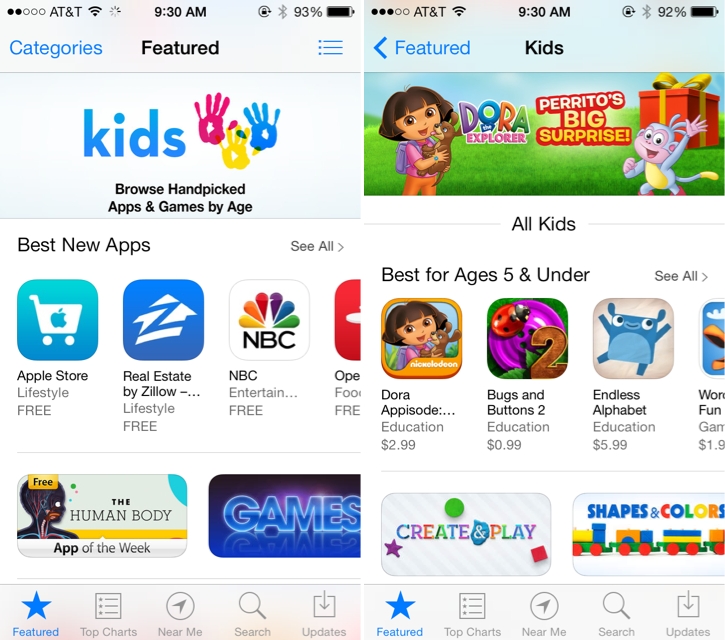
– September 19, 2013 – The App Store gains a dedicated Kids category.
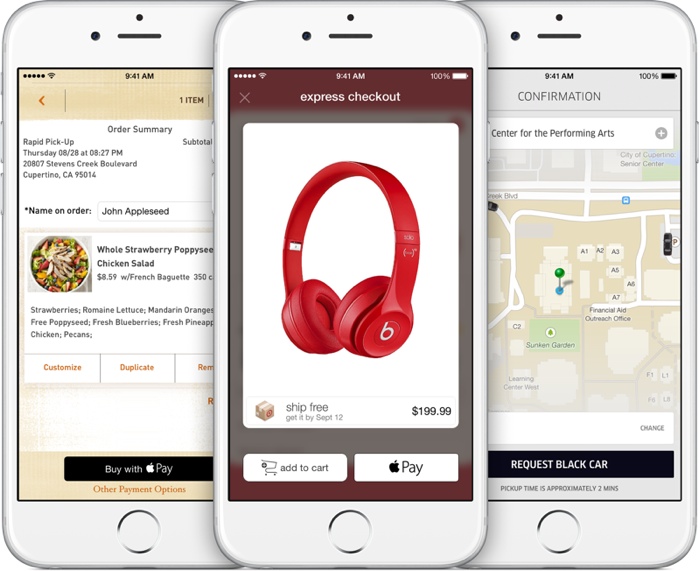
– October 20, 2014 – Apple Pay launches and can be used in apps to make purchases.
– October 23, 2014 – TestFlight launches, making it easier for developers and customers to beta test apps.
– November 19, 2014 – Apple changes the download button for all “Free” apps to “Get” to signify that free apps may have in-app purchases.
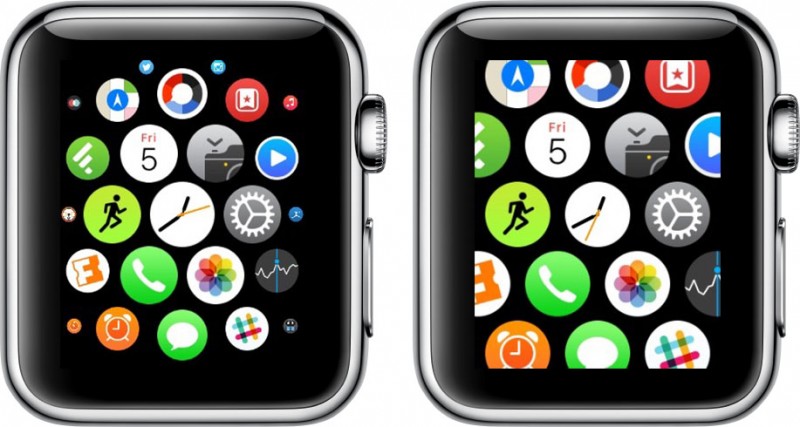
– April 25, 2015 – The first Apple Watch launches, bringing Apple Watch apps with it. Apple Watch apps are tied to iOS apps and are installed as an add-on.
– June 8, 2015 – The App Store surpasses 100 billion lifetime app downloads.
– October 30, 2015 – The fourth-generation Apple TV with built-in App Store launches, allowing third-party apps and games to be downloaded on the Apple TV for the first time.
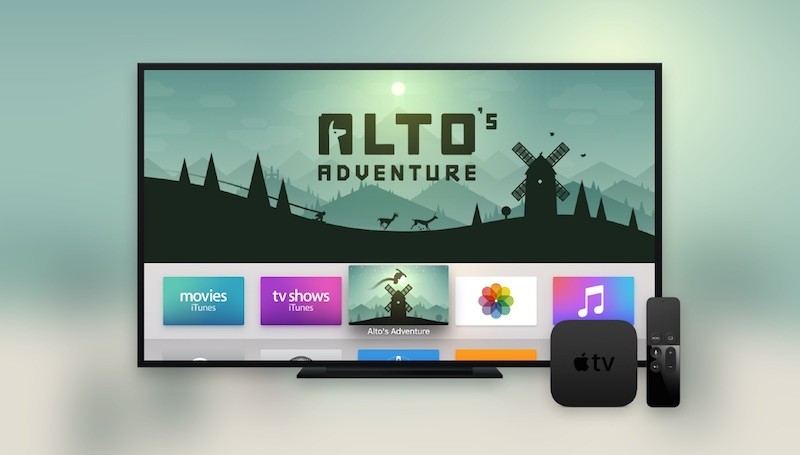
– December 17, 2015 – Marketing chief Phil Schiller takes over the App Store, which was previously led by Eddy Cue. He promises a “renewed focus and energy” on the App Store.
– June 8, 2016 – Apple announces major App Store changes, including subscription terms that cut down on Apple’s fees after a year, search ads, and the availability of subscription options for all apps. This also includes a commitment to clean up the App Store, eliminating old and outdated apps.
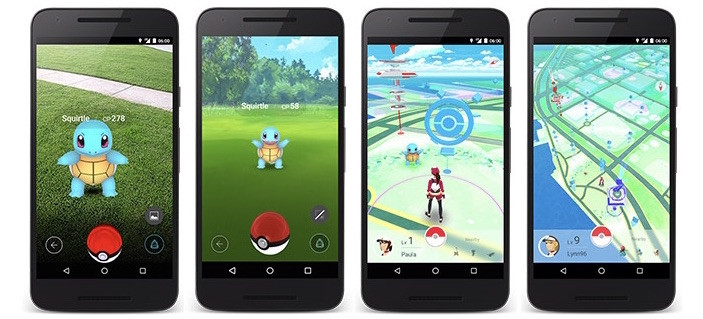
– July 5, 2016 – Pokémon Go, the first super popular augmented reality app for iOS devices, launches. It spends 74 days as the highest grossing app in the U.S. App Store and remains popular today.
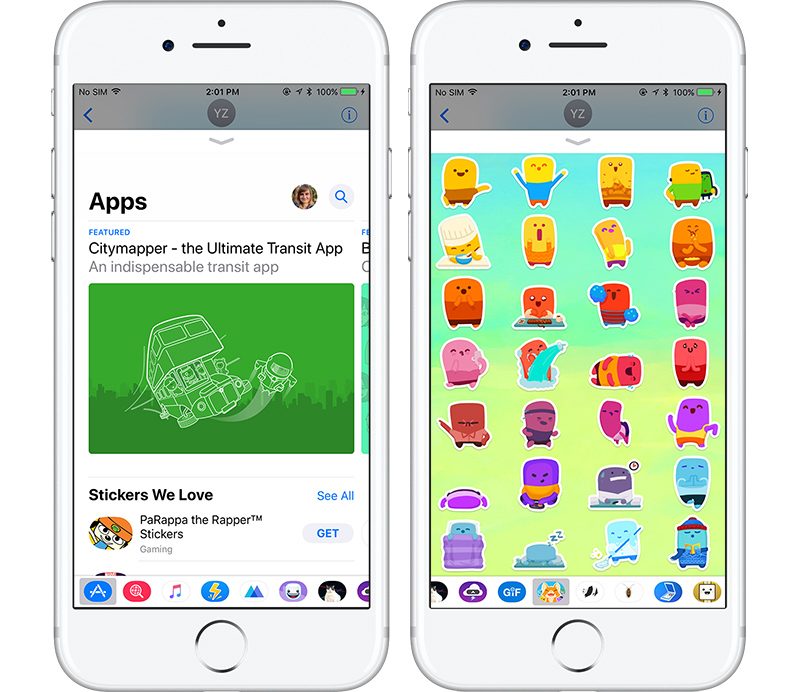
– September 13, 2016 – iOS 10 launches with Messages App Store, filled with apps that work in the Messages app and stickers.
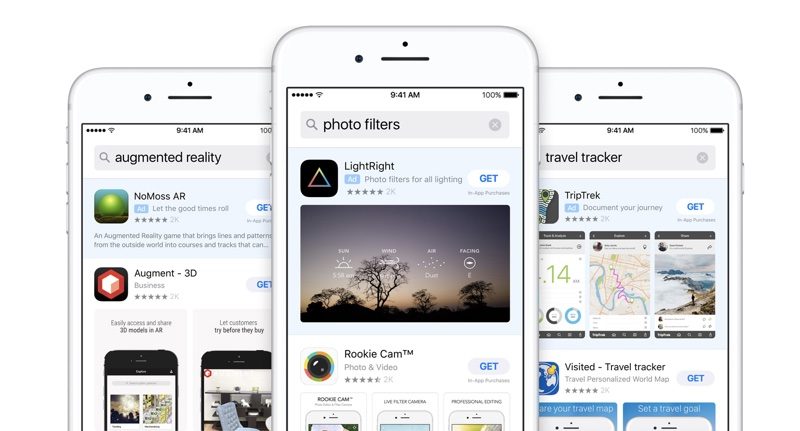
– October 6, 2016 – App Store search ads roll out, providing developers with new ways to promote their apps.
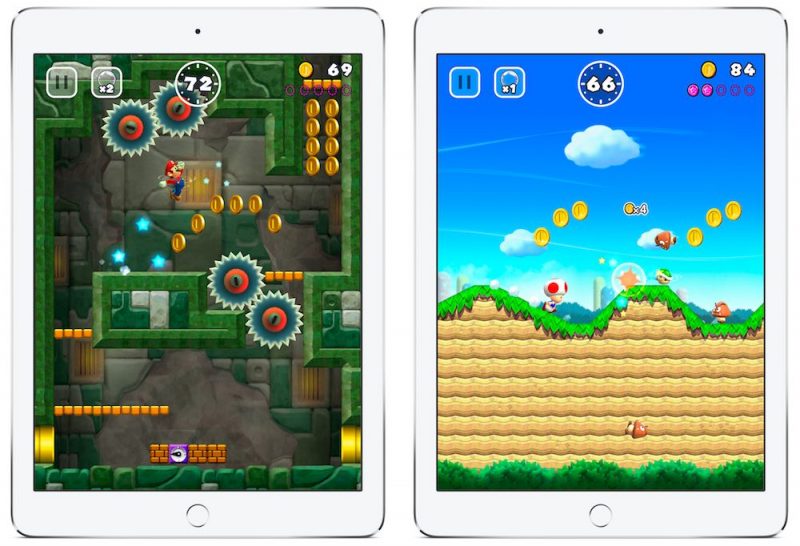
– December 15, 2016 – Nintendo launches Super Mario Run, its first app from an ultra popular franchise, which makes more than $53 million in under two months. Fire Emblem Heroes and Animal Crossing follow in later months.
– September 12, 2017 – Apple releases iTunes 12.7, which removes the built-in iTunes App Store. Apple later released a version of iTunes 12.6.3 that retains the App Store for businesses that require desktop access to apps.
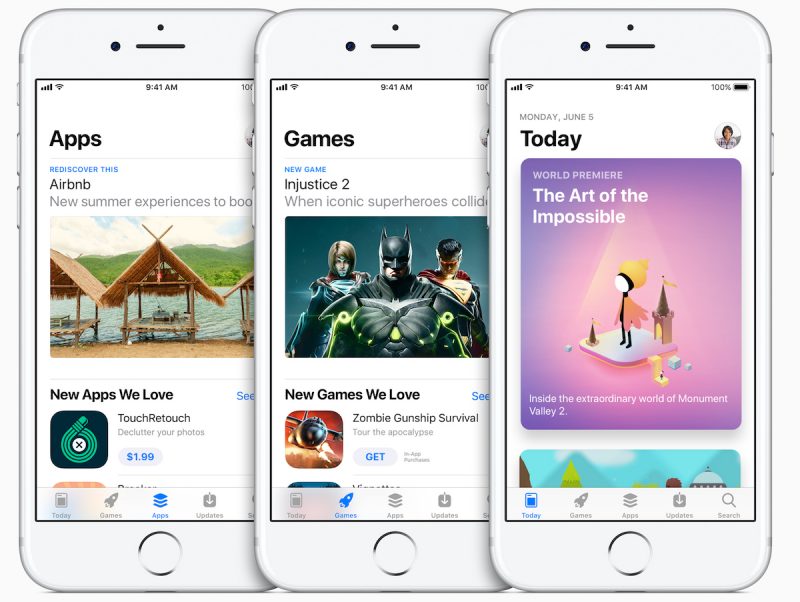
– September 19, 2017 – iOS 11 launches with an entirely revamped App Store.
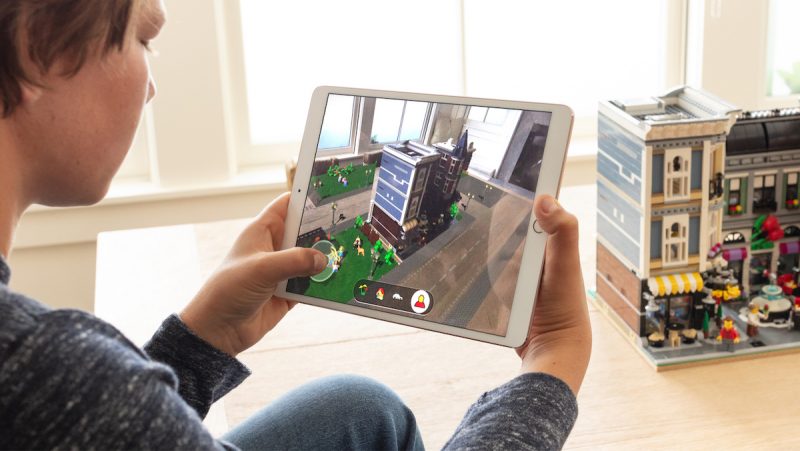
– September 19, 2017 – Alongside the revamped App Store in iOS 11, Apple launches ARKit, turning iOS into the largest augmented reality platform overnight.
– December 11, 2017 – Apple begins allowing developers to offer app pre-orders.
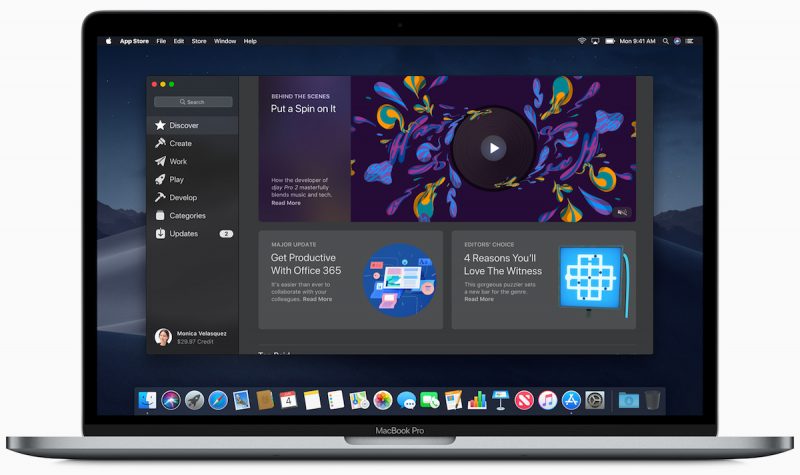
– June 4, 2018 – Apple announces macOS Mojave with a major overhaul for the oft-overlooked Mac App Store that brings it in line with the iOS 11 iOS App Store redesign, which should improve app discovery and lure more developers to the platform.
– June 5, 2018 – Apple changes its App Store guidelines, allowing all apps, not just subscription apps, to offer free trials to customers.
As of today, apps are available across all of Apple’s platforms, from the iPhone, iPod touch and iPad to the Mac, Apple TV, and Apple Watch. The new iOS 11 App Store sees more than 500 million weekly visitors, and developers have earned a total of $100 billion in revenue as of June 2018. There are more than 1.3 million apps available for the iPad, 28,000 apps that offer subscriptions, and 3,000 augmented reality apps.
Apple last week published its own retrospective of the App Store, which is well worth reading as it explores thoughts from some of the most influential developers along with milestones that Apple feels are most important. In a statement, Apple’s Phil Schiller said the App Store has exceeded the company’s “wildest expectations.”
“In its first decade, the App Store has surpassed all of our wildest expectations — from the innovative apps that developers have dreamed up, to the way customers have made apps part of their daily lives — and this is just the beginning. We could not be more proud of what developers have created and what the next 10 years have in store.”
There’s more in store for the App Store in the future, with some major changes in the works. In addition to the redesigned Mac App Store, Apple is developing common frameworks for iOS and Mac apps, with the eventual goal of making it easier for third-party developers to port iOS apps to the Mac.
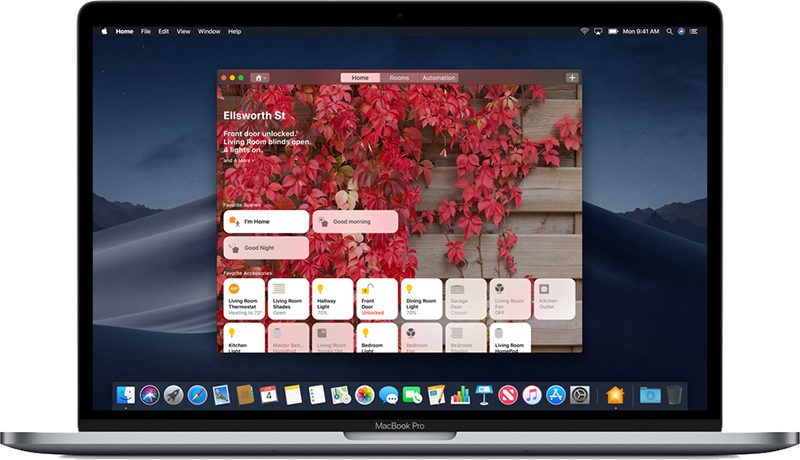
As a first step, several iOS-only apps have been brought to the Mac, including Apple News, Stocks, Home, and Voice Memos. Starting in 2019, Apple plans to let developers begin porting iOS apps to the Mac using these frameworks, which will increase the availability of Mac apps.
What changes do you hope to see Apple introduce to the App Store in the future? What was your favorite change that’s been implemented so far? Let us know in the comments.
Tag: App Store
Discuss this article in our forums
Apple to Use Bezel-Reducing Backlighting Chips in Upcoming 6.1-inch LCD iPhone
Apple may adopt LED backlighting chips for the LCD panels in its forthcoming 6.1-inch iPhone that enable it to reduce screen bezel size and bring LCD panels closer to bezel-free OLED screens.
DigiTimes reports that Japan-based Nichia will become the exclusive supplier of the LED chips for use in backlighting of the panels used in the 6.1-inch LCD iPhone, which Apple is expected to launch around September.
While LTPS-LCD smartphone screens with backlights using 0.4t LED chips have bottom bezels of 4.0-4.5mm, use of 0.3t LED chips can reduce them to 2.0-2.5mm, enhancing LCD screens’ competitiveness against OLED all (bezel-free) screens panels, the sources explained.
Packaging of 0.3t LED chips for side-view backlighting of LTPS-LCD smartphone panels is more difficult in accuracy and stability than that of 0.4t LED chips, the sources noted, adding Nichia began trial production of 0.3t LED chips for use in high-end smartphone models launched by China- and Japan-based vendors in the first half of 2018.
Apple is expected to launch three new smartphones later this year: Two OLED models measuring in at 5.8 and 6.5 inches and a 6.1-inch lower-cost LCD model. All three are believed to feature Face ID and edge-to-edge displays.
Apple analyst Ming-Chi Kuo, who first predicted Apple would introduce a low-cost LCD iPhone, believes the device will have a price tag that comes in at $700 to $800, similar to the iPhone 8 and the iPhone 8 Plus.
Previous rumors have suggested the use of upgraded display technology in the lower-cost device. For example, Apple may use Full Active LCDs from Japan Display, which are said to match or exceed some of the benefits of an OLED display at a lower cost. Japan Display is said to be ramping up LCD production in an effort to fulfill orders from Apple.
According to The Wall Street Journal, sources involved with Apple’s supply chain claim that Apple now expects LCD models to make up the majority of iPhone sales in its upcoming lineup. Apple initially wanted roughly equal production of iPhone models with LCDs and OLED displays, but now plans to make more of the LCD model, as it supposedly anticipates strong customer demand for the more affordable X-like model.
DigiTimes sources suggest trial production of the 6.1-inch iPhone will begin in July, with small-volume production in August and volume production beginning September. Based on that timeline, Nichia’s production capacity for the enhanced LED backlighting chips is expected to be booked up by Apple in the second half of 2018.
Additional details on what to expect in the iPhones coming in 2018, likely in the September timeframe, can be found in our 2018 iPhones roundup.
Related Roundup: 2018 iPhones
Discuss this article in our forums
Guy dunks a ‘naked’ iPhone X to make a whimsical underwater movie
A water-resistant smartphone offers peace of mind when you need to pull it out in the rain. It’s positively vital if you drop it down the toilet or in the bath, though its protective qualities also enhance the possibilities for those of a creative bent.
Take Frederic van Strydonck. The London-based filmmaker recently decided to have some fun with his iPhone X, Apple’s flagship handset that’s capable of surviving dips of up to 30 minutes in shallow water.
Frederic said that initially he just wanted to test out the phone’s ability to handle multiple dunks while shooting short video clips. But he soon realized that the dreamy sequences he created could make for an interesting short film.
“I recently decided to see how an iPhone would fare when filming underwater,” Frederic told PetaPixel. “The series of tests slowly became this weird little experimental short.”
He added: “I didn’t use any special waterproof casing for this. Just an iPhone.”
The result is Spltch, a two-and-a-half-minute movie (above) that he describes as “a little film about water.”
The whimsical short that takes the viewer to multiple locations, a new one revealed as the camera emerges from each subsequent dunk.
But before you rush out and dive into the nearest lake, river or ocean with your iPhone X, be aware that intentionally submerging the device may not be the best course of action for your $999 phone.
Its water resistance has been tested to a depth of one meter, and Frederic is keen to point out that while shooting the film, he erred on the side of caution by submerging only a part of the phone for each shot, and was sure not to leave it underwater for long periods.
In other words, putting Apple’s high-end phone underwater for longer than necessary is really done at your own risk.
With the iPhone X costing as much as it does, the fact is you’ll want to get yourself a durable case to protect it from knocks and drops, though some cases also offer increased protection against splashes and dunks, too. Digital Trends has pulled together a collection of some of the best iPhone X cases available today, with price tags ranging from as little as $4 all the way up to $175.
Editors’ Recommendations
- Jimmy O. Yang on replacing Erlich, becoming the Urkel of ‘Silicon Valley’
- What the hell? How Jonathan Higbee shoots these impossible street photos
- Here’s everything we know about Hideo Kojima’s mysterious ‘Death Stranding’
- Kygo Sound A9/600 BT review
- ‘Solo: A Star Wars Story’ review
Security Researchers Find Vulnerability in Apple’s USB Restricted Mode for iOS Devices
Security researchers claim to have discovered a loophole that bypasses USB Restricted Mode, Apple’s latest anti-hacking feature in iOS 12 beta and iOS 11.4.1, which was released on Monday.
USB Restricted Mode is designed to make iPhones and iPads immune to certain hacking techniques that use a USB connection to download data through the Lightning connector to crack the passcode.
iOS 11.4.1 and iOS 12 prevent this by default by disabling data access to the Lightning port if it’s been more than an hour since the iOS device was last unlocked. Users can also quickly disable the USB connection manually by engaging Emergency SOS mode.
However, researchers at cybersecurity firm ElcomSoft claim to have discovered a loophole that resets the one-hour counter. The bypass technique involves connecting a USB accessory into the Lightning port of the iOS device, which prevents USB Restricted Mode from locking after one hour.
ElcomSoft’s Oleg Afonin explained the technique in a blog post:
What we discovered is that iOS will reset the USB Restrictive Mode countdown timer even if one connects the iPhone to an untrusted USB accessory, one that has never been paired to the iPhone before (well, in fact the accessories do not require pairing at all). In other words, once the police officer seizes an iPhone, he or she would need to immediately connect that iPhone to a compatible USB accessory to prevent USB Restricted Mode lock after one hour. Importantly, this only helps if the iPhone has still not entered USB Restricted Mode.
According to Afonin, Apple’s own $39 Lightning to USB 3 Camera Adapter can be used to reset the counter. Researchers are currently testing a mix of official and third-party adapters to see what else works with the bypass technique.

Afonin notes that ElcomSoft found no obvious way to break USB Restricted Mode once it has been engaged, suggesting the vulnerability is, in his words, “probably nothing more than an oversight” on Apple’s part. Still, at present its existence provides a potential avenue for law enforcement or other potentially malicious actors to prevent USB Restricted Mode from activating shortly after seizure.
Both iOS 11.4.1 and iOS 12 beta 2 are said to exhibit the same behavior when exploiting the loophole. However, expect this to change in subsequent versions of iOS – Apple continually works on strengthening security protections and addressing iPhone vulnerabilities as quickly as possible to defend against hackers.
Apple reportedly introduced USB restrictions to disable commercial passcode cracking tools like GrayKey. Afonin cites rumors that the newer GrayShift tool is able to defeat the protection provided by USB Restricted Mode, but the research community has yet to see firm evidence confirming this.
Related Roundups: iOS 11, iOS 12Tag: Apple security
Discuss this article in our forums
Newton Mail’s latest feature surfaces emails that require a follow-up; now costs $99 yearly
Newton Mail’s recap feature ensures you don’t miss important emails.

Gmail’s redesign earlier this year saw the introduction of a feature called Nudge that reminds you to respond to emails. Nudge looks through your inbox to find actionable emails, and it’ll surface the mails to the top of your inbox along with a note showing when you’ve received the mail.
Newton Mail — one of the most feature-rich mail clients available today — is getting a similar feature, dubbed Recap. Newton’s app now comes with a dedicated Recap section that lists emails which require a reply or any follow-up action. For instance, if you receive a mail with a particular due date mentioned or a reminder, Newton will surface that in the Recap section to make sure you don’t miss any important emails.
From Newton:
Recap automatically brings back conversations that are waiting for your reply or that need following up, in case you missed them. It also covers other mails with due dates, reminders etc., so that nothing slips through the cracks.
The feature is particularly handy if you receive a lot of mails a day. You’ll see a blue dot for mails that require your attention, and you’ll be able to get back to them later or dismiss them away. I’ve been using the feature for over a week now, and it has certainly helped me manage my work mailbox more effectively.
Alongside the launch of Recap, Newton has announced that it is ditching its introductory pricing and moving to $10 per month or $99 annually. Existing subscribers with auto-billing enabled will be grandfathered in, but new users will have to shell out $99 a year going forward. There is a 14-day trial available if you’re interested in taking a look at the features on offer.
Newton is a compelling option if you’re looking for an alternate email client — read receipts on emails is pretty great — but unless you have multiple accounts, it’s hard to justify the annual cost, particularly when Gmail is available for free.
Gmail vs. Newton: Which email client is right for you?
Microsoft Surface Go hands-on review
Research Center:
Microsoft Surface Go
There’s many words you might associate with Microsoft’s Surface devices. Innovative. Flexible. Sleek. But there’s one word you absolutely wouldn’t — and that’s “affordable.”
Yeah, you can buy a bottom-rung Surface Pro for $700, but you make a lot of sacrifices to squeeze into that budget, and you’ll still need to buy a Surface Pen separately. But what if you could have a Surface, keyboard, and pen, all for less than $600?
Enter the Surface Go. Starting at $400 for the tablet alone, this svelte little Surface 2-in-1 limbos into a price rung that makes it appealing to the statistical average PC buyer, a person who spends only $600 on average. Does that mean Surface is ready for the masses?
Swinging down at the iPad
Apple’s recent iterations of the iPad have tried to prove themselves as capable productivity machines, with limited success. The iPad Pro is offered as a legitimate PC replacement, and even the base iPad now has Apple Pencil support. Cupertino’s engineers are trying their best to prove the iPad is more tool than toy.
Microsoft has the opposite problem. Surface sells on its reputation as a productivity machine, but the Surface Pro is too expensive, too bulky, and too limiting to work as a stand-alone tablet. The Surface Go is an attempt to change that. It takes the brand down to a price point that’s legitimately toe-to-toe with Apple. A base iPad is $330 with 32GB of storage, while the Surface Go starts at $400 with 64GB of storage.
So, can the Surface Go seriously compete with the iPad? Picking up the device will tell you it can. The spec sheet says it’s slightly heavier than the iPad at 1.15 pounds (tablet only – the Surface Go keyboard is another half a pound), and it’s about a millimeter thicker. The difference is hard to notice. Both tablets are light enough to handle easily with one hand.
At a glance, the Surface Go looks almost identical to the regular Surface Pro. And I do mean identical. Nothing about the Go suggests it’s a cheaper model. Even the kickstand looks, feels, and operates the same as the Pro. Microsoft’s decision to downsize the now well-known Surface look is wise. It keeps the Go strikingly distinct from the iPad, despite the fact it’s nearly the same size.
The Go is big enough to enjoy most content, but small enough to cradle with one hand while you tap on the display with another.
There is a big difference between the Pro and Go, though – size. The Pro has a 12.3-inch display, but the Go has a 10-inch screen with a 3:2 aspect ratio and 1,800 x 1,200 resolution (that’s 217 pixels per inch). Downsizing the display also means downsizing the chassis which is why the Go weighs almost half as much as the Pro. The Go’s overall footprint is exactly what you’d expect from a 10-inch tablet. It’s big enough to display most content without compromise, but small enough to cradle with one hand while you tap on the display with another.
A USB-C port provides the device’s only USB connection, which is nice, as the Surface Pro doesn’t have one (but the Surface Book 2 does). It’s joined by a MicroSDXC card reader and 3.5mm headphone jack. Power is provided by the same proprietary Surface Connect interface used by Microsoft’s other devices, and the Go will work with any accessories that use it.
Microsoft Surface Go Compared To
Huawei MediaPad M5 Pro
Apple iPad 9.7-inch (2018)
Microsoft Surface Book 2 13-inch
Eve Technology Eve V
Amazon Fire HD 10 (2017)
Asus Transformer Pro T304
Dell Venue 8 7000
Nvidia Shield Tablet
Apple iPad Air 2
Lenovo ThinkPad 10
Apple iPad Mini 2
Microsoft Surface 2
Razer Edge Pro
Dell XPS 10
Acer Iconia Tab A700
A Windows Hello compatible camera is also included to enable facial login recognition. That’s a great feature for a tablet, and one that many competitors, including iPad, don’t yet support.
Is Windows ready for touch?
Surface Go’s design is certainly on par with other tablets, but that’s only half the equation. It’s a Windows 10 device, and while the operating system has many touch-friendly features, keyboard and mouse remain the platform’s first-class citizens.
Matt Smith/Digital Trends
That’s where the Go gets messy. Our brief hands-on, which spanned about a half-hour, involved a whirlwind tour of regular productivity applications like Word and Powerpoint, as well as the Edge web browser and Windows 10’s settings menus. Everything worked, but elegant it’s not. We frequently found ourselves fumbling icons three or four times before managing the response we wanted, and some UI elements were too small on the 10-inch display.
These aren’t new problems for Windows 10, but they go from annoying inconveniences to maddening obstacles on a small device that encourages use without a keyboard. Apple’s iOS, designed from the ground up with the iPhone and iPad in mind, is far more intuitive. iOS doesn’t ask users to struggle with archaic or poorly sized menus that try, and ultimately fail, to work as well on a tablet as they do on a desktop with a 27-inch screen.
We noticed no signs of stutter, lag, or hesitation during my short time with the device.
Windows 10 has advantages, though, particularly in the Surface Pen. It attaches magnetically, feels as smooth and natural as ever, and the Go’s smaller size makes note-taking easier while holding the device. Personally, we like the Surface Pen better than any other stylus, and it’s wonderful to use it with a tablet small enough to handle with ease. We’ve used past Surface devices like a tiny whiteboard, propping them against a table or my thighs for support, but the Go is a legitimate alternative to a paper notebook.
Microsoft plans to ship the Surface Go with Windows 10 Home in “S Mode.” That means you’ll only be able to download apps from the Microsoft Store, and you won’t be able to use legacy apps not found there. That’s going to cause some hardcore Windows fans to roll their eyes, as the S Mode restrictions aren’t popular. You can switch out of S Mode at no charge, though, and the changeover is completed in minutes.
Underneath it all, it’s still a PC
Rumors about the device that we now know is the Surface Pro speculated it would be powered by a Qualcomm processor, like recent “Always Connected PCs.” In fact, the Surface Go is far more conventional. It’s driven by an Intel Pentium Gold 4415Y dual-core processor. The entry model pairs that with 4GB of RAM and 64GB of solid state storage, while more expensive models will offer upgrades to 8GB of RAM and 128GB of storage. Microsoft says LTE support will come eventually, but not at launch.
Matt Smith/Digital Trends
Going with a Qualcomm chip would’ve been interesting, but I’ve no complaints about the Intel Pentium Gold. It’s not a Core chip, but it is based on the same architecture, and it certainly offers the performance you’ll need to navigate Windows 10 and accomplish most tasks. We noticed no signs of stutter, lag, or hesitation during my short time with the device. It felt like any other laptop, which is exactly what we want to see from an affordable PC.
Still, there’s one major performance weak spot. The Surface Go relies on Intel HD Graphics. While fast enough for day-to-day tasks or even light 3D rendering in apps like Powerpoint, it’s no powerhouse and completely inadequate for anything more demanding. That’s a big disadvantage next to the iPad, which can render beautiful graphics in games and other apps. Microsoft’s hands are tied on this point, as there’s no PC graphics hardware that could reasonably work in the Go, but that doesn’t make it any less of a problem.
This is the best keyboard you’re going to find on a 10-inch device.
The battery isn’t ideal, either. Microsoft say it’s a 27 watt-hour unit that’ll be good for nine hours of battery life. That’s not much, and I’m worried the Surface Go won’t last a full eight-hour work day without topping it off in the afternoon. The Surface Pro promises up to 13.5 hours of video playback, but only hit 10 hours and 15 minutes in our video loop. Apple’s iPad, meanwhile, promises up to 10 hours of Wi-Fi use.
While the internal hardware is hit-or-miss, the keyboard, like so much of the Go, emulates the Pro. It looks the same, feels the same, and is available in the same colors as current Pro keyboard covers. The one difference, and it’s an important one, is size. A 10-inch screen size doesn’t offer much room for the keyboard layout, so the Go’s keys will feel cramped for most people. There’s no physical way to avoid that.
Still, the keyboard makes the best of the situation, and beats the snot out of the keyboards available for the iPad Pro or Samsung Galaxy Book. This is the best keyboard you’re going to find on a 10-inch device, and I think you could use it to type a couple thousand words with only minor cramps.
Matt Smith/Digital Trends
Even the trackpad is good. It supports Windows Precision Touch gestures and can handle up to five points of touch sensitivity, all packed into trackpad dimensions similar to the regular Surface Pro. That’s impressive given the Go has less overall space to work with.
This small Surface is a big deal, but faces big obstacles
My first reaction to the Surface Go was skepticism. A 10-inch Surface? Running Windows 10? Does that actually work?
I quickly warmed up to it. The Go is an attractive device – certainly in a league above other affordable Windows 2-in-1s. Its processor is fine for the price. And the keyboard? We love it. It’s easily the best we’ve ever used on a device this small, and that includes traditional laptops.
Yet there’s a problem. Windows 10. While we adore the operating system on my desktop, it’s less helpful on a tablet, and the Surface Go’s small size encourages use without the tiny, wonderful keyboard. We have no doubt the Go will fit a niche for Surface fans, and for companies that need Windows to install important corporate software, but iPad’s reign as the go-to tablet doesn’t appear threatened just yet.
MIT’s zero-gravity musical instrument provides a soundtrack for space travel
From Furby synth orchestras to an oddball cyberpunk saxophone, we’re no strangers to writing about weird, otherworldly instruments here at Digital Trends. But a new Massachusetts Institute of Technology Media Lab project takes the “otherworldly” part of this equation quite literally — with an instrument that is designed specifically for astronauts to play in the zero-gravity expanse of space.
“The Telemetron is the first electronic musical instrument to be designed specifically to be performed in zero gravity,” Sands Fish, one of the co-creators (with Nicole L’Huillier) of the futuristic instrument, told Digital Trends. “We were interested in capturing the poetics of motion in zero gravity, so we built a chamber with a number of elements inside that we call chimes. While they don’t make any audible sounds themselves, they each contain a gyroscope that can detect how fast each of the chimes are spinning in any direction. We take these rotational speeds and wirelessly transmit them to a nearby laptop, where they are transformed into sounds.”
The Telemetron was created in response to a call from the MIT Media Lab’s Space Exploration Initiative asking for experiments to test in zero-gravity flight. The instrument has already been put through its paces on a zero-gravity parabolic flight, although it has yet to actually make it into outer space for real. According to Sands, the pair has learned a lot during their initial tests, and are now “excited to play with other possible shapes and ways of interacting and performing in zero-g.”
While the music that astronauts end up playing in space probably isn’t the most pressing concern we have (personally, we’d be pretty happy to just have Jerry Goldsmith’s Alien soundtrack on loop and leave it at that!), Sands notes that it is nonetheless one of many areas of interest that are ripe for investigation.
“There are many aspects of human life in space that have yet to be explored, from different architectures and materials to unique forms of culture, activities, and play that support psychological health,” he said. “I am currently launching a design firm specifically to pursue these novel design constraints and opportunities.”
Editors’ Recommendations
- Astronaut training app could earn you a real-life trip into space
- Meet the Italian composer who conducts the world’s biggest all-robot orchestra
- ‘Zero gravity’ champagne bottle lets you celebrate in outer space
- Space Nation Navigator will be your guide to becoming an astronaut
- NASA reveals its plans to have astronauts orbiting the moon by 2025
Harvard’s latest robot can walk on water. Your move, Jesus
In February, we wrote about an impressive insect-inspired robot which scuttled around at impressive speeds like a cockroach on Red Bull. As it turns out, the team responsible for the robot aren’t capable of sitting still either — since they’re already back with one doozy of an update, granting their insect-bot the amazing newfound ability to walk on (and under) water as well as it can on land.
In nature, cockroaches have the ability to survive underwater for up to half an hour. The team behind HAMR (Harvard’s Ambulatory MicroRobot) were therefore keen to add similar functionality, both to mimic the robot’s real-world inspiration and also to open up new potential applications.
“There are two parts for achieving ‘walking on water,’” Kevin Chen, a postdoctoral fellow at the Harvard University’s John A. Paulson School of Engineering and Applied Science, told Digital Trends. “First is supporting the robot’s weight via surface tension, and the second is moving on the water surface via asymmetric paddling.”
To support the robot weight on the water surface, the robot takes advantage of a force called surface tension. When the miniature bot sits on the water surface, it sinks slightly, causing a minor deformation in the water surface, which generates enough upward force to support the robot’s weight.
The asymmetric paddling part of the robot’s movement is inspired by the flap-like appendages on the legs of a diving beetle. This swimming motion involves the insect (and now robot) opening these flaps and pushing back on the water to generate forward thrust, before retracting the flaps.
“I would go for search-and-rescue and exploration,” Chen said, describing possible real-world applications. “Think about a scenario in which a building collapsed due to earthquake or tsunami. There are many people trapped in confined and cluttered environments. We can send in a swarm [of hundreds] of these small robots into the site to search for survivors. These robots should be able to overcome obstacles on land. In addition, when facing water puddles, the robots need to bypass these by walking on the water surface or dive down to avoid obstacles on the water surface.”
Going forward, the team plans to put batteries and sensors on board, while further increasing the vehicle payload. The researchers are also interested in adding climbing and jumping functionality. Chen predicts this process will take around five to 10 years.
“We are working under the Wyss Institute at Harvard University, which places an emphasis on translating research into commercial products,” he said. “We are very excited and interested in commercializing this technology because it has many potential applications.”
A paper describing the work was recently published in the journal Nature Communications.
Editors’ Recommendations
- Awesome Tech You Can’t Buy Yet: Self-healing tents, jellyfish lamps, solar ovens
- Robot bees on Mars — NASA funding a swarm of drones to explore the Red Planet
- Astonishing artificial muscle can lift 12,600 times its own body weight
- The best wetsuits
- NASA abruptly shuts down its planned 2022 moon rover mission
 AIVAnet