


This is the first and best reason you should use a phone grip
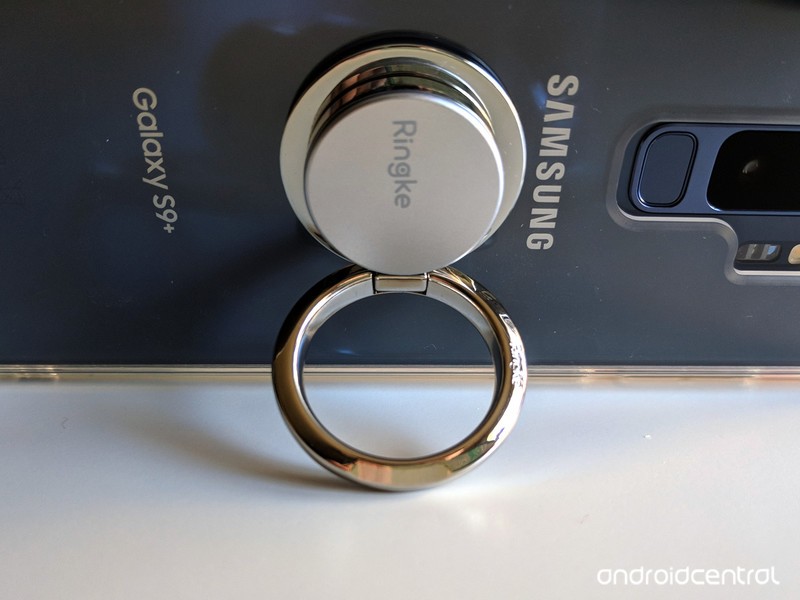
A $10 phone grip versus a lifetime of nerve pain is the easiest tech decision I ever made.
I am a 27-year-old writer and newscast director, and since the tender age of 14, I’ve spent most of my waking non-school, non-sleep hours on a computer. I use a lot of Photoshop, custom hotkeys on my station computers with ENPS and Edius, and there’s an almost constant stream of Ctrl + T/R/N/W/E/S/C/V/A/etc that I use while writing, formatting, creating, or just browsing the web in free time I don’t really have. I’m also not a huge CAPS LOCK fan, so I use Shift for capitalizing names, acronyms, and adding important #HashtagOverload to my posts online.
In short, my pinkies hate me, and they’re the first and only reason I need for using a phone grip like a PopSocket or Spigen Style Ring.
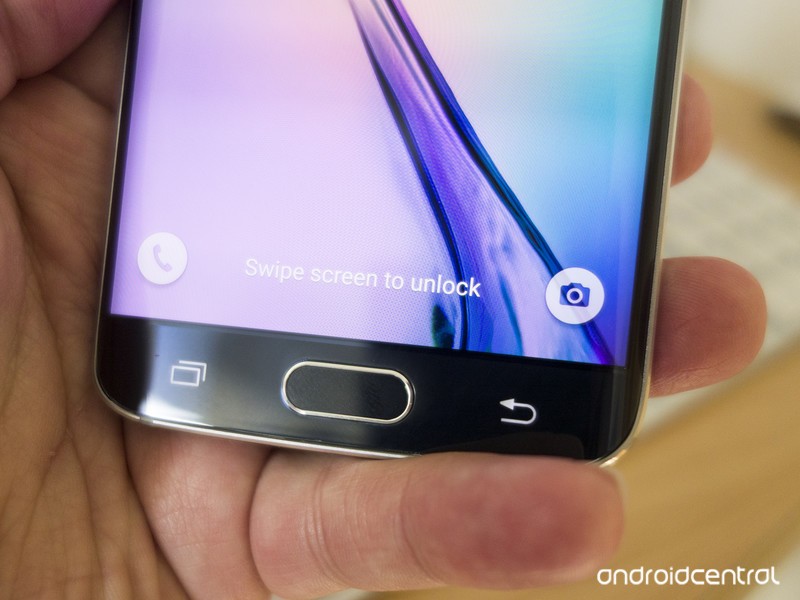 Pinky propping is a problem, and a bad habit many of us have had for years.
Since my Samsung Blackjack days, I’ve propped up my phone up in my hand with my pinky under it for stability, and I’m not alone. Even though the Samsung Galaxy S9+ I’m using these days is far larger and heavier than that Windows Mobile throwback, my pinky still gravitates to the bottom of the phone. And then painfully informs me of its displeasure.
As someone who uses computers a lot, I’d heard of carpal tunnel. BlackBerry Thumb and Nintendinitus are just two of the many, many joking names devloped for De Quervain syndrome over the years, and so long as there has been a workforce with repetitive tasks, there have been repetitive stress injuries.
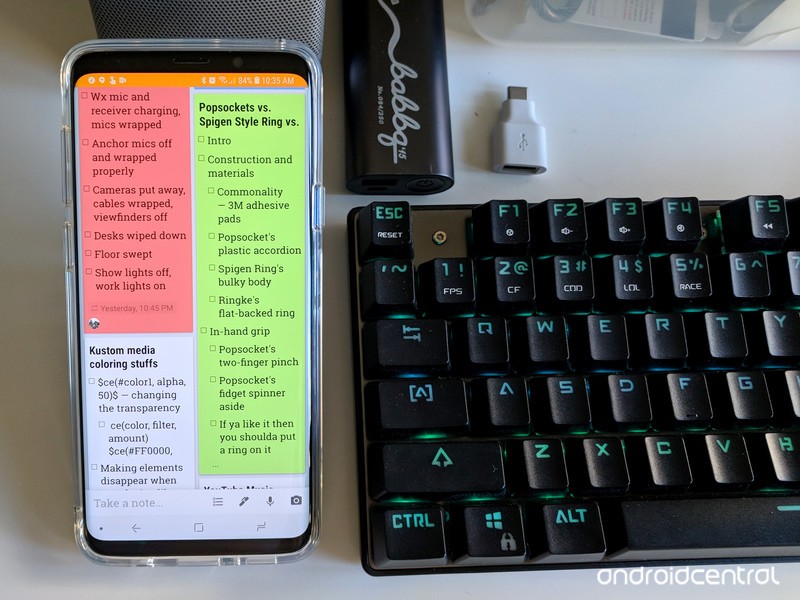
And if you develop a repetitive stress injury, there’s no real “fixing” it. You can ice the affected area and use medication to help you ignore the pain when it flares up, but there’s only one way to completely eliminate it. If you have a repetitive stress injury, the biggest and sometimes only real advice most doctors will give you is to rest and give your muscles a break from the repetitive task.
Whenever there’s a computer around, I generally use the computer over the phone, especially for typing-intensive tasks like writing, email, and social media. When I get to work, my phone largely reverts to a music player, sitting in my shoulder holster and streaming music to my Bluetooth headphones while I prepare for shows and work on special projects. It that helps a little, sometimes, but I still often end a day with my pinky stiff and the joint popping when I try to stretch it out.
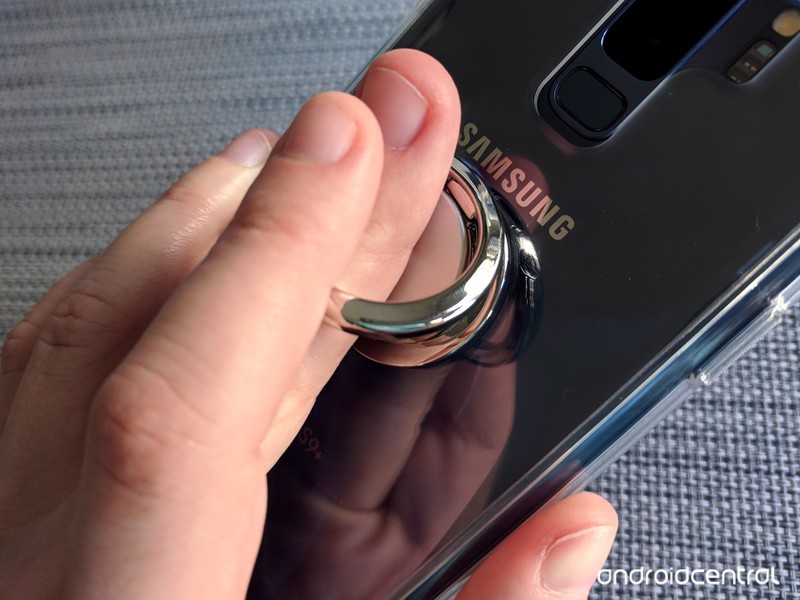
Rest helps a little. Using a phone grip helps a lot.
When I started using a smartphone grip last year, I immedatiately felt a difference. Instead of my pinky straining, and my nerves screaming, at the bottom of my phone, it sits straight and unused flat against the back of my device while my middle finger sits inside the grip’s ring and uses the pointer and ring finger to help keep the grip steady. My thumbs are also happier with the grips, as more of the phone’s screen can be reached without straining — though I’ve also tried to cut down on one-handed phone use when I can, too.
I can go days without my pinky getting intensely angry with me, and on days heavy with data entry and lots of Ctrl commands, my hands will last longer before cramping up. I’ve worn out a number of phone grips in the 15 months since then, but I’m perfectly fine with that.
 Phone grips are replaceable; my fingers are not.
Am I weak for needing a phone grip? Well, I certainly don’t think so. A phone grip that alleviates the strain on my hands is just like an ergonomic office chair or vertical mouse that helps office workers avoid carpal tunnel. A good phone grip is less expensive than an ergonomic keyboard, and certainly less expensive than physical therapy and pain management. Even Google has seen the value in phone grips during major events like Google I/O.
 Even Google uses PopSockets phone grips.
Phone grips can double as kickstands, and they offer a little more drop protection, but really, the only reason anyone needs to use one is that they can help save your hands from often permanent and painful damage.
See at Amazon
Which phone grip is right for you?
Google Assistant can now control DISH Hopper TV receivers

Voice control everything from simple commands to volume.
Google Assistant’s prowess in home control is making another solid step with a new DISH partnership. You can now simply talk to Google Assistant to control your DISH Hopper TV receiver, cutting down on the number of times you have to use (or find) the remote or deal with moving through on-screen menus.
Cutting down on the number of times you reach for the remote is always a good thing.
With a Google Assistant device on the same network as your Hopper box, you’ll be able to do the basics like “Turn on my Hopper,” “Rewind 30 seconds” or “Tune to channel 105,” but that’s kind of a given at this point. What’s really neat is being able to perform more specific actions, like “Record Game of Thrones on Hopper” or “Show me home improvement shows” — things that would normally take several steps with a remote, including typing or browsing through genres. You can also adjust the volume, or launch directly into apps on the Hopper like Netflix and YouTube.
Voice control isn’t going to make sense in all situations, but having it as an option when you want to perform a general search or set a recording is going to save you a lot of time when you’re getting settled in to watch some TV. It obviously also encourages people to keep a Google Home near their TV as well, which has its own benefits — both for you and Google alike.
Introducing CordCutters.com
- The hardware you need
- All about streaming services
- What channels are on which service
- FREE over-the-air TV
- How to watch sports
- Join the discussion
Get the latest deals
Virgin Galactic wants to launch space tourism flights from Italian spaceport
A suborbital space flight service for tourists could be launching from a spaceport in Italy within a couple of years after Virgin Galactic inked an agreement with two of the country’s largest aerospace companies.
The agreement with Italy’s leading private space company SITAEL, and ALTEC, a public-private company owned by both the Italian Space Agency and Thales Alenia Space, outlines plans for a spaceport to be constructed in the province of Grottaglie in the south of the country.
Besides providing launch facilities to take wealthy folks on a once-in-a-lifetime trip to the edge of space, the spaceport will also be used by customers such as the Italian Space Agency as a science platform for high-frequency space research, Virgin Galactic said in a release.
Virgin Group founder Richard Branson said he believes the collaboration will provide “a real impetus as we strive to open space for the benefit of life on Earth … together, we will help to expand opportunities for science, industry, and the millions of people who dream of experiencing space for themselves.”
Virgin Galactic recently completed the second successful rocket-powered test flight of its latest SpaceShipTwo plane called VSS Unity, the two-crew, six-passenger aircraft that will take space tourists on their thrilling trips to a point 62 miles above Earth.
Depending on how the trials progress, Virgin Galactic could launch its first commercial service for tourists from its existing Spaceport America in New Mexico. The company’s CEO, George Whitesides, even teased the idea of “high speed, intercontinental travel” between the American and Italian spaceports at some point in the future.
Virgin Galactic recently said it believes it can begin offering suborbital space trips in the next 12 months. Around 700 people have already booked a seat with the company, with each ticket costing $250,000. Virgin Galactic said the growing list of customers means anyone buying a ticket today will probably have to wait until at least 2021 before they can climb aboard the aircraft.
Blue Origin
Blue Origin, owned by Amazon CEO Jeff Bezos, is also developing technology for a service similar to that of Virgin Galactic, and there’s something of a race going on to see who can launch first.
Blue Origin’s reusable New Shepard rocket has so far completed eight successful test launches since its first one three years ago.
Branson said his team is neck and neck with Bezos’s, but mindful of the disaster that hit Virgin Galactic in 2014 when one of its pilots perished in a failed test flight, the Virgin boss said recently, “Ultimately, we have to do it safely. It’s more a race with ourselves to make sure we have the craft that are safe to put people up there.”
Editors’ Recommendations
- Watch Richard Branson’s Virgin Galactic test its tourist spaceplane
- Virgin Galactic ‘neck and neck’ with Blue Origin in space tourism race
- Blue Origin sends New Shepard space capsule to its highest altitude yet
- NASA reveals its plans to have astronauts orbiting the moon by 2025
- Norway tests its first all-electric plane, hopes for passenger flights by 2025
Next Mavic Pro could offer swappable cameras and safer flight
DroneDJ
When DJI launched the compact Mavic Air drone in January for $800, it seemed like there was no longer a compelling enough reason to splash money on the older, larger, and more expensive Mavic Pro quadcopter.
Well, if DroneDJ‘s sources are to be believed, DJI hasn’t given up on the Pro and has plans to launch the “Mavic 2” with at least a couple of new features that could turn heads.
For starters, an image that sources claim shows the second version of the Mavic Pro appears to reveal a removable gimbal that would allow the owner to use a different camera — perhaps a more advanced one, or one with a different field of view, or both. This could appeal especially to budding filmmakers looking to cut down on the size of their kit for outdoor shoots that require aerial imagery. But take note, the image appears to show another gimbal assembly alongside the drone, suggesting the cameras would be designed by DJI, thereby limiting the choice of camera you could attach to the machine.
The Mavic Pro’s video quality has received mixed reviews, and while we’d expect DJI to launch any follow-up device with an improved camera, giving owners additional options would be a big plus and also set it apart from the Mavic Air, which has a fixed camera.
Another new feature rumored to be coming to the next Mavic Pro are additional sensors that could provide it with 360-degree obstacle avoidance. That’d give the machine greater situational awareness than the Mavic Air, which has sensors on the front, underneath, and rear, and therefore help beginners or risk-takers from flying the drone into a building or some other such obstacle.
We’re currently waiting for details about DJI’s next press event, which may or may not take the wraps off the follow-up to the Mavic Pro. DJI had announced an event for July 18 with the tagline “see the bigger picture,” but it’s since postponed it without offering a new date.
DJI said it’d decided to shift the date so that it could “deliver according to our standard of innovation.” Yes, it sounds rather like it’s hit a snag with its technology and needs to sort it out first.
If and when the next Mavic Pro does see the light of day, we’ll of course be sure to cover it here at Digital Trends.
Editors’ Recommendations
- DJI Mavic Air review
- DJI Mavic Air vs Mavic Pro: Which drone is better?
- Apple’s Touch Bar might be the influence for a future laptop from Asus
- The best drones under $500
- Porsche Design Huawei Mate RS review
School shooters leave clues. Could AI spot the next one before it’s too late?
In the light of recent deadly school shootings in the United States, educators, parents, and security experts are looking to technology to help solve the problem. At the forefront is the use of artificial intelligence.
“Our goal is to make sure a kid never wants to bring a gun to school,” Suzy Loughlin, co-founder and chief council of Firestorm, a crisis management firm, said. Toward that end, in partnership with the University of Alabama School of Continuing Education, the company has developed a prevention program that looks for early warning signs in kids who may be at risk of committing future violent acts.
Dubbed BERTHA, for Behavioral Risk Threat Assessment Program, the idea grew out of the 2007 mass shooting at Virginia Tech when 32 people were murdered — one of the deadliest in U.S. history. The February shooting at the Marjory Stoneman Douglas High School in Parkland, Florida that killed 17 people brought more attention to the issue, underscored again in May, by the Santa Fe High School shooting in Texas where 10 students and teachers were killed.
School shooting victims since 1989, Source: Mother Jones
Incident
Fatalities
Injured
Total Victims
Year
Santa Fe High School shooting (Santa Fe, TX)
10
13
23
2018
Marjory Stoneman Douglas High School shooting (Parkland, Florida)
17
14
31
2018
Umpqua Community College shooting (Roseburg, Oregon)
9
9
18
2015
Marysville-Pilchuck High School shooting (Marysville, Washington)
5
1
6
2014
Isla Vista mass murder (Santa Barbara, California)
6
13
19
2014
Sandy Hook Elementary massacre (Newtown, Connecticut)
27
2
29
2012
Oikos University killings (Oakland, California)
7
3
10
2012
Northern Illinois University shooting (DeKalb, Illinois)
5
21
26
2008
Virginia Tech massacre (Blacksburg, Virginia)
32
23
55
2007
Amish school shooting (Lancaster County, Pennsylvania)
6
5
11
2006
Red Lake massacre (Red Lake, Minnesota)
10
5
15
2005
Columbine High School massacre (Littleton, Colorado)
13
24
37
1999
Thurston High School shooting (Springfield, Oregon)
4
25
29
1998
Westside Middle School killings (Jonesboro, Arkansas)
5
10
15
1998
Lindhurst High School shooting (Olivehurst, California)
4
10
14
1992
University of Iowa shooting (Iowa City, Iowa)
6
1
7
1991
Stockton schoolyard shooting (Stockton, California)
6
29
35
1989
The risk assessment program is conceived of as a safety net to catch children who may need help and intervention before they become suicidal or violent. As demonstrated after each previous incident, administrators, parents, and students wonder why early warning signs — like cyberbullying, allusions to guns, and references to the Columbine High School shooting in Colorado, in 1999 — weren’t noticed earlier.
Using AI to search for clues
The challenge has been the difficulty of sifting through the mountains of data generated in forums and social media accounts to find the few needles that might alert a school counselor or psychologist that a child is in trouble. So, to filter out such clues online, administrators are enlisting artificial intelligence tools.
“Our goal is to make sure a kid never wants to bring a gun to school.”
“We’re the AI component,” explained Mina Lux, the founder and CEO of New York-based Meelo Logic. Her company is working on the BERTHA program with Firestorm to perform the initial heavy lifting of sorting through what has become known as big data. “Our focus is knowledge automation to understand the context.”
Meelo’s software can trace comments and postings back to their original source. The company refers to the process as causal reasoning, but it’s more analogous to finding patient zero, the original individual about whom someone else may have expressed concern.
“Usually, there’s an initial outburst online, and they are purposely making that public — it may be a call for help,” Hart Brown, the COO of Firestorm, explained. “And in 80 percent of the cases, at least one other person knows, so even if the first post is private, someone else is likely to make it public.”
The AI program provides the initial screening, based on slang terms used, context, location, and related links. Then, Firestorm’s BERTHA dashboard flags activity for possible intervention. That’s where people — counselors, teachers, psychologists — step in to assess whether there’s a real threat, whether a child needs extra attention because they’re exhibiting anger or suicidal tendencies, or if the activity is benign.
The challenge has been the difficulty of sifting through the mountains of data generated in forums and social media.
“But no one person is responsible for making the decision,” said Brenda Truelove, a program administrator at the University of Alabama who has been working with Firestorm on the program and an associated e-learning program for educators nationwide. “One person might miss something, so it’s a team of people who decide what to do.”
Truelove noted that the program is based on experience from teachers, forensic psychologists, and other experts to create a formula for dealing with potential crises.
Does increased safety mean less privacy?
While the potential of AI in preventing future school shootings may be promising, such tracking and data analysis raise inevitable concerns about privacy and accuracy, and whether safety overrides any concerns.
Bryce Albert, a ninth-grade student at Marjory Stoneman Douglas High School, was in the third-floor hallway when the shooter started firing at students. As Albert saw the killer coming down the hall, a teacher let Albert into a classroom and he survived. Since that experience, he has had a change of thought about privacy.
Firestorm
“Before, I was like, don’t go into my stuff,” Albert told Digital Trends, about authorities tracking his social media usage. “But now, I’ve totally changed my mind.”
Meelo’s Lux emphasized that the AI programs do not access any private accounts; all the information is public. Firestorm’s Loughlin underscored the fact that they do not collect or store the data themselves. It’s maintained by the individual schools, which already have experience keeping student records. (Firestorm charges a license fee of $2,500 per school, while the University of Alabama offers a free online training course for Alabama K-12 educators. Schools can also work on their own early warning projects for free by using Firestorm’s basic nine-step formula for establishing such programs.)
Lux acknowledges that subtleties of language, such as sarcasm, can prove challenging for any AI research. Meelo focuses on textual analysis, rather than the sort of image analysis other AI companies, like Cortica, study. Still, there’s room for misinterpretation even for human participants.
“It’s hard to get emotion through texting,” Albert acknowledged.
On the other hand, a dispassionate program doesn’t play favorites or ignore the kinds of emotional or behavioral changes that might indicate that trouble is ahead.
AI is still only an initial filter or tool to stop future school shootings.
“Ultimately, it can be more accurate by eliminating as much bias as possible,” Firestorm’s Brown said. An HR person or counselor might minimize a person’s emotional outbursts, for example, saying it happens all the time. The unblinking computer makes no such excuses.
“But it still requires a human touch to follow through, to interview that person,” Brown said. “The computer won’t determine if that person needs to be expelled or needs counseling.”
AI is a tool, not a solution
All of the experts Digital Trends spoke with for this story emphasized the fact that AI is still only an initial filter or tool to stop future school shootings. It can generate alerts about children at risk, but it cannot tell educators how, when, or even if they should intervene. Schools still need their own team of experts — from teachers who know the students to psychologists — and are likely to continue to need them.
“Statistics show that with every school shooting that happens, there’s a higher probability of another school shooting happening,” Lux said.
Ultimately, the human element is the most important factor. “Talk to people and ask for help,” Albert said. “Don’t be afraid to ask for help.”
Editors’ Recommendations
- Crime-predicting A.I. isn’t science fiction. It’s about to roll out in India
- Get smart: The best educational apps for iPhone and Android
- Why a 19-year-old Bitcoin millionaire built a working Dr. Octopus suit
- The best robot kits for kids
- The best Netflix originals
Anker’s discounted charging gear will help keep all your electronics powered up
You can never have too much charging gear.

It’s been a while since we’ve seen one, but Amazon is back today with a one-day sale on Anker’s charging gear. Whether you’re looking for a new cable, car charger, USB hub, or even battery pack, you won’t want to miss out on this. You can grab a 3-pack of USB-C cables for $10.98 or a 10-foot PowerLine+ Lightning cable for just $12.59. Anker’s PowerLine series of cables are designed to be insanely durable and last for a long time, so if you’re harsh on your cables, these are the ones you will want.
To help keep your stuff charged, Anker has its 5-port USB hub with USB-C connector on sale for $24.74, its wireless charging pad with 12W wall charger for $12.59, and a 30W car charger with Quick Charge 3.0 for $15.99.
If you need portable power, this pocket-sized 5000mAh external battery is available for $13.99, which is just about the lowest it’s ever sold for. Need more power? This 20100mAh PowerCore II option is down to $39.89 and the 26800mAh PowerCore+ with Power Delivery is $89.99.
Many of these prices are at or near all-time lows for each item, so you won’t want to miss out. These deals are all exclusive to Amazon Prime members, so if you aren’t already a member, you’ll want to sign up for a free 30-day trial right now.
See at Amazon
How to Use Quick Look in macOS Mojave
In previous versions of macOS, the Quick Look feature lets you view photos and files without having to open them in an app. In macOS Mojave, Apple has also introduced some convenient new editing tools to Quick Look, allowing you to perform actions specific to the kind of file you’re viewing. Let’s take a look at how it all fits together.
How Quick Look Works
For those unfamiliar with Quick Look, the feature can be used for items on the Desktop, in Finder windows, in emails, in messages, and other places. It supports numerous file types, including HTML, PDF, Plain text, RTF, iWork, MS Office, RAW, JPEGs, and QuickTime formats. To activate it, simply select one or more items, then press the Spacebar or force-click using your Mac’s trackpad.
In the top left of the Quick Look window you’ll find the Maximize button next to the Close button. (You can also manually enlarge the window by dragging the corners.) Open with [App] and Share buttons are located in the top-right corner of the Quick Look window, along with a Rotate Left button if you’re working with images or video.

As before, if you select multiple items, you’ll see arrow buttons to navigate through them, as well as a Sheet View button to see the items in an index sheet view. If you opened a document such as a PDF, you’ll see a column of thumbnails along the side of the window for quickly navigating through the pages.
What’s New in Quick Look
New to Quick Look in Mojave is the ability to access Markup tools. Simply click the Markup button to reveal the toolset.

Quick Look lets you draw on and annotate images or PDF documents using arrows, shapes, and text. You can also use Markup to quickly sign a document with your digital signature. Click Done, and your changes are automatically saved.

If you’re viewing a video file, Quick Look you’ll see a new Trim button that allows you to trim the clip without having to open QuickTime.

Clicking the Trim button reveals the scrubbing and edit ribbon along the bottom of the clip. You can click anywhere in the ribbon to jump to another point in the video, and drag the edges of the yellow frame to trim the clip to the desired length.

Again, simply click Done when you’re finished and your changes are automatically saved.
Related Roundup: macOS Mojave
Discuss this article in our forums
Timehop Service Suffers Data Breach Affecting 21 Million Users
The company behind social media app Timehop has revealed its servers suffered a data breach in which the personal details of around 21 million users was stolen.
The company, whose service integrates with users’ social media accounts to display photos and memories they may have forgotten about, said it became aware of the attack as it was happening in the early hours of July 4.
In a statement published on Saturday, the company said it was able to shut down its cloud servers two hours and twenty minutes into the attack, but not before a significant number of users’ data was stolen.
Hackers made off with the names and emails of 21 million users and the phone numbers of 4.7 million users, but no private/direct messages, financial data, social media, photo content, or Timehop data including streaks were affected, according to the company.
However, the keys that enable the service to read and send social media content to users were compromised in the breach. Timehop has deactivated the keys as a security measure, but that means users will need to re-enable the app’s permission to access their accounts if they want to continue using the service.
While we investigate, we want to stress two things: First: to date, there has been no evidence of, and no confirmed reports of, any unauthorized access of user data through the use of these access tokens.
Second, we want to be clear that these tokens do not give anyone (including Timehop) access to Facebook Messenger, or Direct Messages on Twitter or Instagram, or things that your friends post to your Facebook wall. In general, Timehop only has access to social media posts you post yourself to your profile. However, it is important that we tell you that there was a short time window during which it was theoretically possible for unauthorized users to access those posts – again, we have no evidence that this actually happened.
Notably, Timehop admitted that prior to the breach, the account login process on the compromised cloud server was not protected by multi-factor authentication.
Multi-factor authentication protocols are often used by companies handling large customer databases because they provide hardened security during login attempts by requesting that the user provides extra information only they would know.
The company said it had now reset all its passwords and added multi-factor authentication to all its cloud server accounts, and would continue to work with local and federal law enforcement officials to investigate the incident further.
Tag: security
Discuss this article in our forums
FormLabs Form 2 review
In 2013, a little-known startup by the name of Formlabs made a huge splash on Kickstarter with the release of a groundbreaking new 3D printer. At the time, this printer (called The Form 1) was one of the first consumer-oriented stereolithography (SLA) printers the world had ever seen – instead of creating objects by squirting molten plastic through a nozzle, it used a laser to ‘grow’ objects out of a pool of photo-reactive resin.
The Form 1 ended up being a massive success on Kickstarter, gathering up nearly $3 million before the campaign concluded. Since then, the company has grown to over 100 employees and raised nearly $20 million in venture capital — and now it’s back with a new and improved SLA printer that’s poised to take the 3D printing scene by storm yet again.
Features and specs
The Form 2 is a beast. It’s not just a small upgrade like the Form 1+ was — it’s a complete and total overhaul. Formlabs has basically taken all the flaws and shortcomings of the first-gen printer and systematically addressed them through a series of major design changes.
With a build envelope that’s 5.7 × 5.7 × 6.9 inches, the Form 2 can print objects roughly 40 percent bigger than its predecessor, the Form 1+. It’s not huge by any means, and you’ll still get more build area for your buck with a conventional fused deposition modelling (FDM) printer, but it’s definitely an improvement, and currently one of the largest build areas you can get in a consumer-level SLA printer.
It’s also quite a bit faster than the first generation — somewhere around 30 to 40 percent. This speed boost comes from the machine’s more powerful laser, which solidifies the photopolymer resin about 50 percent faster, and with more precision.
Bill Roberson/Digital Trends
Bill Roberson/Digital Trends
Why does a 50 percent more powerful laser only translate to 30 to 40 percent faster printing? Formlabs also changed the printing process. After each new layer is created, the Form 2 performs a “slide peel” to detach the newly-formed layer from the print bed, and then runs a wiper blade through the resin tray to remove any hardened particulate that may have been left behind. While this makes the printer a bit slower than it would be otherwise, it also makes it dramatically more reliable and far less prone to printing errors.
A myriad of little interface and usability upgrades also make the Form 2 easier to use. To change settings on the Form 1, you had to connect a laptop running Formlabs’ PreForm software. With the Form 2, everything can be controlled right from the printer’s big, beautiful touchscreen, right on the machine.
You can connect it via Wi-Fi now, too, rather than USB. Along with Formlabs’ accompanying mobile app, this connectivity makes it possible for the printer to send alerts when your print starts, finishes, or requires attention.
Setup and configuration
Despite the fact that the Form 2 creates objects in a fundamentally different way than a filament-based 3D printer, its setup process more or less follows the same set of steps.
Step one is loading the printing material. It used to be that you poured sticky resin into the tray, but with the Form 2, you simply grab a resin cartridge, slide it into the slot located at the aft of the printer, and then pop open the top to allow airflow. That’s it. The Form 2 takes over from there.
Step two is leveling the machine. A special disc-shaped tool allows you to adjust the individual height of each of the printer’s four feet. While you do this, the printer’s touchscreen displays the digital equivalent of a circular bubble level using internal sensors to guide you through the process. When you hit the sweet spot, the Form 2 will know — so if you set it on a perfectly level to begin with, you might not even need to complete this step.
All in all, this is one of the simplest setup processes we’ve ever experienced with a 3D printer. If you know how to use a touchscreen and follow basic directions, you’ll have no trouble whatsoever.
Build quality and design
In terms of design, the Form 2 is arguably the most thoughtful, user-friendly SLA printer on the planet. It’s not just a minor, evolutionary upgrade from the first generation — it’s a complete overhaul that’s intentionally designed to address all of the major pain points associated with SLA printing.
In Formlabs’ first-generation printer, creating large objects was a bit of an issue, since the printer had to be stopped periodically and have its resin tank replenished. The new cartridge-based system allows the printer to refill itself automatically as needed.
Another issue that plagued the first generation was dealing with leftover resin chunks that might be floating around in the tray. Before you started each new print, you had to be diligent and make sure that there were no particles left over that might screw everything up. In the Form 1+, this meant opening up the printer and running a putty knife through the tray — but the Form 2 actually comes with an automated tray wiper that automatically clears the tray after each layer is completed. This greatly reduces the chances of getting a misprint, which ultimately makes the printer more reliable and easy to use.
In generation one, you had to be extremely careful about spills. One stray gob of resin could fall into the printer’s innards and ruin the optics — but in the Form 2, the printer’s guts are completely sealed off.
Formlabs is way ahead of the game here.
The list goes on. Formlabs thought of everything in the Form 2 — even things that happen after your print is complete. It used to be that finished prints were difficult to remove from the build plate because they fused to the metal so strongly, but in the Form 2, Formlabs added an ingenious solution. Now, the printer’s auto-generated support structures are built with a small lip along their base, which allows you to easily pry them off with a special tool that comes with the finishing kit.
Simply put, Formlabs is way ahead of the game here. It’s addressing problems that other SLA printer companies have barely even encountered yet, let alone begun to fix. The design of the Form 2 isn’t just good — it’s progressive. It raises the bar for any newcomers hoping to compete in the SLA 3D printer space. This is how it should be done.
FormLabs Form 2 Compared To
Ultimaker 3
Monoprice Mini Delta
Monoprice Maker Select Plus
SparkMaker
Zortrax M300
Robo C2
NewMatter MOD-t
M3D Micro
MakerBot Replicator (5th Gen)
Pirate3D Buccaneer
3Doodler 2.0
3D Systems Cube
Ultimaker 2
Formlabs Form 1+
User interface and software
The Form 2’s onboard software and touchscreen interface are remarkably simple, but the UI you’ll interact with most is PreForm — Formlabs’ proprietary slicer/editor program. Aesthetically, it looks about the same as it always has, but a few new features tucked away inside the program make it more powerful than ever before.
For instance, PreForm’s improved print optimization software helps you orient your object so that it prints smoothly: Just click one button and the program will analyze the object and choose the best position and orientation for you.
Support structures work the same way: One click will auto-generate support scaffolding to ensure that your print doesn’t fail. This feature was available in earlier versions of the software, but in the new-and-improved program, users can now add or remove support structures from any given area. This is especially handy since the auto-generated supports aren’t always located in the most convenient spots.
The best part is that FormLabs has implemented these new features and improvements without adding any extra clutter or complexity to the program’s user interface. The latest version of PreForm is just as simple and approachable as it was in earlier iterations, which we appreciate.
Print performance
The Form 2 is, hands down, one of the most detailed and dimensionally accurate printers we’ve ever used. The resolution is so good, you can barely see layers. Fine details come through in ways that FDM printers can only dream of. Bridges and unsupported spans? No problem. Tiny objects with extremely precise dimensions? Bring it on.
It’s one of the most detailed and dimensionally accurate printers we’ve ever used.
As usual, we ran it through a series of torture tests to determine the printer’s limits. The first one we did — the 3D Benchy test, came out nearly flawless. The dimensions were perfect on practically every surface, and the only imperfections were the nubs left over from the support material, which were minimal compared to what’s left behind on most FDM printers.
Basically every object we threw at it was reproduced with near perfection. We experienced a few misprints at one point, but that was only because we attempted to print without adequate support structures. As we mentioned earlier, Formlabs’s new-and-improved slicer software allows you to adjust the size, shape, position, and location of the auto-generated support structures; as we found out, if you stray too far from the recommended settings, problems can sometimes occur. Making them too small or sparse often leads to misprints, but we never ran into any problems when we stuck to the machine’s recommended parameters.
Maintenance, repairability, and upgradability
The only downside of this printer is the same downside that you get with other SLA printers: dealing with photopolymer resin is a pain. It’s sticky, it’s messy, and it stinks — but Formlabs has made dealing with it about as painless as possible in the Form 2.
Thanks to the aforementioned design changes, you no longer have to pause prints to refill the resin tank; struggle to remove resin-covered prints from the build plate; or worry about dripping resin into the printer’s optics. It’s far less of a hassle to use and maintain.
Bill Roberson/Digital Trends
Bill Roberson/Digital Trends
That said, you’ll still have to clean up the occasional drip or spill, and finish all your parts with a 20-minute soak in isopropyl alcohol. Using an SLA printer isn’t nearly as easy as the “grab and go” experience offered by filament based printers — but the Form 2 is about as low-maintenance as an SLA printer can conceivably be.
You can’t easily repair or upgrade the Form 2 yourself, but in all fairness, that can be said of practically any SLA printer. Due to the nature of their construction and operation, they’re not quite as simple to repair as your average FDM printer. If something goes wrong, you’ll need to ship it back to Formlabs and wait for a technician to diagnose the problem — but the good news is that Formlabs has an entire team dedicated to just that, so you’ll always have support in that regard.
Our Take
The Form 1 made the case for at-home SLA 3D printing, and the better-in-every-way Form 2 is driving it home.
The DT Accessory Pack
99% Isopropyl Alcohol Antispetic Solution
$11.44
Paper Towels
$29.99
Disposable Gloves
$13.60
Is there a better alternative?
The short answer is “No.” The Form 2 is, without a doubt, one of the best 3D printers we’ve ever had the pleasure of using. It excels in nearly every category, and features a litany of user-friendly features that you simply can’t get with other SLA printers. Formlabs has raised the bar with this machine, and competitors should take note. This is how SLA printing should be done.
The longer answer is “Maybe.” Whether or not there’s a better alternative to the Form 2 largely depends on what you’re looking for. SLA printing isn’t necessarily the best option for all prototyping and printing needs, and if you don’t actually need solid, perfect parts, then perhaps an FDM printer would be more effective. If that’s the case, you should check out the Ultimaker 3. It’s in the same price range, boasts an admirable maximum resolution, and comes with a build envelope that dwarfs that of the Form 2.
How long will it last?
A few years, probably. The hardware and capabilities of this machine will inevitably be surpassed as newer, faster, and better printing technologies trickle down and find their way into consumer-level printers, but even when this thing gets overshadowed, it’ll likely keep printing like a champ. Formlabs regularly pushes firmware updates and software upgrades, and has a dedicated support team ready to help out if any hardware issues should ever arise, so you should expect a fairly long usable lifespan.
Should you buy it?
Yes. it’s certainly a bit on the expensive side, but if you have the budget for it and want high quality printed parts, this is most definitely the printer you should buy.
How to get the best Android P features on any Android phone
Google’s upcoming Android release, Android P, brings a new look to the popular operating system — we particularly liked the colorful, rounded interface — as well as a cavalcade of new features. Although the latest developer preview for Android P is only available for select devices, some clever developers have made apps to replicate some of P’s most notable new features, ones that will work on phones that don’t have access to Android P as of yet.
These apps aren’t available through the Google Play store, however, so if you want to install these new features on your Android device, you’ll need to adjust your settings so that your phone supports apps from unknown sources. To do this, go to Settings, select Lock screen and security, and toggle the slider beside Unknown sources. Keep in mind that, if you’re using Android Oreo, you’ll need to enable specific apps to install APK (Android PacKage) files.
With that out of the way, let’s run through the various Android P features you can add to your older Android system.
Android P launcher
One of the biggest changes you can make to your Android system is to change the launcher. Download the Android P launcher APK, tap it within the notification shade, and install it. If using Oreo, tap to allow it to install from an unknown source.
Smart replies
One of P’s most nifty features is the ability to use “smart suggested replies.” When you get a text message, you can view it within the notification shade, and Android will automatically generate some appropriate responses that you can select with a simple tap, if you wish. Simply download the Smart Replay APK, and install it like before.
Note: Smart Reply also works with a host of popular messaging apps, such as Facebook Messenger and Hangouts.
Screenshot markup
A more substantial update found in Android P has to do with how screenshots function. In the latest iteration of Android, users can start marking up screenshots directly after taking them. The Markup app that enables this on older Android devices works a little differently, however. Once installed, you’ll need to share your screenshot with the Markup app, which will then allow you to make alterations.
Android P volume slider
Another popular change in Android P is the placement of the volume slider, which has moved from the top of the screen to the side. As before, download the APK from the appropriate source, and install it to enable the switch.
Lockdown mode
The final feature worth mentioning is Lockdown mode. Android P users can tap the power button, followed by Lockdown to disable the fingerprint sensor, which will prevent users from unlocking the phone via biometrics. As with the other features, download the Lockdown APK and install it to enable the feature.
David Cogen — a regular contributor here at Digital Trends — runs TheUnlockr, a popular tech blog that focuses on tech news, tips and tricks, and the latest tech. You can also find him on Twitter discussing the latest tech trends.
Editors’ Recommendations
- Android P hands-on review
- Android P beta 3: Everything you need to know
- Switching from an iPhone to an Android device
- How to get iMessages in Android
- The best camera apps for Android
 AIVAnet