


Modern Dad does the Amazon Echo Dot Kids Edition
It’s an Echo Dot — you know, for kids!
Does a kid need an Amazon Echo Dot? And if so, does a kid need a grown-up Echo Dot? Or an Echo Dot Kids Edition? Or does a grown-up need a kid to have a Kids Edition more than a grown-up edition?
These are the questions we parents struggle with. Well, that, and what’s for dinner.
But today it’s all about the Amazon Echo Dot Kids Edition. It is, for all intents and purposes, an Echo Dot, just like it’s always been. Only now it has a cool little case. That seems silly, I know. Why does a 3-inch speaker need protecting? All I can say is you’ve never met my sweet little daughters — and that it’s also more about whatever it is that might get knocked onto the Echo Dot than it is the Echo Dot doing the knocking.
More interesting with this more-expensive Echo Dot — it retails for $79 but we’re already seeing it for $69 — is that you get a year’s worth of Amazon Free Time, for free. (Well, rolled into that more-expensive price.) That gets you access to all kinds of kid-friendly content, and some parental controls that you kids might or might not find a workaround for. (My money’s on the kids, though.) That in and of itself pretty much makes up the difference.
But what it doesn’t do is answer our original question. Does a kid need an Echo Dot? And in that case, does a kid need a kid-friendly Echo Dot?
That one’s on you to answer.
Amazon Echo Dot Kids Edition ($79)

See at Amazon
The Amazon Echo Dot Kids Edition is just like any other Echo Dot. It’s got a small speaker. It’s got Alexa. And this one comes with a kid-friendly case, access to loads of kid-friendly content, and has parental controls to keep the kid from having too much fun with it.
It’s not a bad deal, if only for the kid-friendly books and music and games and stuff. But if they’re on the cusp of being a mini-grownup instead of an oversized baby, you might just save some cash and go for the real deal.
Modern Dad
- Subscribe on YouTube
- See the gear
Subscribe to the Modern Dad newsletter!
Nokia 6.1 2018 review: Delivering value in simplicity
The Nokia 6.1 is durable, fast, and receives timely updates. You can’t ask for more from a $269 phone.

Nokia’s comeback tale is one that’s filled with nostalgia, lofty goals, and a few missteps. The brand managed to carve out a niche for itself thanks to its focus on timely updates and no-nonsense design. Those principles worked for Nokia in the past, and are now allowing HMD to become a player to contend with in the Android space.
The Nokia 6 was the first device that kicked off Nokia’s resurgence, with the device making its debut in China last February. There was considerable excitement around the device, but it failed to live up to those high expectations, mostly because of an underwhelming Snapdragon 430 that wasn’t able to keep up with the Full HD display.
For the 2018 refresh, HMD is making a few key changes, chief among them an upgraded chipset. The Nokia 6.1 2018 is powered by the beefier Snapdragon 630, and offers Bluetooth 5.0 as well as a USB-C port. There’s no dearth of budget phones in markets like China and India, but HMD’s focus on an uncluttered software and fast updates has allowed the brand to stand out from the likes of Xiaomi, Honor, and even Motorola.
In short, the Nokia 6.1 2018 is one of the best phones you can buy today for under $300.
Nokia 6.1 2018
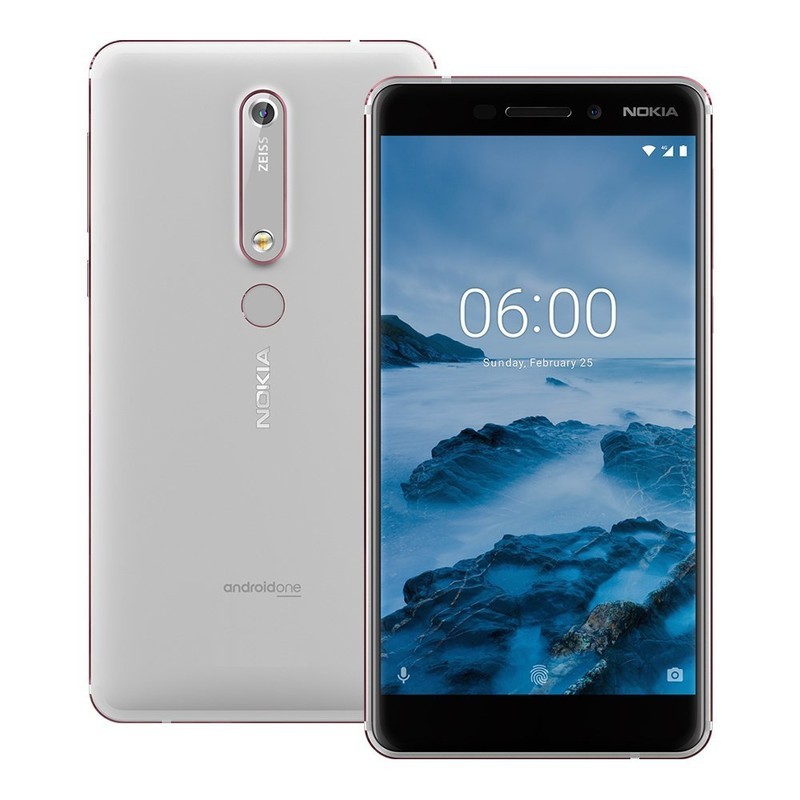
Price: $269, £229, ₹16,500
Bottom line: The Nokia 6.1 retains the same build quality as its predecessor, while offering an upgraded chipset with much better performance, fast charging, and USB-C connectivity.
Pros:
- Durable chassis with outstanding build quality
- Clean software and timely updates
- All-day battery life with USB-C charging
Cons:
- Average camera
- 16:9 display
See at Amazon
About this review
I (Harish Jonnalagadda) am writing this review after using the Nokia 6.1 for over a month in Hyderabad, India. The device was connected to Jio’s 4G network, and received a few security updates during the course of the review. The phone was provided to Android Central by HMD India.
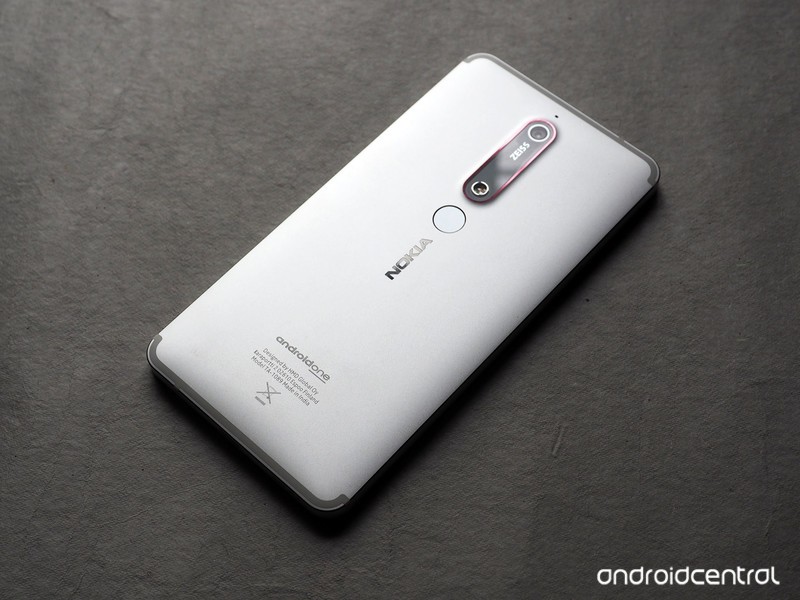
Nokia 6.1 2018 Full review
Nokia phones of old were legendary for their durability, and the brand is trying to infuse the Nokia 6.1 with the same characteristics. Of course, given that there’s a large glass screen up front means the phone isn’t going to be as rugged as the 1100 or the 3310, but HMD has designed a chassis that can take a beating.
The Nokia 6.1 is milled out of series 6000 aluminum, and you can feel that the phone is built to last from the moment you pick it up. HMD even made a point of playing air hockey with Nokia 6.1 units at the device’s launch event in India, just to show off its durability.
This is the most durable budget phone available today.
The design is largely unchanged from last year, although the Nokia 6.1 has slightly reduced bezels. That’s because the fingerprint sensor is now located at the back of the device. The camera housing is also more oblong, with the flash module moving further below the back. It’s great that HMD switched to USB-C with the Nokia 6.1. Far too many budget phones still feature a MicroUSB port, so in this area, HMD is ahead of other brands.
The fingerprint sensor is located just where your finger rests at the back, and it’s just as fast as other budget devices. And talking about the basics, the Nokia 6.1 has a 3.5mm jack located up top.
The Full HD display on the Nokia 6.1 is still a 16:9 panel and not 18:9 like most phones in this category. The panel has decent colors, although the color balance is more toward the cooler side of things. Sunlight readability, on the other hand, is excellent, and I faced zero issues using the Nokia 6.1 under harsh sunlight.
The phone comes with a two-tone finish, with the chamfers on the sides and the camera sensor picking up accent colors that break up the design well. The copper version is similar to what we’ve seen on the Nokia 7 Plus: the black color scheme is interlaced with copper accents, and that gives the phone added flair. There’s also a blue version of the device with blue accents, but that particular option is available in limited quantities.
The white variant I’m reviewing comes with iron accents, and while it isn’t as distinctive as the other models, it is a great alternative if you’re looking for a version with an understated design.
| Screen | 5.5-inch 16:9 IPS LCD |
| SoC | Snapdragon 630 |
| RAM | 3GB/4GB |
| Storage | 32GB/64GB |
| Rear Camera | 16MP, ƒ/2.0 |
| Front Camera | 8MP, ƒ/2.0 |
| Battery | 3000mAh |
| Connectivity | Wi-Fi 802.11 a/b/g/n, BT 5.0, FM radio |
| Security | Rear fingerprint |
| Colors | Black/Copper, Blue/Gold, White/Iron |
| Dimensions | 148.8 x 75.8 x 8.2mm |
| Weight | 182grams |
| Price | $269, £229, ₹16,500 |
The main issue with last year’s Nokia 6 was the underwhelming Snapdragon 450 chipset. It wasn’t able to handle the Full HD panel, and as a result, the phone felt laggy during everyday tasks. Thankfully, that isn’t the case on the Nokia 6.1. The Snapdragon 630 ensures the phone blazes through most day-to-day tasks, and it even handled demanding workloads with aplomb.
I’ve used the version with 3GB of RAM, and while I didn’t face any issues in day-to-day usage, the 4GB model with 64GB of storage is a better bet if you’re looking for a future-proof device. Either model has a microSD slot that lets you extend storage.
In a segment where manufacturers are trying to cut costs by getting rid of basic accessories like earphones, HMD includes an 18W wall charger in the box, along with a pair of decent-sounding earbuds. That’s a common theme with the Nokia 6.1: HMD has learned from last year’s mistakes, and the device is one of the more feature-rich phones you’ll find in this category. It even has an FM radio, and the two SIM card slots can both connect to 4G networks. And yes, you can use dual VoLTE.
Coming to the battery side of things, the 3000mAh battery was more than adequate to deliver a day’s worth of usage, and the phone now has fast charging. You’ll be able to use the bundled 18W charger to quickly top up when you’re in a hurry — up to 40% in under an hour. That’s significantly better than last year’s model, which took an agonizing three hours to fully charge.
For all of its hardware strengths, the loudspeaker on the Nokia 6.1 is sub-par. There’s a single speaker located at the bottom, and it’s neither loud nor detailed (it’s a good thing HMD bundles earbuds in the box). The only other downside on the hardware front is that you won’t be able to use the Nokia 6.1 on the likes of Verizon or Sprint as it is a GSM-only device.
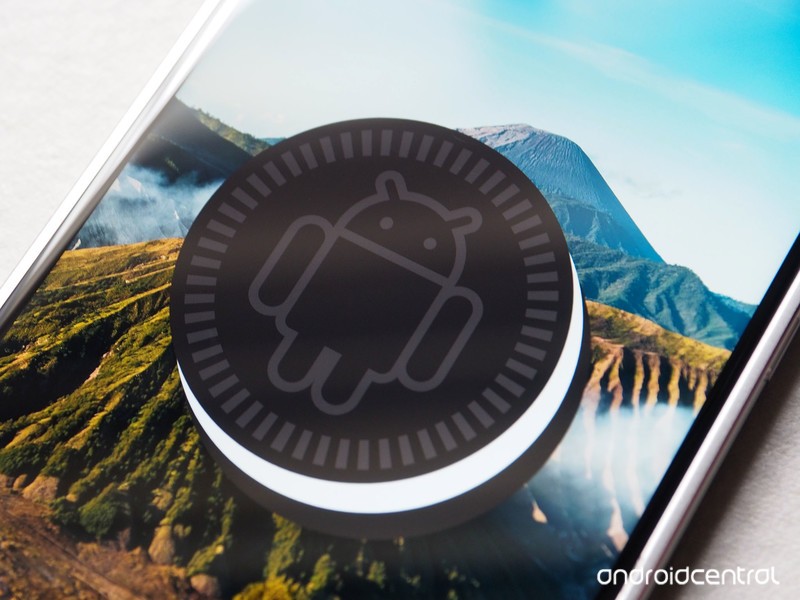
HMD focused on two pillars when reviving the Nokia brand: industrial design and quick updates. Over the course of the last year, HMD has shown once and again that it can roll out consistent updates to its portfolio of devices, and earlier this year the brand committed to the Android One platform for all of its future devices.
The software experience on the Nokia 6.1 is just as fluid as other Android One phones, and the clean user interface is a delight to use. The phone has consistently picked up monthly security updates, and is now on the June 5, 2018 patch. While it isn’t a part of the Android beta program like the Nokia 7 Plus, it should be in the first wave to devices to pick up the Android P update once the stable build is available later this year.
The one potential downside with the Nokia 6.1 — particularly if you’re one to install custom ROMs — is the fact that there’s no easy way to unlock the bootloader. This is admittedly an issue that will affect a small minority of users, and with HMD consistently rolling out updates, there really isn’t a reason to flash another build onto the Nokia 6.1. But if you’re one to tinker with ROMs, know that it’s particularly hard to do so on the Nokia 6.1.
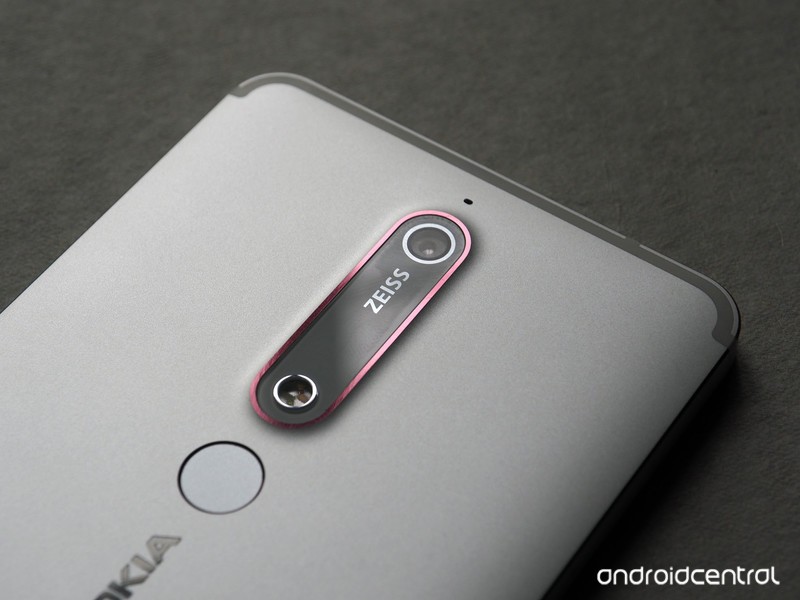
Continuing the theme of simplicity, HMD has stuck with a single imaging module at the back of the Nokia 6.1. The 16MP f/2.0 lens takes decent photos in daylight scenarios, but it struggles to focus in low-light conditions. There’s also a fair bit of noise from resultant low-light shots.
Switching on HDR helps with improving the dynamic range of images, and you also get a manual mode that lets you adjust the white balance, ISO, shutter speed, and exposure levels. The camera interface itself is easy to navigate, with toggles clearly laid out. There’s even a Bothie mode that lets you take photos from the rear and front cameras simultaneously.




The 8MP front shooter takes great selfies, and Nokia 6.1 shoots 4K video as well — with the ability to upload directly to Facebook or YouTube. There’s plenty of detail in videos, but as there’s no optical image stabilization they tend to be shaky if there’s a lot of motion involved.
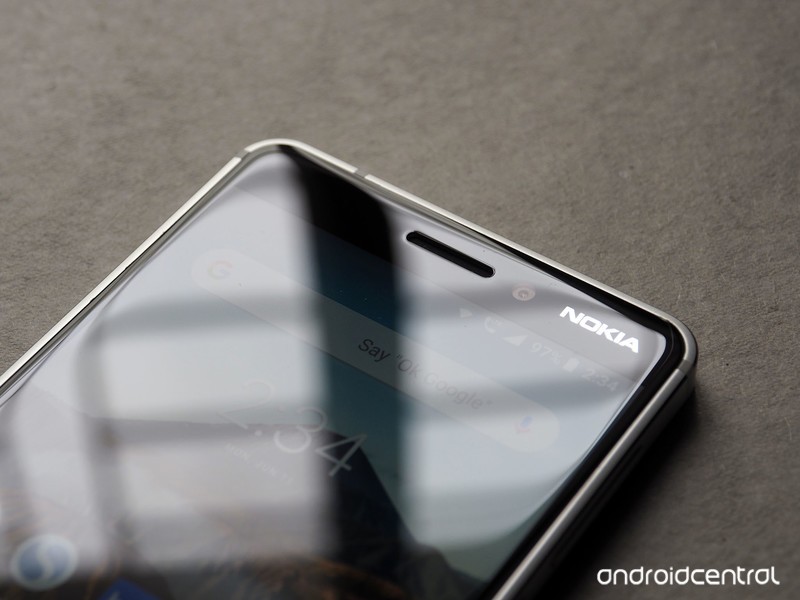
Should you buy it? Yes
The Nokia 6 sold in excess of 10 million units globally, making it one of the best phones in this category last year. The Nokia 6.1 builds on that foundation with a much more capable chipset, improved battery life, fast charging, and USB-C connectivity.
Sure, the Nokia 6.1 is missing out in a few areas — it’s still using a 16:9 display, and the camera could be better at low-light conditions. But it excels at the basics, and the durable design should make it withstand the occasional tumble without any issues.
The Nokia 6.1 delivers in the areas that matter, making it a great budget option for 2018.
The Nokia 6.1 isn’t the only Android One device in this category, as the Mi A1 also costs around the same. The A1 doesn’t have the same hardware prowess as the Nokia 6.1, but it has an edge when it comes to the camera side of things.
Earlier this year, I said that the Redmi Note 5 Pro has the potential to be the best budget phone in India. However, Xiaomi bungled the launch, and three months after its release, you still can’t get the phone without going through a lot of hoops.
Thankfully, the Nokia 6.1 doesn’t have any such issues. The phone is up for sale on Amazon India, as well as thousands of retail stores across the country.
Best of all, the Nokia 6.1 is also up for sale in the U.S. for $269. The phone is available unlocked from Amazon.com, and you’ll be able to use it on GSM carriers like AT&T and T-Mobile. For under $300, the only other device that comes close to the Nokia 6.1 is the Moto X4, which is available for around the $280 figure right now.
The downside with the Moto X4 is that Motorola isn’t as quick as it used to be at rolling out software updates, and the phone is unlikely to receive platform updates beyond Android P. The Nokia 6.1, meanwhile, will get two platform updates and three years’ worth of security updates, making it future-proof.
4.5
out of 5
A good budget phone needs to do three things: offer a lag-free experience in day-to-day usage, a sturdy chassis, and timely updates. The Nokia 6.1 delivers in all three categories.
See at Amazon
See at Amazon India
Apple could implement one of the Google Pixel 2’s coolest features
Another week, another slew of Apple patents. The company was recently awarded four interesting phone-related patents that could indicate that the company is working on a few new features to the iPhone and other mobile devices.
Here’s a rundown of the new patents Apple has been awarded, and what they could mean for Apple’s future products.
The Google Pixel’s squeeze feature on the iPhone?
Perhaps the most interesting mobile-related patent of the week relates to Apple working on a “mobile electronics device with squeeze detection.” If that sounds familiar to you, that’s because it currently features on the Google Pixel 2 and Pixel 2 XL, and featured on a few HTC devices before them.
The patent notes that a device could be configured to get input from its enclosure based on pressure that’s applied to the enclosure. The patent doesn’t describe something completely the same as what’s found on the Pixel though — it notes the use of at least one “deformable housing wall,” so it’s possible the feature could be closer to Apple’s Force Touch, in that the enclosure may actually move.
The patent is a continuation of a patent filed in 2016, which is itself a continuation of a 2013 patent.
A better iPhone flash
Apple could also be working on improving the flash on the iPhone’s camera. According to one of the newly published patents, the company could move the iPhone’s flash, and build in four different elements into the flash. Those elements could then be controlled individually and either automatically or manually. On top of that, the elements could feature light diffusers to more uniformly light a scene.
The elements could be helpful in different situations. For example, they could have slightly different colors to them, or only one or two of them could be used to light a scene that only needs a little extra light.
This patent is a continuation of a patent that Apple filed in 2015.
Improved interior mapping
Apple could be working on a way to improve interior mapping. The company filed a patent called “Range-Free Proximity Determination,” in which an iPhone could enter a proximity fence set by a series of nodes placed in an area. Those nods could then help inform the phone exactly where it is — in a much more precise way than what GPS could do.
This could be helpful for a number of situations. For example, a store could set up nodes and customers could then find their way around the store on their phone.
It would be interesting to see this technology in the real world, but it may be hard to implement — Apple would have to convince businesses, for example, to buy and install the nodes.
The iPhone could protect itself against accidental drops
Last but not least is a patent that could help make the iPhone much more durable. The patent is called “Drop Countermeasures for Electronic Device,” and describes the use of a motion sensor and processor dedicated to determining the direction that the phone is being dropped in. After determining the direction, the phone can use an “actuated member” to move a component in the phone and redirect impact energy away from a pressure-sensitive area of the phone and toward a component that can better take the impact.
It’s really a pretty smart system, but it’s hard to see it being implemented any time soon. The components needed to implement it would almost certainly add some weight and thickness to the iPhone — something that Apple probably doesn’t want to do. This patent is a continuation of patents dating back to 2013.
Editors’ Recommendations
- Apple patents hint at smarter iPhone camera, blood pressure-sensing Watch band
- Chromebooks will start to feel more like Windows, but in a good way
- Pixel 2 and Pixel 2 XL problems, and what to do about them
- Everything you need to know about the Google Pixel 2 and Pixel 2 XL
- Dell’s new patent application shows how a two-screen laptop deals with DRM
Snapchat opens its doors to third-party apps, keeps privacy first
dennizn/123RF
On Thursday, June 14, Snapchat officially launched its new platform for third-party developers. Known as Snap Kit, developers can now integrate Snapchat features into their own apps — while also keeping user data safe.
Snap Kit is separated into four different integration options — which are each their own separate kits. With Creative Kit, users can integrate stickers, links, and filters from other apps into the Snapchat camera. For example with Postmates, one of Snapchat’s launch partners, you will be able to snap friends with a Postmates sticker that shows the estimated time your food is supposed to arrive. If you and your friends can’t decide on where to eat, you can also snap them the best options nearby.
Pandora
Users can also send songs via Snapchat using music apps SoundHound and Pandora. If you’re on SoundHound, all you’ll need to do when you discover a song you like is tap “Snap this song,” the Snapchat camera will then pre-populate the camera with artist and song stickers along with a link to the song. As for Pandora, users can create song cards to Snap to others or share to their Story. Whoever you send it to can then swipe up to listen to the song on Pandora, even if both apps aren’t connected.
There’s also Bitmoji Kit that gives users access to their Bitmojis across other apps. Even though the personalized cartoon avatars are already available as a keyboard extension, you’re unable to use it within some apps — such as Tinder. With the integration, those swiping on Tinder will be able to send their Bitmoji through direct messages by connecting both accounts.
Another option is Story Kit that allows third-party apps to embed Snapchat Stories into their own websites. Apps will then be able to share any public Stories that relate to their audience based on time, captions, locations, and more.
With Login kit, you can use your Snapchat account as a way to login into apps which also brings along your Bitmoji. But when it comes to logging into different apps, Snapchat made it clear that user data is safe. You’re only asked for your Snapchat Display Name and Bitmoji avatar (which is optional) when signing into other apps rather than more personal information like your email or phone number. The company also doesn’t share demographic information or friends list with third parties.
For further security, Snapchat also stays on top of inactivity. If you haven’t used an app that you’re signed into via Snapchat for over 90 days, Snap Kit will automatically disconnect you.
For now, Snapchat is launching the new platform with only a small group of apps. But any future third party Snap Kit integration will have to go through a human review process. All developers who submit their apps will have to agree to the privacy standards built into the Snap Kit program in order to gain approval.
Editors’ Recommendations
- 7 hidden Snapchat features for chatting with friends
- Snap, then shop — Snapchat rolls out Shoppable AR filters
- Social Feed: Fake tweets, more Facebook Stories, and required hashtags
- Instagram is working on another Snapchat copycat: Nametags
- Snapchat has undone its controversial redesign for a majority of iOS users
AT&T Completes Acquisition of Time Warner
AT&T this afternoon announced that it has completed its acquisition of Time Warner, just two days after a U.S. District Court Judge ruled that the merger could move forward.
“The content and creative talent at Warner Bros., HBO and Turner are first-rate. Combine all that with AT&T’s strengths in direct-to-consumer distribution, and we offer customers a differentiated, high-quality, mobile-first entertainment experience,” said Randall Stephenson, chairman and CEO of AT&T Inc. “We’re going to bring a fresh approach to how the media and entertainment industry works for consumers, content creators, distributors and advertisers.”
The news comes after the United States Justice Department said that it would not seek a stay to stop the merger from happening. The DoJ can, however, appeal the decision if it chooses to do so even after the completion of the merger.
In a statement earlier this week, the DoJ said it believes that the merger between the two companies will make the pay TV market “less competitive and less innovative.”
AT&T’s purchase of Time Warner had been on hold since November, when the Justice Department filed a lawsuit to put a stop to it based on the argument that it would lead to higher bills and fewer options for consumers.
AT&T’s successful acquisition of Time Warner and the judge’s ruling in favor of the two companies has already had an impact on the television market, with Comcast moving forward with a $65 billion all-cash offer for Fox’s assets.
Tags: AT&T, Time Warner
Discuss this article in our forums
Intel’s Core i9 for laptops is great, but it’s not a true Core i9
Jayce Wagner/Digital Trends
Intel’s new Core i9 processors are unbelievably fast. During our time with the Alienware 17 R5 laptop, and the Alienware Area-51 R5 desktop, we were very impressed with both the mobile and desktop Core i9, and their ability to handle complex workloads in record time. But there’s an important distinction between the mobile and desktop versions of these processors. They’re not really in the same league.
The desktop version of the Core i9 is an 18-core behemoth, while the mobile version is a six-core processor, like its Core i7 brethren. So why isn’t it just called a Core i7? There’s a reason, but it’s not a good one.
Understanding the naming scheme
When you’re shopping for a processor, desktop or laptop, the designation — Core i3, Core i5, Core i7 — serves as a shorthand for performance.
Intel’s latest 8th-generation Core i3 processors feature four cores, but no hyperthreading — so you’ll only get a max of four processing threads instead of the eight you’d get if it had hyperthreading support. Similarly, Core i5 chips come in at six cores, six threads. At the top, the Core i7 chips now pack six cores and 12 threads.
The Intel Core i9-8950HK has more in common with a top-end Core i7 processor than it does with other chips in the i9 range.
These figures vary a bit between individual chips, but for the most part they’re consistent across product lines — mobile and desktop versions are typically within striking distance of each other. It’s a roadmap that’s easy to navigate, and the product names clearly communicate where they stand in relation to each other.
The introduction of the new mobile Core i9 short circuits that simplicity.
Here’s the problem: The Core i9-8950HK has the exact same number of cores and threads as the Core i7-8750H, making its name feel a little disingenuous. Every other naming jump is associated with an increase in cores or threads (or both), but here — it’s not. The Core i9 is certainly a faster chip, with a base clock speed of 2.90Ghz and a max speed of 4.80Ghz, but it’s got the same number of cores and threads.
Calling it a Core i9 feels like a misnomer
Comparing it to the desktop Core i9, which features a whopping 18 processor cores, makes that disparity even more apparent. Now obviously an 18-core mobile processor would obliterate all but the largest batteries in a laptop — and would probably require an unreasonable amount of cooling. The problem here isn’t the processor, it’s the marketing. The mobile Core i9 is good, great even. But why call it an i9?
We fell for the marketing ourselves when we saw the Alienware 17 R5 featured an 8th-generation Intel Core i9 processor. We had high expectations after reviewing the Alienware Area-51, a gaming machine that used the desktop Core i9. Despite the Alienware 17 R5 ending up being our favorite gaming laptop, we were disappointed to find out that it wasn’t a true Core i9. Again — it’s still an incredibly impressive chip — but we couldn’t help but feel a bit misled.
The truth is the Intel Core i9-8950HK has more in common with a top-end Core i7 processor than it does with other chips in the i9 range. Putting a Core i9 sticker on something doesn’t make it a faster processor any more than slapping a Bugatti bumper sticker on your Honda Civic makes it a supercar.
It’s unfortunate because otherwise the mobile Core i9 is an excellent processor. It doesn’t need the crutch that this kind of marketing trickery provides, it stands on its own and performs exceptionally well. Giving it a name that isn’t in line with its performance or capabilities undermines confidence in Intel’s other product lines, and it’s just not necessary.
Editors’ Recommendations
- Intel shows off world’s first six-core mobile CPUs, adds Optane to everything
- You can stuff a hefty Core i9 six-core CPU in Dell’s new refreshed XPS 15 laptop
- HP’s mainstream Pavilion PCs refreshed with latest AMD Ryzen, Intel Core CPUs
- Intel’s powerful new 8-core processor could land in desktops this September
- Lenovo’s first VR-certified 15-inch mobile workstation packs a six-core CPU
Scientists have mapped the genome of the most common cancer among younger men
Researchers from the University of North Carolina’s Lineberger Comprehensive Cancer Center and a consortium of other institutions have successfully mapped the genome of testicular cancer, the most commonly diagnosed cancer among men ages 15 to 44. The results could help physicians better determine future treatment options for the disease, as well as give patients information about the biomarkers to watch for if their cancer comes back.
Mapping the testicular cancer genome was carried out as part of the larger Cancer Genome Atlas Research Network, an initiative with the goal of comprehensively characterizing different types of cancer. For each cancer, a variety of sequencing techniques are used, including DNA, RNA and miRNA sequencing, along with other clinical data-gathering approaches. By studying the cancers in as much detail as possible, the researchers hope to better understand the relationships between these data types.
“Testicular germ cell cancers are highly curable; however, there is often extensive over-treatment or aggressive surgery,” Katherine Hoadley, assistant professor in the UNC School of Medicine Department of Genetics, told Digital Trends. “We identified miRNAs that are specific to different histology types. These represent a potential avenue for further research to develop minimally invasive serum markers to assess if the tumor has recurred, or to identify the likely histologic components which could help with treatment decisions.”
In the case of UNC’s testicular cancer mapping, researchers analyzed 137 testicular germ cell tumors to find unique molecular features. They discovered certain changes in the RAS gene family. These are the type of genes that make proteins involved in cell signaling pathways that control cell growth and death. Members of the RAS family include KRAS, HRAS, and NRAS, the most common oncogenes in human cancer.
“We identified distinct molecular events that were associated with different histological types of testicular germ cell cancer,” Hoadley said. “While we found recurrent mutations in KIT, KRAS, and NRAS, they were only discovered in a subset of seminomas. However, we noted strong epigenetic components — DNA methylation and miRNA — that are likely very important in testicular germ cell tumorigenesis. We also identified a previously underappreciated subset of seminomas defined by KIT mutations that likely occur early. These tumors had a complete global lack of DNA methylation that locks them in a state with similarity to primordial germ cells.”
Hopefully, this turns out to be yet another piece in the puzzle on the road to curing cancer once and for all. While we’re still a long way from that, mapping the genome of existing cancers will give scientists far more information about exactly what it is that they’re up against.
Editors’ Recommendations
- An artificial beauty spot could warn you of cancer before symptoms emerge
- Doctors successfully perform the world’s first robot-assisted spinal surgery
- John Bain, better known to gamers as TotalBiscuit, dies at 33
- Atari co-founder and video game pioneer ‘Ted’ Dabney dies at 81
- A.I. detects skin cancer better than dermatologists in international study
FDM vs. SLA: Which type of 3D printer is right for you?
There’s currently a struggle between two very different 3D printing technologies, known as FDM (Fused Deposition Modeling) and advanced SLA (Stereolithography). The two methods are very, very different, but they are both likely to stick around the 3D printing world. Each has its own important strengths and applications.
However, if you’re buying or learning how to use a 3D printer, it’s vital to understand the difference between FDM and SLA—so we’re going to talk about it!
Note: There are other types of 3D printing as well, such as polyjet and SLS. WE talk more about these in our comprehensive 3D printing piece. However, FDM and SLA tend to be more common, especially at the consumer market level, so we want to take a closer look at them specifically.
FDM (Fused Deposition Modeling)
If you watch a video of a 3D printer at work, you are likely to see a carefully programmed printing nozzle in a three-dimensional space, extruding a line of molten plastic to sketch out a clear shape. It’s a very popular image, and FDM is the most popular technique used by small 3D printers. It creates small layers that bond together to ultimately create an object. Let’s talk about how that works.
First, the printer has to be given the right information – essentially, a path to follow so that the deposited material will create the right object. This is done using a 3D model file like an STL or OBJ file, which contains information about how an object is “sliced” into layers that the FDM can apply one at a time. This is one of the simplest ways to program at 3D object, and you can use it for many different kinds of objects. Of course, the more complex or small the object, the finer it has to be sliced, and not all FDM printers are equipped to deal with complex objects.
With the file on the object layers sent to the printer, it has all the data it needs to get started. However, it still needs raw materials. The printer uses filaments made from raw materials that can be heated up and easily pushed out into ropes or threads. Typically the material is made of easily molded, relatively safe plastic—but there’s a lot of variance in filaments, which can also be combinations of other materials to give the printed object additional properties.
Following the 3D file, the printer now heats the materials and extrudes through the nozzle as it moves, one layer at a time. When finished, there’s usually a brief waiting time so that the layers can fully bond with each other. Then the object is ready to be used!
What it’s good for
- Home 3D printers: FDM printers tend to be very affordable, relatively easy to operate, and their materials are widely available.
- FDM has gotten more precise: FDM is easy to scale to more complex objects.
- Durability: FDM printed objects can be used for a variety of purposes, and improved filaments continue to make them more durable.
- Learning 3D printing: FDM is a great place to start when teaching students, learning how to code for 3D printing, or using your own 3D printer.
FDM negatives
FDM printers struggle with particularly fine detail, or objects that need moving parts, etc. It can’t really create high-end prototypes. They can also be quite finicky. The coding and calibration have to be very precise, or the printer won’t work correctly. This might mean that you have to do a lot of work to “teach” the printer how to start making a new object.
Samsung to use 100% renewable energy in the U.S., China, and Europe by 2020
The renewable energy will be used at the company’s factories and offices.
On Thursday, June 14, Samsung announced a big change in the way it powers all of its operations. By 2020, the company aims to use 100% renewable energy at factories, offices, and operational facilities throughout the United States, China, and Europe.

While these three regions are Samsung’s main focus at the moment, it says it’ll “seek to further increase its use of renewable energy around the world.” in the medium-to-long term.
By 2030, Samsung says it’s on track to increase its use of renewable energy in Korea by 20%. To help kickstart that process, this year will see Samsung installing around 42,000㎡ worth of solar panels at its HQ located in Suwon. As for its campuses in Hwaseong and Pyeongtaek, Samsung will add around 21,000㎡ of both solar panels and geothermal power generation facilities in 2019 and 2020, respectively.
In the spirit of going all-in, Samsung also notes that it’s joined the World Wildlife Fund’s Renewable Energy Buyers’ Principles and the Rocky Mountain Institute’s Business Renewables Center.
Per Samsung’s Executive Vice President and Head of Global Public Affairs, Won Kyong Kim:
Samsung Electronics is fulfilling its duty as a corporate citizen by expanding and supporting the use of renewable energy. As demonstrated by our expanded commitment, we are focused on protecting our planet and are doing our part as a global environmental steward.
Best Samsung Phones in 2018
Samsung Galaxy S9 and S9+
- Galaxy S9 and S9+: Everything you need to know!
- Galaxy S9 review: A great phone for the masses
- Complete Galaxy S9 and S9+ specs
- Galaxy S9 vs. Galaxy S8: Should you upgrade?
- Join our Galaxy S9 forums
Verizon
AT&T
T-Mobile
Sprint
Samsung’s new Chromebook Plus is a smart move that keeps it competitive

The Chromebook Plus will compete nicely with other products in its price range throughout 2018 thanks to a nice refresh by Samsung.
The Samsung Chromebook Plus holds the distinction of being our choice for the Best Chromebook since it was first made available last year. The price-to-feature ratio is simply outstanding, and while it was bested by other models in either category, none came close when considering both. That was about to change with the introduction of some really great Chromebooks in the $350-$450 price range in 2018 that offered just enough of a spec bump to slip past. Samsung just nipped that in the bud and made the job of finding the best Chromebook a lot more interesting.
The Chromebook Plus v2 is a fairly major refresh. It keeps the most important considerations of the original — price vs. features and a slim, light design — by making the changes that needed to be made without mucking up the rest. That’s tougher to pull off than we think and we all have seen other companies do it poorly. It takes careful consideration of what other companies are doing that makes their products better, then seeing what you can do to one-up it all. It’s especially challenging when the product has to meet a certain price point, which is critical when making a Chromebook that will be alongside very inexpensive models that look like they are just as good.
This is what Samsung faced and I think it did exactly what was needed to try and keep the Chromebook Plus at the top of every best list for 2018. There are a handful of changes. Some are obvious improvements, others not as obvious, and one that’s a significant downgrade that isn’t nearly as bad as it appears on paper.
What we will miss: That awesome display

The display has taken a sizable hit in almost all areas. The original Chromebook Plus sported one of the best Chromebook displays available with its 2400 x 1600 pixel 3:2 panel. It’s the very same panel used for the Samsung Chromebook Pro and Google’s Pixelbook and always mentioned as a reason why both are priced higher — it’s a very expensive display. The new Chromebook Plus does away with the uber-expensive panel and substitutes a 1080p 16:10 display. On paper that’s a drop in quality.
Nothing compares with the original Chromebook Plus display, but that doesn’t mean the rest are all bad.
We’re dealing with a 12-inch class Chromebook here. The display is 12.2-inches diagonally. That’s not a tiny display in a world where 10-inch Chromebooks and tablets exist, but it’s not gigantic, either. A 1920×1080 resolution display on a 12-inch Chromebook can look wonderful, and you’ll find that most people who have looked at laptop displays day in and day out are going to agree. It’s certainly not going to be as nice as the 2400 x 1600 panel of the original, but few are. That display is an outlier that can’t be considered as normal. I will miss the 3:2 aspect ratio and extra screen brightness a lot more than the loss of pixels, but am almost certain that I’ll be fine with Samsung’s choice here.
What we will love: Intel power
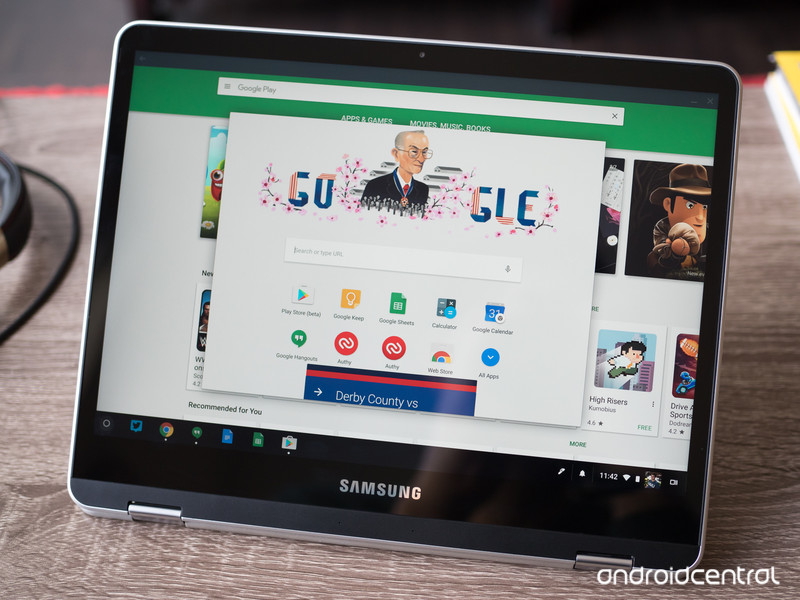
The other obvious change is the processor. Like the rest of the products in its class, the Chromebook Plus now has an Intel CPU (Intel 3965Y) instead of an ARM CPU (Rockchip OP1). Both of these processors were designed for laptops like a Chromebook — easy on the battery, great processing speeds in bursts, and support for an onboard GPU that can power multiple displays. Originally, everyone assumed that the custom OP1 in the Chromebook Plus signaled the eventual ARM takeover of the mobile computer world, but now we’re not sure what is happening there.
Google has focused on working with Intel CPU compatibility with Chrome since the Chromebook Pro came with some “issues” at launch. They have been fixed, and in 2018 x64 is the way to go.
We do know that a mid-range Intel Celeron CPU that has a low TDP (Thermal Design Power, or how much extra power is wasted through heat), paired with an Intel 600-series GPU which makes for an outstanding Chromebook. In 2018 it’s what a moderately priced model needs to compete as a Snapdragon 800-series chip (along with all the various licensing fees) is cost-prohibitive. And Chrome OS has been tuned to work with Intel processors since the original Chromebook Pixel so things we don’t usually think about, like power management, work exceptionally well. The Intel 3965Y as used in the refreshed Chromebook Plus is a 1.5 GHz dual-core CPU with a TDP of 4.5 watts. Paired with an Intel 615 GPU, it fits the description of the perfect Chromebook CPU in 2018.
Other small changes, like the addition of a second “world-facing” camera and a USB Type-A port are welcome additions. And there are things we would have liked to see — a 64GB storage option and a backlit keyboard come to mind — that are missing. But the most important change that will let the Chromebook plus move forward with Chrome OS features is the x64 Intel CPU and it’s just what the doctor ordered. Don’t let the inferior display bother you too much, because it’s only inferior to the amazing panel its predecessor used and will likely stand up well among its peers.
I’m looking forward to some hands-on time with the refreshed Chromebook Plus to see if it can hold that coveted Best Chromebook overall title it has held for so long.
Chromebooks
- The best Chromebooks
- Chromebooks in education: Everything you need to know
- Should you buy a Chromebook?
- Chromebook Buyers Guide
- Google Pixelbook review
- Join our Chromebook forums
 AIVAnet