


iOS 12 Beta Supports Easy Face ID Rescans With Swipe Up Gesture on iPhone X
As more users sign onto the first beta for Apple’s iOS 12, new discoveries are quickly being made, with the latest centering upon a simple but highly useful new gesture for iPhone X owners.
Currently, when you hold up the iPhone X and Face ID fails, you either have to lower it and raise it again, or press the side button to put the iPhone to sleep and wake it up through another side button press or tapping the display. Both of these methods will reactivate a Face ID scan.
Image via shakil-ali on Reddit
As discovered by Redditor shakil-ali, Apple has provided a shortcut to rescanning your face in the iOS 12 beta: now when the biometric security feature fails, you can simply swipe up from the bottom of the iPhone X to get Face ID to scan again. This should help to alleviate a small but sometimes frustrating part of unlocking the iPhone X with Face ID.
In regards to other hidden features of iOS 12, we have collected a bunch in a tidbits roundup posted yesterday. These include setting up an “alternate appearance” for Face ID, a new QR code scanner in Control Center, a revamped Battery Usage section in settings, and more.
As a whole, Apple announced iOS 12 with a focus on user privacy and digital health, and when the update launches in the fall iPhone and iPad owners will be able to keep track of everything they do on their devices with features like “Screen Time” in Settings.
Related Roundups: iPhone X, iOS 12Buyer’s Guide: iPhone X (Neutral)
Discuss this article in our forums
SpaceX says it won’t send space tourists around the moon just yet
Two space tourists who were looking forward to being blasted toward the moon by a SpaceX rocket some time this year will now have to wait until at least 2019.
SpaceX spokesperson James Gleeson confirmed to the Wall Street Journal that the trip around the moon, first announced last year, has been postponed. He didn’t offer a specific date for when it might take place.
Despite the setback, Gleeson confirmed the company, run by billionaire Elon Musk, “is still planning to fly private individuals around the moon and there is growing interest from many customers.”
SpaceX hasn’t offered any reason for the postponement, but the Journal cites “technical and production challenges” as likely causes.
Such delays are par for the course when it comes to missions of this magnitude, and it certainly isn’t the first time Musk’s space company has had to play around with launch forecasts. SpaceX’s massive Falcon Heavy rocket, for example, only got off the ground in February following a number of delays over several years.
Speaking of the Heavy, that’s the rocket that’s set to take the pair of unnamed tourists into orbit at the start of their their one-week journey around the moon, if and when it happens.
The mission, announced to great fanfare by Musk in August 2017, would be the first manned trip to the moon since the last Apollo outing in 1972. Lift-off is set to be from the very same launch pad used by the Apollo program for its lunar missions: Pad 39A at the Kennedy Space Center near Cape Canaveral, Florida.
The two high-paying astronaut wannabes approached Musk about the possibility of a moon trip prior to the company making any plans for such a trip.
“Like the Apollo astronauts before them, these individuals will travel into space carrying the hopes and dreams of all humankind, driven by the universal human spirit of exploration,” SpaceX said in a message at the time of the announcement.
If the mission gets off the ground, the two space tourists will travel to the moon in SpaceX’s Dragon V2 spacecraft, which is yet to be thoroughly tested. The spacecraft won’t land on the lunar surface, but it will get close as it circles it.
For now, though, they’ll have to sit tight as SpaceX continues with preparations for what could be a 2019 moon mission.
Other private space companies — Jeff Bezos’ Blue Origin and Richard Branson’s Virgin Galactic among them — are also prepping tourism trips toward space as part of a regular commercial service. The suborbital missions would take regular folks — well, regular folks with plenty of money in the bank — on short trips to the edge of space about 62 miles up, where they’ll be able to enjoy spectacular views and several minutes of weightlessness before returning to Earth. Both companies are hoping to launch services in the next 12 months, though as SpaceX’s experience shows, the wait could turn out to be longer.
Editors’ Recommendations
- NASA’s virtual tour of the moon in 4K will blow your mind
- NASA reveals its plans to have astronauts orbiting the moon by 2025
- Get your Sagan on with 60 awe-inspiring photos of the final frontier
- Virgin Galactic ‘neck and neck’ with Blue Origin in space tourism race
- NASA wants to make the first Starliner test flight a fully operational mission
How to pair a Fitbit Versa with a new phone
Re-pairing the Versa to a new phone is as easy as can be.

Upgrading to a new phone is always an exciting time, but the maintenance that comes with it can sometimes be a hassle — especially when you need to re-add your old accessories to it.
If you’ve got a Fitbit Versa and need to pair it with a new phone from your old one, doing so is actually pretty simple and takes far less time compared to setting it up for the very first time.
Let’s go ahead and get started!
Open the Fitbit app and tap the account icon at the very top right.
Tap Set up a Device.
Tap Versa from the list of trackers.


Scroll through the terms & policies and tap I Agree.
Tap Next on the “before we get started” page.
Put your Versa in the charging cradle and then tap Next.


Once your Versa’s Bluetooth connection is discovered, enter the four digits shown on its screen.
Connect your Versa to your Wi-Fi network.


Tap Next on the following three screens to finish the setup process.
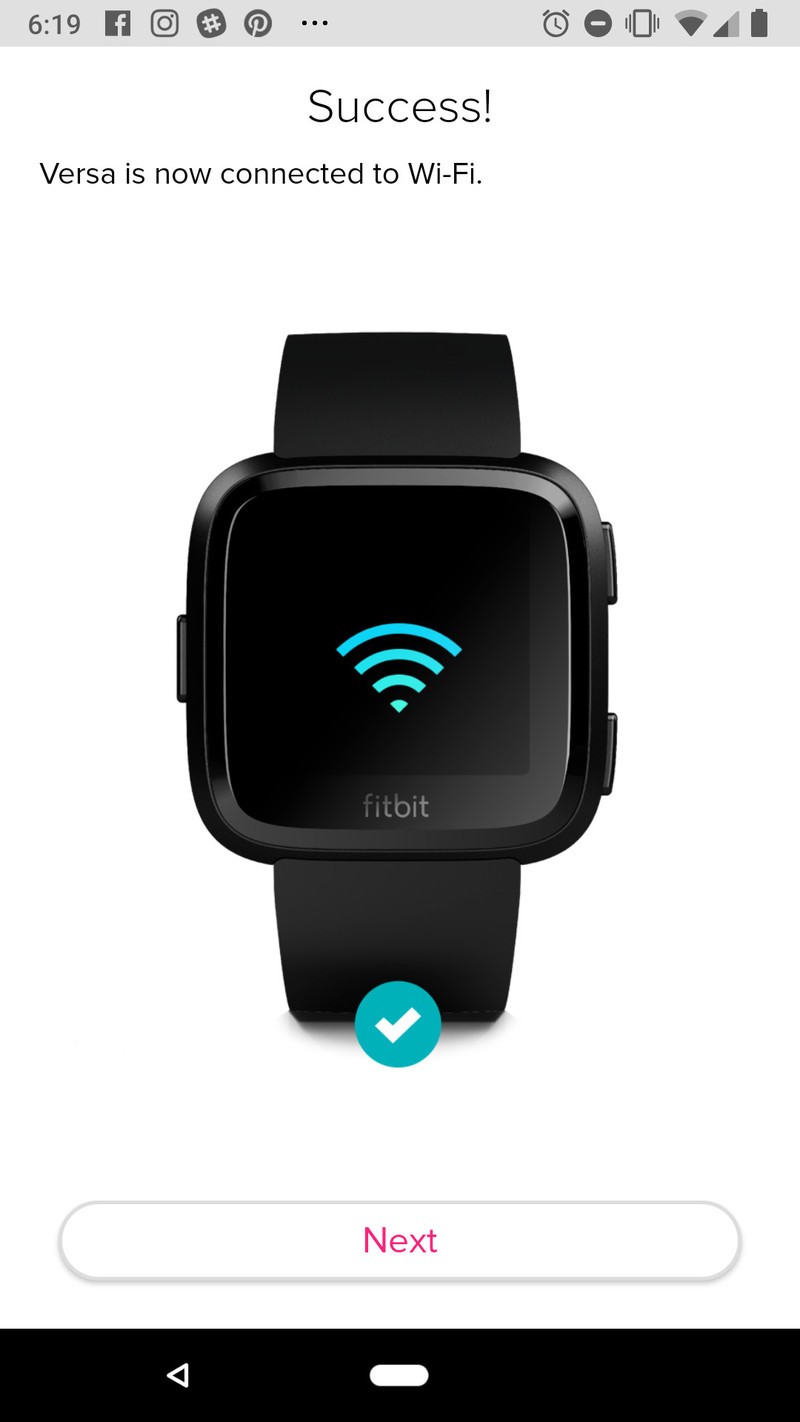


That’s all folks!
With those steps completed, you should now have your Fitbit Versa successfully re-paired to your new phone. Need additional help or have further questions? Drop a line in the comments below.
Fitbit Versa and Android: Top 10 things you need to know
Fitbit

- Fitbit Versa vs. Fitbit Ionic: Which should you buy?
- Fitbit Versa hands-on: Fitbit’s finally getting serious about smartwatches
- Fitbit Versa and fitness: Everything you need to know
- Best Fitbit fitness tracker
Fitbit Ionic
Fitbit Versa
Fitbit Charge 2 HR
Where to buy the Huawei P20 Pro in the U.S. and Canada
Here’s where to go for Huawei’s latest and greatest.
Thanks to its striking design and triple rear camera setup, the Huawei P20 Pro is easily one of the most unique Android phones to be released so far in 2018.

You can buy the phone in both the United States and Canada, but since Huawei isn’t officially selling it in the U.S., doing so there is a bit trickier than in Canada.
In any case, here’s how you can get your hands on the phones in the respective countries.
United States
Amazon (Quality Deals Shopping Center)
First on our list, Amazon seller Quality Deals Shopping Center has the P20 Pro listed on the mega-popular shopping site for $842.40. At the time of publishing this article, Quality Deals Shopping Center has a 96% positive rating in the last 12 months with 215 reviews.
That $842.40 price gets you the Midnight Blue color, but if you want to step up to the Twilight or Black options, you’ll spend $874.89 and $939.00, respectively,
There’s a 30-day return policy upon the arrival of the phone, but it’s noted that a 20% restocking fee may apply.
See at Amazon
eBay (never-msrp and sobeonline1)
Our friends at Android Police spotted a couple sellers on eBay that are currently running pre-orders for the phone, and for folks that are dead set on using it State-side, this is your best bet for picking it up.
Both sellers have very positive ratings (99.0% for never-msrp and 98.8% for sobeonline1) with never-msrp selling it for $789.99 and sobeoline1 charging $849.99. That’s not cheap by any stretch of the imagination, but it’s also not terrible considering that the phone isn’t officially being sold here in the country.
No matter which seller you choose, free shipping is offered.
You’ll find 30-day return periods for both sellers, but the way these are handled is slightly different. You’ll pay for return shipping no matter which one you choose, but sobeonline1 does note that a 15% restocking fee may apply.
See at eBay (never-msrp)
See at eBay (sobeonline1)
eBay (jtbcglobal)
Another eBay seller we recently spotted in jtbcglobal. Jtbcglobal has the P20 Pro going for $879.99, making it one of the most expensive of the bunch.
This is a factory unlocked version of the P20 Pro and comes wiht a 24-month warranty from Huawei. The phone’s in new condition, shipping is free, and you’ve got 30 days to return it for your money back or exchange it for a different item.
As for jtbcglobal’s seller rating, they’re currently sitting at 92.6% with 693 reviews.
See at eBay
Canada
Rogers & Fido
In Canada, Rogers in selling not only the P20 Pro, but the P20 and P20 Lite, too.
Looking specifically at the P20 Pro, the phone costs the following with the carrier’s various plans:
- $249 with the two-year Premium+ Tab
- $449 with the two-year Premium Tab
- $599 with the two-year Smart Tab
- $999 with the two-year Talk & Text plan or outright with no plan/tab
If you purchase the P20 or P20 Pro, Rogers has an exclusive offer that’ll let you grab a free Huawei MediaPad T3 tablet when you activate the phone on select two-year plans.
See at Rogers
If you’re buying the P20 Pro at Fido, pricing looks like this:
- $0 down on a two-year Extra Large plan
- $199 down on a two-year Large plan
- $359 down on a two-year Medium plan
- $479 down on a two-year Small plan
- $740 when buying without a plan
Similar to Rogers, Fido is also selling the P20 and P20 Lite.
See at Fido
Telus & Koodo
For Telus customers, you can grab the Huawei P20 Pro for as little as $250 down depending on the plan you choose. If you prefer buying the phone outright, it’ll cost you $980.
Telus is also selling the regular P20, but unlike Roers and Fido, you won’t find the P20 Lite here.
See at Telus
Moving over to Koodo, you’ll also find the P20 and P20 Pro with the P20 Lite being absent once more.
For Koodo’s pricing, you’re looking at the following:
- $450 with Tab Large plan + $20/month for 24 months
- $ 620 with Tab Medium plan + $15/month for 24 months
- $740 with Tab Small plan + $10/month for 24 months
- $980 without any monthly plan
See at Koodo
Bell
Last but not least, Bell’s selling the P20 Pro, too.
Buying the phone with a 2-year plan w/ at least 1GB of data and $80/month charge per user will let you grab it for just $249. Those same requirements with a $70/month charge per user kicks things up to $449, and buying the P20 Pro without any contract will set you back $1049.
See at Bell
Updated June, 2018: Added new sellers for both the U.S. and Canada that are now carrying the P20 Pro!
I’m excited for the BlackBerry KEY2 because virtual keyboards are still terrible
It doesn’t feel like this tech is getting better, but maybe I just need some time away to think about it.

I have never been a huge fan of virtual keyboards. I don’t like typing with my thumbs due largely to the lack of tactile feedback, which hasn’t really become better over time because vibration motors on Android phones still aren’t great. I jumped onto the Swype train early, fully ready to trace-type my way to freedom. This form of typing is faster, so longer sentences aren’t as tedious for me to write on my phone.
But it feels like trace-typing progress has slowed in the last year or two. Sometimes it feels like Gboard is less accurate in some updates, so I try another keyboard app for a while until it frustrates me and then I go back to Gboard. I haven’t felt like these keyboards have improved much recently, and as my list of obvious typos continues to grow I find myself wondering if I should go back to a physical keyboard.

I see folks complain about virtual keyboards a lot. My immediate circle of friends and family use Gboard’s excellent voice dictation way more often than they used to, and when I ask them why they made the change I get the same answer: voice typing is improving faster than autocorrect. It means they can more safely respond to messages in the car, or while working with both hands, and generally speaking, voice typing is one of those things that can easily become a habit when it works the way you want it to.
I’m not one of those people, mostly because I’m frequently around people I don’t want to broadcast my personal messages to, but the evolution of voice typing over trace typing is incredibly clear right now.

The last phone keyboard I really enjoyed using was the one on the BlackBerry Priv. The keyboard tucked away so I could use a virtual keyboard for quick messages, but if I wanted to type something of length, the keyboard was there for me.
It was more than just physical buttons, too. I liked having long-press shortcuts and the ability to swipe around on the keys like a trackpad in a block of text. The quality of that keyboard was almost enough to make me want the BlackBerry KeyOne when it was first announced, but I skipped it and went with a phone that offered VR and AR capabilities. As the mobile VR industry switches to standalone headsets like Oculus Go, and the BlackBerry KeyTwo (Sorry, BlackBerry, you don’t get to switch between spelling numbers and using numerals. This phone is called KeyTwo now) set to be announced soon, it may be time to make a switch.
It’s clear right now the smartphone industry is in the middle of a massive change. Phones are getting taller and thinner, with greater emphasis on no bezels and improved haptics. But we’re not there yet, and this coming year is going to be full of companies trying to figure out how to deal with “the notch” and how users are going to respond to different display mechics. In effect, people getting new phones over the next year or so are going to be treated more like voluntary lab rats than ever before and that’s not really what I want from a phone.
I know exactly what I’m getting with a phone like the BlackBerry KeyTwo, including a keyboard I’m not going to hate. It’s not the flashiest phone in the world, but it’s a comfortable experience I can rely on for a while. I kinda dig that idea.
See at BlackBerry
1Password Developers Tease Planned Support for iOS 12 Password Manager API
Apple revealed during its WWDC keynote yesterday that among other features, iOS 12 will include a new Password Manager API that will be able to hook into third-party password manager apps installed on devices and offer up their stored passwords as suggestions to the user when they’re prompted for login information.
Today, the makers of popular password manager service 1Password confirmed that it is already working on integrating its app with Apple’s new API, and even offered its Twitter followers a teaser video of 1Password AutoFill in action.
The short clip shows a screen recording of a login prompt from the Apple ID website in Safari browser. As the user taps on the password field, the keyboard pops up and the password stored in 1Password appears in the QuickType suggestion bar, ready to select.
What a wonderful present for us at WWDC this year! Thank you to all our friends at Apple for this great new API. #1PasswordAutofill pic.twitter.com/jpvRVogslS
— 1Password (@1Password) June 5, 2018
It’s unclear at this time how soon 1Password will support the API integration after iOS 12 is publicly released in the fall, but users can rest assured the developers at AgileBits are “very excited about it” and will be “playing around with it very soon”. Those looking to get a look in sooner can join the 1Password for iOS beta test program by following the steps outlined here.
In other security-related news, iOS 12 will also offer password suggestions within third-party apps, and will also keep track of passwords that have been reused, prompting users to create new ones.
In another welcome iOS 12 feature, one-time passcodes delivered via SMS text message will automatically appear as AutoFill suggestions on login screens, so users no longer have to concern themselves with reading the message, memorizing the code, and returning to the login screen to input them.
Related Roundup: iOS 12Tags: 1Password, AgileBits
Discuss this article in our forums
Apple Confirms Mojave is the Last macOS Release to Support 32-Bit Apps
As expected, Apple confirmed yesterday during its WWDC keynote that macOS 10.14 Mojave will be the last version of macOS to support legacy 32-bit apps.
Apple commenced its plan to begin phasing out 32-bit apps on Macs in macOS High Sierra 10.13.4. When a 32-bit app is opened in High Sierra, users get a warning about its future incompatibility with the macOS operating system.
Likewise, when opening 32-bit apps in macOS 10.14 Mojave (beta 1), users are shown a dialog box with a similar message telling them that “This app will not work with future versions of macOS”. Clicking “OK” on the prompt then allows the app to open.
Currently, the warning is only shown one time for each app. That could well change in subsequent betas of macOS Mojave, however, since Apple previously said it would include “aggressive” warnings about 32-bit apps in the next version of macOS after High Sierra before they are phased out entirely.
 32-bit app warning in macOS 10.14 Mojave (beta 1)
Apple’s effort to phase them out on Macs mirrors the path it took when ending 32-bit app support on iOS devices. In iOS 10, Apple provided increasingly more insistent warnings to let users know that their apps wouldn’t work with future versions of iOS before phasing out 32-bit support entirely in iOS 11.
Once 32-bit apps are phased out on Macs, they won’t be able to be used at all, so users will need to find replacements for older 32-bit apps that aren’t likely to be updated to 64-bit. You can find out which apps on your Mac are still running in 32-bit by following our how-to guide.
Related Roundups: macOS High Sierra, macOS Mojave
Discuss this article in our forums
How to Learn Which Apps Will Stop Working on Your Mac When 32-Bit Support Ends
Apple has begun the process of phasing out 32-bit applications on Macs, which is why many users who upgraded to macOS 10.13.4 or later will have come across the following warning message the first time they launch certain older apps.
This is the first of many warnings Apple plans to provide as it works to put an end to 32-bit apps on the Mac, as it did on iOS devices with the release of iOS 11. Apple has confirmed that macOS 10.14 Mojave, set for public release in the fall, will be the last version of macOS to allow 32-bit apps to run, but it will include more “aggressive” warnings about their use before they are phased out entirely.
In this article, we’ll show how you can quickly find out which apps installed on your Mac are 64-bit and which are still living in the 32-bit age. If you don’t rely on apps that fall in the latter camp, you can safely uninstall them. However, if you’re a frequent user of one of these apps, try contacting the developer to find out if a 64-bit version is in the works. If one isn’t planned, try and find an alternative app with similar functionality before the time comes when it refuses to launch.
How to Identify 32-Bit Apps on Your Mac
Click the Apple symbol () in the menu bar on your Mac’s desktop.
Click About This Mac.
In the macOS Overview pane that appears, click the System Report… button.
In the information window that appears, scroll down the left column and click Applications under the Software list, then wait a moment while your Mac generates a list of installed apps.
When the list of apps appears, click the 64-Bit (Intel) label to bring any 32-bit apps to the top of the column.
Drag down the divider using the center dot to expand the viewable list of apps. Anything in the list that has a “Yes” under the 64-Bit column is good to go, but there are several in our example listed as “No”, which means they’re 32-Bit and will stop working in a future version of macOS.

Some popular apps in the above list, like Steam and Google Music Manager, will likely have 64-bit versions available in good time, but other items – old Brother printer drivers and utilities, for example – may not survive a forthcoming upgrade, and it could be a while before developers issue 64-bit versions of said software (assuming it’s even still actively supported), so as our example shows, it pays to plan ahead.
Related Roundups: macOS High Sierra, macOS Mojave
Discuss this article in our forums
iOS 12 Changes Hint at Redesigned iPad Pros With Face ID and No Home Button Coming This Year
Apple is rumored to be working on a new high-end 2018 iPad Pro that is said to adopt many design elements from the iPhone X including Face ID and the removal of the Home button, and several changes newly discovered in iOS 12 appear to bear out those claims.
As reported by MacRumors yesterday, Apple has tweaked iPad gestures in iOS 12 to bring them in line with gestures on iPhone X. For example, swiping up from the dock brings up the Home screen, as it does on iPhone X in lieu of a Home button.
iPad Pro with Face ID mockup by Carlos Guerra
Similarly, users now swipe down from the top right of the iPad to bring up Control Center, rather than swiping up from the bottom. This action was originally introduced in tandem with the iPhone X’s notch, which houses Apple’s advanced face detection sensors and leaves two “ears” on either side.
Likewise, menu bar changes to accommodate a notch can now be found in iOS 12’s iPad interface – the time, day, and date are located on the upper left hand side of the screen, while the right displays the current Wi-Fi/LTE connection, Bluetooth status, and battery life.

Of course, it’s possible Apple simply brought over the gestural and menu bar changes to iPad to create interface parity across its iOS lineup, but it’s more likely Apple is paving the way for redesigned iPads widely believed to be coming later this year.
According to a November report by Bloomberg, the next-generation iPad Pro will feature slimmer edges, a faster processor, a custom Apple-built GPU, and a TrueDepth camera with support for Face ID. The new tablet device will reportedly do away with the Home button.
Well-regarded market analyst Ming-Chi Kuo has also stated he believes new iPad Pro models set to be released in 2018 will come equipped with a TrueDepth Camera and will support Face ID.
There was some speculation whether Apple would unveil new hardware during last night’s keynote, but that didn’t happen, and we’re now expecting the next round of iOS devices to appear in the fall. In the meantime, stay tuned to MacRumors for more details on all the announcements at this year’s WWDC.
Related Roundups: iPad Pro, iOS 12Tag: WWDC 2018Buyer’s Guide: 10.5″ iPad Pro (Caution), 12.9″ iPad Pro (Neutral)
Discuss this article in our forums
iOS 12 is more evidence you should buy an iPhone, not an Android phone
If on September 20, 2013, you walked into an Apple Store and purchased a brand-new iPhone 5S, and have kept using it ever since, later this year you will be able to upgrade the software to iOS 12. The iPhone 5S launched with iOS 7 that year, has since been discontinued, and yet will still receive the latest version of the Apple operating system. That’s five years later.
The iPhone 5S was up against the Samsung Galaxy S4 in 2013. A new one came with Android 4.2 installed, and was subsequently updated to Android 5.0 Lollipop. Android 6.0 Marshmallow, which launched in 2016 never officially arrived, and the chances of 2018’s Android P software being released for it are absolutely zero.
That’s not really good enough, and it’s representative of the gulf between the way Apple and Android manufacturers handle vital software updates.
Apple’s WWDC 2018 announcement that iOS 12 would be available for devices launched as far back as 2013 is proof positive that if you want continued, timely software updates for your phone, buy an iPhone. And the absolute worst thing you can do is buy an Android phone.
Not new news
Apple’s dedication to providing software updates needs to be applauded. On stage at WWDC 2018, Tim Cook said for Apple, the customer is at the center of everything. That may sound trite, but it’s hard to argue with this statement when talking about software updates. The number of people who still own and use an iPhone 5S will be far lower than those using an iPhone 8, iPhone 7, or even an iPhone 6 — yet Apple hasn’t abandoned them, even though they really couldn’t be blamed for doing so.
If you want continued, timely software updates for your phone, buy an iPhone.
Android manufacturers’ lethargy when it comes to major version software updates is well-documented. So well documented, in fact, that Google itself has live, up-to-date information on how pitiful adoption of its latest software is. Android 8.0 and Android 8.1, the most recent fully available versions of Android, are installed on 5.7 percent of all phones accessing the Google Play Store, which is where Google gets its data.
Apple was good enough to round this number up to six percent when it compared the prevalence of Oreo to iOS 11. Not that it really mattered, because iOS 11 is installed on 81 percent of iOS devices. It’s almost pointless going into much more detail about the hows and whys, because this giant difference is woefully unacceptable almost regardless of any excuse a manufacturer can come up with about it.
Why should you care?
New software updates are crucial to prolonging the lifetime of your phone. If you are still using a 2013 Galaxy S4 now, in June 2018, then it will likely be exposed to various security vulnerabilities that were fixed in later versions of Android, it may not run the latest versions of apps available in the Play Store, and be completely lacking any of the new features and design revamp found in Android installed on a Google Pixel 2 phone, for example.
If you have an iPhone 5S, then it has the same level of software security protection as an iPhone X. Outside of any hardware limitations, it’ll have all the same iOS features, and run almost all apps that can be downloaded from the App Store. If the phone has the right hardware, the features will be available for you to use. Neither the 5S or the S4 will provide the best phone experience you can have in 2018; but only one will give an interface and software experience that’s comparable to a phone actually released this year, and that’s a huge deal.
Julian Chokkattu/Digital Trends
We spend a lot of money on these phones, and we deserve them to continue working at an optimum level on the software side for years afterwards. At the moment, only Apple really provides that. Yes, you can go and buy a Pixel phone from Google and get the same treatment, but the vast majority of phone buyers will get a phone from Samsung, LG, HTC, Sony, Huawei, or other Android manufacturer.
It’s time consuming, expensive, and difficult for these companies to produce updates for its old phones; but for us, the people who spend hundreds of dollars on a phone, this doesn’t really matter. Money talks, and we should put it in the hands of those that continue to value our custom, whether that’s Apple or Google itself.
What about Project Treble?
This isn’t an attack on Google, which openly acknowledges that Android software updates outside of the Pixel family are mostly an atrocity. Project Treble, a part of Android 8.0, is its way of making major updates easier for manufacturers to implement. It’s all very complicated, and works deep inside the operating system, so you don’t really need to understand how it works. What you need to know is Google’s trying hard to get manufacturers to update Android on its devices by making it easier than ever before.
Project Treble doesn’t force manufacturers to code and release an update on a timely basis.
However, Project Treble doesn’t force manufacturers to code and release an update on a timely basis. Version updates may still come at a snail’s pace, and only arrive on flagship phones. There’s no binding contract either, so updates may never come to a cheaper device.
Project Treble is also only part of Android Oreo, which as we’ve already stated, is only on 6 percent of Android phones. It’s also not going to be part of any Oreo updates either. Which means the benefits will only come to current and future phones released with the latest Android version, and its impact will take at least a year to be felt by phone owners. Here, we’re just going to remind you that iOS 12 will be out around September time, and will be instantly compatible with the five-year-old iPhone 5S.
Make it clear this is unacceptable
We want the new features, the extra security, and the knowledge our business matters that regular software updates bring. It is important, and even if you don’t care about any new features, the security and stability tweaks make our phones work better, for longer. Yes, problems have occurred in the past — Apple has made some terrible errors with software updates for a minority of users in the past, for example — but this doesn’t always happen, and we’d always recommend not being the first to download an update before seeing how it performs out in the wild.
We shouldn’t rejoice when an Android update arrives on our phone. We should be nonplussed because it’s such a normal, accepted occurrence. The only way to get this is to buy a Google Pixel 2 or future Pixel phone, one in the Android One program, or just buy an Apple iPhone. The announcement of iOS 12 and its compatibility demonstrates in very clear terms how much Apple values its customers. We shouldn’t let other manufacturers get away with valuing them less.
Editors’ Recommendations
- Need a do-over? Here’s how to factory reset an iPhone, from X on down
- LG looking for faster OS updates with new Software Upgrade Center
- When is your phone getting Android 8.0 Oreo? We asked every major manufacturer
- How to reset your iPhone
- Switching from an iPhone to an Android device
 AIVAnet