


Astronaut Jessica Meir will answer your questions on Tumblr
If you’ve got dreams of donning a spacesuit and going on trips outside the planet, don’t miss Tumblr’s Answer Time session today, March 11th. NASA’s Jessica Meir will answer your questions starting at 4:30PM Eastern time, and it’s a great chance to ask a real astronaut, especially if you missed Scott Kelly’s Q&A session last year. Meir was part of the 21st NASA astronaut class in 2013 — the first one that was 50 percent female — and was cleared for actual missions in 2015, so you can ask her about what it’s like to train for the job.
You can also ask Meir, a biologist who studied the physiology of animals in extreme environments, what it’s like to be an aquanaut for NEEMO. The NASA Extreme Environment Mission Operations serve as testing ground for new equipment astronauts will use in space. She lived in an underwater habitat back in 2002 for the fourth NEEMO expedition and in a cave for a week last year for the ESA’s Cooperative Adventure for Valuing and Exercising mission.
Meir wants to become one of the first astronauts to set foot on Mars and is now training for her first expedition. While you won’t be hearing back from her until 4:30, you can send in your queries right now through NASA’s Tumblr account.
Source: Tumblr
Alphabet’s internet balloon chief leaves after 6 months
Alphabet’s Project Loon is running into some figurative turbulence in addition to the literal kind. Tom Moore, the satellite executive who was brought on as CEO to help Project Loon become a full-fledged business, has left the leadership position after just 6 months. It’s not clear why he’s on the way out (neither he nor Alphabet are commenting), but he’s being replaced by Alastair Westgarth, a wireless industry veteran best known for turning startups into viable companies. His “vision” for the internet balloon project matches the strategy of Alphabet’s X division, “approaching huge programs, at scale, to improve the lives of millions or billions of people,” the company says.
While there likely wasn’t much drama behind Moore’s exit, the departure is notable given how much faith Alphabet had put in him — he was supposed to be the ticket to making Project Loon more than just a noble experiment. Also, it comes roughly a month after Alphabet scaled back the number of balloons it needs for Project Loon to provide coverage. Moore’s leaving and the strategy shift aren’t necessarily connected, but it’s apparent that he wasn’t as crucial to Project Loon’s launch as it first seemed. Whatever’s going on, it’s safe to presume that Alphabet would like a little more stability from here on out.
Source: Bloomberg
5 songs you need to stream this week: Fleet Foxes, Benjamin Booker, and more

Every week, there are thousands of new songs hitting the airwaves — and it’s just too much for your two ears to handle. With all those options, you can’t be wasting your time on tracks that deserve a thumbs-down click.
But don’t worry, we’re going to save you the hassle. We listen to some of the most-hyped and interesting songs each week, and tell you which are worthy of your precious listening time.
More: Spotify vs. Apple Music: Which service is the streaming king?
Here are our top five songs to stream this week. Also, don’t forget to subscribe to our Spotify page for a playlist of our weekly picks, which can also be found at the bottom of this post.
Fleet Foxes — Third of May/Ōdaigahara
The first song released by famed indie rockers Fleet Foxes in six years, Third of May/Ōdaigahara is a nearly nine-minute masterpiece of layered vocals, piano, and guitar. The energy of the single — one of 11 songs penned by frontman Robin Pecknold for the band’s upcoming record Crack-Up — is a clear continuation of the group’s previous work, showcasing poetic lyricism and utilizing various sonic peaks and valleys to keep you compelled throughout.
Benjamin Booker — Witness
Soul revivalist Benjamin Booker employs the beautiful tenor of songstress Mavis Staples for the title track from his upcoming sophomore album, a song that feels peeled straight from the pews of a Southern Baptist Church. The New Orleans songwriter layers a classic backbeat with a simple piano hook on Witness, using various vocal takes to create a massive wall of musical energy.
Ty Segall — Black Magick
The classic lo-fi sensibilities and solid arrangement on the latest cut from indie icon Ty Segall make it feel like a long-lost Bowie B-side. Segall even uses his signature descending harmony line in the chorus, a catchy musical trope that grabs your ears and doesn’t let go.
Joey Bada$$ — Land of the Free
Brookyln rapper Joey Bada$$ first rose to prominence as a teenage disciple of the best ’90s rap heroes, but he has shifted his musical aesthetic multiple times in the half decade since then. After various sonic missteps, his latest single Land of the Free feels like a return to form, shifting away from trope-laden trap music in favor of more lyric-driven fare. If this is a sign of what his upcoming sophomore album, ALL-AMERIKKKAN BADA$$, will sound like, we’ve sure got a lot to look forward to.
Chastity Belt — Different Now
Northwest indie pop at its finest, Chastity Belt’s Different Now feels destined to soundtrack a driving montage in next year’s Sundance winner. Lyrically, Seattle songwriter Julia Shapiro lays her heart on her sleeve, expressing her inner-most thoughts inside a simple chord progression and driving groove.
That’s it for now, but tune in next week for more tunes — and check out the playlist loaded with our recent selections below:
These outrageously awesome Lego machines will knock your block off
Legos aren’t just children’s toys. The plastic bricks also serve as building blocks for some of the world’s most inspired architects, who combine thousands of small pieces to craft incredible things. The Lego Group — which overtook Ferrari in 2015 as the “world’s most powerful brand,” according to Brand Finance — never stops innovating, introducing new themes and products each year in an effort to satisfy its fanbase.
More: Lego looks to get kids interested in coding with the new Lego Boost
In 1999, Lego introduced Mindstorms, a line of software-laden robotics toys that allowed the bold to create programmable machines using Lego products. Since then, the range of mechanical and electronic parts has grown enormously, and today, Lego Robotics teams are commonplace in schools. Across the globe, enterprising builders have constructed elaborate machines, composed of thousands of moving parts, made to tackle tasks both large and small. Without further ado, we’d like to show you some of the coolest Lego machine ever created.
Paper Airplane Factory — Arrow Electronics and Arthur Sacek
Apparently, no one at Colorado-based Arrow Electronics — a Fortune 500 company — was capable of properly folding a paper airplane. So instead of learning, they decided to hire Lego wunderkind Arthur Sacek out of São Paulo, Brazil, to do it for them. Sacek, of course, built a ridiculous machine (comprised entirely of Lego bricks) that feeds a sheet of paper along a conveyor belt while simultaneously folding it into a picture-perfect airplane. At the belt’s end, two spinning gears effectively “launch” the airplane off its runway.
The project was all in service of a commercial, which shows the airplane slowly making its way through the machine while snippets of inspirational voiceover — including choice excerpts from one of JFK’s most famous speeches — and music play in the background. It’s a slick composition, and it’s worth checking out. Arrow also released a “Behind the Scenes” video featuring commentary from the Arrow team and Sacek, which you’ll probably like if you found the first video interesting.
Save $200 on the Acer 34-inch Predator curved gaming monitor through March 15
Gone are the old days of clunky CRT monitors and cramped 4:3 aspect ratios. Innovations like ultra-wide resolutions have given users far more options when it comes to desktop displays, greatly enhancing the viewing experience and immersion for activities such as gaming. One of the latest design innovations is curved screens as seen on displays like the Acer 34-inch Predator curved gaming monitor, now available for a $200 discount through March 15.
 The Acer Predator X34 boasts an ultra-wide QHD resolution of 3,440 x 1,440. The 21:9 aspect ratio gives you a 178-degree field of view which, in conjunction with the curved display, makes the Predator X34 a solid alternative to a multi-monitor setup — there are no bezels between the screens to break up the picture and distract you.
The Acer Predator curved gaming monitor offers a standard refresh rate of 60Hz which can be overclocked to up to 100Hz to reduce motion blur even further. In-plane switching, an anti-glare treatment, and a tilt angle of up to 35 degrees makes it easy to find the perfect viewing angle.
More: The Logitech G633 Artemis Spectrum gaming headset is now $50 off on Amazon
 The Acer Predator is the first curved display to feature Nvidia G-Sync technology. Purpose-designed for graphically demanding games, G-Sync virtually eliminates annoying screen tearing for a consistently clear picture. The 4ms response time cuts down on latency and input lag for time-sensitive online games like first-person shooters and fighting games where a split second can mean the difference between victory and defeat.
The X34 also features two built-in 7-watt DTS Sound speakers along with one HDMI port, one VGA port, and five USB 3.0 connections for attaching peripherals or charging mobile devices.
The Predator curved gaming monitor normally retails for $1,300 but is now available directly from Acer for $1,100 until March 15. The X34 was named PCMag’s favorite ultra-wide gaming display, so if you’ve been looking for a curved screen or want an ultra-wide setup without the hassles of multiple monitors, then the Acer Predator is a great option.
Buy it from Acer for $1,100
Best Smart Scales to Get You On the Right Track to Weight Loss

Keep track of your weight loss with some smart scale help!
Updated March, 2017: Swapped the Withings Body Cardio with the Withings Body, which is a more affordable option; swapped in the WiTscale S220, since the S200 has been discontinued.
Whether you’re just beginning your weight loss journey or you’re deep into a workout regimen and just want to start tracking your weight, BMI, and more, a smart scale is an awesome way to keep your fitness goals in check. These scales connect to a corresponding app on your phone or tablet and show you comprehensive results that you wouldn’t get from a regular ol’ bathroom scale.
The scales you find below ain’t heavy — they’re our favorites!
- Fitbit Aria
- Withings Body
- Weight Gurus Smart Scale
- Garmin Index Smart Scale
- Archos Connected Scale
- WiTscale S220
- Polar Balance
- Under Armour UA Scale
- Yunmai Smart Scale
Fitbit Aria

The Fitbit Aria features a polished glass surface with a digital display that syncs your weight, BMI, and body fat percentages straight to your Fitbit account. This smart scale recognizes up to 8 users and keeps everyone’s results separated and private. You can pair the Aria with any Fitbit tracker, including the Fitbit Charge HR or the Fitbit Surge, and keep track of your results using the Fitbit Android app or on the Fitbit website. The Aria can register weights up to 350 pounds and distinguishes between users by individual weights and body fat percentages.
See at Amazon
Withings Body

The Withings Body smart scale is a comprehensive scale that gives you a total-body readout, complete with high-accuracy weight, BMI, body fat, muscle mass, bone mass, and even water measurements, using what Withings calls “Position Control” technology.
The Withings Body is great for the whole family (as Phil explains in the above Modern Dad video), because you can add everyone in the app and, based on weight, the scale can tell who’s on it, sending the correct information to the app for the correct user — and you don’t have to do a thing.
This scale also looks great, with a shiny, modern blue finish that almost looks black.
See at Amazon
Weight Gurus Smart Scale

Sporting a larger LCD display with a bright blue backlight is this smart scale from Weight Gurus. Along with measuring your weight and BMI, this scale covers key factors like lean mass, body fat, bone mass, and even water weight. Using 4 high-precision sensors, it provides accurate measurements every time you step on its tempered glass surface. The scale syncs to your Android device via Bluetooth to the Weight Gurus app, Fitbit, Google Fit, and more. Powered by 4 AAA batteries, the Weight Gurus Smart Scale features a 400 pound capacity.
See at Amazon
Garmin Index Smart Scale

This sleek smart scale from Garmin is quick to set up via Wi-Fi and tracks a slew of in-depth metrics including body weight ,BMI, water percentage and skeletal muscle mass. Able to recognize 16 different users through the Garmin Connect app, simply step on the Garmin Index and it will and automatically upload data straight to your specific account. And with extra-large white-on-black numbers, it’s always easy to read the display, even in the dark. The Garmin Index Smart Scale is available in white or black options for just $149.99, and works well with Garmin’s Vivofit activity trackers and Vivoactive smartwatch in your quest to crush your fitness goals.
See at Amazon
Archos Connected Scale

Able to recognize up to 4 different users, the Archos Connected Scale is a great option for tracking your fat mass, BMI, and general weight. Using the Archos Connected Self Android app you can set up goals and deadlines to help yourself stay motivated and monitor your progress using graphs. The Archos Smart Scale connects to your device using Bluetooth, but doesn’t require you to have your smartphone or tablet nearby every time you weigh-in, as it’s able to store a month’s worth of data on its onboard memory. This smart scale is a great addition, especially if you’re using an Archos Activity Tracker and/or Blood Pressure Monitor.
See at Amazon
WiTscale S220

More affordable than the average smart scale is the WiTscale S200 which uses 4 highly sensitive sensors to measure your body weight and BMI. With a maximum capacity of 330 pounds, this smart scale features a tempered glass surface with a 3.5-inch LCD display that’s easy to read. The WiTscale is powered by 2 AA batteries that are included and it tracks all your data in a single graph that you can share through social media. Although the Bluetooth Scale app for Android leaves much to be desired, it still provides accurate weight readings, making it hard to argue with for its price.
See at Amazon
Polar Balance

The new Polar Balance smart scale offers an easy way to monitor your weight using the Polar Flow Android app. Its weight capacity of nearly 400 pounds, matched with advanced activity control, provides a personalized daily activity goal to help you reach your goal weight. The “weight speedometer” will tell you how hard you need to work out each day and how many calories you need to burn to meet the goals you’ve set. The Balance also works great with Polar’s wearables like the A300, Loop, and A360 if you’re after complete tracking of all your activities.
See at Amazon
Under Armour UA Scale

HTC and Under Armor have partnered together to create the UA Scale, just one accessory within the entire UA HealthBox that’s available for a whopping $400 (it also features a wristband and heart rate monitor). This Wi-Fi smart scale is $120 on its own and features auto-recognition for up to 8 users and tracks your weight, body fat percentage, and more through the Under Armor Record app. The entire HealthBox includes a heart rate sensor, activity tracker, and of course the smart scale.
See at Under Armour
Yunmai Smart Scale

If you’re on a budget, but still want smart scale functionality that’s reliable and easy to set up, check out this scale from Yunmai. It’ll provide you with 10 body measurements, like weight, BMI, body fat, hydration, and more.
You can track up to 16 users and setup takes only 5 seconds, so for about $35, you’re in for a hell of a deal. The app is a bit difficult to use, since it’s seemingly directly translated from Chinese, but for $35, you put up with the little things.
See at Amazon
You weigh in
What’s your favorite smart scale? Sound off in the comments below!
Google’s new ‘My Android’ site suggests wallpapers, icon packs and more
Be together. Not the same.
Android is all about customization, and there are so many ways to tweak the look of your phone that it’s impossible for it to look exactly the same as someone else’s. Google is hoping to foster this customizing spirit with its new “My Android” site, specifically launching a “Taste Test” system that asks you a bunch of questions and suggests wallpapers, icon packs, launchers, widgets and keyboards that fit your style.
Just go to the My Android Taste Test page to get started. The page will ask you a handful of questions that you’re supposed to answer in quick succession to get your impulse thoughts. Google then takes all of your answers in aggregate and suggests a group of apps and theme components that not only fit your style, but work together as well.

Even though Android is immensely customizable, there is an issue with discovery that makes it hard to find all of the pieces that work together. It’s why we regularly talk about themes, wallpapers and icon packs — and it’s excellent to see Google itself taking on the theme world by suggesting components to get you started.
So go take a look at the My Android page from Google and see what it can come up with for you!
Recommended Reading: Netflix has a dud in Marvel’s ‘Iron Fist’
‘Iron Fist’ Isn’t Just
Racially Uncomfortable,
It’s Also a Boring Show
Kwame Opam,
The Verge
Netflix’s run of generating buzz with its Marvel original series has come to an end. The fourth show, Iron Fist, debuts next week and the reviews are already here. The prevailing sentiment is that the show suffers not only from appropriation and a lack of diversity, but that it’s also just plain boring to watch. The Verge details the show’s storytelling failures along the way. And yes, you should expect spoilers.
|
Facebook, Rushing Into Live Video, Wasn’t Ready for Its Dark Side It’s no secret that Facebook has struggled with violent live videos on its site and WSJ reports that it overlooked consequences in a rush to get the feature to users. |
‘The Americans’ Feels More Dire and Tense in Season 5 One of the best shows on television returned this week and its Cold War subject matter feels more timely and poignant that ever. |
|
Activists Are Projecting Digital ‘Calligraffiti’ Onto Walls in Berlin This story from Berlin is a neat one. Refugees are getting their message out with intricate calligraphy that’s projected onto public surfaces as part of a project aided by the Public Art Lab. |
Video Game Designers Are Creating Their Own Version of Mixtapes Video games and mixtapes. What’s not to love about this piece from Kotaku. |
Why Senator Cory Booker draws inspiration from social media
Despite the fact that social media can be pretty terrible (fake news, trolling women and people of color, the list goes on), Senator Cory Booker (D-NJ) remains a fan. In a wide-ranging talk that kicked off SXSW 2017 yesterday, Senator Booker took time to note that all media can be manipulated and used for good or ill — but said that he’s seen so much potential good come that he hopes activists continue to take advantage of it.
Booker’s discussion with Google’s Malika Saada Saar (senior council on civil and human rights) touched on this theme pretty significantly. Saada noted that social media was both responsible for amplifying movements like Black Lives Matter and the Women’s March, but it also has led to mass harassment and hate in a lot of cases.
For his part, Booker said that “that the power of those platforms is going to be determined by who engages with them and who uses them,” as with all media. But being able to speak directly to an audience is a particularly powerful tool that most politicians didn’t have until recently (something that can be just as much a negative as a positive). But Booker’s still choosing to look on the positive side. “These have been some of the darkest moments of my professional life,” he said, “but there has also been [some of] the most inspiring moments that just lift my spirits — and so much of that is being sourced by our connections on social media.”
Specifically, Booker noted the recent airport protests taking place when Trump’s first immigration ban was announced as something that could have only happened thanks to social media. As for how Booker is using social media, he’s been making video a big priority. He said he often sees a lot more video putting a video on Facebook or Twitter rather than making a speech on the senate floor. “No disrespect to the 14 people who might watch me on CSPAN — and my mom makes 15 — but i think my last video got something like a million views, Booker joked. He has had videos get close to that number of views on his Facebook page, though. “I think this is an essential tool for activists and artists, and its an essential tool to re-stitching our society because I do think we’ve seen a lot of fracturing.”
As an African American, Booker finds particular value in the causes he’s been able to champion through social media. “For African Americans to not feel alone in this world is really powerful,” Booker said, “to let people know that I’m standing with you.” He’s also cognizant of the need to get out of the bubbles we all tend to fall into when consuming media, particularly with the internet making it so easy to ignore other viewpoints.
“When I go home at night and feel like I some spirit, I turn Rachel [Maddow] on because it gets me excited,” he said. “But then I remind myself I need to not just listen to the things that inspire me, I need to turn over to Fox and watch what fellow Americans are consuming.” It’s easier said than done, but it’s the kind of attitude we’d benefit from more politicians having.
How to search or reverse search images using Google on your iPhone or Android phone
There are two main ways that people use Google: To look up subjects and topics, or to look up images. The third way people use it, is to look up images they’ve already found in an attempt to find out where that image originated from. This is known as a reverse image search.
More: How to save text messages on Android and iOS
All three uses are relatively straightforward and easy to do on a Mac or PC. The first two are easy to do on a smartphone as well, but performing a reverse image search on your phone may not be common knowledge. Below, we look at how to search for images on Android and iOS devices using the Google search engine, before breaking down the multiple ways you can perform a reverse image search on the same mobile platforms. Don’t worry, it isn’t difficult; the method you choose is really just a matter of personal preference.
Performing a Google image search in Android and iOS
The fastest and most convenient way to perform a Google image search on your mobile device is basically the same as doing it on your PC or Mac:
Most mobile browsers — such as Safari and Google Chrome — launch in a new tab, or on a startup page that’s equipped with a search bar.
Provided you’ve set Google as your default search engine, you can search for your image directly from the start page. Alternatively, go to images.google.com and start your image search there.
This should take you to Google’s search results. Once there, tap Images at the top to view only photos. Once you find your image, select it, and tap the three vertical dots to open a larger version of said image.
Press and hold your finger on the image and you’ll be given the option to save it.
Performing a reverse image search in Android and iOS
You have a few more options if you want to perform a reverse image search, regardless of which mobile platform you’re using. You can use Google Chrome, ctrlq.org, or one of many apps that can be found in the Google Play Store or Apple’s App Store.
Using Google Chrome:
Open the Chrome browser in either Android or iOS.
Find the image you want to reverse search, then press and hold your finger on the image.
A menu should appear. Tap Search Google For This Image.

Using ctrlq.org:
In your mobile browser of choice, navigate to ctrlq.org/google/images/.
Tap the Upload Picture box. From here, you can choose to take a picture using your device’s camera, or pick an image from your device’s photo library.
Once a picture is uploaded, tap Show Matches, and Google will show you every webpage that has an image similar to the one you uploaded.

Using apps to perform a reverse image search
There are dozens of apps that will allow you to perform a reverse image search in Android and iOS, all of which can spare you from having to open your browser every time you want to look up a picture. Here are a couple for both platforms that we recommend looking into.
Veracity

Veracity will use an image from your camera roll, photo library, or a storage service like Dropbox, and tell you everything it can about the subject, as well as where on the internet similar images can be found. If you’re coming back from vacation in Paris and want to learn a little more about the Eiffel Tower, for example, simply upload a photo of it to Veracity. The app will come back with links to various places where you can read more about it, and links to other webpages containing the Eiffel Tower.
Download now for:
iOS
Reversee
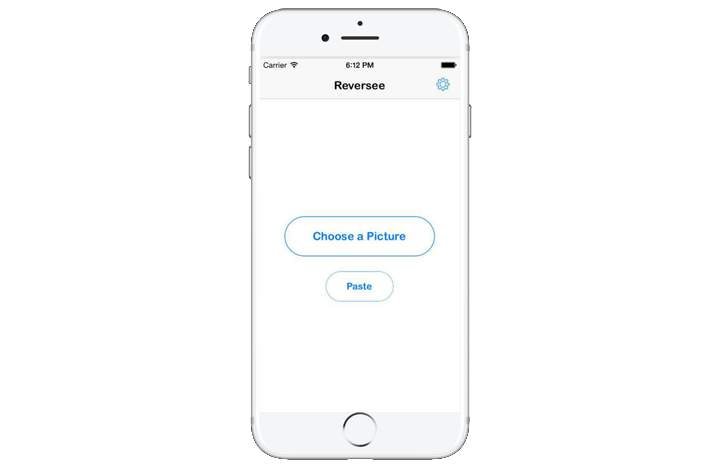
Reversee is an app that lets you edit images before using them to search Google for similar images. You can crop, rotate, and change the resolution of the uploaded image, in hopes of getting different results. Search results can be opened in various ways, be it in Safari or Chrome, and you can even add them to your Reading List or send them as an email. Images can be saved directly to the app, which can also work in conjunction with other apps. The pro version comes with a host of additional features, allowing you to automatically crop images, search multiple engines, and gather detailed info about the images that appear in your results.
Download now for:
iOS
Search By Image

Like Reversee, the apt-titled Search By Image app for Android lets you make simple edits to your images before using them for search purposes. It has every feature you would want in a reverse image search app, but it takes things one step further by also informing you if an image that appears in the search results is fake, has been altered, and how new the image is. Search By Image can also perform a search using part of an image, which can be particularly useful when using larger images, such as collages or pages from a comic or manga.
Download now for:
Android
Image Search

Image Search is a simple and straightforward app that allows you to upload the images to Google’s search engine, or a custom one. You can crop your images before using them, upload multiple images simultaneously, and share images from others apps. Previous updates to the app have improved the user interface and added new feature, such as the ability to upload images in the background and receive a notification when an upload has finished. It’s perfect for those that tend to multitask on their phone.
Download now for:
Android
 AIVAnet