


Sapphire phone displays are tough, but the realities are even tougher

Sapphire is the birthstone of September, the traditional gift on your 45th wedding anniversary and a material associated with both luxury and ruggedness. It can be found in opulent products like jewelry, camera lenses and fancy watches. Given that, it’s also one of the toughest materials in the world, which makes it ideal for military-grade items like aviation displays and even missiles. So when rumors emerged that a sapphire display may be featured on the next iPhone, a chorus of excitement followed. However, many phone manufacturers don’t share the same sense of optimism that Apple might hold toward this different kind of next-gen display.
Earlier this week, YouTube vlogger Marques Brownlee showed what appears to be a sapphire display for the next iPhone. While the use of sapphire won’t be confirmed (or denied) by Apple until the product is released, the idea that it would want to use the material in its next flagship smartphone isn’t too hard to believe: The company announced late last year that it partnered with leading sapphire producer GT Advanced Technologies to build a manufacturing facility in Arizona. And according to a report from 9to5mac, the deal included enough new equipment to make around 100 million to 200 million iPhone-sized displays per year.
There’s one major reason why manufacturers are looking into using sapphire displays: The material is strong. Very strong. Sapphire is about four times as tough as glass. Gorilla Glass, regularly found protecting current smartphone screens, fares pretty well against hard objects too, but in order to scratch sapphire, you’d need to find something higher than nine on the Mohs scale — a system of measurement used to rate mineral hardness from one to 10, with 10 being the highest. (For comparison, Gorilla Glass rates a seven; sandpaper is a nine; and diamond is a 10)
It’s no coincidence that existing sapphire display phones are incredibly expensive.
Using sapphire instead of glass for a smartphone display isn’t a groundbreaking concept. The material is already used in the (admittedly far smaller) protective glass covering the iPhone camera, as well as the 5s home button (for Touch ID); and luxury brands like Vertu, Savelli and TAG Heuer use sapphire displays in their existing phones. However, it’s no coincidence that existing sapphire display phones are incredibly expensive — manufacturing sapphire is time-intensive, limited by available quantity and very costly. The price of sapphire camera lens covers is 2.6 times higher than glass. On a large phone display, the difference in cost is even higher; last year, GT Advanced reps estimated the cost for a pane of Gorilla Glass at $3, while sapphire was around $30.
I reached out to multiple representatives from major smartphone players and while most companies I talked to had already researched and analyzed the possibility of using sapphire, their impressions were much more lukewarm than I expected. “The cost and supply aren’t where we’d like them to be for sapphire to be practical just yet,” said Ken Hong, Global Communications Director for LG. “Sapphire’s durability and scratch-resistance are certainly attractive, but Gorilla Glass isn’t going to be displaced anytime soon.”
“Right now, the cost doesn’t justify the nominal benefit of sapphire over Gorilla Glass”
There are plenty of other issues associated with sapphire. It’s heavier than Gorilla Glass and the material remains less transparent than glass, meaning it would be more difficult to see the screen unless manufacturers add a special coating to increase transparency. (Even then, it still wouldn’t be as good as glass.) Additionally, each representative I talked to confirmed that while sapphire is durable, it certainly isn’t unbreakable. In fact, the larger the display is, the more brittle it becomes; “The sapphire is too hard to withstand bending,” said a representative of a top-tier phone maker who also asked to remain anonymous. “It’s easier to break during drop tests when the size of sapphire increases.”

Another representative replied, “In a cost-benefit analysis, I doubt [using sapphire] makes sense, unless there is some perceived marketing advantage.” Despite the potential downfalls of using such a material, that’s exactly what Apple would be gunning for by using the display in the iPhone: marketing power. Sapphire’s got a solid reputation; if the new iPhone features the same material used in premium watches, necklaces and earrings, and the company can throw it in without raising the price to consumers, Apple has a great new way to distinguish itself from the competition.
Only large companies with enough resources and bargaining power will be able to secure enough sapphire for mass production.
Even if other phone makers wanted to use sapphire displays, it would be difficult for them to secure enough inventory due to a very limited supply — a problem that the iPhone maker has avoided. “Apple uses its massive cash hoard to fund big upfront commitments for key components,” said Jan Dawson, chief analyst at Jackdaw Research. “[It’s] something that almost every other OEM but Samsung will struggle to do.” In other words, only large companies with enough resources and bargaining power will be able to secure enough sapphire for mass production.
This doesn’t mean that sapphire displays won’t be embraced in the future; they might just come in a different form. We wouldn’t be too surprised if multiple hardware manufacturers decided to use the material on smartwatches for now, since the screens — and the number of devices to build — would be much smaller and thus more affordable than smartphones. (The Moto 360, for example, is rumored to have a sapphire screen.) Then, as supply goes up and production becomes more cost-efficient, more doors may open for phone makers who want to give sapphire a shot.
Filed under: Cellphones, Wireless, Mobile, Apple, LG

The United States Congress edits Wikipedia constantly

Members of the United States House of Representatives and Senate — or, more likely, their interns and aides — spend an awful lot of time editing Wikipedia entries. Not just entries about themselves, either: the list ranges from autobiographical changes to this crucial edit involving President Barack Obama shaking hands with a minotaur. We’ll spare you the obvious, “so that’s what the United States Congress spends its time on!” joke (or was that it?), and jump right to the credit. A new Twitter account named “congressedits,” set up by self-described “web developer/armchair activist” Ed Summers, scans for Wikipedia edits across a variety of IP addresses associated with Congress. Summers got the idea from a similar robot in the United Kingdom. Other versions have since sprouted in Canada and Sweden.
“There is an incredible yearning in this country and around the world for using technology to provide more transparency about our democracies,” Summers wrote on his blog this week. While the tracking hasn’t revealed any bombshells thus far, we’re all for free, easy ways to make our elected officials’ actions even a smidgen more transparent. Summers is hoping for more from the project than more transparent government. Here’s his “thought experiment” take on the project:
“Imagine if our elected representatives and their staffers logged in to Wikipedia, identified much like Dominic (a federal employee at the National Archives) and used their knowledge of the issues and local history to help make Wikipedia better? Perhaps in the process they enter into conversation in an article’s talk page, with a constituent, or political opponent and learn something from them, or perhaps compromise?”
High-minded and idyllic? Sure, but that’s how we like our internet-based political action.
[Image credit: Shutterstock]

Digg to pull from Twitter to make your news more social

Today’s Digg is a completely different beast from the one we used to know, and that’s thanks to a new team that basically brought the brand back from the dead. Before that resurrecting act though, those folks worked on a social news app called News.Me and now they’ve another stab at that old formula with a feature called Digg Deeper. Here’s the formula in a nutshell: in addition to employing humans to curate the best stories from across the web, Digg Deeper will mine your Twitter feed (and eventually other social streams) to find content appreciated by people you actually care about. Yeah, yeah, you’re right — that sounds really generic. The Digg team elaborated on its secret sauce just a bit in a blog post, noting that the amount of Twitter attention needed to bring a story to your attention in Digg Deeper is based on how many people you follow. Alas, you normals can’t take it for a spin just yet — it’s currently only open to a handful of old (and loyal) News.Me users for now.
Source: Digg Blog

NY attorney general sues to bar Lyft from the city

Lyft’s pink mustaches were all set to prowl New York City’s outer boroughs this week, but it seems that the city itself is having none of it: New York’s attorney general is pursuing a court order that will block the company from providing transportation services in Queens and Brooklyn. The lawsuit’s complaint closely echoes the concerns of the NYC Taxi and Limousine Commission, which labeled Lyft as “unauthorized” earlier this week for failing to comply with its safety and licensing requirements. It seems to be a matter of distinction — Lyft labels itself as a peer-to-peer transportation network, but the attorney general says its really a traditional taxi service, and as such, it needs to comply with local laws.
Developing…
Filed under: Transportation

Sonic Jump Fever bounces its free-to-play way to the Play Store

SEGA of America has recently released a follow-up title to Sonic Jump, the Sonic the Hedgehog themed vertical jumping game that was released back in 2012. The follow-up title, Sonic Jump Fever, ditches the paid app model and adopts the trending free-to-play model with an emphasis on leader-boards, competing against your friends for top slots, unlocking characters and upgrades.
Similar to its predecessor, Sonic Jump Fever has you bounce your way vertically through levels while avoiding and killing various badniks, rescuing animals that are locked up and collecting rings. You snag power ups on the way, such as a shield, and hit the red stars for a fast boost through a quick little ring bonus round that appears briefly.


 Sega did a good job at being very upfront about the in-app purchase model right from the get go, as you cans see in that first screenshot, and even tell you that you can disable them in your devices settings. They are also very upfront on the apps description in the Play Store about it not working with ART. So if you use ART, be sure to disable it before you try to jump through the game.
Being a free-to-play model you will quickly see where the money is made. Not only are their in-app purchase options, but there are also ads. However, the ads aren’t really terrible as they are a full-page pop up that happens on a different screen after every couple of rounds. Simply hit the ‘X’ and you are back to jumping. The ads can be disabled with your first purchase of items. Also, be prepared to jump free and clear for about 10 to 15 minutes at a time. There is a power bar that deletes with ever round played and when it is empty you will need to either wait a while for it to refill, ask a friend for some power, watch a couple of ads or spend some money.
For a free-to-play title though, it is pretty nicely done. The game play is fast and action packed. If spending money on IAP’s isn’t your thing, it should still prove to be a fun game to open and bounce through a few levels while you stand in line at the post office, or hide out in the bathroom at work. Feel free to snag it down below and give it a whirl.
//<![CDATA[
ord = window.ord || Math.floor(Math.random()*1E16);
document.write('’);
//]]>
The post Sonic Jump Fever bounces its free-to-play way to the Play Store appeared first on AndroidSPIN.
Sprint skips LG G3 pre-ordering today and jumps straight to selling it
Sprint originally had the new flagship LG G3 scheduled to launch on July 18th with pre-orders set to take place today, July 11th. That put them on par with the other three major carriers in the U.S. However, we just got word that they won’t be making that date. Instead, they are selling the device right now and skipping all the pre-order stuff altogether. The LG G3 is now available in stores, online and through telesales in black or the exclusive gold option.

Pricing is still the same, $199.99 on contract or $25 a month on the Sprint Easy Pay option. If you pick up a LG G3 between now and July 24th and register it by August 7th you should be eligible for a $150 Reward Card as well. So long as you register and keep your account in good standings for 45+ days.
Head over to a local Sprint store, or head to their website and get it going.
//<![CDATA[
ord = window.ord || Math.floor(Math.random()*1E16);
document.write('’);
//]]>
The post Sprint skips LG G3 pre-ordering today and jumps straight to selling it appeared first on AndroidSPIN.
Enable Android screen mirroring on your rooted device

Google just flipped the switch to allow Android screen mirroring to Chomecast for a few devices, but if you don’t have one currently supported, you’ve been pretty much out of luck.
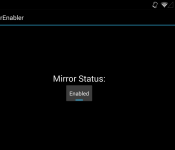
Thanks to r3pwn over at XDA Developers forum, through an experimental app, you can now enable the beta feature on your rooted device by installing an APK.
Devices the method is said to work with include:
- ASUS PadFone 2
- Droid RAZR MAXX HD
- Sony Xperia Z
- Sony Xperia Z1
- Sony Xperia Z2
- Sony Xperia ZL
- Sony Z Ultra
- HTC Droid DNA
- HTC One M8 (Including GPE)
- Motorola Moto X
- Motorola Moto G
- Samsung Note 8 Tab
- Samsung Note Pro 12.2 Tab
- Nexus 7 2012
- Oppo Find 7
- Oppo Find 7a
- OnePlus One
- LG GPad 8.3
- LG G2 Mini
- NVIDIA SHIELD
There have been mixed reports for the Samsung Galaxy SII and Galaxy Note 2. It’s “tested not working” with the HTC EVO 3D, Samsung Galaxy Nexus and most older devices.
r3pwn notes that you need to have the latest version of the Chromecast companion app installed, if you don’t have it you can download the APK here, root access on your Android device and Android KitKat (most likely at least 4.4.1). As with all sideloaded apps, make sure you enable the install of apps from “Unknown sources” under Security in Settings on your device.
Try it out and let us know in the comment section below if it works for you!
MirrorEnabler via XDA
The post Enable Android screen mirroring on your rooted device appeared first on AndroidGuys.
Accessory of the Day: OtterBox Defender case for Samsung Galaxy S4

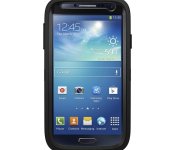
Protect your beloved Samsung Galaxy S4 with one of the best-selling cases around. OtterBox, a trusted name in this space, has a variety of models to choose from, but the Defender series is among the most popular.
Available in a number of colors, the Defender case provides shock absorption and protection against drops, scratches, bumps, and dust. Designed with a multiple layers of materials, the case also keeps your screen from getting scuffed up.
The post Accessory of the Day: OtterBox Defender case for Samsung Galaxy S4 appeared first on AndroidGuys.

What you need to know about Kickstarter, Indiegogo and the concept of crowdfunding

You have what you think is a cool idea, but you aren’t sure if you can convince investors about the sales potential of, say, a tiny monitor strapped to your face, or a watch that is also a computer. Besides, who are “investors” and how do you summon them from their secret offshore lairs to pass judgment on your notional widget? Wouldn’t it be easier if you could just put your idea on the internet, letting regular people who might be on your wavelength pledge directly to help get it done?
That’s what crowdfunding is about. Services like Kickstarter, Indiegogo, Patreon and others gather funds directly from buyers, to make potentially crazy ideas a reality. Crazy ideas like a salad… made with potatoes. But it’s not all free money and rampant innovation.
WHAT IS IT?
Crowdfunding sites allow project creators to post their ideas, with a certain timeline for completion, and a set monetary goal. For example, Oculus VR sought $250,000 over 30 days toward its goal of a development kit for its “Rift” 3D headset (it raised its goal in the first day, and finished with $2.4 million).
They all work a little differently. If a Kickstarter drive fails to reach the funding goal before the end of the (user-defined) fundraising period, nobody is charged and the fund drive fails. Indiegogo, however, allows creators to receive whatever money is pledged during a drive, even if it doesn’t meet the minimum funding goal. The Breathometer, a noteworthy Indiegogo success story, didn’t need to invoke that rule, as it well exceeded its $25,000 goal — but even if only one person had pledged $1 toward a breathalyzer for smartphones, that lone person would have been charged (and probably wouldn’t have received anything).
Patreon is set up for a different kind of funding altogether. Rather than pledging one-time payments toward a single goal, a Patreon drive seeks recurring pledges for an ongoing project. Project creators can ask for monetary contributions per video, per article, per month or per whatever unit makes sense for their project. Naturally, then, the service is popular among YouTube video creators — in fact, it was co-founded by Jack Conte of the band Pomplamoose, best known for their YouTube presence. Both Conte and his bandmate Nataly Dawn use the service to fund their own music videos. Here’s an especially crazy one:
HOW DOES IT WORK?
Creators design their projects and post them publicly, usually with a nice video, an explanation of the project and some of the risks inherent to the project (a requirement in Kickstarter’s case, so backers can judge whether this person might be able to overcome said risks!)
Every project also has a list of rewards — what you get for putting in different amounts of money. This is entirely up to the creator. Of course, with almost all projects, “the thing you’re crowdfunding” is one of those rewards. But there are also fancier variants of the thing, or personalized things, or T-shirts, or making-of books, or whatever you can think of that might incentivize someone to hand over their money. Patreon rewards are usually serialized like the fund drives are, so rewards tend to be digital and include backer-only newsletters, chats with the project creators and early access to releases.
WHY SHOULD I CARE?
It’s likely you participate in the world’s economy in some way, both as a consumer and a producer, and crowdfunding has implications for both. In simpler terms, it’s a new way to buy stuff, and to sell stuff.
For producers, it’s a way for products or projects to exist that would not be able to before, and without as much costly infrastructure. You want to make an album, book, device or whatever, and so you ask for exactly as much as that costs (plus the costs of whatever rewards you’re offering, as well as shipping, and you might consider throwing a tiny bit of profit in to make all this work worthwhile); if you get enough money, you make it and everyone who wanted it gets one. Now you have enough money to produce a run for direct sale!
For consumers, it means all kinds of new things are coming out that wouldn’t have before, and you can take a more direct role in making that happen. Classic styles of video games from veteran creators are coming back left and right in the post-Double Fine world — everything from Wasteland 2 to Shadowrun Returns to the PlayStation 2 music game Amplitude. Young entrepreneurs are getting their own inventions made.
Companies big and small are able to just put an idea out there and see how viable the world thinks it is. In broad terms: If it’s worthy (and happens to get enough attention), the money will probably arrive.
To return to the world of video games, the developer Die Gute Fabrik launched a Kickstarter for its game Sportsfriends, a collection of four weird sports games for people to play with friends. Without online multiplayer, and in the case of the included game Johann Sebastian Joust (seen below), with no interaction with the TV screen, it seemed like a tough sell for game consoles. But publisher Sony and Die Gute Fabrik raised their $150,000 goal on Kickstarter, providing incontrovertible, numerical proof of interest. Now Sportsfriends is available on PlayStation 3 and 4.

Wing Commander creator Chris Roberts and his Roberts Space Industries launched a multi-tiered crowdfunding effort aimed at making Star Citizen a fully fan-funded game with a major publisher-tier budget. A combination of Kickstarter and the WordPress IgnitionDeck plugin allowed RSI to continue seeking stretch goals in perpetuity, as it approaches $48 million in funding. You can pledge funds to get in-game items like really, really expensive virtual spaceships.
And, thanks to Patreon, fans can directly support their favorite artists, allowing struggling freelance writers and creators to more easily create their art regularly. Full disclosure here: My own hand-held gaming news site, Tiny Cartridge, is Patreon-supported, allowing me to supplement my income with a writing gig I can do while my toddlers sleep.
HOW MUCH DOES IT COST?
If you’re backing someone else’s project, of course, the costs are completely defined by the project. Creators set their prices for each reward level, ranging from a dollar for a “thank you” or a credit on a special page, to thousands of dollars for commemorative T-shirts, posters and a personal dinner meeting with the creators — plus the actual item you’re crowdfunding, of course. People who put in an astounding $10,000 for the Double Fine Adventure Kickstarter drive got “lunch with [developers] Tim Schafer and Ron Gilbert, a tour of the Double Fine offices and all previous reward tiers” including original art used in the game, portraits of themselves, a signed hardcover book, a poster, a boxed copy of the game and a documentary.
Impossible to imagine someone sinking $10,000 into a single video game? Four people did that.

If you’re trying to get your own project going, there are some costs beyond, you know, what it costs to make the thing. The crowdfunding services all take a percentage of the total: Kickstarter takes 5 percent; Indiegogo takes 4 percent (if your project hits its goal; 9 percent otherwise — it’s complicated); and Patreon takes 5 percent of every monthly take. In addition to that, you lose a percentage of your total to credit card fees (Kickstarter and Indiegogo take 3-5 percent depending on country, and Patreon takes “an approximate 4 percent.”)
WHAT’S AT STAKE?
A few billion dollars, no big deal. Kickstarter, by far the most popular crowdfunding service, has seen over $1.2 billion pledged to its projects to date. Patreon creators have gotten more than $1 million through the service in just over a year.
WHAT’S THE ARGUMENT?
A great way to get lots of visibility for your nonexistent project is… also a great way to get a bunch of money from people and run. Crowdfunding backers can quickly learn what “professional” investors already know, which is that even if something has appropriate funding, it might not happen for any number of reasons. The ease of access of crowdfunding (you go to a website) means you’re likely to run into amateurs. It may not be immediately apparent who has the know-how to actually finish a project, and who is just a kid with a cool, but impossible, idea.

It may be that someone didn’t realize how much shipping would cost on all those T-shirts they offered as incentives. Or that the item they dreamed of making just wouldn’t work. To see what happens when a Kickstarter doesn’t work out, check this article about the programming-education game Code Hero, and this update for the comic Sad Pictures for Children in which the creator explains at length why he decided to just stop shipping stuff out. There’s a happy ending for those Sad Pictures, at least, as Cards Against Humanity‘s Max Temkin has stepped in to take over fulfillment.
And those are all projects that were seemingly started in good faith. Kickstarter screens projects for potential fraud, and creators are required by law to fulfill their promised rewards or refund their backers, but there’s always going to be an element of risk in putting your money down for something that does not yet exist. Really, think of it as betting that it will someday exist.
WANT TO KNOW MORE?
Kickstarter, Patreon and Indiegogo are all eminently browsable, with lists of current funding drives in various categories. There’s even a Kickstarter film festival featuring crowdfunded films, and a collection of games made possible by the service.
But real talk: You want to see some really embarrassing crowdfunding drives, right? Well, that’s what Kickfailure is for.
[Image credit: Shutterstock (Cash); Kickstarter (Oculus VR, Double Fine, Code Hero); YouTube (Pedals); Die Gute Fabrik (Sportsfriends)]
JC Fletcher is a freelance writer from Austin, Texas. When not spending time with his twin toddlers, he runs the hand-held gaming site Tiny Cartridge.

Two weeks with PulseOn’s heart-rate monitoring wearable

Heart-rate monitoring chest straps won’t be with us for much longer, as wrist-worn devices are offering optical sensors that do exactly the same job. PulseOn is the latest, and having spun out of Nokia back in 2012, is now offering its first entry into the market, the, uh, PulseOn. Confusing nomenclature aside, the company is now accepting pre-orders through Indiegogo, which was used to help raise awareness as well as cash for the small outfit. We’ve spent some time with the first model to roll off the production line, so if you’re curious if it’s worth splashing $170 out on one, read on.
Open the box and the first thing you’ll notice is how small the actual hardware is, the chunky bezel actually makes it appear a lot bigger than it is around your wrist. The PulseOn has a knitted elastic strap which is either cheap or elegant, and looks like the sort of thing a diver would wear on their off-days. Despite this, the watch isn’t waterproof beyond being able to resist a meter’s worth of the stuff.

The other striking hardware feature is how the PulseOn charges. You need to connect the PulseOn to a microUSB-connected bulldog clip, ensuring that the two exposed electrodes on the clip match up perfectly with the corresponding points on the watch. It’s pleasingly different, which I have to commend, but that doesn’t make it an easy thing to use on a day-to-day basis, and if you found the original Pebble’s magnetic charger to be a tad frustrating, you may feel similarly here.
There are two buttons, one on each side, and unfortunately the control system is a tad on the opaque side. More than a few days in and we were still referencing the manual to work out which set of timed button presses got the hardware to do what we wanted. For instance, it’s a five-second press on the right key to activate and a seven-second press to turn it off again. Entering sport mode requires you to double-hit the left button, something we’ve not yet managed to get the knack of properly.
Once you’ve overcome this, however, life becomes reasonably easy. It’ll monitor your vital signs accurately when you take it out for a run. The only downside is that it’s almost useless without your phone riding shotgun. As much as it’s possible to use this hardware as a watch — albeit not that enjoyable — it’s really more specifically something designed as something you’d pull out of a drawer when you’re off on a run.

So, is it worth it? The problem is that the PulseOn sits in an awkward zone — well below fully featured alternatives, but also so far above casual wearables that it’s tough to recommend. The hardware’s really only designed for run tracking, but since it leverages your phone, what you’re really paying for is the sensor. If you’re a hardcore runner who is trying to up your fitness level and track your recovery time, then perhaps there’s some interest, but if you are that dedicated, why not just spend that little bit extra on dedicated hardware?
Source: Indiegogo
 AIVAnet