



LG G3 is now available from Sprint and AT&T

LG G3 is one of the best phones this year, thus far at least. It sports a beautiful 5.5″ QHD screen along with a Snapdragon 801 chip, 3GB of RAM and a great 13MP OIS+ camera on the back alongside a laser autofocus sensor. AT&T was supposed to be the first U.S. carrier to offer this phone, but it appears they’re not alone.
Sprint is offering the device as well, even though that was supposed to happen on July 18, but they are ahead of schedule I guess. Pricing is rather similar on both carriers. As far as AT&T goes you can get the phone for $199 with a two-year contract or for as low as $24.17 per month for zero down if you opt for AT&T’s Next Installment plan. Sprint on the other hand has monthly Easy Pay installment plan which can get you the phone for $0 down and $25 per month or you can opt for $199 with a two-year contract agreement. If you want to get the Shine Gold color LG G3, you’ll have to opt for Sprint.
If you’re interested in getting this phone we’re sure you’ll find a suitable solution with one of these two carriers. You can find direct links below. Do you plan to get the G3? Did you get one already?
The post LG G3 is now available from Sprint and AT&T appeared first on AndroidGuys.

I paid to unlock my phone and you should too

Recently, I became the new owner of a Moto X; however, here was a giant hoop I had to get over first before I could claim it as my own. I received a beautiful 32GB white Moto X that was locked to AT&T’s network. This is all fine and dandy for a prospective AT&T customer – which I am not. Rather, I am a happy T-Mobile user and I plan to stay that way until I move to a location where T-Mobile’s service doesn’t fit my needs.
First steps
My first move was to contact Motorola. I knew it was a long shot, but if it worked, I could walk away with a functioning rootable phone. The AT&T variant of the Moto X has a long, complicated and dangerous method to achieve root. Unfortunately, that is a story for another article. The unlocked variant of the Moto X has a simple three step process to earn root. I contacted Motorola, advising I was sent the wrong phone. The conversation (understandably) didn’t end pretty for me and I might have known better. They refused to trade out the models for me, which I understand why, and kept redirecting me to AT&T telling me to get them to unlock it. I took a chance, called AT&T and told them my story hoping for a lenient representative who might help me out.
And then…
I called three times and waited on hold for about 40 minutes each time. Each of these calls, I told the representative that I had an AT&T Moto X from a friend and I wanted to use it on T-Mobile’s network. They would reply by reading off the screen a script that told me that they wouldn’t release the subsidy/unlock code unless I was a current or previous customer. After I told them that I was not and never had been an AT&T customer, they tried to redirect me to Motorola telling me that only Motorola can unlock my phone as I am not an AT&T customer. I knew that this was false and that Motorola couldn’t do anything about it, but I called Motorola anyways. As you can guess, that conversation was a flop and I didn’t get anything out of it.
Let’s try again…
I had one more trick up my sleeve. I called AT&T (from a different number this time) and told them that I was an AT&T customer. I gave them a family members’s credentials in a final desperate attempt to get this Moto X unlocked. This was met by information that the device was never used on their network so that it couldn’t be unlocked. I would have to activate it and use the device on AT&T’s network for a good while before they would release the subsidy code to me. In other words they want you to use the device with them until it is no longer worth keeping before letting me walk away with it.
Pay the piper
I gave up. Half a day was wasted and I had nothing to show for it. I ran to the XDA forums to find a solution. I found various unlock sites that would charge me anywhere from $12 to $32. I chose the cheapest service which also gave me the slowest estimated return time (1-2 weeks) but I was no longer in a hurry to get my device unlocked. Much to my surprise, I was emailed back 15 minutes later with two subsidy codes to unlock my phone! I popped in my T-Mobile SIM card and was rewarded with my first LTE phone.
I gave up an entire day of my life in a pitiful attempt to save myself $12. In essence this cost me two hours of work at minimum wage. Paying $12 up front would have also saved me 5+ hours of upsetting phone calls.
If you are on a GSM network and buy a phone that is locked to a different GSM network, it is easier to just shell out the $12 and save yourself the headache and the time. It is easier on you and it is easier on your lifespan.
My suggestion to you is to consider some of the paid options before getting to deeply involved in the process of unlocking. This is especially true if you’ve got some time to spare or are not in a big hurry.
The post I paid to unlock my phone and you should too appeared first on AndroidGuys.

Samsung cuts ties with factory following child labor findings

Samsung has announced that it has suspended dealings with one of its manufacturing partners after an activist organization found “serious and persistent” labor violations at a facility in China. China Labor Watch investigated Dongyang Shinyang Electronics and found multiple instances where at least three underage girls were hired to work 12-hour shifts making parts for Samsung’s phones. The report also alleges more widespread issues at the factory, including a lack of safety training or equipment, refusing to hire male workers and forcing employees to work up to 120 hours of overtime — more than three times the legal limit.
Samsung has issued a public statement saying that it will no longer source parts from the factory pending a full investigation. For its part, Dongyang Shinyang claims that a local employment agency is responsible for hiring its personnel, and would have intervened if they “had any idea what was going on.” For now, however, Chinese authorities are involved, and if the claims are found to be true, then Samsung will sever ties with its former partner for good.
[Image credit: China Labor Watch]
Filed under: Cellphones, Samsung
Source: China Labor Watch (.PDF), Samsung Tomorrow

In Pictures: The spectacle of the ‘Supermoon’

The term “supermoon” is one borrowed from astrology. Scientists would prefer to call the phenomenon a perigee moon, or perigee-syzygy of the Earth-Moon-Sun system. In lay terms, it’s when a full moon coincides with its closest approach to Earth. There was one this weekend, which caught the attention of photographers and casual observers around the globe. Some highlights of which are in the gallery below.
Filed under: Science

120 Sports brings its new online network to Android

Just as it promised, 120 Sports has now made its debut on Google’s mobile platform. With today’s Android arrival, this MLB-, Time Inc.-backed online network, which hopes to be the internet’s ESPN, marks its first expansion outside of iOS and the web since launching last month. In case you’re not familiar, 120 Sports offers live sports coverage every day, doing so in two-minute clips which can be enjoyed in real-time or on-demand. The app itself looks and feels pretty smooth, both on iOS and Android, focusing on detailed imagery and content that’s easily accessible via a simple tap. “As we go to Android, we’re looking to grow our audience base there and continue to expand our programming,” 120 Sports President Jason Coyle said to Engadget, adding that he’s really excited for what’s to come next for the young network.
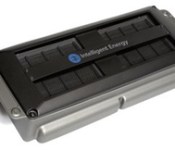
Apple Said to Be Working with Intelligent Energy on Fuel Cell Technology for Portable Devices
 Fuel cell firm Intelligent Energy may be partnering with Apple to introduce fuel cell technology into future MacBooks and other mobile devices claims a report in The Daily Mail. While the tabloid does not have a strong rumor track record, fuel cells have long been discussed as a possible energy source for portable electronics and there are a few interesting pieces of information linked to the report.
Intelligent Energy recently revealed it purchased patents for mobile fuel cell technology from Eveready in association with a major international electronics company. Though the partner company is not revealed in any public filings, the Daily Mail‘s sources claim the mystery company is Apple.
Intelligent Energy revealed upon floating that it bought a bundle of patents in tandem with a major ‘international electronics company’.
It has kept the identity of its partner a closely-guarded secret. But a source, who has knowledge of the partnership, confirmed that Apple is the big name working with the Loughborough-based firm.
Intelligent Energy already has ties to Apple, hiring former Apple executive Joe O’Sullivan to serve as its Chief Operating Officer in late 2011. O’Sullivan spent 15 years in operations at Apple, and managed the introduction of the original iMac.
Apple is no stranger to fuel cell technology, filing a pair of patents in 2010 and 2011 that describe the use of the technology in portable computing devices. The Cupertino company also uses fuel cells on a large scale to help power its corporate headquarters and its Maiden, North Carolina data center.

iPad Implicated in Pediatric Rashes Diagnosed as Nickel Allergies
Apple’s iPad may be the cause of unexplained allergic rashes in children, reports The Washington Post, which cites a case study of an 11-year-old boy that was published in Pediatrics medical journal.

The Pediatrics article focuses on an 11-year-old boy who may be allergic to the nickel used in the casing of the tablet device. Following the increasing use of an iPad, the patient developed a rash that would not respond to conventional treatment.
His skin tested positive for nickel, one of the most common allergy-inducing metals, and doctors traced it back to an iPad he had used with increasing frequency the past six months. The iPad tested positive for nickel as well, according to the report.
Doctors advised the boy to use a Smart Case that covers the entire outer surface of the tablet. Similar to other reports of electronic device-induced rashes, the boy’s skin condition improved significantly when he started using a case that prevented direct contact with the device.
As noted by the Associated Press, nickel allergies in children appear to be on the rise, with 25 percent of those receiving skin tests testing positive for nickel allergies, up from 17 percent a decade ago.
This iPad isn’t the only device implicated in skin rashes. Earlier this year, Fitbit voluntarily recalled its Force fitness tracker after a growing number of users developed contact dermatitis from wearing the band. The rash was originally attributed to nickel in the charging port of the band, but that metal may not be involved as many users covered the nickel-containing port with tape and continued to experience a rash.

Report: Samsung to launch Galaxy Alpha (AKA Galaxy F, S5 Prime) against iPhone

Samsung will debut its long rumored Galaxy S5 Prime later this fall and take on Apple and it’s next-gen iPhone, reports the Korean media. Slated to arrive in August, the device also known as a Galaxy Alpha, is the aluminum/metal premium we’ve heard about for months. Expected to fill the gap between the Galaxy S and the Galaxy Note lines, it could be part of Samsung’s IFA announcements. We should look for some more concrete details to surface in the coming weeks; Samsung historically hosts its own Unpacked events around the larger conference.
Via GforGames
The post Report: Samsung to launch Galaxy Alpha (AKA Galaxy F, S5 Prime) against iPhone appeared first on AndroidGuys.

MakerBot 3D printers now available in a dozen Home Depot stores

The Home Depot’s core business revolves around helping you craft things, so it stands to reason that you’d eventually find 3D printers there, doesn’t it? Sure enough, that’s what’s happening today. You can now buy MakerBot’s Replicator line at both the retailer’s online store as well as a dozen brick-and-mortar locations spread across California, the greater Chicago area and New York City. In addition to hosting elaborate kiosks like the one you see here, shops will have staff on hand to both demonstrate 3D printing and give you keepsakes in hopes of clinching a sale down the road. It’s tough to know if the Home Depot’s gamble will pay off — at last check, most people don’t expect to find printers sitting alongside doorknobs and drill sets. If nothing else, it shows that the technology has a market outside of office supply stores and other places you might associate with run-of-the-mill 2D printing.
Filed under: Peripherals
Source: The Home Depot, MakerBot (PDF)

What you need to know about 3D motion capture

Close your eyes and go back… back in time. Picture Jar Jar Binks or Polar Express, movies that put the “Uncanny Valley” on the map. I know these aren’t pleasant memories, but new technology like motion capture (mocap) can be… awkward in its youth. Now, let’s forget all that and move forward to a time when the tech started hitting its stride — from Lord of the Rings’ Gollum to Avatar to The Avengers’ Hulk. And let’s not forget games — The Last of Us has some of the best mocap done in any medium and Electronic Arts has used the technique since Madden NFL ’94. But what is mocap, exactly, and how is it done? Will it ever replace live actors or put 3D animators out of business? To answer all that, let’s head back in time 100 years.
WHAT IS IT?
You probably get that motion capture involves performers prancing around in tights that have ping-pong balls attached. But what the heck is going on, exactly? Simple: The producers of a game or film want to transmit the complex motion of the performer’s body (and face) to an animated character. The process doesn’t even need a computer. Animator Max Fleischer invented “rotoscoping” in 1914, a method of creating cartoons like Out of the Inkwell by tracing live-action footage, frame by tedious frame. The first use of rotoscoping in a feature film was in Disney’s Snow White and the Seven Dwarfs from 1937.

Even when animators are creating character movements by hand, they often reference video footage, study someone acting out a scene or even look at themselves in a mirror. Creating digital animation by hand is known as “keyframing” — or filling in the movement of a character between different “keyframe” poses over time.

To automate that process, animators looked to motion capture. Bio-kinetic researchers like Simon Fraser University’s Tom Calvert were breaking new ground with mechanical capture suits. One company created “Waldo” face and body capture devices (shown above), used by an actor to drive a Nintendo Mario avatar who interacted with crowds at tradeshows. Meanwhile, the Massachusetts Institute of Technology developed its LED-based “graphical marionette“: one of the first optical motion tracking systems. An early animation exploiting that tech is the infamous, creepy Dozo music video from pioneering firm Kleiser-Walczak (seen below).
Early on, mocap was a studio-only process where tight-suited actors were alone in barren sets surrounded by special cameras and lights. Avatar introduced “performance capture,” that added multiple performers, facial expressions and lip movement. Games like L.A. Noire also drastically improved realism by combining facial and full-body capture. Lord of the Rings, meanwhile, brought mocap out of the studio and onto the set, allowing pioneering mocap actor Andy Serkis to interact with other actors as Gollum. On-set performance capture (including the face) is now the norm for feature films with digital characters, as seen below in Dawn of the Planet of the Apes (yes, that’s Serkis again — he’s pretty popular).

HOW DOES IT WORK?
Motion capture transfers the movement of an actor to a digital character. Systems that use tracking cameras (with or without markers) can be referred to as “optical,” while systems that measure inertia or mechanical motion are “non-optical.” An example of the latter is XSens MVN inertial capture suit worn by Seth Rogan playing the alien in Paul. Other tech has emerged lately, like Leap Motion’s finger-tracking depth camera system and MYO’s wristbands, that detect muscle activity in the hands and wrists. Project Tango from Google is being used mostly for mapping, but with Kinect-like depth sensors, also has the potential for mocap.
Optical systems work by tracking position markers or features in 3D and assembling the data into an approximation of the actor’s motion. Active systems use markers that light up or blink distinctively, while passive systems use inert objects like white balls or just painted dots (the latter is often used for face capture). Markerless systems use algorithms from match-moving software to track distinctive features, like an actor’s clothing or nose, instead of markers. Once captured, motion is then mapped onto a virtual “skeleton” of the animated character using software like Autodesk’s MotionBuilder. The result? Animated characters that move like real-life performers.
It’s difficult to predict how an actor’s movement will translate to an animated character, so “virtual cinemetography,” developed by James Cameron for Avatar, is often used. In a nutshell, that shows the digital character moving with the actor in real time — on a virtual set — so the director can see a rough version of the “performance.” That involves plenty of math, but computers and graphics cards are now fast enough to pull it off. The video below from Weta Digital for The Hobbit: Desolation of Smaug illustrates the process.
HOW MUCH DOES IT COST?
Nothing to do with 3D animation is cheap, motion capture included. But, like anything digital, prices have come way down as of late. On the low end of the scale, you or I can do markerless motion capture at home with a Kinect and iPi Motion Capture software for $295. On the other end of the scale, EA’s new Capture Lab (pictured below) covers 18,000 square feet, and uses the latest Vicon Blade mocap software and 132 Vicon cameras. We don’t know exactly how much that cost them, but a two camera Vicon system with one software license is $12,500. (Bear in mind that you’ll also need software like MotionBuilder to map the capture data to a character, which runs about $4,200 per seat.) Despite those prices, doing motion capture reportedly costs anywhere from a quarter to half as much as keyframe animation, and results in more lifelike animation.

WHAT’S THE ARGUMENT?
Lifelike? Meh. Lots of folks hate mocap, plain and simple. If you’re one of them, it’s hard to beat classic Nintendo-style games and old-school, hand-animated cartoons like Spirited Away or Warner Bros. Loony Toons. Those were done by animation giants like Chuck Jones and Hayao Miyazaki, who applied an artistic sensibility — and thousands of hours of hand-drawn animation — to create memorable characters. Though Andy Serkis’ mocap performance is indelibly etched into Gollum’s schizo character, considerable work was done by keyframe animators to improve the character. Serkis, however, famously took full credit and called the animators’ jobs “digital makeup.”
For producers, motion capture might be a tempting way to save money. But most of the time, mocap data isn’t ready to be used “out-of-the-box,” and often requires considerable (expensive) cleanup. The end result may also not be what producers expect. When animation movement is almost, but not quite human-like, then you’re in Uncanny Valley territory and risk repulsing your audience. By contrast, we recently saw a video game called Cuphead (below) that charmed us using ’30s style, hand-made animations.
Yet, motion capture has its place. Modern video games demand realistic character movement to ratchet up the realism. Mocap cinema characters like LOTR‘s Gollum, Captain Davy Jones from Pirates of the Caribbean and Benedict Cumberbatch’s Smaug have all become classics, thanks in part to the actors who portrayed them. And that’s the essence of mocap, isn’t it? The best way to get a memorable digital character is from an equally memorable performance by a talented, larger-than-life performer.
WANT EVEN MORE?

Are you looking to get into 3D animation and/or motion capture? There’s lots of free stuff! Autodesk will let you try most of its programs without restrictions free for 30 days (students get it free for three years) — MotionBuilder and Maya or 3DS Max is a good place to start. Autodesk also has plenty of tutorials and tips in its Area section. If you have a couple of Sony PS Eye cams or a Kinect lying around, you can also play with a free trial from Ipisoft. To skip that part and try motion files that have already been captured, Carnegie Melon University has thousands of them here, and you can use a viewer like this to preview them. If you’re just a fan of 3D and mocap porn, you can check the sites for digital effects and gaming shops like Weta digital, EA’s Capture Lab, Digital Domain and of course, Industrial Light & Magic.
[Image credits: Disney Studios/JamieLeto/Reddit (Snow White rotoscoping), The Character Shop (Waldo suit), Chernin Entertainment/20th Century Fox (Serkis in Dawn of the Planet of the Apes), EA Capture Lab (studio, dog)]
Filed under: Cameras, Gaming, Home Entertainment, Software
 AIVAnet
