


Find your perfect CM11 system theme

Ever since CyanogenMod 11 was released, including the new Theme Showcase, many developers have been frantically trying to design, create, and release their versions to the Play Store. After the announcement of Android L, there was a massive influx of new CM11 themes featuring the notification panel of L, as well as the beautiful keyboard. However, now that the hype from Android L has been stemmed for now, new and different themes are coming out of the woodworks, and bringing the excitement of customization back.
Kreatur UI by Nikolai Prettner
Kreatur UI is one the most recent CM11 theme that I’ve downloaded to my device, and it’s one that I will probably always keep switching between due to how elaborate it is. Developed by Nikolai Prettner, Kreatur is just one of many that have been released to the Play Store by Screenlicious. Kreatur features a dark theme with green accents across the whole theme.

When applying Kreatur through the Theme Chooser settings panel, Nikolai has included the ability to the theme the system UI, wallpapers, fonts, ringtones, notifications, and alarms. The navigation buttons on my HTC One M8, are themed to match the HTC Sense navigation buttons, and create a nice feeling, from the start. In the status bar, the Wi-Fi, Battery Indicator, and Time are all themed in the dark-ish green, that is found throughout all of Kreatur. Pulling down the Notification bar, you can toggle between your quick toggles and your notifications through the little contact image, that is also green.

When switching to your Quick Toggles panel, the normal panel icons are green as well. However, if you toggle something on and off, like Rotation Lock, when not toggled the icon will be black, until you toggle the option on again. In the settings, the entire panel is black with the text in white, and the icons next to labels, in green. As you can see in the screenshot above, the Wi-Fi, Bluetooth, and Mobile Networks have themed toggles, and similar to the quick toggles panel, they are green when switched on, and dark grey when switched off.

As for the keyboard, the green/black/grey theme is found as well, with the keyboard background being black, and the keys being the dark grey. the caps lock, voice dictation, smiley face, and delete button, are all themed in the same green that is found throughout. The spacebar with Kreatur was the one thing that surprised me the most for some reason. The entire spacebar is green. I thought that was a nice touch, just to pull the theme all the way together, but also differentiate the spacebar from the rest of the keyboard.
Kreatur UI is available on the Play Store for $1.05 via the Play Store widget below.
L Dark for CM11/PA by Yackovsky
Just about everyone I know went through the Android L phase a few weeks back, and to be honest, at that point I didn’t even CM11 themes were available. Well as always Jacek Malinowski saved the day, by releasing the standard version to the Play Store, so that everyone could get their Android L fix. A little while ago, Jacek was at it again, but this time, he released an Android L Dark CM 11 theme to the Play Store. Since I don’t normally like bright and vibrant themes, I jumped at the chance to pick this up.

Jacek thought of everything, from the wallpaper to the keyboard, including the notification center and settings panel. Everything is themed in the style of Android L, but with a dark tint to it. The only Android L feature that wasn’t included in this CM 11 theme, were the icons for the navigation bar, that many are fond of, from the Developer Preview.

The notification center was what excited me the most, because it looks just like the notification center from the Android L actual OS. Considering the fact that I’m running Android L on my Nexus 5, I was able to compare and contrast most of these CM 11 Android L themes, but went with the Yackovsky version, for obvious reason. Even the Quick Toggles look just like the ones from the Developer Preview, and the fact that Jacek was able to put so much detail into just a theme, was amazing.

Now the Settings app was where this theme was a little different than the standard Android L theme that Jacek released on the Play Store. While the header at the top of the Settings app is still themed to go along with the rest of the theme, the Settings panel itself, is a bit different. The toggles for Wi-Fi, Bluetooth, and Mobile Networks, when turned on, are a yellow color, and when turned off, are black. Being a Baltimore Ravens fan, I was a little upset about the black and yellow theme, but I won’t hold it against Jacek.

The rest of the theme is just about perfect, and while the navigation buttons were a little bothersome at first, I ended up getting over it, and just using the classic Android ones. There are two version on the Play Store for the Android L Dark theme. While there are no differences between the two versions, one is free, and the other is $1.63. I’ve linked to the free version below, but if you’d like to donate to the Yackovsky cause, you can do so via the same widget below.
Flux – CM11 Theme by giannisgx89
Flux was one of the first CM11 themes that I saw on the Play Store, and that was really before I even knew about the CM 11 themes in general. Giannisgx89, also known as John Xionidis, released Flux, and after seeing what it was all about, was really the deciding factor in my decision to try out CM on my HTC One M8.

Flux is a mixture of flat icons, with shadows in certain areas. For example, the lock screen ring is just a basic white ring, but there is a shadow that comes off of the lock itself, that adds depth. That same depth can be found throughout the entire theme. Just about everything you can think of, within the Android System, is themed with Flux. The Notification center, the icons on your device, even the dialer and even the individual keys on the keyboard are rounded and slightly themed.

While with Kreatur and L Dark the notification toggles are still the tiles that you are accustomed to seeing, however, with Flux, they are circular icons, with shadows on them. The main color found throughout Flux is a nice shade of blue, but when you are using the Settings application, each specific icon is a different color. Each icon still has the shadow attached to it, but John really went the extra mile with this one.

Flux is available on the Play Store, via the widget below, for $1.75.
Empire CM11 by DrumDestroyer
The final theme today, is also probably the most elaborate one featured today. Last month DrumDestroyer released an icon pack by the name of Empire, and these icons were something a little bit different. The apps that were themed, didn’t always feature the colors that you were accustomed to seeing, while using a more unique color palette, than had been used before.

Last week, DrumDestroyer released the Empire CM 11 theme to the world on the Play Store. The same palette of colors can be found at every turn, but DrumDestroyer took it one step further. Some applications, like Hangouts, were themed as well. This was something that I was absolutely blown away by, because of the fact that I didn’t think it was possible to do.

Now, while Hangouts is themed, there is a separate APK that is available via the Play Store link below, which gives you an Empire themed Hangouts, the way that DrumDestroyer intended it to be. DrumDestroyer even went so far as to theme the Play Store in the same style as Empire. Something else that was unexpected included in the release of the Empire CM 11 Theme, were the Empire icons. All of the applicable icons that are found in the Empire icon pack, are themed within the Empire CM 11 theme.

When you look at the navigation bar, DrumDestoryer created a modified set of navigation icons, with a little blue accent to the bottom of the icon. Most of the system applications, like the stock calendar application, are themed as well. The theme literally spreads as far as DrumDestroyer could reach, and this was because he couldn’t find any other CM 11 theme that he liked to go along with the Empire icon pack that was released. There are even Empire Zooper widgets available in the Play Store if you want to complete the circle and have an Empire 11 themed device.
The Empire 11 CM Theme from DrumDestroyer is available via the Play Store widget below, for only $.99.
These are just a few of the latest themes to make their way onto the Play Store. While there are more and more being released every day, AndroidGuys will be bringing more of these overviews to everyone to check out.
What CM11 Themes are you using? Let us know your favorites in the comments below.
The post Find your perfect CM11 system theme appeared first on AndroidGuys.

Amazon debuts all-you-can-read Kindle Unlimited plan

The new service features access to more than 600,000 books and thousand of audiobooks
Amazon on Friday debuted a new Kindle Unlimited subscription service which allows access to more than 600,000 titles and thousands of audiobooks. Priced at $9.99 per month, the service includes such popular books series as The Lord of the Rings, Harry Potter, and The Hunger Games.
While the library is a great start it is nowhere the breadth of the full Kindle store; the same goes for the audiobooks through Audible. For a limited time, Amazon will toss in three months of access to Audible’s full library when signing up to Kindle Unlimited. And, for those shy about coughing up ten bucks on a new service, you can sign up for the 30-day free trial.
The post Amazon debuts all-you-can-read Kindle Unlimited plan appeared first on AndroidGuys.
ASUS Transformer Pad TF103C review: a speedy budget tablet with a few sacrifices

When it comes to ASUS, buying a full-size Android tablet has usually meant venturing past the $300 mark; even the Transformer Book T100 set you back $349 when it first came out, and that was considered a steal. That’s no longer a problem in 2014. ASUS’ new Transformer Pad TF103C costs $299 with the company’s signature keyboard dock included, or as much as some smaller mid-range slates. While that’s potentially a hefty bargain, it begs a few questions: Just what are you giving up to get that price? And is it worth the trade-off when you could likely snag a smaller, but more powerful tablet for less? As I’ve learned, you’re making quite a few sacrifices in the name of a better deal. This is still quality hardware, but you have to know what you’re in for.
Hardware
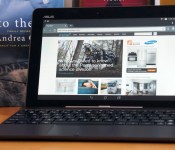
Don’t expect a revolution on the outside. Aside from the smooth matte finish on the non-removable back and some cosmetic tweaks to the speaker grilles, the TF103C will seem awfully familiar if you’ve used a Transformer-series tablet like the T100. Not that I’m grousing much about it. That still makes for a comfortable grip, and the tablet alone is light for its size at 1.2 pounds — not as svelte as the 1.07-pound Galaxy Tab 4 10.1, but on par with LG’s similarly sized G Pad. About the only step backward is the overly smudge-prone casing on the black model. You’ll want to track down the white variant if you insist on keeping the case looking pristine.
Of course, that also means the same drawbacks have returned. The tablet’s 16:10 aspect ratio is fine for landscape viewing — arguably where you’ll spend most of your time — but not so hot for reading books in portrait mode. Moreover, the combination of dock and tablet is relatively thick (0.78 inch) and heavy (2.43 pounds) considering the energy-efficient technology you’re getting. I’m not expecting something wafer-thin, but it would be nice if the TF103C were easier to tote around than far more powerful devices like the 11-inch MacBook Air or Surface Pro 3, you know?

A closer inspection reveals a few of the more conspicuous reasons why this Transformer Pad is so cheap. You’ll once more find a microSD storage slot, a micro-USB port and the volume rocker within easy reach on the left side. However, ASUS has yanked the micro-HDMI video output seen on other tablets — you’ll have to make do with streaming technology like Miracast if you want to put movies on your TV. You will find a 2-megapixel rear camera where there was no such cam at all on the T100, but the front camera is a basic 0.3-megapixel unit that rules out any HD video chats. There’s also a single USB 2.0 port on the dock instead of the T100′s USB 3.0, although that isn’t a big deal when Android doesn’t make much use of the faster connection standard.
You won’t find a lot of future-proofing inside, either. The starter Transformer ships with ordinary 802.11n WiFi and Bluetooth 4.0 for wireless, and my test unit carries a modest 16GB of built-in storage. There’s an 8GB version, too, but you’re not likely to find it in the US. That’s just as well, since you’d run out of space very quickly with that model; even my device had just 10.3GB free before I started piling on the apps. You will find built-in GPS and GLONASS positioning, though, so you won’t need to splurge on a cellular-ready tablet just to navigate through an unfamiliar city.
Keyboard dock

As always, the keyboard dock is why you’re looking at a Transformer tablet in the first place. That’s especially true for the TF103C, which has very little keyboard-equipped competition in its price range. Thankfully, ASUS hasn’t skimped on the quality just to get that $299 sticker. This is the T100′s dock rejiggered for Android, and that’s mostly a good thing. Although the keys are too small for me to type at a breakneck pace, the keyboard as a whole is supremely helpful for drafting long emails and controlling basic settings like brightness. The touchpad, meanwhile, is a slight refinement over the T100; it has the same tiny surface and hidden buttons, but none of the jumpiness. Android admittedly doesn’t make nearly as much use of mouse input as Windows does, but the pad is convenient for quickly selecting text or other moments when you don’t want to lift your hands.
Having said that, all the quirks from recent ASUS docks remain intact. The buttons are a bit noisy, and some of them (especially the arrows and function key) are too tiny to find by feel alone. It also took some time to get used to the inherently top-heavy nature of the docked combo. Mind you, that’s partly due to what’s missing in the dock this time around — a secondary battery. While you won’t find one in the higher-end TF303CL or many other dockable tablets, the absence is disappointing given that earlier Transformers often made use of a spare cell.
Display and sound

If the dock is why the TF103C’s price is so alluring, the screen is a big reason why the tablet costs so little in the first place. A 10.1-inch, 1,280 x 800 display is no great shakes in an era when 1080p or higher is quite common, even on small hardware like the G Pad 8.3 or Nexus 7. The low pixel density (149 ppi, to be exact) isn’t terrible, but it was noticeable whenever I was reading or playing a visually intensive game. At least the overall picture quality holds up. The IPS-based LCD produces rich colors, shines brightly at 400 nits and only loses a moderate amount of that brightness when viewed from sharp angles. If all you’re looking for is a reasonably true-to-life image, you’ll be happy with what this Transformer has to offer.
Audio is another story. The two rear-firing speakers are barely loud enough for a quiet environment, even if you cup your hands around the speakers to direct the sound forward. Bass is equally weak — playing dance music will leave you without the satisfying punch you get on the G Pad 8.3 or recent iPads. While the output is clear, I just couldn’t get engrossed in movie dialogue or music without plugging in some headphones. Should you want a mobile media center, you’re better off giving up the TF103C’s screen real estate to get something with a fuller sound and a sharper picture.
Software

If you’ve tried the Padfone X or other ASUS devices circa 2014, you’ll have a good sense of what to expect from the Transformer Pad’s ZenUI interface — minus the phone part, of course. The company has given Android 4.4.2 KitKat just enough of a makeover to make it distinctive, with trendy “flat” (read: textureless) icons and bright colors. It’s otherwise a very hands-off approach, though. While you’ll see useful upgrades like quick access to settings and more polished media galleries, aspects like multitasking have largely gone untouched. I won’t deny missing out on some advanced features that require more customization, like Samsung’s multi-window support. Nonetheless, there’s a certain refreshing simplicity to ZenUI. It’s easy to find your way around, and it’s blissfully free of unnecessary effects and transitions that might slow you down.
ASUS doesn’t go overboard with preloaded apps, for that matter. Most of what you’ll see are lightweight utilities that fill in a few gaps in Android’s stock interface, like Splendid (display calibration) and Do It Later (to-do lists). Some are deeper, if not always useful. I most appreciated SuperNote, which lets you jot down a mix of typed and drawn notes; Story, on the other hand, is the classic diary app that you try once and quickly forget. I found the third-party software more practical. You’ll have Flipboard, Kindle and Zinio apps for reading, while eMusic gives you another means of downloading tunes beyond Google Play.
Performance and battery life
| ASUS Transformer Pad TF103C | ASUS Padfone X | Samsung Galaxy Tab S ** | Apple iPad Air *** | |
|---|---|---|---|---|
| Quadrant 2.0 | 18,921 | 22,032 | 18,591 | N/A |
| Vellamo 2.0 | 1,873 | 2,308 | 1,672 | N/A |
| SunSpider 1.0.2 (ms)* | 611 | 906 | 1,109 | 393 |
| 3DMark IS Unlimited | 14,171 | 19,523 | 12,431 | 15,328 |
| GFXBench 3.0 Manhattan Offscreen (fps) | 8.2 | 12 | 5.5 | 12.7 |
| CF-Bench | 22,586 | 32,937 | 31,695 | N/A |
|
*SunSpider: Lower scores are better. **Average scores for the 8.4- and 10.5-inch models. ***Not all of our Android benchmarks are cross-compatible with iOS. |
||||
Intel-based Android tablets like the TF103C are nothing new, even if they’re still rare. However, the quad-core, 1.33GHz Atom Z3745 processor found here is very much up to the job of powering Google’s mobile platform. If anything, this budget hardware regularly punches above its weight class. It’s typically speedier in benchmarks than an Exynos 5 Octa-based tablet like the Galaxy Tab S, and it’s not all that far off from Snapdragon 800 devices like ASUS’ own Padfone X.
That’s borne out by the real-world performance. I’ve already touched on the zippy interface, but the Transformer Pad doesn’t act like an econo-slab when running apps, either. Web pages pop up quickly, and even a graphics-heavy 3D game like Real Racing 3 runs smoothly regardless of what’s on the screen. To some extent, the lower-resolution display helps keep things quick; there aren’t as many pixels to push around, after all. Even so, it’s apparent that this Transformer Pad has more muscle than you’d expect, and our offscreen graphics test (GFXBench) shows that it wouldn’t be a slouch with a 1080p display.

Just don’t plan on juggling many apps at the same time. While the TF103C’s 1GB of RAM was generally adequate, there were a couple of moments when it balked; even after purging the device’s memory, I couldn’t run one benchmark until I’d rebooted. I wouldn’t say that’s a dealbreaker for Android gear this cheap, but it does make me worry about software performance in the long run, when operating system upgrades and next-generation 3D games put some extra strain on the memory. If I were running the show, I would have kept the T100′s 2GB of RAM just to guarantee a hiccup-free experience.
Keeping the 11-hour battery life would have been nice, too. The Transformer Pad’s 19-watt-hour lithium cell is officially rated for a less ambitious 9.5 hours when playing non-stop 720p video, and that’s assuming you both keep the screen relatively dim (100 nits) and avoid social networks. In Engadget-grade stress testing, which upped the brightness to the halfway mark (200 nits) and allowed for updates from Facebook and Twitter, the tablet conked out after eight hours and 26 minutes. That’s not terrible by any stretch, but it’s a far cry from the 10-plus hours of the T100, the Galaxy Tab S and most iPads.
| Tablet | Battery Life |
|---|---|
| ASUS Transformer Pad TF103C | 8:26 |
| Microsoft Surface 2 | 14:22 |
| iPad Air | 13:45 (LTE) |
| Apple iPad mini | 12:43 (WiFi) |
| Samsung Galaxy Tab S (10-inch) | 12:30 |
| Samsung Galaxy Tab S (8-inch) | 12:22 |
| Apple iPad mini with Retina display | 11:55 (LTE) |
| Apple iPad (late 2012) | 11:08 (WiFi) |
| ASUS Transformer Book T100 | 10:40 |
| Apple iPad 2 | 10:26 |
| Samsung Galaxy Note Pro 12.2 | 10:04 |
| Apple iPad (2012) | 9:52 (HSPA) / 9:37 (LTE) |
| Acer Iconia W4 | 9:50 |
| Nexus 7 (2012) | 9:49 |
| Microsoft Surface RT | 9:36 |
| Toshiba Encore | 8:45 |
| Sony Xperia Tablet Z | 8:40 |
| Sony Xperia Z2 Tablet | 7:57 |
| Nexus 10 | 7:26 |
| Dell Venue 8 Pro | 7:19 |
| Samsung Galaxy Note 8.0 | 7:18 |
| Nexus 7 (2013) | 7:15 |
| Samsung Galaxy Tab Pro 8.4 | 7:13 |
| Samsung Galaxy Tab 3 10.1 | 6:55 |
Most people don’t watch that much video, though, and the good news is that you won’t have trouble getting through a full day of less demanding uses that include web browsing, social networking and small bursts of gaming. If you need to go further, there’s also a special energy mode that will drop the internet connection when you leave the device idle. No, that’s not really practical in most circumstances, but it might save your hide if you need to check your email after a long trip.
Camera

You might have gathered that the TF103C wouldn’t be a photography champ from the specs… and you’d be right. The 2-megapixel rear camera isn’t the worst I’ve seen on a device — that dubious honor belongs to the ZTE Open — but it produces drab-looking photos and videos even in good lighting. Low detail, blown-out highlights and lots of noise are commonplace. In darker conditions, the results are downright ugly. Meanwhile, the front 0.3-megapixel camera is only properly useful for video conversations. It’s slightly ironic that the shooting interface includes a full range of filters and settings (including ISO and white balance), since you’re rarely, if ever, going to get a masterpiece. Really, the cameras are more utilitarian than anything. They’re here to make sure you can capture a whiteboard or say hello on Skype, and not much else.
The competition

It’s tempting to argue that there isn’t any real competition for the TF103C, at least not in the most literal sense. How many budget 10-inch Android tablets come with their own keyboard docks? There is one obvious parallel, however: Archos’ 101 XS 2. Mind you, it’s not much of a contest. The XS 2 does ship with a healthier 2GB of RAM, but its quad-core, 1.6GHz Rockchip processor isn’t even in the same ballpark as the Atom in the Transformer Pad. It’s also not as elegant, since you can’t just fold things shut when you’re done; you have to detach the keyboard cover every time you’re ready to pack up. Archos’ hardware does have front speakers and mini-HDMI, but you’re making way too many compromises just to get those features.
But what if you don’t need a keyboard? That’s where it gets complicated, and where ASUS has some reasons to be nervous. As mentioned earlier, Android fans have a lot of options around $300, and what you get depends on how much you crave a 10-inch display. Samsung’s Galaxy Tab 4 10.1 doesn’t fare well here. For $50 more, you’re both ditching the keyboard and taking a performance hit; you’d have to be a huge fan of multi-window support or better cameras to splurge. LG’s G Pad 10.1 delivers more value at $250, but it’s still underpowered. And it may be smarter to forego some screen area if raw power is what you’re after. LG’s G Pad 8.3 now sells for the same $299 with a much nicer 1,920 x 1,200 LCD, a fairly nimble Snapdragon 600 processor and superior cameras. As I write this, you can also shell out $40 more for Amazon’s 8.9-inch Kindle Fire HDX to get many of the G Pad’s features in a bigger body, provided that you’re okay with missing out on Google’s app ecosystem.
I’d be remiss if I didn’t touch on a couple of Windows alternatives, in case you aren’t wedded to Android. HP’s Omni 10 officially sells for $400, but it’s easy to buy for much less — you can pick one up for as little as $250 from Amazon. You’ll lose the keyboard, but you’ll get an extra-sharp screen along with heaps of additional storage and memory. ASUS loyalists, in turn, will want to consider the Transformer Book T100. It costs a reasonable $350 if you play your cards right, although you may end up buying through smaller stores (such as Newegg’s affiliates) to score that kind of discount.
Wrap-up

Spend enough time with the TF103C and it’s patently obvious why it only costs $299. ASUS has whittled the dockable tablet down to the essentials, with just about every luxury tossed aside; you won’t find a breathtaking display, good cameras, long battery life or video output. What’s left, though, continues to be tempting. This is a brawny tablet for the money, whether or not you use the netbook-like functionality all that frequently. If you do, it might even be an ideal laptop substitute. The Transformer Pad is more expensive than the cheapest Chromebooks, but it’s slightly faster and carries an abundance of native apps.
You do have to ask whether you need the keyboard at all, though, and that’s the real dilemma — many people don’t. If you’re no fan of the Transformer concept, the TF103C won’t change your mind. The savings from passing on the keyboard can be rolled into a tablet that may not be as good at productivity, but could easily be superior for books, games and movies. Give the Transformer Pad a close look if you’re at least mildly curious about the dock; just be sure to keep its competition in mind before you take the plunge.

PC giant Lenovo halts US sales of small Windows tablets

Lenovo has pulled all 10-inch and smaller Windows tablets from US shelves, citing a lack of demand. The world’s largest Windows computer maker had two models on the market: the 8-inch, stylus-equipped Miix 2 and the ThinkPad 8. A spokesman told PC World that it’ll shuttle remaining stock of both of those models over to developing countries where “demand has been much stronger.” Lenovo will continue to sell all its other Windows-based tablets stateside, like the 10-inch Miix 2 convertible and ThinkPad 10, saying those models are selling well stateside. It’s fair to say consumers won’t miss the ThinkPad 8 anyway, as the model was saddled with terrible battery life and other issues. Ironically, Microsoft recently made Windows free for devices 9-inches in size or smaller — but clearly the price was just one issue consumers had with small Windows tablets.
Source: PC World

Sure, why not: Pay $2 to fart and plank in a PlayStation 4 game

Look, we’re not gonna tell you how to spend your hard-earned money. If you want to spend two actual dollars enabling your Killzone: Shadow Fall character to fart — yes, that kind of fart — and “plank” (this) on PlayStation 4, go for it. But allow us this moment of plea: please don’t. Here’s the description of what your $2 gets you:
“It’s all fun and games until someone loses a game. (Or so they say). Show your fallen enemies, not everything need [sic] be taken seriously. This pack contains Fart, Planking and Comedy spotlight moves.”
One part of us wants to know what “Comedy spotlight moves” could possibly be given that the highly comedic farting and planking verbs have already been used.
We’re not gonna make the guilt plea (“there are children starving all over the world”), and we’re not gonna appeal to your financial sense (it’s just two bucks, right?). Your common sense, however, is fair game. The long and short is this: forking over any cash for this kind of junk DLC sends the wrong message to both the game’s developer (Guerrilla Games) and its publisher (Sony). We’re not saying it isn’t funny — it very well may be! — but we are saying you shouldn’t have to pay for it. It is indeed optional, yes, which is exactly why we suggest you optionally choose to skip this. Vote with your dollars, y’all! Or end up like the angry lady above.
[Image credit: Shutterstock]
Filed under: Gaming, Software, HD, Sony
Via: GameSpot
Source: PlayStation Network

Amazon Officially Announces ‘Kindle Unlimited’ E-book and Audiobook Subscription Service
Following the premature posting of information about the program, Amazon today officially announced Kindle Unlimited, a new e-book and audiobook subscription service that provides unlimited access to 600,000 Kindle titles and thousands of Audible audiobooks for $9.99 per month. Subscribers can access the content on any Kindle device or via the Kindle app on the iPad, iPhone or Mac.

The Kindle Unlimited service includes high-profile Kindle titles such as The Hobbit and the Harry Potter series as well as popular audiobooks like The Hunger Games trilogy and Life of Pi. The service includes popular Kindle features including Highlights, X-Ray and Whispersync for Voice, which allows users to switch between listening and reading a book without losing their place.
Amazon is offering Kindle Unlimited with a 30-day free trial that also includes a free three-month membership to the full Audible service with access to more than 150,000 audiobooks. After this trial period is over, subscribers must pay $9.99 per month for the Kindle Unlimited service and can opt to continue the additional Audible membership for $14.95 per month.

Hackers make Xbox One’s Kinect work on a PC

Microsoft famously said the Xbox One Kinect wouldn’t work on a PC, but hackers have already done the trick mere days after the release of the Kinect for Windows v2.0 SDK. As shown in the video below, they managed to rewire a USB 3.0 cable to pair it with a laptop, giving them access to the depth sensor. The pair work at Hyperkin (which happens to sell gaming accessories), and plan to make a retail version of the cable available. Kinect for Windows 2.0 is already up for pre-order, but such a cable could be handy if you can’t wait to get one, or don’t want to splurge for a redundant Kinect. The Xbox 360′s sensor was hacked in a similar way, but the Kinect 2′s hardware is far more powerful. On a PC, it could function as a motion capture device or map a 3D environment, to name just a few examples — far more interesting applications than Just Dance.
Filed under: Cameras, Gaming, Microsoft
Via: Kotaku
Source: Chris Gallizzi (YouTube)
Sky’s new Service app lets you manage your account on the move

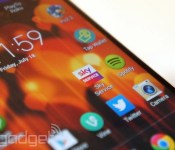
Sky’s got a plethora of mobile apps to keep you entertained on the go, but has until now neglected customers who find admin just as fun. Much like mobile carriers have apps for general account management, the new Sky Service app for Android and iOS lets subscribers view and pay bills, check the details of their TV packages and manage their broadband router restrictions. The app also allows you to reset your TV PIN if the kids have cracked it while you’re out, request a customer service call-back, reschedule an engineer visit and alter which Sky+HD box the Sky+ app records to if you have a multiroom setup. Not the most exciting tasks, but handy to have in your pocket nonetheless.
Filed under: Home Entertainment, Internet, Software, HD
Source: Sky

Google won’t call games with in-app purchases free anymore (updated)

The European Commission has said that while Google addressed its concerns around games with in-app purchasing, Apple has yet to offer a strategy. Following hordes of complaints by outraged parents, the EU asked both companies to implement changes to the way they sell such apps in their stores. Those include not misleading consumers about supposedly “free” games, not “directly exhorting” children to buy in-game items, thoroughly informing customers about payment arrangements and forcing game-makers to provide contact information.
Google has already said it would implement several of the changes starting at the end of September. For instance, it won’t use the word “free” for in-app purchase games; it’ll come up with targeted guidelines for games to prevent encouragement of children to buy items; and will implement measures to monitor breaches of EU law.
Meanwhile, the EU said that Apple has “regrettably” not provided any firm solutions or timetable to address its concerns, though it added that Cupertino has promised to attack the problem. Apple was already forced to implement alerts in iOS 7.1 warning users of in-app buys, following lawsuits and a scuffle with the FCC. It has also implemented other parental controls, as shown in its Parents’ Guide to iTunes. Meanwhile, the European Commission said that enforcement is now in the hands of individual EU nations, which will need to decide on their own how to punish developers currently facing legal action.
Update: In response to the EU’s remarks, Apple has given us the following statement:
Apple takes great pride in leading the industry in parental controls that are incredibly easy to use and help ensure a great experience for parents and children on the App Store. The parental controls in iOS are strong, intuitive and customizable. And over the last year we made sure any app which enables customers to make in-app purchases is clearly marked. We’ve also created a Kids Section on the App Store with even stronger protections to cover apps designed for children younger than 13.
These controls go far beyond the features of others in the industry. But we are always working to strengthen the protections we have in place, and we’re adding great new features with iOS 8, such as Ask to Buy, giving parents even more control over what their kids can buy on the App Store.
Our goal is to continue to provide the best experience for our customers and we will continue to work with the EC member states to respond to their concerns.
[Image credit: Philippe Hugen/AFP/Getty Images]

Vertu, maker of the $22,000 smartphone, is considering luxury wearables

Last month was a special one for Max Pogliani: Not only did it mark his first anniversary as Vertu’s CEO, but it also saw the launch of his very own baby, the Android-powered Signature Touch. This new phone’s up-to-date specs have already silenced critics; and despite the luxury market’s slowdown, the Italian exec said his team’s managed to sell more units than anticipated, and their figures for the first half of this year already beat those from all of last year. Vertu’s not stopping there, as it plans to expand its portfolio with an even more affordable smartphone, as well as new accessories like audio products and maybe even smart wearables.
Vertu’s hand-assembled phones are currently offered in three tiers: the Signature featurephone line (powered by Nokia’s Series 40 OS), the mid-range Android line (the Constellation) and the aforementioned high-end Signature Touch Android line. They all feature a varying amount of premium materials like calf leather, alligator skin, lizard skin, ceramic, sapphire (for the screen), titanium, ruby and sometimes gold; and they go through rigorous durability tests as well. The Signature Touch benefits further from camera tuning by Hasselblad and wallpapers from the National Gallery (London), on top of the pre-existing ringtones plus notification sounds produced by the London Symphony Orchestra.
The company’s next mission is to refresh and reposition its mid-range phones; but interestingly, it’s also considering an entry-level smartphone that would still be “truly Vertu.” Pogliani, who reports to chairman and Nokia veteran Anssi Vanjoki on a weekly basis, likened this to Porsche offering the 911 and the Boxster side by side: Both are priced very differently, but are quite good in their own right, and their satisfied owners wouldn’t judge those who bought the other model.

“Technology will be more and more a merging factor and not a differentiation point.”
“For me, there is space to further segment, provided that the product we put in the range will make sense in the overall spectrum, and will not cannibalize the products that are already there,” the CEO said during our interview in Hong Kong. “Technology will be more and more a merging factor and not a differentiation point. The key things will be more working on the design, materials and services part. There, we will differentiate the models, hence the product offer and therefore the price points.”
Don’t misunderstand the expansion of Vertu’s Android offerings, though. Pogliani assured us that feature phones would live on with new variants to come, as many Vertu customers still prefer using their phones just for calls, enjoying weeklong battery life and appreciating the series’ classic design. According to the exec, the voice-centric Signature series still makes up 30 percent of his overall sales.
Pogliani didn’t mention how much the potential entry model would cost, but as a reference, the mid-range Constellation starts from about $6,000, while the more premium Signature Touch has a $10,300 base model. Funnily enough, the comparatively basic Signature phones start at a staggering $16,150, which is mainly due to the extra precious materials used — especially for the buttons — plus the extra work put into polishing and assembling them. If you’re flush with cash, a maxed-out, off-the-rack Signature costs $168,450, and you can pay even more for customization; but it’s still a feature phone, of course.
It’s worth remembering that those prices cover more than just the hardware and the software. These luxury phones come with Vertu’s services, which include personalized lifestyle-content curation, exclusive access to special events and venues, Silent Circle communication encryption and one year’s worth of concierge service — with the premium models offering a dedicated agent, a feature that Pogliani implemented shortly after his appointment. To extend the concierge service, you can pay £2,000, or about $3,400, per year for the classic service, or double that to keep your dedicated agent.

Alternatively, some customers — which, according to Pogliani, generally include the likes of entrepreneurs and opinion leaders — already have multiple years of concierge subscription through buying numerous Vertu phones. As to why anyone would buy a single Vertu phone, let alone several, that’s something the rest of the population still struggles to comprehend. Echoing his predecessor, Pogliani pointed out that those buying multiple Vertus are no different from people who collect cars, watches, suits, wines or any other luxury item. And, over the years, these customers have apparently become more sophisticated. They are developing a lot of understanding behind the luxury brands they patronize, and they yearn for “something with real substance” rather than items made just for the sake of showing off.
“The essence of luxury: It’s something that you absolutely don’t need, but if you are into it, you can’t live without it.”
“Since they are exceptional people, they want to have access to exceptional things — things which are a little bit beyond the ordinary things that everybody can have — when it comes to something which is with them day and night,” the CEO continued. “Nobody has to buy a Vertu phone. You don’t need a Vertu phone, but if you like it — if you appreciate quality craftsmanship and design, and also services and technology — then you buy a Vertu phone. Like [how] you buy a Bentley car or a luxury watch. You don’t need a Bentley car to go from A to B, but it’s much better to do it in a Bentley car than in another car.
“That’s the essence of luxury: It’s something that you absolutely don’t need, but if you are into it, you can’t live without it. That’s my personal definition.”
Pogliani added that this shift in consumers’ attitude towards luxury is most apparent in China, where it remains one of Vertu’s biggest markets alongside Russia. While folks in other emerging luxury markets like Japan took 20 years to develop this discernment in their purchasing choice, their Chinese counterpart spent just two to three years to do the same. And despite the local luxury market’s hiccup due to China’s ongoing crackdown on corruption, Pogliani sees a healthier and more sustainable growth moving forward, which will be mutually beneficial for the brands and the Chinese economy.

With the launch of the Signature Touch, Vertu’s also starting to offer more advanced accessories instead of just cases and pens. We had a go with the company’s aluminum over-ear headphones co-developed with Bang & Olufsen, and while their $750 price tag is much higher than their mainstream premium counterparts, the sound quality, noise isolation and comfort were superb. Vertu’s new aluminum Bluetooth speaker also looked and sounded pretty good, but it’s harder to justify its $600 price when companies like Bose and Logitech can offer similar performance at one-third of the cost. We’d stick with the headphones for that kind of money. Then you’ve also got the Qi wireless charger that works with the Signature Touch, but with its single function and aluminum/leather design, the $600 price is hard to stomach. On the other hand, owners can proudly tell their friends that they have the world’s most expensive wireless charging pad lying on their desk.
Unlike most of our readers, Vertu’s customers aren’t early adopters of technology.
In an era where the word “wearables” is buzzing, it’s no surprise that Vertu is exploring this space as well, but Pogliani is in no hurry. Unlike most of our readers, Vertu’s customers aren’t early adopters of technology, so it needs to find out if they even want a smart wearable for what it is today. The CEO referred to the segmentation study his team conducted last year — the largest Vertu had ever done — to look at the markets from the luxury consumption and the technology consumption perspectives, in order to match and identify segments that are sizable enough to build a specific product proposition.
“So we will do the same for the accessories and extensions, and see if there is a demand and an opportunity and a credibility for us to develop in this space,” the CEO said, while implying that he wanted more truly practical functions on wearables. “For example, if we launch ourselves into luxury watches, it will probably not be very well accepted because we have no credibility in that area yet.
“Product differentiation should start from a very well-established competence and recognition of this competence in the core business where you are. From there, you can start to differentiate, but step by step, I believe,” he said.

One major market that Vertu has yet to properly tackle is the US. Right now, the phone maker graces the country with just one boutique in each of these cities: New York, Las Vegas and Los Angeles; and elsewhere, it is represented by local retail partners. But things are about to change. For one, there’s apparently an “exponential” growth in demand for the Signature Touch in the US, partly due to its wide range of supported LTE and HSPA bands.
Pogliani also believes the recently announced five-year deal with Bentley will help boost Vertu’s stateside reputation, as the British automaker has a big presence across the pond. Compared to its previous seven-year partnership with Ferrari (in which all seven limited edition models were sold out), Vertu will see a deeper integration with its new pal, going beyond design collaboration to actually making the phone a part of the car — something that wasn’t possible with Ferrari, for various reasons. The first of the five “Vertu for Bentley” phones is due in October, and chances are it’ll be a fancy variant of the Signature Touch.
No matter who Vertu hooks up with, the truth remains that it is still by far the leader in the luxury phone market — one that it pioneered as far back as 1998. Some brands, like Dior, Aesir and Mobiado have long given up, whereas those that are still around like TAG Heuer, Gresso, Tonino Lamborghini and Savelli struggle to win us over with their lazy specs and occasional lack of soul. It shouldn’t be that hard to get the basics right, but if the luxury consumers have truly evolved, then these other players have a serious amount of catching up to do — especially with Vertu now ready to take a bigger bite out of this niche market.
Filed under: Cellphones, Mobile
 AIVAnet