


Google experimenting with major redesign of Chrome OS

Google has made attempts in the past to unify the design of its various properties with varying degrees of success. Material Design, which is major part of the upcoming Android L release, may be its most coherent effort to date. The new look is expected to touch every corner of Google’s catalog, and Chrome OS will be part of that revamp. A screen shot posted by Chromium evangelist François Beaufort on Google+ shows the very early fruits of Athena, an effort to “bring a new kind of user experience” to Mountain View’s desktop OS. The image shows windows with minimal controls and decoration in a stacked card view, similar to the app switcher revealed as part of the next Android update. There’s also what appears to be a launcher bar with a search field at the bottom of the screen. While the redesign is clearly in the very early stages, you can see the important elements of Material Design at work. Everything is flat and paper like, but exists in a three-dimensional space, complete with less-than-subtle drop shadows. You can compile a copy of Chromium OS yourself to give Athena a test run, but we’d hold out for a more complete version.
Source: François Beaufort (Google+)

Watch this weekend’s Pitchfork Music Festival from the comforts of home

Unable to make the trip to Chicago this weekend for Pitchfork’s annual three-day music fest? No worries, the tune-minded news outlet will be livestreaming the festivities starting at 3:30 PM CT today, and kicking off at 1:00 PM CT on both Saturday and Sunday. The video will be beamed to the interwebs with the help of LiveOn’s CrowdSurfing tech, which allows viewers to invite their pals to watch too. This year’s lineup features Neutral Milk Hotel, Kendrick Lamar, Beck, St. Vincent, Giorgio Moroder, Deafheaven and many more.
[Photo credit: Roger Kisby/Getty Images]
Filed under: Internet
Source: Pitchfork

The top 15 smartphones you can buy right now

OK, so it usually doesn’t cost as much as a car, but a smartphone is still an important lifestyle purchase. And it will probably be at your side 24/7 (if you’re anything like us). There’s always a bit of hemming and hawing, for sure, but we’ve distilled the options down to a short list of the top handsets, with top picks for each OS. Head down to the gallery below for a quick stroll through our selections or check out our full buyer’s guide for the lowdown on the best smartphones, tablets, laptops and wearables that your hard-earned money can buy.
Filed under: Cellphones, Mobile, Apple, Samsung, Microsoft, HTC, Nokia, Google, LG, Blackberry

Netflix is testing a private mode that keeps your watching habits under wraps

If you’ve ever wanted to keep those embarrassing Netflix choices from family members or your social-networking pals, you might soon be in luck. According to the folks over at Gigaom, the streaming subscription service is currently testing a “Privacy Mode.” This means that viewed titles won’t appear in that Recently Viewed section on the main screen and they also won’t factor into future recommendations. Select users across all of the company’s locales are privy to the feature as part of the trial. Of course, there’s a chance that it may never become a staple in the settings menu — that’s dependent on the results of the experiment.
[Photo credit: Andrew Harrer/Bloomberg via Getty Images]
Filed under: Home Entertainment, Internet, HD
Source: Gigaom
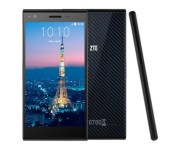
ZTE drops custom home app in favor of Google Now Launcher (GEL)
Custom home launchers, or skins, on OEM devices are sometimes the bane of an Android users existence. Some are undoubtedly better than others, like HTC’s Sense for instance has dramatically improved over the years while Samsung’s TouchWiz is still probably the most hated one out there. Motorola went with a more stock Android approach. Now it would seem that ZTE, one of the largest manufacturers in Chine, is dropping the use of a custom skin and will be launching devices with Google’s Now Launcher, or GEL.

The first device to go live sporting GEL will be the Blade Vec 4G. This particular device is already available Europe and China, but the upcoming Hong Kong release goes live July 24th with GEL packed inside.
The ZTE Blade Vec 4G smartphone along with one other ZTE premium device will be officially presented at a ZTE press conference held in Hong Kong on July 24, 2014. ZTE has launched the Blade Vec 4G and other premium devices in Europe and in China, and now will make them available in Hong Kong with the added benefits of Google Now Launcher pre-loaded.
All future Android 4.4 sporting devices, that are Google certified, from ZTE will come pre-loaded with the Google GEL experience launcher. This is a pretty cool move on ZTE’s part really and is one that I am sure many Android enthusiasts out there wish other manufacturers would do as well.
Press Release
SHENZHEN, China–(BUSINESS WIRE)–ZTE, one of the top global handset manufacturers, today announces one of the first few pre-loaded Google Now Launcher smartphones among non-Nexus and non-Google Play Experience devices worldwide to offer improved user experience and better value. The ZTE Blade Vec 4G smartphone with Google Now Launcher incorporates the Qualcomm® Snapdragon™ 400 processor and furthers ZTE’s strong relationship with Google and Qualcomm Technologies in growing the LTE market.
ZTE has worked closely with Google to pre-load Google Now Launcher onto several ZTE devices. The ZTE’s Blade Vec 4G smartphone on Android 4.4 and Snapdragon 400 processor with integrated multi-mode 3G/4G LTE is designed to deliver a better user experience that is supported by 3 modes (4G LTE-FDD, 3G UMGS/TD-SCDMA) and 9 radio frequency bands.
The ZTE Blade Vec 4G smartphone along with one other ZTE premium device will be officially presented at a ZTE press conference held in Hong Kong on July 24, 2014. ZTE has launched the Blade Vec 4G and other premium devices in Europe and in China, and now will make them available in Hong Kong with the added benefits of Google Now Launcher pre-loaded.
ZTE plans to pre-load Google Now Launcher on all Android 4.4 and above smartphones that have Google Mobile Services and Google Play enabled. Having Google Now Launcher pre-loaded onto the ZTE Blade Vec 4G, the new device becomes the first systemic terminal voice control solution in the industry. Mr. Zeng Xuezhong, CEO of ZTE Mobile Devices, and Executive Vice President of ZTE Corporation, commented, “ZTE’s strong relationship with Google and Qualcomm Technologies is in line with our focus on developing affordable premium devices that has rich voice control function as well as multimedia solutions. ZTE is continuing to push the boundaries and brings its customers the very latest experience that mobile technology can offer.”
On the ZTE Blade Vec 4G smartphone, Google Now Launcher is complimentary to ZTE flagship devices’ voice recognition and control function. ZTE Blade Vec 4G strongly features voice command functionality, including phone unlocking, dialing / answering calls, playing music, navigational controls, taking photos, etc.
Visually appealing UI
The Google Now Launcher UI lets users add as many home screens as they like, and helps them quickly get to their favorite apps. Another feature is the method for user to add widgets. To personalize and embellish ones smartphone, a user can select any images stored in the device or in the cloud or adjust the position of the image and preview before saving the setting.
Quick and easy access to Google Now
Google Now gives users just the right information at just the right time. For example, if you’ve booked a flight on selected airlines Google Now can give you your boarding pass, or tell you if the flight is delayed.
Free hands with a hotword
Ok Google allows hand free voice command triggered by just saying “Ok Google” at standby mode. Tell the phone what to do, not only limited to search query, text a message, get directions, or play a song, but even setting reminders and alarms, opening apps. Google Now Launcher supports multiple languages without presetting language in phone. Google Now Launcher gives users a clean and simple user interface, and keeps Google Now and search just a swipe or a tap away.
Key benefits
•A visually appealing UI.
•Quick and easy access to Google Now.
•Fast and snappy.
•The “Ok Google” hotword for opening quickly accessing Google Search
Source: AndroidPolice
//<![CDATA[
ord = window.ord || Math.floor(Math.random()*1E16);
document.write('’);
//]]>
The post ZTE drops custom home app in favor of Google Now Launcher (GEL) appeared first on AndroidSPIN.

In-App Purchase apps will ditch ‘Free’ labeling in Europe Soon
I am sure more than a handful of you have snagged a ‘Free’ app only to later find that to really play the game, or use the application, you would need to pay through in-app purchases. Google made changes to the Play Store not to long ago that requires the listing to to state if the app has IAP’s and also makes sure it is front and center near the download button. Google also implemented a change in the Play Store settings that will let you require a password if you try and spend money on IAP’s or other services. The primary focus was to help prevent kids from going nuts on coins and in app content and racking up huge bills for parents. Looks like the European authorities want a little bit more.

The Commission has announced that Google will make several changes to the Play Store by the end of September 2014. Some of those changes are as follows:
- The word “free” won’t be used at all when it comes to games with IAPs
- Google will develop guidelines for developers to “prevent direct exhortation to children as defined under EU law”
- “time-framed measures to help monitor apparent breaches of EU consumer laws”
The Commission criticized Apple in the same release statement for not coming forward with a similar set of measure, but Apple promises to address the issue. While we know this will handled in Europe, we aren’t sure if Google will change the “free” title on IAp apps here int he states or in other parts of the world.
I am personally glad that there are measures in place, and future ones on the way, to help keep things in check. As a parent I know how quick kids can just hit “ok” until the game is loaded. It certainly doesn’t help when some games will be quick to prompt you to buy more gems to build something.
Source: Android Authority
//<![CDATA[
ord = window.ord || Math.floor(Math.random()*1E16);
document.write('’);
//]]>
The post In-App Purchase apps will ditch ‘Free’ labeling in Europe Soon appeared first on AndroidSPIN.
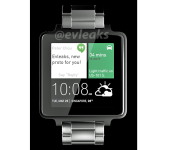
Alleged HTC smartwatch running Android Wear leaks

We’ve seen some rumors mentioning HTC’s smartwatch running Android Wear. It is allegedly due this fall under the name “HTC One Wear”. We have a new development when it comes to this, a leaked render, courtesy of @evleaks.
@evleaks has an amazing track record so we’re going to take this one seriously. The watch somewhat resembles LG G Watch although the build materials seem to be more premium, most likely stainless steel, we’re only guessing though. The watch is square-shaped and it looks rather nice, although we’ll let you be the judge of that. @evleaks did post something alongside the render:
HTC Android Wear [artist reproduction] (hardware: Phone Designer – https://www.facebook.com/PhoneDesigner | UI: Ferry Passchier – https://www.facebook.com/FPortfolio )
I personally like the looks of this watch, although Moto 360 still seems far more appealing, at least in my case. Different people like different things, design included. I have no doubt many of you would prefer a watch like this, especially if it is well-built and I have doubt that will be the case considering HTC is well-known for its build quality.
Would you be interested in a watch like this?
Source: @evleaks
The post Alleged HTC smartwatch running Android Wear leaks appeared first on AndroidGuys.
Buyer’s Guide: Discounts on MacBook Air, Retina MacBook Pro, AppleCare, and More [Mac Blog]
There are some solid deals on Apple’s Retina MacBook Pro this week, as well as some decent deals on the iMac, the MacBook Air, and AppleCare.
Retina MacBook Pro
Like last week, multiple retailers are offering $100 to $150 off most Retina MacBook Pro models. The 13-inch Retina MacBook Pro with 4GB of RAM and 128 GB of storage is $1,199 at Adorama and B&H Photo. The 13-inch Retina MacBook Pro with 8GB of RAM and 256GB of storage is $1,399 at Adorama and B&H Photo. The lower-end 15-inch Retina MacBook Pro with 8GB of memory and 256GB of storage is $1,849.99 at Amazon, Adorama, and B&H Photo, while the higher-end model with 16GB of memory and 512GB of storage is $2,449 at Amazon, Adorama, and B&H Photo.

iMac
There are some small discounts on the iMac this week, with both Adorama and B&H Photo offering the 21.5-inch iMac with 8GB of RAM and a 1TB hard drive for $1,349, a savings of $150 off the standard price. Adorama and B&H are also offering the 27-inch 3.2GHz iMac with 8GB of RAM and a 1TB hard drive for $1,679.99 and the two sites also have the higher-end 27-inch 3.4Ghz iMac for $1,879.99 (B&H, Adorama).

MacBook Air
There aren’t many MacBook Air deals this week, but both Adorama and B&H Photo are offering the 13-inch model with 4GB of RAM and 256GB of storage for $1,099.99, a savings of $100.

Buying from Adorama and B&H Photo gives the benefit of no sales tax in many states, as these two stores only charge tax in New York/New Jersey and New York, respectively.
AppleCare
B&H Photo is offering several discounts on AppleCare this week. The AppleCare Protection Plan for the 15-inch Retina MacBook Pro and the 15-inch MacBook Pro is available for $244, $105 off Apple’s regular price.
The AppleCare Protection Plan for the MacBook Air and the 13-inch Retina Macbook Pro is available for $174, $75 off Apple’s regular price.
The AppleCare Protection Plan for the Mac Pro is available for $174, $75 off Apple’s regular price, while the AppleCare Protection Plan for the iMac is available for $129, $40 off Apple’s regular price.
Before making a purchase of a Mac or iOS device, make sure to consult our Buyer’s Guide to find out if it’s a good time to buy. For example, because the MacBook Air was updated in April, the Buyer’s Guide indicates that now is a good time to purchase.
MacRumors is an affiliate partner with some of these vendors.

Xbox One’s next update makes it easier to keep up with friends, and play Blu-ray 3D

A new lower price alone may not have moved the Xbox One past the PS4 on the sales chart, but Microsoft is still keeping up with its quick update cycle. The August update preview is arriving for testers, and one of the areas getting a lot of attention is the friends list. Right on the home screen, gamers will be able to see what their friends have been playing and a Gamerscore leaderboard, and in the activity feed you can finally like or comment on activity. It seemed like an obvious feature for the feed from the beginning, so it’s good to see it’s here now. Also, after an update to the app it will be able to handle Blu-ray 3D — something we asked Phil Spencer about, 5,644 of you requested, and something the PS4 still can’t do. Check after the break to see what else is changing, plus a video demo of the new features.
Two more tweaks bring features we were used to on Xbox and PlayStation, since you’ll be able to purchases games and updates from the website or SmartGlass app and the Xbox One (if it’s in standby and set to receive updates) will wake up and download them automatically, and set the system to disable notifications while any video is playing. There’s a new low battery notification for your controller, OneGuide support in Brazil, Mexico, Austria and Ireland, and a listing for “last time seen” next to your friend’s names in the friends list. That last one is said to have come as a result of feedback — now that we’ve got our Blu-ray 3D playback what do you want to see on the list next?
Filed under: Gaming, Home Entertainment, HD, Microsoft
Source: Major Nelson, Xbox (YouTube)

Samsung ATIV Book 9 2014 Edition review: big screen, even bigger price

So many Ultrabooks in our laptop buyer’s guide: Not one with a 15-inch screen. Which is strange, because it seemed for a while that bigger-screen ultraportables were going to become a thing; HP, Sony and ASUS all tried their hand at super-light 15-inch machines. Two years later, though, Samsung is one of the only companies that’s still at it. The company recently came out with the ATIV Book 9 2014 Edition, an update to the 15-inch Series 9 laptop from 2012. Like the original, it’s insanely thin and light for a machine with this screen size, except now, it graduates to a full HD touchscreen, longer battery life and updated processors. Most notable of all, it features an improved audio setup with a built-in digital-to-analog converter allowing you to play back lossless, or “studio-quality” audio formats. The thing is, even for a flagship it’s pretty expensive: At $1,500, it has one of the highest starting prices we’ve seen, and there are plenty of similarly specced machines that cost less. That raises an interesting question, then: Who should buy this?
Hardware
With the exception of that sweet audio setup, the ATIV Book 9 2014 Edition is basically a blown-up version of the 13-inch ATIV Book 9 Plus, which we reviewed last fall. Like its little brother, the new Book 9 is made of smooth aluminum done up in a “Mineral Ash Black” shade that actually looks blue in certain light. It’s elegant in much the same way the MacBook Air is, except that dark color means it shows fingerprints more easily. I suggest you buy a microfiber cloth — and be prepared to wipe down the lid and palm rest every once in a while to keep the machine looking fresh.
Lift the lid and you’ll see the interior is as minimal as the outside, with expansive metal surfaces and very few embellishments — just the power key sitting above the keyboard, and some thin metal trim surrounding the trackpad. What’s nice is that Samsung has scrubbed the Book 9′s palm rest of any branding — with the ATIV Book 9 Plus, Sammy actually painted on logos for its SideSync and HomeSync software. Needless to say, then, I’m glad Samsung came to its senses and kept things simple here.

Those persistent grease stains aside, this really is an impressive design. At this point, building extra-thin Ultrabooks is actually Samsung’s “thing.” Granted, this has gotten more challenging, what with rival PC makers finally turning out super-skinny machines of their own. In fact, thanks to its new touchscreen, the ATIV Book 9 is thicker and heavier than it used to be. That said, it’s still super light for a 15-inch laptop, weighing in at just 3.92 pounds and 0.63 inch thick. Remember, too, that there aren’t many 15-inch Ultrabooks nowadays, and most aren’t this thin or light. After that, your next lightest options are machines like the Dell XPS 15 and the 15-inch MacBook Pro with Retina display, which measure 0.7 inch thick and weigh 4.44 and 4.46 pounds, respectively. And after that? You’re looking at mainstream notebooks that weigh five-plus pounds. Hardly an ultraportable anymore.
Besides, there’s actually a benefit to the 15-inch Book 9 being slightly thicker than it used to be: Samsung had a little more room when figuring out which ports to include. The machine now features full-sized HDMI output, a step up from the micro-HDMI socket on the last-gen model. As before, there are three USB connections (two of them 3.0), a mini-VGA port, a headphone/mic jack, a lock slot and an SD card reader. There’s also an RJ-45 Ethernet port, but it’s not a proper full-sized socket, so you’ll need a dongle (not included) to get a wired connection.
Keyboard and trackpad

One thing you should know about Samsung laptops: They tend to have fairly flat keyboards. The new ATIV Book 9 does too, but Sammy at least made some subtle changes that make the typing experience more comfortable. For starters, the keycaps now have a slight contour, making them more finger-friendly. They’re also coated in some sort of soft finish — not rubbery, exactly, but soft. Whatever it is, the keys are pleasant to touch. Other than that, the keyboard is still on the shallow side, especially compared to rival machines from Apple, Dell and Lenovo (Dell and Lenovo are particularly big on cushy keyboards). That said, the Book 9 is still easy to type on, especially since the wider footprint means most of the keys are generously sized. It’s just not my favorite keyboard, but hey, they can’t all be.
The same can be said of the trackpad. The ATIV Book 9 has one spacious pad, and to Samsung’s credit, it’s much more precise than the last-gen model was when it first came out. Once in a while, I’ll struggle with single-finger navigation, but for the most part, tracking is precise, even when I’m selecting small items on the desktop. Ditto for two-finger scrolling and pinch-to-zoom — both feel remarkably controlled most of the time.
Display

If you’re considering the ATIV Book 9, odds are you like the idea of having a little extra screen real estate. And more screen real estate you shall have: The panel here measures 15.6 inches diagonally. That’s a slight bump over the 15-inch panel on the last-gen model, and it’s a big leap over standard 13-inch Ultrabooks. For what it’s worth, it’s a fairly high-quality panel, too: The colors are vibrant, and between the 300-nit brightness level and the low-reflective panel, I encountered relatively little screen glare.
The problem is, though the screen is indeed higher-res than its predecessor (1,920 x 1,080 vs. 1,600 x 900), it’s still relatively low-res compared to most other Ultrabooks. At this point, 1080p is standard for flagship Ultrabooks, even those with 13-inch screens, and many go up to either 2,560 x 1,440 or 3,200 x 1,800. (Samsung says super-high-res screens in this size range are still hard to come by — fair enough.) What this means is that even mid-range 13-inch systems have a higher pixel density and, in many cases, are noticeably sharper. So, while you do indeed get more screen real estate here, you otherwise can get as good a screen or better on any number of cheaper machines.
Sound

And now, the reason you might consider this over a cheaper system: the stupendous audio quality. You can’t tell by looking at it — the two speakers on the bottom edge are small and discreet — but the ATIV Book 9 houses an audio encoder/decoder made by Wolfson, a respected name among audiophiles. In particular, this is the Wolfson WM5102, a digital-to-analog converter (DAC) tailored for phones, tablets and other portable devices — you know, like this one. That means while this offers best-in-class sound quality for a notebook (more on that in a minute), it would be unfair to compare this with a standalone DAC; all the processing here is handled by a single piece of silicon, as opposed to a bunch of discrete chips. That processing, by the way, includes support for tracks with up to 24-bit resolution, and sampling rates as high as 192kHz — basically, the highest-quality files you can buy in stores like HDtracks.
I suspect those of you who care about music enough to purchase a machine like this already have preferred apps for playing back lossless audio formats. Just in case, though, Samsung’s own S Player+ app will do the job, with support for FLAC and ALAC, Apple’s lossless audio codec. As you might expect, you’ll need a wired connection to make full use of the built-in DAC, so be prepared to plug in either a headset or an external speaker into the headphone jack.
Armed with a pair of AiAiAi TMA-1 headphones, I put on an assortment of albums, all in FLAC format with a sample rate of 192kHz. Whether I was listening to Tchaikovsky’s “Manfred Symphony,” as performed by the London Symphony Orchestra, or duets between Ella and Louis, the music had a refreshing clarity to it. There was no distortion, definitely no tinniness. Everything sounded so… unimpeded. Unimpeded, and balanced, too; no one instrument ever overpowers another. Janis Joplin’s hoarse vocals shine through, but so do the piano, the guitar and the drums. I won’t go so far as to say it’s like listening to music in your car, or in your living room — the setup here isn’t nearly as powerful — but it’s definitely the purest sound I’ve ever gotten out of a laptop.
Performance and battery life
| PCMark7 | 3DMark06 | 3DMark11 | ATTO (top disk speeds) | |
|---|---|---|---|---|
| Samsung ATIV Book 9 2014 Edition (1.6GHz Core i5-4200U, Intel HD 4400) | 4,835 | 5,947 |
E1,752 / P948 / X297 |
551 MB/s (reads); 141 MB/s (writes) |
| Microsoft Surface Pro 3 (1.9GHz Core i5-4300U, Intel HD 4400) | 5,024 | 5,053 |
E1,313 / P984 |
555 MB/s (reads); 252 MB/s (writes) |
| Lenovo ThinkPad X1 Carbon (2014, 1.6GHz Core i5-4200U, Intel HD 4400) | 4,773 | 5,881 |
E1,727 / P930 / X284 |
555 MB/s (reads); 137 MB/s (writes) |
| Lenovo IdeaPad Yoga 2 Pro (1.6GHz Core i5-4200U, Intel HD 4400) | 4,676 | 5,688 |
E1,713 / P914 / X281 |
546 MB/s (reads); 139 MB/s (writes) |
| Samsung ATIV Book 9 Plus (1.6GHz Core i5-4200U, Intel HD 4400) | 4,973 | 5,611 |
E1,675 / P867 / X277 |
547 MB/s (reads); 508 MB/s (writes) |
| Acer Aspire S7-392 (1.6GHz Intel Core i5-4200U, Intel HD 4400) | 5,108 | 5,158 |
E1,724 / P952 / X298 |
975 MB/s (reads); 1.1 GB/s (writes) |
Blink and you’ll miss it: The ATIV Book 9 boots into the desktop in just five seconds, about half the time I was expecting. That was my first clue that Samsung’s newest Ultrabook is fast and indeed, it slightly beats some other machines in benchmark tests, including a few that run on the same dual-core Core i5-4200U processor. The thing is, even with 8GB of RAM, it doesn’t significantly outperform machines we tested with the same CPU and four gigs of memory. And while the Samsung-made SSD delivers solid read speeds of 551 MB/s, its peak write speeds tapped out at around 141 MB/s — on the slow side for a machine of this caliber. What I’m saying is, the performance is generally solid, but it’s also more or less in line with other Ultrabooks we’ve seen, even those that are cheaper and/or make do with half the memory.
Regardless of whether the ATIV Book 9 is overpriced compared to its peers, there’s no question it gets the job done. And let’s be clear, by “job,” I’m not including any sort of intensive gaming; if that’s what you’re into, may I suggest a gaming laptop, or even a workhorse like the Dell XPS 15? In everyday use, though, the Book 9 shines. I was able to do all my usual Engadget-editor work on it, with HipChat open on the desktop and lots and lots of Chrome browser tabs open. Movie playback is smooth too, and I have no doubt you can get away with batch photo-editing as well. Basically, anything other Ultrabooks can do, this one can do too. You’ll just pay a higher price for it.
|
Battery life |
|
|---|---|
| Samsung ATIV Book 9 (2014 Edition) | 9:48* |
| MacBook Air (13-inch, 2013) | 12:51 |
| MacBook Pro with Retina display (13-inch, 2013) | 11:18 |
| Sony VAIO Duo 13 | 9:40 |
| Samsung ATIV Book 9 Plus | 8:44 |
| HP Spectre 13 | 8:30 |
| Sony VAIO Pro 13 | 8:24 |
| Acer Aspire S7-392 | 7:33 |
| Samsung Series 9 (15-inch, 2012) | 7:29 |
| Microsoft Surface Pro 3 | 7:08 |
| Sony VAIO Pro 11 | 6:41 |
| Lenovo Yoga 2 Pro | 6:32 |
| Lenovo ThinkPad X1 Carbon (2014) | 6:18 |
| Samsung ATIV Book 9 Lite | 4:33 |
|
*Engadget recently modified its battery life test in such a way that the new version has a small impact on battery life. With the new test, the ATIV Book 9 lasted 9:34; the old test put it at 10:01. The number listed in the table is the average of those times. |
According to Samsung, the ATIV Book 9′s 62Wh battery can last up to 8.8 hours on a charge. Turns out, that’s a fairly conservative estimate: In our battery rundown test, we got an average of nine hours and 48 minutes. Now, just to be clear, Engadget recently tweaked its laptop battery test, so that we’re using a higher-res movie than we used to. That’s obviously going to have a bit of an impact on battery life. Thankfully, though, the effect is fairly slight: Even with a 1080p movie, the Book 9 managed nine hours and 34 minutes of runtime. With the old test, it just cracked 10 hours.
Either way, that’s a big improvement over Samsung’s last-gen 15-inch Ultrabook, which died out after around seven and a half hours. The Book 9′s runtime is also a clear step over most ultraportables (save the MacBook Air). Then again, there are many 13-inch models that come within about an hour of the ATIV Book 9. I have to wonder if the battery life gains here are big enough to justify the extra weight and higher price.
Software
The ATIV Book 9 Plus ships with Windows 8.1, including a recent update that made the OS easier to use on mouse-and-keyboard machines like this one. Thankfully, it’s a pretty clean experience; Samsung didn’t install much bloatware alongside the usual built-in Windows apps. Boot up the machine for the first time and you’ll find trial versions of Adobe Photoshop 11 as well as Norton security software. There’s also a shortcut for Samsung’s own SideSync software, which lets you transfer files between your PC and mobile device. The problem is, it only works on Samsung-made devices, like the Galaxy S5 or Galaxy Tab S, so if you happen to own an iPad or Moto X, you may as well delete that Live Tile; it’s going to be useless to you.
Configuration options and the competition

The 2014 Edition starts at $1,500, with the same specs my unit had: a Core i5 processor, 8GB of RAM, integrated graphics and a 128GB solid-state drive. For $1,900, you can get it with a Core i7 CPU and a 256GB drive. It’s a bit of a shame you can’t configure the thing precisely to your liking, but that’s Samsung for you: The company always offers a few fixed configurations, and has a habit of reserving 256GB drives for the Core i7 machines.
The thing is, there’s nothing else on the market quite like it. Though there are other 15-inch laptops — even reasonably thin and light ones — none are quite as thin and light as this. The closest contenders are the Dell XPS 15 and 15-inch MacBook Pro with Retina display, which I mentioned earlier. In addition to being relatively compact, they’re both offered with discrete GPUs, which make them well-suited to folks who need some real graphics horsepower on the go. Though these machines are indeed thin and light, they’re still quite a bit heavier, so it might be smarter to think of them as shrunken-down workhorses, not Ultrabooks like the ATIV Book 9.
If you do want an Ultrabook, most of your options have 13-inch screens. As it turns out, I’ve accumulated lots of favorites, but I’ll try my best to explain why each is worth considering. For starters, there’s the Acer Aspire S7-392, a near-perfect laptop that’s exceptionally thin, light and fast with a vibrant, low-glare screen. The only thing you’ll want to keep in mind is that because it’s so skinny, the battery is smaller than in other systems. Then there’s the Lenovo Yoga 2 Pro, whose 3,200 x 1,800 screen folds back into tablet mode, making it the most versatile design we’ve seen. The keyboard is comfortable too; just beware of the short battery life. The Dell XPS 12 offers a similar, if slightly less flexible, form factor, with a screen that flips back in its hinge. Here, too, you can expect good performance, a comfortable keyboard and a sharp screen. Finally, there’s Samsung’s own 13-inch ATIV Book 9 Plus, which has mostly the same design and specs as the Book 9 2014 Edition, save for weaker audio and a battery that lasts around nine hours instead of 10. It’s fast, and well-designed, with pretty good battery life; just be prepared for a high price tag.
Whichever you choose, each of these rival Ultrabooks costs less than the 15-inch ATIV Book 9. In many cases, they offer the same screen resolution, with some going as high as 2,560 x 1,440 or 3,200 x 1,800. Either way, the display will appear sharper: These machines offer the same pixel count or higher on a smaller screen. Additionally, the performance isn’t any faster on the 15-inch model. True, the battery life is slightly longer, but for some, the 13-inch models might come close enough. All told, the biggest difference is the audio quality: The sound is indisputably better on the ATIV Book 9 2014 Edition, though even then, you need a wired setup to make the most of it. That begs the question: Why bother with the 15-incher unless you really want the extra screen real estate?
Wrap-up

The ATIV Book 9 Edition is a good Ultrabook in its own right: It’s well-designed and thin and light for its size, with solid performance, long battery life and a comfortable keyboard-trackpad combo. It’s also a clear improvement over its predecessor, and so it deserves an even better score. That said, it’s awfully expensive for what it is: $1,500 is just the starting price here, and for the money, you get the same performance you’d expect on a machine that costs hundreds of dollars less. The battery life is only modestly longer than what smaller models are capable of, and the screen is decidedly less pixel-dense, to boot. All in all, the only things really distinguishing this from the competition are its unusually big screen and its unusually strong audio quality. If neither of those things is crucial, you’re better off sizing down and spending less on a 13-inch system.
Edgar Alvarez and Daniel Orren contributed to this review.
 AIVAnet