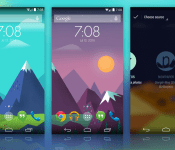
Get This Look: nowPaper

We’re huge fans of changing the home screen around a bit and creating a new user experience for our Android. So much so that we present our ongoing series of Get This Look posts. In a nutshell we show you a new layout, app, widget, or icon set for your Android handset and tell you which apps you’ll need to mimic the feel.
Some of these are a little easier to create than others and many of them can be tweaked to no end. The following details are but the ingredients to which you can create your own delicious Android dish; your results will vary. Which is awesome! If nothing else, this is a great way to discover new apps, widgets, icons, and more!
nowPaper by Alex Pasgquarella and Jaxon Wright
Why we love this look:
Who doesn’t love the Google Now designs and artwork that come with your mobile searches? And, really, who doesn’t love Muzei Live Wallpaper? Combining the two in a Reese’s Peanut Butter Cup-esque mashup we get a constant rotating wallpaper that employs the flat and colorful design language. This is one of those set it and forget apps that brings a new look at regular intervals.
For those who prefer to download a static image and set it as a wallpaper, Alex is offering those on his website.
What you’ll need:
The post Get This Look: nowPaper appeared first on AndroidGuys.
Hacking the friendly skies: creating apps for wearables at 36,000 feet

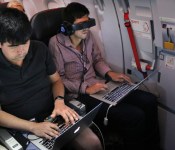
Few activities are as taxing, time-consuming and mentally draining as air travel, and there are hundreds of thousands of travel-related apps to help us get from point A to point B with as little hassle as possible. But there’s always room for improvement, especially now that wearables like Android Wear, the Pebble smartwatch and embedded sensors are growing in popularity. While it’s already possible to scan boarding passes or receive flight notifications on smartwatches, there are surely other use cases that would ease the burden of flying. Wearable World, which teaches wearable-related startups the ins and outs of the business, partnered with American Airlines to create what it’s billing as “the first in-air wearables hackathon.” Teams were asked to come up with the best travel app for wearables, and the finalists got to jump on one of the airline’s newest planes to polish their app and show it off to real-life passengers.

Calling it an “in-flight hackathon” is debatable, since the biggest chunk of the event actually took place on the ground in San Francisco. In traditional hackathon style, 200 developers had 24 hours to create a travel-related wearables app from scratch. Finalists were chosen and given 30 days to work on their app before it was time to get on an Airbus A321T from San Francisco to JFK Airport. Here, the four teams tested their creations in a real-life setting, which included going through security, boarding the plane, using in-flight WiFi (Gogo was a sponsor) and limited workspace in Economy Class. This was their last chance to make any tweaks based on their in-flight experience. The next day, each finalist boarded another A321T bound for San Francisco and pitched several people on the flight who acted as judges.

The winning app came from UsTwo (the creators of Monument Valley), and is handy for family or close friends that like to monitor where you are in your travels. As you arrive at the airport, make it through security, board the plane, take off and land, the app pushes notifications to both you and another person of your choice. Even though two devices are involved, each one shows different information based on who’s using it; your device (and smartwatch, if applicable) shows flight information, boarding passes and other details that may help you get to the plane, while your loved one will get updated on what stage of the experience you’re in. When you’re in-flight, they’ll also be able to follow your plane’s location.
Since GPS isn’t available indoors, the app relies on a network of common-use iBeacons placed at various points within the airport (known as the SITA registry, it’s currently undergoing a trial run at Dallas/Fort Worth Airport). The beacons communicate with your phone as you pass by, and the app will send notifications as it detects each one along the way. The primary issue is that the app relies on these beacons in order to work in every airport. As a result, it may be limited to use in specific locations at first.

Next up was InFlight Social, an app that wants to connect you with other people on the plane. When you get on the flight and connect to WiFi, InFlight Social can detect if anyone else on the plane is using the app; then, by looking at your Facebook and LinkedIn accounts, it will determine if anyone has mutual friends or associates. Once a connection is established, the app will check Concur to see where the two of you are going — perhaps both of you are going to the same conference or staying at the same hotel, so why not split a cab or car rental? Or, if that’s not really your thing, you can send your new pal a welcome gift online via MasterCard. The problem is that many travelers prefer to keep to themselves and will balk at the idea that other people can see their travel itinerary, even if both of you know the same people. Fortunately, your information can only be picked up by others if you download the app, opt-in to the service and are connected to Gogo.
Proximity Signage was put together by NewAer, a company that licenses proximity-advertising software to other businesses. As you step off the plane, digital signs will be there to greet you with personalized suggestions on where to go based on your connecting-flight info, along with travel and shopping preferences. If you’re getting to another flight, the signs provide you with gate information as well as a map and a place to get your favorite coffee along the way; if you’re at your final destination, it could tell you how to get to baggage claim or ground transportation. To address privacy concerns, as soon as you walk by the sign, the personal messages are deleted and replaced with a generic screen. (The company said that wearables easily fit into this situation, but no demonstrations took place.)

The company refers to the tech, which is already available to developers, as “reverse iBeacons”; whereas iBeacons ping your phone incessantly whenever you pass by, in this case your phone actually pings the signs and relays profile information. The software can easily be extended to other uses, such as personalized advertising at mall kiosks, file exchanges between mobile devices, automatic check-ins to locations and even unlocking your car.
Finally, if you have pets in the cargo area of the plane, Furry Flyers will be helpful. Embed a sensor into your pet’s collar that tracks their location, heart rate, temperature and other conditions. It also includes a handy checklist of your pet’s lengthy onboarding process, so you can make sure they’ll get on. If the team finds success with the app, it wants to eventually make it possible for you to talk to (and perhaps even see) your dog or cat during the trip. This may put an anxious pet owner at ease during the flight — as long as everything is going well for Fluffy. If things take a turn for the worse, well… your travels just became much more stressful.

None of these apps are available yet, and some of them may never make it into an app store. But the hackathon served its purpose: It gave developers an opportunity to come up with creative travel-related uses for wearables, Bluetooth beacons and smartphones. As the tech continues to grow in popularity, the more impact these types of events can have. And when it comes to travel, any app that makes life easier is a welcome one.
Filed under: Cellphones, Wearables, Software, Mobile

Google adds former Ford CEO Alan Mulally to its Board of Directors

Just a few months ago Alan Mulally was being mentioned as the possible next CEO of Microsoft, but after leaving his position as CEO of Ford he’s now aligned with a different tech company: Google. Google announced today that he’s joined its Board of Directors, effective July 9th. While his connections to the auto industry could obviously be valuable for projects like Android Auto and the development of self-driving cars, Google’s announcement also mentions his aviation experience as a former executive at Boeing. Mulally was president of Boeing’s space and defense business, and between Project Loon, drones and satellite launches we figure there’s plenty of input to provide there as well.
[Image credit: Bloomberg via Getty Images]
Filed under: Transportation, Internet, Google
Source: Google Blog

How to watch football (soccer) now that the World Cup is over

Many are referring to the 2014 World Cup as the best of the modern era — think: since Korea/Japan in 2002. Was it due to the fact it set an incredible amount of viewing records? Or, perhaps, it has to do with how much social networks made the entire experience that much more enjoyable. After all, who could forget all the great memes and Tumblr accounts? The level of play wasn’t bad either, with this year’s tournament leaving behind formidable memories of great individual (Guillermo Ochoa against Brazil, Tim Howard against Belgium) and team (Germany’s 7-1 thrashing of Brazil) performances. There’s a reason why the sport is nicknamed “The World’s Beautiful Game.” Thankfully, football doesn’t stop here. While we wait for the next World Cup, which Russia will host in 2018, here’s how you, the new (or old) fan, can keep up with some of the professional leagues from across the globe.
It’s worth nothing that most 2014-2015 seasons in Europe are set to begin next month, while others like Mexico’s Liga MX will kick off later this week. Major League Soccer, meanwhile, is already midway through its season — the US league was about the only one still active during the World Cup. In general, most league matches take place over the weekend, although some do happen during the work/school week, especially once the Champions League and Europa League start.
Do keep in mind this is for people who want to watch here in the States, live or on-demand, as broadcasting rights do vary by country. Furthermore, if the cable/satellite providers or networks we mention carry any of these leagues, be sure to use one of their TV-everywhere offerings, such as the WatchESPN or Univision Deportes apps, this way you can enjoy games across different devices.
So, without further ado.
Liga BBVA, Spain

Network: (English) beIN Sports, (Spanish) beIN Sports en Español.
Available on most TV service providers; offers apps on the web, iOS and Android.
Premier League, United Kingdom

Network: (English) NBC, NBC Sports; (Spanish) Telemundo, Mun2.
These channels are also carried by most TV service carriers. On mobile and the web, there’s NBC Sports Live Extra. Similarly, Telemundo has an app for iOS and Android, which you can use to watch some games while on the go.
Bundesliga, Germany

Network: (English and Spanish) GolTV.
This one is far from perfect. Comcast, the largest cable provider in the US, dropped the channel not long ago, so that’s already a huge chunk of people left out. That said, GolTV is still available on Time Warner Cable and DirecTV, but maybe not for long — the latter currently downgraded the channel to SD-only. To make matters worse, GolTV doesn’t have any apps. Which is to say, keeping up with Bayern Munich, home to more than half of world champion Germany’s starting players, may be a little tough.
The good news is Fox recently acquired the Bundesliga rights, starting with the 2015-2016 season.
Ligue 1, France

Network: (English) beIN Sports, (Spanish) beIN Sports en Español.
Same broadcasting deal as Spain’s La Liga.
Here, however, you’ll find different talent, including star players like Zlatan Ibrahimović and World Cup sensation James Rodríguez. (FYI: His first name is pronounced “hahm-ez.”)
Serie A, Italy

Network: (English) beIN Sports, (Spanish) beIN Sports en Español.
Similar to France’s Ligue 1 and Spain’s La Liga, Italy’s Serie A belongs to beIN Sports Stateside. It is one of the world’s best leagues, featuring teams like A.C. Milan, Inter Milan and Juventus. Most importantly, Andrea Pirlo, the man you see above, plays his trade there — and you should try to watch him in action any chance you get.
Liga MX, Mexico

South of the border, the federation in charge operates slightly differently than the rest of the pack. As such, finding Liga MX matches to watch will be a rather easy task.
Networks: (English) ESPN, (Spanish) ESPN Deportes; Univision, Univision Deportes Network and UniMas; Telemundo; Fox Deportes; and Azteca America, all available en Español.
Better yet, the majority of these channels are widely adopted by service providers. Still, things are more complicated here, since each team can play on a different network depending on whether they play at home or away. For example, Club America’s home games will always be on one of Univision’s properties, since it licensed the rights to that particular team.
Regardless, it’s a league you should be keeping an eye on.
Major League Soccer, United States and Canada

Networks: (English) ESPN and NBC Sports; (Spanish) Univision, Univision Deportes Network and UniMas.
Along with those channels, which you should have no trouble finding within your TV package, there’s also MLS Live, which offers access to live (out-of-market) and on-demand matches. Since the season is already well underway, a mere $32 gets you in for the remainder — Major League Soccer says demand for subscriptions has skyrocketed since the World Cup.
If you fell in love with the national team’s performance at the World Cup, then you should definitely be paying attention to MLS. Clint Dempsey, DeAndre Yedlin, Graham Zusi are a few players you can expect to watch as the season progresses. More importantly, supporting Major League Soccer is key for the development and growth of US soccer, and the sport as a whole in this country.
Beyond 2014, MLS will have a larger presence everywhere, thanks to new deals with ESPN, Fox and Univision.
Other Club Competitions

Networks: (English) Fox, Fox Sports 1 and Fox Sports Go; (Spanish) Fox Deportes.
Networks: (English) Fox Sports and (Spanish) ESPN Deportes.
[Image credits: Getty, Associated Press]
Filed under: Home Entertainment, Internet, HD, Mobile

Apple and IBM team up to put more iOS devices in the workplace

If you had any lingering notions that Apple and IBM were still bitter arch-rivals, they just got swept away. The two companies have just launched a partnership that could give iPads and iPhones a much larger presence in the workaday world. IBM has agreed to develop over 100 enterprise-grade apps solely for iOS, along with iOS-focused cloud services; it will also sell Apple’s mobile gear as part of its larger solutions, and it’s even handling on-site support. Apple, meanwhile, is offering a special business-friendly support plan.
IBM doesn’t have as much clout as it did when it was a direct competitor to Apple in 1984, or even as much as when it was putting PowerPC chips in computers like the Power Mac G5. However, this deal is still huge. While Apple has been spending a lot of energy making iOS suitable for work, it’s still primarily focused on personal devices — the IBM pact gives it an important ally who can court the less exciting (but clearly important) corporate crowd. Google is making big strides toward improving Android’s business credentials, and Microsoft has a longstanding advantage of its own, but the new agreement could give them significantly tougher competition. Don’t be surprised if you end up getting a company-issued iOS device where you didn’t have one before, or suddenly get the all-clear to bring one into the office.
Filed under: Cellphones, Tablets, Mobile, Apple

Google Plus finally lets you use any name you like

When Google+ first debuted, it insisted that you use your real name on your profile in an effort to “create a community made of up real people” and reduce the trollish behavior often associated with the anonymous internet. As you might expect, it’s suffered some backlash due to this policy, especially for folks who wish to keep their online identities separate from their real ones. Over the years, it’s loosened that restriction by allowing folks to use their desired name on their profile pages plus eventually letting YouTube users use their existing usernames. Today, at long last, Google’s social network has lifted any and all name restrictions entirely, finally letting you pick whatever name you like. So if you’ve always shied away from Google’s social network because of its insistence on real names, you can now go ahead and sign up with any name of your choosing. Unfortunately, you’ll still have to use actual letters or numbers — those who yearn for emoji usernames might want to take a look at this instead.
[Image credit: Shutterstock]
Source: Google Plus

Anomaly series and Plex all on Sale for a limited Time
Looking for something to spend some money on today? 11 Bit Studios has placed all three of their tower defense games series, Anomaly, on sale.
 Each of the three tower-defense games has been steeply discounted this week, and this week only. Anomaly Warzone Earth HD and Anomaly Korea are on sale for $0.99 vs their normal $3.99 and Anomaly 2 is down to $.99 from $4.99. Basically you can get all three for the price of one.
If tower-defense gaming isn’t you thing, then maybe media is. One of our favorite apps fro delivering media from you PC to your tablet, phone, Chromecast and other devices is Plex. As luck would have it, the Plex team has put the Plex app on sale as well. Taking it from the usual $4.99 down to $1.99. It is a good time to check it out if you don’t already have it.

To snag any of the deals just direct yourself to the Play Store via any of the links below.
//<![CDATA[
ord = window.ord || Math.floor(Math.random()*1E16);
document.write('’);
//]]>
The post Anomaly series and Plex all on Sale for a limited Time appeared first on AndroidSPIN.
Root app offers Chromecast Screen Mirroring to those of us without It
I was pretty excited for screen mirror through Chromecast when Google announced it and showed it off at Google I/O. It took some time for the Chromecast app to finally get the update that would allow for it to happen. Google stressed that it is currently still in a beta phase and the devices that are supported could still have issues. The list of supported devices is pretty small but does include the Nexus line, some Samsung, HTC and LG devices. Even with some reports of no audio, major lag or just plain not having the option, we all still want it. Luckily there is a way for those of us that don’t have it to give it a whirl. .
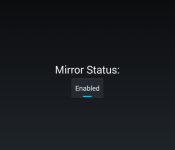
I caught a shared post from QBKing77 lastnight that alerted me to a apk that was created by XDA developer r3pwn. With a simple install on a rotted device, you should be able to utilize the screen casting function. It really is a s easy as side loading the apk, hitting the button and letting it do its thing. I gave it a whirl on my stock, but rooted, T-Mobile Sony Xperia Z late last night to see if it would actually work.

As you can see, after installing the app and hitting the button, I was able to open up the Chromecast app and be greeted with the “Cast Screen now available”. I was pretty stoked to finally get a chance to check it out. I cast the screen, checkout out a few apps and was satisfied it worked and went to bed. Today I checked on the casting again and opened Angry Birds Star Wars just to see about sound and things. I had sound through my TV just fine, doesn’t mean everyone will of course.


There is a slight lag on that particular game, but it isn’t like Angry Birds is a fast paced shooter. I know the cast screen isn’t designed really as a gaming alternative to your big screen, but it works. I did notice that the back of the Xpeia Z was getting quite warm after a few minutes of using it though. You should use this option at your own risk.
The current list of devices that the #MirrorEnabler app is said to have been tested on and verified working is as follows:
ASUS PadFone X
ASUS PadFone 2
Droid RAZR MAXX HD
Droid RAZR M
Sony Xperia Z
Sony Xperia Z Ultra
Sony Xperia Z1
Sony Xperia Z1 Compact
Sony Xperia Z2
Sony Xperia ZL
Huawei Honor 3C
HTC One M8 (Including GPE)
Motorola Moto X
Motorola Moto G
Samsung Note 8 Tab
Samsung Note 10.1 Tab
Samsung Note Pro 12.2 Tab
Samsung Galaxy Tab Pro 8.4
Nexus 7 2012
Oppo Find 7
Oppo Find 7a
OnePlus One
LG GPad 8.3
LG G2 Mini
LG Optimus G
LG G Flex
NVIDIA SHIELD
Xiaomi Mi2
Stock only:
Samsung Galaxy S III
Samsung Galaxy Note 2
HTC Droid DNA
Tested Not Working:
HTC EVO 3D
Droid 4
Galaxy Nexus
Samsung Galaxy S II
Most older devices
It doesn’t hurt to give it a shot so long as you have the latest Chromecast app and root. To get started, visit r3pwn’s thread over at XDA to pick up the apk and give it a shot.
//<![CDATA[
ord = window.ord || Math.floor(Math.random()*1E16);
document.write('’);
//]]>
The post Root app offers Chromecast Screen Mirroring to those of us without It appeared first on AndroidSPIN.
Wi-Fi Calling is finding its way to the Sprint HTC One M8 with Android 4.4.3 Update
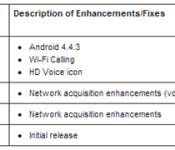
Sprint is working on pushing out a OTA to those of you that are rocking a HTC One M8 that moves the device to Android 4.4.3. The update will bring Wi-Fi calling and a HD Voice Icon to the flagship device. Their description of the changes is limited to just those three mentioned above. We assume there are a number of little tweaks and bug fixes as well.
 Interestingly enough though, it would seem that after a number of sites reported on the update appearing in the Sprint support pages, listed as version 2.16.651.4, Sprint has since removed it. We hope that there wasn’t some sort of major issue sprouting up on devices that already received it. If you see it, let us know. Maybe it was a snafu and it was supposed to be Android 4.4.4. We can hope, right?
Source: Sprint, 9to5Google
Img: AndroidPolice
//<![CDATA[
ord = window.ord || Math.floor(Math.random()*1E16);
document.write('’);
//]]>
The post Wi-Fi Calling is finding its way to the Sprint HTC One M8 with Android 4.4.3 Update appeared first on AndroidSPIN.

iPhone 6 Cases and Images Circulating on Amazon Based on Rumor, Don’t Offer Insider Information
Prior to the launch of a new iOS device, accessory manufacturers often create cases months in advance in an attempt to gain publicity and score pre-orders from users eager to protect their new devices. These cases are often created based on leaked schematics and the manufacturers themselves rarely have any information on the devices they’re creating cases for beyond what’s seen on rumor sites.
While third-party cases for the iPhone 6 have been available for purchase for months, several different cases from popular accessory manufacturer Spigen have been generating a growing amount of interest on Amazon.com.
Spigen has listed multiple cases, both for the 4.7-inch iPhone and the larger 5.5-inch iPhone 6, which it has taken to calling the “iPhone Air.” MacRumors has been contacted several times in regard to these cases, which many readers believe offer legitimate details on the iPhone 6 because they’re coming from a “reputable” source.
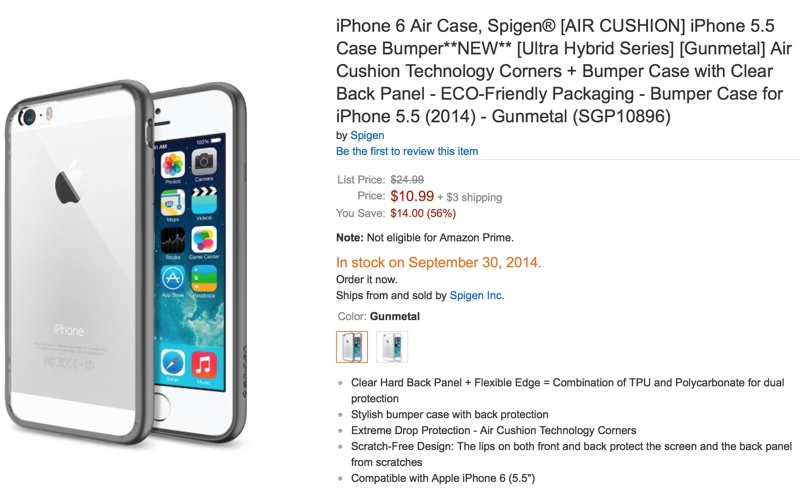
Spigen uses photoshopped iPhone 5s images with curved edges to fit into its iPhone 6 cases, which are undoubtedly based on leaked schematics that have been circulating around the Internet for months. The images do not offer any insight into the next-generation iPhone’s appearance and Spigen’s “iPhone Air” moniker for the 5.5-inch iPhone is a mere guess, based on a term bandied about by Chinese media reports. Spigen’s September 30 release date also delivers no inside information about the iPhone 6, as it is a safe date in line with rumors pointing towards an early September introduction.
Along with the cases posted on Amazon by Spigen, Amazon Japan also made headlines last week when an iPhone 6 listing appeared with specific details on the iPhone 6, including a 4.7-inch display, dimensions of 13 x 6.5 x 0.7cm, and a weight of 113 grams.

Many sites reported on the listing as a leak directly from Amazon.com, but in fact, it was listed by a third-party seller who used images taken from MacRumors and coupled them with details derived solely from rumors. The listing was later removed by Amazon.
As we draw closer to the launch of the iPhone 6, similar “leaks” will undoubtedly pop up from seemingly reliable sources taking advantage of the iPhone 6 frenzy, but it is important to note that accessory makers and third-party vendors are unlikely to have insider information sourced directly from Apple.
 AIVAnet