



NY attorney general sues to bar Lyft from the city

Lyft’s pink mustaches were all set to prowl New York City’s outer boroughs this week, but it seems that the city itself is having none of it: New York’s attorney general is pursuing a court order that will block the company from providing transportation services in Queens and Brooklyn. The lawsuit’s complaint closely echoes the concerns of the NYC Taxi and Limousine Commission, which labeled Lyft as “unauthorized” earlier this week for failing to comply with its safety and licensing requirements. It seems to be a matter of distinction — Lyft labels itself as a peer-to-peer transportation network, but the attorney general says its really a traditional taxi service, and as such, it needs to comply with local laws.
Developing…
Filed under: Transportation

Sonic Jump Fever bounces its free-to-play way to the Play Store

SEGA of America has recently released a follow-up title to Sonic Jump, the Sonic the Hedgehog themed vertical jumping game that was released back in 2012. The follow-up title, Sonic Jump Fever, ditches the paid app model and adopts the trending free-to-play model with an emphasis on leader-boards, competing against your friends for top slots, unlocking characters and upgrades.
Similar to its predecessor, Sonic Jump Fever has you bounce your way vertically through levels while avoiding and killing various badniks, rescuing animals that are locked up and collecting rings. You snag power ups on the way, such as a shield, and hit the red stars for a fast boost through a quick little ring bonus round that appears briefly.


 Sega did a good job at being very upfront about the in-app purchase model right from the get go, as you cans see in that first screenshot, and even tell you that you can disable them in your devices settings. They are also very upfront on the apps description in the Play Store about it not working with ART. So if you use ART, be sure to disable it before you try to jump through the game.
Being a free-to-play model you will quickly see where the money is made. Not only are their in-app purchase options, but there are also ads. However, the ads aren’t really terrible as they are a full-page pop up that happens on a different screen after every couple of rounds. Simply hit the ‘X’ and you are back to jumping. The ads can be disabled with your first purchase of items. Also, be prepared to jump free and clear for about 10 to 15 minutes at a time. There is a power bar that deletes with ever round played and when it is empty you will need to either wait a while for it to refill, ask a friend for some power, watch a couple of ads or spend some money.
For a free-to-play title though, it is pretty nicely done. The game play is fast and action packed. If spending money on IAP’s isn’t your thing, it should still prove to be a fun game to open and bounce through a few levels while you stand in line at the post office, or hide out in the bathroom at work. Feel free to snag it down below and give it a whirl.
//<![CDATA[
ord = window.ord || Math.floor(Math.random()*1E16);
document.write('’);
//]]>
The post Sonic Jump Fever bounces its free-to-play way to the Play Store appeared first on AndroidSPIN.
Sprint skips LG G3 pre-ordering today and jumps straight to selling it
Sprint originally had the new flagship LG G3 scheduled to launch on July 18th with pre-orders set to take place today, July 11th. That put them on par with the other three major carriers in the U.S. However, we just got word that they won’t be making that date. Instead, they are selling the device right now and skipping all the pre-order stuff altogether. The LG G3 is now available in stores, online and through telesales in black or the exclusive gold option.

Pricing is still the same, $199.99 on contract or $25 a month on the Sprint Easy Pay option. If you pick up a LG G3 between now and July 24th and register it by August 7th you should be eligible for a $150 Reward Card as well. So long as you register and keep your account in good standings for 45+ days.
Head over to a local Sprint store, or head to their website and get it going.
//<![CDATA[
ord = window.ord || Math.floor(Math.random()*1E16);
document.write('’);
//]]>
The post Sprint skips LG G3 pre-ordering today and jumps straight to selling it appeared first on AndroidSPIN.
Enable Android screen mirroring on your rooted device

Google just flipped the switch to allow Android screen mirroring to Chomecast for a few devices, but if you don’t have one currently supported, you’ve been pretty much out of luck.
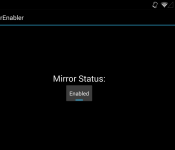
Thanks to r3pwn over at XDA Developers forum, through an experimental app, you can now enable the beta feature on your rooted device by installing an APK.
Devices the method is said to work with include:
- ASUS PadFone 2
- Droid RAZR MAXX HD
- Sony Xperia Z
- Sony Xperia Z1
- Sony Xperia Z2
- Sony Xperia ZL
- Sony Z Ultra
- HTC Droid DNA
- HTC One M8 (Including GPE)
- Motorola Moto X
- Motorola Moto G
- Samsung Note 8 Tab
- Samsung Note Pro 12.2 Tab
- Nexus 7 2012
- Oppo Find 7
- Oppo Find 7a
- OnePlus One
- LG GPad 8.3
- LG G2 Mini
- NVIDIA SHIELD
There have been mixed reports for the Samsung Galaxy SII and Galaxy Note 2. It’s “tested not working” with the HTC EVO 3D, Samsung Galaxy Nexus and most older devices.
r3pwn notes that you need to have the latest version of the Chromecast companion app installed, if you don’t have it you can download the APK here, root access on your Android device and Android KitKat (most likely at least 4.4.1). As with all sideloaded apps, make sure you enable the install of apps from “Unknown sources” under Security in Settings on your device.
Try it out and let us know in the comment section below if it works for you!
MirrorEnabler via XDA
The post Enable Android screen mirroring on your rooted device appeared first on AndroidGuys.

Accessory of the Day: OtterBox Defender case for Samsung Galaxy S4

Protect your beloved Samsung Galaxy S4 with one of the best-selling cases around. OtterBox, a trusted name in this space, has a variety of models to choose from, but the Defender series is among the most popular.
Available in a number of colors, the Defender case provides shock absorption and protection against drops, scratches, bumps, and dust. Designed with a multiple layers of materials, the case also keeps your screen from getting scuffed up.
The post Accessory of the Day: OtterBox Defender case for Samsung Galaxy S4 appeared first on AndroidGuys.

What you need to know about Kickstarter, Indiegogo and the concept of crowdfunding

You have what you think is a cool idea, but you aren’t sure if you can convince investors about the sales potential of, say, a tiny monitor strapped to your face, or a watch that is also a computer. Besides, who are “investors” and how do you summon them from their secret offshore lairs to pass judgment on your notional widget? Wouldn’t it be easier if you could just put your idea on the internet, letting regular people who might be on your wavelength pledge directly to help get it done?
That’s what crowdfunding is about. Services like Kickstarter, Indiegogo, Patreon and others gather funds directly from buyers, to make potentially crazy ideas a reality. Crazy ideas like a salad… made with potatoes. But it’s not all free money and rampant innovation.
WHAT IS IT?
Crowdfunding sites allow project creators to post their ideas, with a certain timeline for completion, and a set monetary goal. For example, Oculus VR sought $250,000 over 30 days toward its goal of a development kit for its “Rift” 3D headset (it raised its goal in the first day, and finished with $2.4 million).
They all work a little differently. If a Kickstarter drive fails to reach the funding goal before the end of the (user-defined) fundraising period, nobody is charged and the fund drive fails. Indiegogo, however, allows creators to receive whatever money is pledged during a drive, even if it doesn’t meet the minimum funding goal. The Breathometer, a noteworthy Indiegogo success story, didn’t need to invoke that rule, as it well exceeded its $25,000 goal — but even if only one person had pledged $1 toward a breathalyzer for smartphones, that lone person would have been charged (and probably wouldn’t have received anything).
Patreon is set up for a different kind of funding altogether. Rather than pledging one-time payments toward a single goal, a Patreon drive seeks recurring pledges for an ongoing project. Project creators can ask for monetary contributions per video, per article, per month or per whatever unit makes sense for their project. Naturally, then, the service is popular among YouTube video creators — in fact, it was co-founded by Jack Conte of the band Pomplamoose, best known for their YouTube presence. Both Conte and his bandmate Nataly Dawn use the service to fund their own music videos. Here’s an especially crazy one:
HOW DOES IT WORK?
Creators design their projects and post them publicly, usually with a nice video, an explanation of the project and some of the risks inherent to the project (a requirement in Kickstarter’s case, so backers can judge whether this person might be able to overcome said risks!)
Every project also has a list of rewards — what you get for putting in different amounts of money. This is entirely up to the creator. Of course, with almost all projects, “the thing you’re crowdfunding” is one of those rewards. But there are also fancier variants of the thing, or personalized things, or T-shirts, or making-of books, or whatever you can think of that might incentivize someone to hand over their money. Patreon rewards are usually serialized like the fund drives are, so rewards tend to be digital and include backer-only newsletters, chats with the project creators and early access to releases.
WHY SHOULD I CARE?
It’s likely you participate in the world’s economy in some way, both as a consumer and a producer, and crowdfunding has implications for both. In simpler terms, it’s a new way to buy stuff, and to sell stuff.
For producers, it’s a way for products or projects to exist that would not be able to before, and without as much costly infrastructure. You want to make an album, book, device or whatever, and so you ask for exactly as much as that costs (plus the costs of whatever rewards you’re offering, as well as shipping, and you might consider throwing a tiny bit of profit in to make all this work worthwhile); if you get enough money, you make it and everyone who wanted it gets one. Now you have enough money to produce a run for direct sale!
For consumers, it means all kinds of new things are coming out that wouldn’t have before, and you can take a more direct role in making that happen. Classic styles of video games from veteran creators are coming back left and right in the post-Double Fine world — everything from Wasteland 2 to Shadowrun Returns to the PlayStation 2 music game Amplitude. Young entrepreneurs are getting their own inventions made.
Companies big and small are able to just put an idea out there and see how viable the world thinks it is. In broad terms: If it’s worthy (and happens to get enough attention), the money will probably arrive.
To return to the world of video games, the developer Die Gute Fabrik launched a Kickstarter for its game Sportsfriends, a collection of four weird sports games for people to play with friends. Without online multiplayer, and in the case of the included game Johann Sebastian Joust (seen below), with no interaction with the TV screen, it seemed like a tough sell for game consoles. But publisher Sony and Die Gute Fabrik raised their $150,000 goal on Kickstarter, providing incontrovertible, numerical proof of interest. Now Sportsfriends is available on PlayStation 3 and 4.

Wing Commander creator Chris Roberts and his Roberts Space Industries launched a multi-tiered crowdfunding effort aimed at making Star Citizen a fully fan-funded game with a major publisher-tier budget. A combination of Kickstarter and the WordPress IgnitionDeck plugin allowed RSI to continue seeking stretch goals in perpetuity, as it approaches $48 million in funding. You can pledge funds to get in-game items like really, really expensive virtual spaceships.
And, thanks to Patreon, fans can directly support their favorite artists, allowing struggling freelance writers and creators to more easily create their art regularly. Full disclosure here: My own hand-held gaming news site, Tiny Cartridge, is Patreon-supported, allowing me to supplement my income with a writing gig I can do while my toddlers sleep.
HOW MUCH DOES IT COST?
If you’re backing someone else’s project, of course, the costs are completely defined by the project. Creators set their prices for each reward level, ranging from a dollar for a “thank you” or a credit on a special page, to thousands of dollars for commemorative T-shirts, posters and a personal dinner meeting with the creators — plus the actual item you’re crowdfunding, of course. People who put in an astounding $10,000 for the Double Fine Adventure Kickstarter drive got “lunch with [developers] Tim Schafer and Ron Gilbert, a tour of the Double Fine offices and all previous reward tiers” including original art used in the game, portraits of themselves, a signed hardcover book, a poster, a boxed copy of the game and a documentary.
Impossible to imagine someone sinking $10,000 into a single video game? Four people did that.

If you’re trying to get your own project going, there are some costs beyond, you know, what it costs to make the thing. The crowdfunding services all take a percentage of the total: Kickstarter takes 5 percent; Indiegogo takes 4 percent (if your project hits its goal; 9 percent otherwise — it’s complicated); and Patreon takes 5 percent of every monthly take. In addition to that, you lose a percentage of your total to credit card fees (Kickstarter and Indiegogo take 3-5 percent depending on country, and Patreon takes “an approximate 4 percent.”)
WHAT’S AT STAKE?
A few billion dollars, no big deal. Kickstarter, by far the most popular crowdfunding service, has seen over $1.2 billion pledged to its projects to date. Patreon creators have gotten more than $1 million through the service in just over a year.
WHAT’S THE ARGUMENT?
A great way to get lots of visibility for your nonexistent project is… also a great way to get a bunch of money from people and run. Crowdfunding backers can quickly learn what “professional” investors already know, which is that even if something has appropriate funding, it might not happen for any number of reasons. The ease of access of crowdfunding (you go to a website) means you’re likely to run into amateurs. It may not be immediately apparent who has the know-how to actually finish a project, and who is just a kid with a cool, but impossible, idea.

It may be that someone didn’t realize how much shipping would cost on all those T-shirts they offered as incentives. Or that the item they dreamed of making just wouldn’t work. To see what happens when a Kickstarter doesn’t work out, check this article about the programming-education game Code Hero, and this update for the comic Sad Pictures for Children in which the creator explains at length why he decided to just stop shipping stuff out. There’s a happy ending for those Sad Pictures, at least, as Cards Against Humanity‘s Max Temkin has stepped in to take over fulfillment.
And those are all projects that were seemingly started in good faith. Kickstarter screens projects for potential fraud, and creators are required by law to fulfill their promised rewards or refund their backers, but there’s always going to be an element of risk in putting your money down for something that does not yet exist. Really, think of it as betting that it will someday exist.
WANT TO KNOW MORE?
Kickstarter, Patreon and Indiegogo are all eminently browsable, with lists of current funding drives in various categories. There’s even a Kickstarter film festival featuring crowdfunded films, and a collection of games made possible by the service.
But real talk: You want to see some really embarrassing crowdfunding drives, right? Well, that’s what Kickfailure is for.
[Image credit: Shutterstock (Cash); Kickstarter (Oculus VR, Double Fine, Code Hero); YouTube (Pedals); Die Gute Fabrik (Sportsfriends)]
JC Fletcher is a freelance writer from Austin, Texas. When not spending time with his twin toddlers, he runs the hand-held gaming site Tiny Cartridge.

Two weeks with PulseOn’s heart-rate monitoring wearable

Heart-rate monitoring chest straps won’t be with us for much longer, as wrist-worn devices are offering optical sensors that do exactly the same job. PulseOn is the latest, and having spun out of Nokia back in 2012, is now offering its first entry into the market, the, uh, PulseOn. Confusing nomenclature aside, the company is now accepting pre-orders through Indiegogo, which was used to help raise awareness as well as cash for the small outfit. We’ve spent some time with the first model to roll off the production line, so if you’re curious if it’s worth splashing $170 out on one, read on.
Open the box and the first thing you’ll notice is how small the actual hardware is, the chunky bezel actually makes it appear a lot bigger than it is around your wrist. The PulseOn has a knitted elastic strap which is either cheap or elegant, and looks like the sort of thing a diver would wear on their off-days. Despite this, the watch isn’t waterproof beyond being able to resist a meter’s worth of the stuff.

The other striking hardware feature is how the PulseOn charges. You need to connect the PulseOn to a microUSB-connected bulldog clip, ensuring that the two exposed electrodes on the clip match up perfectly with the corresponding points on the watch. It’s pleasingly different, which I have to commend, but that doesn’t make it an easy thing to use on a day-to-day basis, and if you found the original Pebble’s magnetic charger to be a tad frustrating, you may feel similarly here.
There are two buttons, one on each side, and unfortunately the control system is a tad on the opaque side. More than a few days in and we were still referencing the manual to work out which set of timed button presses got the hardware to do what we wanted. For instance, it’s a five-second press on the right key to activate and a seven-second press to turn it off again. Entering sport mode requires you to double-hit the left button, something we’ve not yet managed to get the knack of properly.
Once you’ve overcome this, however, life becomes reasonably easy. It’ll monitor your vital signs accurately when you take it out for a run. The only downside is that it’s almost useless without your phone riding shotgun. As much as it’s possible to use this hardware as a watch — albeit not that enjoyable — it’s really more specifically something designed as something you’d pull out of a drawer when you’re off on a run.

So, is it worth it? The problem is that the PulseOn sits in an awkward zone — well below fully featured alternatives, but also so far above casual wearables that it’s tough to recommend. The hardware’s really only designed for run tracking, but since it leverages your phone, what you’re really paying for is the sensor. If you’re a hardcore runner who is trying to up your fitness level and track your recovery time, then perhaps there’s some interest, but if you are that dedicated, why not just spend that little bit extra on dedicated hardware?
Source: Indiegogo
Sony RX100 III review: a fantastic point-and-shoot, but it’ll cost you

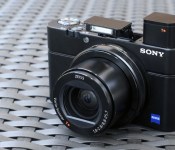
There are good cameras that look cute, take passable pictures and don’t cost an arm and a leg. And then there are incredible cameras that can really do it all, but come along with comparatively astronomical price tags. The Sony RX100 is the latter — the original model, which cost $650 and first appeared in 2012, was already wildly popular with camera enthusiasts, and 2014′s version cashes in on two additional years of R&D. The result is a more capable point-and-shoot that’s even pricier, at $800, but still worth every penny: It’s the RX100 III.
There are a few major changes in the third iteration. For some photographers, the most significant is the new pop-up OLED viewfinder that’s available when you need it, but retracts completely into the housing when you don’t. Sony removed the full-size hot shoe to accommodate the new EVF, but that’s a trade-off few will mind. Another big swap is the new 24-70mm lens, which sports an f/1.8-2.8 maximum aperture range, giving you more bokeh and better low-light performance when zoomed all the way in. Finally, there’s a new video codec on board, called XAVC S. On paper, it’s not tremendously exciting, but it does result in some pretty spectacular video footage, rivaling what you’d get with a higher-end (and much larger) rig, assuming you add on the mandatory Class 10-plus SDXC card.
Hardware

You’ll still get better performance from a top-of-the-line mirrorless camera or DSLR, but those aren’t nearly as portable, and they’re certainly not small enough to carry in your pocket. The RX100 is plenty capable, but its greatest strength is its size. While heavier than many other point-and-shoots, it’s not much larger. Its powerful 24-70mm f/1.8-2.8 Vario-Sonnar T* zoom lens does make it quite a bit thicker than your run-of-the-mill compact, but assuming you can deal with a moderate bulge, it can fit in a pants pocket.
You’ll more likely be dangling the RX100 III from your wrist, using the included band, or from a third-party neck strap (the requisite adapters are in the box). Despite its small size, however, the camera offers all of the necessary buttons and dials, including a dedicated mode dial, a video record button, a scroll wheel (for adjusting aperture and/or shutter speed) and a button for accessing the integrated WiFi mode, which lets you transmit images from the camera directly to a smartphone or a tablet.

This time around, the greatest engineering feat is the pop-up electronic viewfinder. It’s located at the far-left corner, and extends up about one inch when in use. The clever design includes a slide-out magnifier, complete with a diopter adjustment dial. The camera powers on as soon as you extend the EVF using the release switch on the left side of the housing, though it also turns off when you push it back down. Like most other EVFs, there’s a proximity sensor that activates the finder and disables the LCD when you raise it to your eye. Of course, grazing the viewfinder with a finger or other appendage has the same effect, but you can simply push it back into the housing to eliminate the issue.
Because the EVF takes up quite a bit of space within the housing, Sony had to move the pop-up flash a bit to the right. It’s now centered just above the lens, though it extends far enough to reach beyond the zoom, even at the widest focal length. Given that the flash has now taken over the real estate previously allocated to the full-size hot shoe, that component is a casualty of the RX100′s redesign, though (as mentioned earlier) with the exception of perhaps a few hardcore shooters, it likely won’t be missed.
User interface

For a spell, Sony began including touchscreens with its mirrorless cameras, such as the NEX-5N, but newer models, including the Alpha 6000 and flagship A7s don’t offer that feature. All three RX100 models also lack touch functionality, including this year’s iteration, which may be a disappointment to some. On the other hand, no touchscreen means Sony needed to include a range of dedicated controls and dials, which ultimately work to improve the experience. The trade-off, of course, is that you can’t tap to focus, which many shooters have come to count on when capturing video.
The user interface hasn’t changed much since the original RX100. The menu layout is more or less identical, though there have been some slight cosmetic tweaks. The quick-access menu has been refined — it’s a bit more straightforward to use now — but indicators and the camera’s general workflow are consistent with past models. Like with the RX100 II, you can transfer images over WiFi using Sony’s PlayMemories Mobile app for smartphones and tablets, but unlike competing products, you can’t control the camera remotely.
Performance and battery life

The first model in this series was lauded for its incredibly fast focusing, and the RX100 III performs just as you’d expect. It focuses very quickly, and it’s accurate nearly all of the time. Focus hunting is perceptible, particularly with dim subjects when you’re not using the AF-assist light, but if you miss a shot due to speed, the camera probably won’t be to blame. Granted, it’s not the fastest gun in the West, but it’s definitely one of the best in its class. As with any compact camera with a power zoom lens, it takes a second or two to get the camera powered on and ready to capture its first shot. If you’re anticipating an upcoming capture, it’s best to leave the RX100 powered on — once the camera’s standing by, shutter lag is barely noticeable.
As for battery life, I took the RX100 on vacation and managed to get through three days of exploring without charging up. On average, I probably used the camera for a few hours each day, so if you tend to capture hundreds of shots and dozens of video clips during each day of touring, you’ll need to charge up overnight. During that period, I was able to snap more than 500 stills and 13 minutes of 1080p/60 video, which was captured with the high-bit rate (and processor-intensive) XAVC S codec.
Image quality
Since we’re already on the topic of video, I’ll start with some analysis there. The XAVC S codec available with Sony’s latest cameras is a significant step up from AVCHD. Video looks great on the camera, of course, but when evaluating footage on a laptop, it’s hard to believe this level of quality came from a camera you can slip in your pocket. The new f/1.8-2.8 lens also deserves some of the credit, I’m sure, but the improvement is clear. The one con is that you’ll need to use a file converter to edit and output your footage using a computer. I used Pavtube ($35), which worked very well.
Unfortunately, once you convert footage and upload it to the web (with further compression), you lose a lot of that captured detail. The resulting clips, as you’ll see in the footage reel above, look better than what you’d shoot with some other compact cameras, but unless you’re maintaining that high 50 Mbps bit rate, you’ll notice some degradation for sure. In the reel above, exposure was spot-on, and the RX100′s integrated optical image stabilization helped keep things steady, even as I moved around.

Moving on to still images, the RX100 exposed this late afternoon, backlit shot beautifully, with an aperture of f/4 and a shutter speed of 1/640 second at ISO 125. Details are very sharp and colors are accurate.

This plate of cacio e pepe, a typical Roman dish, is slightly underexposed, at f/4 and 1/320 second, with a sensitivity of ISO 125. The camera may have been thrown off by the metal fork, but it’s nothing a slight levels tweak in Photoshop won’t fix.

I saw dozens of tourists shooting tablet photos each day during my short trip to Rome. Moments like these come and go in only a few seconds, so this was a great test for the RX100. I was able to turn the camera on and snap a few shots as I walked by on the sidewalk. Details are sharp and colors are accurate in this 1/200-second, f/5 exposure at ISO 125.

This is where gelato cups go to die. The camera opted for an exposure of 1/100 second at f/4 here, with a sensitivity of ISO 125. Details are sharp; colors are accurate; and the exposure is spot-on.

Like the iPad shot above, this is another opportunity that came and went in only a few seconds. Fortunately, the RX100′s speed enabled me to grab this sharp shot, at 1/50 second and f/2.8, with a sensitivity of ISO 125.

The Pantheon is remarkably dim, yet the RX100 did a fine job of capturing this stranger with sharp details, assuming you’re uploading for the web. In-camera processing counteracts the high sensitivity of ISO 6400, but results in softer details, as you can see in the inset of this 1/60-second, f/2.8 exposure.

The RX100 really excels at night, capturing consistently exposed images with limited noise. The camera’s optical image stabilization helped keep details sharp in this 1/20-second, f/2.8 exposure at ISO 800.

I returned from Italy just in time to capture this shot of New Yorkers making their way home after the July 4th fireworks. With plenty of vapor light, colors are accurate, believe it or not, though details are soft due to in-camera processing in this ISO 6400, 1/50-second, f/2.8 exposure.
The competition

Given all of the features that Sony’s managed to pack into the RX100 III, including a 1-inch sensor, an f/1.8-2.8 lens, an LCD that flips forward 180 degrees and that one-of-a-kind pop-up viewfinder, this is currently the only camera you can buy that includes that identical feature set. There are a few similar options on the market, though, with Canon’s PowerShot G1 X Mark II offering the most comparable specifications while still maintaining a point-and-shoot form factor. That camera, also priced at $800, includes a larger 1.5-inch sensor and a longer 24-120mm f/2-3.9 zoom lens. And while there’s no pop-up EVF, you can attach one to the hot shoe.
If you’re looking for even more power, you’re not going to find it in a pocketable form factor. Instead, consider stepping up to a mirrorless camera or a DSLR. Our mid-range pick in the mirrorless category, the Sony Alpha 6000, which also retails for $800, offers many of the same features as the RX100, such as an integrated EVF and plenty of hardware controls, with the added benefit of a larger APS-C sensor and interchangeable lenses. You should also consider purchasing last year’s RX100 II ($650) or the original RX100 ($500) at a discount. Both are excellent cameras, and they’re considerably less expensive than this year’s model.
Wrap-up

When Sony launched its first RX100 back in 2012, we were very impressed. The camera offered tremendous functionality in a pocketable package. Then, when the RX100 II came around last year, Sony added WiFi along with a full-size hot shoe (which can accommodate high-end audio gear, among other accessories), besting the original model. This year’s iteration is by far the most capable yet, with a superior lens, XAVC S encoding and a unique pop-up EVF. At $800, it’s a significant investment, particularly within the point-and-shoot category, but if you need a ton of power in your pocket and you don’t mind paying for it, you can’t do any better than this.

Apple Joins White House ‘SupplierPay’ Program to Speed Payments for Small Businesses [Mac Blog]
Apple, Coca-Cola and other high-profile companies across various sectors have agreed to participate in SupplierPay, a new White House initiative designed to accelerate payments for smaller firms in the company’s supply chain. President Barack Obama is expected to announce the program and early adopters later today, reports the Wall Street Journal.
The program will “strengthen small businesses by increasing their working capital, so they can grow their businesses and hire more workers,” the White House said in a statement.
SupplierPay is the private sector counterpart of the government’s existing QuickPay program that pays small business contractors before larger ones. Under QuickPay, businesses typically receive payment within two weeks of a completed project or service.

Apple in recent years has focused on supply chain issues, working to curb excessive overtime, underage workers and harsh working conditions in its supplier factories. The Cupertino company requires its suppliers to meet a code of conduct, routinely monitors its contract manufacturers for compliance with these fair labor practices and issues an annual Supplier Responsibility report to document its progress.

Icon packs that you must have on your Android device…Round Three

I’m an icon addict to the point of where I really need some serious intervention. But don’t call anyone quite yet, because you might just enjoy what I’m fixing to show you. Once you see what I have to show off, then you can decide if a phone call is warranted or not.
That’s right, I’m going to show you some of the newest, hottest, most amazing icon packs in the Google Play Store today that you need to have installed on your mobile device. These icons packs will make your phone scream with pleasure and will get everyone asking; “What awesome icon pack is that you’re using?”
You can check out some of our older posts on this same subject here: Android Icons You Must Have as well as my other two editions of this post here: Icon Packs You Must Have(Round One) and here: Icon Packs You Must Have(Round Two)
The good thing about the icon packs that I’m going to show you today is that they are so very simple to install and easy to set on your device. And when you do get them set on your device, they will theme your homescreen icons as well as all of your icons in your app drawer. That way everything looks nice, neat and uniform. Now, without further adieu, let’s get to all the jaw dropping awesomeness that you’ve come here to see.
NOTE: THIS ARTICLE IS SPREAD ACROSS FIVE PAGES
Aloha by Will Windham(StealthyChief)

Aloha by StealthyChief is an exceptionally well put together icon pack of over 1,650 custom made icons with a retro and tropical style that were influenced by the beautiful scenery of Hawaii. Will Windham has done an exceptional job of custom making so many of the icons majority of us use on a daily basis, and with the unique colors, icon images and everything else, Aloha is just another example of who much he pays attention to detail.
Priced at $1.99, Aloha gives you the icon masking feature as well as 10 HD wallpapers, Muzei Wallpaper support, support for most of the known launchers and it even gets weekly updates every Friday.

Astero by Ekky Pramana(PinkNoze Studio)

PinkNoze Studio has been around for a bit, but Astero is the first icon pack of theirs that I’ve used. What might appear as your standard every day round icon with a shadow, Astero, by Ekky Pramana isn’t exactly that. Yes, it’s round and it has a shadow, but the shadow isn’t a long shadow going from the middle of the icon to the bottom corner so to speak. The shadow stays at the bottom, which you don’t see a lot of right now. Something slightly different which is nice.
For only $1 in the Play Store, you’ll get 650+ custom HD icons made at 144 x 144px, 9 HD wallpapers, a theme dashboard, icon request tool and frequent updates.

The post Icon packs that you must have on your Android device…Round Three appeared first on AndroidGuys.
 AIVAnet