


ComiXology Retires App, Debuts New Read-Only Version After Amazon Purchase [iOS Blog]
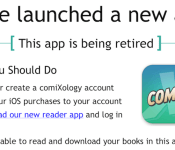
Just two weeks after being purchased by Amazon, digital comic book seller ComiXology has announced that it’ll be retiring its app in favor of a new read-only version that requires users to purchase comic books via their website, much like Amazon does with its Kindle app.
 ComiXology recommends that their users back up their purchases through their ComiXology account and to download the new app to continue reading. However, the current app will still allow users to download and read their current books for a limited time. The Marvel and DC Comics apps, which are powered by ComiXology, appear to be unaffected.
In 2011, Amazon updated its Kindle app to remove the ability to purchase books from within the app to avoid Apple’s in-app subscription and purchases policy, which requires developers to give Apple 30 percent of however much they earn. In contrast, Beats updated its app with in-app subscriptions in an effort to increase subscription sign-ups.
The new app, Comics – Read Comic Books and Graphic Novels by comiXology is a universal app that’s available in the App Store for free. [Direct Link]

‘Relics of Technology’ turns dated gadgets into beautiful things

Photographer Jim Golden’s latest project takes yesterday’s daily drivers out of thrift stores bargain bins and puts them in the spotlight in gallery-quality photographs and GIFs. The series, titled Relics of Technology, which includes floppy disks, projectors and game controllers, elevates forgotten formats and form factors while underlining the ephemerality of technology. As Golden puts it, “These photos are reminders that progress has a price and our efforts have an expiration date.”

We caught up with Golden via email to ask him about the origins of the project and how he got his hands on all of these dinosaurs of innovation. Apparently, it all began with the above image of legacy cell phones. That led to an exploration of “dead media and lost formats.”
“Everything now is on your phone, back then we had this kind of interesting shapes and textures to hold all this information, “Golden said. “Now its touch screen, swipe and go!”
Golden pulled a majority of his subjects from thrift stores and crowdsourcing amongst friends, in addition to pieces he’d collected over time. For example, he keeps the brick phone and rotary phone in his Portland, Oregon studio, pointing out that his “kids don’t believe me that we ever used them.” While that particular statement might make you feel old, it’s a reminder of just how far we’ve come from the days of party line and star 69.
For a glimpse at the complete series, check out Relics of Technology on Golden’s site.
Filed under: Cellphones, Displays
Source: Jim Golden

Google Search: A visual history

“To organize the world’s information and make it universally accessible and useful.”
That was one of the primary goals Larry Page and Sergey Brin set when they launched Google in 1998 as a privately owned search company. Since then, the Mountain View-based outfit has branched out, creating a mobile operating system, mapping service, cloud-based productivity apps, branded devices and, now, smart thermostats. All of those offshoots, however, always point back to the company’s original aim: search. That baseline service is something Google’s been making refinements to ever since its inception. A practice that continues to this day, with the company constantly improving upon the usability and design of its search-based offerings. This means cleaning up a UI when needed, and launching new features that serve up that much-lauded universal accessibility in short order. What may come across as a small box centered in a vast expanse of white is, as you’ll see, actually something that’s constantly evolved since ’98.
1998-2001: Primary Search

For the first few years of its existence, Google.com was purely a search engine with its now iconic box and “I’m feeling lucky” hunting option. The latter was meant to help users discover new sites during the course of their queries.
2001-2007: Totally Tabular

If you needed to conduct an image-based search, Google added tabs just above the search box in 2001 to make the task much easier. These would take on a variety of looks in the years to come, but at launch, they were nestled up under the ultra-recognizable multihued logo.
2006-2007: Tabs Take Over

Tabs didn’t just stop there. They also briefly crossed over to Google’s Gmail and Calendar, offering useful links atop those interfaces. Those apps have since been cleaned up drastically, but there was a time when both were weighed down with clickable, tabbed options.
2007-2011: Navigation Bar

Some folks didn’t take too kindly to Google moving that tabbed content to a navigation bar at the top of the page. For a span of about four years though, search links and app access rested there.
2011: The Google Menu

In an effort to cleanup that navigation bar, Google opted to tuck those handy search categories and its suite of apps into a dropdown menu at the top left of the UI. The bar itself stayed put, adding Google+ access and notifications on the right-hand side.
2012: Google Now

With the release of Android 4.1 Jelly Bean, the folks in Mountain View introduced a new type of mobile search product: Google Now. This card-based system draws upon user habits and search histories to display everything from weather to packages ordered, flight status and the latest scores from your favorite team. Google’s even extended Now’s reach beyond just Android, making it available on both iOS and the desktop since.
2014: Tidied Up With Voice Search

It may not look like much has changed, but that top navigation bar has been tweaked again. This time, Google’s cleaned it up by moving that handful of links to the top right corner alongside notifications for Google+. There’s even another drop-down menu for accessing those trusty Google Drive apps and a handy list of sites that you visit most. To top it all off, the search box that’s been there from the very start now features voice search.
Google Doodles

Even before the company was officially incorporated, Google Doodles were a thing. The first was posted in 1998 to announce the attendance of Larry Page and Sergey Brin at Burning Man. Since then, the artwork has been used to celebrate all kinds of events, from the Olympics to birthdays of influential folks. The Doodle team has been keen to add a heavy dose of interactivity throughout the years, too, as evidenced by one of our favorites: a recordable Moog synthesizer for Robert Moog’s 78th birthday.
Mobile Minded

“You don’t need to be at your desk to need an answer” reads entry number 5 in Google’s “Ten things we know to be true.”
Browser-based search on mobile has largely taken on the look of its desktop counterpart. Even today, there’s a side-mounted app tray to keep the main page focused on hunting for crucial info. Most Android users have a handy window on the their home screens and Google’s apps pre-installed, so there’s no real need to hit the search webpage directly. In terms of the standalone Search app though, it primarily drives the aforementioned Google Now.
Always Searching
To say that the folks in Mountain View have expanded the search engine since 1998 would be a massive understatement. It’s quite clear many of Google’s other products harken back to its prowess in handling queries. From Nexus to Now and Glass, there’s little chance that search won’t continue to drive all that Google does — no matter how its look may change.
Desktop screenshots courtesy of Google, except for the 2014 image.

Windows Phone’s music app now lets you start playlists using your voice

When the Windows Phone 8.1 preview rolled out, its music app was underwhelming; you couldn’t use Cortana voice commands for everything, and it was fairly buggy. Both of those gripes are gone now that Microsoft has updated the music client with its latest mobile OS in mind. You can now use voice to do most anything, including starting playlists by name; you no longer have to go hunting for that collection of hot summer jams. Problems with unexpected black screens should also be gone, and interface transitions should be smoother across the board.
This is just a hint of what’s to come, too. Microsoft is promising a series of updates that bring Live Tile support, initial background syncing and more intuitive playback controls. You should see the next upgrade sometime within two weeks, as of this writing. If there’s something you don’t like now, there’s a chance that Redmond will fix it in short order.
Filed under: Cellphones, Mobile, Microsoft
Via: Xbox Music Team
Source: Windows Phone Store

Open data gives rise to a virtual Denmark in Minecraft

Since the US government opened its troves of public data we’ve seen some pretty neat projects like climate-change prediction tools and deforestation-monitoring systems. Denmark, on the other hand, has taken a different approach: the Danish Geodata Agency used internally developed topographic maps and elevation models to build a 1:1 recreation of the happiest country within Minecraft’s blocky confines. Unlike the virtual Great Britain we’ve seen before, this pixelated Denmark is more than just natural features like hills and forests. As Ars Technica has spotted, it includes accurate replicas of highways, homes, landmarks and businesses too. The project was intended to showcase the country’s open-data initiative to its students and educators, but anyone can take a gander until the Danish government’s game servers shut down in late October. Server rules, however, have disabled enemies and TNT — no Creeps allowed, naturally.
Via: Ars Technica
Source: Danish Geodata Agency (Danish)

Samsung looking to increase flexible display production for 2015 flagship Devices
 Ever since Samsung released the Samsung Galaxy Round smartphone, we’ve been wondering when Samsung would utilize its flexible display technology in other devices. While the Samsung Galaxy Round itself was a bit of a failure and never quite matched up to its main competitor, the LG G Flex, there are still plenty of ways a flexible display could be used and looks like Samsung is gearing up to do just that.
According to Ledwn, Samsung is planning to build a new factory to increase their output of flexible OLED displays.While the development of the site is expected to take 6 or 7 months to complete and is expected to be able to move into full production in early 2015. The flexible displays are said to be used in wearables and smartphones so it’s entirely possible that we will see flexible screens on the Samsung Galaxy S6 or Galaxy Note 5 come 2015. The development of this factory also supports Samsung’s other businesses with its curved TV production increasing as well. It will be interesting to see whether flexible displays really play a big part in the future of smartphones or not since nobody has attempted another after Samsung and LG.
What do you think about Samsung increasing production of flexible displays? Do you think there is a future in smartphones with flexible, curved displays? Let us know your opinion down below.
Source: Ledwn via TechDefault
//<![CDATA[
ord = window.ord || Math.floor(Math.random()*1E16);
document.write('’);
//]]>

Is There a Chance for a Mobile Phone Signal Booster to Become a Savior?
Over the last few decades the quantity of people who have started using mobile phones has increased a lot and not every mobile company is able to cope with the influx of subscribers. That is why, more and more users do complain about the inadequate mobile phone coverage and the growing number of dropped or missed calls. Such problems with their mobile makes usual people rather annoyed, because in most cases modern users depend a lot on their cell phones.
There is Nothing to Worry about
Experts say that there is nothing to worry about it, as they have developed various ways, both usual and “smart” ones to conquer the problem of poor mobile signal coverage in any place of the country. In spite of their announcements the trouble of weak connection is still quite hot for many mobile phone owners.
 Reasons for Bad Mobile Phone Signal
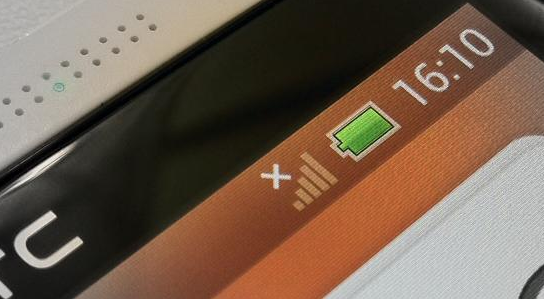
Before considering the ways to solve the issue of poor mobile phone signal, you have to bear in mind that in some cases mobile service providers should not be blamed for bad connection. Sometimes, such troubles are far beyond their abilities.
Bad signal can occur due to a great number of obstacles that a signal meets on the way to a mobile phone. Another reason is the far distance of a subscriber from a transmitting tower.
Ways to Combat a Fragile Mobile Phone Signal
There are ways when consumers can settle the problem of poor perception even without contacting the provider in any way.
Here come the methods that a person is able to refer to, while attempting to improve a mobile phone signal:
Charge Your Battery Regularly
– Do charge your mobile phone all the time, and do not let it be flat or almost flat, as the flatter battery is, the more chances you have to suffer from a poor signal.
Approach Open Areas
– When you are inside: in a house, an office or any type of building, rush to the windows or any other open space where signals are likely to penetrate in a better way. There are even particular apps for an iPhone which show you the areas with best coverage zones in the building or in the house. They say that such applications are quite efficient when you are in the countryside.
Cell Phone Signal Booster
– One more effective way to forget about poor mobile phone coverage is to set up a mobile phone signal booster from MyAmplifiers. A new type of devices has appeared not long ago, and its main aim is to take a weak signal and to boost it to the level, which is good enough to have a proper and fruitful conversation. Such gadgets do not need any specific installation: you only plug them into and they start working immediately. They do not occupy much space in the house and they are rather good for high-rise buildings, big lorries, country houses etc.
–
Change the Service Provider
– Some of the users refer to drastic measures and change the network provider. They strongly believe if they change the provider, the service and the mobile phone coverage will probably improve. In some cases, it can work, but it is not obligatory and it depends on the mobile phone company’s abilities and finance.
Hold Your Phone in the Right Way
– They say that, as some of the subscribers do not hold a phone correctly, the coverage can get worse because of this. Ideally, you are supposed to hold your phone upwardly straight and not any other way: downwards, turned somehow etc. It is necessary to act like this, because most mobile phone antennas are situated at the bottom of the phone.
As you can see, here are the basic ways to fight with poor mobile phone signal: to charge your phone as soon as it is required, to come closer to the windows or any other more or less open places, to change the service providers, to install a mobile phone signal booster, to hold the phone in the right way.
Every user has the right to implement any of the ways they wish to improve the quality of the phone communication – all of them seem to be rather effective.
The Advancement of Software in Automobiles for Safety
Every New Year is bringing with it new cars that boast of advanced technology. The good thing is that the technology is not only for entertainment purposes as it plays a critical role of enhancing car safety. The use of technology to promote automobile safety has got many people dreaming of a car that has the software needed to drive itself making the roads safer. The software used gives the car the capability to react to any dangerous situation way before the driver notices the danger and reacts. Software to promote automobile safety is being advanced through constant research and this article will discuss some of the software technology used to promote automobile safety.
Night vision software
The use of night vision software has become very popular especially for cars designed for night travel. The technology uses infrared radiation and thermal imaging. Before the technology came along, it was very hard for the driver to spot any debris on the road, animals and even drunk pedestrians. With the technology, all the above is spotted by the cameras and the information shown on LCD screens on the car’s dashboard. This way, the driver is able to avoid crashing into debris or hitting animals and pedestrians. The technology makes it safer to drive at night.
Drowsy driving warning software
There are some automakers that have come up with software that warns the driver if he is driving carelessly due drowsing while driving. The software kind of studies the driver and keeps a record of his best performance. Any time he deviates from his best performance, the software sounds a warning. In most cases, the software has the best facial recognition software that detects any deviations. In some cars, the software triggers the display of a coffee mug when it senses that the driver is drowsing. This technology has helped reduce the number of accidents that are caused by drowsy drivers.
Lane departure warning software
In the event that all drivers failed to stay within their side of the lanes, accidents would be numerous on the road. For this reason, automakers have come up with lane departure warning software. The software uses laser technology and advanced cameras to warn the driver when he is veering off. In some cases, the warning caused the driver’s seat to vibrate and steers the car back to position. This software is very effective when used in large cars that tend to occupy bigger space on the road.
Active braking technology
The risk of hitting a car from behind in traffic is very high and active braking technology helps avoid this. The software uses sensors and cameras to calculate the distance between it and the next car and when there is risk of collision, the systems brakes the car automatically hence avoiding collision. The best system normally alerts the driver of danger before applying the brake automatically. This system helps avoid minor accidents when driving in high traffic and is very popular.
The above are just examples of the advancement of software in automobile for safety. More can be found online when booking for the DSA driving test.

8 Ways Your Website is Driving Customers Away
Although you may be trying to save money by doing a DIY job on your website design, this could actually end up costing you money in the long run. How? By driving potential customers away, causing you to miss out on profitable sales. Here we will explain eight ways your website is driving customers away and if you find yourself nodding along, it is time to hire a professional web designer to give you a helping hand!
1. Large blocks of content
Content is great, we love content, but the saying ‘too much of a good thing’ certainly applies here. If you bombard users with endless blocks of content, they are simply going to get bored and lose focus. It is important to make your web design as simple as possible, giving users time to digest the information they have taken. You can do this by portioning your text into small chunks and surrounding it with white space.
2. Confusing navigation
Users are not going to want to have to click through four or five pages to get to the information they require. If your navigation is confusing or long winded, users will simply click off your website and go to one of your competitors’ sites instead. If you need help simplifying your website navigation and making it more logical, we highly recommend getting in touch with an expert web designer.
Users are only willing to wait a couple of seconds for websites to load. If they take any longer they will simply look elsewhere for the information they require.

Image source: https://farm4.staticflickr.com/3184/3000043099_d9d87c0a14.jpg
3. Slow page loading times
Slow page loading times are the downfall of many business websites. If your pages take more than a couple of seconds to load, again users will go elsewhere for the products or services they require. A good web designer will help you reduce your page loading times by tweaking your site and reducing image file sizes.
4. Black backgrounds
If you want users to be able to read your content with ease and take in the information you provide, then do not present it on a black background. Light fonts on black backgrounds are extremely off-putting for users. Change it around so you have dark fonts on a light background. Not only will it make your content easier to read, but it will also let it breath, allowing users to digest it better.
5. No search bar
Websites without search bars frustrate users and rightly so. They want to be able to type in the product they are looking for and be taken straight to the page it is on. They do not want to have to click through numerous category pages until they find it. If your website does not have a search bar, you could potentially be missing out on profitable sales. Ask your web designer to install one ASAP!
6. Not mobile or tablet friendly
One of the biggest mistakes you can make today is to have a business website that is not suitable for viewing on digital tablets and smartphones. The number of people using tablets and smartphones to access the web is growing day by day and by having an unresponsive web design, you will be alienating a large proportion of your target audience.
There are two ways to solve this problem. You can either have a responsive web design built by your web designer or a mobile-version of your site. Either way, it is essential that your business website can be viewed on tablets and smartphones. Seek consultation from Companies like webdesign Manchester specialists, Fluid Digital.
If your website isn’t mobile or tablet friendly, you could risk alienating a large proportion of your target audience.

Image source: https://farm6.staticflickr.com/5476/12218599324_d5830a8740.jpg
7. Difficult to find contact information
If you are going to attempt to sell your products and services online, you need to build up your customers’ trust in your business. Part of this process will involve providing information about your company and ensuring customers can contact you if they have any queries or problems. If you hide your contact information on your website, your customers are going to lack trust in your company. Make sure your web designer inserts your telephone number and email address in the footer of your website pages.
8. Too many ‘call to action’ buttons
Call to action buttons are great for telling users what you want them to do e.g. ‘Buy’ or ‘Sign up.’ If however you have too many on one page you could end up confusing users. A good web designer will advise than you have one call to action per page.
Conclusion
The key to a good website is to provide users with an excellent experience. A major part of this will involve creating a highly functional and aesthetically pleasing design that will engage with users and allow them to carry out their tasks. If you believe your current web design may be driving users away for one or more of the reasons featured in this article, get in touch with a professional web designer and see how they can change your site for the better.
Image credits: HikingArtist.com&TruckPR

5 Reasons Why You Should Use SenutiTo Restore Mac Files
 Senuti is Mac specific software that is used to restore and transfer any amount of data easily to your Mac enabled system. The name is simply iTunes spelt backwards and is known to be one of the best utilities to restore large amounts of data from your device back to your Mac. It is used specifically for transferring and restoring videos and songs from an iPod, iPhone and iPad. The application was developed by Whitney Young who took the help of various open source developers and wrote the code for this program. The application is owned by FadingRed, a software developing company that was co-founded by Whitney Young who is also the company’s Lead Developer. Being an amazingly reliable application for transferring song and videos, here’s a list of few of the reasons why Senuti is so popular.
- Ease Of Transfer
It is almost impossible to transfer the large amount music files from an iPod to a Mac with the help of good old iTunes. This is where Senuti comes into picture, it not only transfers files and sync your device with the Mac but can easily handle large amounts of data with ease. While you’re at it, do not forget to turn off the auto-sync with iPod feature else you might end up erasing the files on your iPod.
- Simple Interface Allows Ease Of Use
The best part of Senuti is its intelligent file transfer and the simple interface that is perfect even for beginners. The application upon connecting your device to the Mac will automatically mark the duplicate files on your computer in blue so you can easily identify them.
- One Step Recovery
Another great functionality of the Senuti application is its easy recovery. The videos and songs are intelligently processed and transferred to your Mac. Its special feature allows you to simply drag and drop the playlist created on your device to your Mac. No matter how voluminous the amount of data, Senuti can do it with a single click.
- Intelligent Recovery
Senuti is not all about simply moving the files from your iPod, iPhone or iPad to your Mac. The application works according to the information stored in the iTunes database located on your Mac and will match it intelligently with the song information on your device. The duplicate files are highlighted in blue and can be removed by the user to save disk space. This allows for easy management of your already organised iTunes library.
While there are various applications available that helps transferring songs and videos from your music player device to your Mac. Senuti is a Mac specific application that packs both convenience and power. It can easily handle large amount of data transfer in a single click. Senuti is a marvellous recovery application that focuses primarily on the transfer of the song and video files. It integrates seamlessly with the iTunes application and can also double as a juke box player for your device, especially during a house party.
Author Bio:
Brian Fisher began covering technology in 2006. He likes keeping upto date with the latest happenings in the field of technology and reviewing various gadgets and software. For more information on Senuti please visit http://www.iskysoft.com/itunes-tips/about-senuti-mac.html.
 AIVAnet