


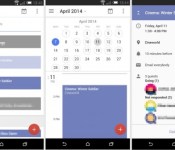
A new Google Calendar for Android could be on the cards, with new UI and social Integration
 The Google Calendar for Android app is one that’s seen quite a few integrations, and it looks like it could be in for one more big change in the near future. According to some leaked screenshots, Google may be currently testing a new version of the Calendar app that incorporates a new, minimalistic user interface as well as some very useful Google+ integration. It’s definitely a less cluttered approach, and much less colourful than some of Google’s other core apps. All the same, it’s a nice change of pace for a calendar app that currently doesn’t really offer anything that other apps don’t already.
Some of the features that have been spotted in the screenshots include a daily agenda screen which summarizes all the day’s events including birthday information courtesy of Google+; upcoming birthdays can also be viewed in a separate calendar. Although the app in the screenshots looks ready for everyday consumption, there’s no telling if Google is going to release this any time soon, if ever, but we can always hope.
What do you think about the leaked screenshots of the Google Calendar for Android? Let us know what your opinion is in the comments.
Source: Geek.com via TalkAndroid
//<![CDATA[
ord = window.ord || Math.floor(Math.random()*1E16);
document.write('’);
//]]>

Phonejoy game controller shipping to Kickstarters, here’s our review

With all the games that are available on mobile devices, many gamers are relying on virtual touchpads and buttons to control the games and they can often be inaccurate. Here’s where the world’s first expandable game controller by Phonejoy comes into play, and with the device now shipping to Kickstarter backers, the guys over at Phonejoy kindly sent us a review unit to check out.
Securing nearly $70,000 on Kickstarter in January 2013, Phonejoy had aimed to begin shipping their devices, but various hardware issues had delayed the launch slightly. However, Phonejoy managed to overcome the obstacles in their way and are now shipping to early bird backers on Kickstarter.
We were excited to get ours, so check out our review below.
Design

The Phonejoy game controller resides around a collapsable design, and that’s what makes it so unique. A spring-loaded system contracts the game controller to a third of its size, enabling the controller to be extremely portable. To put it into perspective, the Phonejoy game controller is no bigger than a regular sized wallet.
- Height: 87 mm
- Width (Open): 255 mm
- Width (Closed): 102 mm
- Slider Width Extended: 153 mm
- Weight: 180 g
The controller itself has all the buttons you’d expect to see on a controller. There is the standard axis directional buttons, together with two analog sticks. There is also action buttons on the front and top of the controller, which make it looks akin to a PSP offering a sense of familiarity.
The Phonejoy game controller feels very solid and well made, and the spring mechanism is very firm to ensure it not only contracts to a minimised state, but also holds the device in place securely. There are conjoining lips on the controller which give a suitably snug fit to your device when it is ‘plugged in’, meaning you can be confident that when you’re vigorously gaming that your device isn’t going to just fall out. Phonejoy claim that you can get up to 8 hours of play time per charge and it wasn’t far off that figure.
Functionality

The most important aspect around something like this isn’t whether it looks nice, it’s how the game controller performs. The Phonejoy game controller functions as good as it looks, with games seemingly so much more enjoyable with a physical controller to hand. Through the help of Phonejoy’s store which showcases the best compatible games for your device, you’ll be enjoying pocket-sized console gaming in no time.
Phonejoy’s game controller was extremely comfortable to use, and since having it I have found myself playing a lot more games on my mobile device, simply because it is a lot more enjoyable and comfortable.
Priced at $69.90 or £59.90, orders are now being taken for the Phonejoy game controller at http://getphonejoy.com and will be available through major online retailers such as Amazon, eBay, and Newegg.
The post Phonejoy game controller shipping to Kickstarters, here’s our review appeared first on AndroidGuys.

Google Play Music now playing in SONOS

Well, that just about seals it for me. Google Play Music is now available in SONOS, meaning you can stream your entire library of uploaded music to your various connected speakers.
As one of the only holes I could see in the SONOS experience, the inability to play the tracks in My Library has been a pain point for nearly a year. I pay for the Google Play Music All Access plan and have added scores of individual tracks, albums, radio stations, and more over the last months. But, as much as I love my growing collection, I’ve not been able to pipe it throughout my house. And, as much as I love SONOS, I’ve always held out hope that it would one day let me add my music.


Just as I had hoped, you can pull up music by songs, albums, genres, and artists. What’s more, you can even pull up the “I’m feeling luck radio” and explore options. It’s all there.
You might not see the Google Play Music feature in the official app, but it’s in the beta version. Check back later today
Now, if you’ll excuse me, I’ve got some more uploading to do.
The post Google Play Music now playing in SONOS appeared first on AndroidGuys.
Supertooth Disco 4 Bluetooth speaker review

Bluetooth speakers are becoming more and more popular, and SuperTooth is quite the superpower in the market of Bluetooth accessories. They make everything from car kits to speakers to headsets, and one of their latest creations is the fourth installment in their Disco line of wireless Bluetooth speakers. We got a chance to review a Disco 4, and despite its simplicity, there’s a lot to talk about with this little speaker.
A quick rundown of the specs gives us an idea of what the Disco 4 is packing:
- 8-watt speaker
- Bluetooth 4.0 (can pair a maximum of 8 devices at once, with one being connected at any given time)
- NFC (more on that later)
- A2DP
But enough of that, let’s get into the good stuff.
Design
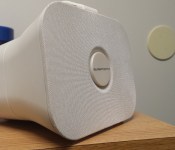
Beginning with the most obvious aspect, this speaker just looks awesome. It’s incredibly simple, and doesn’t try to dazzle anyone with flashy buttons or designs. Its horn shape reminds me of the old speakers that are used in the P.A. systems in high schools. You know, the ones mounted high on the walls of the hallways, that deafen students when the alarm sounds during a fire drill. While this is an obvious design choice, it’s actually done in a very sleek way. The speaker is square, but has rounded, subtle edges. It widens toward the front, giving it that classic look.
Up top is a handle that’s made of a silicon-rubber material. The handle is another simple addition that SuperTooth made, but it actually makes a big difference in the portability and general use of the speaker. Too many Bluetooth speakers are pill-shaped or otherwise don’t have any real means of grabbing onto them, so it was nice to see a simple handle thrown in to address this problem. After using the Disco 4 for a few weeks and carrying it around, a handle on a Bluetooth speaker just makes more and more sense.
 The back of the speaker is, as they say, where the magic happens. It’s pretty self-explanatory: a power button with multiple functions, a colored LED indicator, a microUSB charging port, and an optional auxiliary-out port for those devices that aren’t Bluetooth-friendly. Just as a clarification, the press images from the Disco 4′s CES announcement show it having several buttons on the top that aren’t present in the final production model. Supertooth didn’t mention why they removed these buttons (which appear to be play/pause and possibly volume buttons), but I would think that they were removed because they were essentially pointless. In any case, all the music functions and volume are controlled through your smartphone or tablet.
I think SuperTooth hit a sweet spot with the size of the Disco 4. It’s certainly not the smallest of Bluetooth speakers (at around 5 inches tall, 6 inches wide, and 5 inches deep), but it’s still small enough to fit on a tabletop without taking up too much space. Despite being one of the larger Bluetooth speakers on the market, the Disco 4 is remarkably light. I was actually surprised when I picked it up for the first time, because I expected it to be much bulkier than it is. SuperTooth put a lot of time and effort into making this thing as portable as possible, and it shows in the weight (or lack thereof).
Sound & Usability
 The Disco 4 is, in short, an awesome little speaker. Just from a sound perspective, it’s kicking out 8 watts of RMS power. Everything I played through the speaker came out crisp, clear, and loud enough to be heard from a fair distance away. There’s a surprising amount of bass coming from the Disco 4. It isn’t mind-blowing and you won’t be rattling any windows with it, but for most scenarios (i.e. parties, playing random songs, etc) it should be more than enough. All in all, the sound coming from this speaker definitely exceeded my expectations.
So it sounds great, but how usable is it? The short answer is that the DIsco 4 is remarkably easy to use. Within seconds (literally, I counted) of removing the packaging, I turned the speaker on, paired my phone and started playing my favorite tunes. There is almost no set-up required for the Disco 4. SuperTooth gave users a few different ways to pair their devices via Bluetooth. The first (and most obvious) method is by holding down the power button on the Disco 4 until it beeps and the LED indicator light flashes red and blue. This essentially puts the speaker in discovery mode, so all it takes is finding it via Bluetooth on your smartphone or tablet and pairing with it. This process takes a whole ten seconds, and I had no issues pairing my Galaxy S4 with this method.
 SuperTooth went the extra mile and threw in NFC-Bluetooth pairing capabilities. The basic idea is that the Disco 4 is NFC-capable, so you can just hold your NFC-enabled device up to it, and it will ask you to automatically connect to the speaker. This sounds like a brilliant idea, but it needs a bit of fine-tuning in practice. The first time I tried to use the NFC pairing, I spent several minutes waving my phone around the speaker like a lost wizard that just couldn’t get the spell to work. After a bit of frustration, I finally found the NFC sweet spot, which is at the top of the speaker, toward the back. In hindsight, there are diagrams in the quick start book that depict a smartphone being held at the back of the speaker to pair it via NFC. But who reads those pesky directions anyway?
Still, even after finding the NFC pairing spot, I was still unable to get my phone to pair via NFC on the first try every time. It always takes a bit of moving the phone around until that beep is heard. I’ll give props to SuperTooth for adding this feature, but it does slightly defeat the purpose if I can connect my phone to the Disco 4 faster by using standard Bluetooth pairing.
SuperTooth claims that you can pull a solid 12 hours of life out of the battery if you’re playing audio at low-to-medium volume, and 3 to 4 hours at full volume. After a few weeks of usage, those numbers sound pretty spot on. In my experience with the Disco 4, I could get several days out of a single charge, playing audio for a few hours here and there. Something tells me that users will either drain the battery in one long music-listening session or gradually over several days as they use the speaker occasionally. Either way, the battery life for the Disco 4 is more than reasonable considering its usefulness.
Conclusion
So here’s the real question: is it worth it? After spending some time with it, I have no hesitation in saying that the Disco 4 is worth every penny. Overall, I was very satisfied with every aspect of it (minus that pesky NFC pairing). It’s a light, portable speaker that offers great sound quality and is incredibly easy to use. At $49, it’s well worth the investment. It also doesn’t hurt that SuperTooth offers the Disco 4 in five colors: red, black, grey, white, and blue. If you’re interested, you can grab a Disco 4 directly from their website.
The post Supertooth Disco 4 Bluetooth speaker review appeared first on AndroidGuys.
Survey Shows Strong Consumer Interest in Larger-Screen iPhone 6
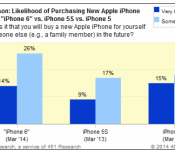
Research firm ChangeWave (via Fortune) has released the results of a new survey, showing that interest among early-adopter and professional consumers in a larger-screen iPhone 6 is at an all time high.
40% of respondents indicated they are ‘very likely’ or ‘somewhat likely’ to buy an iPhone 6 that is described as having a “larger screen size” and a “faster processor” along with an “updated iOS operating system” at a starting price of $199 with a two year contract.

“This is the highest level of demand for an unannounced Apple model in a ChangeWave survey – stronger than we’ve seen in previous years for the iPhone 5S and iPhone 5 models prior to their announcements,” said Andy Golub of 451 Research. “Speculation over a larger screen iPhone is clearly striking a chord with consumers.”
Internal memos from the second ongoing trial between Apple and Samsung indicate that Apple is eager to release a larger phone, as a slide deck from an April 2013 presentation showed that customers want less expensive and notably, larger screen smartphones.
Apple will likely unveil its next-generation iPhone later this year, as it has done with previous models. Unlike past iterations however, the iPhone 6 may come in two versions, including one with a 4.7-inch screen and another with a larger 5.5-inch screen that will be released later.
In addition to a larger display, the iPhone 6 is expected to feature a narrower bezel that surrounds a thinner design along with a faster A8 processor and an upgraded camera. According to a research note from well-sourced KGI Securities analyst Ming-Chi Kuo, the high-end models of the iPhone 6 may also feature a durable, sapphire display as Apple is expected to become temporarily limited by the low supply yields of the material. 
Three days with TomTom’s Multi-Sport Cardio Sport Watch (2014)

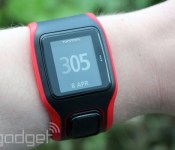
TomTom’s always made fitness wearables on the side, but now that everyone’s in on that action, the Dutch firm has had to up its game. The 2014-era refreshes of its GPS watches now include optical pulse sensors that do away with chest-worn heart rate monitors and keep pace with at least one flagship smartphone. Is this hardware, however, the new gold standard for exercise gear in 2014? We grabbed the TomTom Multi-Sport Cardio Sport Watch, a device so good they named it twice, and put it through its paces.

In the looks department, there’s no difference between this and last year’s model, with both packing a 168 x 144 display and a four-way navigation button below. If you like to wear your timepiece loose and close to the wrist bone, you’re going to struggle here, as the unit has to be worn tight and high to ensure good contact for the sensor to work. It’s a small price to pay for the use, and we found launching into a training routine to be tremendously simple.
The unit is capable of accompanying you when you run outdoors, cycle, swim (it’s waterproof to depths of 50 meters) and when you hit the treadmill, as well as just behaving like a standard stopwatch. There are also options to add in interval, lap and zone-based training programs to each of the functions. When we took it out for a ride, it found a GPS signal within 20 seconds and offered up very accurate location, elevation and speed data. The only place we found fault was when it came to calculating our calories, which we found skewed heavily toward the pessimistic side compared to other systems we’ve used.

You can dock the watch on your desktop, or share your data with the companion iOS app over Bluetooth, although we found that transferring files was horribly slow and the app itself offered nothing more useful than placing our vital statistics beside some colorful icons. Considering that the watch has a vibration motor, we were hoping that it would offer up some smartwatch features like call alerts, but alas, this is a fitness-only device. If you’re in the market for a new unit, this is certainly one to consider, although we’re not sure we’d upgrade if we’d already shelled out nearly 300 clams on last year’s model. Speaking of which, the Multi-Sport will set you back $300 (£280), with the Runner priced at $270 (£250) and both will arrive toward the end of the month.
Google Play Music can now stream direct to Sonos on Android

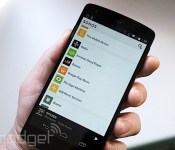
Let’s face it, as cool as Sonos is, that Android app is ugly. You should definitely be rolling with the beta version. The new (and much cleaner, and less blue) look isn’t the big news though. That honor goes to the addition of Google Play Music to the list of streaming options you can enjoy from the Android app. Starting today, you’ll be able to access any music you’ve added to Google’s cloud service, plus all the music in the world (well, not quite, but a lot of it) if you’re fully paid up with All Access. There’s one more significant change to the world of Sonos today, and that’s the ability to stream music directly within the Play app to your hardware. The option will be under the same streaming button as if you were sending it to a Chromecast. So you might find yourself skipping that new slick controller app altogether. We’re no clairvoyants, but expect to see even more music services getting the same native support in the very near future.

Filed under: Home Entertainment, Internet
Source: Sonos

Getting to know Microsoft’s new Xbox lead, Phil Spencer

When Phil Spencer was appointed the new head of Xbox following the departure of longtime lead Marc Whitten, he promised a re-focus on gaming across all Microsoft platforms. That wasn’t a huge surprise, of course –most folks know Spencer as the Microsoft Studios guy; the guy who makes game deals; the guy who speaks at E3 about games during Microsoft’s keynote. While that’s all accurate, Spencer is also a longtime Microsoft employee, starting as a programmer and working his way up. In an interview with Microsoft’s Larry “Major Nelson” Hryb, Spencer detailed that 26 year history and how it led him to the lofty position he’s in today.
Beyond the history lesson, Spencer teased out at least one juicy tidbit: “we’ve got a game we haven’t announced yet, we’re gonna show on stage at E3.” Unannounced games at E3? Get right out! Joking aside, he said it’s got a “fantastic setting” and a “soulful” feeling (comparisons were made to indie darlings Limbo and Brothers: A Tale of Two Sons). Color us intrigued.
Join us below for a bulleted list of quick facts about the man charged with running Microsoft’s gaming division, and the full video interview from Microsoft.
Quick facts about Phil Spencer:
- Joined Microsoft at age 20 as a programmer
- Has never left the company (for 26 years!)
- Worked with Ed Fries and the original Xbox group on creating Microsoft’s game platform
- His favorite game? Voodoo Vince for the original Xbox (yes, really)
- Some major franchises Spencer’s played a key role in: Halo, Gears of War, Forza Motorsport
- The most important “moment” for him in the history of Xbox: the launch of Xbox Live
- His favorite type of games are fun, story-based, and involve group play
- He’s got a pretty killer haircut
[Image credit: Flickr user ‘Criisi’]

Family Guy is canceled yet again in Family Guy: The Quest for Stuff

I know the hearts of several adult cartoon fans stopped for a second when they read the title of this article, but fear not! This is simply the plot to a brand new Android game featuring the cast of the widely known TV show Family Guy.

Fox Digital Entertainment has teamed up with the popular game app company TinyCo (Tiny Monsters, VIP Poker) to bring you the best of the Family Guy show to your Android device in the form of a game. They even brought along the original writers and cast to make the game as much like the show as possible.
The game’s plot begins after Family Guy is cancelled by Fox yet again. However, Peter is quick to learn at a town hall meeting that the President of Fox is in fact his nemesis, the giant chicken Ernie. After starting a quarrel that leaves the entire city in flames, its your job to help with the rebuilding of Quahog.
You can play as Peter, or other members of the cast, and help to restore Quahog to its normal state. Family Guy: The Quest for stuff is full of customization and items such as outfits/decos/etc that you can earn as well as buy in the app. Other than these in-app purchases, the game is free!
With cast from the TV show and the original writers leading the story on this constantly updated game, it should be a ride full of laughs and completely random nonsense! Grab it from the Play Store, and let your Family Guy fantasies run rampant through the streets of Quahog!
The post Family Guy is canceled yet again in Family Guy: The Quest for Stuff appeared first on AndroidGuys.

‘Family Guy: The Quest for Stuff’ Launches for iPhone and iPad [iOS Blog]
TinyCo and FOX have released their new free-to-play iOS game based on the popular TV show Family Guy. The game, called Family Guy: The Quest for Stuff, has gameplay similar to EA’s freemium The Simpsons: Tapped Out, released in 2012.
In the Family Guy game, the town of Quahog has been trashed by a fight between Peter Griffin and Ernie the Giant Chicken, and gamers must help Peter rebuild the town, collecting many the characters from the game along the way. The game features original content from the voice actors along with stories and jokes from writers at Seth MacFarlane’s Fuzzy Door productions.

The TinyCo team stressed that the freemium elements are solely there to speed up the game or for cosmetic decorations, but that users will never be forced to pay money to progress. It’s meant to be something that users play for short bursts — “on the bus or on the toilet”, according to the company — but it can also be played for long stretches, particularly later in the game.
Family Guy’s trademark irreverent humor — including numerous cutaway gags — are everywhere in the game, with some characters from the show making a brief appearance for a single joke before disappearing for the rest of the game.
The game features Facebook social integration so gamers can visit friends, but the social play is strictly optional. Logging in to TinyCo’s servers with a Google+ or Facebook login does make it significantly easier to play the game on multiple devices, however. The game backs up progress to the cloud, allowing users to seamlessly shift their ongoing game from an iPad to iPhone on the same account. It can also be used offline, on an airplane for example, but will need to eventually sync to the cloud to save progress.
“Not only is the game exponentially more entertaining than reading this press release, it’s the only place you’ll find Peter and Quagmire napping together,” said Rick Phillips, SVP, Fox Digital Entertainment. “We’re excited to deliver a game that brings the spontaneity and eccentricity of the show to the mobile gameplay experience for the first time. TinyCo successfully marries the world of FAMILY GUY, its infamous cutaways, lampooning of current events, and irreverent humor with entertaining game mechanics.”
“We’ve had an absolute blast bringing The Quest for Stuff to life,” said Andrew Green, head of business development and business operations at TinyCo. “Working with an IP like Family Guy wasn’t a responsibility we took lightly, and thanks to fantastic collaboration with Fox we’re delivering a game that both fans and newcomers will love.”
Family Guy: The Quest for Stuff is a free download for the iPhone and iPad. [App Store]
 AIVAnet