


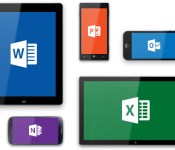
Microsoft’s Office for iPad Apps Gain Printing Capabilities
Microsoft’s Office for iPad apps, including Word, Excel, and PowerPoint received their first major update today, gaining the printing capabilities that were notably absent when the apps launched back in March. The lack of an ability to print documents directly from the apps was a major complaint in initial reviews of the mobile productivity suite.

According to an official blog post, all three apps will gain the ability to print over-the-air to an AirPrint-compatible printer.
Your top request is here! You can now print Word documents, Excel spreadsheets, and PowerPoint presentations to an AirPrintTM printer. In Word for iPad, you can choose to print a document with or without markup. In Excel, print a selected range, a single worksheet or an entire spreadsheet. Of course, you can select the pages or slides you want to print.
Along with printing capabilities, the apps have gained a few other highly-requested features, including SmartGuides for PowerPoint and AutoFit for Excel. While SmartGuides help PowerPoint users align pictures, shapes, and textboxes on a slide page, AutoFit will let Excel users adjust the width and height of multiple rows and columns at once.
Each update also includes a number of bug fixes, along with a note from Microsoft outlining its commitment to continually improving its Office for iPad apps. “We’re already working on the next update,” reads the post.
All of the updates are currently available and can be downloaded from the App Store for free, but editing and creating documents requires an Office 365 subscription. Microsoft OneNote has also been updated with bug fixes.
– Microsoft Word for iPad [Direct Link]
– Microsoft Excel for iPad [Direct Link]
– Microsoft PowerPoint for iPad [Direct Link]
– Microsoft OneNote for iPad [Direct Link]
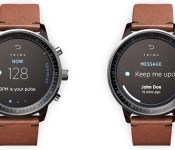
iWatch Reportedly Entering Production in Small Quantities Ahead of Fall 2014 Launch
Apple’s suppliers have already begun producing the iWatch in small quantities, according to supply chain sources cited by China Times via G for Games, ahead of a prospective launch during the second half of 2014.
Echoing an earlier report from notable analyst Ming-Chi Kuo, the site’s sources also suggest the iWatch will take advantage of a system-in-package (SiP) design that allows a multitude of chips to be placed on a single module. This could allow Apple to the fit multiple sensors rumored for the smart watch into a tiny area while keeping the device small enough to be worn comfortably on the wrist.
 Traditional watch-style iWatch concept by Gábor Balogh
Rumors have indicated Apple’s iWatch will contain several different biometric sensors allowing it to track health-related statistics like heart rate, sleep quality, movement, and more. The sensors will aggregate data that will be stored in a rumored “Healthbook” application, slated for inclusion in iOS 8.
Along with including health sensors, the iWatch will likely function similarly to other smart watches on the market, integrating with the iPhone and iPad to provide notifications and quick access to frequently used apps and services.
Apple’s iWatch is expected to ship in two different sizes to accommodate different sized wrists and it may also come in multiple price points and materials. According to recent reports, Apple’s iWatch could make an appearance as soon as September, but a solid launch date remains unclear.
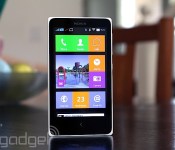
Nokia X review: What happens when Nokia makes an Android phone?

For a company now under Microsoft’s rule, Nokia has serious grit. The phone maker announced an Android phone called the X just two months before completing its merger with Microsoft. Even more intriguing is the fact that this is no run-of-the-mill Android device: The X comes with a Windows Phone-like launcher, offers Microsoft services and will be sold for around $120 in developing markets. While it may not be a powerful smartphone, it has many unique qualities that help it stand out from the low-end crowd. What’s it like, and should Microsoft invest in its success?
Hardware
The X doesn’t stray from Nokia’s signature design language. In fact, if I were to briefly see it in the wild (not knowing what it was), I’d easily confuse it for an Asha 500-series device. Just like the Ashas, the X has square corners, straight edges, a large bezel and a removable plastic back cover with a matte finish, although it lacks the transparent casing of the Ashas. My review unit is a white, dual-SIM Nokia X, but it also comes in black, blue, yellow, red and green.
Everything about the X looks and feels simple. A volume rocker and power button grace the right side, while a micro-USB port and 3.5mm headphone jack are located on the bottom and top, respectively. Keeping with Nokia’s usual style, the left edge remains devoid of any buttons. And just like the Asha 503, the front of the X features only a capacitive back button and earpiece. It lacks a front-facing camera, and when you flip the phone over, you’ll notice a rear 3.2-megapixel camera with no LED flash.
Fortunately, I had no problem holding the 4-inch, 10.4mm-thick device, although these days, such a handset is considered quite small. If you’re coming from an Asha or older 3.5-inch iPhone, you’ll likely appreciate the size of the device; just to put things in perspective, it’s 5mm wider and 1mm thicker than the iPhone 4s. Nokia will come out with a 5-inch version of the device known as the XL in the near future, so hang tight for a little longer if you’d rather go with something bigger.

Because it’s an inexpensive handset (it starts at $123 USD), the X was never intended to be a lavish device. It exists primarily to bring a modern smartphone OS to developing markets at a lower cost, so the specs are about as minimal as you can get these days. It comes with a low-power processor, WVGA display, limited internal storage (1.2GB user-accessible), small battery and so on. In other words, it’s ideal as someone’s first smartphone.
The X uses a 4-inch IPS LCD panel with WVGA (800 x 480) resolution. At a pixel density of 233 pixels per inch, the display is reasonable compared to other Android phones sold at around the same price. As expected from this kind of screen, the viewing angles are decent and whites are bright, but unfortunately, colors are unsaturated and there’s a lot of light unnecessarily bleeding out from the sides of the display. Those rough patches aside, the screen is actually pretty good for such an inexpensive device.
For connectivity, the X is a basic, entry-level 3G device suited for developing markets, though it sports a limited number of frequencies. It comes with quad-band GSM/EDGE and dual-band (900/2100) HSPA, which maxes out at 7.2 Mbps down and 5.76 Mbps up. You’ll also get WiFi 802.11b/g/n, Bluetooth 3.0 and GPS.
Software

The one area of the X that should appeal to both power users and first-time smartphone buyers alike is the firmware. In short, it’s unlike anything anyone has ever seen. Since the X is positioned between Nokia’s Lumia series and the Asha lineup, it’s not surprising that it uses a proprietary interface that takes elements from both devices, even though it technically runs on Android AOSP (version 4.1.2, to be exact). This means you can still use most apps, widgets and launchers supported on the platform, but just like on many Chinese devices running Android, you won’t have access to Google Play Services like Gmail, Contacts, Calendar and so on.
Nokia’s Android launcher

The default launcher on the X is tile-based, much like Windows Phone. The tiles can even be resized — two different options are available — and you can change the color of each one to fit your own way of organizing the phone. There’s enough space for three small tiles, or one large and one small tile, if you prefer. However, this system differs from Windows Phone in that Live Tiles aren’t supported, so most tiles don’t change at all when you make them larger (only specific ones, such as the gallery, add more functionality to the tile when enlarged).
You won’t have access to a standard Android app tray, but you can create folders if you like to download a bunch of apps. This action is done by long-pressing any tile, which also allows you to move apps around and add widgets at your leisure.
There are plenty of other gestures that you’ll need to learn as well. Tugging down on the launcher brings up a search bar (think Spotlight for iOS 7). Swiping down from the top opens up a type of quick-settings menu, which shows toggle switches for connectivity and music, as well as a list of devices or networks you’re connected to. There’s also a shortcut to your settings. Swiping up from the bottom reveals a menu that corresponds with whatever app you’re using.
Finally, a swipe to either the left or right brings up the Fastlane. This is a feature carried over from Asha (you can even trace its roots back to MeeGo), and it serves as Nokia’s version of the notification menu. It shows recently opened apps, notifications, alarms and your current music selection. Some alerts, such as texts and calls, are actionable, so you can respond to them within Fastlane itself; if you want to clear out your alerts, you can do it individually or all at once. You can also customize the list so unwanted items are filtered out. (Pro tip: Tapping the back button from the home screen will take you to Fastlane as well.)
There’s also a special lock screen that shows your recent notifications. Swipe left on an individual alert to remove it, or swipe right to jump directly into that app. You can also swipe up from the bottom to clear them all out, if you don’t want several notifications taking up all your screen space.
Just like on Nokia’s latest Lumia devices, the X features a Glance screen that lets you view the date, time and symbols for each type of notification awaiting you. Sometimes it works; sometimes it doesn’t. Additionally, you can double-tap on the screen to wake it, but I couldn’t get this to work very consistently. Unlike most Android devices, which offer reasonable multitasking options, the X is much more restrictive. You can only get to the Fastlane from the home screen, which means you can’t multitask without exiting your current app completely.

Nokia doesn’t bombard you with Microsoft services, but it does make them more readily available than, say, their Google equivalents. Skype is preloaded, but you can also get OneDrive and Outlook in the Nokia Store. Curiously, it almost feels like the company wants to avoid looking like it’s blatantly pushing Microsoft products, even though that’s exactly what it’s trying to do.
That doesn’t mean Nokia’s avoided bloatware altogether, however. You’ll still get too many preloaded apps: Opera browser, WeChat, Viber, BBM, Nokia MixRadio, Here Maps and 10 games. Many of them can be uninstalled, aside from the Nokia-branded offerings. Most core apps — dialer, messaging, calendar, camera, alarms, internet, music and email, for instance — were made by Nokia, and are thoughtfully designed. (I especially like the alarm, which was inspired by the MeeGo-based N9.) Even the keyboard has a Nokia flair that offers neat swiping gestures.
Using Android on the X

The best part is: If you don’t like Nokia’s interface, no sweat — just download a new launcher and use that as your default instead. I tried a few and each one made it feel like I was using a real Android device, but there are still some catches you should be aware of. Most importantly, Google Play Services aren’t allowed on the X (without rooting, at least). This means you don’t have the full suite of the company’s services: Play Store, Music, Games, Calendar, Voice, Google+, Contacts — the list goes on. Primarily, this is because Nokia wants to focus on selling Microsoft’s offerings instead, including Skype, Outlook, OneDrive and so on. This is actually a good idea on Nokia’s part, when you consider the first-time smartphone buyer (or anyone else who hasn’t been fallen under Google’s spell): If Windows Phone is too expensive, at least the X is a cheaper option that introduces users to Microsoft’s ecosystem in a roundabout way. In theory, once consumers are able to buy fancier phones, they’d be more inclined to give WP a closer look because they’re already tied into Microsoft services.
This kind of setup is enough to confuse most users. Along with this mix of Microsoft services, Windows Phone and Asha, the X is, at its core, an Android device. Thus, it supports most Android apps, but the means of obtaining those apps are not as cut and dry as they should be. The Nokia Store is the official place to go, but it doesn’t offer the same library as the Play Store. Instead, Nokia curates apps: It invites developers to add lines of code that make their apps compatible with Nokia’s special UI, and then submit their apps and wait for its approval. It’s quite the process, and judging by the limited number of available apps in the Store, it seems that a lot of developers haven’t bothered with it yet.
So what happens if the app you really want isn’t in the Nokia Store? To Nokia’s credit, the company’s made it possible to download or sideload any app you want — though it isn’t easy. If you can’t find the app you want in the Nokia Store, it suggests a list of third-party app stores for you to check out. Currently, it lists SlideME, Aptoide, 1Market and Yandex as options, and, by using this method, I was able to get the app I wanted around 95 percent of the time. Of the numerous searches I conducted, only a small handful produced no results. The problem is that it takes much longer to find the app you want (if you find it at all), and you have to go into individual stores if you’re looking for an update. Lastly, you can load any APK file onto the phone via microSD and internet links, though you won’t get updates unless you manually sideload them.
Camera

There isn’t much to say about the fixed-focus 3.2MP camera. The pictures aren’t fantastic (especially for Nokia), but it’s not fair to hold such an inexpensive phone to standards set by fancier devices. Since the X is intended for many first-time smartphone users on a limited budget, this camera will fit their needs quite well. It’s got a 1/5-inch sensor size and f/2.8 aperture lens, and Nokia even throws in a few manual settings to sweeten the deal, including ISO, white balance, exposure, sharpness and face detection.
Predictably, you’re not going to get great images at night. The phone simply doesn’t have the right specs to do low-light shots any justice. That said, the photos I took during the day actually looked about as good as one would expect from a camera like this; while the limited dynamic range and lack of autofocus make it difficult to have an enjoyable experience, I came away impressed by the color reproduction.
Performance and battery life

At such a low price point, the expectations for a phone’s performance differ from that of a midrange or flagship model. The X comes with a 1GHz dual-core Cortex-A5 Snapdragon S4 Play, an Adreno 203 GPU and 512MB RAM (the X+ and XL will come with 768MB). In plain English, this means it’s good enough to handle most basic phone functions, but it’s geared toward first-time smartphone users and developing markets, and isn’t meant to keep up with high-end, quad-core smartphones.
Looking at it from that point of view, I wanted to see a phone that’s usable, responsive and consistent. I didn’t expect it to make computations incredibly fast, nor did I need it to load games like Asphalt 8 on a dime. Still, it had to support all of the core apps and a few extras without crippling the user experience.
With these criteria in mind, the X has its share of good and bad traits. The mesh of various UI elements from different platforms will drive an Android aficionado nuts, but the X is also designed to keep things simple. As long as the user isn’t venturing too far into the weeds (sideloading apps, for instance), it’ll be easy enough for someone to figure their way around the phone. And while it may be a bit confusing for some, the learning curve and user experience are more reasonable than an Asha phone. In fact, as time goes by and the price of the X goes down, I wouldn’t be surprised to see this series completely replace the Asha lineup.

However, it isn’t a very responsive device. I noticed a lot of delays between my touch and the screen indicating that I’d done anything. There were plenty of times in which I had to repeat gestures over and over until it finally figured out what I wanted it to do. And at least a couple times a day, I long-pressed the back button to go to the home screen, only to be greeted by a lengthy pause and “please wait” message. I also noticed that the screen would randomly flash on and back off again, and it sometimes turned on in my pocket without being prompted (this caused frequent redials and misfiring emails to people I rarely talk to anymore). At times, notifications showed up later than they should have, and occasionally they didn’t even show up at all.
Because of all this, I can’t say that the X has consistency. Too often, I’d repeat the same action only to get different results. A handset that has a mind of its own isn’t something I can tolerate in any phone, regardless of how much it costs. In addition, it was often a pain to get even the most basic services set up on the X.
Call quality is mediocre at best, as most of my conversations have been full of static and the other end of the line is typically muffled. Additionally, my experience connecting the X to Bluetooth devices was inconsistent. On the other hand, the meager 1,500mAh battery lasted longer in regular smartphone use than I would’ve expected, although processor-heavy tasks did worse. After a day of moderate use, my review unit still had 30 percent leftover, and light phone users should be able to squeeze out at least two or three days, if not more. The phone didn’t fare well in our endless-video rundown test, making it only four hours before dying; in the X’s case, this isn’t so much an indicator of a horrible battery as it is the inability of the processor to handle such activities efficiently.
The competition

Pricing will vary depending on region, but the X officially retails for around $120. It’s positioned between the higher-end Lumias and lower-end Ashas, although, as I mentioned earlier, I wouldn’t be surprised to see the X make the Asha lineup irrelevant if it drops in price in the next couple years. Its current cost, however, is about the same as the Samsung Galaxy Star Pro, a comparable device with similar specs. The X has 3G support and a better camera, but it also has a confusing ecosystem based on Microsoft services; the Star Pro, on the other hand, has full access to Google services and features a more familiar TouchWiz interface. It’s also uncertain what kind of support Nokia will offer the X now that it’s officially under Microsoft’s wings, so it may make more sense to go with something like the Star Pro, which has a more robust ecosystem.
Wrap-up

Microsoft’s in a pickle. On one hand, its brand-new acquisition just came out with a product running its competitor’s OS; on the other, that same product might be key to gaining mindshare in developing markets, which is one of the bloodiest battlefields in mobile right now. It’s hard to feel confident in the X’s future because Microsoft may choose not to invest in the series, focusing resources on cheaper Windows Phones instead. Because of this uncertainty, the X needs to be an absolutely stunning device and a fantastic value if I’m going to recommend it — and unfortunately, it’s not.
For its cost, it has respectable features and solid hardware, but it doesn’t have enough redeeming qualities to help it pull ahead of its competition. The specs are comparable to a sub-$150 Android smartphone. However, the ecosystem is more confusing and the performance doesn’t quite meet my expectations for a budget device. Plus, who knows how long Microsoft will keep it around and update it? Nokia’s still a trusted brand, and it’ll get a lot of interest in developing markets regardless of the competition, but I was ultimately too frustrated to recommend this over other similarly priced models.
The X works better as a possible Asha replacement than a full-on smartphone experience, and perhaps that will happen in the next year or two. I’m more confident in the performance of low-end Windows Phones like the Lumia 520 than I am in comparable Androids, and a dual-SIM Lumia in this price range would be a much more compelling deal.
Edgar Alvarez contributed to this review.
Filed under: Cellphones, Wireless, Mobile, Microsoft, Nokia, Google

Acer’s first smartwatch, the Liquid Leap, is coming later this year


Play: The simple, mesmerizing Impossible Road

You can now play anything from first-person shooters to role-playing epics on mobile devices, but there’s still plenty of love out there for casual time-killers. Impossible Road has recently arrived on Android after a year-long residency in the iOS App Store, and it’s one of those games you can splurge an hour on at home, or poke at for five minutes on the bus. Your mission: Guide a ball down a winding track for as long as possible — kind of like a never-ending Super Monkey Ball level, but set on the Rainbow Road track of Mario Kart legend. Admittedly, there isn’t much originality to the gameplay, but Impossible Road does have a quirky and compelling visual style. You’re an all-white ball in an all-white world, with the only definition and sense of space given by a ribbon-like track of changing blues that stretches to infinity below. The almost tribal techno soundtrack is a little busier than what’s on screen, and it manages to match the pace of the game well, while also being a constant reminder of your inevitable doom.
Like most games with “impossible” in their titles, it’s not particularly easy, so if you want a shot at leaderboard fame, you better pull out something spectacular. Apart from blips where the track thins momentarily, your journey is obstacle-free, but the twists and leans of the randomly generated runs are challenging enough. Luckily, the tight and sensitive control scheme helps out as much as it can. Impossible Road made the right choice in opting for touch-based steering, as we couldn’t see a game of this speed working well with gyroscopic control. Sticking to the track like glue is key in Impossible Road, not just because you need to pass through checkpoints to improve your score, but because flying off the side is almost certain death. The nicely tuned in-game physics allow you to control the ball with high precision, but get out of the groove on a particularly meandering section and it’s easy to plunge into the abyss. You’re afforded a generous amount of air control to try and get back on course, but float for a couple of seconds and the run comes to an end with a crescendo of white noise.
While you’re always chasing the next high score, truth is you’ll probably spend the majority of time racking up mediocre ones. It’s good, then, that you can still reap a lot of satisfaction from events like nailing a really hard section, or recovering from a nigh-fatal fall. And, for advanced players, you can make it more interesting by purposefully “jumping” to short-cut sections of the track. Success is improbable, but not..
Impossible road is available on smartphones and tablets now for £1.49 via the Android Play and iOS App Stores.
Source: Impossible Road (Android), (iOS)

Forget Comixology: get your inexpensive comics from the Humble Bundle folks

Pretty soon Humble Bundle is going to run out of new things to sell. The company has already conquered video games, ebooks, comedy albums and briefly dabbled in film, now the pay-what-you-want kings are turning its sites on comic books. Starting at 11AM PT today you can get a fine collection of digital comics from Image, including Saga and East of West for as little as a penny. If you do care to cough up more (over $15, to be specific), you can get vol. 1 and vol. 20 of The Walking Dead. But this is just the beginning: Humble wants to be known for its book bundles as well as its game offerings. Once this Image Comic promotion is over on May 15th, Humble will be launching a new tab on its site dedicated to ebooks, audio books and comics. That means that there will always be two bundles running simultaneously: a game or other media bundle on the front page and an ebook bundle on a separate tab. And you can expect two different book bundles per-month.
Two bundles per month certainly seems ambitious for a company that has only offered a handful of book flash sales in the past, but there are already conversations in progress with indie book publishers, comic book publishers and even a few of the “Big 5″ (Penguin Random House, HarperCollins, Simon and Schuster, etc). In fact, there are already enough bundles lined up to carry Humble through September. And you can expect a healthy mix of formats in there from straight sci-fi ebook bundles and super hero comics collections, to publisher-themed bundles of audio and text.
While there are no immediate plans to bring ebooks to the Humble Store, Kelley Allen (director of eBooks), said that it was a distinct possibility. It’s easy to see why the company would choose ebooks to focus on next. It’s an easy to distribute media with a wealth of independent players looking to boost their exposure. It probably doesn’t hurt that the highest average prices for Humble Bundle have been for its ebook collections, rather than its video games. Next we can only imagine that Humble will begin working with indie movie makers and musicians as it continues to build a rather unconventional media empire.
Filed under: Misc
Source: Humble Bundle

Ventev Featured Highlight: Latest Power Solutions Reviewed

Ventev is an electronics company that produces high quality mobile accessories. Lately they’ve stepped up with power solutions that we’re sure to love, and we got a chance to take a look.
Ventev Powercell 6000+

The Powercell 6000+ is a quick charging dual USB external battery bank powered inside by a 6000 mAh battery as the name implies. With built-in AC Adapter prongs, you’ll surely be able to quickly recharge your battery pack. I was able to charge various smart devices around 2-3 times before needing a recharge itself. According to the manufacturer, you can get up to 25 hours of talk time depending on your device and usage, and I concur.
From tablets to smartphones, this bad boy can handle the charge while you’re on the go. You can find this product on the eStore at Ventev.
Rating: 8/10
Powercell 5000

Like the product above, just as the name implies, this external pack sports a 5000mAh battery. Ventev wants you to be able to charge more of your devices as well, so again we have dual USB support. Charging of the external battery pack is done conveniently over standard MicroUSB, which I’m betting we all have a few extra of.
This product is easy on the go but may be a slight bit more of a challenge to charge without AC prongs, like the item above. You can find this product on the eStore at Ventev.
Rating 7.5/10
Dashport Dual-USB (R2240) Car Charger

This is your standard USB Car Adapter, with a few extra talents. You have an additional USB port, however this car charger can also handle your power hungry tablets up to 2.4amps. I truly love this product.
You can find this product on the eStore at Ventev.
Rating: 8.5/10
Powerdash (R900) Car Charger

This is not your average USB Car Adapter. This little guy sure has a trick up its sleeve, with a built in battery for a few hours of extra talk time after you unplug it from your car. This car charger is great for top-offs.
You can find this product on the eStore at Ventev.
Rating: 10/10
ChargeSync Lightning

Unfortunately for those iOS users out there, Apple didn’t do a good job with creating their Lightning USB Cables. They are thin, easily breakable, and very expensive for something you’ll burn through every 8-10 months, which if you have a family with younger kids, could be more frequently. Ventev responds by creating a better, stronger, and longer durable 8pin Lightning cable capable of up to 2.4amps for iPhone, iPod, and iPad users alike. Ventev made a strong, flat, and tangle resistant 3-Foot durable Lightning cable in an array of color options with a Lifetime Warranty, could it get any better?
You can find this product on the eStore at Ventev.
Rating: 9.5/10
ChargeSync Micro

For us Android users as well as owners of MicroUSB devices and accessories, (Smartphones, Tablets, Bluetooth speakers, keyboards, external battery packs, etc.), Ventev makes a great MicroUSB cable in a variety of color options. When it comes to cables these days, usually there is not much to say – they either work or they don’t – and Ventev’s ChargeSync cables work well and are very durable, whether you chose MicroUSB or Lightning options.
You can find this product on the eStore at Ventev.
Rating: 8.5/10
Overview
Ventev has added some great accessories to their lineup to keep you powered. Ventev has a good variety of products that can help you on the go, and my experience with the products above has been quite nice. Be sure to check out their Cases and Protection section as well.
The post Ventev Featured Highlight: Latest Power Solutions Reviewed appeared first on AndroidGuys.
LG confirms the LG G3 in their Q1 2014 earnings report

Clever marketing or a typo? It seems like LG just confirmed that the LG G3 is on its way to market during their Q1 2014 earnings report published today, after seeing a leak of what was suspected to be the actual device.
Whilst reporting their increased 6 percent profit and attributing their success to the LG G2, LG then continue to state that even higher revenues are expected in the second quarter of 2014 with the launch of the LG G3.
Revenues of KRW 3.41 trillion (USD 3.19 billion) increased 6 percent year-on-year and operating profit margins rose quarter-on-quarter due to the launch of G Pro 2 in the domestic market and more efficient marketing spending. Higher revenues are expected in the second quarter with the release of the flagship LG G3 smartphone and wider roll-out of the mass-tier L Series III.
Not only have LG confirmed the existance of the G3 device, but also gave a window to expect it. With the company expecting to see increased revenue from the LG G3 release as soon as Q2 of 2014, we can expect to see the new flagship handset launching very soon.
SOURCE: LG
The post LG confirms the LG G3 in their Q1 2014 earnings report appeared first on AndroidGuys.
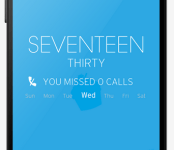
Get This Look: ‘Zooper DC’ Zooper Widget

We’re huge fans of changing the home screen around a bit and creating a new user experience for our Android. So much so that we present our ongoing series of Get This Look posts. In a nutshell we show you a new layout, app, widget, or icon set for your Android handset and tell you which apps you’ll need to mimic the feel.
Some of these are a little easier to create than others and many of them can be tweaked to no end. The following details are but the ingredients to which you can create your own delicious Android dish; your results will vary. Which is awesome! If nothing else, this is a great way to discover new apps, widgets, icons, and more!
Zooper DC by Droid Designeers
Why we love this look:
We’re big fans of minimalistic design and Zooper, so when we saw Zooper DC we instantly liked it. With 22 separate designs, you’re certain to find something that looks great on your Android device. With a variety of typo clocks, weather designs, and notifications, Zooper DC offers a wide range of functionality and design options.
What you’ll need:
The post Get This Look: ‘Zooper DC’ Zooper Widget appeared first on AndroidGuys.

AMD wages benchmark war on Intel’s tablet chips

For all the success AMD has been having in the console and PC graphics spheres, none of it has really translated into the world of Windows-based tablets and ultraportables. The chip maker insists that’s going to change in 2014, however, and it has released a number benchmarks showing that its latest processors have a lead not only over AMD’s previous generation, but also over the Intel chips that currently reign supreme in these form factors.
We won’t bore you with a gabble of numbers when you can check out charts for yourself in the gallery below, but the main curiosity here is probably the 4.5-watt tablet platform, known as “Mullins.” This replaces last year’s Temash processor, which had impressive gaming skills but failed to catch on in the market. AMD’s in-house scores suggest Mullins offers much better performance per watt, with the new A4 Micro-6400T achieving a 15 percent lead over Intel’s Bay Trail T (the Atom Z3370) in PCMark 8 — a lead that could potentially be significant enough to bring the chip into more slim-line (and passively cooled) Windows 8 machines. What AMD doesn’t reveal, however, is whether devices equipped with this A4 chip will have comparable battery life to Bay Trail, so it’s all academic until actual, commercial devices come around.
 AIVAnet