


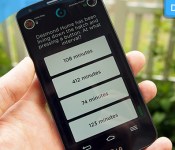
Download: Show your friends you’re smarter than them with QuizUP

Sometimes you don’t need an original idea to make a killer app, as long as you get the presentation right. Take Tinder, for example, which managed to put a whole new spin on internet dating thanks to its slick, simple mobile interface. Now, there are innumerable quiz apps out there for mobile devices, but none quite like QuizUp. Released last month on Android after launching last year on iOS, QuizUp is spreading through this editor’s friendship group like wildfire, because what are friends for if not to beat at question-and-answer games and wind them up about it later? It’s not just the online multiplayer that makes QuizUp a gem, though — it’s also super easy to use and looks great, too.
QuizUp kind of does for quizzing what Words With Friends did for Scrabble. Pitting your LOST knowledge against a confident chum while riding the bus is what makes the app so fun, and signing in with Facebook, Twitter and G+ will auto-populate the in-app buddy list with any connections that have QuizUp installed. You can battle each other in real-time, or answer your seven multiple choice questions whenever you want, letting your opponent catch up later. You score points for correct answers, obviously, but quick fingers are also key, as you get penalised the longer you take to choose. If you want to brush up on a topic, of which there are over 400 from architecture to Star Trek, chemistry to brand logos, you can challenge a random online, but the higher you level up on any given subject, the harder the questions get.

If you needed any more reasons to spend time within the app, then there’s messaging, rankings, a history of what your friends’ are up to, achievements and even forum-like discussion boards for each topic. On top of all the little extras, QuizUp also looks and behaves impressively. It’s colourful, everything works as you expect it to, and the simple UI makes for easy navigation. For a free app it’s nicely polished, although you can buy XP boosters with real money if you’re absolutely intent on levelling up quickly. We imagine, like Words With Friends, you just won’t load it up one day, and forget about it. Until then, though, it’s the type of casual but crazy addictive game that’ll have you sitting in the pub in silence, with a grunt here and a snort there revealing which of your mates knows way too much about One Direction.
Filed under: Cellphones, Gaming, Tablets, Internet, Software
Source: QuizUp, App store, Play store

Tilting Amazon’s phone could be the most important thing you do with it

Amazon’s got a at least one smartphone up its sleeves, and we know it’s going to feature some curious 3D effects thanks to a slew of sensors and a quartet of front-facing cameras. That’s not all she wrote, though: previous reports alleged that users could tilt their Amazon phones to and fro to interact with apps, and BGR claims to have more dirt on how that feature works. If true, tilting an Amazon phone could be one of most important things you could do to it.
Let’s say you want to festoon a text message with a saved photo — you’ll need only tilt the phone to the side to open up the camera roll. Tilting in Amazon’s video store will apparently cause IMDB ratings info to appear atop movie images, while performing the sane action in the Kindle app (because of course it’d be included) brings up the X-Ray menu for more in-depth information about the book being read, too. That tilting already seems like a crucial component of Amazon’s phone experience (well, this particular Amazon phone, anyway) but here’s the big question — is the company going to coax other app developers into baking tilt support into their software as well? BGR says yes, and that at least a few third-party apps will play nice when you start swinging your phone around. Hopefully they’re good ones.
On some level, it seems like Amazon is just cramming gimmick after gimmick into this phone in hopes that it’ll crack a jaded market. The company is reportedly going to pull back the curtain on this thing in just a few weeks, so it shouldn’t be long before we see the extent of Amazon’s vision… for better or worse.
Filed under: Mobile
Source: BGR

AT&T wants to power the next big video streaming service

AT&T has a new way to take on TV-threatening internet video services like Netflix: it’s going to offer a few services of its own. The telecom is teaming up with the Chernin Group — previously a bidder in the Hulu sweepstakes — to start a venture that will “acquire, invest in and launch” both online video platforms and on-demand TV channels. While the two companies aren’t saying much about their plans, they’re already willing to pledge over $500 million to the project and fund providers whether they’re ad-supported or subscription-based.
The motives are fairly transparent — the two firms see a chance to profit from viewers’ demand for video “how and when they want it.” They may have the skills to compete, too. AT&T is counting on its experiences with both networking and TV to give it an edge, while the Chernin Group touts its control of the anime-focused Crunchyroll video service as an advantage. It’s too soon to know whether these credentials are enough to give existing streaming offerings a run for their money, but the move should at least give AT&T a direct answer to Verizon’s Redbox partnership.
Filed under: Home Entertainment, Internet, HD, AT&T
Via: GigaOM
Source: AT&T

Apple’s In-Store Reuse and Recycling Program Now Offering Trade-In Credit for Used iPads
As part of a larger green initiative to help consumers recycle old iOS devices, Apple is now expanding its Reuse & Recycling program in the U.S. and Canada to include the iPad, reports 9to5Mac. Apple also is making it easier for consumers to purchase new devices with more flexible terms for applying in-store credits obtained when recycling an iOS device.

Previously, Apple’s in-store Reuse & Recycling program accepted only iPhone models, which customers could trade-in for a store credit that could be used to purchase a new iPhone. Under this new plan, Apple will accept either an iPad or an iPhone for trade-in and will issue a credit that can be used towards a new purchase.
Customers may apply this credit towards a new iPhone or iPad, regardless of which device they are trading in, and they can even combine iPad and iPhone credits (with a limit of one of each device type) to apply toward the purchase of a new device. For example, a customer could trade-in an iPhone 5 and an iPad 2 to receive credits that can be combined to purchase a new iPad Air.
Apple yesterday confirmed it was expanding its Reuse & Recycling program to include all devices, regardless of their condition. Besides the iPad, Apple will accept for free any broken or older model Apple product providing customers with a way to easily recycle the device responsibly. If a recycled iPhone or iPad has some remaining value as determined by in-store Apple Specialists, Apple will issue a store credit.

This expansion is part of Apple’s Earth Day celebration that began with the company’s “Better” environmental campaign, which highlighted Apple’s environmental efforts across its supply chain, its data centers and in its new Apple Campus 2 project. Apple also is commemorating Earth Day at its retail stores by placing a green leaf on its traditionally white Apple logo and issuing green t-shirts to its retail employees.

Google announces Glass SMS for iPhone, Calendar Glassware

If Google weren’t busy enough already upgrading Google Glass to KitKat, they have just issued another update bringing SMS for iPhone and also a new calendar.
- SMS for iPhone – iOS fans, by popular demand you can now get texts from your friends on Glass. Get started by going to your iPhone’s Bluetooth settings and turning on “Show Notifications” for your paired Glass. When you receive a new text message, it will appear as a notification on Glass. Keep in mind that you won’t be able to reply from Glass due to some limitations with iOS. (Android fans, don’t feel left out – you’ve got SMS on Glass already.)
- Calendar Glassware – On the Glassware tab in MyGlass, you’ll see a new Calendar Glassware. Turn it on to see your agenda to the left of the home screen. Tap a calendar card from your timeline and you can change the title, time, location, and RSVP as well as delete the event or dismiss it from your timeline.
Google Glass via SmarterWatching
Read the rest at the source, SmarterWatching.com
The post Google announces Glass SMS for iPhone, Calendar Glassware appeared first on AndroidGuys.

How to host a website on your Android device

As you may already know, there are plenty of hosting companies out there, some expensive, some not. Some are dependable, some have terrible up time, and some simply shouldn’t be allowed to offer hosting. Even after looking through a list of some of the best options, finding the perfect hosting company can be a rather difficult thing to do. So why not host your site yourself?
Thanks to your Android device’s capabilities you can host a website by yourself. Note this is not meant to be the perfect solution for anyone and everyone. But, it’s helpful for developers who want to test their website or people who want to learn and test capabilities of their Android.
Here’s how to host a website on your Android device:
Setting up the Server
1. Install and run KSWEB on your Andriod device. The app allows a 6-day free trial, after which you will be required to pay $2.99 for the full version in-order to keep your site running. Other alternatives include My FTP Server (Free) and Pixel Media Server (Free). For the purpose of this article we will use KSWEB.

2. Once opened, locate the IP Address given on the KSWEB and access it through your computer, or access the ‘localhost:8080′ link through your phone.

3. Go to “Tools” and click on Start, your browser should now open. The default username and password is ‘admin’ for both.

4. (Optional but Recommended) Select ‘system settings’ and change password from ‘admin’ to something else. Do this again for MySQL. Go on KSWEB settings and enter a MySQL Password.

Making your Server accessible though the Web
1. Enter your router’s IP Address in a browser to access it’s admin page.

2. Create a Static IP available for your Android Device. Access your DHCP settings and select an IP range that your router allows you to use.

3. Access ‘port forwarding’ and change the ports to 80 and 8080. This allows your router to communicate with your Android device and it’s server.

4. Access the WiFi settings on your Android Device, and long press the name of your WiFi network until you see the pop-up. Click ‘Modify network,’ and check advanced settings. Change IP Settings to Static and IP Address to the Static IP set in step 2.

5. Find out your IP Address. An easy way to this is by Googling “What is my IP.” People will use the IP Address to access your site so make sure to capture it correctly.

For now your site will show blank; you have to give out IP to people in-order for them to access your site. Also, your Android device has to be on at all times in order for this to work.
By installing Keep Screen On Free you can allow your server to be on almost always. As for the content of your site, install FTP Server, you can now add files to your site after you change the ports for FTP. This method obviously doesn’t even come close to some of the best hosting services available, but it’s “free” and simple to set-up.
Have you hosted a website from your Android before? Did we miss anything? What would you recommend to others hoping to do something similar?
The post How to host a website on your Android device appeared first on AndroidGuys.

T-Mobile, MetroPCS add LG Optimus L70, L90

T-Mobile and MetroPCS on Tuesday confirmed the availability of the LG Optimus L70 and Optimus L90 smartphones. Both were announced earlier in 2014, and feature Android 4.4 KitKat with LG’s custom UI enhancements.
T-Mobile will carry the 4G LTE-ready Optimus L90 starting from April 30 with a full retail price of $228. Broken down over 24 equal monthly payments, users can expect to pay $9.50 per month. Specifications include a 4.7-inch qHD display, quad-core 1.2GHz processor, 1GB RAM, 8GB internal storage, 2,540mAh battery, and an 8-megapixel/1.3-megapixel camera combo.
The Optimus L70 is sold by MetroPCS for $49 after a $100 instant rebate; a limited promotion sees an extra $49 rebate to those who prepay their bill two months in advance. Specs here include a 4.5-inch (800×400) display, dual-core 1.2GHz processor, 1GB RAM, 4GB, a 2,100mAh battery, and a 5-megapixel/VGA camera combo.
The post T-Mobile, MetroPCS add LG Optimus L70, L90 appeared first on AndroidGuys.

Beautiful architecture comes to Muzei with Muzei HD Architecture [App of the Day]

At AndroidGuys, we’re big fans of Tobias Gläser’s Muzei HD Landscapes. The customization options and the quality of images it chooses are great, and work with a phone or tablet perfectly. Are you looking for something other than landscapes? Gläser is back with another great Muzei extension, Muzei HD Architecture.
In terms of customization options, it works just like HD Landscapes does. You have the option to set WiFi only updates, change the update interval, and set resolutions all the way up to 2560×1400. Instead of landscapes, though, HD Architecture sets incredible pictures of architecture as your wallpaper (as the name implies).

This Muzei extension pulls images from the architecture section of WallpapersWide.com. Judging by the types of images in that section, this is probably going to be one of our favorite extensions for awhile. It’s a brand new app, with less than 500 installs from the Play Store. We can’t really vouch for whether or not it’s buggy, but we’d be surprised if it was.
Download Muzei HD Architecture from the Play Store for free!
The post Beautiful architecture comes to Muzei with Muzei HD Architecture [App of the Day] appeared first on AndroidGuys.

This bracelet lets you flick your wrist to pay with Bitcoin

Sometimes, there’s such a thing as being too forward-thinking. Take MEVU and its prototype payment bracelet as an example: the wrist-worn Bluetooth wallet lets you pay with Bitcoin using only air gestures. Sounds cool, right? In many ways, it is. As the company shows in its demo video, you can flick your wrist to cover parking or donate to charity without ever reaching for your wallet (or your phone, for that matter).
However, it’s very much a pie-in-the-sky vision at this point. As you may have noticed, Bitcoin isn’t widely accepted online, let alone at retail. As such, you likely won’t be waving your arm around to pay at the local coffee shop. Moreover, the current point-of-sale technology is based on iOS — given that Apple has been removing Bitcoin wallets from the App Store, any practical shopping functions will have to wait for the Android software due in a few months.
Instead, the real promise of the bracelet may be its underlying platform, Alive OS. The open software lets programmers take advantage of wearables with motion, voice and glanceable displays for any purpose; they only need to sign up for a developer preview to get started. The bracelet itself should be available for pre-orders within a month. It’s hard to say whether MEVU’s software will catch on, but the Bitcoin system is really just a test case — really, this wristwear can do a lot more.
Filed under: Wearables, Internet
Via: CoinDesk
Source: MEVU

Engadget giveaway: win an Anki Drive Starter Kit and two of its newest cars!

Video games are great, but sometimes on-screen action doesn’t cut it when it comes to play time. But it is 2014, so there’s little need to clutter the house with interlocking track segments when it’s time to set up the speedway. Anki and its iOS-based Drive game let you simply roll out an 8-foot track when you’re ready to race. And with a software upgrade and a few new artificially intelligent whips now available, the company is in the mood to celebrate. Anki has given us a Drive Starter Kit and the new Corax and Hadion cars for two lucky Engadget readers to enjoy. Drive racers will also be able to mix up their layouts come May, when two additional tracks hit the shops. You’ll need an iOS device to control each ride, but if there’s no one else around, you can always challenge the AI car in a head-to-head Battle. All you need to do is steer yourself towards the Rafflecopter widget below for up to three chances at winning one of these Anki Drive racing kits.
- Entries are handled through the Rafflecopter widget above. Comments are no longer accepted as valid methods of entry. You may enter without any obligation to social media accounts, though we may offer them as opportunities for extra entries. Your email address is required so we can get in touch with you if you win, but it will not be given to third parties.
- Contest is open to all residents of the 50 States, the District of Columbia, and Canada (excluding Quebec), 18 or older! Sorry, we don’t make this rule (we hate excluding anyone), so direct your anger at our lawyers and contest laws if you have to be mad.
- Winners will be chosen randomly. Two (2) winners will each receive one (1) Anki Drive Starter Kit and two (2) new Anki Drive cars (Hadion and Corax).
- If you are chosen, you will be notified by email. Winners must respond within three days of being contacted. If you do not respond within that period, another winner will be chosen. Make sure that the account you use to enter the contest includes your real name and a contact email or Facebook login. We do not track any of this information for marketing or third-party purposes.
- This unit is purely for promotional giveaway. Anki and Engadget / AOL are not held liable to honor warranties, exchanges or customer service.
- The full list of rules, in all its legalese glory, can be found here.
- Entries can be submitted until April 23rd at 11:59PM ET. Good luck!
Filed under: Announcements, HD, Mobile, Alt
 AIVAnet