


Withings Pulse O2 monitors blood oxygen levels for climbers, asthmatics

Withings released its Pulse tracker late last summer, and now the outfit has announced it’s successor: the Pulse O2. Just like that first fitness gadget, the new model keeps tabs on heart rate, sleep and activity (steps, distance, elevation and calories), but it also keeps an eye on blood oxygen levels with a lens and light mounted on the unit’s back side. While you might not find that a useful bit of info, mountain climbers and folks who suffer from breathing problems — like asthma — need the data to monitor respiratory function. The Pulse O2 automatically syncs in the background thanks to Bluetooth Low Energy and Withings has added real-time coaching to its Health Mate app for a bit of added motivation. And as you can see in the image above, there’s a new wrist strap so you can sport the Pulse O2 like a watch, if that’s your preferred method of wear. Sound too good to pass up? Well, the wearable is on sale now for £100 ($120).

Filed under: Wearables
Source: Withings (1), (2)
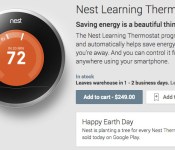
Nest Learning Thermostat now available on Google Play

With a $3.2 billion hole to fill, Google’s opened up yet another avenue for you to acquire Nest. The company’s smart thermostat can now be had via Google Play, available for the standard retail price of $249. The Protect smoke detector is currently off the market following a bug that popped up earlier this month, so it’s not available through Play, but the connected temp controller sure is, earning the top promo slot on Google’s online store. Additionally, in celebration of Earth Day, Google’s planting a tree for every Nest sold through Play today, so if going green is on the docket, it might just be time to pull out that wallet.
Filed under: Household, Google
Source: Google Play
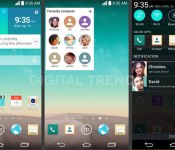
Leaks hint at a sleeker UI and a Google Now-like service on the LG G3

The latest rumors about LG’s G3 handset have mentioned a Quad HD display, but now it’s time to take a look at what you’ll see on that screen. According to leaked screenshots acquired by Digital Trends, the upcoming smartphone will feature a completely new interface with a flat design and brighter icons, along with a revamped notification drawer with circular icons. The screens show a phone UI that’s leaps and bounds sleeker than what you’ll find on the G2, and it’s a more than a tad reminiscent of Apple’s aesthetics in iOS 7.
An improved design is one thing, but the leaked screens also hint at some new functionality. The G3 appears to offer a concierge-like personalization tool, which apparently pulls in weather and other info à la Google Now. Digital Trends‘ source says LG’s software will “go beyond Google’s system,” which likely means a huge focus on learning your habits in order to deliver better suggestions.
Filed under: Cellphones, Mobile, LG
Source: Digital Trends

Time Warner Cable will sell a $99 Fan TV box that streams cable TV and internet video

Last summer Fanhattan showed off its Fan TV box that promised to put cable TV on the same level as internet streaming services, but with the odd twist that cable TV providers would be the ones to sell it. After a short test period with Cox Cable last year, Fanhattan has formed a partnership with Time Warner Cable to sell the $99 boxes to its subscribers (available for pre-order now, shipping in the next few months). It doesn’t need coax or a visit from the cable guy, but it will have live TV and video on-demand from TWC, plus streaming video from services including Redbox Instant, Target Ticket (coming shortly after launch), Crackle and Rhapsody. Time Warner Cable has been on the forefront of transitioning to internet streaming with its TWC TV apps, and the Fan TV box plays directly into that.
So far big hitters like Netflix, Amazon, Vudu, Pandora, HBO Go, or Rdio aren’t on the list, although there are plans to add more services “over time.” The only charge for the box is the initial (limited time pre-order) $99 price, with no contracts or extra fees beyond TV and internet service. So far the app list isn’t exactly striking fear into Roku, Apple TV or even Fire TV, but the addition of cable TV feeds brings a lot of content those boxes don’t necessarily have, without the drawbacks of slow cable boxes that aren’t built for internet services.
Filed under: Home Entertainment, HD
Source: Fan.tv

Sony Xperia Z1 and Z Ultra owners on Bell and Rogers picking up Android 4.4.2 Today

Reports have been hitting G+, and of course trickling down to blogs, that owners of the Xperia Z1 and Xperia Z Ultra on Canadian carriers Bell and Rogers have an update waiting for them. The update to the Sony device offers up a build number of 14.3.A.0.757 and brings with it Android 4.4.2 KitKat.
The update brings in KitKat , of course, along with performance an UI optimizations, a tweaked status bar and quick settings that are more intuitive and customizable and the new Xperia Themes addition.
If you haven’t seen the prompt for the update yet then head into settings > about phone > software update. Alternatively you should be able to plug the device into your PC and launch the Sony Companion software and check as well. If you do see the update wirelessly, be sure you have a stable Wi-Fi connection, a little time to download it and over 50% battery life to get it all installed.
Img: Terry Boccarossa Confirmed via Mobile Syrup
Hopefully this means the the KitKat update for the stateside T-Mobile Xperia Z1s is close at hand too.
//<![CDATA[
ord = window.ord || Math.floor(Math.random()*1E16);
document.write('’);
//]]>

Nest Thermostat makes its way to the Google Play Store, unsurprisingly for $249
Google bought up Nest earlier this year for a reported $3.2 billion. We all expected Google to eventually turn around and make it part of the line-up up products that we can buy through the Play Store. Seems that day has finally come as we now see Nest being splashed on the front page of the Play Store linking into the Devices section.
 Fitting launch day really, being Earth Day and all. In simplest terms Nest is smart thermostat that learns and can be controlled via your Android device. They say it is a simple self install device that takes a person less than 30 minutes to install if you are comfortable flipping of your breaker and following some color coded guides. It is compatible with 95% of all heating and cooling systems installed in most homes today. Google didn’t drop the price tag though, which some expected. The Nest will still set you back $249.00 and will ship in 1 to 2 business days. As an added “feel good” to your purchase, Google will plant a tree for every Nest purchased today for Earth Day.
If you are interested, head over to the Play Store and grab one.
//<![CDATA[
ord = window.ord || Math.floor(Math.random()*1E16);
document.write('’);
//]]>

Apple Releases iOS 7.1.1 With Touch ID Improvements, Bug Fixes
Apple today released iOS 7.1.1 to the public, a month and a half after releasing its first major update, iOS 7.1.
iOS 7.1.1 offers additional improvements to Apple’s Touch ID, fixes a bug that impacts keyboard responsiveness, and fixes a bug involving Bluetooth keyboards with VoiceOver enabled.

This update contains improvements, bug fixes and security updates, including:
– Further improvements to Touch ID fingerprint recognition
– Fixes a bug that could impact keyboard responsiveness
– Fixes an issue when using Bluetooth keyboards with VoiceOver enabled
iOS 7.1.1 can be downloaded via the software update tool in the settings menu on iOS devices.
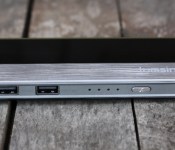
Lumsing 10,400mAh “Harmonica Style” Power Bank review

In what seems like our never-ending journey to find the best external battery pack, we may have stumbled over something to pay attention to. We’ve already taken a look at Lumsing’s 11,000mAh 5-Port Battery Pack, and told you to run out and buy one. There’s a new product out from the company, and we love it.
The Lumsing “Harmonica Style” 10,400mAh Power Bank is our favorite yet, and for the price, you won’t find a better option.
ATTENTION: We’re giving one away! Head here for the contest rules!
Design
The battery pack is made from plastic, with a smooth finish. There’s a faux-brushed metal lining towards the bottom, which adds a premium feel to the device. On the front sits a power button, 4 blue LED lights, two outputs, and to the side, the Micro USB input to charge the device. Other than that, the edges are smooth and sleek.

Unlike the previously reviewed battery pack, the “harmonica style” option only has two outputs – one 1A, and one 2.1A. It’s not necessarily a deal-breaker, but we would have liked to see more.
Included with the battery pack is one Micro-USB cord that is about 1.5 feet long. It offers a flat shape to decrease it’s ability to tangle. It’s not horribly long, but you may find yourself not needing an overly-lengthy cord. For car rides, plane rides, or setting it on a table, the 1.5-foot long cord will be enough.
Overall, the design is great. It’s smooth, sleek, and offers a unique design.
Performance

The performance of this battery pack is great. It does exactly what it’s supposed to do. The ports charge as quickly as they should, and the LED lights are an accurate depiction of how much battery is left. Lumsing is quoting that it will be completely charged in 6.5 hours, and we’d say that’s very accurate.
With this power bank, we’ve charged a Nexus 5, Nexus 7 (2013), Pebble Smartwatch, and a Galaxy S3. It hasn’t given us any problems with the charging process, which is what we need.
Should you buy?

Being totally honest, yes. With a battery size of 10,400mAh, the quality of cord that’s included, and the design, this is exactly what we’re looking for in a power bank. If you can get passed the fact that it only has two outputs, you should buy this.
Pick one up on Amazon for $19.99 in black or white variants. It has excellent hardware, a great big battery, and does what it should.
The post Lumsing 10,400mAh “Harmonica Style” Power Bank review appeared first on AndroidGuys.

Win a free Lumsing 10,400mAh “Harmonica Style” Power Bank!

Did you catch our review of the Lumsing 10,400mAh “Harmonica Style” Battery Pack? If not, check it out because thanks to the folks at Lumsing, we’re giving one away!
Overview
The Lumsing 10,400mAh “Harmonica Style” Power Bank is one of our favorites we’ve ever reviewed. It offers a relatively small, sleek, great quality experience that anyone could love. And for the price, you’ll be hard pressed to find one for a better value.
Giveaway Details
This contest will run until Friday, April 25th at 7pm CST.
The only requirement we have is that you live in the United States. To enter, simply leave a comment explaining what devices you’ll be charging with the Lumsing Battery Pack. If you leave a comment in the Website Comments section, be sure to use a valid email address so we can get in touch! We will contact you when the contest is closed, and we ask that you respond within 48 hours of the selection, otherwise we’ll choose another applicant.
We will ship the battery pack once we receive the proper information. If you’d like to learn more about Lumsing, head to their Amazon or Facebook page.
The post Win a free Lumsing 10,400mAh “Harmonica Style” Power Bank! appeared first on AndroidGuys.

Sony Xperia Z2 Tablet review: A top-tier slate with a familiar face

Oh, Sony. Its earliest Android tablet efforts were a little odd (and that’s putting it politely), but the company eventually managed to get its act together. Last year’s Xperia Tablet Z? Easily the finest Android slate that Sony’s ever made. When it came time to craft an upgrade, though, Sony was faced with a choice: Should it try to push the envelope in a different direction? Or simply stay the course and apply a healthy dose of polish to an already-good device?
Needless to say, it chose the latter. The new Xperia Z2 Tablet looks strikingly similar to its predecessor, albeit with a swapped-out set of components under the hood. The strange sense of drama that comes with a new product seems absent here. In a cynical age when new devices can fly or flop based on spectacle alone, Sony played it safe. It iterated. But is that such a bad thing? Is “iterating” really as yucky a word as we’ve all been led to believe? Let’s find out.
Hardware
The line between stark minimalism and sheer dullness is a fine one, and it’s honestly a little tough to tell where the Z2 falls. With the screen off, there just isn’t much to look at. The company’s love affair with its OmniBalance industrial design philosophy (think: curved edges, round power buttons and uniformly slim waistlines) is still in full swing, which means plenty of the Xperia Tablet Z’s design choices carry over into its successor.
Take that corporate logo on the tab’s face: It’s still nestled in the top-left corner, and the 2-megapixel front-facing camera and 8.1-megapixel rear shooter are right where we saw them last time too. Meanwhile, the Z2′s rear end is still swathed in a soft, matte gray plastic that makes the whole thing easier to hang on to… and makes oily fingerprints even more obvious than they were before. Popping open a few tabs along the top edge reveals the microSD and micro-USB ports (be sure to seal them again before traipsing through the rain) next to the IR blaster. The rest of the pertinent bits are de rigueur for top-tier Android tablets: There’s a quad-core Qualcomm Snapdragon 801 clocked at 2.26GHz, along with 3GB of RAM and an Adreno 330 GPU. You’ve also got your usual slew of radios, including WiFi (with support for Wi-Fi Direct), Bluetooth 4.0, NFC and a 6,000mAh battery.

Now, one could argue that Sony strives for visual consistency between its gadgets, but the end result is a tablet that lacks a distinct sense of personality. In a way, I guess that’s the point — the Z2′s design is so unassuming that you wind up paying it no mind, like white noise that fades into the background once you wake the 10.1-inch IPS display and get blasted with a faceful of Android.
Of course, just ogling it is one thing — you’d be hard-pressed to pick one up and not be struck by its svelte shape (6.35mm) and light weight (just under one pound). You very quickly get the impression that there’s nothing extraneous here. There’s no cruft; just the barest of essentials carefully assembled into the platonic ideal of a tablet. My colleague Sharif Sakr dutifully ragged on the new Xperia Z2 smartphone because of how bulky and oddly proportioned it felt, but the formula works so much better when it’s stretched out to suit a bigger display.

Oh, and by the way, Sony’s still enamored with the idea of crafting gadgets that can stand up to the elements, and I’m tickled by the fact that showers can no longer stand in the way of my awful YouTube-viewing habit. The in-shower experience ain’t ideal, though: The touchscreen occasionally interprets the pitter-patter of water droplets as finger pokes. At least you won’t have those problems if you take the Z2 for a dip in the shallow end of the pool instead.
Display and sound

If it wasn’t made painfully obvious by the Z2′s spartan design, the 10.1-inch, 1,920 x 1,200 IPS LCD screen is meant to be the star of the show. That’d be a recipe for disaster if the company came up short again (I’m looking at you, Xperia Z1), but the display easily holds its own against the competition. Sony’s leaning on its revived Triluminos screen tech to help the Z2′s panel produce richer, more natural colors than the washed-out LCD screens that littered the company’s past. Long story short: It helps this particular screen get closer to the vivid colors and sumptuous blacks seen in AMOLED screens with the help of blue LEDs and quantum dots. Throw in some excellent viewing angles, and Sony’s got a screen to be pleased with here. There’s no denying that Sony’s display doesn’t squeeze as many pixels together as Samsung’s screens usually do, but I couldn’t discern any individual pixels and the overall experience didn’t leave me wanting.
Photos and videos appear extra punchy thanks to Sony’s X-Reality image-processing engine, which (among other things) can sharpen visuals, pump up contrast and fiddle with color saturation. This, I wasn’t so fond of — I like images that pop as much as the next nerd, but it also has the nasty tendency to make already detailed media look a tad gritty. Fortunately, all it takes to disable the feature is a quick tap in Settings… until the next time you feel like your photos look a little drab.
The screen’s general loveliness is, sadly, offset by a few niggles. To start, for a tablet that’s ostensibly meant to handle the elements, the screen is great at reflecting just about everything in sight. It’s especially troublesome once you step out of the house, an activity that Sony tacitly encouraged by ruggedizing the Z2 in the first place. I was also torn on the significant bezels that flank the screen on all sides too, though the average shopper might not even bat an eyelash at them. I’d argue that bezels this hefty make the tablet look just a bit chintzier than it deserves, but at least my thumbs never obscured the on-screen action.

Crisp visuals are one thing, but you can’t really enjoy a few episodes of Sherlock unless the sound is up to par. Perhaps the most idiotic design choice we saw in the original Tablet Z was that the stereo speakers were baked directly into the slate’s edges — the perfect place to be covered up by a pair of meaty palms. This time around, they’ve been shifted to the front, nestled low along the screen’s left and right sides. The move has helped significantly, but, alas, they’re still a hair tinnier than I’d like and far from the loudest tablet (or even smartphone) speakers I’ve come across. It’s worth noting that the Z2 also supports dynamic noise cancellation — so long as you’ve shelled out for the compatible Sony headphones, anyway.
Software

Just about every gadget maker that sells Android devices has attempted to put its own spin on the interface, and Sony’s efforts have always, always rubbed me the wrong way. Why? Earlier versions felt unwieldy and overwrought, which often made playing with a device that used it an exercise in frustration. The Z2 has me coming around on that stance, if only a little. You see, while tabs like Samsung’s Galaxy Note Pro are festooned with all sorts of severe interface tweaks and cruft, Sony took a more subdued approach. This slim, little bugger runs Android 4.4.2 KitKat under that thin veneer of face paint, a sweet surprise for those of us not used to seeing Sony tech sporting the latest and greatest software builds.
Here’s the kicker, though. KitKat’s flavor is mostly obscured, but the Xperia Z2′s UI is light, responsive and generally well-thought-out. Consider the venerable home screen, for instance. Pressing and holding brings up a menu that not only lets you adorn it with widgets, but also allows you to add apps from there, as well as swap out wallpapers and visual themes. Swiping to the right from the app tray pops out a window that lets you arrange and uninstall apps with ease. Need to jump in and out of your running apps? The app switcher button lives just where you’d expect it to, but a curious slew of icons runs along the bottom. Tapping on them lets you plop down “Small Apps” like timers and Gmail windows and a remote control interface for the IR blaster (which works just as well as ever) that hover in front of whatever else is on the screen. They’re a nice touch that can help in cases when you can’t be bothered to fire up something more comprehensive, but I never actually found myself in need of them.
Of course, Sony just can’t let you forget it’s a media behemoth, too. To that end, the Z2 is loaded up with standalone Walkman and Movies applications. They’re both essentially pulling double duty: In addition to letting you access your locally stored songs and videos, they also act as conduits to Sony’s Music Unlimited and Video Unlimited services. PlayStation fanatics may find themselves gravitating toward the included PlayStation app because of the name, but don’t be fooled: All you can really do is keep tabs on friends and download the occasional nutty game from the PlayStation Store. Like most of us, I tend to bristle when companies go overboard with the bloatware. To its credit, Sony could’ve done much, much worse. Thankfully, it didn’t, and the Z2 is a better device for it.
Camera

Let’s be honest: Few things look as silly as snapping photos with a tablet clutched in your hands. If you ever find yourself in that position, the bit that really adds insult to injury is the sad truth that tablet cameras have historically tended to suck. Sony seemed to try, at least a bit. Both the 8.1-megapixel rear camera and the 2-megapixel unit perched above the display pack the company’s backside-illuminated Exmor RS sensors. That said, neither camera is anything to write home about. Colors are represented nicely enough (though some of the visual flair is owed to that X-Reality engine, which is turned on by default), but plenty of the images I shot were grainy and lacking the sort of detail one would hope Sony could squeeze out of an 8-plus-megapixel sensor. The camera experience isn’t completely without upsides, though — at least the interface is well laid out.
What’s even more puzzling is that the Superior Auto mode (which is enabled by default) tends to work on some photos a little too well, softening details and fiddling with saturation to the point where it arguably shouldn’t. For better results, you’ll need to stick the camera in manual mode before firing away. In a cruel (if expected) twist, the Z2 smartphone packs a staggeringly superior sensor. So, anyone hoping for imaging parity within the Z2 line is going to walk away disappointed. Shooting video in 1080p is similarly underwhelming, with the results being a hair grainy and washed out (especially when you’re trying to shoot outdoors).
Knowing that variety is the spice of life, Sony threw in some curious photo effects and features (perhaps to distract us all from the weak image quality). Should you lack interesting subjects to shoot, you can conjure up dinosaurs and little elven creatures to scamper across your kitchen floor with an AR overlay feature. You can also pretend you’re shooting with a much more expensive camera with the Background Defocus feature, as it aims to reproduce the handsome bokeh that’s usually a result of playing with apertures on an actual lens. Sadly, it just doesn’t work all that well — try as it might, the software usually can’t get a grip on the boundaries of the object you’re trying to isolate. Here’s what it all boils down to: The Z2′s cameras are passable, and are capable of producing some nice shots when the conditions are right. When they’re not — and they usually won’t be — you’re way better off shooting with your smartphone anyway.
Performance and battery life
No point in beating around the bush: With a Snapdragon 801 chipset and 3GB of RAM nestled within that slim chassis, the Z2 has more than enough horsepower to keep up with your day-to-day grind. Scrolling through long web pages was buttery smooth (as was video playback), and there was nary a hiccup to be seen while drifting around corners in Need For Speed: Most Wanted. If you’re the type that prefers numbers to anecdotes, take a gander at the tale of the tape:
| Sony Xperia Z2 Tablet | Galaxy Note 10.1 2014 | Galaxy Note Pro 12.2 | |
|---|---|---|---|
| Quadrant 2.0 | 18,877 | 19,530 | 16,639 |
| Vellamo 2.0 | 1,622 | 2,735 | 1,786 |
| AnTuTu 4.0 | 34,150 | 31,859 | 33,967 |
| SunSpider 0.9.1* (ms) | 1,015 | 1,069 | 1,044 |
| GFXBench 2.7 Offscreen (fps) | 27.3 | 22 | N/A |
| CF-Bench | 37,902 | 31,567 | 33,250 |
|
*SunSpider: Lower scores are better. Scores were run on Chrome using v0.9.1 for consistency. |
|||
Sony’s slate is clearly capable of trading blows with Samsung’s oeuvre, though that Quadrant score seems anomalously low. That said, nothing I threw at the Z2 during my week of testing managed to fluster it, but that doesn’t mean it’s immune to the occasional bout of strangeness. Swiping between home screen pages can sometimes be a little jerky (usually when the default live wallpaper is churning away in the background), and the screen would sometimes refuse to auto-rotate no matter how slowly or confidently I spun the tablet around. Fortunately, both of those quirks seemed to correct themselves a few days into the testing process, but I’ll update this review if that stability starts slipping.

Slightly more concerning than some software flakiness is the Z2′s battery life. It managed to hang in there for between seven and eight hours of continued use with one push email account humming away and WiFi and GPS radios on, all while playing a looped video and syncing Twitter every 10 minutes. That’ll cover you for a flight from New York to San Francisco with some juice to spare, but that comes up short against most of its big-screened competitors, and even the last-gen Tablet Z. That said, you can throttle the tab’s performance with what Sony calls Stamina Mode to squeeze some precious time out of the thing.
| Tablet | Battery Life |
|---|---|
| Sony Xperia Z2 Tablet | 7:57 |
| Microsoft Surface 2 | 14:22 |
| Apple iPad mini | 12:43 (WiFi) |
| Apple iPad (late 2012) | 11:08 (WiFi) |
| Apple iPad 2 | 10:26 |
| ASUS Eee Pad Transformer Prime | 10:17 |
| Apple iPad (2012) | 9:52 (HSPA) / 9:37 (LTE) |
| Nexus 7 (2012) | 9:49 |
| Microsoft Surface for Windows RT | 9:36 |
| Apple iPad | 9:33 |
| ASUS Transformer Prime Infinity TF700 | 9:25 |
| Samsung Galaxy Tab 2 10.1 | 8:56 |
| Sony Xperia Tablet Z | 8:40 |
| Hisense Sero 7 Pro | 8:28 |
| Galaxy Tab 2 7.0 | 7:38 |
| HP Slate 7 | 7:36 |
| Nexus 10 | 7:26 |
| Samsung Galaxy Note 8.0 | 7:18 |
| Nexus 7 (2013) | 7:15 |
| RIM BlackBerry PlayBook | 7:01 |
Configurations and the competition

By now, you may already know if you want one of these things, so let’s talk cash: $499 will net you a WiFi-only 16GB Xperia Z2 in either black or white. Itching for just a little more internal storage? You can double up that space for an extra $100, but you’ll be stuck with the white model. Why? We’re not entirely sure ourselves. As it happens, $499 takes you a long way in the realm of tablets — you could pick up a 16GB WiFi Galaxy Tab Pro 10.1 and a base model iPad Air for the same price. Samsung’s slates are pretty fierce competitors, especially since they pack significantly higher-res displays and a boatload of software tweaks that augment Android as we know it. And the iPad? Well… it’s an iPad; you know exactly what to expect. It, too, sports a display with a higher pixel density for the same amount of money, but it’s hard to deny the engineering feat Sony’s managed to pull off. If you’re scouting around for a bigger Android tablet, make sure to consider the Z2.
Wrap-up

When people trot out the tired “evolution, not revolution” cliché, it’s usually to cast evolution in a pejorative light. I don’t think that’s fair. There’s plenty of value and enjoyment to be had in the continuous refinement of a formula, especially when it one day results in a new iteration that works far better than the original could’ve. That’s exactly the case with the Z2 Tablet — it’s not going to upend the industry, but it’s been polished to the point where it stands strong against (and in some ways outshines) formidable rivals. It’s worth noting that you can pick up a Z2 and one of Samsung’s 2014 Galaxy Tab Pros for the same price. Your mileage may vary, but the combination of an ultra-slim body and an Android experience that doesn’t hit you over the head with potentially extraneous features makes Sony’s latest tab one that’s definitely worth your attention.
Edgar Alvarez and Daniel Orren contributed to this review.
 AIVAnet