


Aio Wireless debuts its own ‘Framily’ plans with ‘Group Save’

Aio Wireless, a prepaid arm of AT&T, today rolled out new service plans designed to attract multi-line users. Called “Group Save”, the plans see the provider discounting plans for accounts with 2-5 lines of service. The plans, which are available to new and existing customers, offer incentives for adding additional lines.The lines have to be on rate plans of $40 or higher, but the incremental discounts do add up nicely. Sounds a bit like Sprint’s Framily Plans, but whatever – this is no-contract stuff we’re talking about.
Customers can create their own Group Save accounts by combining wireless lines within the same family or grouping friends who want to save collectively on their wireless plans.
- A two-line account offers a $10 discount for the second line.
- A three-line account offers a $10 discount for the second line plus a $20 discount for the third line (total savings of $30)
- Four-line and five-line accounts offer $10 discount for the second line, a $20 discount for the third line, and $30 discount for lines four and five (up to $90 savings)
AT&T is currently wrapping up acquisition of Cricket Wireless; ultimately, the Aio Wireless brand will fold into Cricket.
The post Aio Wireless debuts its own ‘Framily’ plans with ‘Group Save’ appeared first on AndroidGuys.
Google+ for Android Redesign Leaks

Suspected to be announced at Google I/O, Google+ is expected to get a redesign and it seems that images of the new Android app has showed up on Google+ of all places courtesy of +Yoel Kasub.
He claims that these are images from a test build of Google+ and it seems to be mainly a design change of the user interface as opposed to any drastic functionality changes.


Most notable is the flat UI which seems to follow the same path as what Apple and Samsung are going for and it looks pretty good.
As with any leak, reservation should be exercised as this could be just an internal testing version which was never meant to reach the public domain; on the other hand it could be the new Google+ we’ll see at Google I/O. You decide.
Source: Google+
The post Google+ for Android Redesign Leaks appeared first on AndroidGuys.
Google releases standalone camera app to the Play Store

It has been a trend for companies to put their standalone apps in the Play Store for quick updating. Google usually does this type of thing with all of their apps. One, however, has never been included in the Play Store… until today. They’ve finally added their camera app to Google Play.
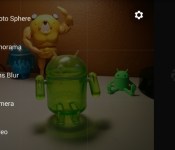
The camera comes with a much-needed interface update, as well as a few new features. It has a huge shutter button, as well as hideaway camera options. Perhaps the biggest new feature in the app is Lens Blur. It does essentially what the HTC One (M8) does, but with software.

To take a Lens Blur shot, take the picture like normal, but move the camera slightly upwards to collect a bit more depth information. It takes a little while to render, but after it’s done, you can change the focus of the photo and adjust the blur intensity. We’ve managed to get some pretty nice shots from the Lens Blur feature so far.
The camera is available for download on devices that are running Android 4.4 Kit Kat, so it’s not for everybody quite yet. If you meet the requirements, head to the Play Store for the download!
The post Google releases standalone camera app to the Play Store appeared first on AndroidGuys.
Google Releases Stock Camera App to the Play Store, KitKat+ Only Devices
Today is not only hump day, but it also the day the Google usually updates app. Some updates are minor, others are major. Then you have something totally unexpected. Not to long ago we let you all know that Google was working on releasing the stock Android camera app to the Play Store. The launch date was never mentioned, just that it was in the works. However, there is good news regarding the stock camera app today as Google has just released it.


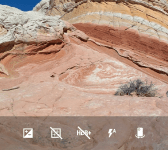
 The release of the app also pushes an update out with it that moves the camera app to version 2.1.037. It brings along a new interface and some new features like lens blur mode, which gives you SLR-like photos with a shallow depth of field.
Google Camera snaps quick and easy photos and videos, and has creative picture modes like Photo Sphere, Lens Blur and Panorama.
Features
• Photo Spheres for immersive 360º views
• Lens Blur mode for SLR-like photos with shallow depth of field
• Panorama mode with high resolution
• 100% viewfinder for getting the maximum resolution from the sensor (no dropped pixels)
• Updated UI that gets out of your way and is centered on an extra large capture button
• Works on phones and tablets running Android 4.4+ KitKat
You will probably notice that final bullet point in the apps description.
 If you happen to be sporting a device that sports anything below Android 4.4 you won’t be allowed to install it from the Play Store. :0( We will get our hands on the apk and give it a run on a few devices anyways and see what happens.
Until then, if you sport a Nexus or another device on Android 4.4+, feel free to hit the link below and go give it a shot.

Getting the APK now by the way, will update with the links shortly.
//<![CDATA[
ord = window.ord || Math.floor(Math.random()*1E16);
document.write('’);
//]]>
Chrome Remote Desktop App Released by Google Today
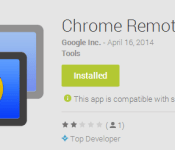
Just moments ago we alerted everyone that Google has released the stock Android camera to the Play Store. That alone is pretty exciting news especially since it also included a number of UI enhancements and additional features. Apparently that isn’t all Google pushed out today though. While cruising through the Google Inc developer page we noticed another app that we haven’t seen before, Chrome Remote Desktop.
 Like the name would suggest, it is an app that allows you to remote into your PC through your phone or tablet. This is nothing new as there are a number of companies that offer this ability like PhoneMyPC or TeamViewer.
In order to give Google’s Chrome Remote Desktop app a run, you will need to install the Chrome Remote Desktop to your Chrome browser through the Chrome Web Store. Once installed, open it up and walk through the simple setup including a 6 digit pin code.
 From there, install the app on your tablet and/or phones and open it up. You then see a list of PC’s you can access, all dependent on which ones you have the web store app installed on of course.

 I played around with it a little bit and it seems to work just fine. It even pulled both monitors displays to my Xperia Z. You can pinch to zoom in and out to help you navigate around and see things a little more clearly. It does’t appear to support streaming sound and watching a YouTube video on my phone from my PC has a little lag. It is a start though.
On a side note, once the app is installed, it appears a s Remote Desktop in your app list, so go to ‘R’ to find the app. Hit the link below to go grab it for you Android device and give it a whirl.
//<![CDATA[
ord = window.ord || Math.floor(Math.random()*1E16);
document.write('’);
//]]>

Smartphone kill switch will be flipped on July 2015

Have you ever lost your phone either by theft or pure forgetfulness? Does just the thought of having some stranger (or stalker) possibly looking at your duck-faced nude selfies freak you out? Lets take a look at this scenario, what if one of your trusted employees happen to lose your top secret prototype at a San Francisco bar? If you didn’t lose your cell phone you would probably type “OMG” right about now, but you did, so what do you do? Samsung, HTC, Huawei, Motorola, Apple, Microsoft, Nokia, and others have now adopted the anti-theft smartphone kill switch to be incorporated on all their devices as of July 2015.
If you did lose your phone, until now your options have been limited. Sure, some states have tried to pass legislation to protect you and there are some apps that can help you out like Android Device Manager (by Google) or Lookout Security, however a smart criminal can get around those quite easily by formatting the device and other means.
CTIA’s Smarphone Anti-Theft Voluntary Commitment states that features included will be the ability to prevent the phone from being reactivated, remotely wipe to protect your data, and restore from the cloud via a reverse the inoperability of the device function in case you were to retrieve the device. My favorite part of this technology is that it would even prevent unauthorized individuals from attempting a factory reset on the device. Surprisingly not only is this policy supported by device manufacturers but also all four major wireless carriers, Google, and Asurion.
This is a great start in order to finally start protecting the consumer with technology that should have been implemented 7 or 8 years ago. It is still missing one key capability, GPS tracking of a missing device. If your device is lost or stolen, yes you can render it inoperable to the person who now has your cell phone, but what about helping you get it back? This is a key feature that is not included, but putting that aside this is a great first step.
Committed device manufacturers will have this kill switch implemented in their devices first manufactured after July 2015 for retail sale in the United States.
The post Smartphone kill switch will be flipped on July 2015 appeared first on AndroidGuys.

Jaguar Land Rover brings the boardroom to your dashboard with in-car infotainment system

The boundary between your smartphone and your car is growing thinner by the day, and Jaguar Land Rover is the latest in a long line of car companies trying to work out the ideal balance between the two. The company’s InControl Apps system has been in the works for months now, and we got to take a lot at their progress (in a spiffy new Range Rover Evoque, no less) at the New York International Auto Show. Here’s how it works: after you load the companion app onto your Android device or iPhone (don’t worry, the experience is the same for both), you connect it to your car via a USB port nestled in the center console. After that, your handset basically becomes inoperable, while all of your compatible apps appear on your car’s display.
You can initiate phone calls and fire up your tunes just like on any other halfway decent infotainment system, but JLR has roped in a group of companies like Stitcher, Parkopedia and Sygic Maps to tailor their apps to the smallish screen. There’s even something here for people who just can’t stop working — one partner app will read news stories aloud in a not-so-stilted approximation of a female voice, and yet another will help patch workaholics into their conference calls with a single touch.
Now crafting apps for cars is fine, but they’re absolutely worthless if the process of using them is a headache. Thankfully, that doesn’t seem to be the case here: popping between apps and pinching to zoom on Evoque’s recessed touch display was surprisingly snappy. Was it utterly buttery smooth? No, but the whole thing was still a little more polished and thoughtful than we expected. Of course, this represents but one path in the appification of the automobile. Apple namechecked Jaguar Land Rover when it first started talking about bringing iOS into cars after all, so it shouldn’t be too long before a boxy offroader starts playing nice with Siri.
Filed under: Transportation
Shh, it’s a Secret: The allure of the anonymous internet

“I’m terrified I might not actually be all that smart.”
“Made a batch of Jello just to stick my dick in it. No regrets.”
“I like taking the ferry because I get to drink in public legally.”
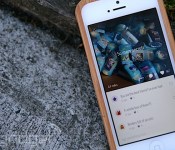
This is just a small sampling of posts I’ve recently seen on Secret, an anonymous-sharing app that’s part of a new trend in Silicon Valley. It’s a little like Whisper, a competing app that’s been around since 2012, except that instead of letting you broadcast your anonymous missives to the world, posts on Secret are limited to a network of friends based on your phone’s address book.
When I first heard of these anonymous-sharing apps, I was intrigued, but confused about their popularity. Surely anonymity on the internet isn’t difficult — you can be whomever you want online, right? Just create a fake account or join the social network of your choosing, and you’re free to say whatever you like. But as I spent time on Whisper and Secret, I found that their barrier to entry is so much lower than having to come up with a fake persona. There’s no need for a username or a special profile page — you just download the app, answer a few questions and away you go. You do need to enter in an email address, phone number and password for Secret, but the app guides you through it pretty easily. Secret uses your contact info to connect you to your friends, but if you misbehave or are reported as a “bad actor,” the company will ban you from the network using your phone number.
Once you’re in, the freedom to say whatever you want is strangely alluring, especially so with Secret, where your confessions are likely to be seen by those sympathetic to your woes. In a world where your real name is exposed and everything you say online is recorded for time immemorial, anonymous-sharing apps provide an escape that’s all too rare.

When the internet was young, most of us used fake screen names to identify ourselves. Whether it was LazyCow18 or LonelyGirl15, a nom de plume was preferable. Not only was it an easy way to set ourselves apart online, but it also allowed us to separate our online existence from the real world. Some of us used this cloak of anonymity to try on different personas, while others simply enjoyed the ability to speak freely without the debilitating confines of a shy and awkward personality. These days, however, internet anonymity is not nearly as predominant.
Hidden personas still exist on forums like Reddit, 4chan and most message boards, but by and large, our public and online identities tend to be one and the same. Facebook’s popularity shoulders much of the blame for this phenomenon, especially since the use of real names is core to how the social network works. After all, how else are your old high school mates supposed to find you on Facebook if you’ve named yourself GamerX4000? Real identities are also core to another area of interest for Facebook: targeted ads.
In a world where your real name is exposed and everything you say online is recorded for time immemorial, anonymous-sharing apps provide an escape that’s all too rare.
And it’s not just Facebook, either. Google+ came under fire a few years ago when it banned the use of pseudonyms. (It’s since loosened that rule and now allows the use of “common names.”) YouTube, long known for its cesspool of anonymous comments, recently encouraged real-name use with its integration with Google+. Even if you’ve held strong to your online pseudonym, it’s still likely that you’ve used your real name somewhere on the internet, be it on LinkedIn, Twitter or your company’s website. One of the benefits of this transparency is that you’re held accountable for what you say. Incidences of trolling and bullying are likely to subside if people know their real names are tied to their online activities. Real names also make it easier for us to stay connected, and in the case of LinkedIn, they can also help you find a job.
When Chrys Bader and David Byttow developed Secret last year, their goal was to provide an avenue to let us express ourselves more honestly, which they felt was difficult to do with today’s tools.
“Facebook created order out of chaos,” Bader said in an interview with us. “But that order was very constricting. It trained us to share in a certain way, to curate our identities, to put forward things we wouldn’t be judged for. … It can be stressful after a while.”
The first version of Secret was an app that let you send anonymous messages directly to someone in your phone’s contact list. While this certainly obeyed their initial credo of encouraging people to open up, the subsequent engagement and response to these direct messages were poor. They eventually adapted the product to broadcast to your entire phone’s contacts list instead, which improved interactions dramatically.
“Facebook created order out of chaos,” Bader said in an interview with us. “But that order was very constricting.”
“We wanted people to use their address book as the source of the social graph,” said Bader. “We didn’t want you to find friends and follow people like all the other social services out there.” Conveying emotion, he said, is something that’s much easier to do when you’re with friends. “Sometimes even in a close network, you restrain yourself. You never really discuss taboo cultural things like salary or sex.”

In Secret, however, those topics proliferate. From just one week with the app, I’ve seen posts that include melancholy thoughts about life, salacious sexual adventures, controversial political ideas and just random confessions about unrequited affections and financial woes. Its stream of consciousness feels a lot like Twitter, except, well, you don’t know who’s on the other end.
The benefits of Secret go beyond just catharsis as well. Recently, for example, a woman who goes by the name of “Amy” opined on Secret that she was the only person out of a five-person company who wasn’t hired in a recent acquisition by Google. Though she’s still skittish about coming forward, Secret offered her a chance to speak up about what she perceived to be an injustice. We can imagine a scenario where anonymous-sharing apps are used to reveal a wrongdoing that might otherwise go unsaid. Still, because these posts are anonymous, it’s difficult to corroborate their validity. In the early days of Secret, for example, there was a rumor floating around that Yahoo was acquiring Evernote. This, of course, turned out to be false. However, Bader said it was actually a good thing, as it created a healthy skepticism about what is or isn’t real.
No matter what you think of these anonymous-sharing apps, however, it’s clear that they have a sizable fanbase, at least in the tech community. Whisper, for example, has raised nearly $54 million to date, while Secret has already received early funding to the sum of $8.6 million even though it was only introduced in January this year. Secret in particular has something of a cult following, and frequently gets mentioned on Twitter and the media as a poster child for the anonymous-app movement. There’s even something called anonyfish, a rogue spin-off service designed to let people on Secret message each other anonymously using throwaway usernames. It’s no wonder then that there seems to be a glut of anonymous-messaging apps like Yik Yak, Blink and Confide flooding the market. There are even rumors that Facebook — the originator of the real-name movement — might be considering an anonymous service of its own.
“Secret is like being in a room with all of your friends, but you don’t know who’s saying what,” Bader said. “You get to peer into your friends lives, to experience truth, sadness, loss … raw human emotion. It’s what makes Secret so addicting.”
Google’s new camera app brings Photo Sphere and Lens Blur to Android devices

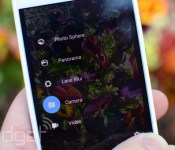
While Google has continued to toss new features into the camera app shipped on its Nexus devices, many Android phones replace it something else. But just as we revealed a few weeks ago, now it’s available in the Play Store, ready to run on any phone or tablet using Android 4.4 KitKat. Beyond bits like Photo Sphere that we’ve seen before, Google is filling in the blanks on its new “Lens Blur” option. Meant to emphasize the subject while blurring the background for an impressive depth of field effect, it uses algorithms to simulate the large camera lens and aperture your phone / tablet doesn’t actually have. Google’s Research Blog has details on how its done, including a Lytro-like ability to change which object is in focus after you take the shot.

Tired of tilt-shift effects after years of Instagramming, no matter how much math is at work? There’s more to the new camera app than that, it has all the other features we’d heard about too, like a “100% viewfinder” that makes sure you can see everything that will be in the picture on your screen before the shot is taken with no “dropped pixels” and a larger capture button. Panorama shots are better now too, with higher resolution, and Google’s 360-degree Photo Spheres can be captured at up to 50 megapixels.
Filed under: Cellphones, Tablets, Software, Mobile, Google
Source: Android (G+), Google Research Blog, Google Play
Xperia Z, ZL, ZR and Tablet Z Set for Android 4.4.2 in May
In the middlish of March Sony’s blog announced that the Xperia Z Ultra, Z1 and Z1 compact were all available for Android 4.4 KitKat updates. At the end of their announcement they mentioned that the Xperia Z, ZL, ZR and Tablet Z were also going to be getting an updated Android version come Q2 of this year. For those that forget what the quarters are, that would be any time between April 1st and June 30th.
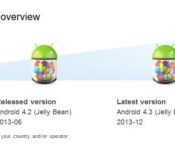
We are already just over two weeks into April and those of us with the Xperia devices mentioned are probably searching daily for news regarding when the Android 4.4.2 KitKat update will become available. I know I have been checking often. Thanks to the keen eyes at the Xperia Blog, we now have a target month for the update to start rolling out, assuming everything goes as planned. Sony recently updated their product pages for the Xperia Z, ZL, ZR and Tablet Z to reflect the cutesy Android KitKat image labeled “Next Version” with “2014-5″. However, May is 31 days long and we will keep our thoughts aimed for the end of the month. If it happens sooner, then we can be a little happier a little earlier.
 We won’t hold our breathe in anticipation of any carriers pushing the update as soon as it is available, but it certainly seems like manufacturers and carriers have been at least stepping up their game a little. HTC and Samsung have certainly been a lot more forthcoming with updated OS version then they ever were before, right along with the likes of T-Mobile, Verizon, AT&T and Sprint. All seem to be pushing the updates pretty close to each other rather than the usual few months later.
We will keep our eyes peeled throughout May and let you know which device, carrier and country starts seeing the update. It should help hold you over a little longer until the Xperia Z2 makes its way to your hands. Especially with the reports of the Z2 being delayed at least until May.
Source: Xperia Blog
//<![CDATA[
ord = window.ord || Math.floor(Math.random()*1E16);
document.write('’);
//]]>
 AIVAnet