


Google’s new Outlook plugin lets you start video Hangouts with coworkers

Filed under: Internet, Software, Microsoft, Google
Via: Android Central
Source: Google Enterprise (G+), Google Support

Google Hangouts Plugin Makes Its Way to Microsoft Outlook, Makes Joining and Scheduling Hangouts Easier

Say what you will about Microsoft and Outlook, but the reality of it is that a great number of companies use Microsoft Office, Office and Outlook to conduct business everyday. That doesn’t mean that they don’t take advantage of Google services too. Today Google Enterprise has made an announcement for a new plugin for Microsoft Outlook that will allow you to join or schedule a hangout directly through Outlook Mail and Calendar. Google provides a good example of this:
For example, if you’re deploying Chromebox for meetings, now you don’t have to stop using Microsoft Outlook® to schedule Hangout video calls. Simply download the plugin and you’ll be ready to join the conversation.
This is pretty great news for employees who use Google Hangouts for meetings but have to toggle back and forth for scheduling and such. You will need to download and install the Hangouts Plugin for Outlook to your Windows PC to get it all rolling. Once installed you will see a nifty little icon that will allow you to make it all possible.
You might end up needing permission from IT to get this all rolling, so be sure to check before you go installing things to your work PC. Head over to the Google Support page to dive in a little more so you can take it to work on Monday and be an expert.
//<![CDATA[
ord = window.ord || Math.floor(Math.random()*1E16);
document.write('’);
//]]>

Engadget Daily: Sony’s Alpha A7s, WP8 gets home automation app, and more!

You might say the day is never really done in consumer technology news. Your workday, however, hopefully draws to a close at some point. This is the Daily Roundup on Engadget, a quick peek back at the top headlines for the past 24 hours — all handpicked by the editors here at the site. Click on through the break, and enjoy.

‘Halo 5: Guardians’ and live-action Halo TV show set for fall 2015 launch
We knew a Halo 4 successor was coming, but today, Microsoft and 343 Industries announced that Halo 5: Guardians will arrive fall of 2015. What’s more, the live-action Halo TV series may debut around the same time. And now, we wait.

What you need to know about online advertisers tracking you
No one enjoys the thought of having their online routines tracked by advertisers, but is there really anything you can do about it? Read on as our own Jose Andrade dives into the Do Not Track (DNT) initiative and how it can protect you.

Microsoft brings home automation app and devices to the Windows Store
Windows Phone 8 users take note: Microsoft just announced its own Insteon home automation app is “coming soon.” In addition, Insteon will sell standalone devices in the Windows Store, including a leak sensor, LED bulb and WiFi camera for $30 – $80, with kits starting at $200.

Full-frame and 4K-ready: The Sony Alpha A7s can be yours in July for $2,500
Sony’s super successful Alpha A7 is getting a successor this year. Called the Alpha A7s, this full-frame mirrorless shooter will go on sale in July for $2,500 (body only). That’s a lot of dough to cough up without getting a lens, but the A7s has the features to deserve it.
You also might like:
Filed under: Misc

Halo: The Master Chief Collection coming to Xbox One this year, collects Halos 1-4

Master Chief is getting a facelift with an HD collection of his exploits. We’ve learned that Halo: Combat Evolved, Halo 2, Halo 3 and Halo 4 are being collected in a Master Chief-focused HD remaster coming from Microsoft. Our sources say that the set will zero in on Halo‘s most famous soldier to refresh audience’s memories ahead of Halo 5‘s release, so curiosities like Halo 3: ODST and Halo: Reach likely won’t be a part of the package. The game’s developer is unknown at this point, but considering that Saber Interactive handled Combat Evolved Anniversary and is also working on an unannounced Xbox One project, the team is a likely suspect. Also unclear are plans for digital distribution, resolution and frame-rate (Microsoft bragged that will run at the next Halo will run at a “blistering” 60fps), piecemeal releases, or if the games will surface on other platforms as well (PC, anyone?).
Microsoft has gone on record saying that it would love to have Halo release more than once every three years. Its used different developers to fill that task since, but we’re still pushing two years since Halo 4 launched. To commemorate the first game’s tenth birthday, Microsoft released Halo: Combat Evolved Anniversary for the Xbox 360, which served as a stop-gap for the 343 Industries-developed Halo 4; there’s precedent for this sort of thing. This remake makes a lot of sense for Redmond for a couple of different reasons: it satisfies the more-frequent release desire and it helps fans get caught up on the story. It also gives them the chance to re-experience some of the best console shooters with better looks and sound — everyone wins!
We reached out for official word from Microsoft and are waiting to hear back, but we’re not expecting much beyond the usual, “We don’t comment on rumors or speculation.”
Filed under: Gaming, Home Entertainment, HD, Microsoft

Titanfall’s second-screen app is neat, if you ever remember to look at it

The companion app for Xbox One’s Titanfall is finally available, free of charge, over at the the App Store and Play store. Ironically, it offers a second-screen gaming experience without any need for Microsoft’s Smartglass app, which was originally meant to be a hub for this sort of thing. Anyway, we’ve just whiled away two hours some time with the Android version and it all seems to work pretty smoothly — although it hasn’t done anything much for our K/D ratios.
We loaded the up the hefty (612MB) app and, for some reason, had to inform it the Xbox One’s IP address (accessed via Settings — Network — Advanced Settings), because it wasn’t automatically detected on the network. Once connected, the main screen on your mobile device offers access to a wiki about the game and to your all-important personal stats. It’s only when you load up the game on your console that the second-screen function kicks in, showing a zoom-able live map of the entire arena, including the names of players on your squad.

EA Mobile reckons the extra info on this map could give second-screen users an advantage, but for this writer it was more of a distraction, and it was quickly forgotten about in the midst of an overriding desire to not get killed in the “real” game playing out on the main screen. If you have any tips on how to actually make use of this thing, do us all a favor and them in the comments, otherwise we’ll just have to hold out for compelling second-screen app for a slower-paced game.
Filed under: Cellphones, Gaming, Tablets, Software, Mobile, Microsoft
Source: Google Play, Apple App Store
What you need to know about online advertisers tracking you
 Spend lots of time online? Then perhaps you’ve heard of targeted advertising, “Big Data” analysis and complaints of privacy violations by advertising companies. The ads above your Gmail inbox? Yeah, those. As it turns out, most people don’t like being tracked by advertisers. Surprise! As such, a variety of tools exist to protect individuals. But what about a solution that anyone could use, that didn’t require knowledge of cryptography or even a software install? That’s where the Do Not Track initiative comes in.
Do Not Track (DNT) is explained by its own name: Don’t track what I do online, including what I buy, what I read, what I say and who I communicate with. But how should it work? Therein lies the controversy. Since the subject is still being debated, now’s the perfect time to learn about it, voice your opinion and request more control over your data. If you want more control, that is.
What is it?
The idea of Do Not Track (DNT) was initially conceived in late 2007. Several groups, including the Center for Democracy and Technology (CDT) and the Electronic Frontier Foundation (EFF), asked the Federal Trade Commission (FTC) to help with the creation of something similar to the National Do Not Call Registry: a system to limit the amount of personally identifiable information a company can obtain without express authorization from an individual. More directly, DNT is a system to protect individuals from advertisers eager for personal info on consumers.
The proposed technology asked for online advertisers to submit web address information to the FTC, which the agency would publish and make accessible to the public. Why a list? So that web browsers (Firefox, Safari, Internet Explorer, etc.) could effectively block advertiser tracking on a wide scale. The list concept, however, was ultimately flawed: Every time an advertiser changed its web info, the DNT function became obsolete. It would require extreme vigilance to keep the system 100 percent effective. As such, it died.
In 2010, the idea of Do Not Track came back to life, albeit in a completely different form. Instead of relying on a list, web browsers would simply ask the advertising software (instantly, in the time it takes to load a webpage) to not track personal information. This is the Do Not Track initiative as we know it today.

Why should I care?
If you don’t care that websites and companies monitor your behavior, share what they know about you and generally act creepy about personal information, well, we’re impressed you got this far into a piece about Do Not Track. If you don’t want Amazon to show you ads about swimsuits, towels and sunblock because you mentioned you were excited about going to the beach on Facebook, you should care.
Not freaked out enough by that example? What if they know your daughter is pregnant before you know? For some people, this isn’t a big deal. For others, it’s extremely important.
We aren’t going to get into the implications of governments knowing everything about you; the Do Not Track initiative is only aimed at advertising companies. However, it’s not crazy to think that a government could request all the data an advertising company has in order to collect taxes, or worse: infringe on free-speech rights.
How does it work?
Modern browsers, such as Firefox, currently send something called “headers” to web servers (computers where websites are hosted). Say you’re visiting, I don’t know, this website. Say you’re on a PC, running Windows 7, and you’re using Firefox to read all about whatever happened to Netscape. The server hosting Engadget’s content needs to know how to present information (in this case, our website), to your particular setup. So your computer tells our web server how it’s set up and in turn, our web server returns a readable website. It also returns ad-tracking software.
The Do Not Track initiative simply adds an additional piece of information (the DNT header) to the initial request, which is set to 0 or 1. If the DNT header equals 1, the web browser knows it should not track the user’s behavior on the site, and a company knows not to use that data for advertising purposes.
You can see the DNT header turned on in the highlighted text below:

Most popular web browsers and at least the two most popular web servers (IIS and Apache) already offer support for Do Not Track. To enable this option on your browser of choice, just follow the steps dictated by the developers, linked below:
Firefox
Internet Explorer
Safari
Chrome
Opera
Can I start using it right now?
Yes — but not so fast, cowpoke. While the system is implemented in browsers and web servers, it’s not actually being used by advertising companies right now. A list of websites that honor the system is on donottrack.us, but not all advertising companies have agreed to abide by it. There are even conflicts between browser and web server developers as to how it should be used.
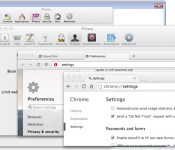
For example: Google, one of the biggest advertising companies on the internet, provides a warning about the Do Not Track setting in Chrome (seen below). Not exactly reassuring, is it?

What’s the argument?
One major point of contention is a concept known as “the tyranny of the default.” This idea is that a great majority of users never change the default settings, and thus, whatever the default settings were will most likely stay that way. Should browsers assume that users want DNT enabled by default? Microsoft thought so, and proceeded to enable DNT on Internet Explorer without user interaction. However, many believe that in order for the initiative to have any type of weight on advertising companies, the user should intentionally enable it.

Because of Microsoft’s decision to enable DNT by default in IE, the people behind the Apache web server patched out the setting. Wait, what? You see, according to the rules of DNT, the service can only be implemented if it “reflect[s] the user’s preference, not the choice of some vendor, institution or network-imposed mechanism outside the user’s control.” If there is “misuse” of the technology — such as Microsoft, an institution, turning it on by default — web servers can decide to ignore the header and the tool is useless.
The debate about enabling DNT by default started in 2012 and it hasn’t ended yet. Google, Facebook and now Yahoo all ignore DNT requests (at least for now).
Want even more?
Everything about Do Not Track is still open for debate. Technology companies are still discussing proper ways to implement it. Advertising companies are deciding if they want to respect it. There’s an ongoing debate as to whether DNT means “don’t save this information” or “don’t use this information.” And, of course, governments are considering enforcing the technology. This means that, as of right now, DNT is useless.
For now, the best you can do is precisely what you’ve already done by reading this article: Learn about Do Not Track. If you do want this technology or something that serves a similar purpose, be vocal about it. Take it directly to advertising companies on social networks. Contacting your senator wouldn’t hurt either! Maybe you love the benefits of targeted advertising and personalized web browsing? Express your opinion and let people know! The subject is still wide open for debate.
Filed under: Networking, Internet, Software, Microsoft

Microsoft brings home automation app and devices to the Windows Store

Unlike Google with its new $3.2 billion Nest, Microsoft doesn’t have a lot of home automation products yet despite some interesting research. Redmond has now made a move to stock its shelves, albeit indirectly, via a partnership with home automation specialist Insteon. The pair just announced that an enhanced Insteon app will soon be available on Windows and Windows Phone 8.1 devices. It’ll feature multiple, full-screen video feeds, device control, a visitor mode to give limited control to others and Live Tile integration for status updates. In addition, Insteon will sell standalone devices in the Windows Store including a leak sensor, LED bulb and WiFi camera for $30 – $80, with kits starting at $200. Unlike Nest Products or the Philips Hue, Insteon’s system uses RF frequency and your home’s existing wiring (PowerLine) to communicate with devices. The app will arrive on June 1st, with the devices hitting Windows Stores in July, complete with educational demos and displays.
Filed under: Wireless, Microsoft
Via: CNET
Source: Insteon

‘Halo 5: Guardians’ and live-action Halo TV show set for fall 2015 launch

We’ve known for a while that there’s new Halo game coming to Xbox One and that it could possibly make its debut this year. Today, Microsoft and 343 Industries provided some additional details on the project, most notably that the next instalment in the franchise will be called Halo 5: Guardians and that it will be pushed back to a fall 2015 launch. So what can we expect? Game specifics are scarce but we know that, like Titanfall, Guardians run on dedicated servers. However, unlike its mech-smashing counterpart, it will run at a glorious 60 frames-per-second.
“Halo 5: Guardians is a bigger effort than Halo 4,” says 343 general manager Bonnie Ross. “That applies to content and scope of the game, as well as the technology in what’s now a brand new and more powerful engine.” Ross also confirmed that the live-action Halo TV series, which sees 343 Industries team up with Steven Spielberg to bring Master Chief to life, may also debut around the same time as Guardians. While you’ll have to wait until next year to enjoy both the game and the TV series in their full form, Ross suggests Microsoft and 343 will have more to reveal in the coming months, starting with the Xbox 2014 Media Briefing at E3 on June 9th.
Filed under: Gaming, Home Entertainment, HD, Microsoft
Source: Xbox Wire

Upcoming Xbox history show will let you ‘play TV’

Microsoft has been teasing a level of interactivity within its slate of original Xbox video programming, but what kind of control will you actually get? The company isn’t revealing everything right now, but it just gave Deadline Hollywood a few small clues. TV producer Stephen David is creating a documentary/drama hybrid for Xbox Entertainment Studios that he says will be “like playing television.” In the inaugural 13 Days of Blood episode, which shows Roman history through the eyes of emperor Commodus (seen in marble here), there will be “new, interactive technology” that should “bring fight scenes to life,” according to Microsoft.
This sounds tantalizing, but it’s clear that the company is keeping its cards close to the vest. While the interaction could involve a full-fledged game component, it could equally be a simple matter of choosing camera angles as you watch gladiators and retiarii slug it out. The docudrama also isn’t due until 2015, so the odds aren’t great that you’ll hear much more about it this year. Nonetheless, these early tidbits give us a better idea of what to expect from Microsoft’s first experiments with self-branded shows.
[Image credit: Cmgramse, Flickr]
Filed under: Gaming, Home Entertainment, HD, Microsoft
Source: Deadline Hollywood

Two more companies sign up to build Windows Phone handsets

Microsoft may have its own phone business now, but that doesn’t mean that other companies can’t still produce Windows Phone handsets under their own flags. Redmond’s China VP Zhang Yongli has announced that both China’s K-Touch and Florida’s Blu Products have signed up to produce mobile devices using Microsoft’s operating system. Given that both companies skew towards the cheaper end of the market, we can expect a slew of low end devices hitting the market later in the year. Hopefully, the move will help to bolster the platform in both the US and China, two places where Microsoft’s market share remains well behind closest rival Android.
[Image credit: Livesino]
Source: Livesino.net
 AIVAnet
