



Argue about the offside rule in Portuguese with Rosetta Stone’s Futebol app

We’re big fans of Football English Soccerball, but even we aren’t hardcore enough to be able to discuss the technicalities of the game in Portuguese. Thankfully, and just in time for the World Cup, Rosetta Stone (amongst others) is unveiling a Futebol Edition of its travel app, helping you to say escanteio (corner kick), un meio-campista (midfielder) and por favor, queremos saber onde fica o estádio (excuse me, we’re looking for the stadium). The app, which is available for free on iOS and Android will give you tips on navigating public transport, but since all of the data is offline, it won’t rinse your data connection as it does so. We’ve tried the app and it’s missing a few practical phrases (o árbitro é um bastardo) but otherwise it’s golden.
Filed under: Software, Mobile, Apple, Google
Source: Rosetta Stone (App Store), Rosetta Stone (Google Play)

Take a sunny Street View tour of Brazil’s World Cup stadiums

If heading out to the 2014 World Cup in Brazil weighed too heavy on your wallet, Google’s latest Maps update might help you experience some of the fútbol magic from the comfort of your own home. With the tournament just days away, the search giant is kicking things off a little early by adding all 12 of Brazil’s World Cup stadiums, including the revamped Maracanã, and the vibrantly-colored boulevards that surround them to Street View. For those who managed to grab a ticket, Google’s also made sure to update its mobile app with transit data in each of the host cities, as well as indoor maps and turn-by-turn navigation (perfect for those embarking on a dream road trip). If that wasn’t enough, Maps now includes Peru, Chile, Colombia and Mexico, letting you explore Latin America whenever the feeling takes you.
Filed under: Cellphones, Tablets, Internet, Software, Mobile, Google
Via: Google Lat Long
Source: Google Maps

BBC: YouTube’s new music service is shortchanging independent acts

Who’s going to argue that stuffing a veritable world of music in your pocket isn’t awesome? Probably very few. One of the downsides to the digital age, though, is that musicians often get the short end of the stick when it comes to payment. Spotify and Pandora’s per-song pay rates for most artists are abysmal, and based on a BBC report, YouTube’s rumored music service won’t be much better. If true, the video giant’s business tactics aren’t exactly honorable, either.
A European group by the name of Impala that represents the continent’s independent artists and labels, says that indies are being presented with non-negotiable contracts to join the service. What’s more, if the artists don’t sign to “probably the lowest rates in the business,” the videos that they’ve posted to their YouTube channels will reportedly be blocked from the site entirely.
A musician (understandably) not playing ball with Google’s video wing hurts everyone involved, all the way down to the end user. If Impala isn’t familiar, you’ve almost assuredly heard of its artists: Jack White, Adele, M.I.A., Royksopp, Arctic Monkeys, and The National, to name a few. Should this go through, you can probably say goodbye to pulling up the video for “I Bet You Look Good on the Dancefloor” next time the mood strikes. YouTube’s non-answer reads as such:
“YouTube provides a global platform for artists to connect with fans and generate revenue for their music, paying out hundreds of millions of dollars to the music industry each year,” said a spokesman for the company. “We have successful deals in place with hundreds of independent and major labels around the world – however, we don’t comment on ongoing negotiations.”
The concept of paying musicians a living wage isn’t exactly new, either. As songwriter Van Dyke Parks writes in The Daily Beast, a similar argument came about over a century ago. In 1907, conductor and all around marching-band badass John Philip Sousa spoke out against recorded music to lawmakers in Washington, D.C. because he claimed it would have dire consequences for live musicians. However, the advent of player pianos and vinyl records left his thinking in the dust and recorded music thrived for quite awhile.
Back then, songwriters were making a reported $0.02 per recording (adjusted for inflation, about $2 today). For an idea of exactly how that compares to modern times, Parks says co-writing a song with Ringo Starr today would net him around $40, based on 100,000 streams from Spotify at $0.00065 per play. Four decades ago, he says, the same work would have bought him a house and a swimming pool. Parks says that moving forward, we should be nurturing new ideas and innovative art along with those who create it with fair and legal compensation — something we find hard to argue with.
[Image credit: Getty]
Filed under: Google
Source: The Daily Beast, BBC
Living With Google: Google Now


It seems not a day goes by that we don’t discover some new way to use our Android device. It’s portable, powerful, and full of amazing software. My smartphone is a daily tool that I could not live without. Google has made this more of a need for me than a “want”. More and more as Google services are updated with new features the smartphone in my pocket becomes a necessary accessory like car keys and clothes.
My daily use of Google consist of key programs like Gmail, Google Photos, Hangouts, YouTube, Maps, Keep, and Google Now. Google Now seems to be the key driver in putting everything I need to know in a one stop shop.
From the moment I wake up Google is already telling me about my drive to work, suggesting articles I should read, and letting me know what the score of that late night game I missed.
Google Now integrated with Search and the other applications seems to get almost eerie knowing what you want to see and or watch of course you only let Google know by choice. Allowing the application to know where you work, live, and what you enjoy gives it the ability to make suggestions based on you the user. It also allows you to have a concierge, of sorts, in your pocket.
Need to know the score of the latest baseball game? Google is there for you. How about how tall that roller coaster is? Maybe you’re arguing about how old Morgan Freeman is. Google has an answer for all of that stuff. Measurements, weights, definitions, times, info on the city your visiting – it’s all there by clicking the mic on the search bar. (OK Google for the Nexus and Motorola users.)

How do you use this service you may ask? First set up a Google account then most new phones with 4.1 or higher already have it native. Find the app called search and say Yes I’m In and your up and running. If the app is not already on your phone you can find it in the Play Store named Google Search. At first there will be little information like weather and some local attraction but the more you use it the more It knows you the user. For more info visit the Google Now page for a list of commands and uses.
Once you are up and running with Google Now you will start to notice Google pop up in your notification bar from time to time. One of the first to show is time to work giving you an estimated drive time to work it even alerts you if there is an accident and suggest a different route. The more you use Google the more it suggest articles and things to do tuned to you.
The biggest feature of Google Now is the Search commands. Ask Google “What time is it in Memphis” and it will respond. Ask you favorite team and Google will show the last score and a list of news relating to the team. The more you ask about you favorite team Google Now will eventually start showing scores in you notification bar no more checking the web for the score from last night.
There are a large list of commands for Google Now and Google ads and or subtracts these commands on a very regular basis. For Nexus and Motorola users all you have to do is say “OK Google” followed by the command. For other users you will have to open the app by touching the microphone key.

A FEW EXAMPLES OF HOW I USE GOOGLE NOW ON A DAILY BASIS
In the morning before I even touch my phone Google Now is showing me an estimated time to work if there is a wreck it gives me alternate routes. On the drive in I tell Google what I want to listen to “OK Google listen to Haste the Day”; this one always wakes me up.
Throughout the day I regularly ask Google random questions like “whats the weather like today?” or “How old is ____?”. During lunch I tell Google to find places to eat for a list that I can choose from. If I have a package en route Google Now shows me a status of shipping. If I need to call a business I say “OK Google call Sprint” and Google will give me a list of Sprint stores near by.
At night, Google Now is a great tool to use for information. Google seems to know exactly what you want to read, what scores you want to see, and what you want to watch on TV. Want to know more information on the movie you watching say “OK Google Fear and Loathing in Las Vegas” and instantly it gives you a list of actors and other information including a Google search of the movie. Click on Johnny Depp and a short list of information and all his movies appear in front. When I want to eat I ask Google for recipes and a list of different choices are presented. All this, and more, is tailored to me; the capabilities are expanding every week, it seems. Google seems to have hit the nail on the head when it comes to a personal assistant that understands what you want.
LIVING WITH GOOGLE is an ongoing series of articles dedicated to highlighting the many ways in which Google can help better our lives. With innumerable apps and services to choose from, our aim is to educate readers on the ways in which we use them.

The post Living With Google: Google Now appeared first on AndroidGuys.

China’s state media wants Apple and Google to be ‘severely punished’ for NSA spying

Today has seen a sudden spike in anti-American sentiment in Chinese state-owned media, with Apple, Google, Microsoft and Facebook all being described as “pawns” of the US government (aka the “high-level hooligan”). Articles in the China Daily and People’s Daily call for these companies to be “severely punished” for their alleged roles in the PRISM scandal, but there’s no obvious trigger to explain the timing of their publication. One possible factor is today’s date: June 4th marks the bloody end of the Tiananmen Square protest of 1989, when government forces killed hundreds of pro-democracy activists in the streets of Beijing. Google and other sources of international news are being subjected to extra censorship in order to control discussion of the Tiananmen anniversary within China, which implies that these outlets are currently even more irksome to the Communist Party than they usually are.
An excerpt from the People’s Daily:
“U.S. companies including Apple, Microsoft, Google, Facebook, etc. are all coordinating with the PRISM program to monitor China… To resist the naked Internet hegemony, we will draw up international regulations, and strengthen technology safeguards, but we will also severely punish the pawns of the villain.”
Another possible explanation for the blanket attack is that fresh evidence of privacy abuses has come to light in China, perhaps involving the NSA and its (unhealthy) relationship with commercial web services. However, no new allegations have been detailed, and Apple and other companies continue to deny that the NSA has backdoor access to their data centers. Alternatively, the wave of press coverage could simply be a response to America’s recent scolding of a Chinese military cyber-espionage unit, or part of a wider governmental push for the use of homegrown rather than US-made technology.
Filed under: Misc, Internet, Mobile, Apple, Google
Source: Reuters

SiME Google Glass knock-off is held together with Scotch Tape

It’s not exactly a good sign when your product’s being held together with Scotch Tape. But that’s actually one of the main points of distinction between the SiME Smart Glass and Google’s version of the wearable — that and a much lower price point, of course. Taiwanese company ChipSip hopes to sell its Google Glass knock-off for $500, and though that seems palatable compared to $1,500, it’s still not cheap. That price is even harder to swallow when you see just how complicated it is to use, as we discovered on the Computex show floor.
The heads-up display runs Android 4.2.2, and the touchpad on the right side of the device makes for a very finicky user experience. Selecting apps and moving the cursor around takes a ton of effort. There’s no voice functionality, either, so you can’t say “Okay, SiME” to make things easier (how would you pronounce that, anyway?). As for the display itself, the 720p screen looked decent, but the frame was too big for my head, which made it hard to get a steady image.
Unlike Glass, which has its own custom interface, SiME uses stock Android, which was more than a bit clunky to navigate. You have a standard app tray and all of the apps you’d expect to find on a smartphone — where they’re actually meant to be used. Externally, the display looks nearly identical to Google’s equivalent, but the projected image wasn’t easy to see, effectively making this iteration unusable. Ultimately, we’re not confident that this wearable will ever be a perfect fit, but either way, ChipSip has a long way to go before SiME’s ready for consumers.
Zach Honig contributed to this report.

Google Maps easter egg lets you plan journeys with Nessie and dragons

Google took its sweet time adding almost UK-wide journey planning to Maps, and perhaps it could’ve done so quicker if it wasn’t so busy building easter eggs into the feature. It’s been discovered that looking up certain travel routes will factor in the odd fictitious and entertaining option, alongside normal recommendations of completing the journey by bus, train and the like. These range from more mundane suggestions, such as punting from one college in Oxford to another, or taking the Royal Carriage from Buckingham Palace to Windsor Castle, right through to the fantastical. You can cut travel time down the length of Loch Ness by pinching a lift off Nessie, for example, or fly from Snowdon to the Brecon Beacons via dragon. And, we’d hazard a guess there are more out there still to be found — the Maps team don’t really do half measures.

Filed under: Transportation, Internet, Google
Via: The Next Web

Gun company figures out how to shoot around corners using Google Glass

TrackingPoint is a startup that’s building smart weapons, like rifles with targeting scopes that’ll turn a rank amateur into a crack sniper. Now, the company is working on ShotView, a system that’ll separate the user form the sight entirely, which is what’s being demonstrated in this concept video. Pumping live video from the gun to nearby WiFi devices, the company wants smartphone, tablet and Google Glass users to be able to point their weapon around corners and over obstacles, “blind” firing with deadly accuracy. We just hope someone makes the Diane Von Furstenberg frames a mandatory accessory, or future battlefields are going to be sorely lacking in style.
Download and install latest Google Play Store 4.8.20 APK

The Google Play Store is your gateway to the entire repository of applications that run on your Android phone and has been updated to version 4.8.20. Here’s what the update includes and how to get the APK to download the latest version of Google Play Store.
Included in the 4.8.20 update are new header images and also an action bar giving you a preview of the artwork or content displayed on the page. The action bar fades as you scroll down to give full screen content.
There’s also a new additional information section which lists the app version, install size, content rating, and permissions. You’ll also notice that the permissions list is collapsed to offer a simplified view, with various permissions now grouped into a category for easier understanding.
Further changes include bigger buttons in the Google Play Store, and also PayPal support for purchasing apps.
The latest Google Play Store 4.8.20 APK weighs in at 6.69MB and can be downloaded by clicking here.
The post Download and install latest Google Play Store 4.8.20 APK appeared first on AndroidGuys.
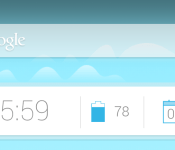
Get This Look: Google Now Homescreen

We’re huge fans of changing the home screen around a bit and creating a new user experience for our Android. So much so that we present our ongoing series of Get This Look posts. In a nutshell we show you a new layout, app, widget, or icon set for your Android handset and tell you which apps you’ll need to mimic the feel.
Some of these are a little easier to create than others and many of them can be tweaked to no end. The following details are but the ingredients to which you can create your own delicious Android dish; your results will vary. Which is awesome! If nothing else, this is a great way to discover new apps, widgets, icons, and more!

Google Now
Why we love this look:
Google Now has become very integrated with the Android operating system since it was introduced in Jelly Bean, and the future is looking like it will play a bigger part in the UI than ever, so why not get a step ahead and change it yourself?
The launcher used in this is the new Inspire Launcher, a contender looking to take the throne from Nova as it embraces KitKat’s updated look to Android with brighter colors and lots of customization. The icon theme used is Moonshine, the icon pack created after the leaked images of Google’s upcoming icon refresh, code named “Moonshine”. The widgets you see are Clock Now widgets, and the wallpaper is Mountains Now Full Wallpaper, a live wallpaper that shares the same art as Google Now’s background and changes weather throughout the times of the day.
What you’ll need:
The post Get This Look: Google Now Homescreen appeared first on AndroidGuys.
 AIVAnet