



Google Glass test update lets you see notifications by shifting your eyes

If you’ve worn Google Glass, you know that it can be a pain to tilt your head back every time you want to check a missed alert. You might not have to move so awkwardly in the future, though. Google has posted an as yet unannounced Glass update with an experimental “notification glance” feature. As it implies, you only have to point your eyes toward the display to turn it on and see a recent notification. The catch? Right now, the new trick doesn’t apply to general use; Android Police notes that you can’t shift your gaze just to take a picture or get directions. Nonetheless, the glance option should be very helpful for Explorers who’d like to keep their head movements (and funny looks from others) to a minimum.
Filed under: Wearables, Google
Source: Android Police, XDA-Developers

Turkey finally drops its ban on YouTube

YouTube joined in Twitter’s freedom last night as the government of Turkey lifted its two-month ban. The move, unsupported by Turkey’s Prime Minister Recep Tayyip Erdogan, follows an April 4th ruling of the country’s Constitutional Court. After Google filed its complaint, the legislature came to the consensus that the ban did indeed violate human rights and ordered a repeal, which was reluctantly carried out by the Turkish government almost a month later.
Why was Google’s video service, like Twitter, blocked at all? On the surface, both banishments were part of an attempt to squash politically controversial media, including several posts and videos that allegedly leaked top-secret military plans (which, per the ruling, are still restricted). At its core, however, this debacle spins from a larger movement of authoritarian censorship affecting similar social media companies like WhatsApp and even the internet itself.
Let’s take another look at Twitter. Yes, it may have escaped the blockade, but Turkey still has tight grips on the micro-blogging site. Thanks to its Communications Minister Lütfi Elvan, the country and social giant are working together to neutralize “malicious” content. The TIB also has the power to censor offensive posts and accounts at its discretion. So, what counts as malicious or offensive content? That’s the million dollar question — and it’s scary. The implications of such extensive social control are vast, but for now, at least YouTube is available once more.
Filed under: Misc, Internet, Google
Source: Wall Street Journal

Google’s new Chrome add-on secures your email every step of the way

Privacy advocates (including Edward Snowden) will tell you that one of the better ways to evade internet snooping is to encrypt data end-to-end, so that people can’t casually peek at what you’re doing. Well, it’s now considerably easier to do just that — if you’re using Chrome, anyway. Google has released an early version of an appropriately named Chrome add-on, End-to-End, that secures your web-based email beyond what providers usually offer. Instead of setting up complicated encryption tools, you just use the extension; after that, messages you send or receive can’t (easily) be read unless the recipient has the necessary key.
Think twice about jumping in with both feet. This is an alpha release that’s bound to have some bugs, and Google only plans an official launch in the Chrome Web Store once everything is “ready for primetime.” However, you may be willing to try it early after you see the new email section Google added to its Transparency Report. It reveals that a third of outbound Gmail isn’t encrypted at all stages of transit, and that half of incoming messages are similarly vulnerable. If you’re worried that this could leave your private conversations in the clear, you’ll want to check out End-to-End right away.
Filed under: Internet, Software, Google
Via: Google Online Security Blog, Google+
Source: Google Code, Google Transparency Report
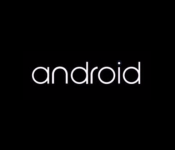
Google might have quietly changed the Android logo

The Android logo has remained pretty much unchanged ever since its inception but now a new 17-second video posted by @upleaks reveals the boot animation of the LG G Watch and a new logo.
The new Android logo appears entirely in a lower case font, with a softer feel to it than the previous somewhat robotic typefont of the previous logo.
Whilst Google hasn’t officially published any confirmation of it changing the Android logo, we are left to wonder if this is just attributed to Android Wear, or if we’ll begin to see the new softer logo rolled out in a wider sense.
SOURCE: TheVerge

The post Google might have quietly changed the Android logo appeared first on AndroidGuys.
Chrome goes 64-bit on Windows with promises of faster, safer web browsing

While many apps and operating systems made the jump to 64-bit code a while ago, Google’s Chrome browser is still stuck in a 32-bit world and misses out on much of what newer computers can offer. Today, though, it’s moving into the modern era: Google has released test versions of 64-bit Chrome for Windows 7 and 8 users. The upgrade lets the app take full advantage of newer processors and their instruction sets, delivering about a 25 percent speed boost for media-intensive pages. It also lets the software use newer security safeguards to minimize exploits, and there should be fewer crashes. There’s no word on corresponding Linux or Mac updates, but Windows fans willing to live dangerously can grab a 64-bit Canary or developer build through the source link.
Filed under: Internet, Software, Google
Source: Chromium Blog

Google brings WatchESPN, MLS and more to Chromecast

The response Google’s received since opening up its Chromecast SDK has been phenomenal, as more and more services continue to bring support for the tiny streaming device. As of today, we can add some extra entertainment options to the list. WatchESPN, Major League Soccer, Crunchyroll and the search giant’s own Google+ are all welcoming Chromecast compatibility, thanks to updates to their respective apps on iOS and Android. WatchESPN and MLS Matchday join MLB.tv in letting you Cast live sports right from your smartphone or tablet — that’s assuming you have the right subscription, of course. Additionally, the Google+ iOS and Android applications now let you use the $35 dongle to display photos and videos on a TV near you; Crunchyroll, meanwhile, does the same, but with popular anime shows instead of your own media.
“We’re excited to bring more content to Chromecast and we’ll continue to work with major local content partners,” a Google representative said to Engadget. In other words, you can expect that more of your favorite services and apps will be friendly with Chromecast soon, making its small price tag seem that much better over time. (For example, we’re told Watch ABC and Watch Disney are up next.) The new versions of Crunchyroll, Google+, MLS Matchday and WatchESPN are rolling out as we speak, so be sure to keep an eye on the App Store and Google Play.
Filed under: Home Entertainment, Internet, Software, HD, Mobile, Google
Source: Google Chrome Blog

Google’s first fashionable Glass frames are designed by Diane Von Furtstenburg

Diane Von Furstenberg may be better known for wrap dresses than wraparound shades, but her fashion label has actually been a long-term collaborator with Google Glass. The partnership has now resulted in a new “DVF” collection of Glass options, including five new frames and eight new shades with which to customize (and perhaps soften) your futuristic appearance. They’ll be available to Explorers in the US from June 23rd, both via Google’s own site and from Net-a-porter, although there’s no word on how much extra you’d need to spend beyond the $1,500 cost of the beta device itself. On the same day, Google’s own Titanium collection will also become available through the Mr Porter online store. Meanwhile, we’re still waiting on more sporty options from the likes of Oakley and Ray-Ban, although these might not arrive until Google Glass finally shifts into full commercial mode.
Filed under: Wearables, Mobile, Google
Source: Google Glass (G+)

[OP-ED] Why I think iOS 8 is good for Android

A banner spotted at WWDC 2014 prior to Apple’s keynote – courtesy of The Verge
Today’s tech news has been dominated by the announcements made by Apple at WWDC 2014 happening now in San Francisco. As many expected, Apple is making their yearly iteration to their mobile OS platform, iOS, bringing it to iOS 8 sometime in Fall this year. And as usual, some of the improvements that Apple is making in iOS 8 bear some eerie resemblance to features already featured on Android; some commenters have already said that this seems more like Google I/O 2011 rather than WWDC 2014, but we’ll leave that argument there. The last few iterations Apple has made to iOS have been huge in bringing the platform back into contention with Android on a functionality level which some have suggested should worry Android and Google. However, I think it’s actually the opposite: I think that iOS 8 is good for Android, and here’s why.

Image courtesy of The Verge
The upgrades to iOS are extensive, and a full list of those can be found pretty much anywhere you look on the internet today. Widgets, predictive text, third-party keyboards, or automatic photo backup are all nice, but we’ve seen it all before, some of which Android has had for many years. The improvement that caught my eye, however, is the actionable notifications. This currently only has a very basic implementation on Android right now, suffice to issue basic button commands, but Apple’s implementation will allow you to complete entire actions, like reply to a message, all from the notification. While it remains to be seen how useful this actually is in reality, it’s made more interesting by the fact that this isn’t available on Android yet. And this is where this becomes useful to Android.

Image courtesy of The Verge
Depending on how these features are accepted by its users, Android may choose to do something similar in the next major iteration of Android. If you’re an Apple fan and you somehow feel incensed or smug about the suggestion that Android should copy Apple, just remember that Apple has been catching up to and copying Android for years; notification bars in iOS 7 and now widgets and third-party keyboards in iOS 8 should be evidence enough.
 And really, the argument shouldn’t be who’s copying who, or even who is better than the other. Sure, fans on either side of the fence are going to fight to the death about who copied who and who’s done what functionality better. But at the end of the day, the people who benefit most from these two gargantuan mobile platforms doing battle is us, the consumers. While it’s arguable which platform is making better progress lately, it’s kind of a false dichotomy as the competition between the two drives them to improve things for the common good.
So the next time someone tells you that iOS has something that Android doesn’t have, remember that the competition is a good thing and that you can be sure that Android and Google will have something in store to one-up Apple in the future, and inevitably, vice versa somewhere along the track.
What do you think about Apple announcing iOS 8? Do you think the competition between Apple and Google is a good thing for mobile platforms? Let us know your thoughts below.
Sources: The Verge, Android Police
//<![CDATA[
ord = window.ord || Math.floor(Math.random()*1E16);
document.write('’);
//]]>
Google brings Chromebooks to more countries around the world

We’re sure folks from New Zealand, the Philippines, Denmark, Norway, Mexico and Chile can find ways to buy a Chromebook if they want to. But now that Google’s officially bringing the minimalist laptop to their countries, it’ll be easier to get one from Google Play or from partner retailers if their Play Stores (frustratingly) don’t sell hardware. Google’s also extending its European tour to bring Chromebooks to even more countries in the coming weeks, particularly Belgium, Italy and Spain. Sadly, the company’s poem announcement didn’t mention which models are coming, so we can’t say if any of the countries are getting Samsung’s new Chromebook 2 or Google’s own pricey Pixel. That’s probably because Google has yet to iron things out with manufacturers… or the author ran out of steam to rhyme after 11 stanzas.
Source: Google Chrome
Google+ for iOS updated to make your photos look better, create videos with them

You don’t have to wait for iOS 8 to edit your photos in the cloud: Google is giving the option to its iPhone-toting users right now. The latest build of Google+ for iOS has been outfitted with the usual assortment of Snapseed-sourced features, including a ton of filters, enhancements and basic crop and rotate tools. Naturally, these edits are stored in Google’s own cloud, so you can continue tweaking images on new devices. The update also gives iOS users access to Google+ Stories — giving you something to do with those newly edited photos.
Not familiar with Stories? It’s pretty simple: its a tool that creates “Auto Awesome” travelogue videos, automatically curating content from your albums and mashing them together into a easily sharable format. The feature debuted on Android last month, and is slowly making its way to other platforms.
Filed under: Cellphones, Apple, Google
Source: Google

