


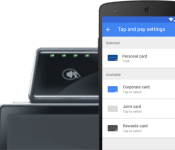
Google makes deal to bring Wallet to major wireless carriers, buys out portion of Softcard

Google has signed a deal that will lead to the distribution of their Google Wallet app pre-installed on devices sold by by Verizon, T-Mobile and AT&T starting later this year. As part of the deal, Google is also buying some technology from Softcard, a mobile payment solution that had been developed by those same carriers.
According to Softcard, the app will continue to work for users that want to make mobile payments – for now. However, this could change as Google starts to rollout their solution on carrier devices. Since Soundcard is selling some of their intellectual property related to the app to Google, it seem unlikely future development will continue. Reports indicate there are no Softcard employees joining Google as part of the agreement, which could be bad news on the horizon for Softcard employees.
Softcard has been a long, expensive project backed by these carriers to bring a mobile payment solution to market. Their efforts were hampered after the original name of the solution, ISIS, became associated with the terror group and forced the name change. The carriers behind Softcard had blocked efforts by Google to get Wallet adopted in the past and the battle for market control not only led to both solutions struggling for market acceptance, it may have resulted in Apple sneaking in with their Apple Pay solution.
The apparent truce between Google and the carriers comes as Samsung moves to acquire LoopPay in an effort to implement their own mobile payments project. Although LoopPay was essentially in a startup phase, the acquisition and backing of Samsung should help propel it to the top of the class along with Google’s Wallet and Apple’s Apple Pay solutions.
source: Re/code
Come comment on this article: Google makes deal to bring Wallet to major wireless carriers, buys out portion of Softcard
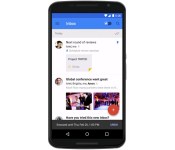
Google’s Inbox email app will soon be work-friendly

Google’s Inbox is theoretically perfect for some workers given its task-focused approach to email, but it hasn’t had true workplace support — if your company leans on Google Apps, you’re out of luck. Things are going to loosen up shortly, though. Google is now accepting requests to join an early adopter program that lets Apps-based companies try Inbox. You sadly can’t sign up just for your own email address (your administrator has to do it), but the effort will expand over the months ahead. Don’t be surprised if you soon have another way to keep tabs on your corporate chats.
Filed under: Cellphones, Internet, Mobile, Google
Source: Official Google for Work Blog

Google launches YouTube Kids app for Android
Google kicked off the week today announcing its YouTube Kids app for Android and iOS devices. Available immediately, it’s the first “built from the ground up with little ones in mind.” As you might expect, the app provides access to YouTube in a manner that lets parents sleep easier at night.
Broken into four categories (Shows, Music, Learning and Explore), it’s the same great content that’s already available, but without all the noise. On top of the preset modifications, YouTube Kids give parents control over a number of additional aspects.
- Timer: Let the app be the bad guy with a built-in timer that lets you limit kids’ screen time. The app alerts your child when the session is over, so you don’t have to. (You’re welcome.
 )
) - Sound settings: Sometimes you need a little peace and quiet! You have an option to turn off background music and sound effects, so your kids can keep watching while you catch a breather.
- Search settings: If you’d rather limit your children to just the pre-selected videos available on the home screen, you can turn off search.
- Product feedback: Our goal is to improve YouTube Kids all the time, so we’ve included a space for you to give us your feedback.
Along with favorites from DreamWorks TV, Jim Henson TV, Mother Goose Club, Talking Tom and Friends and more, your kids can watch new series from YouTube channels they already like. Discover new facts about dinosaurs from National Geographic Kids; learn about technology from Reading Rainbow; or watch Thomas the Tank Engine leave the world of Sodor for the first time in 70 years to travel the globe. Plus, more new videos are coming soon from beloved YouTubers like the Vlogbrothers and Stampylonghead.
The post Google launches YouTube Kids app for Android appeared first on AndroidGuys.
New Google Now card shows gas stations on your route
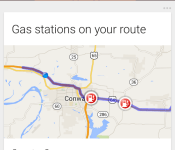
Thanks to the relentless work of Google’s engineers and the huge amount of computing power that the company can throw at any problem, Google Now is getting smarter all the time. The latest addition to the personal assistant service is a card that shows gas stations found on and nearby your current route.
The feature was first spotted by Google Plus user Kevin McLaughlin and doesn’t appear to be dependent on navigation. The phone detects that the user is driving down a route that, we assume, the user has used before, and shows nearby gas stations, along with directions, distance, and the detour required to reach each station.

It would be really nice if Google were able to pull in gas prices for each station, but even in this form, the feature can be very useful. With that said, checking gas stations on Google Now isn’t something you’d normally do while driving, but perhaps Google has bigger plans for this feature.
Have you seen this new card? Let us know what seems to trigger it.
Google Wins Android App Limits Lawsuit

Google overcame a lawsuit today pertaining to its pushing of Google applications on its Android OEMs when a judge dismissed the case. The lawsuit was raised by consumers who claimed that Google’s coercing of handset manufacturers to use apps like YouTube and not apps like Bing or Yahoo caused prices to be unfairly raised.
Fortunately, U.S. District Judge Beth Labson Freeman ruled that the plaintiffs did not have enough evidence to show that Google’s actions were illegal, nor actually hurting anyone. The judge gave the plaintiffs three weeks to change their claims, but as of right now, no other action has been taken. If Microsoft or Yahoo or another corporation could compete for “prime screen real estate,” the prices on Android handsets would most likely be a little lower, but probably not enough to make a huge difference—at least there’s no evidence for it.
What do you think? Was this a fair ruling under the federal Sherman antitrust law and California’s unfair competition law? Leave your official legal opinion below—it’s okay if you’re unqualified: it’s the Internet!
Source: Reuters
Come comment on this article: Google Wins Android App Limits Lawsuit
Android Lollipop lets you tweak some settings using voice commands

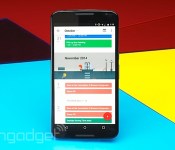
“OK, Google. Turn on WiFi” is something you might want to start practicing out loud if you’re among the small percentage of Android users who already have Lollipop on their devices. Android Police has discovered that Google Now on the latest Android release can tweak some of your settings for you with just a voice command. Specifically, it can switch the device’s Bluetooth, flashlight and WiFi on or off, whereas it could only bring up the Settings page in the past, leaving you to toggle things yourself. The feature can be really useful at times, especially if your device doesn’t come with a built-in flashlight controller or if you need to use your phone while on the road. It seems to be limited to those three for now, and only for Lollipop devices, so you’ll still have to work those thumbs to adjust any other setting.

[Image credit: Android Police]
Filed under: Cellphones, Tablets, Mobile, Google
Source: Android Police

Use just your voice to toggle flashlight, Wi-Fi, or Bluetooth from Google Now (Lollipop only)

Users running the latest version of Android can now change simple settings with simple voice commands, hands-free.
Google Now has long supported voice commands for jumping to device settings like Wi-Fi, Bluetooth, GPS, etc. But there was no way to do it with just your voice – issuing a command would open the correct setting, but you had to manually toggle it with a tap. Now this small, but rather inexplicable annoyance is gone, at least if you run Lollipop and the latest version of the Search app.
First discovered by Android Police, the feature currently works with the built-in flashlight, Wi-Fi, and Bluetooth. Other features like GPS, Airplane Mode, volume settings, or tethering don’t seem to work in our testing. For the three features that work, you will get a vocal confirmation and a card that lets you toggle the feature back off with a tap.
Devices running KitKat or earlier don’t seem to have the feature, though turning on the flashlight (but not Bluetooth or WiFi) works on my KitKat-running Ascend Mate 7.
It’s unclear what’s taking Google so long to roll out this relatively simple functionality to Google Now, given that features like taking pictures or playing songs from Play Music or YouTube are already integrated. While, in many cases, a couple of taps may be easier than saying command, this is just another milestone on the long road to human-like computer comprehension.
On a related note, those who want more extensive command support in Google Now can try out Commandr; it’s not an official solution, but it gets the job done.

5 Android apps you shouldn’t miss this week – Android Apps Weekly
Welcome back to Android Apps Weekly! Here are the headlines!
- Google Play developers from 12 new countries can sell apps now!
- Pebble Watches now support Android Wear apps which is great news if you own one.
- Facebook is officially working on VR apps which is either exciting or terrible.
- Google Helpouts will be closing its doors on April 20th, 2015.
- Xposed Framework has officially been released on Lollipop but beware, it’s quite buggy.
For more headlines, app updates, and app release news, don’t forget to subscribe to our newsletter! I curate it myself every week and we’ll never send you any spam or ridiculousness. Just app news, app releases, and app updates straight to your email every Friday!
Subscribe to our Android Apps Weekly newsletter!
 VLC
VLC
[Price: Free]
VLC is releasing an update soon to version 3.0 and with it will come big changes. The biggest of which will be Chromecast support. That means very soon, Chromecast users will have a powerful media player in their arsenal. The update isn’t out yet but it should be coming sometime soon.

 Monkey King Escape
[Price: Free with in app purchases]
Monkey King Escape is a new infinite runner out of Ubisoft that features some colorful graphics, fun cartoons, and of course, that always addictive infinite runner style. It’s fairly run of the mill when compared to others, but it’s still a great game for kids and adults who love animals.
 Pushbullet
[Price: Free]
Pushbullet received a huge update this last week. Now, on top of text messages, you can also respond to Facebook Messenger, Whatsapp, and Google Hangouts messages on your computer. This is the update that a lot of people have been waiting for and really helps augment an already strong set of features from Pushbullet.
 Draw Slasher by Mass Creation
[Price: $2.99]
Draw Slasher was a popular game on the PS Vita console and last week it saw an official Android release. It’s an action-adventure hack and slash game where you swipe to slash up bad guys. It’s a paid game but there are no in app purchases which is quite refreshing.
 Do Button by IFTTT
[Price: Free]
Do Button by IFTTT is a new app from the same great minds that brought us, you guess it, IFTTT. This allows you to create a button that does whatever you want when you press it. Simply create the recipe and then whenever you tap the button, your device will do the things you want. It’s also totally free.
Wrap up
If we missed any great Android apps and games news, let us know in the comments! Also, don’t forget to subscribe to the newsletter!
Inbox now available for tablets, will soon be available for Google Apps customers
 Good news for those of you that like Google’s Gmail alternative: Sundar Pichai has announced that Inbox is officially available on Android tablets and iPads, and it’s slated for release for Google Apps customers very shortly. Plus, it’s up and running on Firefox and Safari, if you prefer to do things from a full web browser but don’t want to stick to Chrome. This means you’ll be able to tackle your cluttered Gmail inbox from nearly any device you own.
No word on how soon that Google Apps integration is coming, but Pichai’s tweet said “imminently,” so it shouldn’t be much longer.
source: Sundar Pichai
Come comment on this article: Inbox now available for tablets, will soon be available for Google Apps customers
The top 10 wearables you can buy right now

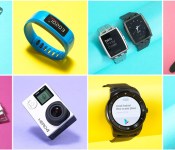
This year’s CES was awash in wearables and while many of them took the form of wrist-worn fitness trackers and smartwatches, the genre has expanded beyond the basics. While some iOS users may be holding out for the Apple Watch in April, there’s still a great selection of cross-platform devices available right now. Withings’ Activité Pop has classic analog style while still tracking steps and calories burned, all with the help of an eight-month battery. LG’s G Watch R is a decent Android Wear option that offers a truly circular display, while the Moto 360 still cuts a striking figure — although neither can manage more than a single day on a charge. The Basis Peak is also a contender, with reliable sleep and fitness tracking in a water-resistant package. As for wearable cameras, GoPro remains the go-to brand in the genre and its latest series of Hero4 cams don’t disappoint. You can find our full list of picks in the buyer’s guide, but we’ve also listed them in the gallery below. Who knows? Maybe skimming through will help you burn a calorie or two.

