


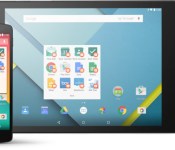
Google officially launches Android for Work, aims to make the workplace safer

We’ve known about Android for Work for quite some time, ever since Google announced the program at Google I/O 2014. Now it’s official, and Google has partnered with multiple companies to make the workplace an all-around safer place for everyone.
Android for Work is centered around four key technology components: work profiles, the Android for Work app, Google Play for Work, and built-in productivity tools. Each user needs to set up their own work profile on a Lollipop-running device, and will then have access to work data thanks to enhanced SELinux security enforcement. Once set up, your IT professional can deploy or remove work-approved apps to connected devices.
If your device is running Ice Cream Sandwich through KitKat, you can download the Android for Work app. It will deliver secure mail, contacts, events, documents and much more, and can be completely managed by your IT professional. Here’s the full list of components Google has worked into the new program:
- Work profiles – We’ve built on the default encryption, enhanced SELinux security enforcement and multi-user support in Android 5.0, Lollipop to create a dedicated work profile that isolates and protects work data. IT can deploy approved work apps right alongside their users personal apps knowing their sensitive data remains secured. People can use their personal apps knowing their employer only manages work data and won’t erase or view their personal content.
- Android for Work app – For devices running Ice Cream Sandwich through Kitkat, or that don’t run work profiles natively, we’ve created the Android for Work app. The app, which delivers secure mail, calendar, contacts, documents, browsing and access to approved work apps, can be completely managed by IT.
- Google Play for Work – It allows businesses to securely deploy and manage apps across all users running Android for Work, simplifying the process of distributing apps to employees and ensures that IT approves every deployed app.
- Built-in productivity tools – For everyday business tasks, we’ve created a suite of business apps for email, contacts and calendar, which supports both Exchange and Notes and provides document editing capabilities for documents, spreadsheets and presentations.
Google has also teamed up with a number of IT partners to make this all work, including Cisco, BlackBerry, Motorola, Samsung, Box and many others. Google explains that these partnerships bring a consistent management platform that allows enterprise managers to control all Android devices, old and new. These partnerships also bring more secure business apps and devices to the program
If you’re interested in signing up for the program, head to the Android for Work website.

Google is working on a Chrome reading mode, try it out

Google wants to give your peepers a break. Google Chromium Evangelist Francois Beaufort laid out early versions of Reader Mode for Chrome desktop and mobile in a post today on Google Plus (of course). Reader Mode is designed to make on-screen text easier to absorb, by removing unnecessary pictures, boxes, buttons and ads. Safari has long featured a Reader Mode, and extensions such as Readability offer similar services for Chrome, but now Google is getting into the game itself with these Reader-friendly experiments.
Google’s project is based on Chromium’s open-source DOM Distiller, meaning technical minds can poke around right in the code. Reader Mode for mobile devices has been lurking in the background of Chrome since late last year, and it’s accessible by heading to chrome://flags#enable-reader-mode-toolbar-icon, hitting “Enable” and relaunching Chrome. The Reader Mode icon should pop up in your toolbar for applicable pages after that. On desktop, run Chrome with the –enable-dom-distiller switch to unlock the “Distill page” menu option. Happy reading!
Filed under: Software, HD, Google
Source: Francois Beaufort

Google is Adding Hangouts Chat with Businesses from Search Results
 If you’ve ever wanted to contact an establishment from a Google search result, but didn’t have the time to wait for an email or the attention for a phone call, then Google has just what you need: Hangouts. Granted, Hangouts has been around for a while, but it has yet to be implemented in this way. Google has been testing the new feature with certain establishments, and thus far, the results look promising. The feature also comes with a estimated response time for each business so you can know when you can expect a reply.
Messaging businesses isn’t unheard of in 2015, but if Google starts to really pursue this feature, we can expect to see it really take off, especially if it ties-in well with Google Maps. Since it’s still in testing, we can’t know if it is a serious venture or not, but keep your eyes peeled for updates about Google’s progress on TalkAndroid.com
Source: TechCrunch
Come comment on this article: Google is Adding Hangouts Chat with Businesses from Search Results
Search apps, including Siri, Cortana, and Google Now may be saving recordings of your commands

A user on reddit has posted about his experience as a new employee with a company that has access to voice recordings that he claims are commands given to mobile devices. According to this individual, some of the recordings specifically refer to Siri, Apple’s voice-activated search and command app. The reddit poster also implicates Microsoft’s solution, Cortana, and other posters have pointed out that Google is also saving Google Now commands. Although this user has access to the recordings, the employer is none of these major companies.
It is not clear how the recordings ended up with a third party. Access to the recordings is supposedly for the purpose of listening to the sound bites and comparing that with the generated text to help improve the voice to text translation. It may be possible the company has been hired by the major companies to provide this service rather than having this work done in-house.
If you want to get an idea of what information Google is saving, you can login to your Google account and surf over to history.google.com/history/audio. According to that page only you can see the history of recordings and Google does not provide any indication on this page that they share the recordings with others. In all likelihood, the recordings that are being saved are mostly mundane attempts at commands or searches. As the reddit user pointed out though, there are users out there trying some interesting commands that could be embarrassing if they got into the hands of the wrong person.
The problems caused by the way voice activation works are not new. In the past, Facebook has had to deal with claims that their app was always listening to users and more recently Samsung acknowledged private conversations should not be held in front of some of their smart TVs that are listening for commands. Voice activation is a great convenience for users, but as we continue to see, the potential is there for a lot of devices in our world to be turned into monitoring devices and now we see, all that data may be getting saved as well.
Does the potential for others to listen in on what you say, either live or via recording, cause you to adjust your behavior any?
source: reddit
Come comment on this article: Search apps, including Siri, Cortana, and Google Now may be saving recordings of your commands

Google Glass 2 prototypes already in the hands of select partners

I know many people think Google Glass is dead, but trust me it isn’t. The closing of the Explorer Program and shuffling of key people is just a normal step of the evolution process. Explain to me how they could transition from a $1,500 Explorer Program version of Glass to a more consumer-friendly version that is much cheaper. The only way is to put things on hold and then re-launch it which is exactly what they will do.
Sources of 9to5 Google have confirmed that prototypes of the next-gen version of Glass are already being tested with select partners. Most of these partners are Glass at Work players since the enterprise will likely be the focal point for Glass.
It’s still in the early stages so I wouldn’t expect any major announcement at this year’s Google I/O. If anything, next year’s Google I/O is likely to be the second big splash for Glass.
source: 9to5Google
Come comment on this article: Google Glass 2 prototypes already in the hands of select partners

Google confirms that a Chromebook Pixel successor is “coming out soon”

Consumers preparing to purchase a new laptop may want to wait a bit longer as a formidable Chrome OS device is on its way to the market. At the Team Work 2015 event, Renee Niemi of Google confirmed that the Chromebook Pixel will see a successor. Niemi, who works on the productivity teams for Android and Chrome, noted that the new Chromebook Pixel would launch soon. She did clarify that a limited amount of units will be produced as it is a proof of concept. Employees within the company and developers working with Google receive about 85% of units produced.
Here is the quote from Niemi:
“We do have a new Pixel coming out and it will be coming out soon. We will be selling it but I just have to set your expectations: this is a development platform. This is really a proof of concept. We don’t make very many of these — we really don’t. And […] our developers and our Googlers consume 85% of what we produce. But yet, we do have a new Pixel coming out.”
Among the specifications expected to be included with the Chromebook Pixel successor is a 12.85-inch display (with at least 2560×1700 resolution) and reversible Type-C USB ports. The processor inside is currently unknown; however, chances are that it ends up being some form of Intel Broadwell. And, depending upon the actual release date, Intel Skylake could be used.
Are you excited for the Chromebook Pixel successor? Let us know in the comments.
Via: OMG! Chrome!
Come comment on this article: Google confirms that a Chromebook Pixel successor is “coming out soon”

Google employee reveals a new Chromebook Pixel’s due out soon

The first Chromebook Pixel wasn’t exactly a huge seller, what with its hefty price tag and all, but Google’s apparently still preparing to release a second version. OMG! Chrome! spotted a video of Renee Niemi, who’s in charge of Android and Chrome for Work and Education, at the recent Google Teamwork event, where she revealed that the company’s working on the next-gen Pixel that will soon be slated for release. Mountain View has since pulled down the video, but the publication transcribed the relevant part as follows:
We do have a new Pixel coming out and it will be coming out soon. We will be selling it but I just have to set your expectations: this is a development platform. This is really a proof of concept. We don’t make very many of these — we really don’t. And… our developers and our Googlers consume 85% of what we produce. But yes, we do have a new Pixel coming out.
Since the company hasn’t officially announced anything yet, we don’t have the laptop’s specs or features to list. According to OMG! Chrome!, though, it might still have the same 12.85-inch high-res screen, along with the new heaven-sent, reversible type C USB port. It’ll most likely cost upwards of a grand (whereas other Chromebooks are priced only in the hundreds of dollars), considering the first Pixel starts at $1,300. There’s also a chance that the new model will be announced at Google I/O 2015 in May, as the first one was launched at the same event back in 2013. We reached out to Google for confirmation and for more details, and we’ll update this post once we hear back.
Via: Gizmodo, Ars Technica
Source: OMG! Chrome!

Gmail’s autocomplete is broken (update)

Before you send out something through Gmail, make sure to check if you have the right person in the recipient field — trust us on this one. Google’s email service has been having autocomplete issues, which people started noticing over the past few days. It seems to keep suggesting contacts you don’t email that often instead of those you send digital missives to regularly. So, instead of suggesting Joe Coworker when you type “J” in the “To” field, you get Joe Shmoe, John Doe and some random J you drunkenly met at a party once in college. Obviously, you wouldn’t want to send any of them the super secret work document you’ve been working on. Gmail announced on Twitter that it’s investigating the issue, but until then, all you can do is to keep a close eye on who you’re sending emails to.
Update: The Gmail team announced in a followup tweet that it has identified the problem and is working on a fix.
We’re aware of an issue with Gmail and auto-complete and are currently investigating. Apologies for any inconvenience.
– Gmail (@gmail) February 23, 2015
Thanks again for your patience everyone re: Gmail and auto-complete. We’ve identified the issue and are working on a fix. Stay tuned.
– Gmail (@gmail) February 24, 2015
Via: TechCrunch
Source: Gmail (Twitter)

Google bringing Inbox to a select number of Google Apps users in March

We’ve been a pretty big fan of Inbox by Gmail since its launch back in October, but the one big gripe we’ve all had is that Google Apps users don’t have access to the service. So when Sundar Pichai took to Twitter to announce that Inbox would come to Google Apps users “imminently”, we were very happy. However, we had no idea how long “imminently” would take. But in a blog post earlier today, Google announced that Inbox would roll out to select Google Apps users beginning in March.
Just like the initial Inbox rollout, Google is taking the Apps rollout slowly. It won’t be available to everyone right away, and your Google Apps administrator needs to sign up for your business. If you’re interested in getting your team on-board, have your Google Apps admin send an email to inboxforwork@google.com to request an invite. Unfortunately, the number of businesses accepted to test the service will be very limited so Google can work with each team closely. To find out more information on signing up for the service, head to Google’s Inbox support page.
Google says:
Inbox wasn’t created to reinvent email, Inbox was created to help you reinvent the way you get things done. This means we need to understand more about how things get done (or don’t) today. And with your feedback, who knows, we could reinvent the way people work.
Much of the time, work email is very time-sensitive and important to read right away. The last thing we want is to have important emails slip through the cracks, or for the service to be buggy and unusable. It might be a bummer that we can’t all use Inbox with Google Apps quite yet, but it’s great that they’re taking the necessary precautions to ensure the service works properly.
If you’d like more information on Inbox by Gmail, check out our hands-on video.
Google announces Wallet deal with Softcard and wireless carriers
Back in 2010, T-Mobile, AT&T, and Verizon all teamed together to introduce Softcard (back then it was ISIS), a mobile payment competitor to Google Wallet, so that carriers had better control over consumers payments with their phones. Then in late 2014, Apple introduced Apple Pay, and Banks and stores have been eating it up like there’s no tomorrow. ‘
It seems Softcard has recognized Apple’s growing success with their mobile payment system, as today Google announced that Google Wallet and Softcard are teaming up! Google will acquire some of Softcard’s assets, and says they plan to implement a better, newer mobile payment system to improve the already great Google Wallet.
What exactly will come of this is yet to be seen, but one thing is for sure: expect Google Wallet to get better and more widely released on Android devices. Google said in their announcement that Google Wallet will come pre-installed on phones from the three carriers mentioned above that have KitKat or higher Android versions. Pretty soon, none of us will be carrying our wallets anymore.
The post Google announces Wallet deal with Softcard and wireless carriers appeared first on AndroidGuys.

