


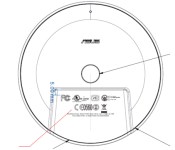
Google’s Nexus Player gets FCC approval, right on cue

Well, that didn’t take long. Just a couple of days after Google stopped pre-orders of the Nexus Player while it waited for the FCC’s all-clear, its Android TV puck has received approval. There aren’t any surprises in the regulatory filing, but it should let you both pre-order the WiFi media hub soon and (hopefully) get it around that originally promised November 3rd release date. If you were worried that you’d have to make do with a Chromecast for a little while longer, you can relax.
Filed under: Home Entertainment, HD, ASUS, Google
Source: FCC

Google freezes Nexus Player orders while it waits for US approval

If you were dead set on ordering the Nexus Player this weekend, you’re about to be disappointed. Google has quietly halted pre-orders of its Android TV media hub because it has “not been approved” by the FCC — the company would be in trouble with US regulators if it took your hard-earned dollars for something it can’t ship. There aren’t any hints as to when the Nexus Player will get the all-clear, but you can be sure that we’ll keep our eyes peeled. Hopefully, the approval arrives before November 3rd so that you can get that Android TV set-top box on time.
Filed under: Home Entertainment, Internet, HD, Google
Via: Android Police
Source: Google Play

A look at current mobile display technologies

In the smartphone industry, the display is a large part of what makes or breaks a device. I mean, without the display how would we use a smartphone? So often when manufacturers release their device, they throw around terms like “Super AMOLED” and “Retina Display”. What do this terms mean? Does a display type really matter? Let’s break it down.
In this article some terms will be used to explain these displays. Resolution can be explained in this article.
Another term will be ppi, or pixels per inch. This is calculated by a complicated equation that we won’t get into. The important thing to know is that ppi is the amount of pixels within a square inch of a display. so the higher the ppi, the better. It’s worth noting that the larger the display, the lower the pixel density. So while a 6-inch screen and a 4-inch may both have 1080p resolutions, the 4-inch is going to have a higher pixel density (~550 ppi) while the 6-inch is going to have a lower pixel density (~367 ppi).
Two types of display: LCD & LED

A close up of an LCD screen
Essentially, mobile displays can be broken down into two major categories: LCD and LED. LCD, or Liquid Crystal Display, is essentially a liquid crystal solution sandwiched between two sheets of a polarizing material, which causes light to pass through in various amounts when an electric current passes through the liquid. High-end LCD displays are cheaper to make than LED displays (more on that in a moment), and provide sharp pictures and a wider color range. LCD displays require a backlight behind the entire display however, which can result in a thicker display (though these days that hardly matters). This backlight also needs to always be on, even if you have a white square on a black background. This results in blacks looking more like a very dark grey, and more battery drain (compared to an LED).

A close up of an AMOLED screen
LED, or Light Emitting Diode, is technically a type of LCD, but no need to get into that (if you really need to, check out this article or this article). LED displays can control light passing through every pixel, which results in colors that pop and are more realistic, and blacks being true blacks. Because this display doesn’t require a backlight like a LCD does, these displays are also thinner. This also means LED displays are more energy-efficient, as pixels can be turned off while still using the display (this is how Moto Display works on the Moto X). Nevertheless, LED screens are harder to mass-produce than LCDs (though again, this is starting to not be the case).
Now most (if not all) smartphones that use LED technology use OLED (Organic Light Emitting Diode). This just means the material between the two polarizing sheets are carbon-based.
Now that we’re through that, it should help explain all the various types a little better.
TFT LCD

TFT LCD were easily the most-used displays back in 2011 and before. TFT stands for Thin Film Transistor. This improved upon early LCD technology, providing better viewing angles. However, it was a power-hog, and became outdated with the introduction of IPS LCDs. Still, some budget phones use them today because of how cheap they are.
- Examples of phones with TFT-LCD: T-Mobile G1, Huawei Ascend P7 mini
IPS LCD

IPS is now the most commonly used LCD screen in current smartphones. IPS (In-Plane Switching) is superior to TFT as they provide wider viewing angles and lower power consumption. They also have higher resolutions than TFT panels do. This is what the first major smartphone with QHD resolution, the LG G3, uses.
- Examples of phones with IPS-LCD: Apple iPhone 6, LG G3, Nexus 5
Retina Display

A Retina Display is a term used by Apple for its products, because the resolution and quality of the screen is so good, the pixels can not be seen by the naked eye. This was introduced with the iPhone 4 in 2010, and has been used quite a bit by Apple since then. It’s worth noting that there is no exact resolution with a Retina Display, as it varies with each device. Apple determines the resolution needed based on the average length the device will be from the viewer’s eyes. So the resolution of the iPhone 4 is 326 ppi, while the iPad 3 is 264 ppi, because the iPhone will be held closer to the eyes usually than an iPad.
AMOLED

AMOLED is the most common iteration of OLED displays used in smartphones nowadays. AMOLED (Active-Matrix Organic Light-Emitting Diode) are essentially more efficient and better looking than regular OLED screens. Again, AMOLEDs are noted for bright colors, higher brightness, and more battery-efficient. This is the display used in the both the 1st Gen Moto X and 2nd Gen Moto X, and it’s what allows them to have their Active Display and Moto Display (respectively) without draining very much power.
- Examples of phones with AMOLED: Moto X, Moto X (2014), Nexus 6
Super AMOLED

Super AMOLED is a version of an AMOLED screen made by Samsung. Usually when creating smartphone screens, another layer has to be added to the display to allow for touch interaction of the screen. What Samsung did was include this layer into the creation of the display itself, making it not only the thinnest display on the market, but also the brightest and least power consuming. This is way Samsung displays have such vibrant colors, as the actual display is much closer to the glass than any other display. It also allows for a very responsive touchscreen, more so than most others.
- Examples of phones with Super AMOLED: Samsung Galaxy S5, Samsung Galaxy Note 4, Samsung Galaxy Tab S
Well, that’s all of the display types. Now, which is the best? That honestly comes down to a matter of preference. IPS-LCD screens offer sharper images, and a wide color range, while AMOLED and Super AMOLED have bright screens, vibrant colors, and lower battery consumption. The best way to know is to look at them side-by-side with the same picture and see for yourself. Even then, you won’t know it fully until you use one display or another for a long period of time, to see how much the battery life matters, or how much the touch responsiveness of the Super AMOLED makes a difference.
What’s your favorite display? Leave us your thoughts in the comments below.
 |
The post A look at current mobile display technologies appeared first on AndroidGuys.

Shuffle in positions may signal more Android/Chrome consolidation

Sources within Google indicate some top level executives have shifted around and the changes may be another sign that the company is moving closer to a merger of its two operating systems. Hiroshi Lockheimer, who is the vp of engineering for the Android operating system, has had the engineering team assigned to the Chrome operating system placed under him. Linus Upson was the top engineer for Chrome and it is unclear what he will be doing moving forward.
Starting in 2013, both the Android team and the Chrome team have reported to Sundar Pichai, a senior vice president with Google. The move to place them both under the purview of one senior vp was consistent with Sergey Brin’s statements from as far back as 2009 that the two branches were likely to “converge.”
At Google I/O this year, the company announced plans to make it possible to run Android apps on Chrome OS powered devices. Just last month the first batch of apps able to do this were announced.
Although Chrome powered devices have found a popular market with schools, they still struggle to compete in the larger personal computer market. Meanwhile, Android dominates the smartphone market, powering 85% of all devices shipped during the second quarter of 2014. Google also has efforts underway with Android Wear and Android Auto to put variations of the Android operating system on other form factors.
Some have suggested that Pichai’s move signals Android will be the base for the future as Google hopes to capitalize on an easy path for developers to create apps capable of running on several types of devices. Neither Lockheimer nor Upson have released statements regarding the moves.
source: Wall Street Journal
Come comment on this article: Shuffle in positions may signal more Android/Chrome consolidation
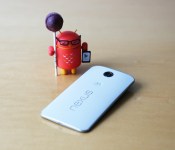
Official Android Lollipop wallpapers – get them here!

Since the announcement of Android Lollipop, I know I’ve been dying to get a piece of the action. Alas, I must wait until Motorola gets the update out to the 1st Gen Moto X. In the meantime, we can all enjoy some Android Lollipop Wallpapers! Grab them below!
<img src="https://i0.wp.com/www.androidguys.com/wp-content/uploads/2014/10/lollipop-wallpaper-1.jpg?resize=640%2C623" class="attachment-thumbnail" alt="lollipop wallpaper" data-attachment-id="72008" data-orig-file="https://i0.wp.com/www.androidguys.com/wp-content/uploads/2014/10/lollipop-wallpaper-1.jpg?resize=640%2C623" data-orig-size="2628,2560" data-comments-opened="1" data-image-meta=""aperture":"0","credit":"","camera":"","caption":"","created_timestamp":"0","copyright":"","focal_length":"0","iso":"0","shutter_speed":"0","title":"","orientation":"0"" data-image-title="lollipop-wallpaper-1" data-image-description="<p>lollipop wallpaper</p>
” data-medium-file=”http://www.androidguys.com/wp-content/uploads/2014/10/lollipop-wallpaper-1.jpg” data-large-file=”http://www.androidguys.com/wp-content/uploads/2014/10/lollipop-wallpaper-1.jpg” />
<img src="https://i0.wp.com/www.androidguys.com/wp-content/uploads/2014/10/lollipop-wallpaper-2.jpg?resize=640%2C456" class="attachment-thumbnail" alt="lollipop wallpaper" data-attachment-id="72009" data-orig-file="https://i0.wp.com/www.androidguys.com/wp-content/uploads/2014/10/lollipop-wallpaper-2.jpg?resize=640%2C456" data-orig-size="3592,2560" data-comments-opened="1" data-image-meta=""aperture":"0","credit":"","camera":"","caption":"","created_timestamp":"0","copyright":"","focal_length":"0","iso":"0","shutter_speed":"0","title":"","orientation":"0"" data-image-title="lollipop-wallpaper-2" data-image-description="<p>lollipop wallpaper</p>
” data-medium-file=”http://www.androidguys.com/wp-content/uploads/2014/10/lollipop-wallpaper-2.jpg” data-large-file=”http://www.androidguys.com/wp-content/uploads/2014/10/lollipop-wallpaper-2.jpg” />
<img src="https://i2.wp.com/www.androidguys.com/wp-content/uploads/2014/10/lollipop-wallpaper-3.jpg?resize=640%2C686" class="attachment-thumbnail" alt="lollipop wallpaper" data-attachment-id="72010" data-orig-file="https://i2.wp.com/www.androidguys.com/wp-content/uploads/2014/10/lollipop-wallpaper-3.jpg?resize=640%2C686" data-orig-size="1866,2000" data-comments-opened="1" data-image-meta=""aperture":"0","credit":"","camera":"","caption":"","created_timestamp":"0","copyright":"","focal_length":"0","iso":"0","shutter_speed":"0","title":"","orientation":"0"" data-image-title="lollipop-wallpaper-3" data-image-description="<p>lollipop wallpaper</p>
” data-medium-file=”http://www.androidguys.com/wp-content/uploads/2014/10/lollipop-wallpaper-3.jpg” data-large-file=”http://www.androidguys.com/wp-content/uploads/2014/10/lollipop-wallpaper-3.jpg” />
<img src="https://i2.wp.com/www.androidguys.com/wp-content/uploads/2014/10/lollipop-wallpaper-4.jpg?resize=640%2C501" class="attachment-thumbnail" alt="lollipop wallpaper" data-attachment-id="72011" data-orig-file="https://i2.wp.com/www.androidguys.com/wp-content/uploads/2014/10/lollipop-wallpaper-4.jpg?resize=640%2C501" data-orig-size="3268,2560" data-comments-opened="1" data-image-meta=""aperture":"0","credit":"","camera":"","caption":"","created_timestamp":"0","copyright":"","focal_length":"0","iso":"0","shutter_speed":"0","title":"","orientation":"0"" data-image-title="lollipop-wallpaper-4" data-image-description="<p>lollipop wallpaper</p>
” data-medium-file=”http://www.androidguys.com/wp-content/uploads/2014/10/lollipop-wallpaper-4.jpg” data-large-file=”http://www.androidguys.com/wp-content/uploads/2014/10/lollipop-wallpaper-4.jpg” />
<img src="https://i2.wp.com/www.androidguys.com/wp-content/uploads/2014/10/lollipop-wallpaper-5.jpg?resize=640%2C612" class="attachment-thumbnail" alt="lollipop wallpaper" data-attachment-id="72012" data-orig-file="https://i2.wp.com/www.androidguys.com/wp-content/uploads/2014/10/lollipop-wallpaper-5.jpg?resize=640%2C612" data-orig-size="2678,2560" data-comments-opened="1" data-image-meta=""aperture":"0","credit":"","camera":"","caption":"","created_timestamp":"0","copyright":"","focal_length":"0","iso":"0","shutter_speed":"0","title":"","orientation":"0"" data-image-title="lollipop-wallpaper-5" data-image-description="<p>lollipop wallpaper</p>
” data-medium-file=”http://www.androidguys.com/wp-content/uploads/2014/10/lollipop-wallpaper-5.jpg” data-large-file=”http://www.androidguys.com/wp-content/uploads/2014/10/lollipop-wallpaper-5.jpg” />
<img src="https://i0.wp.com/www.androidguys.com/wp-content/uploads/2014/10/lollipop-wallpaper-6.jpg?resize=640%2C430" class="attachment-thumbnail" alt="lollipop wallpaper" data-attachment-id="72013" data-orig-file="https://i0.wp.com/www.androidguys.com/wp-content/uploads/2014/10/lollipop-wallpaper-6.jpg?resize=640%2C430" data-orig-size="3808,2560" data-comments-opened="1" data-image-meta=""aperture":"0","credit":"","camera":"","caption":"","created_timestamp":"0","copyright":"","focal_length":"0","iso":"0","shutter_speed":"0","title":"","orientation":"0"" data-image-title="lollipop-wallpaper-6" data-image-description="<p>lollipop wallpaper</p>
” data-medium-file=”http://www.androidguys.com/wp-content/uploads/2014/10/lollipop-wallpaper-6.jpg” data-large-file=”http://www.androidguys.com/wp-content/uploads/2014/10/lollipop-wallpaper-6.jpg” />
<img src="https://i0.wp.com/www.androidguys.com/wp-content/uploads/2014/10/lollipop-wallpaper-7.jpg?resize=640%2C611" class="attachment-thumbnail" alt="lollipop wallpaper" data-attachment-id="72014" data-orig-file="https://i0.wp.com/www.androidguys.com/wp-content/uploads/2014/10/lollipop-wallpaper-7.jpg?resize=640%2C611" data-orig-size="2683,2560" data-comments-opened="1" data-image-meta=""aperture":"0","credit":"","camera":"","caption":"","created_timestamp":"0","copyright":"","focal_length":"0","iso":"0","shutter_speed":"0","title":"","orientation":"0"" data-image-title="lollipop-wallpaper-7" data-image-description="<p>lollipop wallpaper</p>
” data-medium-file=”http://www.androidguys.com/wp-content/uploads/2014/10/lollipop-wallpaper-7.jpg” data-large-file=”http://www.androidguys.com/wp-content/uploads/2014/10/lollipop-wallpaper-7.jpg” />
<img src="https://i2.wp.com/www.androidguys.com/wp-content/uploads/2014/10/lollipop-wallpaper-8.jpg?resize=640%2C444" class="attachment-thumbnail" alt="lollipop wallpaper" data-attachment-id="72015" data-orig-file="https://i2.wp.com/www.androidguys.com/wp-content/uploads/2014/10/lollipop-wallpaper-8.jpg?resize=640%2C444" data-orig-size="3692,2560" data-comments-opened="1" data-image-meta=""aperture":"0","credit":"","camera":"","caption":"","created_timestamp":"0","copyright":"","focal_length":"0","iso":"0","shutter_speed":"0","title":"","orientation":"0"" data-image-title="lollipop-wallpaper-8" data-image-description="<p>lollipop wallpaper</p>
” data-medium-file=”http://www.androidguys.com/wp-content/uploads/2014/10/lollipop-wallpaper-8.jpg” data-large-file=”http://www.androidguys.com/wp-content/uploads/2014/10/lollipop-wallpaper-8.jpg” />
<img src="https://i1.wp.com/www.androidguys.com/wp-content/uploads/2014/10/lollipop-wallpaper-9.jpg?resize=640%2C533" class="attachment-thumbnail" alt="lollipop wallpaper" data-attachment-id="72016" data-orig-file="https://i1.wp.com/www.androidguys.com/wp-content/uploads/2014/10/lollipop-wallpaper-9.jpg?resize=640%2C533" data-orig-size="3076,2560" data-comments-opened="1" data-image-meta=""aperture":"0","credit":"","camera":"","caption":"","created_timestamp":"0","copyright":"","focal_length":"0","iso":"0","shutter_speed":"0","title":"","orientation":"0"" data-image-title="lollipop-wallpaper-9" data-image-description="<p>lollipop wallpaper</p>
” data-medium-file=”http://www.androidguys.com/wp-content/uploads/2014/10/lollipop-wallpaper-9.jpg” data-large-file=”http://www.androidguys.com/wp-content/uploads/2014/10/lollipop-wallpaper-9.jpg” />
<img src="https://i0.wp.com/www.androidguys.com/wp-content/uploads/2014/10/lollipop-wallpaper-10.jpg?resize=640%2C705" class="attachment-thumbnail" alt="lollipop wallpaper" data-attachment-id="72017" data-orig-file="https://i0.wp.com/www.androidguys.com/wp-content/uploads/2014/10/lollipop-wallpaper-10.jpg?resize=640%2C705" data-orig-size="2323,2560" data-comments-opened="1" data-image-meta=""aperture":"0","credit":"","camera":"","caption":"","created_timestamp":"0","copyright":"","focal_length":"0","iso":"0","shutter_speed":"0","title":"","orientation":"0"" data-image-title="lollipop-wallpaper-10" data-image-description="<p>lollipop wallpaper</p>
” data-medium-file=”http://www.androidguys.com/wp-content/uploads/2014/10/lollipop-wallpaper-10.jpg” data-large-file=”http://www.androidguys.com/wp-content/uploads/2014/10/lollipop-wallpaper-10.jpg” />
If you’d like to know when your device is going to get Android Lollipop, check out this post here. Follow these links if you want more info on the Nexus 6, Nexus 9, or Nexus Player.
|
The post Official Android Lollipop wallpapers – get them here! appeared first on AndroidGuys.

Google to loosen restrictions on Android Wear
Android Wear has been quite an interesting release, as manufacturers have shown their own take on the hardware of a smartwatch. What has not been very flexible up until this point though is the software of Android Wear, with manufacturers only loading a handful of watch faces. It seems that starting with the Asus Zenwatch,… Read more »
The post Google to loosen restrictions on Android Wear appeared first on SmarterWatching.
|
Read the rest at SmarterWatching.com!
The post Google to loosen restrictions on Android Wear appeared first on AndroidGuys.

First details for Sony Xperia Z4 suggest Quad HD, Snapdragon 810

The Sony Xperia Z3 is one nice device, bringing all the goodies of the Z2 and giving it a nice hardware and software bump. While the Z3 is just now getting into the market, Sony is bust prepping their next flagship, the Sony Xperia Z4.
According to AndroidOrigin, they have obtained a leak from a reliable source (the same source they received another leak from that turned out to be spot on) about the upcoming Sony Xperia Z4. It will have the new Qualcomm Snapdragon 810 octa-core 64-bit chipset clocked at 2.8GHz, and the all-new Adreno 430 GPU, 4 GB of RAM. It will get a bump from 16GB as the lowest option to 32 GB. It will also get some new LTE technology, and Bluetooth 4.1. The camera will also be upgraded with a new sensor, but with a similar resolution to 20.7 MP. The design will be very similar to the Z3, but with a display bump up to 5.5″ and a QHD resolution.
Their source also said that Sony will no longer update their flagship Bi-annually, but just every year as we’ve gotten to the point where we’re getting small changes in technology.
Does this device sound good to you?
via AndroidOrigin
|
The post First details for Sony Xperia Z4 suggest Quad HD, Snapdragon 810 appeared first on AndroidGuys.

WSJ: Android’s VP of engineering is now overseeing Chrome as well

The Wall Street Journal has just reported that Hiroshi Lockheimer, Google’s current VP of engineering for Android, is now also in charge of the Chrome engineering team. According to the paper’s internal sources, the shift is part of an effort to unify the two divergent operating systems. Seeing as the company is already working on bringing Android apps to Chromebooks, that doesn’t seem too farfetched. Additionally, the WSJ notes that co-founder Sergey Brin has previously mentioned that the two OSes will likely converge over time. As part of this management shift, Linus Upson, the previous VP of engineering for Chrome, has reportedly left that role. The publication adds that Lockheimer will specifically be in charge of operating system matters, and not the Chrome browser, Chromecast or Chromebook hardware.
Source: WSJ
Google releases Android 5.0 Lollipop SDK and other tools

As previously reported, Google has followed up their official release of Android 5.0 Lollipop earlier this week with the announcement that the full Android 5.0 SDK is now ready for developers to download. Along with the new SDK, the team is also making available updated developer images for the Nexus 5, Nexus 7 (2013), ADT-1, and the Android emulator. On their Android Developers Blog, Google indicates the first consumer devices to ship with Android 5.0 Lollipop will be the Nexus 6, Nexus 9 and Nexus Player starting on November 3rd with the Nexus 9. They indicate other Nexus devices, including the Nexus 4, 5, 7 (both the 2012 and 2013 versions), 10, and Google Play Edition devices, will receive an OTA update for Android 5.0 Lollipop “in the same timeframe.”
Android 5.0 Lollipop is packed full of new features and a long list of new APIs that developers can take advantage of, including the code necessary for their new Material Design, enhanced notifications, Project Volta and Battery Historian, Android Runtime (ART), OpenGL ES 3.1, and 64-bit support. With so many changes, Google is encouraging developers to grab appropriate preview images and start testing their apps now so they can be ready when consumer devices start getting Android 5.0 Lollipop.
If you don’t mind wiping your system, the developers have also made final preview images of Lollipop available for the Nexus 5 (“hammerhead”) and the Nexus 7 (2013) (“razor”) devices. If you decide to go down this path though, note that you will not receive the OTA update when released in November until you install a factory image on your device.
Google is also encouraging developers to go ahead and publish their updated apps with support for Android 5.0 Lollipop to Google Play. Depending on how fast developers move on this, we should probably expect to see a ton of updated apps hitting Google Play in the coming weeks.
source: Android Developers Blog
Come comment on this article: Google releases Android 5.0 Lollipop SDK and other tools

Firefox Beta update brings ‘tab casting’ & more!

Mozilla is in the midst of pushing out a rather hefty software update to its official Firefox for Android Beta application. In terms of added functionality, the upgrade transports tab mirroring support for Chromecast, integrated Wikipedia search, the ability to change search defaults and much, much more.
Hit the break below for the full changelog.
New:
Tab mirroring support for Chromecast
Added support for Prefer:Safe HTTP header
Wikipedia search now uses HTTPS for secure searching
Beta search default changed to Yahoo for evaluation
Toggle wifi on error pages
Public key pinning support enabled
Implementation of HTTP/2 (draft14) and ALPN
Redesigned first run experience
Browser theme refreshHTML5:
ECMAScript 6 WeakSet Implemented
JavaScript Template Strings Implemented
CSS3 Font variants and features control (e.g. kerning) implemented
Device Storage API for privileged apps enabled
WebCrypto: RSA-OAEP, PBKDF2 and AES-KW support
WebCrypto: wrapKey and unwrapKey implemented
WebCrypto: Import/export of JWK-formatted keys
matches() DOM API implemented (formerlymozMatchesSelector())
Performance.now() for workers implemented
WebCrypto: ECDH support
Support for the ECMAScript 6 Symbol data type addedFixed:
CSS transitions start correctly when started at the same time as changes to display, position, overflow, and similar properties
If you would like to download or update your copy of the Firefox Beta app for Android – click the source link below. Alternatively, you can scan the QR code using your smartphone’s camera.
Come comment on this article: Firefox Beta update brings ‘tab casting’ & more!
 AIVAnet