


Nexus 6 pre-orders to begin October 29

Details surrounding the ordering status of the Nexus 6 was somewhat of a mystery following the Google event a few days ago, but it seems the Moto X inspired device has finally gotten a pre-order date.
For those wanting to order the Nexus 6, you will be able to do so as of October 29th from the Google Play Store. The 5.96″ 2560 x 1440 QHD device is the next iteration from the hugely popular Nexus 5, featuring a Quad core Krait 450 CPU 2.7 GHz processor and 3GB of RAM, this is definitely a power house.
If you’re on the fence about pre-ordering the Nexus 6, we compared it against the latest Apple iPhone 6 Plus to see how it stacks up.
Will you be pre-ordering the Nexus 6?
 |
The post Nexus 6 pre-orders to begin October 29 appeared first on AndroidGuys.

Android Lollipop easter egg is a Googley take on a familiar game

Everyone has come to love finding the easter egg that Google hides in their OS. From the dessert box in KitKat, to the jelly bean fling in Jelly Bean, and so on. Well, they aren’t stopping with Android Lollipop.
Below you see what you’ll find hidden in the settings currently on the Android Lollipop Developer Preview. It is a flappy bird clone, or flappy droid! It seems like you can actually get a score even.
There is no guarantee that this will be will be in the final build, but it’s doubtful that it wouldn’t be.

Who’s ready to see their high score on flappy droid? Who’s just ready for Android Lollipop on their phones?
via The Verge
|
The post Android Lollipop easter egg is a Googley take on a familiar game appeared first on AndroidGuys.
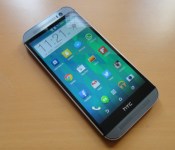
HTC’s Android 5.0 update roadmap leaks
 HTC has already confirmed that they’re planning on getting the Android 5.0 update out to the HTC One M7 and M8 within 90 days of receiving the code from Google. However, they haven’t clarified anything about other devices, but fortunately a leaked roadmap has shed some light on what devices will receive the update, and when that will happen.
The M7 and M8 are still slated for what will probably be a January/February release. The Google Play Editions of those devices are probably going to see an update much earlier, though, with a release date pegged for late November or early December.
Other devices, including the dual-SIM versions of the M7 and M8, plus the Desire Eye, Butterfly 2, and the HTC One E8 are all looking at launch windows of January to March. The HTC One Mini 2 and Desire 816 are slated for a March/April update, and the One Max, original One Mini, and the Butterfly S are all looking at a March to May timeframe.
HTC is pretty committed to getting their devices updated, but there are tons of variables that go into these updates, so there’s no 100% guarantee that any of these devices will actually get the update. Still, HTC has done a much better job than most OEMs, so keep an ear out for any more details as we get closer to next year.
source: G for Games
Come comment on this article: HTC’s Android 5.0 update roadmap leaks
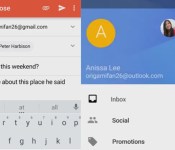
Gmail for Android could become a hub for all your email accounts

A leaked video spotted by Android Police appears to show sweeping changes for Gmail 5.0 on Android, including integration with Yahoo, Microsoft and other email services. We say “appears,” because the strangely formatted video came from an anonymous user on a little-known upload site. Still, it looks like a genuine preview of the app, and at least one of the users in the video is an actual Google marketing employee. That out of the way, what does it show? The juiciest new feature is third-party email integration, with support for Yahoo, Hotmail and others just a swipe away. Gmail has always supported POP3 accounts, but the new feature would let many users dump their other email apps. Otherwise, we see a wholesale design change to Android 5’s Material look, with new icons, colors and more. Check the video below or the source, but in this case we’d advise a pinch of skepticism — sometimes these things don’t pan out.
Filed under: Cellphones, Software, Google
Via: Android Police
Source: Anonymous (Vidme)

Google Play Movies & TV Shows updated to version 3.4.23 [APK Download]

The next app to get the material design treatment is Google Play Movies & TV, bringing the version to 3.4.23.
You’ll notice, like many other apps, that the updated Google Play Movies & TV has a new icon, as well as a new splash screen that appears when content is being sent to a Chromecast.
For some reason, the slide-out hamburger menu hasn’t been updated in-line with the same look we’ve been seeing across the other material design apps, since it seems to cover the top part of the title car, using a larger part of the screen. Perhaps this could be to do with using the app on Android TV and the necessary scaling.
Can’t wait to get Google Play Movies & TV version 3.4.23? Download the APK here.
|
The post Google Play Movies & TV Shows updated to version 3.4.23 [APK Download] appeared first on AndroidGuys.
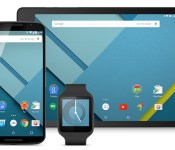
Google gives you the tools to build apps for Android 5.0 Lollipop

The official Android 5.0 Lollipop upgrade for your phone may be weeks away, but Google has delivered all the ingredients for you to make Lollipop-ready apps. The search firm has released both the finished Lollipop developer kit and a fresh batch of stripped-down Android test releases for Nexus 5 and 7 devices. There’s also a new round of Material Design guidelines and assets to make sure apps look at home in Google’s flatter aesthetic. This won’t help much if you just want to try all the whiz-bang features, but you’ll definitely want to hit the source links if you’re a software creator.
Filed under: Cellphones, Tablets, Software, Mobile, Google
Source: Android Developers Blog

Leak gives a clearer look at Motorola’s upcoming Droid Turbo

So far, the pictures we’ve seen of Motorola’s soon-to-launch Droid Turbo have been… incomplete. You won’t have to wonder exactly what this Verizon-only smartphone looks like any longer, though. Evan Blass (@evleaks) has posted a press image (available through Verizon’s web code) which provides a good look at the phone, including its frequently elusive front. In short, this is a hybrid between last year’s Kevlar-laden Droid Maxx and the styling cues of 2014 Motorola flagships like the new Moto X and Nexus 6. The biggest upgrades over the Maxx are likely to be in the guts, such as the 21-megapixel camera, the rumored Quad HD screen and a speedy Snapdragon 805 chip. Whether or not the Turbo is as tough as it looks, you’ll know the full story when the phone launches in nine days.
Filed under: Cellphones, Mobile, Verizon
Via: The Verge
Source: Evan Blass (Twitter)

Android 5.0 Lollipop’s “kill switch” only maims, not kill
It’s fairly safe to say that we’ve all got smartphones now. Perhaps more accurately, we can say that if you are reading this, it is very likely you own a smartphone. Though many of us cycle through mobile phones more often than we change wardrobes, we like to be the one to decide when we change phones. There are few things more annoying than being forced into a new phone because of breakage or theft.
Because more and more of our life data is kept on our phones now, thieves are working harder than ever to obtain our precious data. Software developers, phone manufacturers, and carriers should set ‘protecting user data’ near the top of their priority list.
One of the ways in which phones are protected is through the use of a ‘kill switch.’ Kill switches would basically give a phone owner the ability to either brick their phone (completely wipe the data), or lock down their phone at the press of a button. Locking it down would protect the user’s data, but not delete it, in the hopes the phone could be located and retrieved.

Users have been able to encrypt the data on their phones for some time. After going through a fairly lengthy encryption process, the data was protected, but only if a thief turned the phone off. When the phone was turned back on, the thief would need to know the password in order to complete the boot-up process. It’s a great feature, but not very many people turn their phones off before they get stolen, and thieves would just be sure to keep their stolen phones powered-up so they could wipe, reset, and resell them. Yeah, I know you set a 4-digit pass-code on your phone, but really, that’s as easy to crack as your glass screen.
Android 5.0 Lollipop introduced a couple features that will help in the case of theft, but there are some wholes that still need to be filled to protect user data.
- Encryption – As mentioned above, you’ve been able to encrypt your android phone for a while, but it’s been a manual process through the Security settings. With Android 5.0 Lollipop, encryption is turned on by default.
- Kill switch – Android 5.0 Lollipop introduces ‘Factory Reset Protection’ which is supposed to make stolen phones unusable. In this scenario, it would require a unique password (different than your 4-digit pass-code) to unlock the phone. Your data would still be on the phone, but thieves wouldn’t be able to access it, or perform a factory reset.
Users still have the ability to lock or erase their phone remotely using Android Device Manager.
If this isn’t enough to fulfill your security paranoia, there are always Google Play store apps to further protect your precious data.
What features do you think the next version of Android should have to protect user data?
|
The post Android 5.0 Lollipop’s “kill switch” only maims, not kill appeared first on AndroidGuys.
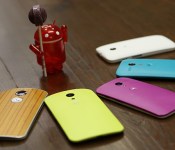
Here’s every device getting Android 5.0 Lollipop so far

If you’re a die-hard Android fan, you’re probably champing at the bit waiting for that Lollipop upgrade — when will you get it? Are you going to get it? Thankfully for you, a number of companies have already promised to upgrade some of their devices to this candy-flavored OS. Google’s Nexus 4, 5, 7 and 10 models are naturally first in line, as are Android One and Google Play Edition hardware; its outgoing Motorola brand is equally on top of things with plans to patch the Moto E, G and X alongside Verizon’s Droid Mini, Maxx and Ultra. HTC and OnePlus don’t have full details, but they’re both pledging to give their recent flagships a taste of Lollipop within 90 days of receiving finished code. NVIDIA and Sony, meanwhile, are being vague. While they’re respectively teasing plans to update the Shield Tablet and the Xperia Z series, they won’t say when just yet.
As for other manufacturers? Well, don’t hold your breath. LG tells TechRadar that it has nothing to say on “if / when” Lollipop will reach the G3, let alone older gear. The upgrade is likely coming, but the statement is far from reassuring. Mum’s the word from Samsung as well, although leaks show that a Lollipopped version of TouchWiz is in the works. It’s also reasonable to expect that relatively large brands like Acer, ASUS, Huawei and Xiaomi are on deck — just don’t be shocked if their older devices don’t make the cut.
Filed under: Cellphones, Tablets, Mobile, Samsung, Sony, HTC, Google, LG, NVIDIA
Via: TechRadar, MobileBurn
Source: HTC (Twitter), Motorola, Sony Mobile Blog

Lollipop’s keyboard can now be installed on any Android device without root

If you’re hankering for a taste of Android L but don’t have a Nexus device to install the SDK on, you can check out its awesome new keyboard, which is now available for almost any Android-powered device running Ice Cream Sandwich or later.
A third-party developer has extracted the keyboard APK from an official Android L developer preview build and made it available to download from a secure file sharing website. It’s free, has no ads, and does not require root access.
Hit the break for the download link and instructions on how to install the file on your smartphone/tablet.
Installing the keyboard is easy. Simply navigate to this page, tap the download button and click install when you’re prompted to do so. You may have to allow installations from third-party sources if you haven’t already. To do this head into settings, then security and check the box entitled ‘Unknown sources’ and you’re good to go.
If you happen to run into any issues along the way do be sure to drop a comment in the section below, and we’ll do our very best to get you back on track.
Download: AndroidFileHost
Via: XDA
Come comment on this article: Lollipop’s keyboard can now be installed on any Android device without root

