


How to delete a Netflix profile from your account
Netflix added the Profiles feature in 2013, allowing users to set up five different sub-accounts — thus preventing automatic suggestions to impact listings for different viewers. So, maybe you’ve got separate profiles for your kids, your significant other — or even a separate profile for any guests that come over. Sometimes, though, for whatever reason, you just need to get rid of a profile for good. But how? Fortunately, it’s an easy process, no matter which device you might be using to do it.
Note: If you’re just trying to delete some unwanted viewing history so you don’t get weird or inaccurate suggestions from Netflix, you don’t need to delete the whole profile. Just go to your computer and head to the viewing activity page (located under account management) to manually delete anything you didn’t watch (or don’t want others to know you did).
Deleting from PC
First, you’ll need to sign in to your Netflix account. If you’re using a mobile phone, you’ll want to use the Netflix app for iOS or Android rather than a browser. If you’re on a computer, you’re probably already logged in, but if not, just head to Netflix and hit Sign In, located in the upper-right corner.
Once you’re in (it might prompt you to select a profile; just select whichever profile you use personally), click the icon in the upper-right corner to open a drop-down menu, then select Manage Profiles.
Next, find the profile you wish to delete and click the pencil icon in the center. You’ll then see a menu that looks something like this:
Click Delete Profile, then on the next screen, click Delete Profile again. Poof! That profile and its viewing history are now, well, history. You’ll automatically return to the Manage Profiles screen; click Done to return to the Profile Selection screen.
Deleting from a smartphone or tablet
You can also bounce profiles from the Netflix mobile app. Open it, and select Sign In, located in the upper-right corner. Once you enter your information, you’ll proceed to the Profile Selection screen. Again, you’ll head to the upper-right corner, where it says Edit.
Tap that, and little pencil icons will appear on each profile. Tap the profile you want to delete, then tap Delete (you’ll see a little trash can icon there). It’ll give you one of those “are you sure?” screens, so confirm your decision and, voilà! No more profile. You’re now free to watch the finest shows and most magnificent movies the streaming service has on tap.
Deleting from a streaming device or smart TV
The process for deleting a profile from a streaming device (such as a Roku Premiere or an Amazon Fire TV Cube) or a smart TV differs depending on what operating system is running on your device of choice. Typically, though, it’s pretty easy to figure out.
Open your Netflix app, and the Profile Selection screen will usually offer a method for deletion (for example, the Roku Netflix app has little pencil icons you can navigate to that are located below the profile icons). If not, try looking for a Settings screen and exploring. If that doesn’t work, you might need to use a computer or mobile device.
Editors’ Recommendations
- How to password protect a PDF
- How to change your Gmail password
- Cord-cutting 101: How to quit cable for online streaming video
- How to record the screen on your iPhone
- Windows update not working? Here’s how to fix it
A new bug in the Windows 10 October 2018 Update could delete your files
The Windows 10 October 2018 Update has been on a rough path and things aren’t necessarily getting easier for Microsoft. In the latest set of issues, a new bug is impacting native Windows 10 zip file operations, potentially leading to overwritten files in some instances.
This latest bug impacts just the native Windows 10 zip feature and leaves no effect on third-party programs. Reports on the bug first surfaced on Reddit, where many frustrated Windows 10 users complained of not receiving the proper dialog and warning boxes during unzipping operations. At the time of writing, that Reddit posting has received a total of 141 upvotes and more than 51 comments, hinting that this could be a widespread problem.
“I noticed that whenever I move something out of a zip, the ‘do you want to replace these files’ dialogue never shows up, it just does it. I’ve reinstalled windows and it still does it, it’s only on the October update. Pretty nasty bug since you can accidentally overwrite a file and have no way of getting it back,” explains a Redditor.
A thread dedicated to the issue has also been created on the Feedback Hub, where Microsoft employees typically respond to complaints and other bugs. The thread has also been marked as “we’ve got it,” so it is likely Microsoft could soon issue an official response in the coming days.
This is just the latest problem for people who installed the Windows 10 October 2018 Update. Previously, there was an issue where files were being deleted on upgrade, causing Microsoft to pull pack the public release of the update. A conflict in drivers as part of a cumulative update also caused major headaches for those with HP devices. Microsoft has since issued subsequent patches to correct those problems and is still testing the update with Windows Insiders.
Microsoft is also offering free support in its retail stores, free of charge, for anyone who needs assistance and may have lost files after installing the Windows 10 October 2018 Update. Still, there is no word yet on when the update will resume a full public rollout, so it’s best to stay tuned for more in the weeks ahead.
Editors’ Recommendations
- How to zip and unzip files on a Chromebook
- How to open RAR files
- Microsoft finishes turning File Explorer dark in latest Windows update
- OneDrive leans on A.I. to simplify searches for multimedia files
- How to convert M4A files to MP3 format for listening on any device
eBay’s new Instant Selling program turns old smartphones into new money
Let’s face it, we all have that one desk drawer filled with old phones that we promise ourselves we’ll sell — when we can get around to it. With eBay’s new Instant Selling program for smartphones, the process might now be a little bit easier.
With Instant Selling you’ll receive an instant voucher after listing your device, to be used toward the purchase of a new phone through eBay. That’s also after you find out whether your phone is even eligible for the service. You can access the service via a mobile web browser or on desktop, at which point you’ll be asked to enter your device information — such as the model, color, capacity, and carrier. Once all the details are filled in, you’ll receive an instant quote if it’s eligible.
If you’re satisfied with the price, it will then prompt you to add images of the phone. When you’re done, simply click “List it,” (which also means you’re simultaneously agreeing to eBay’s terms and conditions), and you’ll then be able to claim your instant eBay voucher. It’ll be automatically added to your account to use whenever you’re ready.
You’ll notice there’s also a “No, thanks” option that you can choose when viewing how much your voucher is worth. This is for if you don’t want to go through the program to sell your device; you can instead opt to do it yourself on eBay through the standard selling process.
But since the program is extremely new, there are some restrictions when it comes to eligibility, depending on your carrier and device. For now, the only phones that can be listed through Instant Selling include the Samsung Galaxy S7 to S9+, the iPhone 6S 16GB model all the way up to the iPhone X 256GB, and any devices that are unlocked. The phones will also have to be under AT&T or Verizon, but any phones under Sprint and T-Mobile will be eligible starting in November, along with Google Pixel phones and certain LG products.
After listing your phone, the Instant Selling program provides you with a shipping label to print. You’ll then have to pack up your phone and ship it out within two business days.
“Millions of Americans have unused phones in their homes and simply don’t realize how much their devices are worth, probably because trade-in values are typically so low,” said Alyssa Steele, vice president of hard goods at eBay, said in a press release. “With Instant Selling, people can find out exactly how much their phone is worth, and sell their phone within a matter of minutes to immediately help fund the holidays, or maybe something off their personal wish list.”
According to eBay, those who use Instant Selling to get rid of old smartphones will make more money than if they were to sell through Gazelle and EcoATM. The same goes for trading in devices to carriers such as AT&T and Verizon, as well as the Apple Give Back program.
Editors’ Recommendations
- Here’s how to buy the new five-camera LG V40 ThinQ flagship phone
- How to sell Your iPhone 7 or iPhone 7 Plus (without getting ripped off)
- How to sell your old Google Pixel or Pixel 2 for the most money
- iPhone XS, iPhone XS Max, and iPhone XR: How to buy Apple’s new phones
- Here’s how to buy the new Samsung Galaxy Note 9
There’s finally a way to trace ‘untraceable’ 3D printed guns
Ever since 3D printing went mainstream, there have been concerns about what the widespread availability of 3D-printed gun blueprints might mean. While guns are legal to own in the U.S., the fear of lawmakers is that 3D printing could allow criminals to have an easy supply of homemade firearms with no serial number with which to trace them. This problem has grown so severe that President Trump addressed the matter in July 2018 tweet, in which he noted that he is looking to resolve the issue.
However, until now there has been no straightforward way to do this. Fortunately, researchers at the University at Buffalo, Rutgers University, and Northeastern University have been working on a solution. They’ve created a system, called PrinTracker, which is able to trace 3D-printed objects to their source, based on each 3D printer’s unique fingerprint. They hope that this could help law enforcement and intelligence agencies to track the source of 3D-printed guns, alongside counterfeit products, and other objects.
“It is a fact that every human has a unique fingerprint; however, it is less known that machines could have a fingerprint, too,” Dr. Wenyao Xu, associate professor of computer science and engineering in UB’s School of Engineering and Applied Sciences, told Digital Trends. “Through our work, we demonstrate that every 3D printer has a unique fingerprint, and from just analyzing a minute part of any 3D-printed object our system can reveal the identity of the source 3D printer. In our vision, the significance of our technology is equal to the first discovery of the latent fingerprint existence in the 1930s.”
The 3D-printed “fingerprints” are not purposely incorporated into prints like a watermark. Instead, they are tiny imperfections caused by each printer’s model type, filament, nozzle size, and other factors. While the resulting prints may look the same to you or me, when analyzed up close these details can reveal the specific printer used for a job. The researchers developed a special algorithm that calculates these details. In a test using 14 3D printers, the researchers were able to match a print up to the right printer 99.8 percent of the time. It could also accurately determine the right printer even when keys had been damaged to try and obscure its identity.
“We continue to transform our research into an accessible system [to hopefully] make a broader impact upon the society,” Zhengxiong Li, another researcher on the project, told us. “We are looking forward to working with law enforcement, 3D printer manufacturers, or other related organizations to effectively deploy our system in forensic investigations.”
Alongside Li, UB researcher Aditya Singh Rathore was another primary author on this project.
Editors’ Recommendations
- How do 3D printers work? Here’s a super-simple breakdown
- There’s a new way to 3D print graphene, the strongest material on Earth
- This 3D-printed house made of earth and rice husks costs less than an iPhone
- 15 major milestones along the brief history of 3D printing
- Want a peek into the future? Watch these robots 3D print concrete structures
Razer Phone 2 vs. Red Magic Phone vs. Honor Play: Which gaming phone is best?
Mark Jansen/Digital Trends
Gaming phones have gone from being virtually nonexistent to increasingly common in less than a year. With high-powered processors, big screens, and even bigger batteries, there are now more choices than ever if you’re looking for a phone to support your mobile gaming habit.
The Razer Phone 2 is the latest gaming phone to emerge, but is Razer’s updated monolith good enough to stand atop the pile? We pitted it against the Red Magic Phone and the Honor Play to find out.
Specs
Razer Phone 2
Red Magic Phone
Honor Play
Size
158.5 x 79 x 8.5 mm (6.24 x 3.11 x 0.33 inches)
158.1 x 74.9 x 9.5 mm (6.22 x 2.95 x 0.37 inches)
157.9 x 74.3 x 7.5 mm (6.22 x 2.93 x 0.30 inches)
Weight
220 grams (7.76 ounces)
185 grams (6.53 ounces)
176 grams (6.21 ounces)
Screen size
5.72-inch Ultramotion IPS LCD
6.0-inch IPS LCD
6.3-inch IPS LCD
Screen resolution
2,560 x 1,440 pixels (513 pixels per inch)
2,160 x 1,080 pixels (402 pixels per inch)
2,340 x 1,080 pixels (409 pixels per inch)
Operating system
Android 8.1 Oreo
Android 8.1 Oreo
EMUI 8 (over Android 8.1 Oreo)
Storage space
64GB
64GB (with 6GB of RAM), 128GB (with 8GB of RAM)
64GB
MicroSD card slot
Yes, up to 512GB
No
Yes, up to 256GB
Tap-to-pay services
Google Pay
No
Google Pay
Processor
Qualcomm Snapdragon 845
Qualcomm Snapdragon 835
Kirin 970
RAM
8GB
6GB (with 64GB of storage), 8GB (with 128GB of storage)
4GB, 6GB
Camera
Dual 12MP rear, 8MP front
24MP rear, 8MP front
Dual 16MP and 2MP rear, 16MP front
Video
2,160p at 60 fps, 1,080p at 120 fps
2,160p at 30 fps, 1,080p at 30 fps
2,160p at 30 fps, 1,080p at 30 fps
Bluetooth version
Bluetooth 5.0
Bluetooth 5.0
Bluetooth 4.2
Ports
USB-C
USB-C, headphone jack
USB-C, headphone jack
Fingerprint sensor
Yes
Yes
Yes
Water resistance
IP67
No
No
Battery
4,000mAh
Fast charging (QuickCharge 4.0+)
Qi wireless charging
3,800mAh
Fast charging (QuickCharge 3.0)
3,750mAh
App marketplace
Google Play Store
Google Play Store
Google Play Store
Network support
T-Mobile, AT&T
T-Mobile, AT&T
T-Mobile, AT&T
Colors
Mirror Black, Rugged Satin
Black, Red, Flame Red
Midnight Black, Navy Blue, Violet, Player Edition Red, Player Edition Black
Price
$800
$520
Around $380
Buy from
Razer
Red Magic
Honor
Review score
3 out of 5 stars
3.5 out of 5 stars
3.5 out of 5 stars
Performance, battery life, and charging
Julian Chokkattu/Digital Trends
Power is important in a gaming phone. After all, what’s the point of a gaming phone if it can’t handle the latest games? According to benchmarks, the Razer Phone 2’s Snapdragon 845 is the most powerful processor, followed by the Red Magic Phone’s Snapdragon 835, and then the Honor Play’s Kirin 970. However, the gap isn’t very telling right now, because each of these phones has more than enough power to keep up with the most demanding modern games.
A large battery is also helpful when playing a lot of games, and each of these phones comes with a large battery that’ll easily last a full day. The Razer Phone 2 comes with the fastest charging, going from 18 percent to 90 percent in just over an hour — and it also comes with Qi wireless charging, which the other two phones lack.
While each of these phones will give you amazing performance on all the latest games, the Razer Phone 2 is the most powerful, with the biggest battery, and the best charging abilities.
Winner: Razer Phone 2
Design and durability
-
1.
Razer Phone 2 -
2.
Red Magic Phone -
3.
Honor Play
Gaming phones are an interesting, at least partly because they don’t conform to the usual beauty standards. The Honor Play is the most normal-looking of the three, with slim bezels, a notch, and vertically stacked lenses — it’s very similar to the iPhone X. The Red Magic Phone has a similar bezel-less design, but it breaks the mold with a prism-shaped back and RGB light strip. The Razer Phone 2 is the most different-looking of the lot, with huge bezels at the top and bottom of the phone that hold its front-facing speakers, an angular design, and the RGB logo on the back.
The Razer Phone 2 has more fragile glass on the back, but it also comes with IP67-rated water resistance. The Red Magic Phone and Honor Play both come with more durable metal bodies, but lack any water-resistance. However, they both have headphone jacks, which the Razer Phone 2 lacks.
It’s tougher than usual to judge this category, but we figure you might be looking for something more unique-looking if you’re interested in these phones. The Razer Phone 2’s bezels may be large, but the speakers are worth the sacrifice, and it has an angular beauty all its own.
Winner: Razer Phone 2
Display
Andy Boxall/Digital Trends
You’ll find large LCD displays on each of these phones. The Honor Play’s 6.3-inch display is the largest, followed by the Red Magic’s 6-inch display, and then the Razer Phone 2’s 5.72-inch display. The Razer Phone 2 is the only display to run a 1440p resolution, while the other two top out at 1080p — making Razer’s display significantly sharper.
But that’s not the only trick up the Razer Phone 2’s sleeve. It has a 120Hz Ultramotion display, meaning it refreshes twice as fast as most other phones. While that may not sound impressive, the smoothness it produces has to be seen to be believed. As a result, the Razer Phone 2 feels super-smooth, even during day-to-day tasks — and it’s a huge boost to mobile gaming. While the other two phones have great displays, the Razer Phone 2’s display is truly special.
Winner: Razer Phone 2
Camera
Mark Jansen/Digital Trends
The camera was one of the original Razor Phone‘s major negatives, so we were excited when Razer told us it had completely revamped the Razer Phone 2’s camera. Unfortunately, while it’s definitely improved, the Razer Phone 2’s dual 12-megapixel lenses are still a disappointment. The Red Magic Phone suffers a similar fate, with the 24-megapixel single lens not delivering great results in lower lighting.
So, it’s no surprise that the Honor Play runs away with this category. While it’s clear that the 24-megapixel and 2-megapixel lens weren’t ever meant to challenge heavyweights like the Galaxy Note 9 or iPhone XS, the Play offers a fully featured camera that produces shots you won’t be ashamed to share. It’s even got Huawei’s scene-recognition A.I. to back up the camera’s great performance.
The Razer Phone 2 has definitely improved, but the improvements just aren’t enough to take it up to the Honor Play’s level.
Winner: Honor Play
Software and updates
Andy Boxall/Digital Trends
You’ll find Android Oreo on each of these phones, but each with a slightly different spin. The Red Magic Phone runs close to stock Android, with a few additions that control the RGB light strip, and some game-boosting features — but otherwise it’s pure Android. The Razer Phone 2 is similar, and uses Nova Launcher to provide an amazingly customizable experience. The Honor Play is the most different from stock Android, and uses Huawei’s EMUI 8 skin. It’s not a bad UI, but it’s certainly different from what most Android phone owners are used to.
In terms of updates ,you’ll find a mixed bag. You may assume Honor would be the slowest at getting updates out, but with the debut of EMUI 9 on Huawei’s Mate 20 series, you can probably expect Android 9.0 Pie on the Honor Play fairly soon. The first Razer Phone saw a fairly quick update to Android 8.0 Oreo as well, so we expect to see the Razer Phone 2 get updated to the latest Android in the not-too-distant future. Unfortunately, while the Red Magic has been promised an update to Pie, no date has been given.
It’s between the Razer Phone 2 and Honor Play for sheer speed of updates.
Winners: Razer Phone 2 and Honor Play
Special features
Julian Chokkattu/Digital Trends
You won’t find many special features on the Razer Phone 2. There’s the 120Hz display and an app to help you find supported games, but apart from that, you’ll have to be happy with just getting some options to control when and how the RGB logo flashes. It’s a similar situation with the Red Magic Phone, which comes with the Gameboost Mode and controls for the RGB light strip, but precious little else.
The Honor Play is the standout choice here. It has GPU Turbo to keep up with the competition, but also comes with A.I. that boosts the camera and sorts your gallery, the Smart Shock feature that matches device vibration to your game, and facial unlocking. The Honor Play just has more to offer than the other two phones.
Winner: Honor Play
Price
The Razer Phone 2 starts from $800 for 64GB of storage and 8GB of RAM. The Red Magic Phone only costs $520, but still is not available in the U.S., despite launching in Europe and the U.K. The Honor Play is the cheapest, costing just 330 euros (roughly $380), but it also hasn’t been launched in the U.S. yet. None of these phones will work fully with Verizon or Sprint, so you’ll need to be on T-Mobile or AT&T, though the Razer Phone 2 does have the right LTE bands for Verizon.
Overall winner: Razer Phone 2
It’s not perfect by any means — once again the camera is the weak point — but the Razer Phone 2 is the best dedicated gaming phone. With a super-smooth 120Hz display and the powerful Snapdragon 845, it’ll run whatever you want and look and sound amazing.
If you’re looking to game without spending $800, the Honor Play is an excellent choice that offers great value for your money. It’s powerful, has a decent display, and even has a great camera thrown into the bargain — but you will need to import it. It’s harder to recommend the Red Magic Phone, which sits between the two other phones in price (and perilously close to the excellent OnePlus 6) — but it’s still a great performer with a truly unique style. Overall, though, the Razer Phone 2 has regained the throne — for now.
Editors’ Recommendations
- Razer Phone 2 vs. Razer Phone: Is it time to level up?
- Razer Phone 2 vs. Galaxy Note 9: They’re closer than you think
- Nokia 7.1 vs. Honor 8X vs. Moto G6: Budget phone battle royale
- Honor 8X vs. Honor 7X: Battle of the beautiful budget phones
- LG V40 ThinQ vs. V35 ThinQ vs. V30: Which of LG’s big phones is best for you?
These solar-powered water purifiers can produce 30,000 gallons of water per day
Quench Water & Solar
In case you haven’t noticed, there is a clean water problem. Every day, a new community somewhere in the world experiences issues with contaminated water and has to turn to either bottled water or boiling water in order to fulfill clean water requirements. Quench Water & Solar, a subsidiary of the company WorldWater & Solar Technologies Inc., is offering a solution. And it’s one that will help both local entrepreneurs, communities, and the environment.
For the past three decades, Quench Water & Solar has been delivering solar and water solutions around the world. Along the way, it developed mobile, solar-powered water purification systems, which can be easily towed to any site and made operational within minutes. These mobile purification systems filter water using a collection of filtration membranes, ranging from macroparticle filters to ultrafiltration filters. If necessary, they can even filter atomic-sized contaminants, like seawater salt and metal ions, via the process of reverse osmosis. The end result? Safe, clean drinking water that’s both cost-effective and environmentally friendly.
Quench Water & Solar’s water systems have previously been used to provide clean water in more than 30 countries. Now the company is offering the technology as a licensing opportunity aimed at entrepreneurs, communities, and other organizations.
Quench Water & Solar
Two of the models made by Quench include the Mobile MaxPure, a foldable 4kW solar array that can purify up to 30,000 gallons of fresh water per day, and the 900W Mobile MaxClear, which can purify up to 10,000 gallons of fresh water during that same period.
“Upon licensing, the individual or business becomes the owner of the machine,” Ben Switzer, Quench’s director of business development, told Digital Trends. “Leasing and financing options are available, as well as credit repair support for those interested. The Quench business model was made with ultimate flexibility in mind. Licensees can decide where they pump water, how long they work, and how much they charge [per] liter or gallon. They also decide their focus: whether they decide they’d like to start a water delivery service or become a hydration station at a music festival, the choice is theirs.”
Quench isn’t the only group investigating smart clean water solutions. From personal water purifiers to more experimental solutions involving black, carbon-dipped paper and specially engineered sand, there is a lot of innovation going on in this space.
Editors’ Recommendations
- The best water purifiers
- Engineered sand could remove nasty toxins to produce drinkable water
- Award-winning robot travels through water pipes to detect leaks
- A new way to ‘freeze’ water could help transform organ preservation
- A nanofiber cloth could pull fresh drinking water straight from the air
Classic movies, Fire TV Sticks, and more are discounted today
Whether you’re looking for new tech gear or household items, we’ve got you covered.
There’s never a shortage of deals available, but sorting through all of them can be difficult at times. We’ve handpicked all the best tech, and everyday essentials discounts that you can take advantage of right now and brought them to one central location. From the Empire to 1.21 Gigawatts, these are today’s best deals.
Tech Deals
View the rest of the deals
Everyday Essentials
If you want to know about the deals as soon as they are happening, you’ll want to follow Thrifter on Twitter, and sign up for the newsletter, because missing out on a great deal stinks!
Play Spotify with Amazon Echo

Best answer: Yes. You can listen to your favorite music or podcasts from Spotify on the Echo device of your choice. Getting everything set up is as easy as 1, 2, 3. This is true for those who sign up for Spotify Premium at just $10 per month.
- Amazon: Echo Dot ($50)
- Spotify: Spotify Premium ($10/mo)
What can you do with Spotify on your Amazon Echo?
Back in 2016, Spotify and Amazon announced a partnership that brought the popular music streaming service to Echo devices. Not only can you play Spotify with your Echo speakers, but you can also use Alexa to start your favorite playlist before the party begins.
In order to get everything working appropriately, you’ll need to follow a few steps. First, open the Amazon Alexa app in order to set up your Alexa-enabled device. Then, head to Settings > Music & Media and link your Spotify account to the Alexa app. Finally, tap Choose default music services and select Spotify.
Once that’s completed, you’ll be able to listen to Spotify on your Echo device of choice. What makes this even more fun is the fact that you can use Alexa to control your music playlists and podcasts.
If that’s something that interests you, there are quite a few different commands that you can use. These range from “Alexa, Play Spotify”, to “Alexa, play my Discover Weekly”. You can also use this integration to use Spotify and Alexa to identify songs that are currently playing that you may not have heard yet.
Here are a few commands to get you started:
- Alexa, play Spotify.
- Alexa, play my Discover Weekly.
- Alexa, play pop.
- Alexa, what song is this?
- Alexa, on Spotify play the *playlist name* playlist.
While the integration with Spotify and Amazon works pretty seamlessly, there are still some quirks. For example, you currently cannot add a song to a specific playlist with a basic voice command. Instead, you need to use a downloadable skill such as Song Keeper.
On the other side of things, you can even get Alexa to play specific genre’s or songs that are similar to one of your favorites. Simply say “Alexa, play songs similar to (song / artist)” or “Alexa, play songs similar to (mood / era) (artist).”
Can you use Spotify Free with the Amazon Echo?
The only catch is that you’ll need a Spotify Premium Account. The free version does not work with Alexa, but you can sign up for a free 30-day trial to determine whether Premium is for you. Then, you are charged $9.99 per month after the free trial has come to an end.
If Spotify Premium interests you, then you may want to check out the latest offering. Currently, you can bundle Spotify Premium with Hulu for just $0.99 per month for the first two months. After that trial period is up, the monthly price is $12.99, which is a savings of $4.99 per month between both services.
Our Pick
Amazon Echo Dot

$50 at Amazon
Price of entry is too good to pass up
The Amazon Echo Dot is the perfect device to get you started in the smart home world. Plus, you can easily play your favorite music and podcasts from Spotify from this device or pair it with a Bluetooth speaker for voice-controls.
The Service
Spotify Premium

$10/mo at Spotify
It’s a must have
If you want to be able to use Alexa to control your Spotify content, then you’ll have to spring for Spotify Premium. At just $10 per month, this is a small price to pay for everything that you get.
How to unlock the three new suits from Spider-Man’s The Heist DLC for PS4

Don’t be like Peter just starting out. We all deserve better suits than old clothes found in our closets.
Spider-Man features 28 different suits for Peter to wear as he’s stopping crime throughout the city. These range from iconic suits pulled straight from the comics to some funnier suits that Insomniac designed just for the game.
Most of them require you to level up within the game and earn tokens to unlock them. You can earn these by completing side activities like fighting crime, research tasks, and finding Peter’s backpacks around the city. The remaining suits are gated behind specific story missions or completing 100% of every district.
Note: The name of one of the final suits you unlock can be considered a spoiler, however we have included it in this list.
- Advanced Suit
- Classic Suit Damaged
- Classic Suit Repaired
- Noir Suit
- Scarlet Spider Suit
- Spider Armor – MK II Suit
- Secret War Suit
- Stark Suit
- Negative Suit
- Electrically Insulated Suit
- Spider-Punk Suit
- Wrestler Suit
- Fear Itself Suit
- Stealth “Big Time” Suit
- Spider Armor – MK III Suit
- Spider-Man 2099 Black Suit
- Iron Spider Suit
- Velocity Suit
- Spider Armor – MK IV Suit
- Spirit Spider
- Spider-Man 2099 White Suit
- Vintage Comic Book Suit
- Last Stand Suit
- Anti-Ock Suit
- Undies Suit
- Homemade Suit
- Dark Suit
- ESU Suit
- Resilient Suit
- Spider-UK Suit
- Scarlet Spider II Suit
See at Amazon
See at PlayStation
Resilient Suit (The Heist)

Unlocked with:
- Complete the first mission in The Heist
Spider-UK Suit (The Heist)

Unlocked with:
- Complete The Heist campaign
Scarlet Spider II Suit (The Heist)
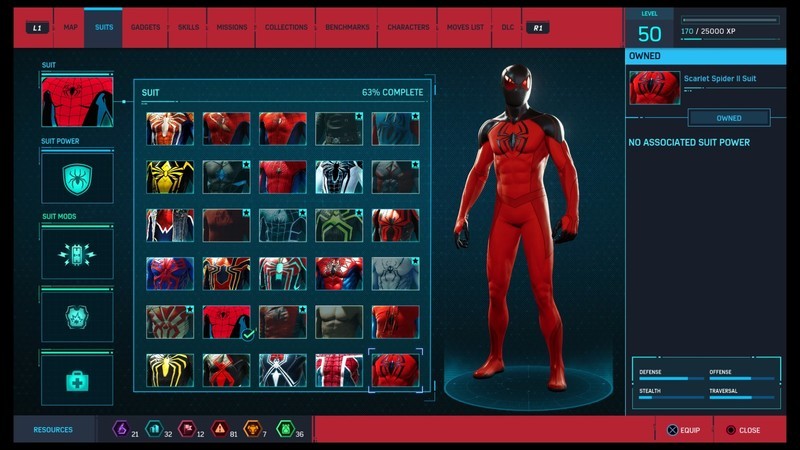
Unlocked with:
- Complete all district activities in The Heist
Advanced Suit

Unlocked with:
- Complete 5th main story mission Something Old, Something New
- 1 Backpack Token
- 2 Crime Tokens
Classic Suit Damaged

This is the suit you start off the game with.
Classic Suit Repaired

Unlocked with:
- Complete 5th main story mission Something Old, Something New
- 2 Backpack Tokens
- 2 Crime Tokens
Noir Suit
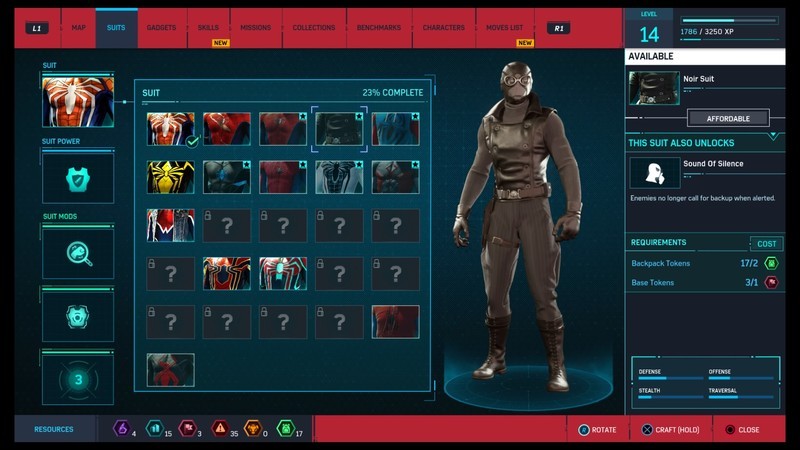
Unlocked with:
- Complete 5th main story mission Something Old, Something New
- 2 Backpack Tokens
- 1 Base Token
Scarlet Spider Suit

Unlocked with:
- Reach level 4
- 3 Crime Tokens
- 2 Landmark Tokens
Spider Armor – MK II Suit
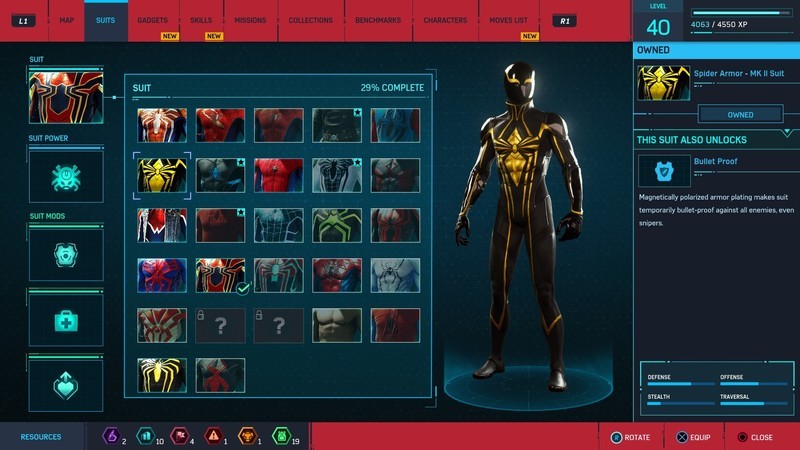
Unlocked with:
- Reach level 5
- 1 Landmark Token
- 1 Base Token
- 2 Research Tokens (You must reach a certain point in the story in order to earn Research Tokens)
Secret War Suit
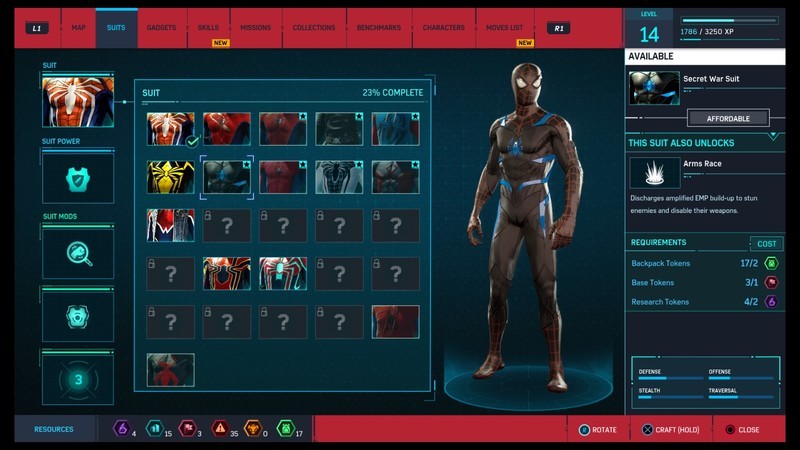
Unlocked with:
- Reach level 7
- 1 Base Token
- 2 Backpack Tokens
- 1 Research Token
Stark Suit

Unlocked with:
- Reach level 9
- 1 Base Token
- 3 Crime Tokens
- 1 Research Token
Negative Suit

Unlocked with:
- Reach level 11
- 2 Landmark Tokens
- 1 Research Token
- 1 Base Token
Electrically Insulated Suit

Unlocked with:
- Reach level 13
- 3 Crime Tokens
- 1 Base Token
- 1 Research Token
Spider-Punk Suit
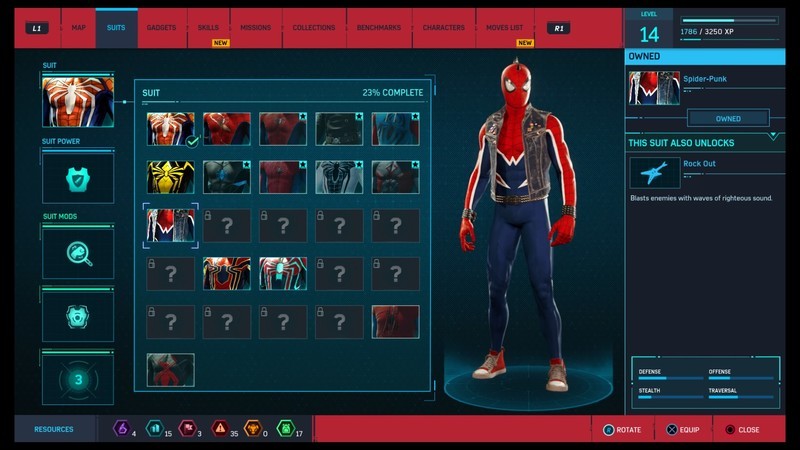
Unlocked with:
- Reach level 16
- 2 Backpack Tokens
- 3 Base Tokens
- 2 Landmark Tokens
Wrestler Suit

Unlocked with:
- Reach level 19
- 2 Backpack Tokens
- 2 Base Tokens
- 2 Research Tokens
Fear Itself Suit

Unlocked with:
- Reach level 21
- 6 Challenge Tokens
- 2 Base Tokens
- 3 Research Tokens
Stealth “Big Time” Suit

Unlocked with:
- Reach level 23
- 4 Challenge Tokens
- 2 Base Tokens
- 3 Landmark Tokens
Spider Armor – MK III Suit

Unlocked with:
- Reach level 26
- 4 Challenge Tokens
- 2 Base Tokens
- 4 Crime Tokens
Spider-Man 2099 Black Suit

Unlocked with:
- Reach level 29
- 2 Base Tokens
- 4 Crime Tokens
- 4 Research Tokens
Iron Spider Suit

Unlocked with:
- Reach level 31
- 3 Challenge Tokens
- 3 Base Tokens
- 4 Crime Tokens
Velocity Suit
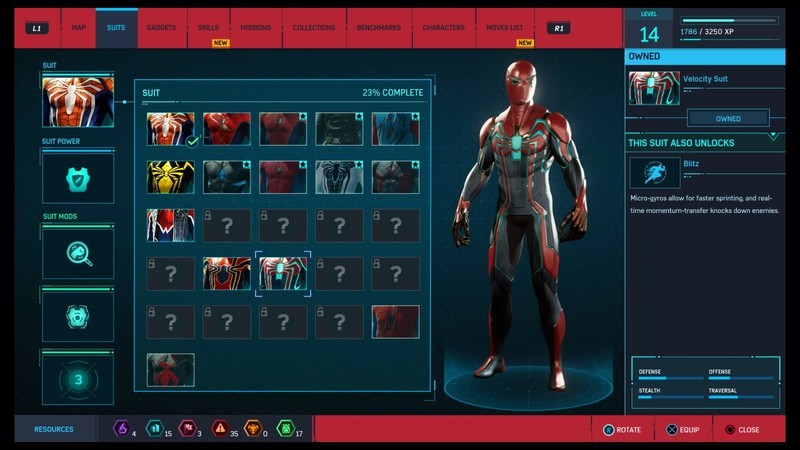
Unlocked with:
- Reach level 33
- 4 Challenge Tokens
- 2 Backpack Tokens
- 2 Landmark Tokens
Spider Armor – MK IV Suit

Unlocked with:
- Reach level 35
- 4 Challenge Tokens
- 4 Base Tokens
- 3 Landmark Tokens
Spirit Spider

Unlocked with:
- Reach level 37
- 6 Base Tokens
- 6 Challenge Tokens
- 6 Crime Tokens
Spider-Man 2099 White Suit

Unlocked with:
- Reach level 39
- 4 Base Tokens
- 4 Challenge Tokens
- 4 Crime Tokens
Vintage Comic Book Suit

Unlocked with:
- Reach level 41
- 4 Challenge Tokens
- 4 Backpack Tokens
- 4 Crime Tokens
Last Stand Suit

Unlocked with:
- Reach level 45
- 20 Crime Tokens
Anti-Ock Suit

Unlocked with:
- Complete the main story campaign
Undies Suit

Unlocked with:
- Complete the game 100% (All main missions, side missions, activities, and districts)
Homemade Suit

Unlocked with:
- Find all 55 backpacks around the city
Dark Suit
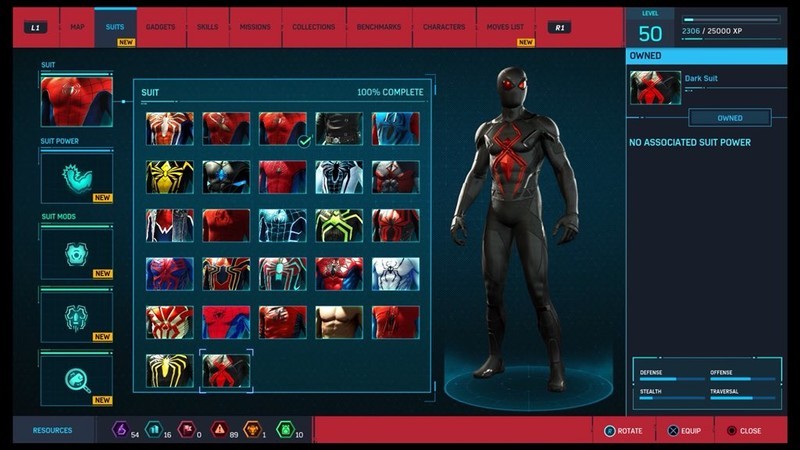
Unlocked with:
- Complete all Black Cat Stakeouts
ESU Suit
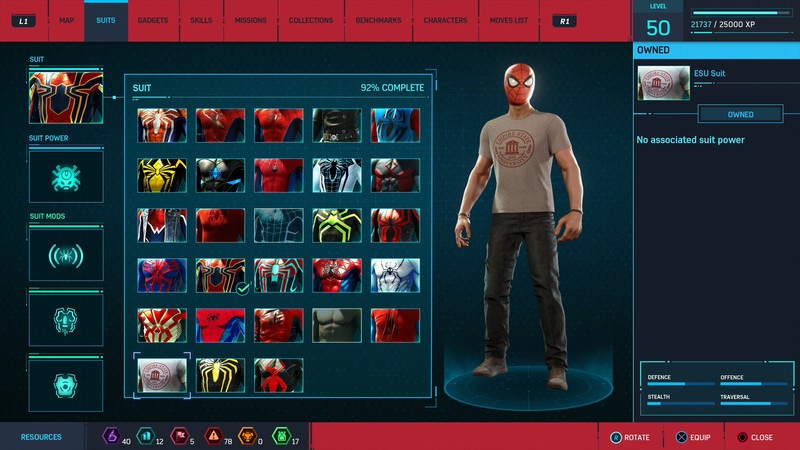
Unlocked with:
- Complete all 50 secret photo ops
See at Amazon
See at PlayStation
Updated October 22, 2018: We’ve added information on how to unlock the three suits from The Heist DLC.
PlayStation 4
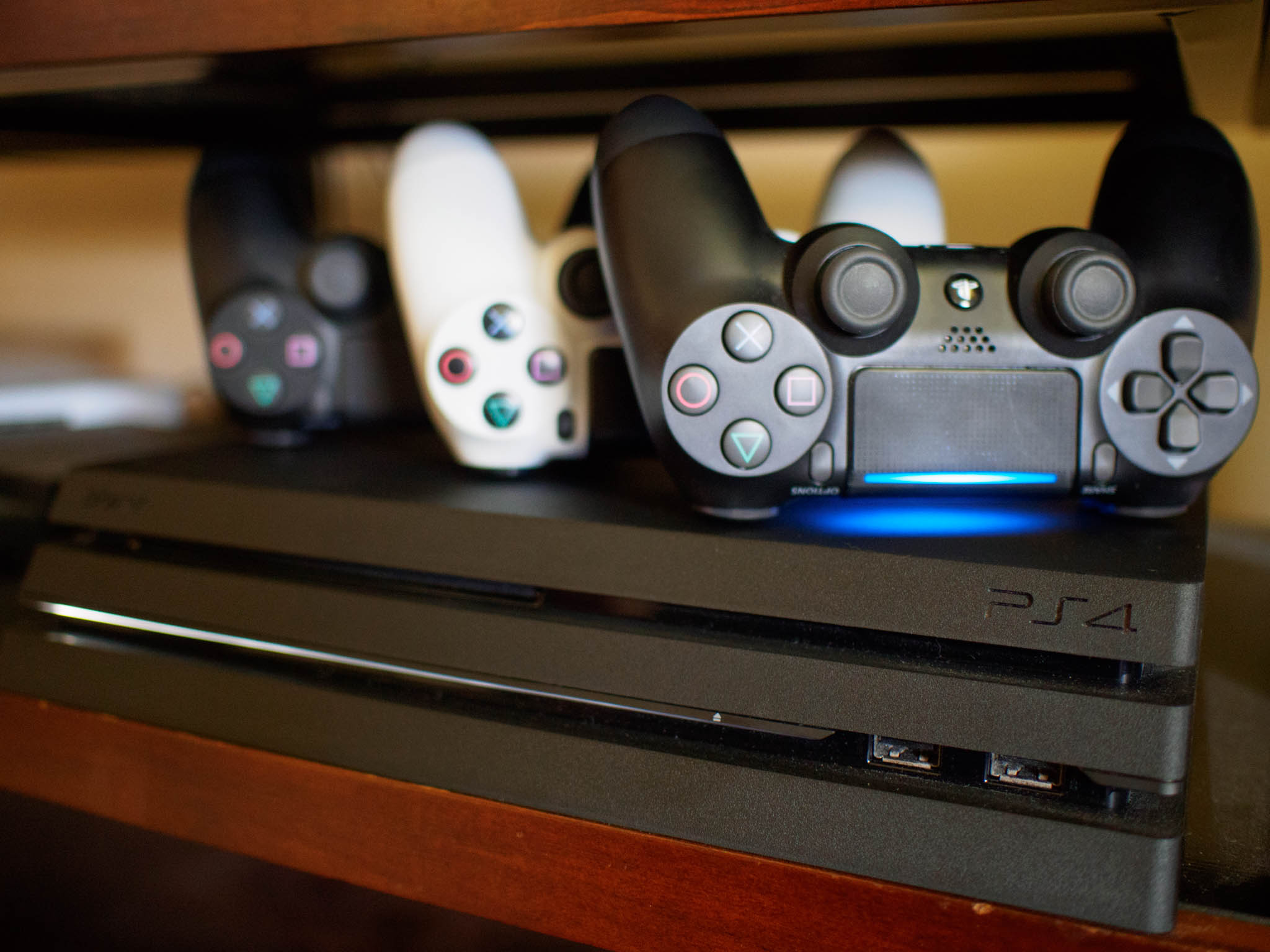
- PS4 vs. PS4 Slim vs. PS4 Pro: Which should you buy?
- PlayStation VR Review
- Playing PS4 games through your phone is awesome
Amazon
None of Huawei’s Mate 20 phones will be sold in the U.S.
Huawei’s Mate family is bigger than ever this year.

Following up on last year’s Mate 10 series, Huawei’s cranking things up to, well, 20, with its all-new Huawei Mate 20 family. There are a total of four phones in this year’s lineup, but the two you’ll care about the most are the Mate 20 and Mate 20 Pro.
We’ve got a lot to dive into with this guide, so without further ado, here’s everything you need to know about the Huawei Mate 20 series!
The Latest Mate 20 News
October 22, 2018 — None of Huawei’s Mate 20 phones will be sold in the U.S.
We weren’t expecting Huawei to launch any of its Mate 20 smartphones on U.S. carriers, but similar to the Mate 9 and Mate 10 Pro, we were looking forward to at least one model making its way to the States in the form of an unlocked variant.
According to a new report from Business Insider, that won’t be happening this year.
Speaking to the publication, a spokesperson for Huawei said:
We are not planning to sell the Mate 20 series in the U.S. While international variants of the Mate 20 series may be available on some U.S. online retail sites, we encourage individuals to carefully read the details about the warranty and network compatibility before purchasing.
In other words, while you’ll probably be able to find the Mate 20 and Mate 20 Pro somewhere on Amazon, they won’t be covered by a warranty and might not have the proper bands to take full advantage of your carrier’s network.
All the big details
Check out our hands-on coverage
As mentioned above, the Mate 20 and Mate 20 Pro are the biggest and most impressive handsets of this entire lineup. As such, we spent a good deal of time with both phones to get an idea for how they work and feel ahead of our full review.
The Mate 20 features an extremely small waterdrop-style notch with great specs across the board, but the real star of the show is the Mate 20 Pro. Its triple rear camera package is one of the most capable we’ve ever seen, it’s using Huawei’s own take on Face ID, and the display glass is curved over the sides to mimic something you’d find on a Samsung Galaxy or Note phone.
We need to reserve any final judgment for the final review, but right now, things are looking mighty good for Huawei.
Huawei Mate 20 + Mate 20 Pro hands-on preview: The phones that do everything
Here are the Mate 20 + Mate 20 Pro specs
Speaking of specs, both the Mate 20 and Mate 20 Pro have plenty of these to dive into.
Want a fast processor? The Kirin 980 is a best. Need lots of RAM? How’s 6GB sound?
Check out the full rundown here 👇
Huawei Mate 20 + Mate 20 Pro specifications
The Mate 20 Lite is the most affordable of the bunch
If you don’t want to spend a ton of cash on a new phone but still want the Huawei experience, the Mate 20 Lite should be at the very top of your radar.
Announced in late August during IFA 2018, the Huawei Mate 20 Lite comes equipped with a 6.3-inch Full HD display, Kirin 710 processor, dual 20MP + 2MP rear cameras, and a pretty solid 3,750 mAh battery.
The phone isn’t quite as impressive as what you’ll find with the Mate 20 Pro, but with a starting price of just £379, it offers a tremendous amount of value.
Huawei Mate 20 Lite launches in the UK: Kirin 710, quad cameras, big battery
And then there’s the ginormous Mate 20 X

Among all of the Mate 20 phones, perhaps the most eye-catching is the Mate 20 X.
This phone came as a complete surprise during Huawei’s announcement event for the Mate 20 and Mate 20 Pro, and its biggest standout feature is easily its ginormous 7.2-inch display.
The Mate 20 X also has the powerful Kirin 980 CPU, a ridiculous 5,000 mAh battery (the Note 9 has a 4,000 mAh pack, for comparison), and can be used with an optional gaming grip to essentially turn it into an Android-powered Nintendo Switch. This thing’s crazy.
Huawei announces the Mate 20 X — a phone with a 7.2-inch OLED display
The Mate 20 Pro’s camera package is insane

A big focus for the Mate 20 and Mate 20 Pro are the cameras, and for good reason. Both handsets have three rear cameras, but the combo on the Mate 20 Pro is what really has our attention.
The main camera is a wide-angle 40MP sensor with an 1/1.8 aperture. This is joined by a 3x telephoto 8MP camera, and unlike the P20 Pro, the Mate 20 Pro ditches a monochrome third sensor in favor of an ultra-wide 20MP one.
This combination of sensors should allow for some truly incredible photographs, potentially going on par or besting what you’ll find on the Google Pixel 3.
Huawei’s got two different notch styles

Although the Mate 20 Pro is the most powerful of all these phones, it actually has the biggest notch. Inside that notch is not only the front-facing camera, but also the earpiece and helpful sensors that allow Huawei’s take on Face ID to work.
The regular Mate 20 lacks those additional sensors, but as such, has a much smaller notch in the waterdrop style we’ve been seeing from some other OEMs.
The new colors are simply gorgeous

Huawei’s been dabbling with new and exciting colors for its past few smartphones, and with the Mate 20, that’s no different.
The Mate 20 and Mate 20 Pro are available in a total of four colors, including Black, Twilight, Midnight Blue, and Emerald. The Twilight color is the same one that was introduced on the P20 series earlier this year, but Midnight Blue and Emerald are brand-new and feature a subtle texture underneath the glass that helps reduce fingerprints and add a big of welcome grip.
A note on U.S. availability
If you follow the tech world, you’ll know that the U.S. government and Huawei aren’t on the best of terms. As such, you won’t see any of these phones sold on wireless carriers here in the States.
Huawei previously sold official unlocked variants of the Mate 9 and Mate 10 Pro here in the United States, but that’s changing this year with the Mate 20 series.
On October 22, Business Insider spoke with a Huawei spokesperson that said:
We are not planning to sell the Mate 20 series in the U.S. While international variants of the Mate 20 series may be available on some U.S. online retail sites, we encourage individuals to carefully read the details about the warranty and network compatibility before purchasing.
Here’s when and where you can buy the phones
Interested in buying any of the new Mate 20 phones? Here’s what you need to know.
- Mate 20 Lite: Available for purchase now from Carphone Warehouse, Vodafone, and EE for £379.
- Mate 20 X: Available October 26 for €899.
- Mate 20: Pre-orders likely opening soon; starts at €899.
- Mate 20 Pro: Pre-orders likely opening soon; starts at €1049.
Updated October 17, 2018: Refreshed this guide now that all of the Mate 20 series has been revealed.
 AIVAnet