


Fitbit’s latest acquisition could help you manage health conditions
Fitbit is very familiar with the health care world, and its latest acquisition drives that point home. The company has bought Twine Health, whose centerpiece is a health coaching platform that helps you manage chronic conditions (such as diabetes and hypertension) and complete “lifestyle interventions” like weight loss or quitting smoking. The move will help Fitbit offer its wares to health plans and self-insured companies — and, to no one’s surprise, gives it a chance to make more money from subscriptions.
The deal should wrap before the end of March.
While Fitbit isn’t more specific about what it would like to do, it’s not hard to see where the company is going. Its Ionic smartwatch can already talk to glucose monitors, and heart rate tracking has been a staple of its activity trackers for years. Health care and insurance providers could offer Fitbit devices to help you meet your goals without as many doctor’s appointments or sky-high insurance premiums.
Source: Fitbit
Play ‘Rocket League’ IRL with a Hot Wheels RC car kit
After arriving on the Nintendo Switch in November, there’s few places Rocket League hasn’t reached — but soon it will hit the real world. No, not in actual rocket-boosted vehicles, which would be way cooler to watch than a show about its eSports competition. Instead, fans will soon be able to race around in Hot Wheels-brand RC car replicas of the in-game vehicles.
The Hot Wheels Rocket League RC Rivals Set is coming later this year! Details: https://t.co/arCkOCKKKv pic.twitter.com/JgtCPRV5Q0
— Rocket League (@RocketLeague) February 13, 2018
To be fair, the toy company isn’t just selling a pair of Rocket League-themed remote controlled vehicles and calling it a day. The pair of cars, mocked up like in-game models Octane and Dominus, come in a kit with an oversized ball and mat that unfolds to look like the in-game stadium. No, the boost pads don’t work, but at least it should come with an LCD scoreboard. Players control their cars over bluetooth using smart devices.
The RC car kit follows the latest in the odd marriage between Rocket League’s studio Psyonix and Hot Wheels, which first slipped some classic cars into the game over DLC last year. But the gaming company had already partnered on a line of toys based on its rocket-boosted racers, so it’s no surprise they’re giving IRL products another go.
Source: Rocket League (Twitter)
Facebook Promoting its Onavo VPN in Facebook iOS App
Facebook has started promoting the Onavo VPN client it acquired back in 2013 directly within the Facebook app for iOS devices. A link to the Onavo VPN client is available in the Facebook app in the United States under a new “Protect” section of the Facebook navigation menu.
To get to it, tap on the hamburger menu in the right hand side of the app, and then scroll down. “Protect” features a blue icon with a shield, and when you tap on it, it links to the Onavo VPN app in the iOS App Store.
As TechCrunch points out, while Onavo offers to “keep your data safe while you browse” and let you know when you “visit potentially malicious or harmful websites,” Facebook’s real aim with Onavo is tracking user activity across multiple different apps to learn insights about how its customer base uses third-party apps.
But Facebook didn’t buy Onavo for its security protections.
Instead, Onavo’s VPN allow Facebook to monitor user activity across apps, giving Facebook a big advantage in terms of spotting new trends across the larger mobile ecosystem. For example, Facebook gets an early heads up about apps that are becoming breakout hits; it can tell which are seeing slowing user growth; it sees which apps’ new features appear to be resonating with their users, and much more.
In August of last year, The Wall Street Journal took a look at how Facebook uses Onavo to track what people do on their smartphones outside of the Facebook ecosystem. Using Onavo data, for example, Facebook was able to determine that the Instagram Stories feature was impacting Snapchat’s business well ahead of when Snap disclosed slowing user growth.
As The Wall Street Journal explains, whenever a person using Onavo opens an app or website, Onavo redirects the traffic to Facebook’s servers and logs the action in a database, allowing Facebook to draw conclusions about app usage from aggregated data.
Onavo for iOS and Android has been installed on more than 33 million devices, according to Sensor Tower, with 62 percent of those installs on Android. TechCrunch speculates that Facebook may be promoting Onavo in the iOS app to encourage more iOS users to download the app.
Facebook is clear about Onavo’s purpose, with a disclosure available on the App Store: “Onavo collects your mobile data traffic. This helps us improve and operate the Onavo service by analyzing your use of websites, apps, and data. Because we’re part of Facebook, we also use this info to improve Facebook products and services, gain insights into the products and services people value, and build better experiences.”
Tag: Facebook
Discuss this article in our forums
Apple Working on ‘Swagger’ TV Show Based on NBA Star Kevin Durant
Apple is developing a new drama series that’s based on the early life and career of NBA star Kevin Durant, who plays for the Golden State Warriors, reports Variety.
The show, called “Swagger,” was inspired by Durant’s experiences as a youth playing basketball. It will highlight the world of Amateur Athletic Union (AAU) basketball, taking a look into the lives of players, their families, and coaches.
Imagine Television, led by Brian Grazer and Ron Howard, will produce alongside Kevin Durant’s Thirty Five Media. Both Durant and Grazer will serve as executive producers, while Reggie Rock Bythewood will write and direct. Bythewood is known for his work on “Notorious,” a movie that shared the story of Notorious B.I.G., and television series “Shots Fired.”
Apple now has at least 10 television shows in the early stages of development, including an untitled morning show drama starring Jennifer Aniston and Reese Witherspoon, an “Amazing Stories” reboot from Steven Spielberg, an untitled space drama from Battlestar Galactica creator Ronald D. Moore, a series written by “La La Land” creator Damien Chazelle, a Kristen Wiig comedy series, See, an epic world-building drama, Home, a docuseries focusing on incredible homes, and “Little America,” an anthology series from “The Big Sick” creators Kumail Nanjiani and Emily V. Gordon.
More details about each of Apple’s television projects can be found in the original content section of our Apple TV roundup.
Related Roundup: Apple TVTag: Apple’s Hollywood ambitionsBuyer’s Guide: Apple TV (Buy Now)
Discuss this article in our forums
Robot skiers race in Pyeongchang, but they’re not at Olympic level just yet
Robot soccer is now a thing, and robot sumo wrestling is also building a fan base. Now it’s robot skiing’s turn.
The sport does exactly what it says on the tin, attaching skis to robots and sending them hurtling off down a slope. The first event of its kind took place in South Korea on Monday at a resort close to PyeongChang, the site of this month’s Winter Olympics.
Eight humanoid robots built by local tech firms and universities faced off in a contest that saw each competitor career down an 80-meter slalom course. The steep ski run demanded precision zigzag maneuvers, though sadly most robots displayed a lot more zig than zag. But top marks for trying.
The sensor-laden contraptions apparently had the ability to make turns and control their own speed autonomously, but most ended up skiing straight into the obstacles and tumbling over. The poor performances were put down to the record low temperatures playing havoc with the robots’ on-board computers, according to the Korea Herald.
But the efforts are still great fun to watch, with our favorite maneuver made at the 43-second mark in this video when one of the robots clips a gate, performs an elegant 180-degree turn, and proceeds down the course backwards. In fact, it turned out to be one of the best performances of the day.
The winning robot, built by Mini Robot Corp. from Yeonsu near Seoul, stands at 125 centimeters and weighs 95 pounds (43 kg). Team leader Sam Kim said reaction speed is key for the skiing robots, with each one having to “quickly process the vision data it receives and adjust its motor movements accordingly, fast enough to make a turn.” Unfortunately most of them couldn’t.
The robotic skiing contest was organized by South Korea’s Ministry of Trade, Industry, and Commerce in collaboration with the Korea Institute for Robot Industry Advancement as part of a strategy to showcase local technology during the Winter Olympics. It’s just a shame, then, that the biting cold ruined the event for many of the robots, though such difficulties also demonstrate the kind of environmental challenges faced by engineers and developers.
Other robot-based initiatives during the Games include multilingual robot guides to help visitors, drinks-serving robots, and self-driving machines for cleaning floors at some of the venues. On the more artistic side, visitors can also interact with a wall-painting robot capable of creating elaborate murals on request.
Editors’ Recommendations
- Oh, yeah! Robot joins Olympic torch relay, bashes through a wall on the way
- Pepper is everywhere in Japan, and nobody cares. Should we feel bad for robots?
- How did we get here? 9 major milestones in the history of killer robots
- Octinion’s strawberry-picking bot is quick, nimble, and ready to replace humans
- Outrageously quick Milidelta robot moves too fast for your brain to comprehend
Airbus’s delivery drone takes packages to ‘parcel stations’ run by robots
Keen to prevent the competition from racing away, Airbus is getting into the drone delivery game with its own autonomous flying machine.
A slew of companies are developing and testing drone delivery platforms, among them Amazon, Google, Walmart, and Airbus rival Boeing.
Airbus’s “Skyways” unmanned aerial vehicle (UAV) recently completed its first flight demonstration at the National University of Singapore.
The system uses so-called “parcel stations” located in places such as the top of high buildings. As the video above shows, the drone flies onto the station, whereupon automatic sliders gently push the UAV into the precise position so it can receive a parcel from below.
With the drone ready and waiting, a robotic arm inside the station grabs the designated parcel before passing it through an open space in the roof and attaching it to the drone. The machine then flies off to make the delivery at another parcel station, with the robot taking the package from the drone and placing it in a locker for collection. A notification is then sent to the recipient who can come and fetch it at a time of their choosing.
Airbus’s octocopter weighs around 55 pounds (25 kg) and can carry packages of up to almost 9 pounds (4 kg).
Leo Jeoh of Airbus Helicopters said that Project Skyways is an effort to solve the tricky challenge of making drone deliveries in urban areas, with its system focusing on high-tech collection and drop-off points rather than deliveries to home addresses.
The recent demonstration at the University of Singapore was declared a success by those involved, although Jeoh said Skyways is “not fully there yet to be able to launch a service.”
The executive elaborated: “What we need to do is to be able to master the autonomy aspects of navigation, ensure the safety level of our product … and then launch the service on the university campus, and from there understand what it takes to operate and maintain the system … and whether it makes commercial sense to develop this to the next stage.”
The idea of using a docking station reminds us of another system developed by California-based startup Matternet. Working with Swiss Post, the drone delivery system is now up and running, transporting medical items between health facilities. The drone lands on fixed docking stations and deposits the package securely for an employee to come and collect by scanning a QR code.
While the likes of Amazon grapple with the challenges of developing a drone system that can safely deliver goods to customers in urban areas, fixed delivery stops for specific services look set to gain traction first.
Editors’ Recommendations
- This ‘drone gun’ can down rogue quadcopters with the pull of a trigger
- Amazon’s delivery drones could hitch rides on trucks to save power
- Drone-operating gang’s prison delivery service lands its members in jail
- CEO takes ride in passenger drone to demonstrate that it’s safe
- I’m not even mad. That’s amazing! 7 brilliant, unorthodox hacks
RAM: What it is and when do you need more?
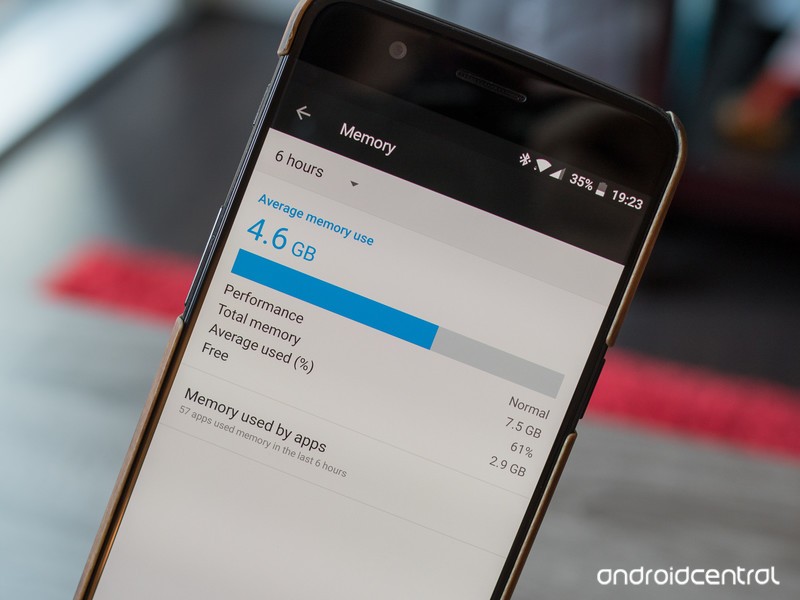
Your phone needs RAM to operate, but why? And how much?
It looks like Vivo is going to be selling a phone with 10GB of RAM. That’s almost as much as many gaming PCs, and about 6GB more than most phones. It has a lot of folks scratching their heads and asking why in the world does it need 10GB of RAM, and does that mean my phone with 4GB needs more?
This wouldn’t be the first time we’ve seen phones come with oodles of RAM. The OnePlus 5T has an 8GB configuration, and seeing 6GB inside some phones is becoming fairly common. Let’s talk about what RAM is, how your phone uses RAM, and why a phone would have 250% more of it than “necessary”.
What is RAM
RAM (Random Access Memory) is short-term digital storage. Computers (and yes, your phone is a computer) use RAM mostly to hold data that active applications — along with the CPU and operating system’s kernel — are using because RAM is very fast when it comes to reading and writing. Even the fastest hard drive or flash storage is slow when you need to read or write something “right now”, and while the CPU inside your phone has its own cache to hold data that’s being used for calculations, there’s not a lot of it. The Snapdragon 835 (as an example) has 2MB of cache for the high-performance cores and 1MB for the low-performance cores. 2MB of cache is only enough to hold what’s being used right now, so you need somewhere to hold what’s being used next.
Reading and writing to and from RAM is fast. Super fast.
The OS kernel acts as a traffic cop for everything that goes on when it comes to using your phone’s hardware. When a game or any app wants to draw a new screen, the data is created to use for it goes into the RAM where the OS can parse it, let the CPU and GPU do any processing needed, then send it off to the display, so the right color dots can be drawn in the right places.
It all sounds complicated, and it is, but all you need to understand are three basic things: RAM is a place to hold data for a short period of time, and data placed there can be read or written very fast. Data in RAM is erased when you shut your phone down. A portion of the RAM in your phone is used as soon as you turn it back on and no apps or even the OS is able to use that portion. This goes for just about any computer; they (almost) all have RAM and they use it the same way.
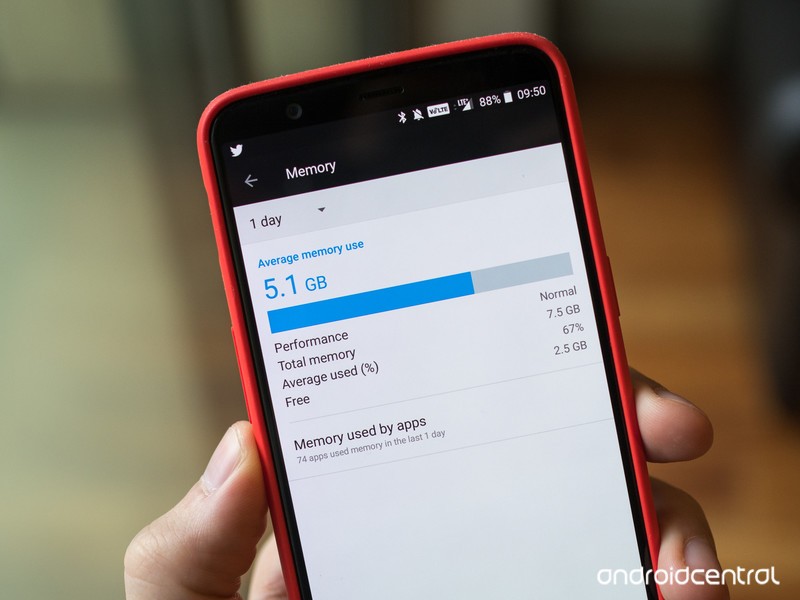
How your phone uses its RAM
RAM in your phone is mostly used as a place for apps that are running store their data. In the simplest terms, that means more RAM can let more apps run in the background without slowing your phone down. But like most things, it’s not really that simple. The RAM in your phone is in use before Android is even up and running.
We’re not going to talk about fancy low-level management or things like compcache here, but this is basically how your phone uses the RAM inside of it.
- The kernel-space: Your Android phone runs on top of the Linux kernel. The kernel is stored in a special type of compressed file that’s extracted directly into RAM during the device power-on sequence. This reserved memory holds the kernel, drivers and kernel modules that control the hardware and room to cache data in and out of the kernel.
- A RAMdisk for virtual files: There are some folders and files in the system tree that aren’t “real.” They are pseudofiles written at boot and hold things like battery levels and CPU speed data. With Android, the whole /proc directory is one of these pseudofile systems. RAM is reserved so they have a place to live.
- Network radios: Data about your IMEI and radio settings are stored in NVRAM (Non-Volatile memory that’s not erased when you power off your phone), but get transferred to RAM along with the software needed to support the modem when you first turn on your phone. Space is reserved to keep this all in memory.
- The GPU: The graphics adapter in your phone needs memory to operate. That’s called VRAM, and our phones use integrated GPUs that have no stand-alone VRAM. System RAM is reserved for this.
Once that’s done and your phone is up and running, what’s left is the available RAM your phone needs to operate and run apps. A portion of this is also reserved for things that need to happen quickly (low-level operating system functions and housekeeping) but it’s reserved a different way through what’s called minfree settings. These are software-based settings the people who wrote the OS and built the kernel for your phone set, and it keeps a set minimum amount of RAM free (thus, minfree) so these low-level functions can be done as needed without having to wait for an app to free any memory.
All this is why the available RAM listing in settings isn’t the same as the total amount of RAM installed inside your phone. The full amount really is inside, but a portion of it (usually about 1GB or so) is reserved. Your apps get to fight over the rest.
Unused RAM is wasted RAM
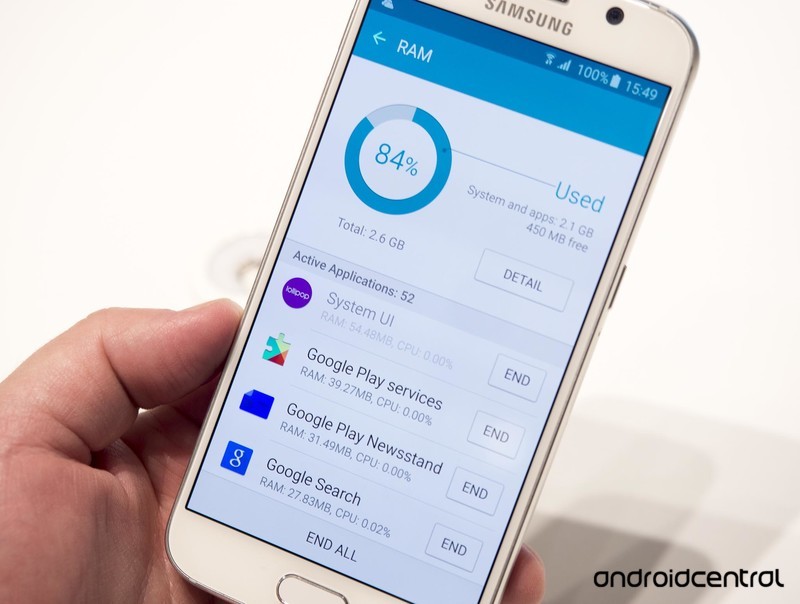
You might have heard this saying about Android and memory management. It’s a Linux thing, and Android is a Linux kernel-based OS just like Ubuntu. What it means is that Android was built to stuff the RAM full of apps and their associated data as fast as possible and keep it full, leaving only the minfree amount from above open for housekeeping duties.
Android is not Windows 10 and they each do things differently.
This is different from the way Windows works, though if you’re using a Mac, it’s very close. Windows keeps RAM open and free for an app that needs it. Linux keeps an app in memory until the memory is needed elsewhere. That’s also decided by the minfree settings the company that built your phone set. Apps and their processes are given a priority based on what they do, how they do it and when the last time they were on the screen. When you want to open a new app, the apps with lower priorities get closed so the new app has the RAM it needs.
As you use your phone, you’ll use many of the same apps more than others. These apps will tend to stay resident in RAM and be running so they are available in an instant. Having that RAM free instead means the apps would need to restart the processes that allow you to interact with them, and that’s slower and uses more battery power than keeping them resident in RAM.
It’s a true saying for your Android (or iOS) phone, but not your Windows computer or Chromebook (also a Linux-kernel-based OS but uses zcache and sandboxing in a very custom RAM management scheme) because they manage RAM differently.
What does having more RAM inside my phone do for me?
You already know the short answer because it’s above — allows for more apps to run in the background. But the long answer is really interesting.
The first Android phone, the T-Mobile G1, had 192MB of RAM. The Pixel 2 has about 22 times more with 4GB.
8GB or 10GB of RAM is complete overkill for a typical Android phone. Phones like a Nexus or an Android One/Android Go phone can get away with 1.5 – 2GB of free RAM after the phone is booted up. So can a Galaxy S8, but only because the minfree settings are set so that the home app (the user interface) is forced to stay open, and uses a portion of the reserved RAM. The Samsung interface is more resource intensive, and Samsung did the very smart thing here starting with the Galaxy S6 and killed most of the home screen lag. Nice work, Samsung!
Using what that tells us, we can see that a phone like the Galaxy S8 needs more RAM installed. Since almost every phone comes with 4GB of RAM, there is no real difference here and a Nexus phone just has a little more memory to have another app or two up and running because it’s interface isn’t using as much. It’s also why Samsung, LG, HTC and others have included ways to kill running processes outside of the minfree settings for the times it needs a little boost in performance. If you kill all the apps you can, apps that were not already in memory will start a little faster.
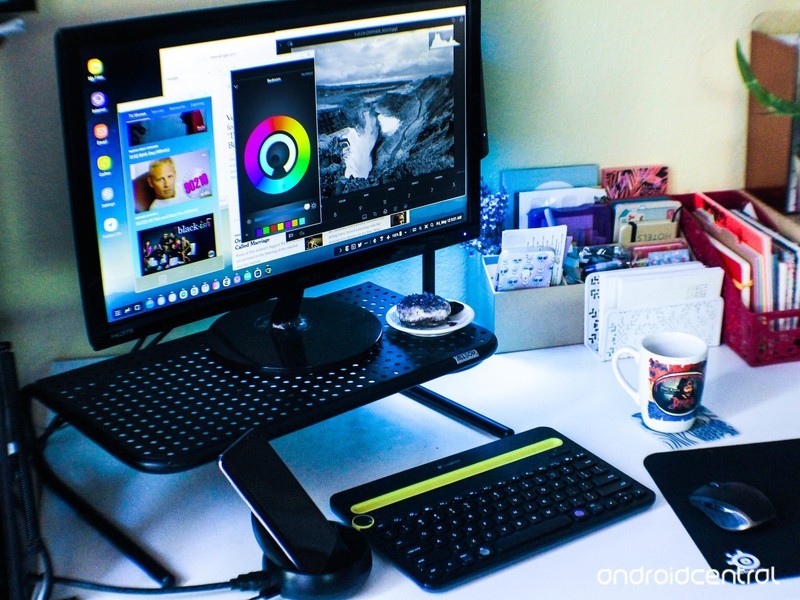
If you take things a step further and do things like Samsung’s DeX desktop setup, having more RAM can be a big benefit. DeX, for example, could use more RAM set aside before the phone is running for VRAM and have a nice chunk to use itself so other apps or processes can run without being interrupted. And you can even more creative if you’re developing software for a phone with “extra” RAM.
Ideally, a phone with extra physical RAM (let’s say 6GB gives an extra 2GB) could use a device driver that enables DMA (Direct Memory Access) for the user interface. This sets aside RAM at boot just for the home screen, touch input, and anything else that makes your phone uber-responsive regardless of anything else running or going on outside of the RAM set aside for DMA. Are you ready for instant touch response or scrolling? Because that is how you get it.
You don’t need more, but you can always use more.
This would let the kernel manage a portion of the RAM, but in a different way than the memmap parameters set for minfree settings when the kernel was built. Software and the OS still control input and output to the Home user interface, but no app would ever be able to overwrite any of the data in this section of RAM, and the interface would always be ready to act on your input.
Now extend this idea into “game mode” or a desktop solution or any other special way an Android phone can be used. There would still be more than enough RAM for the system to do its thing while that extra RAM is there for playing a software-heavy 3D game without killing all the apps in the background, or putting your phone in a stand or laptop shell to use in desktop mode has the memory it needs set aside only for it to work.
RAM is cheap and having more RAM looks great on a spec sheet
Companies charge a lot for a model with more RAM, but most of that is because it means they have another model to manufacture and another parts list to maintain. The actual chips that go inside the phone only cost pennies when bought at volume. But being able to say your phone has 6 or 8 or even 10GB of RAM when it’s announced can go a long way when it comes to the spec sheet.
It’s impressive, especially to tech enthusiasts and early adopters. I’ll admit, it gets me interested. I like seeing optimized software that can run well on minimal hardware because, to me, it’s an art form; writing code can be beautiful. But I’m also intrigued by what having extra RAM can mean when the two have meshed together in the same device. Seeing 8GB of RAM in the specs instantly gets me interested, the same way a high-resolution display does.
Seeing better specs is a sure-fire way to interest early adopters.
Companies that build phones know this. They also know that putting more RAM in a phone means they can get away with less software optimization (a costly and time-intensive thing) or try and do more with their version of Android. Either way, some of us will be buying only because of the specs. That makes the added costs worth it because people talking about your product is priceless.
This is especially important in the East. Phones with more impressive specs sell better in India and China (the two markets that show the biggest potential for growth in the industry) because more people in India and China want impressive hardware. Catering to your customers is a smart thing.
When this is all said and done, you probably won’t need more than 4GB of RAM for your phone today. That will change as phones start to do more, which is why the Nexus One shipped with 1GB of RAM and the Pixel 2 shipped with 4GB of RAM. But it’s important to realize the potential of a 4 or 6GB surplus of fast digital storage has for new ideas and features. Don’t let additional RAM be your only decider when buying a phone, but don’t write it off as a gimmick.
How will the Galaxy S9 compare to the Pixel 2?
The Pixel 2 will soon go head-to-head with Samsung’s latest.
If you want to buy a flagship Android phone right now, one of your best bets is the Google Pixel 2. While no phone is perfect, the Pixel 2 gets darn close with a top-of-the-line camera, strong build quality, ultra-fast performance, and more. However, in just a couple weeks, it’ll have to face up against the incoming Samsung Galaxy S9.


The Galaxy S9 is expected to be an iterative update compared to the S8, but considering how good that phone was, the S9 should be pretty darn awesome. As such, the Pixel 2 will have to prove why it’s still worth your dollars more than what Samsung has to offer.
Some of our forum users recently got to talking about how they think the phones will compare to one another, and this is what they had to say:
Aquila
02-09-2018 09:48 PM“
Sounds like the small S9 has very similar specs to the Pixel 2 other than the SOC. That leads me to believe that the Pixel camera will still be better, performance will still be better, obviously software will be, as with security, os updates, security updates, storage options, etc. Apparently the S9+ may have 6 GB RAM and adequate storage, but that won’t be enough to overcome the downfalls for…
Reply
I Can Be Your Hero
02-10-2018 12:23 AM“
Well we have to wait and see what the S9 offers and the first reviews to come out to get some sort of idea how the phone is.
It could be better than the Pixel 2/2XL in every respect (which it should be, it’s a new flagship phone with better hardware).
I guess you have to determine what you would like in a smartphone and if the S9 ticks more boxes than the Pixel 2 XL, then go for it. I too…
Reply
darkmanx2g
02-10-2018 02:07 AM“
You should already know what is important to you. Fast current updates. Clean simple software. Customer support. I went to the Samsung side for 4 months it was not a bad experience. But Stock Android for me just hits the sweet spot. Updates and clean ui. Beats features and hardware for me.
Reply
Almeuit
02-10-2018 02:43 AM“
I swap a lot .. I have the past few years. From Samsung, LG, Apple, Pixel, etc. etc.
This year I plan to stick with my Pixel 2 XL until at least the Pixel 3 or something. Need to simma down on the changing :P.
Reply
Now, we’d like to hear what you have to say — How do you think the Galaxy S9 will fare against the Pixel 2?
Join the conversation in the forums!
Google Pixel 2 and Pixel 2 XL
- Pixel 2 FAQ: Everything you need to know!
- Google Pixel 2 and 2 XL review: The new standard
- Google Pixel 2 specs
- Google Pixel 2 vs. Pixel 2 XL: What’s the difference?
- Join our Pixel 2 forums
Best Buy
Verizon
Google Store
Project Fi
Customers that removed ads from Prime Exclusive phones will receive refunds
Amazon is sending out a full $45 credit over the coming days.
About a week ago, Amazon announced a big change for its Prime Exclusive line of phones. Rather than shipping them at discounted prices with advertisements on their lock screens, Amazon would simply kick the price of all phones up by $20 and remove these ads from each and every device. The move was received with mostly open arms, but there was one question that remained to be answered.

Prior to this change, customers that bought Prime Exclusive Phones had the option of removing the lock screen ads by paying a one-time fee of $45. It was a nice alternative at the time, but anyone that did this could feel cheated out seeing as how all phones ship ad-free now. Thankfully, Amazon will be crediting these customers soon.
If you purchased an Amazon Prime Exclusive phone and paid for the removal of their lock screen ads, you should be receiving an email from Amazon anytime now saying that you’ll get a refund for the full $45 amount in the form of an Amazon gift card. This will be applied directly to your account, and you should see the credit arrive within 2-3 days of receiving said email.
I imagine some folks would prefer the option of being credited with cash, but I also can’t see anyone complaining about an extra $45 to blow on Amazon.
Amazon is getting rid of lock screen ads from its Prime Exclusive phones
How to (and why you should) leave reviews on the Google Play Store

Reminder: leaving an app store review is one of the easiest ways to support your favorite app developers.
When you write a review in the Google Play Store, keep in mind that you’re writing for three separate audiences — the app developer, other Android users, and Google Play itself.
While every app developer would love to just receive an endless stream of 5-star reviews, they should also value feedback such as what you liked and didn’t like about the app, along with any constructive feedback on issues you had playing the game or using the app. This will help them improve the experience in future updates.
Every app review you publish in the Google Play Store is publicly linked to your account, so make’em count.
Sensible users will always check the reviews on an app before downloading just to see what the community consensus is. Every app review you publish in the Google Play Store is publicly linked to your account, so make ’em count. Last but not least by reviewing apps and games you’re telling Google Play what you like, so it can recommend other content you’ll enjoy.
Yes, this may seem like an obvious subject but I’ve found that it’s all too easy to ignore those in-app reminders to leave a review, and it’s in everyone’s best interest for there to be more, high-quality reviews in the Google Play Store
How to review an app in the Google Play Store
Launch the Google Play Store app on your phone.
Tap the menu icon in the top-right corner.
Tap My Apps and Games.

Tap the Installed tab to see the apps on your phone.
Scroll down and find an app you’re ready to review.
Scroll down until you see the rate this app section

Leave your overall star rating to begin your review.
If you’re reviewing a game, you’ll be asked to give a star-rating for graphics, gameplay and controls. For other apps, you’ll be asked to confirm select features for the type of app
The last step is to leave a written review. This is arguably the most important step, as leaving a 3-star review with no reason as to why you didn’t like it doesn’t help anyone.

You can also follow the same steps to go back in and edit an older review of an app if you feel the need to update your review after a major app update — simply browse to the app page in the Google Play Store app and tap the menu button next to your review to edit. Don’t forget this option if a good game goes bad after an update, or a bad app is significantly improved by the developers.
👍/👎
Do you leave reviews for the apps you download? Let us know in the comments below!
 AIVAnet