


Best Bluetooth Trackers

Which Bluetooth trackers are the best at keeping track of keys and other household items? Here are our top picks!
Time was you’d lose track of your keys and waste precious minutes or even hours scouring the house or office for them. Now, though, you have phones and you have Bluetooth. Put them together and you have Bluetooth trackers that go on your keys — or any other household or office item — and connect to your phone. That way, if what you’re tracking ever gets lost, you’re only an app and tap away from quickly, cooly finding them again. Here are our favorites!
- Tile Mate
- Chipolo Plus
- MYNT Smart Tracker & Remote
- iTrack Easy
- Nonda iHere 3.0
Tile Mate

The easy-to-use Tile app allows you to find your keys (or anything else you’ve put a Tile on) on a map or have them make a sound so you can hunt them down.
The 100-foot Bluetooth range means you won’t be too far away to find what you need, and since you can connect up to 10 Tiles to one phone, you can everything you need as well. If your keyring Tile is out of the 100-foot range, you can activate a wider search which anonymously uses the growing community of Tile users to scan for your missing Tile.
Tile is waterproof with a battery that last for up to one year, after which you will be sent replacement Tiles at a reduced cost. Check it out at Amazon for about $25.
See at Amazon
Chipolo Plus

The Chipolo Plus is (for all intents and purposes) a Tile Mate clone. It’s about the same height and width as the Tile Mate — it’s just a circle instead of a square. That being said, it has an excellent, loud alarm (around 100dB), so you’ll likely be able to find it anywhere in your house, and it has a battery life of about a year. The battery isn’t replaceable, but Chipolo has a discounted renewal service to help you out.
Chipolo Plus is water-resistant at an IP5 rating, so it can withstand some splashing and even jets of water. Just don’t submerge it. The handy Chipolo app can give you a fairly accurate location of your lost item, and if you’re out of range, it’ll show you where you had it last.
Chipolo Plus comes in seven vibrant colors, which makes it a lovely little keychain accessory. You can buy a 1-, 4-, or 7-pack, with the 4-pack saving you 30%. Pricing starts at $25 for a 1-pack and if you buy a multi-pack, you can choose your colors!
See at Chipolo
MYNT Smart Tracker & Remote

The sleek MYNT Smart Tracker and Remote adds more to the mix than just finding your misplaced keys. Of course, the Bluetooth connection and MYNT app warn you when your keys and your phone are getting too far apart, and the alarms are easy to hear if you do lose your keys. It’s water-resistant and for a few extra dollars, you can buy a colorful waterproofing cover for it.
The replaceable battery lasts up to one year and each tracker has a range of up to 150 feet. The Smart Tracker can also be used as a Remote, whether for taking selfies or syncing to your MacBook for a PowerPoint presentation. Talk about versatility. $20 on Amazon (to start — other color options are available).
See a Amazon
iTrack Easy

The iTrack Easy system will sound an alarm and flash an LED light to help you find your keys. The replaceable battery lasts a little longer than the standard batteries in other trackers, thanks to Sleep Mode which can be set up for times when you don’t require alerts and reminders. The iTrack Easy network uses the tracking app on your phone to help locate your lost keys or other items if they are out of the standard 100-foot range.
The trackers can be purchased in vibrant orange or green or regular white if you’re looking to be more subtle. They also double as remote controls for the camera in your phone, making selfies and group shots easy. Pricing starts at $15 fir a single tracker or $29 for two (wow, a whole dollar off!).
See at Amazon
Nonda iHere 3.0

You can pair up to 10 Nonda iHere trackers to the app on your phone and they’re rechargeable, with a single charge lasting for several weeks. This discreet, white triangle tag takes up very little room on your keychain, while saving you that worrisome search every other morning.
Nonda iHere has a range of up to 150 feet and a clear alarm. The easy-to-use app includes a car finder feature, and can also be used if you’ve found your keys but misplaced your phone. The button on the tag also acts as a remote for picture-taking on your phone. This one’s perfect if you want to try Bluetooth trackers but are on a budget, since it’s only $10.
See at Amazon
Never search again
Is there another Bluetooth tracker out there that’s helping you keep your keys and your sanity? We’d like to hear about it in the comments below!
Beoplay M3 is the cheapest in-home B&O Play speaker yet at $299
A well-rounded offering of premium design and high-quality sound.
If you’re a fan of really high-quality speakers, chances are you’re familiar with the B&O Play brand. B&O Play was created as a way for Bang & Olufsen to sell speakers to consumers that were still premium but didn’t cost $40,000, and the new Beoplay M3 is the cheapest in-home speaker from the company that we’ve seen yet.

The M3 features a price tag of $299, and while that might still sound like a lot to some people, it’s a lot more affordable than the M5 and its $599 cost.
At first glance, the M3 looks really nice. The cylindrical design with a flat top/bottom and fabric or metal speaker grill on the front all come together to create for a speaker that should fit in nicely with any decor, and this point is further reinforced with the subdued Natural and Black color options.
As for the audio tech packed inside the M3, you’ll get a 3.75-inch subwoofer, 0.75-inch tweeter, and front-facing directional speakers. That’s not nearly as powerful or impressive as the M5’s 5-inch woofer, three 0.75-inch tweeters, and 360-degree sound output, but for $300 less, you’ve got to expect some downgrades.


Despite the M3’s lower price, it still supports Chromecast built-in, Bluetooth, AirPlay, and B&O Play’s Beoplay Multiroom system. You can also control the M3 using the Beoplay app, but you unfortunately won’t find Spotify Connect here.
The M3 starts out at $299, but you can go up to $358 and $368 depending on which cover you choose.
See at B&O Play
How to fix drift problems with Daydream View
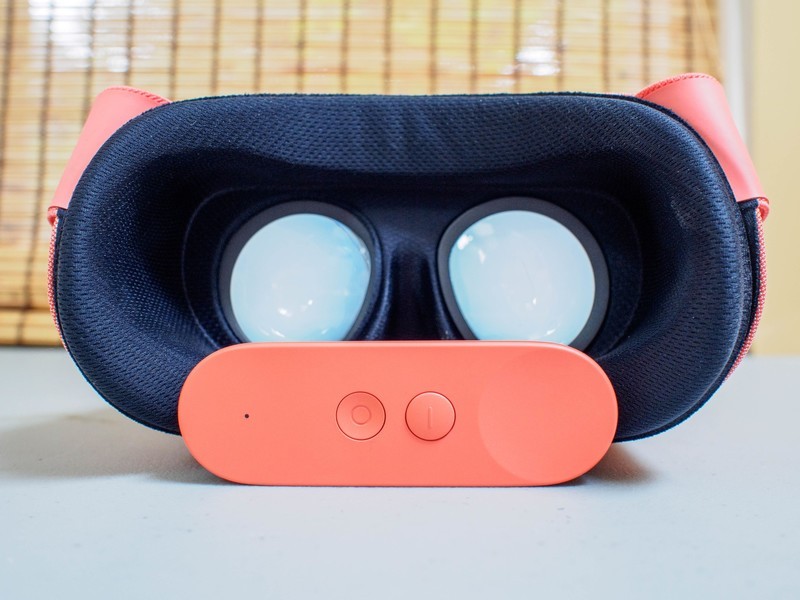
Having your controller drift off while you’re in the middle of a game can be frustrating, but it is fixable.
Google Daydream offers a new way to interact with your world while in VR. With the use of the remote you are given are a greater degree of ability to easily zip from one menu to another with aplomb and ease. At least, when the remote is working properly that how it seems. While controller drift during a video can be distracting, if it crops up during a game it can seriously throw you off of your stride.
Thankfully, there are a few different ways to troubleshoot this problem so that it doesn’t ruin your VR gaming experience.
Read more at VR Heads!
How ‘waterproof’ is my phone? What those IP numbers really mean

How do I tell what those IP ratings on my phone really mean? Just because a phone is rugged doesn’t mean it will survive a dunk in the pool.
Manufacturers are making Android phones a little more rugged a little bit tougher than they used to be. It’s a big selling feature. Phones from Samsung and LG and Motorola and even Google themselves now come with some degree of water and dust resistance. What those numbers represent can be important or even a deciding factor when spending the cash on a new phone.
You’ll usually see “ruggedness” described with an IP rating or a MIL-STD rating or both. Those are standards (loose ones in some cases) that determine how resistant something is the elements — things like water resistance, shock (both electrical and physical), temperature, air pressure, and a host of other things that want to ruin your phone.
The ratings and certifications were developed long before the invention of cellphones — they cover things like valves and electrical boxes. But more recently, they do apply to phones, and not just the ones that are built like tanks. Let’s break each rating down a little so you know what they really mean.
Ingress Protection

No, not the location-based game from those Pokemon guys, ingress protection refers to the ability for a product to prevent foreign objects — specifically liquid and dust particles — from getting inside. And while we usually think the term IP stands for ingress protection, it actually stands for International Protection, as in an International Protection Marking.
The IP Code is designated by the initials IP followed by two digits and possibly a letter, like a K. Most letter designations are something we’ll never encounter on small portable electronic devices; they refer to something that can withstand high-pressure, high-flow spray jets, like a car wash sprayer nozzle. In that situation, your phone would be toast.
(Never run your phone through the car wash, unless it is one of these and you don’t mind breaking the car wash. We’re kidding. Don’t run even the Nokia 3310 through a car wash, people.)
Never run your phone through a car wash to test its IP rating. Seriously.
The digits each represent a resistance rating. The first number stands for the level of solid particle protection (dust). The second number stands for liquid ingress protection. A manufacturer doesn;t have to test for both, but if it doesn’t the number will be replaced by an X, so it would look something like IPX7 or IP6X. Here’s how the numbers stack up.
Solid particle protection
| IP number | How effective is it? |
| 0 | Not protected at all against any size particle. |
| 1 | Protected against particles larger than 50 mm |
| 2 | Protected against particles larger than 12.5 mm(This is the minimum rating to protect against putting your finger into a thing). |
| 3 | Protected against particles larger than 2.5 mm |
| 4 | Protected against particles larger than 1 mm |
| 5 | Dust ProtectedDust must not enter in enough quantity to affect the normal operation. |
| 6 | Dust TightDust can’t enter, even in a vacuum. |
Liquid ingress protection
| IP number | How effective is it? |
| 0 | Not protected at all. |
| 1 | Protected against dripping water. |
| 2 | Protected against dripping water when tilted up to a 15-degree angle from its normal position. |
| 3 | Protected against spraying water when tilted up to a 60-degree angle from its normal position. |
| 4 | Protected against splashing water at any angle. |
| 5 | Protected against water sprayed from a 6.3 mm nozzle at 12.5 Liters/minute and 30 kPa (pressure) from three meters away for three minutes. |
| 6 | Protected against water sprayed from a 12.5 mm nozzle at 100 Liters/minute and 100 kPa (pressure) from three meters away for three minutes. |
| 6K | Protected against water sprayed from a 6.3 mm nozzle at 75 Liters/minute and 1,000 kPa (pressure) from three meters away for three minutes.(1,000 kPa is a standard amount of water pressure through a fire hydrant). |
| 7 | Protected against immersion in water up to one meter at normal pressure for 30 minutes. |
| 8 | Protected against immersion in water one meter or deeper at specifications detailed by the manufacturer. |
| 9X | Protection against water sprayed from high-flow and high-pressure jets at high-temperatureWater volume of 14 to 16 Liters/minuteWater pressure of 80 to 100 bar (up to 1,451 Psi)Water temperature of 80-degreesDistance of 0.10 to 0.15 meters. This could kill a person. |
In addition (because this wasn’t confusing enough) the IP Code has letter designations for additional protection. Like any K rating, you’ll never see these on a cell phone but I’m putting them here because we’re going to be complete. Deal with it.
Additional protection designation
| Letter code | What it means |
| f | Oil resistant |
| H | High voltage protection |
| M | Motion during any testing |
| S | No motion during any testing |
| W | Weather resistant |
Yes, the “f” is not capitalized, and “Weather resistant” doesn’t tell us anything at all. We didn’t write the specification so we’re not sure why thinsg were written the way they are.
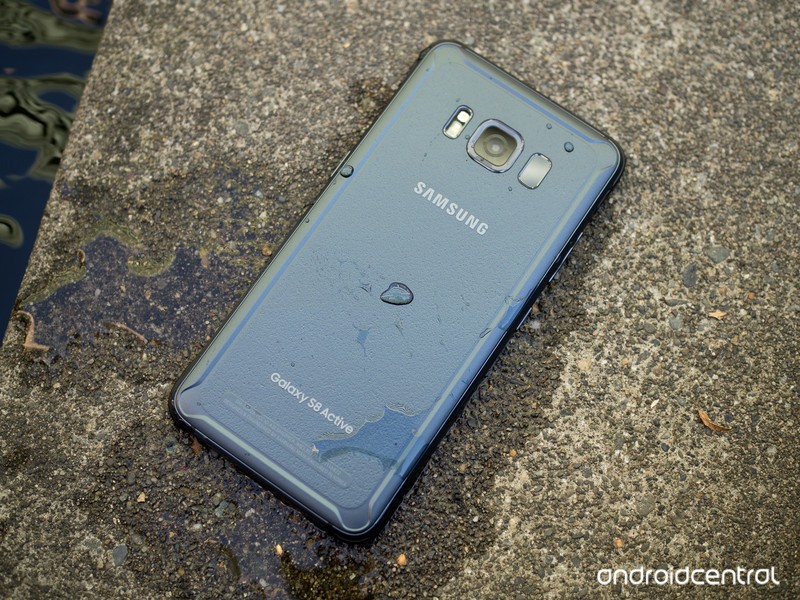
So when you buy a phone like the Galaxy S8 that has a rating of IP68 you can put it in a vacuum and dust can’t get in, or let it sit in more than one meter of water forever, right? Nope.
Phones sent to a testing lab passed. Yours might not.
The dust protection rating leaves zero wiggle room. The S8 is dustproof under any conditions a human being can be in. The liquid ingress protection of 8 is “specified by the manufacturer”, and Samsung says submersion up to 5.0 feet for up to 30 minutes.

Cool, let’s go play with it in the bathtub and take videos of a rubber duckie versus GI Joe Wet Suit Frogman battle royale. This will be epic.
Not so fast. Samsung also says your device is not impervious to water damage in any situation, which is a total buzzkill.
The Galaxy S8 phones used for testing and certification were able to withstand dust intrusion under any circumstances up to and including a vacuum, and immersion in water 5-feet deep for a half hour. Your phone might not. The certification facility can’t test every phone. The people who made it should be willing to talk about the warranty if you have an issue, though.
MIL-STD
This is a U.S. Military standard that specifies how something will fare against the environment during its lifetime. Android phones, watches and other electronics often carry the MIL-STD 810G certification, which means it was tested in a lab under conditions that simulate a gigantic list of environmental variables and still worked. Some of the things that are tested include temperature extremes, altitude, thermal shock, fungal ingress and being frozen solid. It’s an exhaustive list, and if your phone passed these tests you can expect it to survive anything, including a week with Bear Grylls, right?
Nope.
This certification can be completely meaningless. For starters, the testing procedures clearly state that a manufacturer only has to test in simulated environments, which doesn’t mean it will withstand the real thing. If that’s not enough of a red flag, the fact that whoever does the testing gets to decide how anything is simulated and that the thing being tested doesn’t even need to pass, only be tested should be. And feel free to see what happens to a phone with a battery when you freeze it and then thaw it out.
Dr. Conrad H. Blickenstorfer, Ph.D. explains it perfectly while discussing MIL-SPEC standards for laptops.
The MIL-STD-810G does not mandate standards or set minimum goals for the various tests; for the most part it simply describes how testing is to be conducted. This leaves considerable room for interpretation, and it is therefore important for manufacturers of rugged notebooks to provide detailed information on what tests were conducted, how exactly they were conducted, what the results were, and what those results actually mean. The claim that a product is “MIL-STD-810G tested” is not enough, and prospective customers should ask for more detail.
Saying something is MIL-STD 810G tested without providing a copy of the testing parameters and results means the same thing as “feels faster” or “excellent camera.” Never use this as a factor in your decision to buy an electronic device unless you’ve seen those results.

Seeing IP numbers and Military toughness ratings on a phone you buy is generally a good thing. Not all individual devices will pass all real-life testing, but someone, somewhere decided it should be a little tougher than normal.
Having an IP-spec phone is great protection against accidents like spilling water or using it in a woodshop, and a MIL-STD 810G phone will probably fare an icy snowbank or fungal garden better than one without. Just remember, taking your phone scuba diving or spelunking just might mean time spent with a different phone while you discuss your warranty options.
Samsung Galaxy S8 and S8+
- Galaxy S8 and S8+ review!
- Galaxy S8 and S8+ specs
- Everything you need to know about the Galaxy S8’s cameras
- Get to know Samsung Bixby
- Join our Galaxy S8 forums
Verizon
AT&T
T-Mobile
Sprint
Unlocked
Essential 360 Camera can now livestream to Facebook
Essential 360 Camera + Facebook Live 360 = ❤
One of the biggest draws for Andy Rubin’s Essential Phone is the two-pin connection system on the back that allows for modular accessories. Unfortunately, for the time being, the only one that’s available is the company’s 360 Camera. Essential’s snap-on 360 camera is actually pretty good, but one area where it’s been lacking since its release is proper app support.

Thankfully, with the latest update to the Essential 360 Camera, you can now livestream videos in 360-degrees to Facebook Live 360. This is a feature we’ve been eagerly anticipating, and accessing it is quite simple.
You can livestream to Facebook Live 360 right through the camera app.
Once the Essential 360 Camera is connected to your Essential Phone, go to the 360 Live page once its companion app opens up and then tap on the red “Live” icon. Add your Facebook account details, allow the Camera to have the necessary permissions, and then choose who you want to be able to see your livestream.
You can type in a description if you’d like, and from here, tapping the red “Live” icon again will then start the Facebook Live 360 stream. When you’re ready to stop, tap the square “Stop” button.
We’re still waiting for 360-degree livestream support for YouTube and Twitter, but until then, this is undoubtedly a welcome addition.
Essential Phone
- Essential Phone review
- Essential Phone specs
- The latest Essential Phone news
- Join our Essential Phone forums!
Amazon
Best Buy
Sprint
Telus
Grab a SanDisk Ultra 128GB microSD card for $30
I mean, with 128GB you won’t need any spare cards.
This SanDisk Ultra 128GB microSDXC card is down to $29.99 on Amazon. This card normally sells around $45. This is a price-match from Best Buy, part of an early Black Friday deal. This is the lowest price on this card in more than a year.

The nice thing about 128GB is you don’t really have to worry about having spare SD cards if you’re the sort of person who shoots a lot of high quality photos or does a lot of video recording. This thing works great to extend the storage life of your Nintendo Switch or a phone or security camera, too.
Features include:
- Class 10 for Full HD video recording and playback
- Memory Zone app lets you auto-manage media and memory for peak phone performance
- Comes with SD adapter for use in cameras.
- Designed for Android smartphones, tablets and other microSDXC compatible devices. Fast transfer speeds of up to 80MB/s
The card has a ten year warranty. Users give it 4.5 stars based on 28,000 reviews.
See at Amazon
Lots of Pixel 2 buyers are having trouble with the Google Store’s trade-in program
Since its launch in October, the Google Store’s trade-in program has been causing a lot of problems.
Leading up to the Pixel 2’s announcement, Google launched a new trade-in program on its Google Store online storefront. Similar to other retailers and carriers, customers can choose to send in their current device to Google after receiving their new phone, and in doing so, get a certain amount of money back – helping to offset the cost of their new phone.

The Google Store allows you to send in a decent variety of phones, with last year’s Pixel and Pixel XL offering the highest dollar amounts (up to $410 back for a 128GB Pixel XL). When buying a new Pixel 2, all you need to do is confirm you’d like to trade in your current phone, choose what brand and model it is, complete your purchase, and then send your phone to Google with the shipping kit that’s sent to you.
The whole process is quite simple, but the experience that users have been reporting with it has been anything but.
What’s happening
Since the launch of this trade-in program, customers have been voicing their complaints about a myriad of issues they’ve been having after actually sending their phone off to Google. Some users have reported that Google claimed their Pixels were “unknown devices”, trade-in values have decreased by $100 for no clear reason, and plenty of complaints of Google saying devices weren’t in the condition originally stated are plentiful.
On top of all these pre-existing issues, it’s also being reported that Google is lowering trade-in values for phones because they weren’t factory reset despite users saying that they were.
In one of the most troubling cases, Redditor Nirecue sent in a mint Pixel XL with 128GB of storage that they’d only had since September 6 with a case and screen protector on since owning it. The estimated trade-in value was $410, but they only received $162 because Google claims the device wasn’t factory reset and the condition wasn’t as it was reported.
Even if the device wasn’t factory reset and wasn’t in pristine condition, lowering the value by nearly $250 is insane.
Rough patches and bumps in the road are to be expected when launching a new service like this, but seeing as how there have been steady complaints for more than a month since Google launched this program, it’s clear that some precautions should be taken should you take part in it.
What you can do to protect yourself
It’s no secret that Google’s got a lot of kinks to work out for its trade-in program, but we don’t blame you if you still want to give the program a shot – espeically if you own a 2016 Pixel and are looking to upgrade to this year’s model.
If you do decide to go through with the trade-in, it’s a good idea to record the entire process. Record yourself factory resetting the phone, showing off the condition that it’s in, putting it in the packaging, everything. Customer service agents certainly aren’t out to get you, but having ample proof to back up your claims will save for a lot of potential headaches if you happen to run into an issue like so many people are.
This is a good practice to follow when trading in a phone with any company, but we recommend it even more when doing so with the Google Store based on how many complaints have popped up in such a short amount of time. We’d expect Google to get a lot of these issues resolved in the near future, but for now, make sure you cover your bases as much as possible.
Google Pixel 2 and Pixel 2 XL
- Pixel 2 FAQ: Everything you need to know!
- Google Pixel 2 and 2 XL review: The new standard
- Google Pixel 2 specs
- Google Pixel 2 vs. Pixel 2 XL: What’s the difference?
- Join our Pixel 2 forums
Google Store
Project Fi
Verizon
Best Buy
Sean Parker says Facebook ‘exploits’ human psychology
Napster cofounder Sean Parker appears to have some regrets about the role he played in bringing social media to the world. Before speaking at an Axios event yesterday, he told reporters that he was now “something of a conscientious objector” on social media, according to Axios, and he shared a few thoughts on how he and others designed sites like Facebook to suck people in.
“When Facebook was getting going, I had these people who would come up to me and they would say, ‘I’m not on social media.’ And I would say, ‘OK. You know, you will be.’ And then they would say, ‘No, no, no. I value my real-life interactions. I value the moment. I value presence. I value intimacy.’ And I would say, … ‘We’ll get you eventually,” Parker said. And he added that the initial goals for companies like Facebook, which Parker served as the first president of, were to make sure users spent as much time on their sites as possible. Interactions such as likes and comments served to bring people deeper into the site, about which Parker said, “It’s a social-validation feedback loop … exactly the kind of thing that a hacker like myself would come up with, because you’re exploiting a vulnerability in human psychology.”
He said that he, Mark Zuckerberg and others understood this, “And we did it anyway.” Now he wonders if the widespread use of social network sites like Facebook has altered our productivity just as it has our social interactions. “God only knows what it’s doing to our children’s brains,” he said.
Parker, who was also an early investor in Spotify and served on its board from 2009 until June of this year, founded a cancer research institute last year. You can watch a clip of Parker talking about social media at the Axios event here.
Via: Gizmodo
Source: Axios
Windows Mixed Reality adds SteamVR games on November 15th
Microsoft’s stab at building a virtual reality ecosystem will enter an informal beta test starting November 15th. Next week the Windows 10 Mixed Reality SteamVR preview program will go live. If you have Windows 10 running on your machine, along with one of the Redmond-approved VR headsets you’ll be able to try it out for yourself according to Rolling Stone.
This will act as a sort of crossover piece of software that gives Windows Mixed Reality users access to some 60 VR apps from the Windows Store and the countless VR games available on Steam. There’s no timetable for when the full version will roll out to Windows just yet.
Via: The Verge
Source: Rolling Stone
Stream every ‘Harry Potter’ film on HBO starting January 1st
HBO subscribers, we’ve got your New Year’s Day plans sorted. The premium network announced today that all eight films in the Harry Potter franchise will be available starting on January 1st, 2018. Fantastic Beasts and Where to Find Them, the latest installment in the franchise starring Eddie Redmayne, is already available on the service.
As the press release notes, this is the first time that viewers will be able to see all nine of the unedited films on the same streaming service. If you don’t already own these movies and have been itching to rewatch them, this may be reason enough to sign up for a month of HBO Now and binge to your heart’s content.
Via: Twitter
 AIVAnet