


With the iKettle, you’ll never need to wait for the kettle to boil
Why it matters to you
You can control the iKettle using nothing but your phone so you can always have your hot beverage waiting for you.
A watched pot may never boil, but you’ll never need to watch the iKettle to ensure that it’s doing its job. Rather, this smart kettle promises to always serve you water at the correct temperature, whenever you want it. Now in its third generation, this Internet of Things (IoT) device from Smarter can connect to a number of different platforms, including Amazon Alexa, If This Then That, Nest, and most recently, Google Assistant.
Other kettles require you to either turn them on (if you’re lucky enough to have an electric version) or actually place them on the stove. And if that isn’t inconvenient enough (it probably isn’t), the real annoyance comes in the form of the waiting game. In fact, Smarter claims that the average tea or other hot-water-dependent beverage drinker wastes up to 33 hours a year just waiting for water to boil. But no longer.
The iKettle features a companion iOS and Android app, which you can use to control your kettle from just about anywhere. And thanks to Blink-Up technology, Smarter claims that your connection to this appliance is more secure than ever, so you don’t have to worry about hackers taking control of your teapot.
You can also have your iKettle heat water to any temperature between 20 and 100 degrees Celsius, which makes it ideal for persnickety gourmands who know that certain tea leaves or types of coffee simply can’t withstand the heat. And thanks to the water level sensor on the iKettle, you’ll always know how much water is in your kettle so you can quickly determine how many cups you can make — even from your phone.
You can set your iKettle to begin the heating process at any time of the day with Wake Up mode so that you have your hot water waiting for you by the time you arrive in the kitchen, and similarly, you can tell the iKettle when you normally arrive home so you can immediately sink into your couch with a warm cup of tea. The iKettle will notify you once your water has reached its desired temperature, and can maintain this set temperature for up to 40 minutes.
After waiting eagerly for the last few months, hot water enthusiasts in the U.S. will be pleased to learn that the iKettle is now available for purchase in the states. You can pick one up from Best Buy (either in stores or online) for $150.
Update: The iKettle is now available for purchase in the U.S. from Best Buy for $150
Editor’s Recommendations
- Keep cool and carry on with the Hisense Hi-Smart Portable AC
- Keep water crystal clear and cold with the Franke StillPure filtration system
- Which Apple Watch should grace your wrist? Apple Watch Series 1 vs. the Apple Watch Series 2
- These 30 essential Apple Watch tips and tricks will help you master it
- Verizon Wear24 review
Google shipped a Pixel 2 that failed its quality control inspection
C’mon, Google…
Between screen burn-in and mysterious hissing/clicking sounds, Google can’t seem to catch a break with its Pixel 2 and Pixel 2 XL. The two phones that were supposed to be the best Android handsets of the year have quickly found themselves amidst a heap of controversy and debate, and unfortunately for Google, the hits keep on coming.
On the “Pixel 2 Display Megathread” on r/GooglePixel, 9to5Google noted that one user reported their Pixel 2 128 GB model had shipped to them with a note in the box saying that it had failed its quality control inspection.

Dpezet (the Redditor that received the defective Pixel 2) uploaded a picture of his phone, and sure enough, there’s a note from QC saying that it shouldn’t ship due to cosmetic damage. Dpezet did note that he couldn’t see any scratches or imperfections, but even so, the phone still failed an inspection and should never have shipped.
This isn’t a travesty, but it sure doesn’t make Google look good.
Google has since reached out and will be replacing the Pixel 2 for a new model along with a $10 Google Play credit, and while it is nice of them to throw something in along with the free return, it still seems like a pretty weak apology for shipping a phone that shouldn’t have ever arrived on a customer’s doorstep.
So, who’s to blame here?
HTC is technically manufacturing the smaller Pixel 2, but Google makes it very clear through its marketing and advertising that these are phones “made by Google.” Some are on the side that HTC is to blame, whereas others believe that Google should be held accountable.
One reported fluke like this on its own isn’t that big of a deal, but when stacked up next to the other many complaints that the Pixel 2 and 2 XL are facing, it sure doesn’t help Google’s image right now.
Google Pixel 2 and Pixel 2 XL
- Pixel 2 FAQ: Everything you need to know!
- Google Pixel 2 and 2 XL review: The new standard
- Google Pixel 2 specs
- Google Pixel 2 vs. Pixel 2 XL: What’s the difference?
- Join our Pixel 2 forums
Google Store
Project Fi
Verizon
Best Buy
Badland is still one of the best games for Android
Explore the dark and mysterious worlds in Badland.

Every once in a while, we return to games we loved in years past. From puzzlers to arcade games to minimalist gems, Android’s vaults have something for everyone, and you can read about them here in our occasional series called Classic Game Reviews.
Play Badland for FreeGAMESTASH
It’s amazing that a game released four years ago can still feel so fresh and innovative, but such is the case for Badland. Beautifully designed with casual, side-scrolling puzzle gameplay, Badland garnered wide praise for its intuitive gameplay and artistic design upon its release. In spite of all the games and updated hardware that has come out since, Badland still stands out in 2017 as an absolute must-play on Android.
You play as these cute forest dwellers which you control by tapping to flap their wings as the screen scrolls along through the dark and mysterious forest. Start a solo campaign and you’re thrown right into the game to start to explore the odd forest filled with dangerous traps, power-ups, and pods that clone new critters to join you. As you collect new forest dwellers, you control them all at one time as a swarm, and if one touches a power up the entire swarm feels the effect.
Sometimes your critter friends have to die, so don’t get too attached.
As you play you quickly discover that you can interact with much of the silhouetted objects in the foreground, with the game offering subtle cues as to where you’re supposed to fling your critters. Once you’ve been run through the basics in the early levels, this is where the puzzles really start to take shape.
You learn that you’ll pass each level as long as at least one of your forest dwellers makes it to the end of the level… which means that despite how adorable you may think each one of those little critters is, you shouldn’t get attached. Your goal is to guide as many of the clones safely through the level to the warp pipe at the end, but you’ll occasionally find puzzles that require some clones to sacrifice themselves so the rest of the group can progress.
There are over 80 levels in the single-player mode, with missions available for each, and if that’s all that Badland offered it would already be amazing. But on top of the addictive single-player mode, Badland also boasts impressive multiplayer modes for up to 4 players on the same device. You have the option of playing through the single-player campaign with a friend in Co-Op mode, or you can challenge your friends to see who can survive the longest. While this might get a bit crowded playing around a phone, it plays fantastically on a tablet with each player given a quarter of the screen space to tap for their character.


Download: Badland (Free, IAP to unlock full game)
On top of all that, Badland still delivers more content with a full level editor available for you to design your own devious levels for single player, co-op, and versus modes. Of course, you’re also free to check out levels designed by other players, of which there are hundreds to choose from. It all adds up to a really complete game with so much replayability that it still shines brightly as a game worth playing in 2017.
Play Badland unlocked with no IAP (14-day trial)
Save 30% on your first year of IPVanish’s awesome VPN service
If you connect to the internet, you should be using a VPN.
People who care about their privacy (which should be everyone) have begun connecting to a VPN everytime they use the internet, but picking the right VPN provider can be a hard task. There are a ton of services out there, and they range in price from free to $100 or more a year. If you haven’t already settled into a VPN, today may be the day that you do that.
Are you using a VPN? Here’s why you might consider it!
New customers to IPVanish’s service can score a 30% discount on its one-year plan with the coupon code MASKDATA. This discount drops the price down to just $54.59 for the first year, meaning you are only paying around $4.55 a month to keep your browsing more secure.

From our review of the service:
Not only is IPVanish’s Quick Connect menu suitable for novice users, there’s also a host of settings in the background that advanced users will love. There are over 850 servers in more than 60 countries, and you’ll be using one of 40,000 shared IP addresses. Tack on a lack of log keeping and secure connection protocols, and you have a very strong option.
This deal is good through November 1, so you won’t want to wait too long to make the purchase. Be sure to check it out today, and add that extra layer of security while connecting to the internet.
See at IPVanish
HTC teases official render of U11 Plus
The phone will include a rear-mounted fingerprint scanner, glass back, and a single camera.
The year is quickly coming to a close, and although most major flagships have been announced at this point, there are still a couple that we’re eagerly awaiting – one of which is the HTC U11 Plus. The regular U11 that came out earlier this year proved itself to be a surprisingly great phone, and the Plus model is expected to keep what we liked about the original while adding a few nice touches.
HTC already announced on Twitter that it’ll be holding a press event on November 2 to announce a new device in its U lineup (presumably the U11 Plus), and the company has just sent out another teaser that gives us our first official look at the phone.

The image that HTC released doesn’t reveal a lot, but it does confirm the CAD renders of the U11 Plus that previously surfaced. HTC’s teaser confirms that the U11 Plus will retain the same glass back as the U11, will move the fingerprint scanner to the back, and will ship with a single rear camera.
Although not yet confirmed, other things we’re expecting from the U11 Plus are considerably smaller bezels, display with an 18:9 form factor and QuadHD+ resolution, 6GB of RAM, 4,000 mAh battery, and likely no headphone jack.
Pricing and availability won’t be unveiled until November 2, so be sure to stay tuned to see how HTC decides to send off 2017.
HTC U11
- HTC U11 review
- HTC U11 specs
- Manufacturing the U11: Behind the scenes
- Join our U11 forums
- HTC U11 vs Galaxy S8
- HTC U11 vs LG G6
Amazon
Sprint
HTC
Pixel 2 has OIS and Google’s magic EIS, and that’s a huge deal

Everyone enjoys taking great photos, and the Pixel 2 makes that even easier.
A lot has been said about the Pixel 2 and Pixel 2 XL’s cameras. You’ll be hearing a lot more, too, because it really does live up to the hype. While we’re talking up apertures and HDR+, we also can’t forget to mention image stabilization and the fact that Google was able to add OIS (optical image stabilization) to last year’s world-class EIS (electronic image stabilization).
A quick take on what those are is in order. Don’t worry, it’s not hard to understand and there won’t be a quiz or anything at the end. OIS uses actual movement and EIS uses calculations.
Stabilization simplified
On a camera with OIS, there is a gimbal (arms that hold a thing and let it move in any direction very easily) of sorts that holds the lens. As the camera moves, even slightly, the gimbal allows the lens to move to compensate. It moves in the other direction — if your phone moves down, the lens moves up — and the end result is a lens that holds mostly still, even if the thing the lens is attached to moves around.
OIS and EIS are both great ways to take great pictures, but putting them together is even better.
This does a much better job of keeping the image in focus and cuts back on blur created by the lens moving. It’s not perfect. It can’t compensate for a lot of movement, and it can create black shadows at the edges of the finished photo. But generally, OIS is a very good thing to have on a camera of any kind.
EIS is different. There are no moving parts and the camera is adjusted electronically based on data from the gyroscope and other sensors. When these sensors show that the phone moved, no lens moves to compensate. Instead, the electronics that control things like focus and shutter change their settings to compensate for movement. Of course, this is far from perfect, too. Depending on anything automatic to make the right choices every time isn’t ideal, and the more the camera moves the lower the chance EIS will get things right.

On Google’s Pixel phones, there’s also a bit of “smarts” involved and the processing engine knows what a scene looked like before the phone moved. We first saw this with 2016’s Pixel phones and the results speak for themselves. We’re not exactly sure how or what Google did, and Google’s not telling because it’s a trade secret and all that, but EIS on the Pixel is far better than EIS on any other camera. Shooting video, which is more dependent on EIS because the “shutter” is open longer and you’re usually moving the camera distances too large for OIS to compensate for, was even more amazing on the Pixel with its special EIS sauce.
Putting everything together
Because of the extra smarts built in, the Pixel’s electronic stabilization was unable to work with a moving lens. The data about what the lens was seeing and all the sensor data coming in would be thrown completely out of whack once you introduce a part that moves independently from the image sensor and the gyroscope, and what the camera sees would be thrown so far off it just doesn’t work. But combined with camera hardware that let a lot of light in and pixels on the sensor that could capture more of it, and Google’s fancy HDR+ algorithms that adjust more than the color, photos on the Pixel or Pixel XL were great almost every time.

The issue is the times they weren’t great. While the Pixel’s EIS is amazing, even when you’re moving the camera all sorts of ways you shouldn’t be when taking a photo, one place where even Google’s magic didn’t help was a shaky hand.
EIS just can’t keep up with rapid movements, like a shaky hand.
All of us have had a shaky hand when trying to take a photo once in a while. It’s a thing that happens, and the more you try to stop it the more things shake. And for some people, shaky hands, especially when trying to hold something small like a phone, are one of life’s struggles. The only way to get a photo that isn’t a blurry mess when your hands shake is to use OIS. Forget about trying to compensate rapid movement through settings, you simply need to have a lens that can physically move to try and stay centered.
Sometimes we forget that not everyone is able to something simple like holding a phone without shaking. Thankfully, Google has found a way to include OIS along with their fabulous EIS and HDR+ on a phone with even better camera hardware. We can enjoy the best of both worlds!
Google Pixel 2 and Pixel 2 XL
- Pixel 2 FAQ: Everything you need to know!
- Google Pixel 2 and 2 XL review: The new standard
- Google Pixel 2 specs
- Google Pixel 2 vs. Pixel 2 XL: What’s the difference?
- Join our Pixel 2 forums
Google Store
Project Fi
Verizon
Best Buy
AdBlock Plus retools its service to pay sites you visit most
Last year, we covered Flattr, AdBlock Plus’ endeavor to help you pay the sites you visit most often. Now, the company is relaunching the tool and billing it as what the team had imagined when they first conceived of the project. Flattr 2.0 is a browser extension that works with an algorithm and a subscription to automatically figure out how much to pay the websites you love. Previously, the service was in a private beta, but now it’s available to the public.
The previous incarnation of Flattr, the equivalent of an Internet tip jar, worked only when users hit a “Flattr” button. Now, it’s all automated. The browser extension works with Flattr’s algorithm (which is privacy focused) to figure out how often you visit websites. Users previously allocate a set budget that was divided between the websites they “Flattred.” Now, users can use their credit cards for automatic monthly payments. Additionally, Flattr is switching from Euro denominations to US dollars.
For content creators, things have also changed. Creators will be levied a processing fee of 7.5 percent for all payments, along with an initial payment processing fee of 9 percent. To start, websites and creators must sign up with Flattr and link up sites and social media. Flattr also (unsurprisingly) encourages creators to spread the word about Flattr, so more of their readers will use it. If a creator has not signed up for Flattr, the service will hold their payments in reserve for them until they do.
The entire idea of a service to pay creators from the same company that is responsible for ad blocking software is certainly interesting. The idea is sound; after all, internet content should be able to be monetized, and if people choose to block ads (a traditional source of revenue), then there should be some sort of alternative option. But it’s hard to say whether the company behind AdBlock Plus will actually entice creators to sign up for the platform after the mistrust it has fostered over the years. As it currently has WordPress, Twitter, YouTube, Flickr and more on board, it’s worth keeping an eye on Flattr to see what happens in the future.
Source: Flattr (1), Flattr (2)
Hulu CEO departs to run Sony Pictures Television
Hulu now has a new CEO. Mark Hopkins, who has been Hulu’s CEO for the past four years, is stepping down. In his place is president and COO of Fox Networks Group, Randy Freer. Hopkins is leaving the company to be the new Chairman for Sony Pictures Television, overseeing TV production, distribution and marketing among other duties.
The move comes at an interesting time for Hulu. Hopkins has been instrumental in bringing original programming to the service, which include shows such as The Mindy Project and The Path. Hulu recently won 10 Emmys for its original shows with The Handmaid’s Tale picking up eight statuettes, one of which was for Outstanding Drama Series.
Just a few months ago, Hulu also branched out into over-the-top services by offering Hulu Live, thus going up against the likes of Sling TV and PS Vue. Though Hulu has a subscriber base of more than 15 million people, only 300,000 or so have signed up for Live TV according to The Information.
“We want to thank Mike for his leadership in steering Hulu to its current era of growth and success,” said the Hulu board in a statement. “Randy has a unique knowledge of Hulu and expertise building consensus among its owners, and an excellent track record leading a complex organization at the nexus of the television business.”
Via: Deadline
Apple’s ‘App of the Day’ Feature Boosts Downloads Up to 2,172%
With the launch of iOS 11, Apple introduced an entirely revamped App Store that includes a “Today” feature for prominently featuring app content.
“Today” includes both an “App of the Day” and a “Game of the Day” feature, with apps that are swapped out daily, and as it turns out, getting featured as an app or game of the day can result in a huge boost in downloads for developers.
According to 30 days of data sourced by Apptopia (via TechCrunch), apps and games that are featured see a major surge in downloads. An app featured on a weekday could see a download boost of up to 2,172 percent.
While games are often some of the most downloaded apps in the App Store, it’s apps that see a bigger increase in downloads from being featured. Games, for example, see a maximum gain of 963 percent, and that’s for a free game.
On average, in total, games see a 792 percent boost from an App Store feature, while apps see a 1,747 percent boost.
Free apps and games are of course more popular than paid apps and games, receiving much higher interest overall when featured. Weekday featuring also resulted in higher download gains than weekend featuring.
To gather its data, Apptopia looked at apps and games that have been featured by Apple over the course of the last 30 days. 5 out of 30 apps of the day were paid apps and 11 of 30 games were paid games.
Apps that are not as well established and well-known did better than apps that are already widely downloaded. As an example, Starbucks was featured and was downloaded only a “handful” of times more than the day before it was featured, as most people who would use the app likely already have it.
Apps that were already ranking within the top 20 of their respective category before being featured, only received an average download boost of 44%. For games ranking within the top 20 of the Games category, it was 37%.
Apple’s App Store feature boosted a total of 19 apps from being unranked overall to being ranked on the overall charts, which, in some instances, means an app jumped more than 1,000 rank spots.

The new App Store in iOS 11 is a radical departure from the way the App Store was set up in iOS 10, as it splits apps and games into two distinct App Store categories to bolster app discovery. In addition to featuring an App of the Day and a Game of the Day, Apple also highlights apps through interviews, behind-the-scenes looks, app lists, and more, which also likely bring significant attention to developers lucky enough to be chosen for a feature.
Tags: App Store, Apptopia
Discuss this article in our forums
Which 4K OLED sets are worth buying?
There’s a ton of 4K content available now thanks to services like Netflix, YouTube and iTunes, with the latter two not even charging a premium for the higher resolution. Many high-end phones record in UHD as well. Combine all that with falling TV prices, and it’s a great time to buy a 4K television. However, if you really do care about getting the best picture, you’re going to want an OLED display. They’re still more expensive than LCD sets, but in exchange you get deeper blacks and more vibrant colors. But with so many new televisions boasting fantastic image quality, which is the best for your particular needs? We’ve scoured the web, reading reviews from trusted critics to determine which OLED TVs you should be considering right now.
LG W7
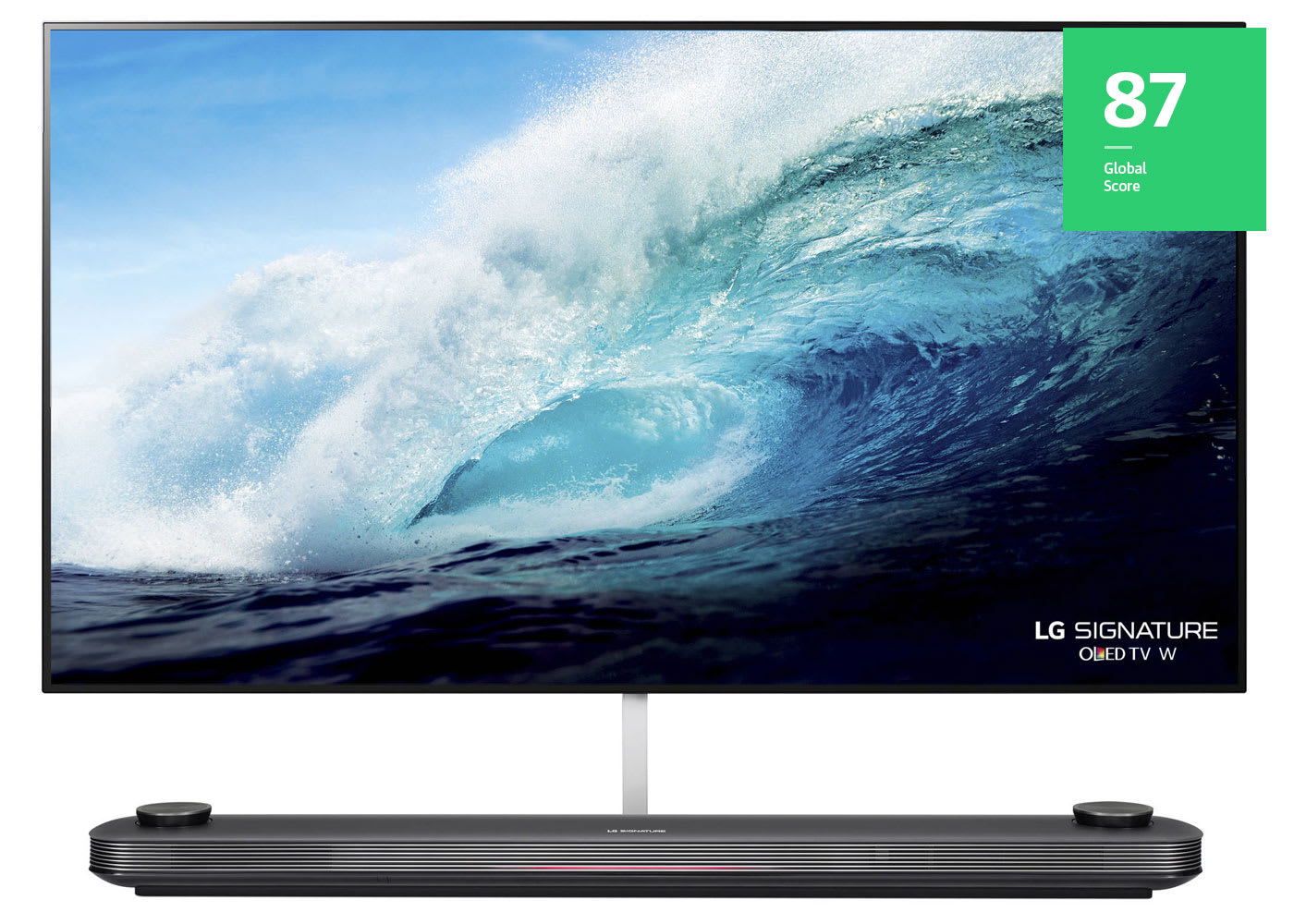
The W7 is only 2.57 millimeters deep, with one hell of a party trick: You can actually bend this thin set, which is sure to freak out your friends on movie nights. But that ridiculous slimness belies the W7’s outstanding picture quality, which Digital Trends likes for its “perfect blacks, excellent brightness and contrast, near-perfect color, and top-notch picture processing.” Basically, everything you could ever want. The W7 is no slouch in the sound department either, outsourcing it to a separate bar that offers “crisp, clear audio” that Stuff says “most TVs and a number of soundbars just can’t match.” Couple all that with LG’s excellent webOS user interface and you’ve got a TV that impresses across the board, living up to the two Best of CES Awards that Engadget gave it back in January. Unfortunately, its price is also four times that of other LG sets. Many of those even use the same panel, making them better deals if you don’t need a statement piece for your living room.
Buy: $7,585
LG E7
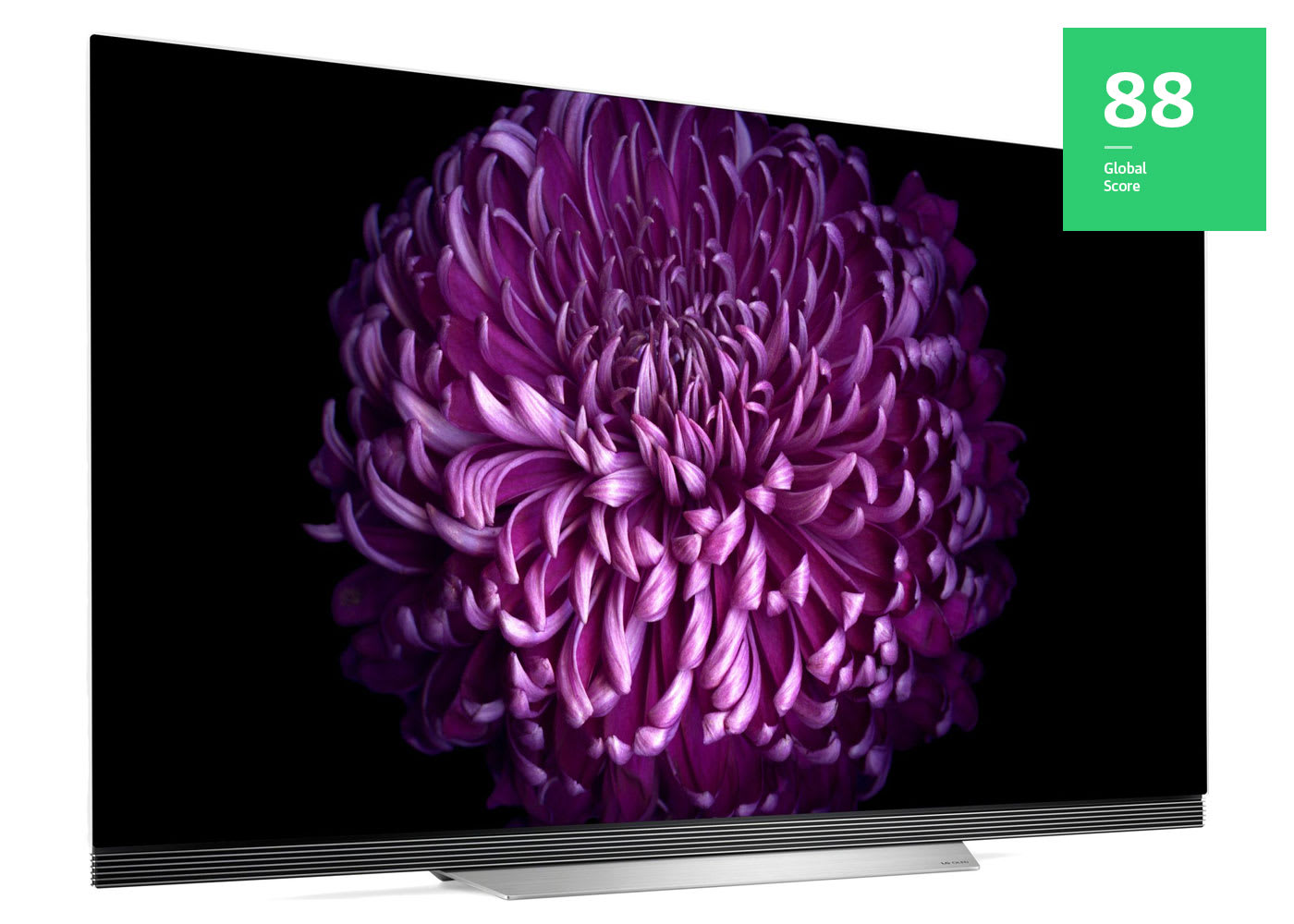
The E7 may not have the “wow” factor of the astonishingly thin W7, but it’s still in the running for most attractive set of 2017, thanks to its “picture on glass” design that puts the OLED display directly on its front surface. Pocket-Lint calls it “ridiculously gorgeous” with strong image quality to match. What Hi-Fi took note of is its improved brightness over last year’s models as well as a “neutral and natural approach” to colors that delivers punchy tones when needed but also handles subtle shades well. The sound is also respectable, though it doesn’t quite live up to its Dolby Atmos badge; audiophiles should invest in a home theater system instead. However, most people will probably be satisfied — Tom’s Guide says the audio is “surprisingly robust” enough that a standalone soundbar is probably unnecessary.
Buy: $2,700 and up
Panasonic EZ1002
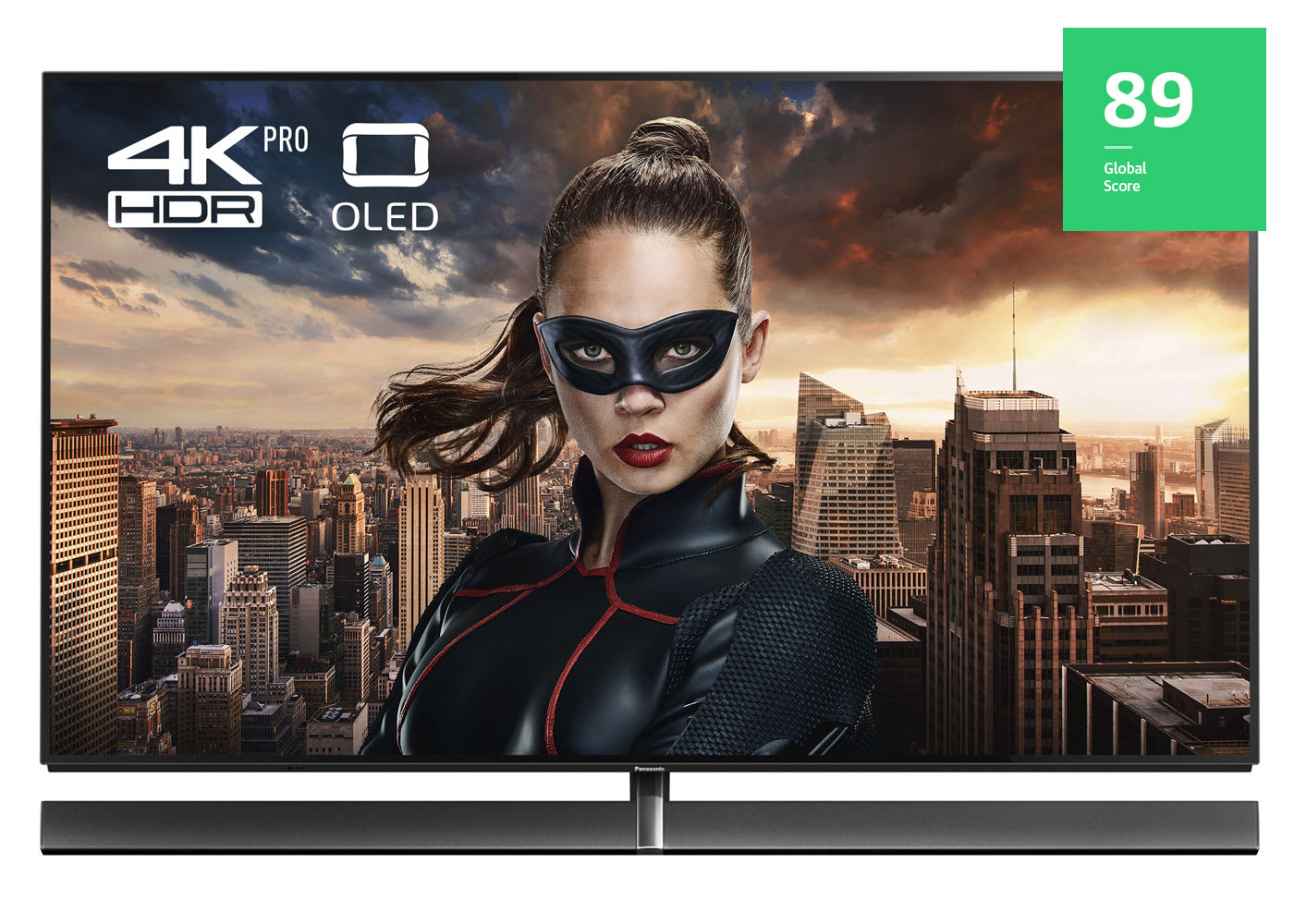
Plenty of OLED TVs boast about bright colors and deep blacks, but the Europe-exclusive EZ1002 is the only one that can make the claim to “reference grade,” meaning it’s the kind of TV that film professionals use to calibrate colors. Forbes says it certainly lives up to that promise, thanks to its combination of “stunning tonal finesse” and a “startlingly wide but always natural range of tones.” It’s the “most accurate out-of-the-box greyscale and gamma performance” ever measured by AVForums, and Pocket-Lint goes so far to say it’s the “finest picture quality the TV world has ever seen.” If you’re a hardcore cinephile who would like to watch films as the director intended, this is the ideal set to hook up to your UHD Blu-ray player.
Buy: £5,499
Sony XBR-A1E
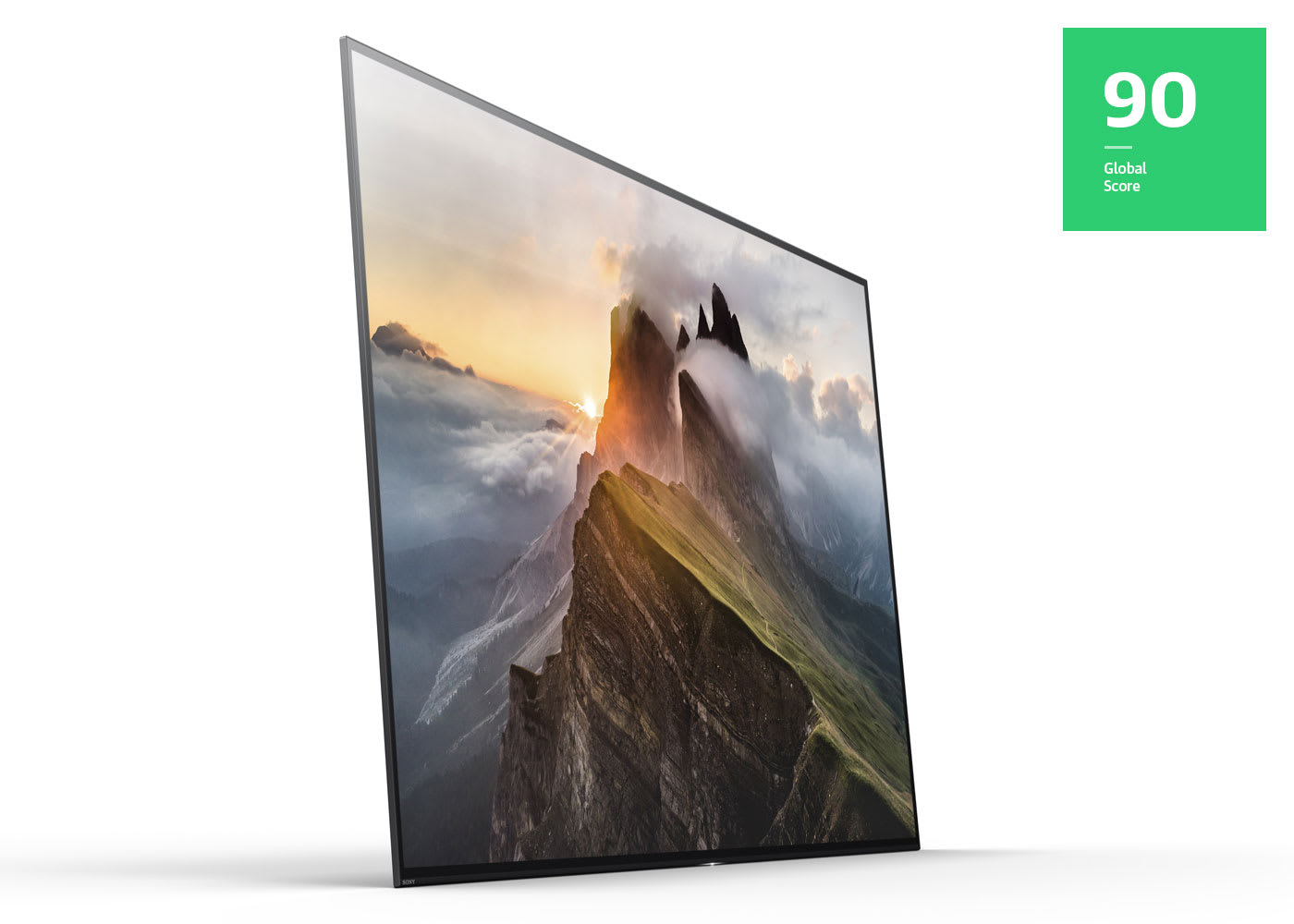
Sony’s Bravia televisions have always been one of its more outstanding product lines, and with its first foray into 4K OLED, the company comes out swinging. The A1E boasts one of the more unusual designs on the market, putting a kickstand on the back so all you focus on is pure picture. With no stand to tuck a soundbar into, the set uses the screen to deliver audio. The overall effect of this “acoustic surface” is that Tom’s Guide felt as if dialogue was coming right out of the mouths of the actors. Pocket-Lint says the soundstage was expansive enough to “fill a big room,” though Forbes noticed it occasionally trips up on the bass at louder volumes. One thing that doesn’t falter is the image quality, with TechRadar admiring its “exquisitely detailed, contrast-rich and colourful pictures” and Pocket-Lint finding it “nothing short of beautiful.” The only mark against the A1E is that the user interface relies on Android TV, which isn’t as elegant as LG’s solution. However, anyone already invested in Google’s ecosystem will feel right at home.
Buy: $2,798 and up
LG B7 / C7


LG dominates the OLED market right now, and with sets like the C7 it’s easy to see why. Its thin bezels and simple stand has CNET calling it “a beautiful study in minimalism.” If you don’t like the stand you can always opt for the slightly cheaper B7, which offers the same display panel and user interface but with a base shaped like an arc. Both stands offer what Stuff calls “spacious sound with pretty decent dynamics,” but you’re still better off buying a dedicated soundbar or home theater system. The image quality is certainly no slouch, and Wirecutter actually calls it “close to perfect.” Stuff was impressed with how the set handled dark scenes, calling them “dynamic and dramatic,” while TechRadar loved the “gorgeous consistency” of its colors. It might not be reference quality, but the C7’s (and B7’s) images are real stunners, offered at a far more wallet-friendly price than the sets from Sony and Panasonic. Add in webOS for an appealing and intuitive user experience, and you’ve got a set that will please everyone in your household.
Buy:
B7 – $1,797 and up / C7 – $1,997 and up
 AIVAnet