


All Xbox 360 ‘Halo’ titles are now playable on the Xbox One
Microsoft had a fun announcement this week. All Xbox 360-era Halo games, Halo 3, Halo 3: ODST, Halo 4 and Halo: Combat Evolved Anniversary, are now backwards compatible for the Xbox One and Xbox One S. (Halo: Reach was already backwards compatible with the system). They aren’t yet playable yet on the Xbox One X, but it’s coming soon.
Earlier this summer, Microsoft made all Xbox 360-era Halo DLC free on the Xbox Store, so the release of these backwards-compatible games isn’t a big surprise. If you own these games digitally, you can download all of them from the Xbox Store, except for Halo: Combat Evolved Anniversary, which requires a disc (it will be available digitally soon). You can also play multiplayer with both Xbox 360 and Xbox One owners using your Live subscription; the Halo 3: Mythic disc can be used to play Halo 3 multiplayer as well.
Microsoft also teased the character Pavium from the Awakening the Nightmare expansion for Halo Wars 2. Pavium is a Banished Leader, along with his brother, Voridus. He’s a combat engineer, but hasn’t advanced through the ranks as quickly as he could have because of loyalty to his brother and clan. He’s armed with a Heavy Mortar System in combat, which means he can bombard his enemies. You can find out more about him at Halo Waypoint.

Source: Halo Waypoint
US-Europe privacy agreement passes its yearly review
If you haven’t ever heard of Privacy Shield, it’s an agreement between the US and the EU. It allows companies that store personal data of people who reside in the EU (such as Facebook) on servers in the US, all while adhering to European standards for privacy protection. It replaced Safe Harbor last year, and the EU has been keeping an eye on it since mid-2016. Now, the first review of Privacy Shield has taken place. Despite behind-the-scenes dissatisfaction, both EU and US officials have stated their support for the framework in a joint statement. They also hope to further improve the agreement based on what the review found.
Criticisms for Privacy Shield have been broad. Safe Harbor was struck down back in 2015 by the European Court of Justice after Edward Snowden’s leak of classified NSA data. Companies like Twitter had to either store data locally or prove that they were adhering to EU privacy standards on US servers in regard to data protection. Critics have maintained that Privacy Shield has many of the same problems as Safe Harbor. And reportedly, EU officials were unhappy with the draft agreement.
That’s why the positivity of the official statement is surprising. According to The Register, the US has been stalling on provisions that would prohibit secretly sharing this user data with intelligence agencies. Additionally, its safeguard mechanisms are weak.
Privacy Shield does allow those whose data originates in the EU (not just its citizens) to complain if they feel their information isn’t being adequately protected. And now that the one-year review is over, you can bet that privacy groups will be keeping a close eye on what happens with the agreement. Despite the statement’s emphasis on the program’s success, it’s clear there’s still a long way to go.
Source: The Register, European Commission
How Kevin Durant’s attempt to clap back at trolls backfired
What does an NBA champion and Finals MVP have in common with Taylor Swift? In the case of the Golden State Warriors’ Kevin Durant, it’s that internet trolls love calling them snakes. Swift earned that label last year after a feud with Kim Kardashian and husband Kanye West; for Durant, that scorn came after he decided to leave the Oklahoma City Thunder to join its main Western Conference rival, the Warriors. Since that day, July 4th, 2016, his mentions have been overtaken by angry basketball fans calling him a cupcake, coward, sellout, traitor and, yes, a snake. That’s right, a cupcake and a snake.
Durant has claimed that these negative interactions on Twitter and Instagram don’t bother him, but the evidence suggests otherwise. Earlier this week, a user sent him a tweet saying, “man I respect the hell outta you but give me one legitimate reason for leaving okc other than getting a championship.” Through his @KDTrey5 account,, Durant replied, “he didn’t like the organization or playing for Billy Donovan. His roster wasn’t that good it was just him and russ [Russell Westbrook].” In a separate tweet, he continued, “imagine taking russ off that team, see how bad they were. Kd can’t win a championship with those cats.”
KD has secret accounts that he uses to defend himself and forgot to switch to them when he was replying to this guy I’m actually speechless pic.twitter.com/9245gnpa3c
— 🐗 1-1 / ✭ 1-1 (@harrisonmc15) September 18, 2017
Given Durant’s history of not shrinking from confrontations with bitter OKC fans, who can’t get over the fact he became a free agent to go to the Warriors, his response wasn’t particularly newsworthy. What was surprising was how we defended himself in the third person. And although he hasn’t confirmed the existence of a burner Twitter account, all signs point toward that being the case. After all, this is a guy who once responded “your mother” when someone asked if he was softer than the football program at the University of Texas. Why, then, would he refer to himself as KD? Twitter users started wondering the same and it wasn’t long before Durant’s third-person tweets went viral.
Was he hacked? Have we reached peak Kevin Durant? Did someone from his entourage take it upon themselves to stand up for him? Or, did he simply have another account that he used to defend himself from time to time? As it turns out, Durant revealed at the TechCrunch Disrupt conference this week that it was indeed he who sent those tweets bashing his former team — but he didn’t explicitly say if he did that thinking he was using another account. “I use Twitter to engage with the fans,” he said. “But I happened to take it a little too far, that’s what happens sometimes when I get into these basketball debates. What I really love is to just play basketball, and I went a little too far.”
Apparently he’s so embarrassed that he hasn’t been able to sleep or eat since posting those tweets, so you know he definitely regrets not switching to his presumed ghost Twitter account. The thing is, Durant is already one of the most-hated men in the NBA, and this latest gaffe won’t help. Some of his peers have already started mercilessly mocking him on social media, making comical comments and creating hashtags like #burnertwitter. Thanks, Joel Embiid.
This is hardly the first time Durant has been roasted he’s endured regular backlash over the past year on Instagram and Twitter, platforms where he frequently engages with NBA fans. And by “engages,” I mean he’s not afraid to share his opinion with the world — even if, as mentioned earlier, sometimes it leads to “yo momma” jokes. Last month, another user sent him a tweet saying, “Never have someone like @KDTrey5 on ya team because they’ll switch up on you when they think times are rough.” Durant replied: “Cool, ill give u 30 if you don’t want me on your team chump.” Then there’s this one:
you must be a piece of 💩 if a dog chooses to live in the streets instead of your house
— Kevin Durant (@KDTrey5) July 24, 2017
By now, the list of sour words used to describe Warriors-era Durant is so long and well-documented that his sponsor Nike actually designed a sneaker that reflects his meme status. Seriously, it’s called the KD 10 Finals, and it features a sole with text of all the bad things he was called during his first season in the Bay Area. “Cupcake,” “soft,” “sellout,” “snake,” “pathetic,” “can’t beat ’em, join ’em,” they’re all part of the shoe. The name-calling didn’t just come from the disappointed OKC faithful either, but also fans of other teams and even his ex-teammates. And it all seems to have caught up to him this week.
“I don’t regret clapping back at anybody or talking to my fans on Twitter,” he said at Disrupt, where he was on a panel discussing his investments in the tech industry. “I do regret using my former coach’s name, and my former organization that I played for. That was childish, that was idiotic, all those type of words. I regret doing that, and I apologized to them for doing that.” Durant says he will now “scale back” his social media usage and instead plans to focus more on playing basketball: “I want to move on from that. I was really upset with myself. I definitely want to move on and keep playing basketball. But I still want to interact with my fans as well.”
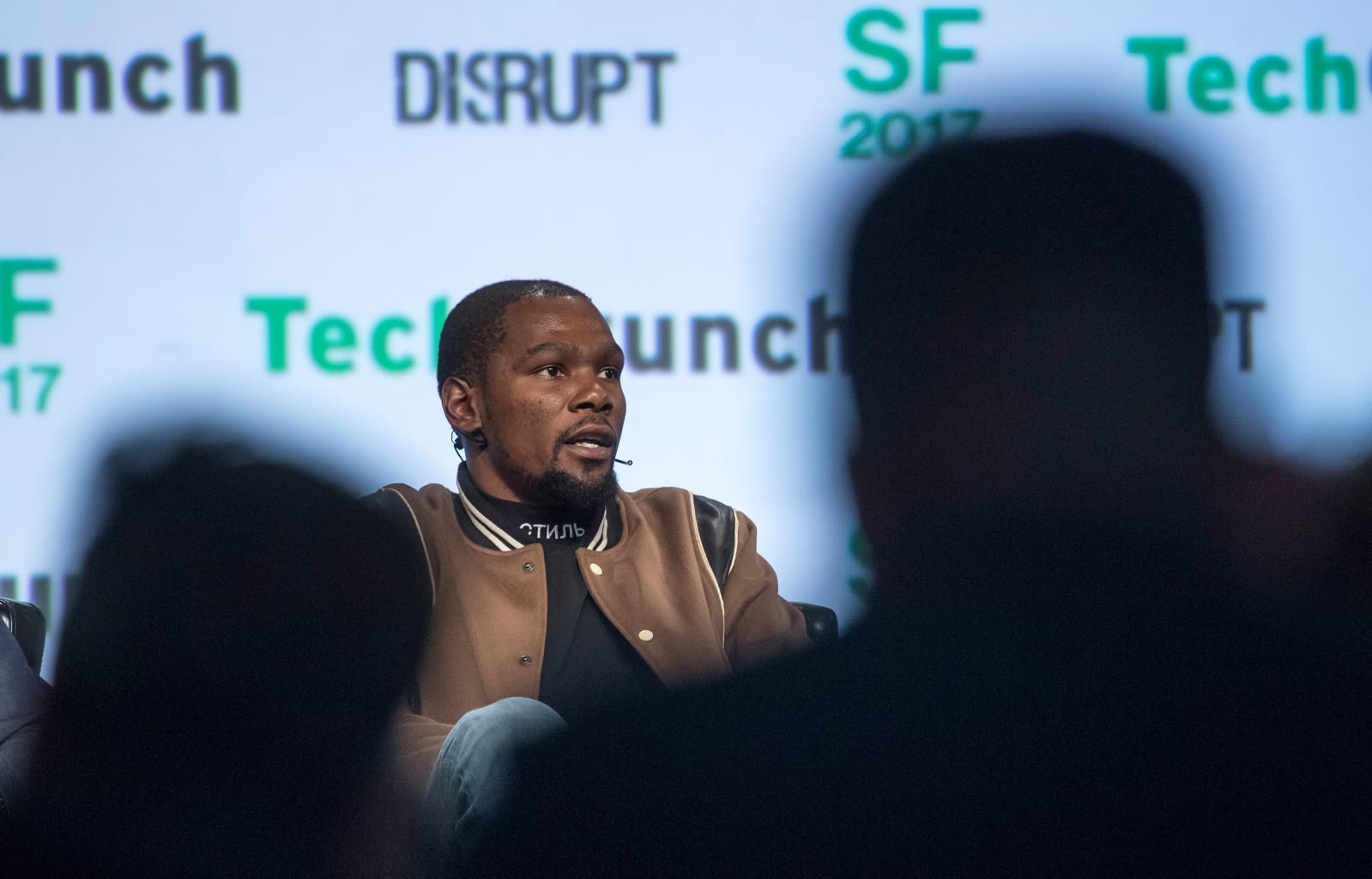
I do regret using my former coach’s name, and my former organization that I played for. That was childish, that was idiotic, all those type of words. I regret doing that, and I apologized to them for doing that.
As for Durant’s secret Twitter account, no one has been able to find it, meaning we may never know how many more times he had his own back. That’s a shame, really, because if it does exist there’s probably some clever stuff that we’ll forever miss out on. Either way, Durant’s actions showed that the adverse reaction from fans has, in fact, affected him. Otherwise why would he be out there with a fake Twitter account, defending himself from trolls?
Still, he’s lucky his situation is sports banter more than anything, not serious online abuse like other famous people have had to deal with in the past. Maybe Kanye West, Solange and Ed Sheeran have found the perfect formula to live a stress-free life: vanish from social media, even if it’s only temporary.
Amazon may deliver Chipotle and Five Guys right to your front door
Amazon’s been getting into the food game for awhile now. After all, they’ve introduced Amazon Fresh and drive-through grocery pickup. And oh yeah, they acquired Whole Foods earlier this year. Clearly Amazon is serious about the food business; they’ve established their presence on the grocery side, but what about the restaurant/takeout side? While they’ve had the Amazon Restaurants delivery for awhile, it hasn’t exactly taken off. A new partnership with a company called Olo might help with that.
Olo is a digital platform that allows customers to order and pay for delivery and takeout food online. They focus on large restaurant brands and chains, with over 200 restaurants on their list that have a total of around 40,000 US locations. Their clients include Chipotle, Cold Stone Creamery, Five Guys and Jamba Juice. The value for Amazon here is that this partnership gives them potential access to the many different chain restaurants in Olo’s client base.
This agreement will allow Olo to continue handling the menu and ordering side of the equation, while Amazon Restaurants will take care of delivery. The real question is whether Olo’s customer base will want to work with Amazon. So far, the Italian chain Buca di Beppo is the only client cited in the press release that will be offering delivery through Amazon Restaurants. It remains to be seen whether this will pay off for Amazon, but it seems like a smart and relatively row-risk move for the online retail giant.
Via: Bloomberg
Source: Business Wire
Apple Studied Paintings and Shined Light on People to Perfect New Portrait Lighting Feature
iPhone 8 Plus and iPhone X feature advanced cameras with a new Portrait Lighting feature that uses sophisticated algorithms to calculate how your facial features interact with light. That data is used to create lighting effects, such as Natural Light, Studio Light, Contour Light, and Stage Light.
In a new interview with BuzzFeed News reporter John Paczkowski, Apple says it studied the work of portrait photographers such as Richard Avedon, Annie Leibovitz, and Johannes Vermeer, a seventeenth-century Dutch painter, to learn how others have used lighting throughout history.
“We didn’t just study portrait photography. We went all the way back to paint,” said Apple’s marketing chief Phil Schiller.
“If you look at the Dutch Masters and compare them to the paintings that were being done in Asia, stylistically they’re different,” said Johnnie Manzari, a designer on Apple’s Human Interface Team. “So we asked why are they different? And what elements of those styles can we recreate with software?”
Apple said it took what it learned, went into its studio, and spent countless hours shining light on people from different angles.
“We spent a lot of time shining light on people and moving them around — a lot of time,” Manzari added. “We had some engineers trying to understand the contours of a face and how we could apply lighting to them through software, and we had other silicon engineers just working to make the process super-fast. We really did a lot of work.”
Schiller acknowledged that Apple aims to make a professional camera, ranked the best among smartphones in a recent review, but he added that the company also cares about what it can contribute to photography as a whole.
“We’re in a time where the greatest advances in camera technology are happening as much in the software as in the hardware,” Schiller said. “And that obviously plays to Apple’s strengths over traditional camera companies.”
Apple’s software advancements allow anyone to simply pick up an iPhone and capture a high-quality photo, eliminating the learning curve that can come with a high-end DSLR camera from the likes of Canon or Nikon.
“It’s all seamless; the camera just does what it needs to,” said Schiller. “The software knows how to take care of it for you. There are no settings.”
Both the iPhone 8 Plus and iPhone X rear cameras been advanced with larger, faster dual-lens sensors, new color filters, and deeper pixels. iPhone X also has optical image stabilization for both the wide-angle and telephoto lenses, the latter of which has a larger ƒ/2.4 aperture that lets more light in.
Read More: How Apple Built An iPhone Camera That Makes Everyone A Professional Photographer
Tags: Phil Schiller, Portrait Lighting
Discuss this article in our forums
How to Discreetly Disable Touch ID and Face ID on an iPhone in iOS 11
There’s an Emergency SOS feature built into iOS 11 that has hidden functionality – it automatically disables Touch ID and makes it so your passcode has to be entered to unlock your iPhone.
Because it essentially shuts down the biometrics on your device, you can’t be compelled by a police officer or malicious person to unlock your iPhone with a fingerprint, nor can your fingerprint be used to get into your device should you be unconscious after an emergency.
Emergency SOS is enabled by default, and there’s only one step to activate it: Press on the sleep/wake (power) button of your iPhone five times in rapid succession. On the iPhone X, instead of pressing the sleep/wake button five times, you’ll hold the volume up and the side button on the device at the same time instead of pressing five times.
This gesture initiates a screen that gives you the option to power the iPhone off, make a call to emergency services, or access your Medical ID.
Though not expressly stated, once your iPhone is in this emergency state, Touch ID is disabled. You will, however, have to press the cancel button to get back to the Home screen, so it’s not an entirely secretive process.
If you’re using Emergency SOS to disable the lock screen and don’t want to set the feature up to automatically call 911 when the sleep/wake button is pressed, make sure to disable Auto Call in the Settings app. Here’s how:
Open the Settings app.
Scroll down to Emergency SOS.
Disable Auto Call.
With Auto Call disabled, pressing sleep/wake will bring up the aforementioned screen with the option to slide to make the emergency call. With Auto Call enabled, emergency services are called automatically when the sleep/wake button is pressed five times, following a five second countdown timer.
It’s best to leave Auto Call on if you want to be able to get in touch with emergency services immediately should you be in danger.
While this feature was likely built to keep your iPhone secure in a situation where you might be incapacitated, it can also prevent authority figures from forcing you to unlock your device.
This is notable because there have been legal rulings where a defendant has been compelled to provide a fingerprint, but not a passcode. Most people will never need to disable Touch ID, but it’s worth knowing the option is there should there be a situation where it is necessary.
Related Roundup: iOS 11
Tags: Touch ID, Face ID
Discuss this article in our forums
Target Begins Notifying Some Apple Watch Series 3 Pre-Order Customers That Shipments Will Be Delayed
Target customers this morning began pointing out on Twitter, through tipster emails, and in our forums that their Apple Watch Series 3 orders have been delayed, unfortunately mirroring similar events that plagued many Target pre-order customers for the Series 2 model last year. The affected users were originally promised a delivery window surrounding today’s launch day, or soon after, and Target has now pushed some orders back by weeks, landing between October 10 and October 13 for a few customers.
Target hasn’t officially yet commented on the shipping delays. All customers affected appear to have pre-ordered the Series 3 device on or around September 15 (the first date they were available to pre-order), and were subsequently given delivery estimates for today’s launch or early next week. One customer has canceled their Target order and ordered the Apple Watch Series 3 from Best Buy, with a delivery estimate of next week on Tuesday, September 26.
Last year both Target and Best Buy delayed the orders of many customers’ Apple Watch Series 2 devices, and both companies ended up offering affected users a $50 gift card to use at each respective retailer’s physical or online store. If delays are widespread again this year, it’s possible that Target will offer some kind of compensation for those suffering from Series 3 delays.
@MacRumors Looks like Target didn’t learn their lesson from Series 2. Bunch of us who preordered Series 3 got delay emails this morning.
— Dima Spivak (@dimaspivak) September 22, 2017
Target explained in 2016 that it was facing delays in receiving Series 2 models from Apple at the time, leading to inventory shortages and slipping delivery estimates. When and if Target comments on the matter, we’ll update this article with any new information.
Related Roundups: Apple Watch, watchOS 4
Buyer’s Guide: Apple Watch (Buy Now)
Discuss this article in our forums
Apple CEO Tim Cook ‘Thrilled’ With Launch Day Response to iPhone 8
As he often does on product launch days, Apple CEO Tim Cook this morning stopped by the Apple Store in Palo Alto, California as customers gathered to purchase an iPhone 8, Apple Watch Series 3, or 4K Apple TV.
Cook had a few minutes to speak with CNBC, and he said that he’s “thrilled” with what he’s seeing on launch day. Some stores have sold out of the iPhone 8 and 8 Plus he says, and many locations are out of the LTE Apple Watch Series 3 models.
Image via CNBC
“Here’s what we’re seeing right now. The watch with LTE — the Series 3 Watch — we are sold out in so many places around the world. And we’re working really hard to meet demand. We’ve sold out of iPhone 8 and 8 Plus in some stores, but we’ve got good supply there. You can see what’s going on here this morning — I couldn’t be happier.”
Cook spent time mingling with friends and joining in on the staff tradition of cheering and waving to customers purchasing a new iPhone. “We really like what we’re seeing,” Cook said.
Cook also commented on the LTE issues plaguing the new Apple Watch, which have caused some major publications not to recommend the device for purchase.
“The issue is very minor, it will be fixed in a software update,” Cook told CNBC. “It has to do with the handoff between Wi-Fi and cellular, and we’ll fix that. It only happens in a rare number of cases. I’ve been using it for quite a while and it works great. So we’re very happy about it.”
The bug surfaced when reviewers got their hands on the Apple Watch Series 3 and noticed that it often wouldn’t connect to LTE. It turns out, the watch is mistakenly joining unauthenticated Wi-Fi networks with interstitial agreement pages that can’t be bypassed. Apple has said the bug will be fixed in an update, but has not given a timeline for the fix.
Despite Cook’s positivity, some reports from around the world have suggested demand for the iPhone 8 is low. Reuters reported a “bleak turnout” in Australia and later said there was a “muted launch” in Asia.
The iPhone 8 and iPhone 8 Plus are in stock and available for launch day purchase in many stores around the world.
Tag: Tim Cook
Discuss this article in our forums
iPhone 8 Plus vs. Galaxy S8 Plus: Which massive smartphone reigns supreme?
The iPhone 8 Plus, one of the three new phones Apple announced at a splashy event in early September, may not have Face ID or Animoji, but it’s still a great phone. It’s got Apple’s new A11 Bionic system-on-chip, a glass back that’s compatible with wireless Qi chargers, and amped-up loudspeakers.
But the competition is formidable to say the least, and perhaps no phone measures up to the iPhone 8 Plus quite like the Galaxy S8 Plus. Samsung’s flagship boasts a speedy processor, a massive amount of memory, and a stunning edge-to-edge screen.
So how do the two smartphone titans compare? Read our iPhone 8 Plus vs. Galaxy S8 Plus guide for a blow-by-blow comparison of all the major features.
Specs
Galaxy S8 Plus
iPhone 8 Plus
Size
6.28 × 2.89 × 0.32 inches (159.5 × 73.4 × 8.1 mm)
6.24 x 3.07 x 0.30 inches (158.4 x 78.1 x 7.5 mm)
Weight
173 grams (6.1 ounces)
202 grams (7.13 ounces)
Screen
6.2-inch Super AMOLED
5.5-inch LCD IPS Retina HD
Resolution
2,960 × 1,440 pixels (529 ppi)
1,920 x 1,080 pixels (401 ppi)
OS
Android 7.0 Nougat
iOS 11
Storage
64GB (US), 128, 256GB (international)
64, 256GB
MicroSD card slot
Yes
No
NFC support
Yes
Yes, Apple Pay only
Processor
Qualcomm Snapdragon 835, Samsung Exynos 8895 (international)
A11 Bionic with 64-bit architecture, M10 motion coprocessor
RAM
4GB (U.S.), 6GB (select markets)
3GB
Connectivity
GSM, CDMA, HSPA, EVDO, LTE, 802.11a/b/g/n/ac Wi-Fi
4G LTE, GSM, CDMA, HSPA+, 802.11a/b/g/n/ac Wi-Fi
Camera
12MP rear, 8MP front
Dual 12-megapixel rear, 7MP front
Video
Up to 4K at 30fps
Up to 4K at 60fps, 1080p at 240fps
Bluetooth
Yes, version 5
Yes, version 5
Fingerprint sensor
Yes
Touch ID
Other sensors
Accelerometer, gyroscope, barometer, compass, heart rate, proximity sensor, iris scanner
Barometer, 3-axis gyro, accelerometer, proximity sensor, ambient light sensor
Water resistant
Yes, IP68 rated
Yes, IP67 rated
Battery
3,500mAh
2,675mAh
Ports
USB-C
Lightning
Marketplace
Google Play Store
App Store
Color offerings
Black, silver, gray, blue (international), gold (international)
Gold, silver, and space gray
Carriers
AT&T, Verizon, Sprint, T-Mobile
Verizon, AT&T, T-Mobile, Sprint
Price
$850
$800
DT review
4 stars out of 5
Hands-on review
The iPhone 8 Plus and Galaxy S8 Plus both have powerful hardware. In fact, they’re pretty evenly matched.
The iPhone 8 Plus features the A11 Bionic system-on-chip, Apple’s cutting-edge processor designed specifically for the new iPhone. It consists of six cores total, two low-power cores that juggle high-intensity apps and four low-power cores to handle less demanding tasks, that work in tandem with a custom-designed three-core graphics chip.
Apple calls the A11 Bionic “the most powerful and smartest” ever in a smartphone, and it has the evidence to back it up. The A11’s high-performance cores and energy-efficient cores are 25 percent and 70 percent faster, respectively, than the A10 Fusion chip in the iPhone 7, and Apple’s GPU is up to 30 percent faster.
The Galaxy S8 Plus has Qualcomm’s octa-core Snapdragon 835 processor — the same chipset in the HTC U11, OnePlus 5, and LG V30. But more cores don’t necessarily equate to better performance. Early Geekbench 4 benchmarks show the A11 Bionic achieving a score of 4,188 in single-core performance and 10,069 in multi-core performance, or almost double the Galaxy S8 Plus’s best showing (1,832 single-core and 6,301 multi-core).
The Galaxy S8 Plus may have a leg up when it comes to memory, though. It packs 4GB of RAM, and while Apple doesn’t officially disclose specs like RAM and battery capacity, leaks suggest the iPhone 8 Plus has 3GB.
The differences between Android and iOS’s memory management make the real-world advantage tough to quantify.
The Galaxy S8 Plus should be theoretically capable of juggling more Chrome tabs, apps, and background tasks at once, but the differences between Android and iOS’s memory management make the real-world advantage tough to quantify.
Storage capacity is a different story. The Galaxy S8 Plus comes in 64GB and 256GB flavors, like the iPhone 8 Plus, but has a MicroSD card slot that supports up to 2TB of external storage.
Both the iPhone 8 Plus and the Galaxy S8 Plus have Bluetooth 5 onboard, which has four times the speed and twice the range of the iPhone 7’s Bluetooth 4.2, and both phones support near-field communication (NFC) for contactless payment at stores like Starbucks and Wallgreens. But the Galaxy S8 Plus also features magnetic secure transmission (MST), Samsung’s in-house payments technology that works with more 90 percent of point-of-sales terminals.
Overall, the iPhone 8 Plus has a clear advantage in terms of raw horsepower.
Winner: iPhone 8 Plus
Design, display, and durability
Jeremy Kaplan/Digital Trends
Judging by the specs, the iPhone 8 Plus and Galaxy S8 Plus shouldn’t feel all that different in the hand. The iPhone 8 Plus is a bit heavier at 202 grams, while the S8 Plus weighs 173 grams. They’re about the same height (6.24 inches versus 6.28 inches) and length (3.07 inches versus 2.89). But their designs are as different as their processors.
The Galaxy S8 Plus has a curved edge-to-edge screen that tapers off at either side and runs the length of the front, extending all the way to the space formerly reserved for a physical home button. There’s a generous amount of screen real estate, but the slippery glass sides can be tough to grip.
The all-glass back in the S8 Plus houses a single camera, flash, and fingerprint sensor. That’s all well and good for the most part, but the fingerprint scanner’s awkward placement next to the camera makes the lens pretty easy to smudge.
The iPhone 8 Plus, conversely, retains the look and feel of the iPhone 7 Plus. In fact, the two are nearly indistinguishable side by side. Thick bezels border all four sides of the flat screen, and Apple’s iconic Touch ID-enabled home button sits above the bottom chin.
The back is bare for the most part, save a glass cover that supports Qi wireless charging (more on that later). But the iPhone 8 Plus’s dual cameras stand out, and we’ll take a closer look at them in the camera section.
Both phones are durable, though the Galaxy S8 Plus is slightly more water resistant than the iPhone 8 Plus. It’s IP68 rated to withstand immersion in water up to five meters for 30 minutes, while the iPhone 8 Plus is IP67 rated for up to three feet of water for 30 minutes. The jury is out on their respective shatter and impact resistance, but it’s safe to say that neither the Galaxy S8 Plus nor the iPhone 8 Plus’s glass-and-aluminum shells will take much of a beating.
It’s safe to say that neither the S8 Plus nor the iPhone 8 Plus’s glass-and-aluminum shells will take much of a beating.
The matter is a little clearer when it comes to which phone has the better screen. The Galaxy S8 Plus’s 6.2-inch screen weighs in at a resolution of 2,960 x 1,440 pixels, which bests the iPhone 8 Plus’s 5.5-inch 1,920 x 1,080-pixel screen by a few hundred pixels. Even accounting for the size difference between the two, the Galaxy S8 Plus’s dense pixel arrangement (570 ppi versus the iPhone 8 Plus’s 401 ppi) should result in a much sharper image.
It’s also likely to be a more accurate one. The Galaxy S8 Plus’s screen uses Samsung’s Super AMOLED Plus technology to achieve superior brightness, contrast, black levels, and color accuracy. The iPhone 8 Plus’s Retina screen, on the other hand, is IPS LCD. It’s bright and color-accurate, and it has Apple’s True Tone, which automatically adjusts the screen’s color and intensity depending on ambient lighting conditions. But it can’t match the vibrancy of Samsung’s screen, and it doesn’t support high dynamic range (HDR) standards like HDR10 and Dolby Vision.
It’s a mixed bag when it comes to audio. Unlike the iPhone 8 Plus, the Galaxy S8 Plus has a 3.5mm headphone jack — on the 8 Plus, you have to make do with Lightning-to-3.5mm adapter or Bluetooth earbuds. But the iPhone has a new front-facing stereo speaker setup that’s 25-percent louder than the iPhone 7, which compares pretty favorably to the Galaxy S8 Plus’s single back-firing speaker.
Winner: Galaxy S8 Plus
Battery life and charging
The iPhone 8 Plus and Galaxy S8 Plus will easily get through a full day on a single charge. The Galaxy S8 Plus, though, might last a few hours longer.
Samsung pegs the Galaxy S8 Plus’s talk time at 24 hours, which is just enough to best the iPhone 8 Plus’s rated 21 hours of talk time. It lasts longer on Wi-Fi too — the Galaxy S8 Plus is estimated to last 15 hours on Wi-Fi compared to the iPhone 8 Plus’s 13 hours — and easily bests the iPhone 8 Plus when it comes to video playback. Samsung says the Galaxy S8 Plus can play movies, TV shows, and YouTube videos nonstop for 18, versus the iPhone 8 Plus’s 14 hours.
The Galaxy S8 Plus has less of an advantage when it comes to charging.
The Galaxy S8 Plus has a larger battery to thank. It packs a 3,500mAh battery, which is significantly bigger than the iPhone 8 Plus’s battery. (Apple doesn’t publish battery capacities, but documents on TENAA, China’s electronics regulating body, list the iPhone 8 Plus’s capacity as 2,675mAh.)
The Galaxy S8 Plus has less of an advantage when it comes to charging. Both the S8 Plus and the iPhone 8 Plus support rapid charging, albeit different standards: The Galaxy S8 Plus has Samsung’s Adaptive Fast Charging, which can fully recharge the phone in as little as an hour. Apple says its implementation of fast charging, meanwhile, can recharge the iPhone 50 percent in 30 minutes.
Both phones have wireless charging (a first for the iPhone), and both support the Qi wireless standard. (The Galaxy S8 Plus is also compatible with PMA charging pads and accessories.) The iPhone 8 Plus’s potential dark horse is AirPower, Apple’s tweak on Qi that allows for the charging of multiple devices at one time. But it won’t launch until 2018.
Winner: Galaxy S8 Plus
Cameras
The Galaxy S8 Plus and iPhone 8 Plus have excellent cameras, but there are some important differences.
The iPhone 8 Plus has two 12-megapixel cameras consisting of one wide-angle sensor with an f/1.8 aperture and a telephoto sensor with an f/2.8 aperture. Like the iPhone 7 Plus, the iPhone 8 Plus’s camera can optically zoom up to 4x and has a Quad-LED flash with Apple’s True Tone technology, which automatically adjusts the brightness to compensate for lighting conditions.
The Galaxy S8 Plus, on the other hand, has a single 12-megapixel camera paired with a dual-LED flash and an f/1.7 aperture.
Both the iPhone 8 Plus and Galaxy S8 Plus’s rear cameras are optically stabilized and can shoot in high dynamic range (HDR). And both can replicate the bokeh effect of DSLRs by blurring the background of an image while simultaneously sharpening the foreground.
But the iPhone 8 Plus has a feature that the Galaxy S8 Plus doesn’t: A Portrait Lighting mode that uses color and contour data from the iPhone 8 Plus’s dual rear sensors to relight a scene in real time. That’s in addition to improved pixel processing and color capture, faster autofocus, and noise reduction courtesy of the iPhone 8 Plus’s new image sensor.
The iPhone 8 Plus has a slight leg up on the Galaxy S8 Plus in terms of video, too. It can shoot in 4K at up to 60 fps (frames per second) and in 1080p (1,920 x 1,080 pixels) at 240 fps, while the Galaxy S8 Plus tops out at 4K at 30 fps and 1080p at 60 fps.
The phones’ front cameras are a bit more comparable. The Galaxy S8 Plus has an 8-megapixel front camera with a f/1.7 aperture and a wide-angle lens, and the iPhone 8 Plus has a 7-megapixel camera with a f/2.2 aperture.
One thing you won’t find on the iPhone 8 Plus’s front is the iPhone X’s sophisticated Face ID sensors. That puts it at a slight disadvantage compared to the S8 Plus, which has iris-scanning sensors on the front that can scan your eyes to lock the phone, log in to apps, and authenticate payments. But in fairness, the scanning process tends to be a little finicky.
Winner: iPhone 8 Plus
Software
The iPhone 8 Plus and Galaxy S8 Plus run very different operating systems.
The version of Apple’s mobile operating system that ships on the iPhone 8 Plus, iOS 11, is notable for a number of reasons. ARKit, a framework for augmented reality-driven experiences, benefits from the A11 Bionic chip. The CPU handles world tracking and keeps the graphics at a steady 60fps, while the iPhone 8 Plus’s dedicated signal processor adjusts for lighting conditions in real time.
There’s plenty new to explore in iOS 11 besides AR Kit. Siri sounds more natural, there’s a new screenshot tool that lets you mark up snapshots with a variety of different stylus styles and fonts, and you can use the iPhone’s keyboard one-handed. And that’s just scratching the surface.
The iPhone 8 Plus doesn’t really have a better operating system than the Galaxy S8 Plus, and vice versa
The Galaxy S8 Plus runs TouchWiz, Samsung’s custom-designed Android interface. Perhaps the highlight is Bixby, a Siri-like digital assistant serves up contextually relevant information, recognizes objects using the Galaxy S8 Plus’s camera, and responds to voice commands. TouchWiz also supports Dex Station, a docking station (sold separately) that transforms Galaxy S8 Plus into a fully functional desktop replacement.
The iPhone 8 Plus doesn’t really have a better operating system than the Galaxy S8 Plus, and vice versa. Unless you’ve already invested in one or the other or have devices that work better with, say, iOS than Android and TouchWiz, it comes down to personal preference.
Winner: Tie
Price and Availability
The iPhone 8 Plus is expensive, but it’s not quite as expensive as the Galaxy S8 Plus.
The iPhone 8 Plus costs $800 and comes in silver, gold, and space grey colors. It’s available for pre-order now, with availability beginning September 22.
The Galaxy S8 Plus, which launched earlier this year, is available from all major carriers, including AT&T, Sprint, T-Mobile, and Verizon. The 64GB model starts at $850.
iPhone 8 Plus (64GB)
Galaxy S8 Plus (64GB)
Verizon
$33.33 per month for 24 months ($800)
$35 for 24 months or ($840)
AT&T
$26.67 per month with AT&T Next, $33.34 per month for with AT&T Every Year ($800)
$35.42 for 24 months or $28.34 for 30 months ($850)
T-Mobile
$30 per month for 24 months with a $80 down payment ($800)
$130 down $30 for 24 months or $0 down and $33 for 24 months ($850)
Sprint
33.34 per month for 24 months ($800)
$35.42 for 24 months ($850)
Winner: iPhone 8 Plus
Overall winner: iPhone 8 Plus
The iPhone 8 Plus and Galaxy S8 Plus are two innovative, cutting-edge smartphones with high price tags, and comparing the two is a little like comparing apples and oranges. The Galaxy S8 Plus has a big, bright, and beautiful curved AMOLED screen and a long-lasting battery, plus bonuses like a headphone jack and expandable memory. But the iPhone 8 Plus has a much faster processor and a superior camera.
The S8 Plus is a great Samsung phone, but — short of the iPhone X — the iPhone 8 Plus is Apple’s best iPhone yet.
Want to play your tunes on Windows? Here are the best free music players
Although music streaming services may be some of the most popular ways to consume music today, that’s not the case for everyone. For those with their own local collections, you need a decent music player, and sometimes Windows Media Player just doesn’t cut it. Here is our guide to the best free music players for Windows PCs.
This list contains applications for both the hardest of hardcore music lovers, and for listeners that prefer to use something more simplistic.
If you’re an Apple user, don’t feel left out. Even if you’re used to using Spotify or Apple Music, you can bring your local collection back to life with our guide to the best free music players for MacOS.
MusicBee
MusicBee is an excellent pick for those who have huge collections of tunes that need to be organized. It can import your existing iTunes and Windows Media Player libraries, and lets you tag each file as you see fit. The program’s Auto DJ feature lets you sync with Last.fm, and will play similar artists/genres based on what you play. You can also set MusicBee up to organize your favorite podcasts, audiobooks, and radio stations.
With its 10-band to 15-band equalizer options, cross-fade function, and gap-less playback options, audio tweaks are plentiful with MusicBee. It even packs some visual flair in the form of a five-band Spectrum Visualizer that matches up with the tracks you’re playing. Plug-ins are available for added customization.
The latest sync support between mobile devices is handy, and the ability to change theme colors is an unexpected bonus among other free software choices. MusicBee even supports up to 5.1 surround sound if you have an array of speakers and want the best result possible.
foobar2000
Foobar2000 is a remarkable underdog story. An open source music player project, it has managed to persist for years and remain not only usable, but one of the best free music players for Windows 10 on the scene.
Don’t let the basic interface fool you into thinking this isn’t worth your time. You can customize its look however you want, and play anything from MP3s and WMA to Musepack, Speex, and even rarer formats with the right plugins. There are also extensive tagging abilities, and full support for keyboard shortcuts, which makes Foobar a great piece of software for managing more complex, living lists of audio files.
The program also includes options for gapless playback, ReplayGain, and ripping audio and converting it. Plus, all components and download options are easily available on the site, and the software continues to be updated to this day.
Media Monkey
Media Monkey is similar to MusicBee, and boasts many of the same features. Though it lacks Last.fm synchronization, Media Monkey is compatible with podcasts, audiobooks, and can be set up to download your favorite podcasts for you.
It supports a whopping 100,000 file and playlist types, while also making it easy to tag and organize your files. The software is also pretty smart. It automatically identifies tracks, syncs or fixes tags, and looks up related information, which is all great for getting an old collection of music back in order.
We’re impressed by the playlist tools, which makes them easy to create (or automatically spawn via Auto-DJ). The syncing and recording capabilities are great for amateur musicians as well. When you add the party mode, the visualizer, and the exported audio file reports, it’s hard to see why you would pay for a music manager when Media Monkey exists.
AIMP 4.11
AIMP’s continuous updates have yielded an impressive, clean interface for music lovers who prefer to get down to business. In addition to support for an array of formats (including DirectSound and SIO for output), the software also includes Internet Radio support, a Sound Engine with an 18-band equalizer, and smart playlist capabilities.
Need to convert audio? No problem, AIMP can handle that too, as well as provide editing options for all your audio tags and scheduling options for setting timers or shutdown times if you like mixing music and sleep.
Clementine
Clementine has many familiar features, but it offers quite a bit more connection to the wider world of technology than our other picks.
Sure, you get basic features like smart playlists, internet radio, visualizer, multi-format support, and so on. But you also get more expansive capabilities for cloud and device support. That includes tools that make it easy to copy music onto mobile storage drives, or the ability to search and play songs from the cloud if you’ve stored audio files in Box, Google Drive, Dropbox, and OneDrive. You can even use a Wii Remote, Android device, or other mobile tool as a remote control for the software.
When you add in the connections to MusicBrainz, Last.fm, and Amazon, this is a brilliant solution for those who have a lot of music in the cloud and really don’t want to use iTunes.
Songbird
Songbird adds a welcome social element to music management software. The interface itself is very basic (and in some areas, could use an update), but you get the ability to share photos and discover artists with other fans, a bit like Spotify but with your own audio files included.
An important note here, however. Songbird has not been updated for Windows 10, so while it still works with the OS, there may be an eventual deadline where it just won’t function with the latest software. At the time of writing, we can confirm that the software works well enough in Windows 10, though there’s no guarantee that will be the case in the future.
The good news is that, if for some reason you are stuck with an older version of Windows, this is probably your best music management option
Prefer your music to be a little more portable than the above solutions? Here’s our guide on the best portable MP3 players.
Updated 09/20/2017 by Jon Martindale – updated selection.
 AIVAnet