


LG G5 Release Date, Price and Specs – CNET
This past February during Mobile World Congress, I had a whirlwind affair with the LG G5. In the flurry of the trade show, I snatched a few brief moments with the new marquee device, admiring its unique pull-out design, dual rear cameras and always-on display. It was nice — we had a few laughs, shared some memories and then went our separate ways after I departed Barcelona.
Now I’m back in San Francisco and a G5 preview unit has followed me to my doorstep. We’re still getting to know each other and there are still some things LG has yet to reveal about the phone (namely, how much it’ll cost). Because it’s a pre-production model I can’t justifiably give it a rating or a buying recommendation yet. But after spending a few days with it, and knowing that it’s close enough to a final product, I’m going to divulge the five most important things I learned about LG’s new flagship phone.
Editors’ note: This piece was originally published on February 21, 2016 and has been updated with further information and deeper analysis.
LG’s elegant and unorthodox G5 (pictures)
See full gallery


1 – 4 of 19
Next
Prev
1. Its modular design is unique, but not fully realized
When LG first showed off the G5, it made a big show of it being the first phone with modular capabilities. This ability to swap out and customize certain hardware parts — in this case, the bottom bezel detaches and you can remove the battery inside and replace it — has been a longtime fantasy for mobile users. Like building a personal computer, you can upgrade certain components that are important to you or fit a certain need.
It’s encouraging to see LG take these baby steps towards modularity. This isn’t a concept device stuck in developer limbo (Project Ara, I’m looking at you). Instead, LG ran this on a mass-market flagship phone, which hopefully means it’s committed to furthering this feature in the next iterations.

The G5’s bottom bezel can be removed and swapped out for another accessory.
James Martin/CNET
But that’s the key term here: “next iterations.” With only these two official add-ons (more on that later), and no plans to make more, LG will need to rely on third-party developers to expand the usefulness of the phone’s current modular features. As a top-tier handset in and of itself, the G5 looks to be a great device. But solely in terms of modularity, it has a ways to go.
As for the two accessories that swap out with the bottom chin, one is called the Cam Plus. It’s a camera grip that has a physical shutter button to record and capture video, and a zooming wheel. It also has a built-in battery, which you can use on top of the handset’s battery for extra juice.

The LG Cam Plus camera grip, which can attach to the handset.
James Martin/CNET
Swapping out the bottom bezel was a bit difficult at first. The pieces fit tightly, and the unlock button that lets you to detach the chin lies flush with the surface of the device, so I had to dig my nail in to press it. After a while, I got the hang of it and got faster at swapping the parts out. That doesn’t mean I ever got to the point where I could walk around, stop and switch out the bezel casually. There’s still some wrangling involved, and due to the sheer fear that I’d accidentally fling the top part of the G5 across the room when I pulled out the chin, I felt compelled to find a place to sit down to switch out the parts.
The other accessory is the Hi-Fi Plus, a portable digital-to-audio converter (DAC) that boosts audio playback for high-definition sound files. Because the Hi-Fi Plus includes an audio grill, a USB Type-C port and a 3.5mm headphone jack, you can leave it attached to your device and use it all the time.
VR headsets, robot balls and snap-on phone…
See full gallery


1 – 4 of 29
Next
Prev
2. LG nixed a beloved software feature
You know the saying, “If it ain’t broke, don’t fix it”? According to LG, most users don’t often launch the grid of icons that holds all their apps (known as the app drawer). Instead, their most-used apps are usually arranged right on their homepage. But I use my app drawer, and I bet plenty of people do too. This isn’t a deal-breaker, but the possibility that I might accumulate pages and pages of apps doesn’t appeal to me. What am I, some sort of iPhone user?
LG did, however, add some new software goodies. One is the always-on display. Like the Galaxy S7, the screen continuously displays the time, date and any missed notifications on the display, even when the phone is sleeping. Because the information is “always on,” you won’t have to wake it up or wave your hand over the screen (like on Motorola phones).

The device doesn’t have an app drawer (left) but it does have a few new interface tweaks (right).
Lynn La/CNET
The feature is useful, and it does save me a tap whenever I want to check the time. Compared to Samsung’s always-on feature though, it’s limited. With the Galaxy S7 you can choose different clock faces and there’s a monthly calendar option. On the G5 you can add a “welcome message” but that’s pretty much it. And while its always-on text is visible in sunlight, it’s not as bright as on the S7.
Other features include increased customizability with the notifications shade and on-screen home buttons (you can add keys to launch the note-taking and multitasking apps). Aside from eliminating the app drawer, these other changes are welcome and keep the general navigation of the phone intuitive.
3. You might become an over-shooter with its dual cameras
The G5 has two cameras in the back: a 16-megapixel camera with a standard 78-degree wide lens and an 8-megapixel camera with a wide-angle, 135-degree lens. The wider lens lets you capture more space within each frame.
At first I wasn’t too excited about this. I thought a wide-angle lens made more sense on the front (like how the LG V10 had it) so you can include more people in your group selfies. Turns out though, having a wide-angle lens on the back is useful if you’re more into sweeping landscapes than selfies (which I am). And because you can seamlessly switch between the lenses by zooming in and out on the camera’s interface, it’s easy to quickly snap two versions of every scene I wanted to capture.
Every time I took a regular photo using the standard camera, I’d pause, then zoom out even wider for the wide-angle version “just in case” I liked that photo better. It became a little addictive.

A closeup of the handset’s two back cameras.
Josh Miller/CNET
To take advantage of the dual cameras, LG added two software features: “Popout,” which superimposes an image from the standard lens on top of the wide-angle lens’ view with a few effects and “multiview.” Multiview arranges images taken from all cameras (including the 8-megapixel front-facing camera) into instant collages.
The cameras themselves operate quickly too, and they take sharp images. When I was capturing a photo of a lanky flower that was blowing in the breeze, the camera’s burst shot feature took several pictures of the flower in succession, all of which were in focus. Lighting was also even and colors were true to life. For more on photo quality, check out the shots below (and be sure to click on them to view them at their full resolution).

A shady outdoor image using the standard 16-megapixel camera.
Lynn La/CNET

Capturing the same scene in the same spot using the wide-angle 8-megapixel lens.
Lynn La/CNET

Focusing up close on a succulent outside.
Lynn La/CNET

Some fruit and vegetables in a brightly lit kitchen.
Lynn La/CNET

Another indoor shot, this time with moodier lighting, taken at Salt House restaurant in San Francisco.
Lynn La/CNET
4. It’s super speedy
The G5 features a Snapdragon 820 processor and operates lightning fast and very smoothly. As I mentioned before, the camera operates swiftly, and I didn’t run into any problems playing games, launching and quitting apps, or flipping through the home pages.
As for benchmark tests, it performed comparably to its rivals. Though it beat the Nexus 6P on all our tests, it didn’t outperform the Galaxy S7 and S7 Edge. Still though, it clocked respectable results. Again, this is a preproduction model and I’ll rerun the tests when I get a final unit.
LG G5 preliminary benchmark scores
LG G5
2317
5333
28757
Samsung Galaxy S7
2323
5429
29031
Samsung Galaxy S7 Edge
2370
5493
28896
Google Nexus 6P
1286
4313
24224
Legend:
Geekbench 3 Single-Core
Geekbench 3 Multi-Core
3DMark Ice Storm Unlimited
Note:
Longer bars indicate better performance
5. Its battery is great but not the best
The handset’s 2,800mAh battery did a great job surviving the work day without a charge. After surfing the Web, running benchmark tests and snapping photos, it was at about 60 percent in the evening.
It also did well — so far — in our lab tests. When I get a final unit I’ll run the test again of course, but this model clocked in 12 hours and 33 minutes of continuous video playback in airplane mode. That’s a marked improvement from the G4, which had a 3,000mAh battery but only lasted 10 hours and 38 minutes. It lasted longer than the Nexus 6P’s 3,450mAh battery (11 hours and 15 minutes) too.
Compared to the Galaxy S7 and S7 Edge, however, the LG lags behind. Those phones lasted an impressive 16 hours and a whopping 19 hours and 48 minutes respectively. They can also charge wirelessly.
The one caveat with the Galaxy devices, though, is that you can’t remove their batteries, unlike with the G5. Some users won’t care considering they last so long anyway. But others like having the option to swap in a charged battery when there’s no plug nearby. It’s also handy when you’re a year or two into owning your handset and the battery isn’t performing as well as it used to. (Plus it helps to have a fresh battery up your sleeve if you plan to resell the phone later.)

The phone has a removable 2,800mAh battery that lasted about 12 and a half hours in our lab tests.
James Martin/CNET
Extra nitty-gritty spec details:
LG G5 spec comparison
| 5.3-inch, 2,560×1,440 pixels | 5.1-inch; 2,560×1,440 pixels | 5.5-inch; 2,560×1,440 pixels | 5.7-inch; 2,560×1,440 pixels |
| 554ppi | 576ppi | 534ppi | 515ppi |
| 5.88×2.90×0.3 in | 5.6×2.7×0.3 in | 5.9×2.9×0.3 in | 6.3×3.1×0.28 in |
| 149.4×73.9×7.7 mm | 142.4×69.6×7.9 mm | 150.9×72.6×7.7 mm | 159x78x7.3 mm |
| 5.61 oz; 159 g | 5.4 oz; 152 g | 5.5 oz; 157 g | 6.3 oz; 178 g |
| Android 6.0 Marshmallow | Android 6.0 Marshmallow | Android 6.0 Marshmallow | Android 6.0 Marshmallow |
| 16-megapixel, 8-megapixel wide | 12-megapixel | 12-megapixel | 12.3-megapixel |
| 8-megapixel | 5-megapixel | 5-megapixel | 8-megapixel |
| 4K | 4K | 4K | 4K |
| 2.15GHz quad-core Qualcomm Snapdragon 820 processor | 2.15GHz + 1.6GHz quad-core Qualcomm Snapgradon 820 processor | 2.15GHz + 1.6GHz quad-core Qualcomm Snapgradon 820 processor | 2GHz eight-core Qualcomm Snapdragon 810 |
| 32GB | 32GB, 64GB (varies by region) | 32GB, 64GB (varies by region) | 32GB, 64GB, 128GB |
| 4GB | 4GB | 4GB | 3GB |
| 2TB | 200GB | 200GB | None |
| 2,800mAh (removable) | 3,000mAh (nonremovable) | 3,600mAh (nonremovable) | 3,450mAh (nonremovable) |
| Home button | Home button | Home button | Back cover |
| USB-C | Micro-USB | Micro-USB | USB-C |
| Pull-out battery, two rear cameras | Water-resistant | Curved screens, water-resistant | “Pure” Android |
| TBA | AT&T: $695, Sprint: $650, T-Mobile: $670, Verizon: $672, US Cellular: $672 | AT&T: $795, Sprint: $750, T-Mobile: $780, Verizon: $792, US Cellular: $780 | $499 (32GB); $549 (64GB); $649 (128GB) |
| TBA | £569 | £639 | £449 (32GB); £499 (64GB); £579 (128GB) |
| TBA | AU$1,149 | AU$1,249 | AU$899 (32GB); AU$999 (64GB); AU$1,099 (128GB) |
Should you think about getting it?
Like with most reviews, my final judgement call on the G5 will depend on its price. And while its novel modular features don’t exactly send me over the moon, its overall reliable performance carries plenty of potential for a satisfying, high-end phone. Some things to consider, though:
- If the G5’s price is the same as last year’s when the G4 first launched, it should cost about $550-$630, £450 and AU$879 unlocked.
- That’s slightly more expensive than the Nexus 6P, which starts out at $499, £449 and AU$899 for 32GB.
- The Nexus 6P doesn’t have a removable battery, but it runs pure Android with no annoying carrier bloatware, and will receive software updates the moment they’re ready from Google.
- As for Galaxy S7, it has a crazy-long battery life and is pretty resistant to water.
- The G5 will likely be significantly cheaper. The Galaxy S7 costs $650-$695, £569 and AU$1,149.
Nextbit cancels Verizon and Sprint variants of the Robin smartphone
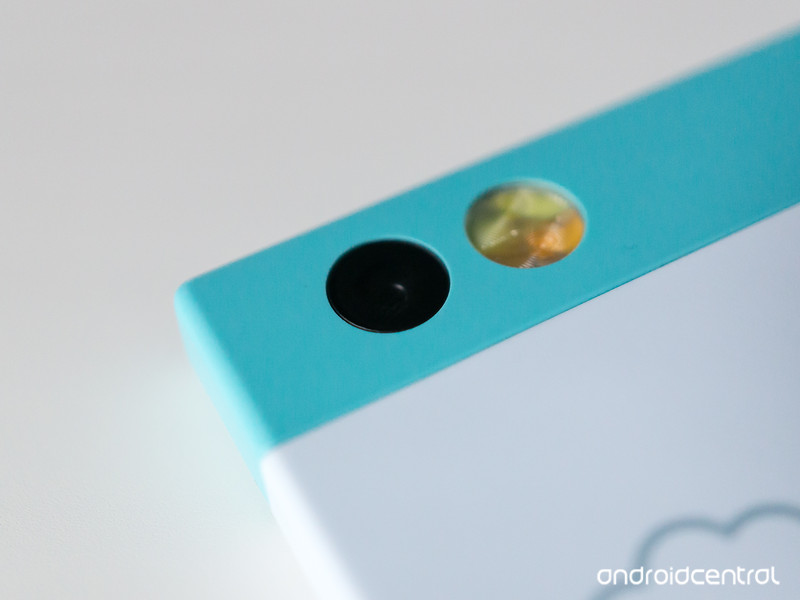
There’s some bad news for supporters of the Nextbit Robin smartphone. The company has revealed it will not be able to release the U.S. CDMA version of the device that would have worked on Verizon and Sprint’s networks.
In a message to backers of the Robin, Nextbit CEO Tom Moss explained why the company made this decision. Originally, Nextbit was not going to even release a U.S. CDMA variant during the Kickstarter campaign to help fund the Robin, but the company got a lot of requests to add that version in with the already planned GSM phone:
As you can imagine, we were in a rush. The Kickstarter campaign is only 30 days long, and it wasn’t until the second week of the campaign that we realized the demand and started the investigation. Because of this, we had to go with the best information we could get before the campaign was over, and over time it turned out that this information was not accurate. What people at the carriers, in good faith given our need for quick answers, thought would take “weeks” has turned into “months”. What they thought would cost “hundreds of thousands of dollars” has turned into “millions”. And we’re still not there. The goal posts are still being moved, and at this point, we think it is better to cancel this version rather than continue to try and make progress with no clear answers to offer regarding when we would actually be able to ship.
We first realized there was a big delta between what we originally thought and reality in January. It should have been sooner but to be honest a big part of the problem is how long it takes just to get the right information (and in some cases, what we were doing was a “one-off” for the carriers and they didn’t even decide themselves yet how it would be treated until as late as a week ago). Even then, we believed we could recover and launch in March. Then new information came up and it became April. We really thought that would be it, but yet again, we were wrong. We should have known better. We were not sufficiently doubtful of what we were told given everything we already knew from our experience at previous companies. We were too optimistic, too bullish, and as a result we have to deal with our biggest fear, disappointing you, our supporters. This is bad for you, and this is bad for us. The best we can do is send you this explanation with our sincerest apologies, and try to make sure you don’t suffer any financial loss in addition to the disappointment of not receiving a CDMA Robin.
Backers of the U.S. CDMA version will receive a full refund of their order within the next 48 hours, along with a code for a 25% discount on any one item from the store.
Check out our Nextbit Robin review
See at Nextbit

Amazon Echo can now track your Fitbit performance

The Amazon Echo can do many a things, but now the integrated speaker platform can communicate with Fitbit. Owners of Echo will now be able to ask the speaker about how they are doing with regards to progress towards their assigned Fitbit goals.
The Echo will be able to relay information such as how you slept throughout the week and how much activity has been successfully tracked. Alexa will also offer words of encouragement when inquiring about steps for the day, as well as being able to provide more complex statistics from the connected Fitbit account.
Amazon Echo
- Read our updated review
- Get the latest news
- Join the discussion
- Download the Echo app
Amazon

T-Mobile adds new BingeOn partners, including YouTube, Discovery Go, Redbull TV and others

T-Mobile has announced a number of new partners for its BingeOn program, including YouTube, Discovery Go, Redbull TV and others. John Legere took to Twitter with some stats that the company has collected, like that millions of subscribers are now streaming more than twice the amount they were before BingeOn, and that on the T-Mobile network you get 480p Netflix instead of the 360p that others are offering.
7/ @TMobile has been listening to customers and thanks to a little partnership, @YouTube is now a #BingeOn partner!https://t.co/VQVZoM86Jh
— John Legere (@JohnLegere) March 17, 2016
While T-Mobile’s BingeOn isn’t perfect, it is still a feature that many seem to be enjoying. If you are using a BingeOn, do these new partners excite you?

How to turn off Twitter’s ‘best Tweets first’ algorithm

Once upon a time, Twitter worked in the following way: Someone posted a tweet. Then someone else would tweet. Then you would see these tweets in your timeline, in the order they were sent. And because chronological order isn’t good enough for social services any more (too predictable and rigid and not as easily monetized, or something like that), Twitter is by default now showing you the “best tweets first.”
Whatever the hell that means.
Actually, according to Twitter, it means this:
“Tweets you are likely to care about most will show up first in your timeline. We choose them based on accounts you interact with most, Tweets you engage with, and much more.”
No, thanks. Here’s how to turn it off and get back to the hot takes in the order in which they were sent:
How to turn off Twitter’s algorithm in the Android app
Open the Twitter app. (Duh, but important.) Hit the three dots in the top right. (That’s called an overflow menu.) Choose “Settings.” Now choose “Timeline.” Uncheck “Show me the best Tweets first.” Which may well be the only option you see.
How to turn off Twitter’s ‘best tweets first’ algorithm on the website
Log in to Twitter. Go to “Settings”. Scroll down under “Content.” Look for the “Timeline” option, and uncheck it.
And that’s that. Your timeline will now be back to chronological order, peppered with ads, outrage and hot takes over the latest thing that happened.

Total War Battles: Kingdom launches worldwide on March 24
SEGA is to release a new title in the Total War franchise called Battles: Kingdom. It’s a persistent, living world set in the real-time strategy genre. You’ll be tasked with transforming your land into a powerful kingdom, going head to head against AI or other players. The game has been in open beta for little under a year now and has been met by mixed reviews throughout development.
Don’t mistake this entry in the franchise as a Total War game for mobile and PC. It’s not. What Battles: Kingdom is – however – is another attempt to tame the free-to-play beast with in-app purchases and time-restricted gameplay. It’s therefore not for everyone. You’ll be able to see for yourself on March 24 when the game rolls out on iOS, Android, OS X and Windows.

Samsung Galaxy S7 edge versus Nexus 6P

Two top-end devices with lots in common — but very different in execution.
When Samsung launches a new high-end phone, people take notice. The Galaxy S7 edge made a splash when it was unveiled in February, though rumors of the device were spreading back when the Nexus 6P hit the scene in October. We’re a good five months removed from the launch of the latest top-end Nexus phone, but that doesn’t mean it’s old — far from it, this phone is still a worthy contender to the Galaxy S7 edge.
With big screens and fast processors, these phones are direct rivals — but they both take a different approach to a lot of things. Let’s explore how each one fights for a spot in your pocket.
Hardware and specs

The Galaxy S7 edge and Nexus 6P are both beautiful devices, but they both achieve that accolade in very different ways. The Galaxy S7 edge doubles down on Samsung’s 2015 design language, with a metal frame that only slightly breaks up what is otherwise a whole lot of curved and shiny glass. It’s a head turner, particularly if you pick the gold or silver variant. The Nexus 6P is a bit more sleek and subtle, with smooth lines and understated pops of flair from the chamfered edges.
The Nexus 6P is considerably wider, taller and thicker than the Galaxy S7 edge, and not just because of the larger screen. Larger bezels all around and dual front-facing speakers make the Nexus quite a bit larger, despite the GS7 edge having to make room for a physical home button. The textured coating makes the Nexus 6P a bit easier to hold than the slippery glass of the GS7, but that improvement isn’t enough to balance the additional size — you definitely aren’t getting a compact phone here.
It’s hard to hate on the looks of either phone — but the Nexus 6P is so much heftier.
Though the Nexus 6P gives you more screen size for your money, the Samsung device definitely wins in terms of overall display quality. The 6P’s display isn’t unimpressive, but the SuperAMOLED panels that Samsung selects for its own phones are just fantastic — they’re brighter, crisper and more vibrant than anything else out there. And that daylight brightness mode is wonderful.
Both phones offer great one-touch fingerprint sensors, but the difference in placement really does have an effect on how they’re used. The Galaxy S7 edge’s front sensor requires a press of the home button to activate the screen before it can sense your finger, and depending on how you hold the phone it can be a tad awkward to reach down and register. The Nexus 6P’s sensor, by contrast, just feels so natural, letting you touch the back of the phone to immediately wake to the home screen — the only downside is its inaccessibility when the phone is resting on a table.
Internally, there isn’t as much differentiating the two. The Galaxy S7 edge has the upper hand as the newer device with the latest Snapdragon 820 processor (or Exynos 8 Octa elsewhere in the world) topping the Snapdragon 810 in the Nexus 6P, and Samsung also bumped its phone up to 4GB of RAM to the 6P’s 3GB. The battery capacities are also very close together, with the Galaxy S7 edge having the slight advantage at 3,600mAh versus the 3,450mAh of the competition.
That brings us to two of the Galaxy S7 edge’s headline features: the microSD card slot and IP68 waterproof rating. On the first point, the Nexus 6P really has you covered by offering the option of up to 128GB of internal storage — while it isn’t removable or expandable later, chances are it can meet all of your storage needs without an extra card. But you can’t understate the importance of waterproofing — the Nexus 6P should be afraid of water, while the GS7 edge just doesn’t care if it gets wet.
Software and performance

Even though both phones are operating on Android 6.0 Marshmallow, what you’ll find on the Galaxy S7 edge is nothing like the Nexus’s stock Android experience. Samsung’s take on the software includes a lot more in the way of little features and visual tweaks, taking what Google offers and adding plenty to like… along with other, controversial additions. (And that’s before the carriers get their hands on it.)
You can turn off or ignore most of the features you don’t like on the Samsung phone, though that’s not quite the same as starting with a clean slate on the Nexus 6P and adding apps of your choosing from the Play Store. And though Samsung has made steps in the right direction in interface design, I think most people will still find the clean Marshmallow UI found on the Nexus more visually appealing.
They’re both running Marshmallow, but the experiences diverge from there.
That also brings us to the other part of the software — security updates. Writing this right now in mid-March, the Galaxy S7 edge is already behind with its February security update, while the Nexus 6P is on the latest patch from Google. In a couple weeks, the Galaxy S7 edge will be two months behind, while the Nexus 6P will get yet another update to bring the latest security fixes to the phone. It’s not something to be taken lightly, no matter what your personal thoughts on the security of your phone, and Samsung has yet to show us that it can keep up with Google’s monthly security updates.
Looking beyond the big differences in design, the experience of actually using these two phones isn’t all that different. Particularly if you choose to run the same launcher and keyboard on both phones, they feel very similar. Performance is really fantastic on both, and you don’t notice a single speed difference in terms of using any individual app or switching between them. Looking at processors, memory and benchmarks is one thing, but in using both phones you wouldn’t know which one has “more” inside.
With comparable internals, screens and battery sizes, it shouldn’t come as any surprise that the phones have very similar battery life. Naturally this is going to depend on how you use them, but either phone is going to get you through a day of typical usage. Both offer some form of fast charging capability to get the battery filled back up when it’s low, though the Galaxy S7 edge has an upper hand in that it supports wireless charging.
Camera quality

After having one of the best smartphone cameras available last year in the Galaxy S6 and Note 5, Samsung switched things up this year with a lower megapixel sensor and larger individual pixels on the Galaxy S7 and S7 edge. Interestingly, the 12MP sensor and f/1.7 lens closely match that of the Nexus 6P’s 12.3MP and f/2.0, though the individual pixels on the 6P are larger at 1.55-microns over the GS7 edge’s 1.4-microns. The other main spec comparison here is focusing: the Galaxy S7 uses a new “Dual Pixel” sensor that lets every pixel on the sensor get involved in phase-detect autofocus, while the Nexus 6P uses a laser autofocusing mechanism.
The Galaxy S7 edge just wins in the overall camera experience.
Numbers and stats are cool, but how about the experience of using the cameras and their resulting photos? Well, both absolutely hold their own when it comes to photo quality.
The Nexus 6P tends to take more “realistic” photos, almost to a fault as it can often take pictures that are a bit washed out and lacking dynamic range — especially when HDR+ isn’t used. On the other side the Galaxy S7 edge takes very vibrant, warm and sometimes over-saturated photos, which are usually more pleasing to the eye but aren’t necessarily true to the scene. In daylight both can take good shots, with the slight advantage going to Samsung, but at night the Galaxy S7 edge really does pull ahead.
Here are a few casual shots that show the differences between the two cameras:


Galaxy S7 edge (left) / Nexus 6P (right) — click images to view larger


While you can fire up either phone and expect to get good photos in the end, the Galaxy S7 edge definitely pulls ahead of the Nexus 6P in the overall experience of using the camera. Samsung’s camera is consistently faster to open and take the first shot, and unlike the Nexus 6P it doesn’t have any lag in processing, reviewing or sharing photos. The camera app itself is more fully featured as well, whereas you can feel a bit hamstrung by the lack of controls on the Nexus.
Read: Camera showdown: Galaxy S7 vs. Nexus 6P vs. iPhone 6s Plus vs. Lumia 950
The bottom line

There’s a lot to digest here, and both phones offer a ton to love — but quite interestingly they’re perfectly comparable in most areas.
The Galaxy S7 edge is ahead in terms of screen quality, ease of handling with its smaller dimensions, camera experience, waterproofing and sheer number of features. The Nexus 6P absolutely offers a cleaner software experience with a proven path of updates, plus great front-facing speakers, a forward-looking USB-C port, arguably better fingerprint sensor implementation and a bigger screen that’s still great. This is basically a neck-and-neck race in terms of battery life, performance and daily use factors. Perhaps the most polarizing point between the two is the big differences in hardware design — these are very personal devices, and the Galaxy S7 edge and Nexus 6P do not look similar.
Setting aside the merits of the phones, price is also a major consideration. The Nexus 6P is available starting at $499 for 32GB of storage, whereas the Galaxy S7 edge starts at roughly $750 for the same storage capacity. Even the top-end Nexus 6P with 128GB of internal storage at $649 is a full $100 cheaper than Samsung’s latest.
That’s a very large difference in price for two phones that are very much on the same level, and though the carriers can help you with financing the Galaxy S7 (as can Project Fi with the 6P), that doesn’t make the total price any lower. The Galaxy S7 edge has a lot going for it, but is it that much better to justify $250 extra over the price of the Nexus 6P? That’s a tough one to answer for every person out there. The Galaxy S7 edge is easily worth the price of admission, but if that $250 means a lot to you the Nexus 6P won’t disappoint.
Samsung Galaxy S7 and S7 edge
- Galaxy S7 review
- Galaxy S7 edge review
- Galaxy S7 edge with Exynos: A Canadian perspective
- Here are all four Galaxy S7 colors
- Details on the Galaxy S7’s camera
- The SD card is back on the GS7
- Join our Galaxy S7 forums
AT&T Sprint T-Mobile Verizon
Nexus 6P
- Nexus 6P review
- 5 things to know about the Nexus 6P
- Read the latest Nexus 6P news
- Learn about Project Fi
- Join our Nexus 6P forums
- Nexus 6P specs
Google Store Huawei Best Buy

ProtonMail’s encrypted email is now available to all
After a two-year, invitation-only beta, ProtonMail has opened its privacy email service to the public and launched new mobile apps. The app is encrypted end-to-end and, like Apple’s iPhone, can’t even be accessed by the company itself. It also has a strong pedigree, having been founded by scientists from CERN and MIT following Edward Snowden’s NSA revelations. While ProtonMail has been used by nearly a million people during the beta, anyone can now sign up. “This way, we put the choice in the hands of the consumer, not government regulators,” says co-founder Andy Yen.
The strong encryption makes it impossible for the company to comply with government demands for data. And since ProtonMail and its servers are located in Switzerland, there’s nothing that US authorities can do to shut it down. The company gained a lot of publicity, much of it bad, when a leaked document revealed the app was a preferred choice for ISIS terrorists. “Unfortunately, technology does not distinguish between good and bad, so the same technology that protects democracy activists and dissidents can unfortunately also protect terrorists,” it said at the time. ProtonMail also spearheaded a petition that successfully forced a public referendum on proposed Swiss privacy laws.
Unfortunately, technology does not distinguish between good and bad, so the same technology that protects democracy activists and dissidents can unfortunately also protect terrorists.
The app’s incubation period hasn’t been trouble-free. Late last year, it was forced off line by a distributed denial of service (DDoS) attack. According to The Guardian, the hackers were part of a group called the Armada Collective, which demanded a 15 bitcoin ($6,300) ransom. ProtonMail paid it in an effort to halt the attacks, though it said that private user data was never in jeopardy. It’s not clear what steps it has taken in the meantime to curtail the problem.
The app is a good example that even if they government forces US companies like Apple to create backdoors, users will still have communication options that the government can’t crack. If you’re interested, it’s now available for Android, iOS or the web.
Source: ProtonMail
Baidu will soon test its self-driving cars in the US
Chinese tech giant Baidu is planning to make self-driving cars a commercially viable option by 2018. To take another step in that direction, the company will test its autonomous vehicles on roads in the US. The plan to bring those cars stateside was announced by Baidu’s chief scientist Andrew Ng this week, inviting better cooperation with the United States government and the ability leverage resources from its Silicon Valley tech center. That office, which is lead by Ng, is staffed with a number of employees tasked with the development of self-driving tech.
Baidu first revealed its self-driving plans in 2014. Late last year, the company completed its first driverless test, putting a modified BMW 3 through its paces in mixed road conditions on a 19-mile trek. The goal is to begin using autonomous shuttles or buses that follow a loop in China by 2018. As the Wall Street Journal points out, running the shuttles in a standard route would limit the potential for unexpected circumstances to pop up.
Ng also recommended to a US Senate committee that mobile apps be developed to boost communications with the self-driving vehicles. One example would include the ability for construction crews to recommend how to navigate around a road closure. Police officers would also have a way to communicate with an autonomous car’s system when directing traffic. Self-driving cars can tackle a number of things, but there are instances where communication with the on-board system is still lacking.
Source: The Wall Street Journal
Nextbit isn’t bringing the Robin to Verizon and Sprint after all
If you backed Nextbit’s Robin and have pledged allegiance to Sprint or Verizon in the US, well, you’re out of luck. Nextbit CEO Tom Moss admitted in a message to the project’s backers that development of the CDMA Robin was based on misguided information from potential carrier partners, and noted that there “doesn’t appear to be a workable solution.” In other words, that CDMA Robin isn’t happening and Moss’s remarks don’t leave much hope for future developments. Here are the important bits: anyone who ordered that variant will get a full refund within 48 hours, and a 25 percent discount to Nextbit’s online store.
Those hoping to use Robin’s thoughtful cloud backup powers on Sprint or Verizon are no strangers to disappointment. After all, the startup announced its plans to build the CDMA model last September — then a backer update issued this past January revealed the team had pushed back the device’s launch from February to March, and then April. While it probably won’t lessen the disappointment rippling through Nextbit’s fanbase, Moss was surprisingly candid about why things went south. In short, it was just as much due to zeal to please everyone (he admits the team was “too optimistic, too bullish”) to shoddy legwork from the carriers they tried to work with.
“What people at the carriers, in good faith given our need for quick answers, thought would take ‘weeks’ has turned into ‘months,’,” Moss wrote. “What they thought would cost ‘hundreds of thousands of dollars’ has turned into ‘millions.’ And we’re still not there.” Sadly, it’s not clear if Nextbit ever will be — here’s hoping the team dusts itself off and does a better job managing expectations next time.
Via: Re/code
 AIVAnet