


The best Apps for your Rooted Android device
So you managed to root your Android device? Good going! Now what?
We’ve compiled the best Apps for your newly rooted Android device to get you started.
Titanium Backup
The first App I always install on my newly rooted device to recover from any failures or to easily restore my Apps and settings after flashing a custom ROM. Titanium Backup can backup everything from message and call logs to Apps and the data stored within them. Backup and restore is as easy as a single click.
Screenshot
Many Apps allow you to take a screenshots of your Android device that require root access, but ShootMe never fails to complete the task. If taking screenshots isn’t built into the ROM you’re running, then you’ll find many root screenshot Apps to do the job.
Xposed Framework
Customise your rooted Android device with different modules without the need on flashing specific custom ROMs. This installer opens the gateway to modules to be downloaded for many different purposes. You can grab the Xposed Framework installer here.
Flashify
Flash your boot.img, recovery.img and zip files right away using Flashify without the need to boot into recovery. You can even do full nandroid backups when using a supported recovery.
Superuser
The hub of root access – grant and manage superuser root access on a per app basis. Other Superuser apps do exist.
SetCPU
SetCPU is a tool for changing the CPU settings on a rooted Android phone or tablet. SetCPU works with a great variety of Android devices and ROMs, including the HTC One series, Samsung Galaxy series, and Nexus devices. SetCPU allows you to set up powerful profiles to change your settings under certain conditions, such as what app is running, when the phone is asleep or charging, when the battery level drops below a certain point, when the phone’s temperature is too high, or during certain times of day.
Tasker
Whilst root access is not specifically required for Tasker to function, some of the tasks that the App can perform require root access and is a lot more powerful with elevated privileges.
SSH Tunnel
Keep your traffic private by tunnelling it through a secure SSH tunnel.
Root Browser
Root Browser is the ultimate file manager for rooted users. Explore all of Android’s file systems and take control of your Android device.
Seen an App that we’ve missed out which you think is essential for root users? Let us know in the comments below.
The post The best Apps for your Rooted Android device appeared first on AndroidGuys.

Sound Off! How do you watch streaming content?

Last month, Netflix released the third season of House of Cards to the masses. All 13 episodes of the show were available at once, letting viewers binge-watch the entire season in one sitting should they desire. In fact, most of Netflix’s original content is released this way and they aren’t the only creator of online streaming content that does this. Has this changed the way you watch television or talk about it with others? Do you find yourself binge-watching more often or are you able to exhibit self-control? Head over to the Engadget forums and share your thoughts with our community.
Comments are closed on this post, as the discussion is happening in our forums. Do you want to talk about your favorite gadget or have a burning question about technology? To participate, you can register for an Engadget account, visit the Engadget forums or start a new discussion!
Filed under: HD

Sketchy crowdfunded privacy router gets a new corporate master

Remember Anonabox, the internet privacy router that was outed as a rebranded Chinese device and booted off of Kickstarter for fraud before it headed to Indiegogo? Well, it’s getting another lease on life. Sochule, which is best known for its social hotel app HelloTel, tells us that it has snapped up the Anonabox team. The new parent company won’t say much about what’s happening next until a South by Southwest event on Friday. However, it’s stressing that Anonabox founder August Germar is maintaining a similar role — it apparently doesn’t mind the controversies surrounding Germar and his networking gadget.
The Anonabox crew is promising to clear the air surrounding its “issues” at the event, including why Kickstarter cancelled its campaign and showing off real live demo units. Indiegogo orders are already shipping, the company says. It’s good to see the company taking those concerns head-on rather than staying silent on the matter. With that said, it’s not certain that you’ll get straightforward answers. Germar was caught claiming to be more involved in Tor (the anonymizing network that makes Anonabox possible) than he actually was, and this was after the Kickstarter fiasco — it’s not certain that he and his team are ready to tell the whole story.
Filed under: Networking, Internet
Source: Anonabox

ZTE Nubia Z9 specs surface online

Chinese technology manufacturer ZTE has been hard at work developing its flagship smartphone of 2015 for the past year or so, and now, thanks to a leaked benchmark test, we’re getting our first peek at its specifications.
The “Nubia Z9″ is a thoroughbred flagship device expected to compete against the likes of the Galaxy S6 and HTC One (M9). The handset packs a 5.2-inch Full HD display, a Snapdragon 810 System-on-Chip, 3GB of RAM, a 16-megapixel primary camera and 32GB of internal storage.
With regards to its raw performance, the folks over at AnTuTu state that the “results are not quite up to scratch with what other Snapdragon 810 devices have managed to obtain,” but it’s possible that ZTE will be able to optimize the Z9’s OS to run smoother.
Whatever the case may be, we’re pretty excited to see what ZTE comes up with for its next flagship smartphone. Are you? Be sure to let us know your thoughts below.
Source: AnTuTu
Come comment on this article: ZTE Nubia Z9 specs surface online

Chromebook Pixel (2015) arrives, USB-C ports in tow — starting at $999
Last month Google unofficially revealed a new Chromebook Pixel was on its way sometime soon, though at the time no specific details were given. As it turns out, today is the day, as the Chromebook Pixel (2015) has landed.
For those that were intrigued by the idea of a high-end Chrome OS experience but not so keen on Google’s $1300 asking price for the Pixel, you’ll be happy to know that the latest model is a fair amount cheaper at $999 for the Intel Core i5 model with 8GB RAM and 32GB storage. Although this is still much more expensive than typical Chromebooks, a $300 price reduction is a welcome change. If you want even more power under the hood, a $1300 variant dubbed the “LS” model comes with an Intel Core i7, 16GB RAM and a 64GB SSD.
That’s about the only difference between the two variants, with both models packing the same 3:2, 2560 x 1700 pixel touchscreen display, a battery that lasts about 12 hours between charges, and fast-charging that lets you get two hours of use in 15 minutes. The new Chromebook Pixel line also has two USB-C ports, in addition to two USB 3.0 ports. There’s also a headphone jack and a microSD card reader.


Aesthetically both the standard and LS Chromebook Pixel (2015) have a very similar design to their predecessor, though they have been polished up a bit, removing visible traces of speaker grilles, screws and fan vents. You’ll also find the same Chrome OS core here, with no major software changes being made for Google’s latest super-powered Chromebook.
Interested in picking up a new Chromebook Pixel? Both models are available right now on the rebranded Google Store.
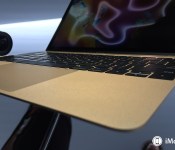
Forget Force Touch trackpads — I want a pressure-sensitive iPad Pro

The new MacBook’s trackpad is incredible. Now, imagine that technology in an iPad.
I got to spend just twenty minutes with the new MacBook trackpad on Monday, but it was enough to leave me feeling wowed, impressed, and a little bit disoriented.
Apple’s long-in-the-making Force Touch trackpad uses haptic feedback to make your finger feel like it’s depressing a button, even though the trackpad itself doesn’t move. It’s a sheet of glass. It doesn’t have a button, it doesn’t all depress at once — it does not move at all. But it feels like you’re clicking. It feels like your finger is sinking into that immoveable glass and accessing deeper click levels than have ever existed on a trackpad.
Now, think about what Apple could do with that technology on a computer made entirely of glass.
What haptic engines do, in a nutshell
If you’re confused by Apple’s trackpad sorcery, here’s the deal: There’s a sheet of glass. Under that sheet of glass are a series of motors that, when you press against the glass, react with different vibrations depending on how hard you’re pressing. Press lightly, you may get a light click or no click at all. Press down hard, and you may go through three or four click levels to result in a different action than your traditional single-click.
It feels like you’re clicking, but you’re not. Your finger is just pressing into stationary glass while the motors send little vibrations to make you feel like you’re moving the trackpad downward. It’s bizarrely wonderful to interact with, and opens up the door for more “Taptic” (haptic + tapping) feedback on Apple’s other product models — the iPhone and iPad, for instance.
A haptic iPad would be incredible for business
I’ve never loved typing on the iPad: Tapping on glass, though doable, feels inherently stiff and cumbersome. To combat this, smartphone-maker BlackBerry tried a different approach, making the entirety of the BlackBerry Storm screen clickable — but it didn’t work out so well in practice.
Apple’s not going to make a 7- or 10- or even 13-inch iPad screen clickable. But Force Touch and a pressure-sensitive Taptic engine could make it feel like they’re clickable, and that makes all the difference.
Imagine an iPad where, as you type, each key feels like you’re pressing it into the screen. Apple could theoretically make a virtual keyboard feel like the sensation of typing on a real keyboard, just with haptic feedback. Let alone other interactions — buttons becoming tappable, new vertical gestures unlocking different kinds of pop-overs and secondary menus, and more.
Artists rejoice
Of course, the haptic feedback is only one part of the puzzle for me: Apple’s Force Touch works because not only is the trackpad hooked up to haptics, but it senses pressure. “Pressure-sensitive drawing” is highlighted as a feature on the MacBook page, though it only shows Preview’s signature field as an example for the time being.
But in my brief testing with that field, the trackpad is indeed pressure-sensitive. Perhaps not to the level of a Wacom tablet, but it’s precise and feels natural — and that’s just with a quick test using my fingers. On a trackpad, this is exciting; on an iPad — with, perhaps, accompanying Apple Pen? — this becomes crucial.
The iPad has never had screen-based pressure sensitivity. Apps and styluses that provide it use software trickery to imitate pressure, but it’s often variable between apps and inconsistent during the drawing process. The iPad’s screen was designed for capacitative touch, not styluses or pressure, and it shows.
But an iPad screen designed specifically for pressure-sensitivity would go a long way in the artistic community — as well as anyone looking to write or annotate. Imagine being able to actually feel the texture of what you’re sketching through haptic feedback, and control your line width. On the music side, imagine being able to feel virtual keys on a piano, or physically feel a record scratch. There’s a lot of possibility here, and it’s incredibly exciting on all fronts.
Will it happen? (And when?)
From the outside, the jump from Taptics in the Watch to MacBook seemed absurdly fast — just six months since the Watch’s features were announced. But Apple has been working on this technology for years; the company just hasn’t been happy enough with it to include in a shipping product.
That said, I’m still not sure Apple has the Taptic engine working properly in a full iPad screen just yet. It might make more sense to include it in the iPhone first before tackling the larger screen, as The Wall Street Journal rumored on Tuesday.
Even if engineers have figured out the 10- or 13-inch glass screen hardware puzzle to their liking, there’s still software to think about: Haptics work because they’re programmable, and there’s an awful lot of programmable content in iOS. Do all buttons get haptic feedback? Does Force Touch make an appearance for contextual menus? Do developers get access to APIs for the Taptic engine to include their own haptic feedback?
Lots of questions, with few answers: Such is the speculation game. But I have hope. After all, those iPad Pro rumors make a lot more sense when you add in haptic feedback and full pressure-sensitivity in the screen.
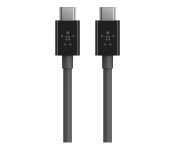
Belkin announces new line of USB-C cables, perfect for that shiny new MacBook
Belkin has announced a collection of USB-C cables designed for Apple’s new MacBook and other USB-C devices.

Belkin’s eight new accessories include cables for USB 2.0, 3.0, and 3.1. All are priced at either $19.99 or $29.99. Here is Belkin’s full list of new cables:
- USB 3.1 USB-C Cable
- USB 2.0 USB-A to USB-C Charge Cable
- USB 3.1 USB-A to USB-C Cable
- USB 2.0 USB-C to Micro USB-B Charge Cable
- USB 3.1 USB-C to Micro USB-B Cable
- USB 2.0 USB-C to Mini USB-B Charge Cable
- USB 2.0 USB-C to USB-B Charge Cable
- USB-C to Gigabit Ethernet Adapter
Announced Monday, Apple’s latest MacBook has only a single USB-C port for accessories like external hard drives, monitors, and SD card readers. Apple also announced some adapters for the new computer, priced between $19 and $79. Additionally, Seagate’s LaCie brand announced a Porsche Design Mobile Drive with a USB-C port.
Belkin says that their USB-C cables will be available beginning in late summer 2015.
Source: Belkin

The new Google Store is your one-stop web shop for Chromebooks, Nexus devices and more
Google has just launched a dedicated website, the Google Store, where the company will sell all of its hardware products, including Chromebooks, Nexus smartphones and tablets and more.

The new storefront comes at the same time Google is launching a new version of its high-end Chromebook Pixel. The new Pixel is available from the Google Store, along with Nexus devices, Android Wear smartwatches, the Chromecast TV adapter, and the Nest thermostat.
Belkin Announces New Line of USB-C Cables, USB-C to Gigabit Ethernet Adapter [Mac Blog]
 Popular Apple accessory maker Belkin today announced a line of new cables and adapters designed to work with the newly announced 12-inch Retina MacBook, which ships with a single USB-C port.
Most notably, the company has announced a USB-C to Gigabit Ethernet Adapter, which will allow the 12-inch MacBook to be connected to Gigabit Ethernet networks using its USB-C port. Apple is not offering its own USB-C to gigabit ethernet adapter, so users who want that functionality will need a third-party accessory like this one. Belkin has not yet added the adapter to its website, but it will be priced between $19.99 and $29.99.
Belkin is also offering a range of other USB-C cables, which are listed below:
– USB-C Cable ($29.99)
– USB-A to USB-C Charge Cable ($19.99)
– USB-A to USB-C Cable ($29.99)
– USB-C to Micro USB-B Charge Cable ($19.99)
– USB-C to Micro USB-B Cable ($29.99)
– USB-C to Mini USB-B Charge Cable ($19.99)
– USB-C to USB-B Charge Cable ($19.99)
Belkin’s cables and the Gigabit Ethernet Adapter will be priced between $19.99 and $29.99 and will ship early this summer.
Boxer and Cyanogen team up for email client in Cyanogen OS
Cyanogen and Boxer have announced a partnership in bringing Boxer’s email app to Cyanogen OS. The company’s next update, Cyanogen OS 12, will be the first to feature Boxer’s app as the default.
Cyanogen’s motive is to offer alternatives to Google’s stock Android apps, as it is not satisfied with the manner in which Google controls the platform. This is also to provide a better solution than its own. It needs to be said: this is not CyanogenMod-built but a partner app.
While some Cyanogen users may be taken aback by this, there is an upside. The app will come with all of its premium features, including Exchange support, multiple accounts, and quick replies. Also, the user can customize what LED color corresponds to which email account and specify how left and right swipes on messages work.
Boxer will be available in Cyanogen OS 12, which will be coming to the OnePlus One and the Alcatel OneTouch Hero 2+ in a few weeks.
Source: Engadget
The post Boxer and Cyanogen team up for email client in Cyanogen OS appeared first on AndroidGuys.
 AIVAnet