


Microsoft Launches New Holiday Ad Comparing Surface Pro 3 to MacBook Air
Microsoft yesterday launched the latest in its series of ads comparing the Surface Pro 3 to Apple’s MacBook Air. The new ad, entitled “Winter Wonderland”, compares and contrasts the two machines to the jingle of the Christmas melody.
The ad’s predominant assessment of the Surface Pro 3 is how powerful the device is in comparison to the MacBook Air, offering similar performance while also supporting pen input. Microsoft also highlights the use of the Surface Pro 3’s kickstand and touch screen as major advantages over the MacBook line, as the Microsoft user in the ad goes about using the Surface to design a Christmas-themed coffee mug. Finally, the ad highlights the Surface Pro 3’s ability to detach from its magnetic keyboard for easy travel and its robust array of ancillary ports, such as its USB port. “I think I like your Surface Pro 3,” the MacBook Air user states at the ad’s end. “No seriously, where can I get one?”
Since the Surface Pro 3 was announced this past May, Microsoft has released several ads comparing the device to Apple’s line of MacBooks. Back in August, the company released a series of ads sizing up the MacBook Air with the Surface Pro 3 for the first time, most likely for the then-impending back-to-school rush. Microsoft has also pitted the MacBook Air against Lenovo’s Yoga 3 Pro in another ad released earlier this month.
All of the ads unsurprisingly position the Microsoft product as offering more versatility and a wider array of functionality compared to the MacBook Air. None of this is new, of course, as Apple and its products have long been popular targets in ads from a number of competitors including Microsoft, which has in the past compared its Cortana virtual assistant to Siri and the Surface RT to the iPad.

NES30: Bluetooth/USB retro gaming controller $29.99 [Deal of the Day]

This one is right in my wheelhouse! With more and more vintage games getting ported over to Android, the only thing missing is the authentic feel of gripping a Nintendo controller and mashing away.
The NES30 has the look and feel of a classic NES controller, but connects with Bluetooth or USB. Its rechargeable battery provides over 20 hours of use per charge and the re-programmable keys allow you complete customization. This controller is compatible with not only your tablets and phones, but any Bluetooth or USB-ready devices including Mac and PC. For just $29.99 you can load up an emulator and vintage roms (of games that you own, of course) and re-live your gaming past! Anybody want to get destroyed in Tecmo Super Bowl?
Check this deal out, and many others at deals.androidguys.com!

The post NES30: Bluetooth/USB retro gaming controller $29.99 [Deal of the Day] appeared first on AndroidGuys.
Nokia’s ‘up to something,’ will unveil new device tomorrow

What will be the first major Nokia device look like following Microsoft’s acquisition of its smartphone arm? We’ll find out tomorrow, according to a cryptic tweet featuring a mysterious black box from the company. That’s when Nokia’s head of product business, Sebastian Nystrom, will host a session entirely focused on “what’s next” for Nokia at the Slush conference in Finland. A shiny new flagship phone is likely out of the question, which leaves us wondering what else Nokia could have up its sleeves.
Filed under: Nokia
Source: Nokia (Twitter)
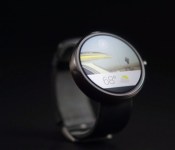
Top 5 Android Wear apps to make better use of your smartwatch
 By now, some of you will have bought into the Android Wear ecosystem and are rocking one of these beautiful devices on your wrist. Many critics say Android Wear hasn’t really hit its stride yet functionality-wise, and they’re probably right, but there’s still quite a lot you can do with it, which is why I’ve put together my ‘Top 5 Android Wear apps’ which I’ve been using to make my first Android Wear experience more enjoyable.
Flashlight for Android Wear – Free
 It’s hard to find Android Wear apps that essentially operate as a standalone app, but Flashlight for Android Wear is as close as it gets. As the app name suggests, Flashlight for Android Wear makes your smartwatch into a temporary lightbulb on your wrist which is kind of useful if you’re rummaging around in the dark for something i.e. your phone.
You can access it through the Android Wear menu manually, but you can also activate it simply by saying “Ok Google… start flashlight”, which triggers your smartwatch to transition to an all-white screen and turns up the brightness. I wouldn’t suggest using it as a torch for too long as it will drain your already precious battery life, but it’s a nifty thing to have installed.
Watch Face – Minimal & Elegant – $0.99
 And here come the watch face apps. It’s hard not to want different watch faces on your Android Wear device, despite the fact manufacturers have piled on some pretty impressive stock offerings. One of the watch faces that have caught my eye since getting my Moto 360 is the Watch Face – Minimal & Elegant app which does cost a dollar, but in my books is totally worth it. As the name of the app suggests, the watch face here is very minimal and very elegant (subjective judgement here). There are quite a few customizations available too, controlled from the app on your phone, which allows you to change the colour of the text and background on the watch face, visual effects, and even the text that appears under the time. Definitely one of my favourite watch faces.
Mural Watchface – Free with in-app purchases
 Are you the type of person that admires images posted on 500px for hours on end everyday? Then Mural Watchface is the app for you. Another watch face app, Mural Watchface allows you to show 500px images, as well as any custom image, beneath some transparent bubbles that display time, date, weather, and battery life.
More about showing beautiful images than it is about showing the time itself, Mural Watchface has quite a few customization options available some of which, like greyscale and adult content, require the $1.99 pro version to be purchased.
Wear Facelift – $1.99
 Can’t choose between all the beautiful watch faces you already have on your Android Wear smartwatch? Have no fear for Wear Facelift is here. Simply put, Wear Facelift allows you to rotate between all the watchfaces that are selectable through your watch face selector and changes them at regular intervals. All this can be customized from the watch itself – start the app from the Android Wear menu, select which watch faces you want in your ‘playlist’, select the time interval between changes, as well as toggle whether you want the watch face order to be shuffled or not. Overall a really neat way to vary your watch faces if you can’t make up your mind, or just like changing it up daily, like me.
Facer – $1.00
 Yes, another watch face app, but easily my favourite one of them all. Like its fully fledge mobile counterpart, Android Wear is all about customization, not only of apps, but designs as well, specifically watch face designs. If you visit facerepo.com/app/ you will find a cacophony of custom designed (and some inspired) watch faces for both round and square screened smartwatches, and there are some real gems hidden in there.
These watch faces can downloaded to your device, loaded through Facer, and can be viewed on your device once synced. It’s a beautiful arrangement, and is a sure way to make sure your watch face is just that little bit more unique than someone else’s. Facer will set you back a lone dollar, but in my books is absolutely worth it if you want those customized watch faces.
So there you face it – my top 5 Android Wear apps for you to check out and use. If you have another other apps that you love to use, feel free to tell us what they are in the comments below.
//<![CDATA[
ord = window.ord || Math.floor(Math.random()*1E16);
document.write('‘);
//]]>
The post Top 5 Android Wear apps to make better use of your smartwatch appeared first on AndroidSPIN.

Samsung Chosen to Supply 80 Percent of Apple’s Future A-Series Chips for iOS Devices
Apple has reportedly chosen Samsung over Taiwan Semiconductor Manufacturing Company (TSMC) as the primary supplier for its future application processors in a deal worth billions, claims The Korea Times (Via G for Games) citing sources familiar with the deal.

Starting in 2016, Samsung reportedly will supply 80 percent of Apple’s supply of 14 nm application processors with TSMC supplying the remaining 20 percent. The key factor that boosted Samsung was its recent partnership with GlobalFoundries, a relationship which will enable Samsung to produce sufficient supply of processors to meet Apple’s demand.
“Apple has designated Samsung as the primary supplier of its next A-series chips powering iOS devices from 2016 as the alliance with GlobalFoundries (GF) enabled Samsung to cut off capacity risk,” a source familiar with the deal said.
During its recent conference call, Samsung confirmed that it is producing sample 14 nm chips for an unidentified customer with plans to mass produce the chips in 2015 and 2016. This latest Korean Times report claims Samsung will begin building the processors early next year in its South Korean plant with plans to expand production to the company’s Austin, Texas facility and GlobalFoundries’ New York factory in the coming year.

Civilization Revolution 2 Game Review

Finally the award-winning franchise for PC Sid Meier’s Civilization has hit the gaming world with a brand new exclusive sequel, Civilization Revolution 2 which is only available for mobile devices. This turned based strategy war game is gaining its popularity with a host of new and old fans alike. And we here at AndroidGuys have put this title under our finely tuned microscope in today’s review.
Ready to dig right in and hear all about Civilization Revolution 2 ? Yes…Thought you might say so.
Well let’s get to it and start off by saying hands down this game has become a force to be reckoned with! Having packed all new 3D graphics unleashing your devices full potential will have you in the zone for hours. That’s not all there is to offer, this exclusive mobile download has also amped up its entire gaming experience with this title. That being said all that new content has to fit somewhere so be ready for the whooping 447MB download that comes with this file. Also a $15 price tag you’ll want to be sure you’re getting the most bang for your buck. Well lucky you we here at AndroidGuys have footed the bill to give you all you need to know on this hot title. And don’t worry people developer 2K Games made sure to treat fans with explosive new content and is leading itself as having NO IN-APP PURCHASES !!
Want to rule a nation through the ages? How about building your nation of wooden huts into a thriving megatropolis. Civilization Revolution 2 has made that possible. Within the first hour of gameplay I was already hooked on the amazing 3D graphics and superb control layout. It has an easy to use interface along with a host of new content that will have you jammed up with endless options.
Yes folks it is still a good old fashion turned based strategy which usually can get tiresome and repetitive at times in between turns but wait…remember all that action packed content I was talking about? Well developer 2K Games made sure to ease those problems by introducing loads of character animations and city management options to develop and keep you occupied while you wait. All be it those animations can get repetitive and sound quite familiar to a Sim’s character but it is definitely a break from the ordinary hurry up and wait.
After hours of gameplay I definitely keep my device powered on and ready to go. Pick your leaders from a wealthy list of new choices from Abraham Lincoln to Ganges Khan and rule your nation the way you want. Ready to build a massive army full of countless new units and have a bloody all out world war than that’s your prerogative. Or how about building a small Aztec village into a world super power by advancements or force. There is also historic campaigns allowing you to replay exact historic scenarios, along with a random game set up simulator so that way you can play how you want when you want. All new technologies to advance your nation along with new events to keep you on your toes every time you end your turn.
WHAT WE LIKED:
- Amazing 3D graphics
- Hours of entertaining animations
- Random advanced AI
- Easy to learn interface
- Historically accurate scenarios
- No IN APP purchases required
WHAT WE DIDNT LIKE:
- Drains battery quickly
- Large file download
- New title so there is regular bug fixes and freezing.
- No easy to use tutorials
- Repetitive animations
- Skilled learning curve for new users
The post Civilization Revolution 2 Game Review appeared first on AndroidGuys.

Not all devices will take advantage of Lollipop’s new camera API

Android 5.0 Lollipop has a new camera API that allows the capture of RAW photos. Many people have noticed the change with the Nexus 5, but those with a Nexus 4 and Nexus 7 haven’t. The reason is that it’s hardware based. Devices that use a processor for image processing that is not part of the SoC (external ISP) will not be able to take advantage of it. The Nexus 4 and Nexus 7′s fall into that category.
Other phones that will also have the same issue will be the Galaxy S 4, HTC One (M7), HTC One (M8), and the Moto X (2013).
Does this news make you want to go out and buy a new phone?
source: Reddit more info: tuttoandroid
Come comment on this article: Not all devices will take advantage of Lollipop’s new camera API
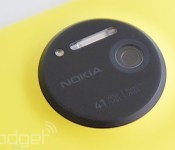
Nokia wants other companies to pay for its iconic brand

Nokia may have sold its smartphone line to Microsoft, but it held on to one of the crown jewels: its brand. The Finnish company has the world’s 98th most valuable name at around $3.2 billion and plans to profit by licensing it to other companies, along with its technology and patent portfolios. In a presentation (PDF) Nokia Technologies President Ramzi Haidamus said that the company is free to lend its name to any non-phone products, as long as “the brand is relevant.” There was no mention of the companies it may work with, but Haidamus said that the product would need to look like it was made by Nokia.
Because of its deal with Microsoft, Nokia is restricted from using its name on feature phones for another ten years, but is free to brand smartphones after 2016. Meanwhile, Microsoft stopped using the Nokia brand in favor of Lumia starting with the new Lumia 535. However, Nokia said that it has no plans to enter that market directly. Instead, it would license its brand to third-party smartphone companies and work with them to make the best use of it. Nokia also wants to market its technological expertise along with its extensive patent portfolio — for instance, it added 914 new patents in 2014 alone.
Haidamus was quick to point out that while the Nokia name is valuable, he’s keen to capitalize on it soon, as its lustre will diminish rapidly. If he’s right, we may soon see that Microsoft left the most valuable part of the company on the table — the Nokia name itself.
Filed under: Cellphones, Nokia
Via: The Verge
Source: Nokia (PDF)

Why Commercial Television Displays Can Make All The Difference
We all know how integral the television is to our lives and our culture. According to the NY Daily News, Americans spend an average of 34 hours a week watching TV. Needless to say, televisions are everywhere—they offer relief from daily stress while delivering daily wallops of news and entertainment. It is estimated that there are over 630 million TV sets in the world. So it should be obvious to any savvy advertiser or business owner that having a TV set at their place of business is a must!
However, normal television sets will just not cut it. In a commercial setting, commercial TV displays are the only way to go. When you decide that you need to have digital screens in your workplace or retail space, a regular TV will soonbreak down from the raw amount of hours that it needs to be on and functional. In many places of business, these TV are used as displays for products, specials, videos, music, announcements, and other information. This means that these TVs are on average running from between 8 and 16 hours a day, 5 to 7 days a week (and in some cases, such as in airports and hospitals, 24 hours per day). Commercial televisions can stand up to constant use, so are perfect for a round-the-clock situation!

More and more, companies understand that a commercial TV display is the secret weapon to increasing sales and promoting a professional image. Clothing retailers can show models walking the catwalk in the latest fashions, showing clothing in motion. Fast food retailers can display food prep and gourmet techniquesto whet the appetite. Institutional lobbies and waiting areas can invest in displays to show 24/7 news coverage from local broadcasters, giving people waiting in long lines a diversion from the tedium. In all these cases—and many, many more—the screens do not obstruct valuable floor or sales space; new models are exceptionally thin and lightweight, allowing owners to mount them on walls to maximize efficiency.
Does investing in commercial TV displays sound appealing yet? If so, head to a professional retailer like Toshiba.ca/displaysolutions/ to start seeing how they can revolutionize your image and reputation. When you outfit your office or retail space with wall-to-wall screens in stunning, high-definition resolution, you immediately elevate the professional image of your business. The beautiful thing about your investment is that it’s not actually that expensive—it only looks that way! Grab attention and don’t let go with crystal clear images, engrossing sound, and a foolproof set-up. Your bank account will thank you!

Google grabs its first carrier partner for Project Loon tests in Australia

Google’s internet-transmitting Project Loon balloons are set to float above Australia and beam data down to residents below. The company announced plans to use balloons to bring the internet to disconnected areas last year, and after semi-successful trials in New Zealand, Brazil and the States, it’s teaming up with a local carrier (Australia’s Telstra) for the first time to launch Loon’s biggest test flight to date.
Project Loon works by creating a network in the stratosphere. First, a base station sends signals up to a nearby balloon, which floats some 12 miles above the ground. The balloon then relays those signals to its neighbors, passing them down the chain to units outside of the base station’s range. Each balloon can transmit this data down in the form of phone-friendly LTE, covering an area larger than 600 square miles per balloon.
The long-term plan is for a network of balloons to circle the globe on stable and predictable stratospheric winds, providing data service to the two-thirds of the earth who don’t have access to a stable wired connection. The Australia trial starts in December and will involve just 20 balloons, but these smaller tests are vital if Google is to achieve its dreams of connecting the world to the internet — and its services.
Filed under: Internet, Mobile, Google
Via: The Verge
Source: The Guardian
 AIVAnet