


RunKeeper gets Google Fit compatibility with latest update
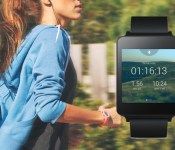

Today, the extremely popular fitness-tracking app, RunKeeper, received a rather beefy update via the Play Store. The upgrade brings compatibility for Google’s recently-launched ‘Fit’ application, in addition to a multitude of bug fixes, stability improvements and speed optimizations.
“We know information is key when it comes to keeping track of and taking down your fitness goals. The Google Fit platform manages the data from all those different health apps and devices you’re using, putting them in one accessible place. We’re excited to see how your RunKeeper experience interacts with all that, so we can be even smarter about how we help you set and reach your fitness goals,” states RunKeeper on it official blog.
To install the update, simply open up the Play Store on your device, toggle the hamburger menu by swiping in from the left-hand side of the screen, select ‘My Apps’ and click on RunKeeper. Next, hit the update button, and the application will instantly start to download and install the upgrade from the Google Play servers. Alternatively, you can scan the QR code below to initiate the procedure.
If you’ve installed the updated version of RunKeeper we’d love to know how you’re finding it — so be sure to drop us a comment in the section below.
Come comment on this article: RunKeeper gets Google Fit compatibility with latest update
 AIVAnet