



Lenovo VIBE X2 launched in India for INR 19,990 ($325)
The Lenovo VIBE X2, which was announced during IFA 2014, has been launched in the Indian market today. The device has been priced at INR 19,990 ($325) and will be exclusively available from November 10 through the e-retail giant, Flipkart.

The Lenovo VIBE X2 features a unique tri-layer design and a 5-inch Full HD (1920×1080 pixels) IPS LCD display. Equipped with a 2GHz octa-core MediaTek MT6596M processor and 2GB of RAM, it runs Android KitKat and is powered by a 2,300mAh battery. The device has a 13-megapixel primary camera and a 5-megapixel front-facing shooter.
Lenovo VIBE X2 Specifications
- 5-inch IPS LCD display, 1920 x 1080 pixels, 441 ppi
- Android 4.4 KitKat
- 2GHz octa-core MediaTek MT6596M processor, PowerVR G600 GPU, and 2GB of RAM
- 32GB internal storage but no microSD card slot
- 13-megapixel primary camera, autofocus, LED flash, and 1080p video recording
- 5-megapixel front-facing secondary camera
- Dual-SIM, 4G LTE, dual-band Wi-Fi ac/b/g/n, Bluetooth v4.0, GLONASS A-GPS, and microUSB v2.0 port
- 2,300 mAh non-removable battery
Alongside its dual-SIM support, it is also compatible with 4G LTE bands and FM Radio. The device comes pre-loaded with apps like SHAREit, SYNCit and CLONEit. It is available in four colour variants; White, Gold, Red, and Charcoal.
//<![CDATA[
ord = window.ord || Math.floor(Math.random()*1E16);
document.write('‘);
//]]>
The post Lenovo VIBE X2 launched in India for INR 19,990 ($325) appeared first on AndroidSPIN.

Aaron Sorkin Discusses Steve Jobs Movies and the Pressures of Writing
In a newly posted video clip, screenwriter Aaron Sorkin spoke to Bloomberg‘s Emily Chang about his upcoming Steve Jobs biopic that is expected to begin filming sometime next year. When asked why he was filming yet another movie about the Apple co-founder, Sorkin noted that Steve Jobs’ life could provide content for at least ten movies.
I think that you could do ten more movies about Steve Jobs, and I think if you lined up ten writers and said “write a movie about Steve Jobs”, you’d get ten different movies, all of them worth going to see.
Though he spoke relatively freely about Steve Jobs, such as mentions of the three times he spoke with Jobs on the phone including one where he “fixed a couple of typos” in Jobs’ famous Stanford 2005 commencement speech, Sorkin did not address the casting for his upcoming movie, which has been in flux over the past year.
Early reports had Leonardo DiCaprio, Matt Damon and Bradley Cooper allegedly considered for the leading role, and just weeks ago Sorkin announced Christian Bale was selected without audition for the part. Bale has, however, reportedly pulled out of the project and Michael Fassbender is now reportedly in talks for the role.
Sorkin went on to address the pressure he faces in writing the movie, noting it is “the same pressure that I feel when I’m writing anything…maybe with a little bit of sauce on top of pressure because he is a person that so many people have so many strong feelings about.” He notes that he has met extensively with the other seven main characters in his Jobs movie, including Steve Wozniak, former Apple CEO John Sculley, and former Mac marketing chief Joanna Hoffman.
The film will include 30-minute segments that focus on three major Apple product announcements with Danny Boyle of Slumdog Millionaire fame as director. Seth Rogen reportedly is in talks to play Apple co-founder Steve Wozniak, while Academy Award nominee Jessica Chastain may also play an unspecified role in the film.
Sorkin’s full interview will air tonight at 8:30 pm ET/PT on Bloomberg’s Studio 1.0.

Twelve South Launches SurfacePad Case for iPhone 6 and 6 Plus [iOS Blog]

Popular Apple accessory company Twelve South today introduced a new addition to its line of SurfacePad cases, the SurfacePad for the iPhone 6 and iPhone 6 Plus. The leather case is designed for ultimate portability, with an ultra thin folding design and the ability to transform into a hands-free display stand.
The SurfacePad case attaches to the back of the iPhone using the company’s “SurfaceGrip technology”, which Twelve South claims to allow the removal and reattachment of the case repeatedly.
With two separate slots for credit cards in the front cover, the case bills itself as a companion of sorts to Apple’s new Apple Pay feature.
The inside front cover of SurfacePad for iPhone 6 has two slots for cards. Thanks to Apple Pay and Passbook, you can keep your bank cards and tickets on your iPhone and your ID and transit cards in your SurfacePad. Or simply use the slots for an occasional night on the town with your ID and Bank Card. SurfacePad’s two card slots are the perfect complement to your new lighter Apple Pay world.
Fun new features and the big, beautiful Retina HD display give you so many reasons to use iPhone 6 hands-free, that a case without a stand is not an option anymore. Fortunately, SurfacePad’s built-in stand is perfect for watching movies, hanging out with friends on FaceTime, and taking timed group photos. Flex the back of SurfacePad to put iPhone into display mode, and you’ll be ready for hands-free selfies, watching game highlights at the bar or catching a TED Talk in your favorite coffee shop.
The SurfacePad for iPhone 6 is the latest iteration in a long line of SurfacePad cases for Apple products. The company announced a case for the iPad Mini earlier in the year, and already makes cases for older model iPhones and MacBooks.
SurfacePad for iPhone 6 and iPhone 6 Plus is available in Black, Red, White, and Camel. It can be purchased on the Twelve South website at $39.99 for the iPhone 6 model and $49.99 for the iPhone 6 Plus.
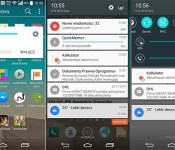
Here’s what Lollipop will look like on the LG G3

We have already seen leaks of Android Lollipop for both the Moto X (2014) and the Samsung Galaxy S 5, and now its time for the LG G3. Don’t expect it to be the stock experience as LG has their own skin called Optimus. However, they seem to be using the new style of notifications and tweaking the notification area. You might get a few Material Design animations too, but this is going to look a lot like the current UI.
Underneath it all, you should get some of the new features like the new and improved Android Beam, Trusted Devices, and the ability to restore apps from an older device during the initial setup. Hit the break for a few more shots.

source: Life’s Good
via: GSMArena
Come comment on this article: Here’s what Lollipop will look like on the LG G3
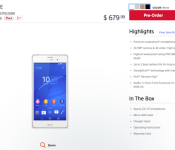
Unlocked Xperia Z3 hits the Sony online store, ships Nov. 10 for $679.99

For those interested in an unlocked Xperia Z3 you’ll be excited to hear that the Sony Store has it. According to the web site the device will go for $679.99 and will start shipping on Monday, Nov. 10. It should be noted that this is the global variant (D6603) with support for LTE Bands 1-5,7,8,13,17, and 20. If you do decide to order one, you’ll have your choice of the colors available, including black, copper, olive green and copper. Hit the source link to score one.
source: Sony
Come comment on this article: Unlocked Xperia Z3 hits the Sony online store, ships Nov. 10 for $679.99
Samsung working on a 5.9-inch 4K Super AMOLED display for next year’s Galaxy Note 5

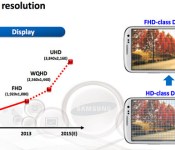
2014 gave us the first smartphones with a Quad HD (2560 x 1440) display, but that’s not good enough is it? I am thinking 700+ ppi makes a lot more sense doesn’t it? Yup, I am talking Ultra HD baby, as in 4K. Well Samsung seems to agree as they are working on a 5.9-inch Super AMOLED display that will sport a resolution of 3840 x 2160 and a ppi of 746.
This is hardly surprising since Samsung did reveal a roadmap (above) during their Analyst Day last year. It does show an UHD display for sometime in 2015. If Samsung does pull this off, expect to see it on the Galaxy Note 5.
Overkill? Possibly, but with Samsung’s phones allowing you to display multiple apps at the same time on the display, it actually is utilized. It means that you could shows 4 pop up apps on the display at the same time giving you a resolution of 960 x 540 (qHD) for each app. Displaying 3 apps at the same time would give you 720p each. So you see, you do need it 
source: Phone Arena
Come comment on this article: Samsung working on a 5.9-inch 4K Super AMOLED display for next year’s Galaxy Note 5
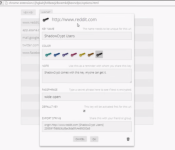
ShadowCrypt is a Chrome extension that encrypts tweets, status updates and emails

In the wake of Edward Snowden’s revelation that our privacy may not be as private as we once thought, there has been a monumental push to make things more secure. From Google encrypting things in Lollipop by default to people scrubbing their entire existences from the Internet, the privacy wars are only going to escalate. Well those of you concerned with your online privacy should check out a new Chrome extension called ShadowCrypt.
ShadowCrypt encrypts email, Facebook status updates, tweets on Twitter and other social media aspects. After it’s installed, an encryption key needs to be generated for every web site visited as well as every email sent. Those keys will need to be given to those you wish to share your status updates, tweets, or emails with. That being said, they need to be ShadowCrypt users as well, otherwise they’re going to see a garbled string of characters. We have a video for you below of it in action so if you’re still on the fence, be sure to check it out.
Click here to view the embedded video.
source: ShadowCrypt
via: engadget
Come comment on this article: ShadowCrypt is a Chrome extension that encrypts tweets, status updates and emails
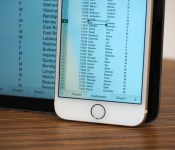
The new Office for iPhone is everything it should have been on day one

I remember when Microsoft first came out with Office for iPhone. It was actually kind of exciting. Here was this thing that for years had only existed in the form of rumors and leaked documents. And there it was, at last: the killer iPhone app, ready to download. Or so I thought. Maybe I was expecting too much, but I came away feeling underwhelmed. That first version of Office Mobile was a watered-down gimp of a program, with pitifully few editing tools and an occasionally confusing layout (imagine having no way of knowing what size font you were using). Compared to some apps, like Google Drive, it wasn’t that bad, but it still wasn’t as feature-rich as Apple’s own iWork suite. Worst of all, the software has received few feature updates in the 17 months since it debuted. Is this what we waited so long for?
At last, however, Microsoft seems to have come to its senses. The company is getting rid of Office Mobile and replacing it with three standalone iPhone apps for Word, Excel and PowerPoint, just like on the iPad. In fact, because these apps share code with the iPad version, they arrive with the same robust feature set, along with a couple tricks designed specifically for the iPhone. In short, then, the new apps are everything the original Office for iPhone should have been.
If you’ve spent any time with Office for iPad (or if you read my review), you’ll notice right away that these new iPhone apps have generally the same UI as the tablet version. The icons are the same, as is the layout of the home screen, where you can create new documents, view recently opened files or poke around any storage accounts you may have linked. Speaking of the sort, whereas you once needed a Microsoft OneDrive or SharePoint account to open something stored in the cloud, you now have the option of connecting your Dropbox account as well. It’s a brilliant solution when you think about it: Dropbox doesn’t have built-in office tools like OneDrive or Google Drive, and meanwhile Microsoft has caught flak for not supporting enough storage services. Everybody wins, especially users.
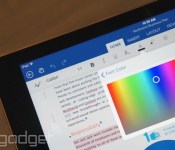
Though the UI is similar in style to the iPad version, Microsoft did have to make a few tweaks to ensure Office ran well on the iPhone’s smaller screen. For instance, while the iPhone apps have the familiar “Ribbon” interface, it now shows up at the bottom of the screen, not the top. Just hit the fourth button from the right in the top pane, and you’ll see a menu pop up at the bottom of the screen, exactly where you’d normally expect to see the onscreen keyboard. Because of that, the Ribbon never feels like it’s in the way: If you’re used to constantly having a soft keyboard taking up the lower half of your phone screen, then Office’s “vertical Ribbon” setup should feel quite natural.
From there, you can tap through all of the usual Ribbon options (“Insert,” “Review,” et cetera). As you’d expect, the menu of options will change depending on the context, but regardless of what you’re doing, the controls are large and easy to hit with your finger. Wanna change the font or color of your text? No problem. Want to program a cell to calculate a formula? Easy peasy. Need to add a transition to your PowerPoint slides? You get where I’m going here. The point is, for an app that offers such a large number of options, it’s impressively well-organized. Best of all, because the main Ribbon menu sits at the bottom of the screen, it should be easy to reach with your thumb, even on the larger iPhone 6 Plus.
Additionally, Microsoft added viewing modes to Excel and Word that make it easier to read documents on the iPhone’s smaller screen. In Excel, there’s a full-screen mode, which is exactly what it sounds like: a view-only mode where you won’t have to worry about hitting any random cells with your finger. In Word, this works a bit differently. There, it’s called “Reflow,” and it’s kind of like the difference between a mobile website and the full desktop version — the high-fidelity original looks better, but Reflow view makes it easier to read on that small screen. With PowerPoint, there’s no special mode, per se, but you will find that it runs mostly in landscape mode.
This would also be a good time to talk about performance. In particular, I like how quickly my iPhone 6 toggles between the standard and Reflow views — in that sense, it’s really not like switching between mobile and desktop websites! In general, too, the three apps feel responsive. Which isn’t surprising, really — Office for iPad runs briskly, as does Office 2013 on the desktop, for that matter. All the Office apps I’ve used recently have been fast.
All told, I’m pretty smitten with the new Office for iPhone apps. Now that they have feature parity with the iPad version, there’s very little I would change. (It is annoying that you still can’t add images to documents unless they come from the Camera Roll — what about OneDrive?) For some people, particularly those who depend heavily on Google Drive, the new Office for iPhone won’t be enough — at least as long as Microsoft continues to not support Google accounts. For everyone else, though, the new Office may have just made every other productivity app obsolete.
Microsoft makes Office for iPad free to use, starts testing Android tablet version

Considering how popular Office has been on the desktop, you’d assume it’d be the go-to productivity suite on mobile too. In fact, though, the company has made a few missteps: The iPhone app is watered down, and as nice as the iPad version is, you need an Office subscription to do any sort of editing. Fortunately, though, Microsoft is changing course: The company just announced that it will offer basic editing as a standard feature on the iPad, the same way it already does on Android and the iPhone. Keep in mind that you’ll still need an Office 365 subscription to unlock certain advanced editing tools, but most of those are probably better-suited to business users anyway.
Additionally, the company is beginning public beta testing on its first-ever Android tablet app, which will see a wide release early next year. The software, which includes standalone Word, Excel and PowerPoint apps, is still in development, but what we’ve seen so far suggests the apps have feature parity with the iPad suite. Also like the iPad app, it will include basic editing tools for free. You can sign up for the preview today, but it may take a while before you get a turn: Microsoft says it plans to add users gradually, with an eye toward testing a wide variety of devices.
Oh, and lest you think Microsoft forgot about its own Windows OS, a company spokesperson told us the touch-friendly Windows version is still in the works, but that we probably won’t see it until Windows 10 launches next year.
Finally, Office for Mobile for iPhone has gotten a huge redesign — so huge, in fact, that the app as you know it no longer exists. That watered-down application is gone and in its place are three standalone programs for Word, Excel and PowerPoint, each of which has the same robust tool set as the iPad version. Except, you know, some of the features here have been optimized for the iPhone’s smaller screen (think: a “Reflow” mode that makes it easier to view formatted Word docs on a 4.7-inch display). Those are available for free starting today and again, you don’t need a subscription to format text and make other basic edits. Have fun, and be sure to check out our hands-on screenshots.
Filed under: Software, Mobile, Microsoft
Source: Microsoft (1), (2), (3)

Five questions for the athletes making wearables you won’t take off

MC10’s most notable projects — the Checklight head-impact tracker that protects athletes from the effects of dangerous collisions and a Biostamp “seamless sensing sticker” — are already at the forefront of sports and medicine technology. Isaiah Kacyvenski and Angela Ruggiero are experienced athletes on the company’s sports advisory board, tasked with figuring out ways to use technology to optimize athletic performance. That’s certainly great news if you’re an athlete in an impact sport trying to avoid the after effects of concussions, or a blogger getting punched in the face by your coworkers. But what about everyone else? Kacyvenski and Ruggiero will join me at Engadget Expand on November 8th for a discussion on how the new technology can help us stay healthy, and ensure that our workouts are refined to get the most impact. You can tune in or attend the event for free, but check after the break for a quick preview, and let us know if you have any questions that need answering.
What can technology bring athletes, at any level, to improve their training and results?
Isaiah: I was constantly looking for that extra fraction of a second, how to increase performance and elongate my career. Now you have data points, and can answer the question: “What led up to that amazing play?” The way it translates to the average person is with the accuracy. If you can say, “This is accurate; I’m confident in the device” then just let the sensors tell the story, without having to filter through a thousand algorithms to figure out what it all means.
Angela: I’d add to that, the idea of hitting objective measures. In a team sport, you have feedback from coaches, and other athletes about how you’re training. Now you can have that effect based on data and interpreted, even if you’re not a part of a team. MC10’s approach is to pick up all of the data that makes up the question of “Why are you tired today?” How much did you sleep? How much did you have to drink, etc.
Isaiah: One of the things Angela and the sports advisory board came up with, is that there’s always a question whether you’ve trained enough? As a result, especially among elites, overtraining is a major problem. It shoots yourself in the foot and is a theme that comes out across different sports. With more information and immediate feedback, we can avoid that.
How can technology fill in the gap for someone who doesn’t have a coach, a trainer or a team to work out with?
Angela: Whether it’s a team with a coach or an individual, an athlete out of season or a weekend warrior trying to get fit, what’s key is that you can track your progress. Seeing data over a period of time as opposed to just a moment is what lets you see real results, and compare what you were doing. It’s hard for most people to synthesize their results, as progress comes slowly we can account for what’s happening over a longer period, and simplify it, depending on what you capture.
What I loved as an athlete was that the coach would tell you “run from A to B,” and you didn’t have to think about it to get an objective measurement. Now we can connect it and compare to others, see data about what elite athletes or anyone else is doing. “Oh, I walked a thousand more steps than yesterday,” or, “Oh wow, Isaiah walked x number of steps” because he’s in training.
Isaiah: One of the key phrases I have is that we must democratize the lab. What I mean by that, is to take all the learning of the lab, the heavy equipment, and bring that to people from elite athletes all the way to weekend warriors. It can be almost like having a coach; the technology is a companion for you. If it can look at a running back, for example, look at gait, cadence and foot-striking then give real-time feedback, it can fill the role of a coach.
What’s one way the tech that’s coming out today could’ve helped you, or other athletes in situations you saw during your career?
Isaiah: I was a cramper, and it would’ve helped for me to understand my level of hydration, and the composition of electrolytes I needed. With accurate data, it takes all of the guesswork out of it. Another thing is rehab — I had eight surgeries during my career, and I’m up to 10 now. Now we can start to ask, “How do I quantify rehabilitation?” [and] “How close am I coming back from an injury?” You can actually know — you’re 92 percent to getting back to where you were before.
Angela: I 100 percent agree on rehab — finding out how much muscle mass came back, or how much mobility. I’d also add concussion information. I don’t know how many I had, because we didn’t track it. But we know now that being able to see that kind of information is very important.
Isaiah: Definitely, we can know the impacts registered, and the amount of the impact over time.
What tech that’s currently on the market really sticks out to you?
Isaiah: The Misfit Shine is interesting to me. Why are we always measuring running from the wrist? Why not measure from the source, the leg or whatever. Being able to move the sensor around is interesting, and it will take a game-changing form factor to change that.
Do you think the growth of technology right now, and especially sports tech, is similar to how Nike and others have taken specialized sports equipment to a wider market?
Angela: If you take a look around, every person, and every kid has a phone and loves gadgets. So even beyond the world of sports, they’re used to getting instant gratification, and everyone wants that. So being able to get immediate feedback from your training, and knowing if it’s resulting in positive or negative gains is definitely the next big thing.
Isaiah: People are starting to understand that there is data pouring off of your body, 24/7. The age is coming where we’re going to be able to capture that data for an extended period of time, and let you know when you’re getting off the path. Soon, people will be able to see the warning signs that lead to injuries, things like diabetes or heart disease.
Filed under: Wearables
 AIVAnet