



HTC Nexus 9 for $199 Via HTC Hot Deals, 12 Hours Only
 We all know new tech shows up sometimes within weeks of just one flagship announcement. After which the price is usually pretty high (unless you sign a 2 year contract) so it is nice to see that HTC is giving all of us a chance to own the latest Nexus tablet from Google for half the price of what is on the Play Store. If you click on the link below you will be able to purchase the all new HTC Nexus 9 for only $199!! That’s 50% off the Google Play Store price of $399 (16GB).

This price comes courtesy of HTC and their #HTCHOTDEALS which will announce a new HTC deal every Tuesday for the next 9 weeks. The deal will run between 9 a.m. and 9 p.m. PT/noon and midnight ET every Tuesday. That gives you a full 12 hours to get your mega deal on before it is gone. Which, if this first deal is any indicator, means we are in for some pretty damn good deals from HTC so I suggest you all start watching the hashtag (link above) on Twitter.

This price is, well kinda shocking, considering that the Nexus 9 tablet just came out. Normally you don’t see such savings unless the product is doing bad already (FIRE-sale anyone). So if you have been saving up to buy one off the Play Store well good news now you can buy two with that $400. Use one as a coffee table or give one to your dog so s/he can watch cat videos on YouTube. Whatever you decide just be happy that the Nexus 9 is on sale for $200!!! So hit up the link below (bookmark it as well for all the coming deals) and start clicking that buy button because there are limited quantities which is kinda obvious given the price. Good luck.
All purchases must be billed and shipped to a valid mailing address in the 50 United States and the District of Columbia only. White or Black 16GB models only.
//<![CDATA[
ord = window.ord || Math.floor(Math.random()*1E16);
document.write('‘);
//]]>
The post HTC Nexus 9 for $199 Via HTC Hot Deals, 12 Hours Only appeared first on AndroidSPIN.
Nexus 9 LTE Swings Through the FCC, One Step Closer to Launch
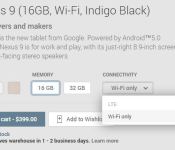
By now you all know the HTC Nexus 9 is up for grabs on the Play Store starting at $399 in a variety of color and internal storage size options. You are probably also now aware of the killer #HTCHOTDEALS promotion that is giving you the chance to grab the 16GB model for $199 right now. While that is all awesome, one variant of the device is still missing in action, the LTE enabled version of the new 8.9-inch slate.

We know one is coming, after all the Play Store has it listed, but grayed out, and T-Mobile is confirmed to carry it too. After a slight snafu with the Nexus Player not being fully certified by the FCC prior to sale, it would seem that jumping the gun with the Nexus 9 LTE won’t be happening as it would appear that the device has just swung through the FCC under ID NM80P82300. It doesn’t come out and say “I AM THE NEXUS 9 LTE” but considering this is a HTC tablet and the Wi-Fi HTC Nexus 9 carried ID NM80P82100, we are betting it is.
The LTE variant that swung through carries 10 LTE bands (2, 4, 5, 7, 12, 13, 17, 25, 26,and 41). That covers all the US carriers such as Verizon, AT&T, T-Mobile, Sprint and US Cellular. There is also GSM 850/1900 support along with WCDMA bands 2,4 and 5 for global access.
With the legal mumbo jumbo done, this should mean that we get some pricing and maybe a release date for the carrier enabled tablet.
Source: FCC via Droid-Life
//<![CDATA[
ord = window.ord || Math.floor(Math.random()*1E16);
document.write('‘);
//]]>
The post Nexus 9 LTE Swings Through the FCC, One Step Closer to Launch appeared first on AndroidSPIN.

Microsoft Office will soon tap into your Dropbox

Microsoft would just love it if you used OneDrive for all your document storage needs, but let’s face it: loyalties to rival cloud services run deep. That’s why, in the spirit of compromise (or acknowledging user demand), the folks in Redmond have inked a curious deal with Dropbox. Over the coming weeks, you’ll be able to access your Dropbox files from your Microsoft Office apps, and edit those Office documents from within the Dropbox mobile app. That’s just the tip of the iceberg, too, as Dropbox is working on connecting its website to Microsoft’s Office Online tools and prepping a Dropbox Windows Phone app for a launch within the next few months. It might seem a little odd for Microsoft to so openly embrace an apparent rival, but the company can’t deny the facts. Dropbox currently has over 200 million users dumping their files into accounts all the time, and Microsoft isn’t trying to beat them over their heads with word of OneDrive’s superiority this time. No, it’s meeting people on their cloud-based doorsteps with a terribly useful feature, and it just might win some new fans because of it.
Source: Dropbox Blog
What you need to know about life on the International Space Station

In an unfortunate turn of events, Orbital Sciences’ Antares rocket exploded a few seconds after launch last week. The rocket was thankfully unmanned, but it was intended to ferry critical supplies to astronauts aboard the International Space Station. Luckily, the astronauts currently aboard the space station have enough food to last until March 2015 — more than enough, as some are scheduled to fly home November this year. People living on the ISS depend on the ground crew for most of their needs, and each resupply mission brings spare parts and hardware needed for repairs and experiments, packaged food and hygiene supplies. These hygiene amenities and prepackaged chow differ quite a bit from what we typically use: the shampoo and hand soap, for instance, are the special no-rinse kind, while some of the food comes in dehydrated powder form. Want to hear more about life out there in zero-g? We do too, so we’ve dug deep into how astronauts live each day in the ISS: from what kind of work they do to how they use the toilet.
WHAT IS THE ISS AND WHEN DID PEOPLE START LIVING THERE?
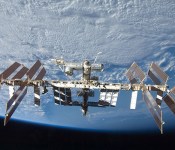
The International Space Station is a habitable satellite that orbits the Earth at an altitude of 220 miles once every 90 minutes, which means the sun sets and rises for the crew 16 times a day. It’s a huge project not owned just by a single country: NASA (USA), Roscosmos (Russia), JAXA (Japan), ESA (several European countries) and CSA (Canada) all pitched in to build it. These space agencies regularly send astronauts (and “cosmonauts,” in the case of Russia) to the station for six-month expeditions, the first of which took off on October 31st, 2000. There can be as many as ten people living on the station at a single time, or as few as two to three.

HOW DO AMERICAN ASTRONAUTS FLY TO THE ISS AND BACK?
You might be wondering how American astronauts get to the station without an operational space shuttle program. There’s a simple answer to that: they “hitch” rides (to and from Earth) aboard Russian Soyuz spacecraft to the tune of $71 million per person. According to American astronaut Ron Garan, who lived on the ISS in 2011, Soyuz capsules are really small (it’s a tight fit in there), so you can feel every bump of the crazy ride. He even likened the re-entry process into our atmosphere to “going over Niagara Falls in a barrel (that’s on fire) followed by a high speed crash.” Good thing astronauts now only have to spend six hours per way in its cramped quarters, instead of two days like a few years ago.
It’s unclear how the recent friction between NASA and the Russian Space Agency will affect future missions. The former’s already working with private space companies to develop manned vehicles that can launch from US soil by 2017. Aboard the space station, however, crew members don’t let politics bother them. NASA astronaut Cady Coleman told us in an interview that they emphasize the non-political and just look for what they have in common with each other.
WHAT DO RESIDENT ASTRONAUTS DO, EXACTLY?
We asked Cady Coleman (whom you might remember as the astronaut who advised Sandra Bullock on what it’s like to live in space…straight from space) to run us through her typical day, and she gave us this sample schedule:
- 7AM – Wake up
- 7:10AM – Conference
- 7:30-8AM – Breakfast and prep for work
- 8-12NN – Do experiments as assigned (Setting up, performing, tearing down experiments)
- 12-12:30PM – Lunch
- 12:30-6PM – More experiment work
- 6-6:30 – Conference with ground crew to review that day’s activities and discuss the next day
- 6:30-7:30 – Dinner while watching the news taped by the ground crew from the day before and beamed up to the station
- 7:30-midnight – Clean up and read the procedures for the next day, family time and time to look out the window to see the glorious views outside.
- Sometime within the day, 5-6 days a week – Two-hour exercise (30 min on the treadmill and 70 min resistance exercise)
- Fridays – Astronauts work on personal projects and watch movies together as a crew
When a crew member isn’t working on an experiment or two, they’re doing maintenance work or preparing for extra-vehicular activity (EVA), which you might know better as spacewalking.
WHAT KIND OF EXPERIMENTS AND MAINTENANCE WORK DO THEY DO?
The ISS has hosted a slew of scientific experiments for other government agencies, private companies and educational institutions since the year 2000. Experiments vary in nature from growing zucchinis to observing ant colonies, though some recent ones include 3D printing in zero-g and testing Robonauts‘ (a humanoid robot) potential to help humans with their tasks. When we asked Colonel Coleman to name what she thinks is the most interesting experiment, she said it’s the astronauts themselves. She called herself a “walking, talking osteoporosis experiment,” as humans lose bone mass 10 times faster than a 70-year-old in outer space. Their blood and urine samples apparently help us better “understand the mechanism of bone loss and bone rebuilding.”
In addition to performing experiments, the astronauts are in charge of making sure the station is in tip-top shape — after all, if anything goes wrong, it’s their life on the line. Sometimes, they even need to fix parts outside the station or to clear space debris (junk hurtling through space that can damage spacecraft) lodged into the station’s nooks and crannies. In cases like those, a couple of crew members don their space suits and step outside. One of the most notable spacewalks in recent years involves famous astronaut Sunita Williams using a toothbrush to help fix the station’s solar power system.
Since EVAs are typically time-consuming, though, the Canadian space agency attached a two-armed helper robot named “Dextre” to Canadarm2. Like its name implies, the latter is a robotic limb that catches unmanned vehicles heading to the station, such as SpaceX’s Dragon capsule. Dextre, which is remotely controlled from the ground, takes care of minor repairs in lieu of the astronauts — it was even used to repair the Canadarm2 itself just earlier this year.
HOW DO ASTRONAUTS MAINTAIN CLEANLINESS AND GO TO THE TOILET?
Bits of hair and nails or blobs of water don’t play well with expensive equipment; add microgravity to the mix, and you’ve got a disaster waiting to happen. That’s why astronauts are extremely careful when it comes to cleaning their bodies. Canadian expedition commander Chris Hadfield (who became a social media superstar while out there in 2013) said that they even go so far as to swallow their toothpaste after brushing their teeth. Commander Hadfield also made YouTube videos to explain how they wash their hands (using no-rinse soap), shave their stubble (using a special type of shaving gel), cut their hair (with the help of a vacuum) and clip their nails (while catching every clipping that floats) aboard the station. Colonel Coleman said they use no-rinse shampoo to wash their hair, but she didn’t shower out there — and she didn’t exactly miss it. To wash their bodies, residents take sponge baths instead.
The inner workings of the #SpaceToilet maintained by a certified #SpacePlumber pic.twitter.com/PL98Tbg97m
– Reid Wiseman (@astro_reid) October 21, 2014
Now that we’re done with how the astronauts keep themselves clean, let’s talk toilets. Naturally, the ISS can’t use the same toilets as the ones here on Earth. Space toilets use a suction system to collect wastes, which are then stored in bags and kept inside aluminum containers until they’re full. Each container that’s full to the brim with fecal matter is thrown to the atmosphere, so it burns upon re-entry. Tracy Caldwell Dyson (who was a crew member in 2010) told Huffington Post that while she made it work somehow, the toilet wasn’t made with women in mind, as it was designed by the Russian space agency composed mostly of men.
As for urine, well, Hadfield says it goes straight into the water recycler, where astronauts get water to drink and to rehydrate their food. Yup. Speaking of food!
WHAT ABOUT FOOD, ENTERTAINMENT AND INTERNET CONNECTION?
Food aboard the ISS is typically packaged in pouches for easy consumption. The crew gets different types of meals, from main course to desserts — some are packaged ready to be eaten, while others (say, powdered spinach or ice cream) need rehydration to be edible. Astronauts need to throw these disposable packages away and prevent them and any food crumbs from getting into the equipment. Also, some commanders ban particularly pungent (gumbo) or crumbly (coffeecake?) food onboard.
The crew has access to different kinds of media for entertainment: movies, TV shows, books and music to name a few. But for Ron Garan and many other astronauts who lived on the ISS at one point, nothing compared to looking out the windows to watch and take pictures of our planet from afar. That’s why you’ll see tons of results when you Google search “pictures from the ISS.” (You should seriously do that right now.)
Truth. @astro_reid: There is no room with a finer view than the #Cupola on the #ISS pic.twitter.com/c6N5waa64A
– Karen L. Nyberg (@AstroKarenN) October 17, 2014
What with all these crew members uploading space snapshots to social media, it’s obvious that they do have internet access on the station. According to Clayton Anderson, the ISS gained internet access in 2010, though Col. Coleman told us it was still painfully slow when she got there in 2011. They could communicate with the ground crew and their families via video and voice chats sent through S Band channels, but the internet itself was “slower than was worth using on [her] expedition.” These days, though, internet on the ISS (which takes advantage of one of NASA’s communication satellites) has a max downlink speed of 300Mbps.
HOW DO ASTRONAUTS TAKE CARE OF THEIR PHYSICAL HEALTH?
Crew members are prone to “space sickness” during their first few days out there, exhibiting symptoms such as nausea and dizziness. They’re typically given a special (barf) bag, with built-in tissue to wipe their mouths with and seals to prevent globules of vomit from floating around. With time, their bodies grow accustomed to it, though they experience some physical changes. These include growing an inch taller while in space due to the spine elongating, as well as having a swollen face as the body’s fluids move upward. Unfortunately, some also experience eye problems, defined mainly by seeing flashes and streaks of light. NASA’s still looking to pinpoint the exact cause, so it has asked crew members to monitor each others’ eyes and send data to the ground regularly. Some researchers, however, believe the issue comes from the increase in pressure within the skull (remember those body fluids moving upward?).
And then there’s the fact that the longer you spend in space, the more you lose bone mass and muscle definition due to the absence of gravity. Hey, floating around is fun, but you’ll literally waste away if that’s all you do on the ISS. Luckily, astronauts can combat those issues by exercising for two hours every day using special exercise equipment: a cycle ergometer (like the space version of a stationary bike), a treadmill (with lots of straps to weigh you down), and the Advanced Resistive Exercise Device (ARED), which uses vacuum to simulate deadlifts and squats (among other things). Sunita Williams even used it once to simulate swimming, so she could complete a triathlon in space!
HOW ABOUT THEIR MENTAL HEALTH?
Okay, so ISS residents take care of their muscles and bones, but what about their mental wellbeing? Cady Coleman told us she talked to shrinks every two weeks during her expedition, though she was given the option to do so more often if she wished. It also helps that astronauts get in touch with their families regularly and that they (usually) get along well with each other. “The importance of the mission becomes really clear when you are up on the ISS, and it is EASY to get along with folks,” she said. “Easier than down here on the ground, when your common purpose is not always so easy to feel or see.”
DO ASTRONAUTS EVER SLEEP?
With all the experiments, maintenance and exercise they need to do, you’d think these people never sleep. But they do — they can even choose to sleep while floating around. They do have sleeping compartments for privacy, though they’re really just tiny closets, which conceal vertical sleeping bags that hold you in place while you snooze. Astronauts can sleep for as long as eight-and-a-half hours every 24 hours, though most are ready to go after a bit more than six, as the body’s not as fatigued in microgravity.
WHO TO FOLLOW
If you want the latest pictures and news from the station, the best people to follow on social media are the current crew members.
- Reid Wiseman, NASA
Twitter: @astro_reid - Alexander Gerst, ESA
Twitter: @Astro_Alex
Facebook: Alexander Gerst
ESA Blog
These ISS veterans are worth a follow, as well:
- Chris Hadfield, CSA
Twitter: @Cmdr_Hadfield
Facebook: Col. Chris Hadfield
Google+: Chris Hadfield
Tumblr: Col. Chris Hadfield - Cady Coleman, NASA
Twitter: @Astro_Cady - Clayton Anderson, NASA
Twitter: @Astro_Clay
Quora
Official ISS accounts:
- ISS on Facebook
- ISS on Twitter: @NASA_Astronauts, @ISS_Research
- ReelNASA YouTube playlist
- ISS on Instagram
NO, YOU’D RATHER BE FOLLOWED
You believe yourself capable of fixing satellite equipment with toothbrushes and finishing triathlons in space? Okay then! Get ready to train for three long years after you get your degree (with outstanding grades), fly jets for a total of 1,000 hours and pass a rigorous physical exam. Also, you’ll need to learn Russian before you can hop aboard a Soyuz, so you may want to get started as soon as you’re done following Sunita Williams around the station below.
[Image credit: Space station (NASA), Russian Soyuz spacecraft (Wikimedia)]
Filed under: Household, Transportation, Science, Alt

You can buy a Nexus 9 for half price, but only if you’re quick

HTC has decided that it doesn’t want to follow the herd when it comes to slashing prices just before the gadget-buying apocalypse that is Black Friday. That’s why, instead, the company will ape an Amazon-style flash sale by offering a single, cut-price device every Tuesday for the next nine weeks. First up, we’ve got the brand new Nexus 9, which is available for $199, 50 percent off the regular $399 price. Unfortunately, HTC will only sell you a limited quantity of the Lollipop-running tablet at such a deep discount, so Johnny latecomer will have to settle for just $50 knocked-off the 16GB or 32GB edition of the slate. The deal is open from now until midnight ET / 9PM PT, so you’d best get a move on if you want to save your cash.
Photo by Will Lipman
Filed under: Tablets, Mobile, HTC, Google
Source: HTC Hot Deals
iDrive promises unlimited cloud-based phone backups for $5 per year

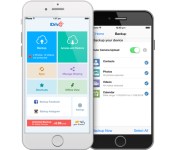
You probably know to keep backups of your smartphone’s data in the cloud, but backing up everything can be an expensive proposition in an era when 128GB phones are a practical reality. That won’t be quite as much of a sore point now that iDrive’s new Unlimited Mobile Backup option is here. As the name implies, the subscription service lets you back up your Android, iOS and Windows Phone devices without fretting about storage limits. Everyone can at least safeguard calendars, contacts and media (including Facebook and Instagram photos); if you’re on Android, you can also preserve call logs, text messages and whole apps.
The backups are encrypted to prevent snooping, with multiple versions of files in case you need to revert to earlier copies. You can even restore backups across platforms, so you don’t have to worry about losing valuable info when you switch ecosystems. The real allure, however, is the price. iDrive’s unlimited mobile plan lets you back up as many as five devices for $5 per year — not too shabby when it frequently costs much more to get general-purpose online storage.
Filed under: Cellphones, Storage, Internet, Mobile
Source: iDrive

Burger King is selling mutton Whoppers on eBay

You haven’t misread that headline. As it gears up to open its first-ever restaurant in the country, Burger King India is turning to eBay to help drive sales. The world’s second-largest burger outlet is hoping to persuade potential customers to pre-order burgers through the popular auction site. For the promotional price of 128 rupees (roughly $2.08), locals can purchase a voucher for one of Burger King’s mutton-based Whopper burgers. Due to the large percentage of Indians that don’t eat beef, the chain has localized its signature burger by offering mutton-, chicken- and vegetable-based alternatives.
The promotion runs through to Wednesday, after which the company will (it hopes) send out thousands of vouchers to customers, ready for redemption when New Delhi’s first Burger King opens this Sunday. It’s unclear if Burger King will continue to partner with eBay to launch new products — the auction seems as much a promotional tool as it does a direct sales tactic — but this is nonetheless one of the more interesting uses of eBay we’ve ever seen.
Via: The Wall Street Journal, Ubergizmo
Source: Burger King (eBay)
AT&T to offer rugged Kyocera DuraForce on November 7

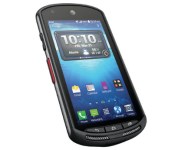
It’s a busy week for AT&T as the carrier announces multiple smartphones, smartwatches, and even rate plans slated to arrive over the coming days. Joining the HTC Desire Eye and Re Camera on November 7 is the rugged and waterproof Kyocera DuraForce.
Powered by Android 4.4.2 KitKat, the DuraForce is able to withstand drops, water, dust, and extreme temperatures. Standout features include a 4.5-inch 720p impact-resistant display, 16GB internal storage, and a 3100mAh battery. Additionally, you’ll find a 1.4GHz quad-core processor and a Smart Sonic Receiver which boosts the audio clarity in noisy environments. Also helpful in tougher working conditions, the phone offers push-to-talk for quick calling.
AT&T will sell the Kyocera DuraForce for $49.99 with a two-year service agreement or $389.99 outright. Qualified customers can opt for a Next Plan: $0 down at $19.95/month on Next 12, $16.63/month on Next 18.
The post AT&T to offer rugged Kyocera DuraForce on November 7 appeared first on AndroidGuys.

Sonos update 5.2 (beta) brings multi-account music service feature

Sonos owners who have multiple users living in the same home or office will be pleased to learn of the most recent software update. Available in the 5.2 beta release today, the service now allows for multiple accounts for music services. In other words, not everyone has to listen to your Google Play Music or Spotify account if they want to enjoy the respective music client.
Additional features included in the update are enhancements for PLAYBAR and lock screen controls for Android devices. If you’d prefer to not install the beta software you’ll receive the 5.2 official release later this year.
via The Sonos Blog » Introducing Sonos Software Update 5.2.
The post Sonos update 5.2 (beta) brings multi-account music service feature appeared first on AndroidGuys.
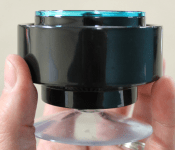
MIGHTY Speaker: Water/dust/sand-proof Bluetooth speaker for under $40 [Deal of the Day]

Most of our phones leave a lot to be desired when it comes to the internal speaker. Even if you’re able to get strong enough sound from your device’s built-in audio, it’s usually negated by the time you’ve put on a waterproof or protective case. Whether you’re looking for a new bath/shower companion or want to bring some portable audio power to your next workout or excursion, the MIGHTY Speaker is a lifesaver for anybody wanting an inexpensive and portable sonic boost.
Whether you’re listening to music, podcasts, or just making calls, MIGHTY Speaker boasts an attractive 6 hour run time. Compatible with any Bluetooth device, the water,dust, and sand-proof design is durable and up to just about every task imaginable. If the small form factor and flexible mounting options (thanks to the built-in suction cup) weren’t enough, MIGHTY Speaker can also float. That’s right — toss it in the water during any of your aquatic endeavors and bring the party to the pool.
MIGHTY Speaker is regularly priced at $80 but AndroidGuys readers can scoop up this splash of a deal, right now, for only $35.
Check this deal out, and many others at deals.androidguys.com!
The post MIGHTY Speaker: Water/dust/sand-proof Bluetooth speaker for under $40 [Deal of the Day] appeared first on AndroidGuys.
 AIVAnet
