


Apple removes Bose products from stores following Beats settlement

Bose might have settled its noise-cancellation lawsuit against Beats out of court, but the two are clearly far from putting the past behind them. Apple (Beats’ new owner) has pulled all Bose headphones and speakers from its online store and several brick-and-mortar ones, according to 9to5mac, despite continuing to carry other audio brands like Urbanears, Bang & Olufsen and Sennheiser. Both companies have declined to comment about the issue when asked by Recode, but rumors about Cupertino dropping Bose have been going around since the settlement last week.
For the sake of those who haven’t been following the case closely: Bose filed the lawsuit against Dre’s company right after Apple snapped it up, accusing it of stealing its noise-canceling technology. One could even think their rivalry cost a 49ers quarterback 10 grand for wearing Beats headphones during a press conference, after the NFL signed an exclusivity deal with Bose. But to be fair, that deal prohibits players from wearing any other brand before, during and after games. Since both parties refuse to address the issue, it’s unclear whether Apple will ever sell Bose products again, but we’ll keep an eye out and let you know if we hear anything.
[Image credit: Jimmy Thomas/Flickr]
Filed under: Peripherals, Apple
Via: Recode
Source: 9to5mac

Nexus Player pre-order facility withdrawn from the Play Store

Earlier today, Google published a pre-order page for its new Nexus Player on the Play Store to invite eager Android enthusiasts to reserve themselves a set-top box prior to its official release. Unfortunately, though, within a couple of hours of going live, an “out of inventory” message appeared on the website.
This brief note left many of us confused. The most popular hypothesis put forward was that Google had run out of $20 Play Store Gift Cards to award to each customer who pre-ordered the unit in the United States and Canada as promised by the search engine giant. But, as it turns out, that wasn’t the case.
Not long ago, Google added a quote to the Nexus Player’s product page, revealing that the unit has not yet “been approved by the Federal Communications Commission” and will not go on sale “until approval of the FCC has been obtained.”
This isn’t the first time Google has jumped the gun. Recipients of the ADT-1 Developer Kit may remember that the development device and its companion gamepad were not approved and took a whopping six weeks after the pre-order date to start shipping out to customers.
There’s no way of knowing when the Nexus Player will be up for order again, or if the release date will be affected, but we’ll keep you updated with the latest news as and when it breaks — so be sure to check back.
Source: Google Play Store
Come comment on this article: Nexus Player pre-order facility withdrawn from the Play Store

T-Mobile now rolling out Android 4.4.4 KitKat update for Galaxy Note 10.1 (2014 Edition)

If you own a T-Mobile-branded Galaxy Note 10.1 (2014 Edition) today could just be your lucky day as the operator has just started rolling out the much-anticipated Android 4.4.4 KitKat update to all its LTE variants of the slate currently located in the United States.
When perusing the device’s update history page on Samsung’s website we were somewhat flabbergasted to say the least as, historically, tablet updates rarely happen in the US due to the sheer amount of carrier involvement that’s entailed in adapting the SDK to suit their requirements.
Unfortunately, neither the operator or the manufacturer provided a changelog for the upgrade, but seeing as it’s a bump to the latest version of Android we presume it will bring all of the usual changes, including: faster multitasking, smart caller ID, SMS-to-Hangouts integration, Cloud Print and QuickOffice.
To see if your tablet is eligible for the update, head into “Settings,” then “About Device,” and select “Check for Updates”. If a pop-up window doesn’t appear prompting you to upgrade, don’t worry. It means that the update is not ready to be pushed out to your device, just yet. But when it is available, you will receive a push notification requesting you to download and install it.
Come comment on this article: T-Mobile now rolling out Android 4.4.4 KitKat update for Galaxy Note 10.1 (2014 Edition)

A look at current mobile display technologies

In the smartphone industry, the display is a large part of what makes or breaks a device. I mean, without the display how would we use a smartphone? So often when manufacturers release their device, they throw around terms like “Super AMOLED” and “Retina Display”. What do this terms mean? Does a display type really matter? Let’s break it down.
In this article some terms will be used to explain these displays. Resolution can be explained in this article.
Another term will be ppi, or pixels per inch. This is calculated by a complicated equation that we won’t get into. The important thing to know is that ppi is the amount of pixels within a square inch of a display. so the higher the ppi, the better. It’s worth noting that the larger the display, the lower the pixel density. So while a 6-inch screen and a 4-inch may both have 1080p resolutions, the 4-inch is going to have a higher pixel density (~550 ppi) while the 6-inch is going to have a lower pixel density (~367 ppi).
Two types of display: LCD & LED

A close up of an LCD screen
Essentially, mobile displays can be broken down into two major categories: LCD and LED. LCD, or Liquid Crystal Display, is essentially a liquid crystal solution sandwiched between two sheets of a polarizing material, which causes light to pass through in various amounts when an electric current passes through the liquid. High-end LCD displays are cheaper to make than LED displays (more on that in a moment), and provide sharp pictures and a wider color range. LCD displays require a backlight behind the entire display however, which can result in a thicker display (though these days that hardly matters). This backlight also needs to always be on, even if you have a white square on a black background. This results in blacks looking more like a very dark grey, and more battery drain (compared to an LED).

A close up of an AMOLED screen
LED, or Light Emitting Diode, is technically a type of LCD, but no need to get into that (if you really need to, check out this article or this article). LED displays can control light passing through every pixel, which results in colors that pop and are more realistic, and blacks being true blacks. Because this display doesn’t require a backlight like a LCD does, these displays are also thinner. This also means LED displays are more energy-efficient, as pixels can be turned off while still using the display (this is how Moto Display works on the Moto X). Nevertheless, LED screens are harder to mass-produce than LCDs (though again, this is starting to not be the case).
Now most (if not all) smartphones that use LED technology use OLED (Organic Light Emitting Diode). This just means the material between the two polarizing sheets are carbon-based.
Now that we’re through that, it should help explain all the various types a little better.
TFT LCD

TFT LCD were easily the most-used displays back in 2011 and before. TFT stands for Thin Film Transistor. This improved upon early LCD technology, providing better viewing angles. However, it was a power-hog, and became outdated with the introduction of IPS LCDs. Still, some budget phones use them today because of how cheap they are.
- Examples of phones with TFT-LCD: T-Mobile G1, Huawei Ascend P7 mini
IPS LCD

IPS is now the most commonly used LCD screen in current smartphones. IPS (In-Plane Switching) is superior to TFT as they provide wider viewing angles and lower power consumption. They also have higher resolutions than TFT panels do. This is what the first major smartphone with QHD resolution, the LG G3, uses.
- Examples of phones with IPS-LCD: Apple iPhone 6, LG G3, Nexus 5
Retina Display

A Retina Display is a term used by Apple for its products, because the resolution and quality of the screen is so good, the pixels can not be seen by the naked eye. This was introduced with the iPhone 4 in 2010, and has been used quite a bit by Apple since then. It’s worth noting that there is no exact resolution with a Retina Display, as it varies with each device. Apple determines the resolution needed based on the average length the device will be from the viewer’s eyes. So the resolution of the iPhone 4 is 326 ppi, while the iPad 3 is 264 ppi, because the iPhone will be held closer to the eyes usually than an iPad.
AMOLED

AMOLED is the most common iteration of OLED displays used in smartphones nowadays. AMOLED (Active-Matrix Organic Light-Emitting Diode) are essentially more efficient and better looking than regular OLED screens. Again, AMOLEDs are noted for bright colors, higher brightness, and more battery-efficient. This is the display used in the both the 1st Gen Moto X and 2nd Gen Moto X, and it’s what allows them to have their Active Display and Moto Display (respectively) without draining very much power.
- Examples of phones with AMOLED: Moto X, Moto X (2014), Nexus 6
Super AMOLED

Super AMOLED is a version of an AMOLED screen made by Samsung. Usually when creating smartphone screens, another layer has to be added to the display to allow for touch interaction of the screen. What Samsung did was include this layer into the creation of the display itself, making it not only the thinnest display on the market, but also the brightest and least power consuming. This is way Samsung displays have such vibrant colors, as the actual display is much closer to the glass than any other display. It also allows for a very responsive touchscreen, more so than most others.
- Examples of phones with Super AMOLED: Samsung Galaxy S5, Samsung Galaxy Note 4, Samsung Galaxy Tab S
Well, that’s all of the display types. Now, which is the best? That honestly comes down to a matter of preference. IPS-LCD screens offer sharper images, and a wide color range, while AMOLED and Super AMOLED have bright screens, vibrant colors, and lower battery consumption. The best way to know is to look at them side-by-side with the same picture and see for yourself. Even then, you won’t know it fully until you use one display or another for a long period of time, to see how much the battery life matters, or how much the touch responsiveness of the Super AMOLED makes a difference.
What’s your favorite display? Leave us your thoughts in the comments below.
 |
The post A look at current mobile display technologies appeared first on AndroidGuys.

Google’s short film examines the science of voice recognition

People used to think it’s harder to make computers play chess (or Jeopardy) and do mathematics than it is to make them understand human language. Turns out the opposite is true — yes, engineers have made great advancements in voice recognition (Siri and Google voice commands are perfect examples), but they’ve yet to create a system that can speak with us like another human can. Google’s documentary (after the break) talks about the beginnings of voice recognition, the current state of language understanding, as well as the future of artificial neural network technology, which can be used to improve both. The main goal of scientists and engineers is to make computers reach human levels of language understanding, but whether that’ll ever happen remains to be seen.
Filed under: Misc, Internet, Google
Source: Google (G+), Google (YouTube)

FCC starts the process for making ‘5G’ gigabit mobile data a reality

We’re barely seeing 4G take hold here in the States and the FCC has begun the process to push into 5G for mobile data. The government’s communications council voted unanimously to start looking into accessing the higher-than-24GHz frequency spectrum that was previously thought to be, as Reuters notes, unusable by mobile networks. So what are the benefits? Gigabit internet connections on the go, for starters — something our current sub-3GHz spectrum can’t quite handle — similar to the ones Samsung just tested. Yeah, now you’re excited. The feds believe that using these “millimeter waves” would allow for higher bandwidth for more people and devices at speeds that outclass most homes’ broadband.
However, these waves only work over short distances for now and require line of sight for their point-to-point microwave connections. And that, my friends, is what the FCC is hoping to fix in the interim. What the vote means is that the groundwork is being laid, and research to make sure the tech is actually feasible now has the green light. For now it’s anyone’s guess (some estimates say by 2020) when we’ll actually start surfing the mobile web at Google Fiber speeds while we’re out and about — millimeter waves may be fast, but the wheels of bureaucracy are not.
[Image credit: Rennett Stowe / Flickr]
Filed under: Cellphones, Tablets, Wireless, Mobile

Get the Android Lollipop look and sound with wallpapers and sounds

Now that Google has announced the release of Android Lollipop many people are anxiously waiting for the update to hit their device. Some are fortunate enough to have devices that can handle the final developer previews and several devices will get Lollipop in November. For others though, the wait is indeterminate while manufacturers and carriers work to make sure things will work on their devices and networks.
If you are interested in getting at least a little bit of the look and feel of Android Lollipop, the stock wallpapers and system sounds have been extracted from the developer preview and can be downloaded onto your device.
You can check out the gallery of wallpapers below. If you want to grab one to load on your Android device, click on the image to bring it up in its own page and then save it using a right-click. A zip file containing all of the wallpapers is available below as well if you just want to grab all of them at once with a single download. A link to a zip file with the system sounds is available as well.
For those who are more adventuresome and willing to do a little work, some files containing a variety of icons and a couple apps, like Google Search + Launcher and the Keyboard, are available at the source location.


source: XDA Developers Forum
Come comment on this article: Get the Android Lollipop look and sound with wallpapers and sounds
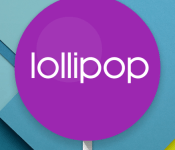
Get ready to tap with Android 5.0 Lollipop Easter egg

Google including an Easter egg or two in a release of Android should be no surprise to anyone. The company enjoys having fun with their software releases and challenging fans to find the stuff they have hidden. The Easter egg included in Android 5.0 Lollipop may be their most ambitious yet as it is a full game for users to enjoy.
Down within the settings, users can access a special screen displaying the build’s name and a long press will reveal the Easter egg – a Flappy Bird clone that makes use of lollipops in place of pipes and Bugdroid in place of a bird. The graphics are nice and crisp with no attempt to give it a retro 8-bit look.
To get to the Easter egg, if you have the final developer preview loaded, go into Settings and drill down to About Tablet or About Phone. On the entry for Android Version, start tapping on that line rather quickly. Eventually this will open up a screen with a graphic of a big lollipop and the name of the build. Tapping on the lollipop will change its color while a long press will launch the game.
Click here to view the embedded video.
source: The Verge
Come comment on this article: Get ready to tap with Android 5.0 Lollipop Easter egg

Shuffle in positions may signal more Android/Chrome consolidation

Sources within Google indicate some top level executives have shifted around and the changes may be another sign that the company is moving closer to a merger of its two operating systems. Hiroshi Lockheimer, who is the vp of engineering for the Android operating system, has had the engineering team assigned to the Chrome operating system placed under him. Linus Upson was the top engineer for Chrome and it is unclear what he will be doing moving forward.
Starting in 2013, both the Android team and the Chrome team have reported to Sundar Pichai, a senior vice president with Google. The move to place them both under the purview of one senior vp was consistent with Sergey Brin’s statements from as far back as 2009 that the two branches were likely to “converge.”
At Google I/O this year, the company announced plans to make it possible to run Android apps on Chrome OS powered devices. Just last month the first batch of apps able to do this were announced.
Although Chrome powered devices have found a popular market with schools, they still struggle to compete in the larger personal computer market. Meanwhile, Android dominates the smartphone market, powering 85% of all devices shipped during the second quarter of 2014. Google also has efforts underway with Android Wear and Android Auto to put variations of the Android operating system on other form factors.
Some have suggested that Pichai’s move signals Android will be the base for the future as Google hopes to capitalize on an easy path for developers to create apps capable of running on several types of devices. Neither Lockheimer nor Upson have released statements regarding the moves.
source: Wall Street Journal
Come comment on this article: Shuffle in positions may signal more Android/Chrome consolidation

Recommended Reading: Palmer Luckey and the homemade VR headset
Recommended Reading highlights the best long-form writing on technology and more in print and on the web. Some weeks, you’ll also find short reviews of books that we think are worth your time. We hope you enjoy the read.

How Palmer Luckey Created the Oculus Rift
by Taylor Clark,
Smithsonian Magazine
If you’ve yet to read up on the origins of the Oculus Rift, there’s no time like the present. Smithsonian Magazine details the headset’s origins, giving its creator, Palmer Luckey, an American Ingenuity Award this week. The piece offers a look into the gaming gadget’s brief history, including the first meeting between Luckey and Brendan Iribe, Nate Mitchell and Michael Antonov back in 2012.
|
The Future of the Culture Wars is Here, and it’s Gamergate Not sure what this whole Gamergate thing is all about? Here’s a good place to start. Kyle Wagner’s piece covers what you need to know and what it means for the future of internet culture. Pocket!function(d,i)if(!d.getElementById(i))var j=d.createElement(“script”);j.id=i;j.src=”https://widgets.getpocket.com/v1/j/btn.js?v=1″;var w=d.getElementById(i);d.body.appendChild(j);(document,”pocket-btn-js”); |
Endangered Tree Snails Keep Hawaii Public Radio Off the Air There have been lots of reasons for radio stations going off the air, but in Hawaii, the mating habits of endangered tree snails certainly make for an interesting situation. And of course, the whole thing makes for a perfect broadcasting metaphor. Pocket!function(d,i)if(!d.getElementById(i))var j=d.createElement(“script”);j.id=i;j.src=”https://widgets.getpocket.com/v1/j/btn.js?v=1″;var w=d.getElementById(i);d.body.appendChild(j);(document,”pocket-btn-js”); |
|
Outernet Aims to Provide Data to the Net Unconnected One company is looking to provide a truckload of reading materials and time-sensitive news bulletins to everyone around the globe — even those with no connectivity. How will it accomplish the task? A system of satellites and solar-powered compact receivers for mobile phones. Pocket!function(d,i)if(!d.getElementById(i))var j=d.createElement(“script”);j.id=i;j.src=”https://widgets.getpocket.com/v1/j/btn.js?v=1″;var w=d.getElementById(i);d.body.appendChild(j);(document,”pocket-btn-js”); |
Tesla’s Autopilot isn’t Special (But it’s Still Cool) At last week’s event, Tesla detailed its autopilot tech that’ll come with its vehicles. While the system is quite awesome, The Verge’s Chris Ziegler explains that it’s far from revolutionary. “The stereotypical vision of a car of the future tooling around your neighborhood with a driver comfortably asleep at the wheel (or missing altogether) isn’t any closer to reality than it was before,” he says. Pocket!function(d,i)if(!d.getElementById(i))var j=d.createElement(“script”);j.id=i;j.src=”https://widgets.getpocket.com/v1/j/btn.js?v=1″;var w=d.getElementById(i);d.body.appendChild(j);(document,”pocket-btn-js”); |
[Photo credit: Larry French/Getty Images]
Filed under: Misc
 AIVAnet