



Got Google’s new Inbox app? Now you can invite three friends!

The jury’s still out on Google’s new mobile approach to email, but that hasn’t stopped people from going a little batty over getting invited to use it (see also: Gmail, Google Wave). In case you were feeling a little weird about begging Google for an Inbox invite, though, you can now just beg your Inbox-using friends for one. Google has just started gracing users with three invites to spread among their needy peers — if they happen to see a golden ticket (we really need a new visual metaphor to that effect) in their Speed Dial menu, they can start spreading the love. Alas, Google isn’t letting the floodgates fully open just yet: if you got your invite from someone who didn’t get theirs straight from Mountain View, chances are you don’t have any invites of your own to share. Now we’re just waiting to see if a secondary market of Inbox invites springs up — what’s the Bitcoin-to-Inbox invite ratio these days?
Source: Google+
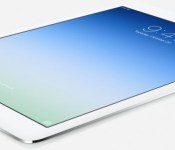
Buyer’s Guide: Discounts on Original iPad Air, iPad Mini 2, and Apple Accessories [Mac Blog]
Now that Apple’s iPad Air 2 and iPad mini 3 are available, retailers have been offering discounts on the original iPad Air and the iPad mini 2.
There are quite a few deals on previous-generation higher capacity cellular and Wi-Fi iPads, and this week also sees some discounts on remaining 2013 Retina MacBook Pro inventory and deals on some Apple accessories.
iPad Air
The Wi-Fi only 64GB iPad Air in Space Gray can be purchased for $499 from Best Buy, as can the 64GB Silver Wi-Fi model. The Wi-Fi only 128GB iPad Air in Silver can be purchased from B&H Photo for $599, or from Best Buy for $699. Best Buy also has the 128GB iPad Air in Space Gray for $699.
Several sites are also offering deals on the higher-capacity Wi-Fi + Cellular iPad Air models. The 64GB Cellular iPad Air in Silver from AT&T is available for $599 from Adorama. The 64GB Cellular iPad Air in Space Gray from AT&T is also available for $599, from B&H Photo.

Verizon models are slightly more expensive, with both the 64GB Silver Cellular iPad and 64GB Space Gray iPad available for $629 from Best Buy.
The 128GB Cellular iPad Air in Silver from AT&T is available for $829.99 from Best Buy and the 128GB Space Gray AT&T Cellular iPad is also available for $829.99 from Best Buy.
128GB models from Verizon are priced similarly, with the 128GB Silver version available from Best Buy for $829.99 and the Space Gray version available for $729 from B&H Photo.
iPad mini 2
Higher-capacity iPad mini 2 models are also available at steep discounts, and these iPads are a particularly good deal as the only difference between the mini 2 and the mini 3 is Touch ID and a gold color option.
The 64GB Wi-Fi only iPad mini 2 in Silver is available for $399 from Best Buy. The Space Gray Wi-Fi only iPad mini 2 is also available for $399 from Best Buy.
The 128GB Wi-Fi only iPad mini 2 in Silver is available for $499 from Best Buy, while the Space Gray version is available for $499 from Best Buy.

The 64GB AT&T Cellular iPad mini 2 in Silver is available for $529.99 from Best Buy as is the Space Gray model.
64GB Verizon Cellular iPad mini 2 models in Silver are available for $529.99 from Best Buy and the Space Gray model is available from Best Buy for the same price.
The 128GB Cellular AT&T iPad mini 2 in Silver is available for $629 from Amazon and Adorama. The AT&T Space Gray model in 128GB is also available for $629 from Amazon and Adorama.
The 128GB Cellular Verizon iPad mini 2 in Space Gray is available for $629 from Best Buy and Adorama. The 128GB Cellular Verizon iPad mini in Silver is available for $787.99 from Best Buy.
Fourth-generation iPad
Best Buy is selling the now-discontinued fourth-generation Wi-Fi only iPad in both Silver and Space Gray for $299.99.
Retina MacBook Pro
There are a few deals 2014 Retina MacBook Pro this week. The 2.6GHz/8GB/128GB 13-inch Retina MacBook Pro is available for $1,199.99 from Adorama and B&H Photo. The 13-inch 2.6GHz/8GB/256GB model is available for $1,399 from Adorama and B&H Photo. The high-end 2.6GHz/8GB/512GB 13-inch Retina MacBook Pro is on sale for $1,699.99 from Adorama and B&H Photo, a savings of $100.
There are some deals on remaining 2013 Retina MacBook Pros. The 2.4GHz/4GB/128GB 13-inch Retina MacBook Pro is available for $1,099 from Adorama and B&H Photo. The 2.4GHz/8GB/256 13-inch model is available for $1,279 from Adorama. The 2.6GHz/8GB/512GB 13-inch model is available for $1,549 from Adorama and B&H Photo.

The 2.0GHz/8GB/256GB 15-inch model is available for $1,599 Amazon, Adorama, and B&H Photo. The 2.0GHz/16GB/512GB 15-inch model is available for $2,199 from Amazon, Adorama, and B&H Photo.
The non-Retina 13-inch MacBook Pro is also on sale for $949.99 from Best Buy and $999.99 from Adorama, and B&H Photo.
Apple Accessories
The Sony Portable Bluetooth Speaker with Lightning Dock is available for $169 from Groupon, down from its original price of $249. LivingSocial has a deal on the Jawbone Jambox speaker, offering it for $89.

StackSocial is offering the “Mac to the Future” bundle for $29.99, which includes $961 worth of Mac software programs like Fantastical and Ember.

The Jarv Run BT Bluetooth Smart Heart Rate Monitor is available for $28.95 from Amazon. Groupon is selling the Kensington PowerBolt Apple Car Charger for $9.99 and StackSocial has Nintendo iPhone 6 and 6 Plus cases for $14.

The Kensington Portafolio Soft Folio Case for Apple iPad mini is available for $14.99 from Groupon, and the Logitech iPad mini Folio is available for $20 off at Best Buy.
MacRumors is an affiliate partner with some of these vendors.
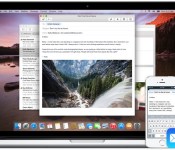
How to Get ‘Handoff’ Working in OS X Yosemite and iOS 8 [iOS Blog]
Apple is heavily pushing its new “Continuity” features in OS X Yosemite that improve cross-platform integration between iOS and the Mac. The most significant of the Continuity features is Handoff, which allows OS X and iOS users to start a task on one device and swap to another one nearby to continue work.

Handoff can be used for a number of different activities, including email, web browsing, messaging, and more. Users can begin composing an email on their iPhone and finish it on their Mac. Maps and websites work in a similar fashion, as users can load up content on one device and look at it on another. Currently, Handoff works with Mail, Safari, Pages, Numbers, Keynote, Maps, Messages, Reminders, Calendar, and Contacts. A number of third-party apps including Pixelmator, Wunderlist , PCalc, and Things also contain support for Handoff.
Requirements
You will need iOS 8.1 and OS X Yosemite in order to use Handoff. You also need to make sure that both your Mac and iPhone are logged into the same iCloud account, and check that your Mac supports Handoff. You can check if your Mac is compatible with Handoff by clicking the symbol in the top left-hand side of the Menu bar, going to About This Mac, clicking on System Report and clicking on the “Bluetooth” section. You should then see information about whether your system is compatible with Handoff.

Handoff is limited to Macs with Bluetooth 4.0, which leaves many older Macs unable to access the new features. Additionally, even though the 2011 MacBook Air and 2011 Mac mini include Bluetooth 4.0, Apple has chosen to make both devices incompatible with OS X Yosemite’s Continuity features. To solve this issue, a number of talented members of the MacRumors forums have come up with a set of instructions and a Continuity Activation Tool that should get Continuity working on Macs unable to support the feature.
Setting Up Handoff
1. Turn on Wi-Fi on your iPhone (Settings -> Wi-Fi) and Mac (Menu Bar -> Wi-Fi -> Turn Wi-Fi On.
2. Turn on Bluetooth on your iPhone (Settings -> Bluetooth) and Mac (Menu Bar -> Apple -> System Preferences -> Bluetooth -> Turn Bluetooth On).
3. Turn on Handoff on your iPhone (Settings -> General -> Handoff & Suggested Apps -> Turn Handoff On) and Mac (Menu Bar -> Apple -> System Preferences -> General -> Recent Items – > Turn On “Allow Handoff Between this Mac and your iCloud devices”)
4. You may now begin using Handoff by launching a compatible app on your Mac or iOS device and swapping to another to see your content. For example, try launching Safari on your Mac and then switch to your iPhone. On your iPhone’s lock screen, you should see a small Safari icon in the lower left corner. Slide up to launch Safari, and the iOS app will display the same website as seen on your Mac.

You can also see a Handoff-enabled app through the multitasking switcher by double-pressing your home button and scrolling to the left.

Handoff works in a similar fashion when transitioning from an iOS device to a Mac. On the Mac, a Handoff-compatible app will be displayed on the left-most side of the dock. Clicking on the app in the Mac’s dock will load the same content as seen on an iOS device.

Troubleshooting
Since the launch of OS X Yosemite and iOS 8 earlier this month, many users have had issues getting Handoff to work with their devices.
Users on our forums seem to have found that the most common solution is a combination of logging out and back into iCloud on their devices, disabling and enabling Handoff, disabling and enabling Bluetooth, and restarting devices. But even amongst those who found success, it may not last forever. Handoff clearly remains buggy in this early release.
If those steps don’t work for you, members on Apple’s own support forums have also suggested that deleting Bluetooth preferences in OS X and then restarting Bluetooth can also solve problems with Handoff, but we haven’t been able to get that to work on our end.
Any of these steps may help if you are having trouble with activating Handoff on your devices, but ultimately, Apple may have to release an update to allow Handoff to work consistently for everyone.

How to beam files and photos from one phone to another with the new Android Beam in Android Lollipop

Android Beam debuted in Android 4.0 Ice Cream Sandwich, which was kind of cool at the time, but not all that useful. With Android 5.0 Lollipop, Google has upped the game by adding Android Beam to the Share menu and allowing you to send files, documents, or even photos from one phone to another phone by simply touching the two devices together. It will even work for files or photos that are stored in the cloud, as in not physically on your device. Assuming both devices have NFC, and at least the sending device has Android Lollipop or higher, it’s quite easy to do.
If you prefer to watch the video, scroll down to the bottom to see how the new Android Beam works.
Beaming a file or photo is as simple as opening the app that’s associated with it and tapping on the Share icon. You should see Android Beam as an option. Just tap on Android Beam to initiate the process. All you need to do it touch the backs of both phones together, and the file or photo will be transferred. So for example, let’s say you want to send a photo. Just open the Gallery app and find the photo. Tap on the Share icon, tap on Android Beam, and touch the backs of both devices. Both devices will get a notification that the Beam was successful.
For files, you might have to use an app like Astro File Manager or ES Filer Explorer. If it’s something that is already in your download folder, you can simply use the Downloads app found on many Android devices. However, some manufacturers offer their own version of a file manager that will also work.
Astro File Manager Example


Downloads App Example


The other cool thing about Android Beam is that it will work with stuff that’s in the cloud. Say you want to share a photo or document that is in Dropbox, but it’s not physically on your phone. Just use the Export feature and select Android Beam, and you will send the photo or document to another phone the same way as if it was literally on your phone. It’s pretty slick. Note: you can’t use the Share feature in Dropbox since it sends a link to the image or file rather than the actual file itself.
Dropbox Example


You can also use Google+ photos as well as pretty much any other cloud service. The majority of them should work with the Share menu, including Google+ photos.
I put together a video showing you how it all works.
Click here to view the embedded video.
I hope this guide helped you. Please let me know if I missed anything, and be sure to hit up our other Android Lollipop guides.
Come comment on this article: How to beam files and photos from one phone to another with the new Android Beam in Android Lollipop

Google exec sets a new record for highest-altitude jump (video)

Move over Felix Baumgartner (pictured above) — just two years after the daredevil’s record setting 128,000 foot Red Bull Stratos space jump, Google VP Alan Eustace has topped it. The New York Times reports Eustace rode a balloon 135,908 feet above New Mexico and dove back to Earth, opting for just a specially designed spacesuit / life support system instead of Baumgartner’s capsule + suit combo. It took two hours for the ride up, and another 15 minutes for the trip down, which peaked at speeds of up to 800 mph before the parachute system kicked in, and he glided back down to a landing site 70 miles away from where he started. He’s apparently been working on the project since 2011, and declined assistance from Google to go it alone, working with Paragon Space Development Corporation on the project, dubbed “StratEx.” He recorded the whole thing on GoPro cameras (of course) and you can watch highlights from the feat embedded after the break.
[Image credit: AP Photo/Red Bull Stratos, Balazs Gardi]
http://graphics8.nytimes.com/bcvideo/1.0/iframe/embed.html?videoId=100000003195763&playerType=embed
Filed under: Misc, Transportation, Google
Via: Larry Page (G+)
Source: New York Times, Paragon SDC
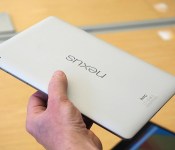
The Nexus 9 wasn’t designed to be an iPad killer

The Nexus 9 wasn’t designed to be an iPad killer; it was designed to inspire Google’s Android partners to create one instead. Though you’d be forgiven for thinking otherwise: It was announced one day before the iPad Air 2 and mini 3, comes with a powerful 64-bit NVIDIA chip and will be competitively priced with Apple’s tablets. But Alberto Villarreal, head of the Nexus 9’s industrial design, insists that this wasn’t the purpose.
“We wanted to accelerate the premium market for Android tablets,” Villarreal said. “[The Nexus 9] has a lot of attributes and definitely will bring the quality for other companies to do better.”
The Nexus 9 had to be a shining example in much the same way that last year’s Nexus devices, the 5 and 7, showed manufacturers that it’s possible to create inexpensive phones and tablets that look good and perform well. The team needed a partner with experience in creating premium devices, so it turned to HTC.
The team needed a partner with experience in creating premium devices, so it turned to HTC.
“We saw the One and really liked how their designs were very simple, focused on usability and removed things that didn’t need to be there,” Villarreal said. “They have nice craft and precision details and materials.”
HTC handled the Nexus 9’s production and worked closely with Google on its design and materials, but it looks unlike anything the Taiwan-based manufacturer has made before. The well-hidden BoomSound stereo speakers on the front are distinctively HTC, but otherwise the tablet looks like a blown-up version of the Nexus 5: The straight sides, matte soft-grip (polycarbonate) back and even the camera placement offer a very striking resemblance. (Villarreal helped design the Nexus 5 as well.) But the 9 takes on more of a premium appearance than last year’s smartphone thanks to its use of aluminum.

If the design team entertained the idea of an all-metal device, the thought didn’t stick. It preferred a layered approach: The aluminum sides provide rigidity and protection, in addition to its premium appearance, while the polycarbonate is meant to offer a better grip and more color options. And while the Nexus 9’s three hues — black, white and sand — aren’t exactly vibrant or eye-catching, a lot more consideration went into selecting the right shades.
“We’re moving away from technology-driven black and silver, which is very common in the industry, and trying to bring more of a fashion look to the portfolio,” Villarreal said.
While the options don’t scream fashion, Villarreal explained that his team chose sand to be more expressive and make a statement. The black shade has a slight blue tint when viewed from certain angles, and the white option is actually closer to gray to combat dirt and grubby hands.

The size of the 9 places it firmly in the middle of the tablet spectrum, between larger tablets like the iPad Air and Nexus 10 and smaller ones like the iPad mini and Nexus 7. I much prefer the screen’s 4:3 aspect ratio over the 16:10 panel on the Nexus 7. It may not make a huge difference when watching movies in landscape mode, but it definitely will in portrait. A 9-inch screen using 16:10 would simply be too long for comfort.
The size of the 9 places it firmly in the middle of the tablet spectrum.
Early in the development process, Google experimented with a wide variety of shapes and sizes. Villarreal said the number of design prototypes was “countless.” It settled on this particular design because it’s still portable and light enough for travel, but large enough to use as a productivity tool and entertainment device.
Indeed, it’s smaller and lighter than the iPad Airs and feels more portable. It also rivals Apple’s tablet in performance — on paper, anyway. If Google wants to prove it can be a serious productivity tool, this is the company’s golden opportunity. The Nexus 9 is packing a dual-core 2.3GHz NVIDIA Tegra K1 chipset, but don’t let the number of cores fool you: We’ve already seen a glimpse of what the first-generation K1 can do, and it was a fantastic performer. The new Nexus comes with the next-gen Denver K1, which comes with 64-bit support and is supposed to be even more powerful.

[Image credit: Google]
Since it was built with productivity in mind, Google also constructed a mechanical keyboard that doubles as a protective cover. It’s 5mm thick, attaches to the Nexus magnetically, comes with NFC for easy pairing and is supposed to last several months on one charge. Since it’s not quite as spaced-out as desktop and laptop boards, it’ll still take some time to get used to, but the keys didn’t feel quite as cramped as I expected.
“We worked together with the software team from the onset — it was a super-close collaboration.”
One of Google’s primary advantages in building a Nexus tablet is its control of both the hardware and software. As a result, the Nexus 9 was designed with Android 5.0 Lollipop already in mind.
“We worked together with the software team from the onset — it was a super-close collaboration,” Villarreal said. The new version of Android feels incredibly fresh, primarily due to Material Design, which is cleaner, flatter and more intuitive.

At a baseline cost of $399, the Nexus 9 is priced competitively against Apple’s iPad mini 3 and older Air, and it has plenty of power behind it. It may seem odd that the $200 Nexus 7 is no longer available as a more affordable option, but this move falls right in line with Google’s new strategy: Create a premium benchmark for its partners to follow. Instead of going into battle alone, it’s recruiting an army.
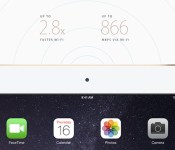
AT&T locks your iPad Air 2’s SIM so you can’t switch carriers without a new one

Apple’s iPad Air 2 launched with a very, very pleasant surprise: If you splurged on an LTE model, you could choose whether you wanted to jump on Sprint’s, T-Mobile’s or AT&T’s networks (along with EE’s if you’re in the UK), with nary a SIM card swap in sight. It seemed pretty brilliant, really: you get the ability to pick a data plan that works best for you even if it’s not from the same carrier each time, and Apple no longer has to juggle different iPad models for different carrier partners. Alas, if only everyone played by the same rules. At first we thought the only caveat was that Verizon hasn’t thrown its support behind Apple’s split-personality SIM, but it turns out if you sign up for a spot of surfing with AT&T, you won’t be able to switch to any other network without procuring another Apple SIM. Just lovely, no?
Reports of AT&T’s clinginess first started making the rounds on Twitter (see image below, courtesy of Twitter user @PilotMike), and Apple has confirmed to us that this is sadly just how the system works. Meanwhile, AT&T clarified its stance to Re/code, noting that while the iPad remains an unlocked device you can throw any ol’ compatible SIM into, you’re still on the hook for another Apple SIM card if you want to be able to play the field. When asked why AT&T chose to lock things down after activation, a carrier spokesperson told Re/code’s Ina Fried that’s “it’s just simply the way we’ve chosen to do it.” Going down this particular rabbit hole is AT&T’s prerogative, but hey — in doing so, it’s only giving its rivals more ammo.

Via: TechCrunch
Source: MacRumors

Question of the Week: How important are benchmarks to you?

As many of you likely know, the run-up period before a smartphone announcement is often sprinkled with leaks, rumors, images, and benchmarks. With so many devices to choose from and a number of companies getting involved in the mobile processor game it can be quite confusing to figure out which one performs best. Factor in memory and display technologies and resolutions and you’ve got quite a bit to muddle through in considering a new phone.
Benchmarks, for all intents and purposes, make it easier to discern the high-end beast from the entry-level “every man” phone. But, as we’re finding over time, the typical smartphone user can’t detect the differences in performance. Sure, early adopters and heavy users might see the subtle stuff, but we’re willing to bet most don’t even know the name of their processor.
All of this brings us to the Question of the Week: How important are benchmarks to you? We’ve embedded the little poll below and in the right sidebar of our other articles. Please take a moment to tell us how you feel about them and when done, head to the comments to share more details.
How important are benchmarks to you?
The post Question of the Week: How important are benchmarks to you? appeared first on AndroidGuys.

Canadian pre-orders for Nexus 6 to begin on October 29th

For those north of the border, don’t think Google has forgotten about you when it comes to the Nexus 6. The device will be available for pre-order in Canada on October 29th and will cost $749 for 32GB and $799 for 64GB.
Unfortunately that’s a $100 markup on what the US will be charged.
Whilst it doesn’t justify the price hike for Canada, it does follow the trend of what we’ve seen in the past when it comes to pricing across the border.
What do you think of the pricing? Is it a deal breaker for you? Drop us a comment below.
The post Canadian pre-orders for Nexus 6 to begin on October 29th appeared first on AndroidGuys.

Samsung Galaxy S5 to get Android 5.0 Lollipop in December, report says

Samsung’s 2014 flagship smartphone, the Galaxy S5, could be among the first handsets to see an Android 5.0 Lollipop update. At least that’s what a new SamMobile report tells us. According to a source close to the blog, the Galaxy S5 will get its update in December. The level of certainty is pretty high here as the website already has a video of the smartphone running a version of the build.
If the timeline is accurate the Galaxy S5 will be one of the quickest turnarounds in Samsung’s history. Then again, we’re looking at the unlocked international version. We’ll have to worry about various wireless carriers standing in the way. Still, whatever it is, it’s considerably better than in days past. Remember when it would take 6-10 months to get a software update?
The post Samsung Galaxy S5 to get Android 5.0 Lollipop in December, report says appeared first on AndroidGuys.
 AIVAnet