


Verizon to announce new DROID at October 28th event
There certainly have been a number of leaks that have involved the mysterious Motorola DROID Turbo. I suppose with the leaks it isn’t that much of a mystery anymore. While we have seen some images of the device that were found in the DROID Turbo’s user manual and a supposedly slipped image posting of it on Twitter, we still don’t have a full on look at the actual device. We do have some specs floating about that have also been seemingly confirmed that give the device a 5.2-inch QHD display, a Snapdragon quad-core 805 processor at 2.65GHz, 3GB of RAM and a monstrous 3,900 mAh battery. I can’t forget to mention the 21MP camera, dual LED flash and wireless charging. While specs are nice, we all want to know when.

Verizon has planned a press event/ launch date for October 28th where all things DROID Turbo will be revealed. As you can se in the screenshot above from the Verizon DROID DOES campaign page.Feel free to bounce over there and stare off into space at the slowly floating device in the middle while you fill out the sign-up page for notifications.
Source: Verizon Via 9to5Google
//<![CDATA[
ord = window.ord || Math.floor(Math.random()*1E16);
document.write('‘);
//]]>
The post Verizon to announce new DROID at October 28th event appeared first on AndroidSPIN.

Casting for Android L teases us with “Sweeeeet” video and a table of treats
Today is National Dessert Day. Did you know that? I certainly didn’t. Sundar Pichai did and he tweeted out a video that just recently made its debut on the Android YouTube channel. The video isn’t anything spectacular, but it is a fun little audition waiting room style shoot that shows various people in various dessert costumes that all start with “L”.

The curious video offers up titles like Lemon Meringue Pie, Lava Cake, Lady Finger and Lemon Drop. The next iteration of Android doesn’t have a publicly known name just yet. Through various leaks and chatter it would seem that Lollipop is most likely at this point. Google has been known to throw us curve balls in the past though. I can remember when Android “K” was supposed to be Key Lime Pie. There was a debugging icon, various videos and leaks that kept it Key Lime Pie in the spotlight. There was also chatter about Licorice early too. Anywho, we have no idea what Google will be calling the next Android version. We do know it will start with an L and it will be Android 5.0.
At the end of the video you see the poor Lady Finger guy chilling by the sweets table. On the table you will notice many treats. I see Eclairs, Gingerbread, Froyo, Ice Cream Sandwiches, a honeybee (Honeycomb), Jelly Beans, Kit Kat and some Easter eggs. Literally, a bowl of colored Easter Eggs. Google is pretty clever. I don’t see Cupcakes or Donuts, which would round out the naming history of Android.

There are some Lava Cakes and Lady Fingers between the Gingerbread men and Ice Cream Sandwiches. I assume a Lemon Meringue Pie is the type of pie in the back. I am not entirely sure what the bread like slices are here in the front right and the dough balls in the back (possibly donuts). What is that other cake like thing in front of the Eclairs? What I don’t see on the table are any Lollipops or Lemon drops.
The wait will soon be over as we are supposed to get an announcement tomorrow. So say the rumor mills of the internet. I know I will be watching and waiting. News of the Nexus 6, Nexus 9 and Android L should be coming very soon.
Source: Sundar Pichai Twitter
//<![CDATA[
ord = window.ord || Math.floor(Math.random()*1E16);
document.write('‘);
//]]>
The post Casting for Android L teases us with “Sweeeeet” video and a table of treats appeared first on AndroidSPIN.
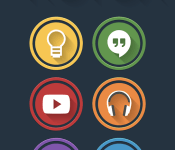
The Rotox Icon Pack: Samer Zayer is at it again
 One of our favourite icon designers here at AndroidSPIN is at it again. Samer Zayer has just launched his latest creation, the Rotox icon pack. Featuring similar icon designs to previous icon packs like Flatastico and Flatee, Rotox adopts a slightly more Material Design colour palette and adds a ring around each icon to create quite an interesting effect. The current icon pack already contains 1,400+ icons and cloud-based wallpaper collection with plenty more to be added in the future.
I’ve briefly tried out the icons myself and I have to say I’m impressed, as usual. Even icons that haven’t been customized all have masking to make them look just like the other icons and the space between the rings is transparent so it creates a unique look when icons are stacked up on top of each other in folders. If you’re interested in what you see, the Rotox icon pack is live now and can be had for $1.49 USD (see below for Play Store Link). As always, if you want updates on what Samer Zayer is up to, both present and future, be sure to circle him on Google+ here.
//<![CDATA[
ord = window.ord || Math.floor(Math.random()*1E16);
document.write('‘);
//]]>
The post The Rotox Icon Pack: Samer Zayer is at it again appeared first on AndroidSPIN.

The Foo Fighters are streaming a live concert on Facebook

Still a hardcore Foo Fighters fan? You’ll want to swing by Facebook in a couple of days, then. The band is premiering both new music and a new documentary series by streaming a live Chicago concert through HBO’s Facebook page on October 17th. You’ll see the first episode of the Fighters’ TV show (Sonic Highways) at 11PM Eastern, and the rock group will take to the stage about an hour later. Just don’t expect to have unfettered access, especially if you’re late to the party — this is HBO, after all. Only American fans can watch live, and access to the replay will be limited to “certain HBO platforms.” If you have the lyrics to “Everlong” permanently etched in your brain, however, you now have a good excuse to stay on your computer well past your bedtime.
[Image credit: Kr3st0, Flickr]
Filed under: Home Entertainment, Internet, HD, Facebook
Source: HBO (Facebook), HBO

iPad mini Roundup Updated
Apple’s Thursday, October 16 event may see the debut of a new Retina iPad mini. While rumors about the new mini have been overshadowed by the iPad Air, it is expected to see a processor upgrade and the addition of Touch ID.

‘Borderlands: The Pre-Sequel’ Launches Simultaneously on Mac, PC, and Consoles [Mac Blog]
Borderlands: The Pre-Sequel, launching today for Mac, PC, and consoles, is the third game in the popular Borderlands series. Set at a time in between the first and second Borderland titles, The Pre-Sequel, like its predecessors, is a first person shooter that incorporates RPG elements.
In Borderlands: The Pre-Sequel, players can play as one of four characters, each with unique abilities: Nisha the Lawbringer, Athena the Gladiator, Wilhelm the Enforcer, and Claptrap the Fragtrap. The storyline will see gamers fighting alongside Handsome Jack in an attempt to save Pandora’s moon.
Discover the story behind Borderlands 2 villain, Handsome Jack, and his rise to power. Taking place between the original Borderlands and Borderlands 2, the Pre-Sequel gives you a whole lotta new gameplay featuring the genre blending fusion of shooter and RPG mechanics that players have come to love.
Float through the air with each low gravity jump while taking enemies down from above using new ice and laser weapons. Catch-a-ride and explore the lunar landscape with new vehicles allowing for more levels of destructive mayhem.
Borderlands: The Pre-Sequel is launching simultaneously on the Mac, PC, and consoles (PS3 and Xbox 360), which is a bit unusual as major games typically launch on PC and consoles before a Mac version becomes available.
The Mac version of Borderlands: The Pre-Sequel, published by Aspyr, can be downloaded from Aspyr’s GameAgent.com, the Mac App Store [Direct Link], and Steam for $59.99.
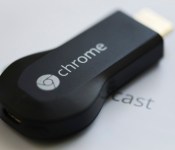
Best apps for streaming photos, videos, and music from your Android device to Chromecast [October 2014]

Google’s Chromecast is a fantastic device. It’s one of the easiest ways to stream and share content onto your television screen, including making it simple to cast radio stations, shows on Netflix, or your G+ photos onto a bigger display. At just $35 bucks, it’s the simplest way to get media onto multiple screens. The only drawback? Chromecast’s lack of support for locally stored content.
Sure, Chromecast boasts all of the ways you can sling your subscriptions to your television without a huge box and lots of wires and cables, but sometimes you want to view some homemade videos and photos. In this guide, we’re going to go over the best ways to cast your local content to a Chromecast with a few different apps.

AllCast is an app from Koushik Dutta, who also happens to be the developer of apps like Helium and ROM Manager. The app is designed to cast any content on your phone to a Chromecast, but it also works with multiple other streaming boxes and devices, so it offers quite a bit of functionality that many other apps don’t.
The interface is simple enough; you select any piece of content from the side menu, whether that’s a video from your gallery, a song on your SD card, or an image from another app loaded on your device, then select the playback device you want to use, and AllCast handles the rest. Photos will immediately display on screen, songs will play through albums, and full videos will play just like if you were casting them from another source.
As an added bonus, if you want to use AllCast with something that’s not a Chromecast, it’s mostly compatible. Stuff like a Roku Box, Apple TV, Xbox 360, or most other DLNA compliant devices should be fully compatible, so if you like to mix and match your ecosystems, AllCast will help you keep your content available on any screen. This platform-agnostic approach makes it one of the better apps on this list. To make it even better, the app also features the ability to cast content from Dropbox and Google Drive. It’s technically not local content, but it’s worth mentioning.
The interface sticks to Android’s Holo design, and it’s very easy to navigate. There’s not much clutter and not many settings to tweak, which can be a good or bad thing, depending on your usage habits.
The free version of AllCast comes with a five minute limit on content. If you’re planning on watching movies or streaming full albums with the app, this means you’ll have to shell out the $5 for the app to use it without constant frustration, but for just a few bucks it’s well worth the purchase.
 Dayframe is a useful application that can turn a screen into a fully featured digital photo frame. The app takes your local photos (plus anything you have on social media or cloud storage) and will display them in a slideshow. Since it’s fully compatible with Chromecast, it makes for an excellent way to display your pictures and albums on a bigger screen with tons of customization options.
With Dayframe, you can select specific albums or “playlists” of photos to display, and it will cycle through each photo on a timer. The pro version of the app lets you set up specific orders for photos, or gives you the option to randomly shuffle through your pictures. This automation makes it perfect for re-purposing an old TV with a Chromecast to a 24/7 digital picture frame, or to put some photos up on the main TV at a party. Once the app is set up and casting, you don’t need to monitor your device to keep things flowing; Dayframe handles it all automatically.
On top of just supporting local photos on your Chromecast, Dayframe also works with cloud storage, like Dropbox and Drive, and social media accounts, like Facebook and Instagram. Plus, you can actually set it up to be used on a tablet when it’s not casting to a television, so it’s got a variety of uses.
The app is free, with a few features locked to the paid version. Chromecast support is free, although there’s a Chromecast watermark on your photos, so it’s definitely worth checking out to see if it fits your needs.

Castaway is a very slim app that functions similarly to AllCast. The major difference between the two is that Castaway just focuses on Chromecast support, instead of trying to work with every device on the market. If you have a ton of different types of streaming devices, or you want to be able to sling content to any device you might run into, AllCast is a better option, but if you’re only worried about Chromecast support, Castaway should be your go-to.
The app offers a pretty clean, basic interface that’s easy to navigate. After connecting to your Chromecast, you select any picture or photo stored on your device, and it’s automatically beamed to the Chromecast. If you’re playing video, the app supports lock screen playback controls, so you can quickly pause and resume your video without having to unlock your device again. Castaway also supports casting from your Facebook and Google+ accounts, so if you typically keep your files backed up to either of those social networks, it’s extremely easy to get them on your TV.
Castaway is slightly more limited than AllCast because of its smaller device support and inability to play audio files. However, the free version is ad-supported and there are no limitations on video or image playback, so if you’re okay with a few ads Castaway is a much cheaper option. If you’re just looking for a simple way to cast a few photos to show some friends or family every once in awhile, Castaway is a smarter choice.
 Google Play Music is Google’s application for their All Access streaming service and the Play Store’s music storefront. Those are primarily what the app is designed to do, but it still offers one overlooked feature; local music playback.
If you put your own music files on your device, Play Music will easily recognize them and let you play them mixed in with your other purchased and All Access music, if you have any. But since this is a Google app, that means that it has fantastic Chromecast support, and yes, that extends to local music. Simply connect to your Chromecast with Google’s cast logo at the top of the app, then start playing.
Using Play Music, you’ll get a well-designed interface, plus all of the usual cool features like lockscreen playback support, an equalizer, and excellent sound quality. Really, the biggest advantage of using Play Music over something like AllCast is that the sound quality seems have a higher bitrate, which makes for a much better experience, especially if you’re casting to a full home theater system.
Play Music is tough to beat, considering it offers arguably the best music casting experience on Android, on top of being a very well designed, easy to use app. It’s completely free, and if you ever want to jump into Google’s streaming services (like All Access or purchasing music through the Play Store) it’s easier to do if you’re already using the Play Music app.
 EZCast is the Swiss Army Knife of Chromecast apps. It can cast nearly anything on your device to a streaming device, including Google’s Chromecast, a Miracast display, or most other DLNA devices. On top of that, it goes beyond just letting you cast local photos, videos, and music and has options for mirroring full documents, web pages, and even your device camera.
When you start up EZCast, you’ll get the option to connect to your particular device. Once you’re connected to your Chromecast, you’ll see a screen with tons of different options for whatever you need to get on your larger screen. Photos, videos, and music works pretty easily; simply select the content and let EZCast handle the rest. Any locally stored media will play flawlessly on your Chromecast.
If you want to get more in-depth with casting, EZCast can handle tons of other things. If you need to share an office document, for example, you can select the Document option, find the document on your device storage, and see it instantly beamed up to your screen. That can be extremely useful in business situations where you need to share some information on something larger than a smartphone screen. You can also pull up web pages (including YouTube videos or social media sites) and mirror those to your larger screen, which is also extremely useful. Need to share some vacation pictures at a party? Easy.
There are also a few other options offered by EZCast, including the standard support for cloud storage and social media, and you can share the camera with your Chromecast display. We saw that feature at Google I/O this past year as part of mirroring, but since it’s only available to a handful of devices, EZCast might be a better option.
EZCast is free and setting it up takes just a few seconds for how many features it has. The interface isn’t fantastic, but the plethora of casting options it has makes up for it.
These apps cover the best ways to stream any media you have on your Android device, from photos to videos to music. Did we miss any of your favorites? Let us know in the comments.
Come comment on this article: Best apps for streaming photos, videos, and music from your Android device to Chromecast [October 2014]

H. Tang; A smartwatch designed for Women
Smartwatches and wearable tech have been on the rise over the lat few years. The early years produced some odd creations. There were a number that took off and stood out, like the Pebble and Martian. Now we have Android Wear, and more prolifically known, the Moto 360. Along with the Apple watch. When Google and Apple get in the mix, that is when heads start to turn and the wearable tech concept starts to make its way to the more average consumers of the world. There is still somewhat of a disconnect, I feel, in the wearable space when it comes to the female side of things. Some of the fitness tracking wearable aren’t too terrible looking for active ladies, but they aren’t the kind of thing you would wear out to dinner. At least, not my wife. However, she is interested in having a smartwatch or wearable that offers her quick glance information, so long as it is small and elegant. That is what the H. TIMES is trying to accomplish with their new wearable, the H. Tang.

Like most wearable tech, the H.Tang uses Bluetooth 4.0 BLE to wirelessly connect to your Android or iOS device to deliver information to your wrist. It also monitors UV, temperature and humidity. The design of the H.Tang is certainly what is a bit more interesting. Its surface incorporates hand-polished sapphire glass and, a limited edition version, is encrusted with Swarovski diamonds. The main body will be offered in gold or silver with a variety of wrist bands.

 To top things off, the H.Tang is also waterproof and charges on its own charging cradle. You kind of need to see the video to really get an idea behind it all.
The company is doing a funding run on Pozible right now. At the time of writing this the H.Tang already has hit $9,551 which cleared their start-up goal of $8,156. . There are still some Earlybird Specials left that put you with H.Tang in silver without the Swarovski stones for $82. If you want the Swarovski stones you can help fund for $98. It goes up from there. They have them listed with an estimated delivery of December 2014. Head over to the H.Tang Pozible page and take a look.
//<![CDATA[
ord = window.ord || Math.floor(Math.random()*1E16);
document.write('‘);
//]]>
The post H. Tang; A smartwatch designed for Women appeared first on AndroidSPIN.

GT Advanced Saw Production Troubles as Early as February
GT Advanced Technologies, Apple’s sapphire partner, may have been seeing production problems and missing technical milestones as early as February, according to a new report from The Wall Street Journal that examines GT’s securities filings.
It’s widely known that Apple did not provide GT Advanced with a fourth and final $139 million loan payment aimed at giving the sapphire supplier a means to purchase vital equipment, but Apple also delivered its third payment to the company two months after it was expected.

GT was set to receive a $103 million payment in February of 2014, but did not receive the payment until April 2014, two months later, as it had failed to meet Apple’s requirements on time.
The third payment, of $103 million, was due in February, but Apple did not make it until April, according to GT’s securities filings. The final installment of $139 million was due in April, according to a GT securities filing. In August, GT said it expected the payment by October. But Apple never made the payment, because GT did not meet certain requirements, according to people familiar with the matter.
Shortly after GT Advanced missed its February payment, the company’s CEO, Thomas Gutierrez and its Chief Operating Officer, Daniel Squiller, set plans in motion to begin selling off stock. While the timing of their subsequent sales was subject to the schedules laid out in their trading plans, it is clear those plans were established after GT began having difficulties meeting its milestones.
Gutierrez set up a pre-arranged Rule 10b5-1 sale in March, which saw him selling more than 9,000 shares of GT Advanced stock on September 8, a day ahead of Apple’s iPhone announcement. Gutierrez also sold off stock throughout the year, netting more than $10 million before stock prices faltered after it became clear Apple was not using sapphire in the iPhone 6 and 6 Plus.
Squiller sold $1.2 million worth of stock in May and made plans to sell off additional shares throughout 2014, garnering another $750,000 before the company filed for bankruptcy. Squiller continues to hold more than 200,000 shares of GT stock, which have lost much of their value.
Apple did end up making a total of three loan payments to GT Advanced totaling $440 million after signing an agreement in October of 2013, and the company also reportedly tried to help the supplier meet the requirements to receive the fourth payment ahead of GT’s surprise Chapter 11 bankruptcy filing.
GT Advanced’s deal with Apple was highly favorable to the Cupertino-based company, with the sapphire supplier taking on all of the risk. Apple supplied the facility and the loan for the company to purchase equipment, but GT was required to meet technical milestones to receive the money and it also signed contracts that prevented it from selling its sapphire to other companies. Apple, meanwhile, was under no obligation to purchase GT’s sapphire.
Details about the deal’s deterioration have been coming out bit by bit, making it difficult to piece together exactly what went wrong. It appears that GT’s failed to produce sapphire up to Apple’s standards, leading the company to stick with Gorilla Glass instead of sapphire screens for its iPhones. GT Advanced has been able to supply little information on its bankruptcy filing, as it is bound by non-disclosure agreements that could see it paying $50 million in fines for each violation.
Apple and GT Advanced have asked to keep court documents sealed, but The Wall Street Journal today filed a motion asking the court make the documents public.
Following its Chapter 11 bankruptcy filing, GT Advanced last week asked for permission to begin winding down operations at its Mesa, Arizona sapphire plant, suggesting the company plans to cease its sapphire production all together. Apple has said that it plans to focus on “preserving jobs” in Arizona, and is working with local and state officials as it considers its next steps.
New Android ad campaign hints at upcoming Nexus devices

The inexorable announcement of the next round of Nexus devices and Android L is drawing ever nearer, as Google has released a slew of new ads promoting Android.
This video above shows an animated version of the rumored Nexus 6. It seems to look like a Moto X (2014) and is obviously quite large. Google is seemingly saying that it doesn’t matter if it’s large, hence “be together. not the same.”
It’s hard to notice, but it’s possible that this video shows the Nexus 9, held by one of the people on the left.
This video doesn’t show any devices explicitly, but it’s the third ad in this series.
The trend in the past few years has been for Google to announce the next Nexus and version of Android in October, so we can say pretty firmly that an announcement is imminent. Whether it’s October 15 (tomorrow) or later in the month can’t be for sure, though rumors seem to be pointing to the former.
We also have a gallery of the Nexus 6 here, and earlier this morning we reported on another render from the supposedly retired (though I’m not complaining) @evleaks here.
Are you excited for this eminent announcement? I definitely am!
via AndroidAuthority
 |
The post New Android ad campaign hints at upcoming Nexus devices appeared first on AndroidGuys.
 AIVAnet