


More Details on Next Version of Office for Mac Include Planned Launch in First Half of 2015
Following yesterday’s leak of several screenshots from the next version of Microsoft’s Outlook for Mac, Chinese site cnBeta now shares much more information [Google Translate] about the upcoming version of Microsoft’s productivity suite for Mac.

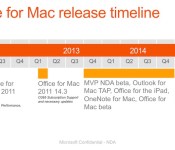
The report shares several presentation slides outlining some of the features of the next Office for Mac, as well as a timeline showing a planned release sometime in the first half of 2015. Microsoft team members had previously suggested the suite would launch this year.
The slides point to four key focus areas for Microsoft during the development cycle of the next Office for Mac, including a modernized look with full Retina support to match the OS X aesthetic while still aligning the experience with Office for Windows, improved connectivity with cloud services including Office 365 and SkyDrive, significant improvements to Outlook, and the addition of OneNote, which appeared as a standalone release earlier this year.
 (Click for larger)
Taking a quick look at some of the changes to the core Office apps, the slides address the addition of the Quick Access Toolbar from the Windows version throughout the upcoming Mac suite, improved organization of tools and formatting, new support for Excel 2013 functions, Threaded Comments and improved Presenter View for PowerPoint, and enhanced Reply Comments and “Expand and Collapse” paragraph view toggles in Word.
Microsoft Office for Mac has not seen a major update since late 2010, when Office for Mac 2011 was released as a comparable version of Office 2010 for Windows. But while Windows saw the release of Office 2013 early last year, no corresponding version of Office for Mac has yet been released. The next version of Office for Windows is similarly expected in the spring of next year.
Accessory of the Day: Plantronics BackBeat Go 2, $67.10

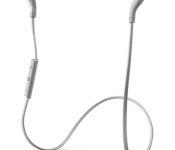
As an owner of this particular pair of Bluetooth earbuds, I completely vouch for the Plantronics BackBeat Go 2. They’re comfortable, have a 4.5 hour battery life, charge easily via MicroUSB, and are sweat-proof. Terrific quality for a hands-free experience. At just $67.10 (Prime eligible), this is a buy that I couldn’t pass up and neither should you.
The post Accessory of the Day: Plantronics BackBeat Go 2, $67.10 appeared first on AndroidGuys.

LG nails the coffin down on plasma TVs

It won’t be long before you won’t need to auction a lung off in order to buy a 4K OLED TV, which means there’s even less reason to buy a plasma than ever before. That’s why LG has finally joined Samsung and Panasonic in taking the outdated business out back, shotgun in hand. According to Reuters, the company has quietly told local regulators that the plasma TV lines will cease production towards the end of November, leaving China’s Changhong Electric Co. as the last manufacturer in town. Still, we’d certainly expect the price of plasmas to slip downward as the technology heads towards the exit door, so perhaps this holiday season is the ideal time to pick up a bargain.
Filed under: Home Entertainment, HD, LG
Source: Reuters
Motorola UK begins selling the Moto 360, discounts the Moto X for one day only

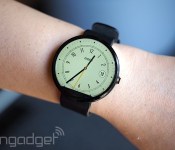
Nigh on a month later than originally planned, Motorola’s Moto 360 smartwatch has officially arrived in the UK today (although O2 apparently let a few units slip out at the beginning of the month). The limited stock that’s available is up for grabs through Motorola directly, with online sales live right now. The £200 Android Wear watch is particularly notable for its sexy circular design, and to mark its arrival in the UK, Motorola’s also knocking £60 off the starting price of its Moto X flagship smartphone for the next 24 hours. Usually £420, the base model is being discounted to £360 for one day only, with the price increasing from there if you add extra storage or one of the more ornate finishes, like leather or wood, using the online Moto Maker customisation tool.
Filed under: Cellphones, Wearables, Mobile, Lenovo
Via: Android Central
Source: Motorola

Tesla Model S is now cheaper to lease, comes with a return policy

Tesla has just revealed reduced lease rates for its Model S, along with a “happiness guarantee” that lets you return the EV up to three months after purchase with no penalty. Elon Musk said that buyers in certain states will get rates up to 25 percent lower, thanks to a new deal it struck with US Bank. Leasing currently starts at around $800 per month for a Model S. The return guarantee is “no questions asked,” but Musk added that it’s not possible to then turn around and lease a newer model unless you pay a pass-through fee. Tesla recently announced a new, more powerful “D” variant of the Model S and, and currently has the Model X SUV and cheaper Model 3 in development. The new lease rates and guarantee have led some to speculate that sales are down, but Tesla told the NYT that “demand remains extremely strong for the cars.”
Filed under: Transportation
Via: Autoblog
Source: Tesla
Tesco Hudl2 review: The UK’s best value tablet

A supermarket turned tablet maker doesn’t sound like the wisest of career progressions. Tesco’s not your average supermarket, though. When you consider the Tesco machine also operates video- and music-streaming services, an e-book store and an online emporium selling everything from garden furniture to jewelry, having a low-cost, own-brand tablet to publicise them on makes a considerable amount of sense. Amazon makes it work with a similar potpourri of digital properties, after all. Tesco first explored the idea with its £119 Hudl tablet, launched around this time last year. And, having shifted over three quarters of a million units during that period, it’s hoping to keep the ball rolling with the new Hudl2, which boasts a bigger display, upgraded hardware, a more refined look and a similarly wallet-friendly £129 price tag. Tesco’s still a fish in the tablet game, and yet, with the Hudl2, it’s managed to deliver not just another great value product, but also the best affordable slate on the market right now.
Hardware

As Tesco did with the first Hudl, the company has kept the unboxing process as Luddite-friendly as possible. The tablet’s plastic screen guard explains the meaning of all ports and buttons, while separate labeled compartments in the box clarify the difference between a USB cable and a wall plug. Meanwhile, there’s a picture-driven manual on hand to walk you through the initial setup and basic features. Freephone numbers for the Hudl2 support line are also printed on the well of the packaging in case you need any assistance from the get-go.
Once unwrapped, the Hudl2 looks more like a distant cousin to its predecessor than a direct relation. Gone are the overgenerous bezels and soft curves, supplanted by a squarer, more distinguished appearance you may be less inclined to let sticky fingers run amuck on. Using the same building materials, Tesco’s nipped and tucked its way to creating a slate with all the visual appeal and finesse you might expect from a more experienced manufacturer. The shiny, embossed Hudl logo is pretty much the only familiar design element to have made the cut.
Most of the Hudl2 is clad in hard, durable plastic that has a slight rubbery texture to give your fingers some extra purchase. It covers the back, sides and spills over to the front to fill any space not covered by glass. My review unit’s cloaked in a modest, dark grey plastic, but there are also white and vibrant red, pink, orange, purple and blue models available for those who want something with a little more personality.

If you were in any doubt what orientation you’re supposed to hold the tablet in, the direction of the reflective Hudl logo on the back panel tells you it’s primarily intended for landscape use. Beneath that is a discreet, light grey “From Tesco” banner alongside small print like the model number, et cetera. The top-rear corners of the device are home to stereo speaker grilles, with one a tad smaller than the other to leave space for the main camera lens. Both grilles are made from several circular holes poked in the plastic shell, and could almost be considered ornate compared to the first Hudl’s simpler, slit pattern. They also sit higher on the back this time around, away from your hands.
The front of the device is dominated by the Hudl2’s 8.3-inch display, with the front-facing camera and a large charging notification LED off to the left. On the top edge, you’ll find the power key and volume rocker, while the opposite border hosts a HDMI Micro-out socket and microSD card slot. The headphone jack and micro-USB port for charging/data transfer are positioned on the left and right edges, respectively.
The Hudl2 might be an all-plastic affair, but there’s nothing cheap about its build quality. The seam that runs along the plastic perimeter of the device is consistently tight; the power button and volume rocker sit almost flush with the top edge and don’t wiggle around in their sockets; and every port hole is neatly cut. You have to expend a fair amount of energy to get any flex out of the device, and even then, it won’t creak or squeal in protest. Overall, it’s a very well put-together tablet, and the fact it’s also a relatively heavy tablet makes it feel extra sturdy.

With a weight of 410g, however, the Hudl2 is substantially heftier than its 370g predecessor. The increase isn’t totally unexpected given the larger screen, but Android tablets in the 7- to 8-inch range don’t tend to go above the 350g mark, making the Hudl2 one of the heavier members of its peer group. It’s something to keep in mind when clumsy tykes with delicate toes are in command, but grown-ups shouldn’t find its weight too much of a problem. Chances are it’ll be resting on your knees, a table or propped up in a case the majority of the time, but as long as you have somewhere to rest your elbows, you can easily clutch it with two hands for extended periods of use. One-handed operation is where things start to get a little uncomfortable, though. It’s simply too heavy to hold freely for any length of time, especially if you’re trying to tap out an extensive email. This is particularly true in landscape orientation, as the tablet’s wide enough that its centre of gravity is constantly working against your best efforts to keep it stable.
Despite its larger screen, Tesco’s newer tablet is ever so slightly shorter and thinner than the first-gen Hudl, but a good 30mm wider. The height saving is down to a leaner bezel above and below the display. The bezel to the left and right of the screen is much healthier, but it doesn’t look bloated or out of proportion. If anything, they’re parking spaces for your thumbs that keep them from obstructing the view.
If you feel Tesco deserves more than £129 for its latest tablet, you can always supplement that purchase with any of the various accessories the supermarket has to offer. You have your pick of black leather or colourful “soft touch” (polyurethane) folio cases, shells that look like a chaotic version of Apple’s iPhone 5c case and chunkier “bumper” covers for butterfingered kids. Hudl-branded styli and headphones are also available if you’re ready to fully commit to the Hudl brand.
| Hudl2 | Hudl | |
|---|---|---|
| Price | £129 | £79 |
| Processor | 1.33GHz Intel Atom quad-core (with turbo boost up to 1.83GHz) | 1.5GHz Rockchip quad-core |
| Memory | 2GB | 1GB |
| Display | 8.3-inch 1,920 x 1,200 LCD | 7-inch 1,440 x 900 LCD |
| Pixel Density | 273 ppi | 242 ppi |
| Storage | 16GB (plus up to 32GB microSD) | 16GB (plus up to 32GB microSD) |
| Primary camera | 5MP | 3MP |
| Secondary camera | 1.2MP | 2MP |
| WiFi | Dual-band 802.11a/b/g/n | Dual-band 802.11a/b/g/n |
| Bluetooth | 4.0 | 4.0 |
| Battery life | Up to eight hours usage | Up to nine hours usage |
| Weight | 410 grams/14.47 oz | 370 grams/13.05 oz |
| Dimensions | 128 x 224 x 9.15mm | 128.8 x 192.8 x 9.9mm |
|
Colours |
Black, blue, purple, red, aqua, pink, orange and white. | Black, blue, red and purple |
Display and audio

The most significant upgrade to the second iteration of Hudl hardware has to be its display. It’s not only bigger at 8.3 inches, but also sports a higher, 1,920 x 1,200 resolution (273 ppi). This means you’re always looking at a glorious, full HD (1080p) image, with those surplus pixels making room for the on-screen Android navigation keys. Numbers don’t always tell the full story, but the Hudl2’s panel is a good-quality one, too. Colours are realistic and well-saturated; whites are pure; and blacks are pretty much as good as they get where LCD technology is concerned. The display also has excellent viewing angles, so anyone huddled close to the screen (get it?!) will be getting more or less the same experience as the person directly in front of it. There’s not much else to say apart from it’s a great device to view media on.
Sunlight readability is really the only minor flaw here. The screen’s brightness setting goes high enough to cope with the artificial lighting in your home or local cafe, but it’s not so powerful that it can cut through the sun’s rays on a cloudless day. Don’t get me wrong, you’ll still be able to frame that picture of you and your chums picnicking on your favourite London field, but glare will become a frustration if you want to polish off that e-book you’ve been reading on a park bench.

The quality of sound the Hudl2’s onboard stereo speakers are capable of producing is pretty underwhelming. For starters, they’re facing away from the screen, giving audio a distant, rather than immersive feel. What does get thrown out lacks clear definition and any semblance of deep bass. Higher-frequency tones, on the other hand, are overly edgy to the point of being raspy and abrasive. The speakers can kick out more volume than you’ll realistically ever need, but in terms of quality, they’re more suited to providing audio for funny YouTube clips than feature-length films or impromptu raves.
Plug a set of headphones into the “Dolby-optimised” Hudl2, however, and it becomes a completely different beast. Audio quality instantly goes from mediocre to superb. Sound is well-balanced and highly defined. And every subtle bass tone comes through perfectly, making the tablet a joy to watch a movie or listen to music on. You certainly won’t be left wanting in the volume department, either.
Software

The Hudl2 runs, for the most part, a stock build of Android 4.4.2 KitKat. As much as Tesco wants you to buy its hardware, the supermarket is just as keen to tie you up in its software and services. Like the first Hudl, this means there’s a fair amount of Tesco-issued bloatware populating the device. This isn’t necessarily a bad thing for first-time tablet users, though, as they can do a lot with the slate right out of the box. For true beginners, there’s a slick instructions app that explains how to customize the tablet, hop online, listen to music, take a picture and other basics. This is complemented by an app that lists some recommended games, streaming services, news outlets and the like to get you started.
Once you’re up and running, the hope is that you’ll start to explore Tesco’s Blinkbox video, music and e-book services. The e-book store is, well, exactly what it sounds like, and Blinkbox music lets you stream millions of tunes bound in artist- and theme-driven “stations.” It’s a free, ad-supported service, but sign up to the premium tier for £1 per week and you can create your own playlists, listen to specific albums and, of course, cut ads out of the equation. Blinkbox skips the subscription model when it comes to streaming video, instead offering movies and TV box sets for purchase or rental. Recently, Tesco also started letting you link UltraViolet libraries to Blinkbox accounts, allowing you to stream the digital copies of any supported DVDs and Blu-rays you own to the Hudl2 (and all other devices that have a Blinkbox app). To tempt you onto the hook, every Hudl2 purchase includes 25 quid’s worth of bait credit to spend across the three services.

As well as offering content for you to consume on the Hudl2, Tesco runs a bank, photo-printing service and grocery/fashion/everything else stores that are all predictably easy to access on the tablet. Only a couple have dedicated apps, but a folder on the Hudl2’s home screen contains website shortcuts to anything that doesn’t. Not content with simply preinstalling its apps, Tesco’s also added a non-removable panel to the home screen carousel called “My Tesco.” It looks and functions a lot like Google Now, with a dynamic, card-based UI. These cards suggest content to stream, recipes to try, Hudl2 accessories to buy and highlight the top deals at Tesco’s various stores. It shows you what time your nearest supermarket closes, and if you can plug in your Blinkbox, Clubcard and Groceries account details, it’ll also tell you what time your online food order will be delivered, how many loyalty points you’ve racked up and other personalised info. A static menu you can get to from within the “My Tesco” pane again points you in the direction of every Tesco store and service available. Really, it just collates many of the apps and shortcuts found elsewhere and presents them in a more accessible way.
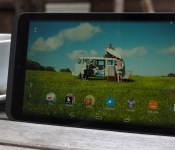
Tesco’s custom home screen panel is more or less a dedicated advertising space, though I can see it being useful to those fully entrenched in the supermarket’s retail and service ecosystem. But, if you’re not at that stage, “My Tesco” is easily ignored as long as you don’t touch the T button or swipe right on the home screen. The anchored home screen pane is pretty much the only visual customisation from Tesco that sits on top of stock Android. Other than that, there are a few prepositioned widgets you can easily remove, and an overly positive default wallpaper depicting a group of friends apparently on a surfing trip in the middle of a field.

Tesco’s latest tablet is pitched as a device for the whole family. The original Hudl was too, but its child-safety measures amounted to an on-device guide of what settings to change, and what apps parents could use to control what their little ones were able to access. This time around, Tesco’s built a more comprehensive solution that’s similar to Amazon’s Kindle FreeTime feature. You can create individual profiles for each child in the household, and then choose what types of websites they’re allowed to access from a list of categories. There’s also a whitelist for each profile, so you can allow specific sites that might come under a wider category of content you’d rather your kids avoid. You can also set weekday and weekend time limits on general usage, as well as specify what apps will show up on the device for each profile. Furthermore, there’s an advice section within the child-safety app that talks about everything you should consider when letting young’uns loose on the slate. Overall, the new measures are a big improvement over the first Hudl, and for parents, it could be considered more of a selling point than a simple app.
Camera

Taking pictures on tablets doesn’t do anything for your street cred, but we get it: Sometimes, the Hudl2 may be the only camera-equipped device to hand. Tesco’s bumped the main camera up to five megapixels, from 3MP on the first Hudl, but curiously, it’s done the opposite with the front-facing unit. What used to be a 2-megapixel shooter is now only 1.2MP, which is kind of strange given that you’re more likely to use a tablet for video calling than you are to shoot landscape stills.
The Hudl2’s camera app is extremely basic. You’ve only got still, video, panorama, photo sphere and lens blur modes, the latter of which can be used to inject bokeh into macro shots. The only things you can do from within the viewfinder are add a framing grid and set a countdown timer, but even in the deeper settings menu, you can only adjust the resolution and quality of images each lens spits out. Head to the “advanced” section of this menu, and you’ll find an option to add a manual exposure setting to the viewfinder — everything else is taken care of automatically. I don’t consider this a negative, though, because who really wants to faff around with white balance and scene-selection settings when you’re simply trying to grab an opportunistic shot on your tablet?

Camera performance on the first Hudl was thoroughly disappointing, but the Hudl2 demonstrates some notable improvements. Firstly, image quality is better by default thanks to the higher resolution. Beyond that, though, colours are way more vibrant and realistic in scenarios where natural light is on your side. Shutter speed and response times are pretty good, too. Some photos still come out a little overexposed and washed out, and the auto-white balance setting isn’t always accurate (especially when shooting landscapes), but more often than not, you’ll be happy with the output. The main camera doesn’t fare so well with artificial lighting. Images tend to be either extremely washed out, or take on the general hue of whatever bulb’s illuminating the scene. In twilight, the camera simply jacks the exposure setting up to its maximum, resulting in horribly pale images. In much darker situations, however, you get a more realistic image even if it is on the grainy side. At this light level, though, the shutter speed has dropped so low you need to hold the tablet steady for well over a second to achieve anything but a blurry mess.
I don’t have a great deal of positive things to say about the Hudl2’s 1.2MP front-facing camera. On a bright, sunny day, it’ll take a perfectly good selfie, but stray from those ideal conditions and image noise starts to become a real issue. This is particularly true in low-light situations, where banding noise turns photos into streaky mosaics. The front-facing shooter is capable of recording 720p video, while the main camera can capture clips at 1080p. Don’t let the resolutions fool you, though, as they’re not particularly handy in this department. The front-facer has the same problems with video as it does with stills, and the primary camera doesn’t do a markedly better job. While the frame rate of video is fine, noticeable pixelation and fidgety autofocus/exposure settings mean you won’t want to use the Hudl2 to capture any meaningful moments. The quality of recorded audio is quite simply terrible, with ill-defined sound all but hidden under the loud hiss of static.
(Full-resolution camera sample images can be found here.)
Performance and battery life

A more sophisticated design and a bigger, better display aren’t the only enhancements Tesco’s bestowed upon its second-generation tablet. The Hudl2 also has a faster quad-core 1.33GHz Intel Atom processor (with turbo boost up to 1.83GHz), this time paired with 2GB of RAM, double the amount of memory its predecessor offered. It also has the same 16GB of internal storage as the first Hudl, with a microSD card slot allowing you to add more. Tesco says the slate is compatible with cards as large as 32GB, but then again, it said the same about the original Hudl, yet that handled a 64GB card without issue. Sadly, I don’t have anything of that size on hand to test whether the Hudl2 is capable of the same overachievement.
The Hudl2 has all the processing power it needs to deal with typical tablet use cases effortlessly. I’m talking about cycling through the app drawer, jumping into Gmail, browsing YouTube — that sort of thing. It’s generally a slick and responsive affair, though I did notice a few infrequent hiccups. Occasionally, the on-screen keyboard would take a split second longer to appear than normal, for example, or the tablet would hang briefly when switching from the lockscreen to the home screen. These minor indiscretions have practically no impact on the general user experience, though. On a related note, the transition from the normal home screen to the immovable “My Tesco” pane isn’t a particularly smooth one. It stutters across to fill the screen, but I’m certain this is down to poor optimisation on Tesco’s part, rather than any fault of the hardware.
Browsing the web on the Hudl2 is a great experience, making it a perfect couch-surfing companion. Sites load quickly on the device (using the Chrome browser), and I haven’t noticed any scroll lag, tiling or other performance issues of that nature. I wasn’t sure the Intel Atom chip would deal with processor-intensive tasks as well, but my reservations were unfounded. The 3D games Real Racing 3 and Shadowgun: Deadzone run fantastically, and Asphalt 8: Airborne only starts dropping frames when pushed to the highest graphics setting (it’s fine on the recommended medium setting). When running power-hungry apps, the tablet does have a tendency to heat up around the primary camera lens, so prepare for your left palm to get sweaty during extended gaming sessions. Aside from this observation, I’d be lying if I said I expected Tesco’s £129 tablet to perform as well as it does in all areas.

The Hudl2’s connectivity options aren’t exhaustive, but it’s got everything a regular punter will need: dual-band WiFi 802.11a/b/g/n, Bluetooth 4.0 and GPS/GLONASS (it’s a WiFi-only tablet, remember, so it isn’t exactly an ideal satnav replacement). The tablet also has a HDMI Micro-out port, so you can mirror its screen on your living room TV with the right cable.
For whatever reason, Tesco doesn’t specify the actual capacity of the batteries in either of its tablets. The Hudl2 is said to be good for up to eight hours of use, but in the standard Engadget video-looping test, it only managed six and a half before giving up the ghost. The original Hudl (which Tesco claimed had a nine-hour battery life) didn’t do too much better, clocking in a time of just over seven hours. (Neither result is particularly impressive, but several, admittedly older, Android tablets have put in comparable performances.) Under normal usage conditions at medium screen brightness, you can expect to get roughly six hours of Hudl2 time before needing to recharge. Run a lot of processor-intensive apps and games, however, and you’re looking at more like four hours. The Hudl2’s battery life is definitely one of its weakest points, and you wouldn’t want the tablet as your sole source of entertainment on a long-haul flight. That being said, if it’s going to spend most of its life on the living room coffee table, I doubt you’ll find plugging it in every other evening a huge inconvenience.
| Tablet | Battery Life |
|---|---|
| Tesco Hudl2 | 6:31 |
| Microsoft Surface 2 | 14:22 |
| Apple iPad Air | 13:45 (LTE) |
| Apple iPad mini 3 | 13:45 |
| Samsung Galaxy Tab S (10-inch) | 12:30 |
| Samsung Galaxy Tab S (8-inch) | 12:22 |
| Apple iPad mini with Retina display | 11:55 (LTE) |
| Apple iPad Air 2 | 11:15 |
| Amazon Fire HD 6 | 11:15 |
| Samsung Galaxy Note Pro 12.2 | 10:04 |
| Acer Iconia W4 | 9:50 |
| Microsoft Surface RT | 9:36 |
| ASUS MeMO Pad 8 | 9:21 |
| Toshiba Encore | 8:45 |
| ASUS MeMO Pad 7 | 8:36 |
| NVIDIA Shield | 8:23 |
| Sony Xperia Z2 Tablet | 7:57 |
| Samsung Galaxy Tab 4 Nook | 7:34 |
| Dell Venue 8 Pro | 7:19 |
| Nexus 7 (2013) | 7:15 |
| Samsung Galaxy Tab Pro 8.4 | 7:13 |
| Tesco Hudl | 7:06 |
| Samsung Galaxy Tab 3 10.1 | 6:55 |
| Lenovo ThinkPad 8 | 6:11 |
The competition

These days, if you’re in the market for a decent tablet that retails for under £200, you’re practically spoilt for choice. If it’s something a little more affordable you’re after, however, then your options start to become more limited. At £129, the Hudl2 is one of only a few truly wallet-friendly slates available in the UK right now. Currently, its closest competition is Amazon’s Fire HD 7, which starts at £119 for the 8GB model. The extra tenner you pay for the Hudl2 is certainly worth it, though, as Tesco’s tablet is simply better in every respect — barring, perhaps, battery life. It has a bigger, higher-resolution display, better cameras and a faster processor, not to mention it has a more open Android OS built with access to the Google Play store.
A couple of UK carriers have recently added new, low-cost tablets to their device repertoires. Vodafone’s started selling its own-brand Smart Tab 4G for £125 on pay-as-you-go, while EE now offers the Alcatel OneTouch Pop 7S for £100 all-in. Obviously, these slates have LTE connectivity, which isn’t something you can say about the Hudl2. Tesco’s tab trumps both when it comes to raw specs, though, making it the more sensible purchase if having internet access on the move isn’t your top priority.

If you’re not much of a tablet gamer, and simply want a device to do the basics on, like web browsing and the odd email, then picking up a first-generation Hudl might be the way to go. Following the launch of the Hudl2, Tesco’s discounted its first-gen tablet to the bargain price of £79 while it still has leftover stock to shift. Amazon’s newer Fire HD 6 tablet (8GB model) retails for the same price, though, and may be the preferred option if you’d be content with Fire OS and want a slate with long battery life.
Both of the supermarket’s tablets are eligible for “Clubcard Boost,” which means your loyalty points are worth double their normal amount when put toward a purchase of either slate. A first-gen Hudl is therefore only £40 when bought with Clubcard points, but if you’ve managed to amass £65, I’d suggest the newer, better Hudl2. At £129 in real money, the Hudl2 is already the best value tablet around. If you do happen to have £65 in points lying dormant in your Clubcard account, though, then the Hudl2 is an absolute steal.
Wrap-up

Tesco’s in a rather unique position — it’s a brand trusted for providing millions of Brits with the everyday essentials, meaning it has a huge captive audience to sell the Hudl2 and its digital services to. The supermarket’s been clever to make its second-gen slate as technophobe-friendly as its first, while also improving child-safety measures to appeal to families that plan to share a single device. With both of these selling points, and a target market that may not be au fait with all the other tablet options out there, Tesco isn’t under the same level of pressure to compete in the spec wars as other manufacturers are. And yet, it’s crafted a product that’s not only attractive to regular consumers looking for an affordable tablet, but also to the type of person, like me, who’s interested in pixel density and processor speeds.
The truth is, you get a hell of a lot for your money. A gorgeous 8.3-inch display makes the Hudl2 a fantastic tablet to consume media on, complemented by superb audio quality when you’ve got headphones plugged in. The tablet might be made from relatively cheap materials, but it’s well-designed with robust build quality. It’s no slouch under the hood either, with all the processing power it needs to handle casual browsing and 3D gaming alike. Yes, Tesco bloatware is hiding in every nook and cranny, but you can simply ignore anything you don’t want to use and enjoy the full stock Android experience. Now, the Hudl2’s battery life is nothing to write home about, and its stereo speakers could be better. But, all things considered, the Hudl2 is hands-down the best value tablet you can buy in the UK right now.
Filed under: Tablets
Root Nexus 5 Running Android 5.0 Lollipop With SuperSU

The Nexus 5 running the latest Android 5.0 Lollipop software can now be rooted using a SuperSU package, formed from the Android 5.0 SDK with a build number of LPX13D.
This is great news for Nexus 5 owners concerned with keeping their root access when the Android 5.0 Lollipop update lands on their devices from the official OTA in November.
Using ChainFire’s SuperSU with the CF-Root tool gives you root access on the Nexus 5, and to do so yourself follow the steps below.
Root the Nexus 5 On Android 5.0 Lollipop
- Download the SuperSU root file here.
- Download the adapted hammerhead boot image here.
– extract the contents. - Note: You must have Android SDK already pre-installed before starting.
- Use the extracted file from the boot image folder and copy it over to the same folder that the SDK is sitting.
- Connect the nexus 5 to the computer with the USB wire.
- Have the SDK folder open and right click the mouse and hold the ‘Shift” key on the keyboard.
– now you have the command line open and ready for us to type some commands. - Type the first command: “adb reboot bootloader”.
– you are running in bootloader mode. - Type the second command: “fastboot flash boot boot.img”.
- This command takes some time as it is flashing the file. Do not touch any keys until it finishes.
- Select the recovery option from bootloader mode.
- Choose the “install” option from the main menu.
- Locate the root file from earlier and upload the file to the Nexus.
– confirm the process and do not touch any keys until it finishes flashing once more. - Go back to the main screen of recovery and select “reboot System Now”.
- The initial boot process can take minutes longer for the first time.
Enjoy your rooted Nexus 5 with Android 5.0 Lollipop.
The post Root Nexus 5 Running Android 5.0 Lollipop With SuperSU appeared first on AndroidGuys.

Free international calls on Google Hangouts through 2014

Google has put a lot of time and effort into building out their Hangouts app.
Some say it’s getting too bloated (or, maybe that’s just me), while others are still hopeful of a single unified communications application to rule them all.
Whatever your perspective is on Hangouts, Google definitely wants you to use it. Through the end of 2014, Google is offering free international calls to 25 different countries.
Sort of.
In actuality,
For the rest of 2014, the first minute of most calls to 25 countries are free, and you’ll be charged for each minute after. Calls where the first minute are free will say, “First minute free” on the call screen. If you don’t see this message, you’ll be charged for the first minute.
There are a few steps you will need to follow in order to get the free time.
- Add calling credit to your Google account.
- Make one call at a time. If you try to make more than one call at the same time through Hangouts, only one of them will get the first minute free.
- Call one of the 25 countries where the first minute is free, subject to usage and abuse limits.*
But wait, there’s more,
Before you make your first phone call
To turn on phone calling in the Hangouts app on Android devices, make sure you do the following:
- Download the Hangouts dialer on Android devices. The Hangouts dialer turns on calling in the Hangouts app.
- If you don’t have the latest version of the Hangouts app on Android devices, download the Hangouts app on Android devices.
…and that’s assuming you already have a Google Voice number setup. If not, your list of steps just got longer.
It seems like a lot to go through for a a single minute of calling. But, if you really want to hear someone’s voice this holiday season, or want them to hear your’s, then this might just be the offer for you.
Check out Google’s guide to making calls with Hangouts, and to see the list of 25 countries eligible for a free minute of calling.
Source [Google]
The post Free international calls on Google Hangouts through 2014 appeared first on AndroidGuys.

Apple to distribute over $100 million worth of iPads in underprivileged schools

Students in 114 schools across the country are about to get free iPads straight from Apple, thanks to the tech titan’s $100 million pledge to President Obama’s ConnectED initiative. Cupertino first announced its support for the project (which aims to give students access to high-speed internet) in February this year, but now we know how the company’s fulfilling its multimillion-dollar promise. According to Apple’s ConnectED page, 96 percent of the students in each of its 114 chosen schools are eligible for free or, at least, reduced-priced lunches. Also, half of the schools are in urban areas, with students who are mostly of Black, Hispanic, Native American and Asian heritage. Apple placed emphasis in giving minorities access to technology and knowledge, as they usually don’t, putting them at a disadvantage. The company says it sees “the results of this and other forms of inequality every day”, as “minorities are significantly underrepresented in the technology industry.”
In addition to giving every student in the school an iPad, Apple will also provide each teacher with both an iPad and a Mac and will equip classrooms with Apple TV. The company will be assigning special education teams to oversee each school, tailor curricula for the needs of every institution and work with providers to ensure students and teachers have WiFi or cellular connection, as well. You can check out Apple’s ConnectED page for more details, or the complete list of schools to know if there’s one in your area.
[Image credit: Getty Images]
Inspired by the students, teachers, and administrators at the 114 schools we’re partnering with for ConnectED http://t.co/WTsQT0yAD4
– Tim Cook (@tim_cook) October 27, 2014
Filed under: Desktops, Tablets, Apple
Source: Apple

The DROID Turbo just got a weird celebrity endorsement from James Franco
 It seems all but a sure thing that the Motorola DROID Turbo is going to be officially announced tomorrow by Verizon and/or Motorola, but that hasn’t stopped Verizon from using its @DroidLanding Twitter account, usually reserved for tweeting things out close to device launches, to tweet out some pretty interesting (but mostly weird) videos. The first features a gargoyle, a flailing red scarf and a hand reaching for it, accompanied by the phrase “Things are going to get scary, fast”. After tweeting that, @DroidLanding retweeted James Franco of all people who had his own 28 second short titled “James Franco, the Bike Phantom” which sees him snap a quick photo with an unmistakably red phone which can only be the new DROID Turbo.
Things are going to get scary, fast. #Droid https://t.co/cri84Vjl48
— DroidLanding (@DroidLanding) October 27, 2014
Me on a bike … even their camera can’t keep up #ad #Droid #FrancoFast http://t.co/SzQzWw1YFX — James Franco (@JamesFrancoTV) October 27, 2014
This kind of teasing may perhaps be a bit too abstract, but it’s really just ramming home the point that the DROID Turbo is coming, and it’s coming very soon. According to our exclusive leak last week, the DROID Turbo is going to ship with a Quad HD display, 3GB RAM, 32GB storage and will run Android KitKat. We’re also reasonably certain the DROID Turbo will carry the latest and greatest Snapdragon 805 processor, though we have less than a day to wait before we have full details of the device anyway.
What do you think of these weird DROID Turbo teasers? Let us know your thoughts in the comments below.
Source: Twitter via Droid-life
//<![CDATA[
ord = window.ord || Math.floor(Math.random()*1E16);
document.write('‘);
//]]>
The post The DROID Turbo just got a weird celebrity endorsement from James Franco appeared first on AndroidSPIN.
 AIVAnet