



Deezer acquires Stitcher to broaden streaming content

Today, Deezer announced its acquisition of radio streaming service Stitcher. The deal allows Deezer to label itself as a global on-demand audio provider. Prior to this, Deezer was primarily involved in music streaming rather than mainly carrying radio shows and podcasts like Stitcher. There will be no changes made to Stitcher on behalf of its customers. The service will continue to operate as it currently does.
The amount Deezer paid for Stitcher was not disclosed.
Hit the break for the full press release.
Deezer Acquires Stitcher, the Leading Talk & Entertainment Radio App
Deezer to integrate talk and entertainment into streaming experience, leveraging Stitcher¹s 35,000+ shows and prominent auto presence
OCTOBER 24, 2014 SAN FRANCISCO Deezer, the premier global digital music streaming service, today announced it is acquiring Stitcher, the leading provider of personalized Internet talk radio and award winning mobile products.
The acquisition allows Deezer to become a truly global on-demand audio provider, offering consumers over 35 million music tracks and 35,000 radio shows and podcasts. Stitcher currently carries eight out of the top ten terrestrial radio shows and features content from over 12,000 content providers, including NPR, BBC, Fox News, Wall Street Journal, This American Life, Marc Maron, CBS Radio News and others.
Streaming talk content continues to grow in the US, with approximately 39 million Americans having listened to an audio podcast in the past month and 30 percent of Americans having listened to a podcast according to Edison Research.
“Almost every music listener listens to some form of talk radio, whether it is news, entertainment or sports,” said Daniel Marhely, Founder of Deezer. “We see the ability to deliver better talk streaming solutions in the same way that we are doing in music to super serve the needs of our global audience of 16 million users and growing. The acquisition of Stitcher helps us realize this opportunity.”
Deezer will further expand its distribution into the automotive entertainment market where Stitcher is already enabled in more than 50 models, including BMW, Ford, General Motors, Jaguar and Mazda vehicles and was an Apple CarPlay and Android Auto launch partner. “Deezer has become a market leader by meeting the different and unmet needs of music consumers around the world,” said Noah Shanok, Chief Executive Officer of Stitcher. “We look forward to continue to evolve our leading offerings and deliver the most complete and best digital audio experience for listeners everywhere.” Deezer will continue to support Stitcher’s award winning mobile products, where Stitcher has the number one rated podcast app on Android and the second most popular app on iOS behind iTunes.
About Deezer
Deezer is the first truly worldwide digital music streaming service in over 180 countries, with 16 million monthly active users and 5 million paid subscribers worldwide. Deezer is at the forefront of a music revolution, allowing fans instant access to the largest music catalogue in the world, with more than 35 million songs and 30,000+ radio channels on any device. Combining the best of man and machine, Deezer¹s global editorial team searches for the best music around the world and its algorithmic recommendations help fans discover music they will truly love.
Deezer is available on your favorite device, including smartphone, tablet, PC, laptop, home sound system, connected car, smart TV or Xbox. Launched in 2007, Deezer is a privately-held company, headquartered in Paris with offices in San Francisco and around the world. Deezer is currently available as a free download for iPhone, iPad, Android and Windows devices or on the web at deezer.com globally outside the US.
Come comment on this article: Deezer acquires Stitcher to broaden streaming content

Inbox invites available for Inbox users to invite 3 people
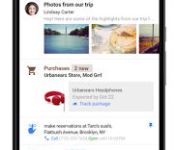
 Super clever and confusing title huh? The short of it all is that those of you that happened to get your Inbox by Gmail invite from Google the other day should now have 3 invites in your Inbox to send off to friends who weren’t so fortunate. Simply open your Inbox app and tap the round compose button. It might take a second to appear, but you should see a golden ticket to kick some love to a a few friends. If you are on the web portal, inbox.google.com, just hover over the compose button.
I am not entirely sold on the app yet myself. I have been trying to use it, but keep running into mental road blocks. Mostly the fact that I don’t use my personal Gmail for anything. At all. Everything of importance goes through my Androidspin email. Unfortunately Google App emails aren’t supported. I certainly do love the look of it and can see a huge organizational benefit. Especially when you start to create your own Bundles to filter what is important for your life.
P.S. Sorry, I am all out.
//<![CDATA[
ord = window.ord || Math.floor(Math.random()*1E16);
document.write('‘);
//]]>
The post Inbox invites available for Inbox users to invite 3 people appeared first on AndroidSPIN.

Google Inbox users can now invite three friends to use the service

If you’re lucky enough to be one of the very few using Google’s new Inbox application, you’ll be glad to hear that you now have the facility to invite three of your friends/family to join you in the beta testing action.
Using the newly-implemented invite system is extremely simple. All you have to do is navigate to the Inbox mobile or web app, hit the compose button and locate the ‘golden ticket’ icon. Tap it, and an ‘Invite to Inbox’ email will be created. All that’s left to do then is choose a recipient, and you’re good to go.
If you’ve received an invite to the service, we’d love to know your thoughts — so be sure to drop us a comment in the section below.
Source: Twitter
Come comment on this article: Google Inbox users can now invite three friends to use the service
How to invite friends to Inbox by Gmail!

Inbox by Gmail has gathered a lot of attention, and for good reason. I am a lucky person to have it, and it is a great tool, clearing my inbox within minutes, along with adding all sorts of new functions. Well Google is not being shy about adding people, as now anyone with Inbox can invite up to 3 people!

Inbox users can invite up to 3 people!
How to invite friends to Inbox
Inbox announced on Friday on Twitter that those with Inbox can invite friends. In order to do this, open your Inbox app, tap Speed Dial (the red “+” in the bottom right corner) and you should see a golden ticket. Next, shout “I’ve got a golden ticket!” and dance like a oompa loompa. Oh, wait, that won’t help. Just tap the golden ticket, and then type whoever you want to invite in the text box at the top, and then tap “Invite”! Then, enjoy the glory as your friends shout your name in praise.
Google has a lot going for it this month, between the announcement of Lollipop last week (has it only been a week?), the newest set of Nexus devices, and now a game changer from the service that changed email 10 years ago. What else could Google have in store?
Have you been enjoying this newest venture from Gmail?
via Twitter
The post How to invite friends to Inbox by Gmail! appeared first on AndroidGuys.

Yardarm will tell dispatchers when and where police fire guns

With the exception of maybe old Andy Taylor, most police officers in the United States carry a firearm as part of their standard equipment. Wouldn’t it be nice to know when those sidearms are drawn, and why? A Silicon Valley startup called Yardarm seems to think so — it’s testing a new gun accessory that can notify police dispatchers when officers draw and fire their weapons. It’s a small Bluetooth-enabled sensor that attaches to the officer’s pistol and interacts with a companion smartphone. In addition to tracking the gun’s action (if it’s been fired) and location, it can also sort out which direction the weapon was fired and even if it has simply left its holster.
The Santa Cruz County Sheriff department, one of the police agencies testing the device, are optimistic about the Yardarm’s application. It could be used to detect when officers are in a hostile situation, but are unable to call for backup. It also adds one more layer of data for investigating situations where a firearm was discharged, making it a potentially useful tool for both officer and public safety.
[Image credit: AP / Eric Risberg]
Filed under: Peripherals

Got Google’s new Inbox app? Now you can invite three friends!

The jury’s still out on Google’s new mobile approach to email, but that hasn’t stopped people from going a little batty over getting invited to use it (see also: Gmail, Google Wave). In case you were feeling a little weird about begging Google for an Inbox invite, though, you can now just beg your Inbox-using friends for one. Google has just started gracing users with three invites to spread among their needy peers — if they happen to see a golden ticket (we really need a new visual metaphor to that effect) in their Speed Dial menu, they can start spreading the love. Alas, Google isn’t letting the floodgates fully open just yet: if you got your invite from someone who didn’t get theirs straight from Mountain View, chances are you don’t have any invites of your own to share. Now we’re just waiting to see if a secondary market of Inbox invites springs up — what’s the Bitcoin-to-Inbox invite ratio these days?
Source: Google+

Buyer’s Guide: Discounts on Original iPad Air, iPad Mini 2, and Apple Accessories [Mac Blog]
Now that Apple’s iPad Air 2 and iPad mini 3 are available, retailers have been offering discounts on the original iPad Air and the iPad mini 2.
There are quite a few deals on previous-generation higher capacity cellular and Wi-Fi iPads, and this week also sees some discounts on remaining 2013 Retina MacBook Pro inventory and deals on some Apple accessories.
iPad Air
The Wi-Fi only 64GB iPad Air in Space Gray can be purchased for $499 from Best Buy, as can the 64GB Silver Wi-Fi model. The Wi-Fi only 128GB iPad Air in Silver can be purchased from B&H Photo for $599, or from Best Buy for $699. Best Buy also has the 128GB iPad Air in Space Gray for $699.
Several sites are also offering deals on the higher-capacity Wi-Fi + Cellular iPad Air models. The 64GB Cellular iPad Air in Silver from AT&T is available for $599 from Adorama. The 64GB Cellular iPad Air in Space Gray from AT&T is also available for $599, from B&H Photo.

Verizon models are slightly more expensive, with both the 64GB Silver Cellular iPad and 64GB Space Gray iPad available for $629 from Best Buy.
The 128GB Cellular iPad Air in Silver from AT&T is available for $829.99 from Best Buy and the 128GB Space Gray AT&T Cellular iPad is also available for $829.99 from Best Buy.
128GB models from Verizon are priced similarly, with the 128GB Silver version available from Best Buy for $829.99 and the Space Gray version available for $729 from B&H Photo.
iPad mini 2
Higher-capacity iPad mini 2 models are also available at steep discounts, and these iPads are a particularly good deal as the only difference between the mini 2 and the mini 3 is Touch ID and a gold color option.
The 64GB Wi-Fi only iPad mini 2 in Silver is available for $399 from Best Buy. The Space Gray Wi-Fi only iPad mini 2 is also available for $399 from Best Buy.
The 128GB Wi-Fi only iPad mini 2 in Silver is available for $499 from Best Buy, while the Space Gray version is available for $499 from Best Buy.

The 64GB AT&T Cellular iPad mini 2 in Silver is available for $529.99 from Best Buy as is the Space Gray model.
64GB Verizon Cellular iPad mini 2 models in Silver are available for $529.99 from Best Buy and the Space Gray model is available from Best Buy for the same price.
The 128GB Cellular AT&T iPad mini 2 in Silver is available for $629 from Amazon and Adorama. The AT&T Space Gray model in 128GB is also available for $629 from Amazon and Adorama.
The 128GB Cellular Verizon iPad mini 2 in Space Gray is available for $629 from Best Buy and Adorama. The 128GB Cellular Verizon iPad mini in Silver is available for $787.99 from Best Buy.
Fourth-generation iPad
Best Buy is selling the now-discontinued fourth-generation Wi-Fi only iPad in both Silver and Space Gray for $299.99.
Retina MacBook Pro
There are a few deals 2014 Retina MacBook Pro this week. The 2.6GHz/8GB/128GB 13-inch Retina MacBook Pro is available for $1,199.99 from Adorama and B&H Photo. The 13-inch 2.6GHz/8GB/256GB model is available for $1,399 from Adorama and B&H Photo. The high-end 2.6GHz/8GB/512GB 13-inch Retina MacBook Pro is on sale for $1,699.99 from Adorama and B&H Photo, a savings of $100.
There are some deals on remaining 2013 Retina MacBook Pros. The 2.4GHz/4GB/128GB 13-inch Retina MacBook Pro is available for $1,099 from Adorama and B&H Photo. The 2.4GHz/8GB/256 13-inch model is available for $1,279 from Adorama. The 2.6GHz/8GB/512GB 13-inch model is available for $1,549 from Adorama and B&H Photo.

The 2.0GHz/8GB/256GB 15-inch model is available for $1,599 Amazon, Adorama, and B&H Photo. The 2.0GHz/16GB/512GB 15-inch model is available for $2,199 from Amazon, Adorama, and B&H Photo.
The non-Retina 13-inch MacBook Pro is also on sale for $949.99 from Best Buy and $999.99 from Adorama, and B&H Photo.
Apple Accessories
The Sony Portable Bluetooth Speaker with Lightning Dock is available for $169 from Groupon, down from its original price of $249. LivingSocial has a deal on the Jawbone Jambox speaker, offering it for $89.

StackSocial is offering the “Mac to the Future” bundle for $29.99, which includes $961 worth of Mac software programs like Fantastical and Ember.

The Jarv Run BT Bluetooth Smart Heart Rate Monitor is available for $28.95 from Amazon. Groupon is selling the Kensington PowerBolt Apple Car Charger for $9.99 and StackSocial has Nintendo iPhone 6 and 6 Plus cases for $14.

The Kensington Portafolio Soft Folio Case for Apple iPad mini is available for $14.99 from Groupon, and the Logitech iPad mini Folio is available for $20 off at Best Buy.
MacRumors is an affiliate partner with some of these vendors.
How to Get ‘Handoff’ Working in OS X Yosemite and iOS 8 [iOS Blog]
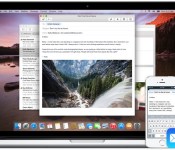
Apple is heavily pushing its new “Continuity” features in OS X Yosemite that improve cross-platform integration between iOS and the Mac. The most significant of the Continuity features is Handoff, which allows OS X and iOS users to start a task on one device and swap to another one nearby to continue work.

Handoff can be used for a number of different activities, including email, web browsing, messaging, and more. Users can begin composing an email on their iPhone and finish it on their Mac. Maps and websites work in a similar fashion, as users can load up content on one device and look at it on another. Currently, Handoff works with Mail, Safari, Pages, Numbers, Keynote, Maps, Messages, Reminders, Calendar, and Contacts. A number of third-party apps including Pixelmator, Wunderlist , PCalc, and Things also contain support for Handoff.
Requirements
You will need iOS 8.1 and OS X Yosemite in order to use Handoff. You also need to make sure that both your Mac and iPhone are logged into the same iCloud account, and check that your Mac supports Handoff. You can check if your Mac is compatible with Handoff by clicking the symbol in the top left-hand side of the Menu bar, going to About This Mac, clicking on System Report and clicking on the “Bluetooth” section. You should then see information about whether your system is compatible with Handoff.

Handoff is limited to Macs with Bluetooth 4.0, which leaves many older Macs unable to access the new features. Additionally, even though the 2011 MacBook Air and 2011 Mac mini include Bluetooth 4.0, Apple has chosen to make both devices incompatible with OS X Yosemite’s Continuity features. To solve this issue, a number of talented members of the MacRumors forums have come up with a set of instructions and a Continuity Activation Tool that should get Continuity working on Macs unable to support the feature.
Setting Up Handoff
1. Turn on Wi-Fi on your iPhone (Settings -> Wi-Fi) and Mac (Menu Bar -> Wi-Fi -> Turn Wi-Fi On.
2. Turn on Bluetooth on your iPhone (Settings -> Bluetooth) and Mac (Menu Bar -> Apple -> System Preferences -> Bluetooth -> Turn Bluetooth On).
3. Turn on Handoff on your iPhone (Settings -> General -> Handoff & Suggested Apps -> Turn Handoff On) and Mac (Menu Bar -> Apple -> System Preferences -> General -> Recent Items – > Turn On “Allow Handoff Between this Mac and your iCloud devices”)
4. You may now begin using Handoff by launching a compatible app on your Mac or iOS device and swapping to another to see your content. For example, try launching Safari on your Mac and then switch to your iPhone. On your iPhone’s lock screen, you should see a small Safari icon in the lower left corner. Slide up to launch Safari, and the iOS app will display the same website as seen on your Mac.

You can also see a Handoff-enabled app through the multitasking switcher by double-pressing your home button and scrolling to the left.

Handoff works in a similar fashion when transitioning from an iOS device to a Mac. On the Mac, a Handoff-compatible app will be displayed on the left-most side of the dock. Clicking on the app in the Mac’s dock will load the same content as seen on an iOS device.

Troubleshooting
Since the launch of OS X Yosemite and iOS 8 earlier this month, many users have had issues getting Handoff to work with their devices.
Users on our forums seem to have found that the most common solution is a combination of logging out and back into iCloud on their devices, disabling and enabling Handoff, disabling and enabling Bluetooth, and restarting devices. But even amongst those who found success, it may not last forever. Handoff clearly remains buggy in this early release.
If those steps don’t work for you, members on Apple’s own support forums have also suggested that deleting Bluetooth preferences in OS X and then restarting Bluetooth can also solve problems with Handoff, but we haven’t been able to get that to work on our end.
Any of these steps may help if you are having trouble with activating Handoff on your devices, but ultimately, Apple may have to release an update to allow Handoff to work consistently for everyone.
 AIVAnet